

AI Social Media Post Generators have quietly shifted how content gets created. Not in a dramatic, overnight way, but enough that the old workflows feel… slow now. This blog walks through what these tools actually do, where they help, and where they don’t quite hold up. There’s a breakdown of 13 AI Social Media Post Generators, along with how they compare when used in real scenarios, not just feature lists. It also touches on things people usually miss, like how input quality affects output, or why some posts still fall flat. Overall, it’s less about tools and more about using them properly; so content stays consistent, but still feels like it came from a real place.
Table of Contents
Introduction:
Why AI Social Media Post Generators Are Dominating Content Creation
Social media content has changed. Not gradually; pretty fast, actually.
It’s no longer just about showing up consistently. That still matters, sure. But what really moves the needle now is how quickly content is created, how relevant it feels, and whether it can keep up with what’s trending… sometimes within hours.
A few years back, the process looked very different. Ideas had to be brainstormed, captions written from scratch, designs created, and hashtags researched manually. Then repeat. Daily. It worked, but it was slow, and honestly, exhausting for most teams.
Now that the entire workflow can shrink into minutes. Not perfectly, not always beautifully, but fast enough to keep momentum going. And that’s where AI social media post generators started gaining real traction.
Rise of AI in social media marketing (automation + scale)
The pressure today isn’t creativity. Its volume.
Content is expected everywhere: Instagram, LinkedIn, X, Facebook, short-form video platforms, and not just occasionally. Consistently. Sometimes multiple times a day.
That kind of demand creates three very real problems:
- Content takes too long to produce
- Posting becomes inconsistent
- Teams burn out faster than expected
AI tools stepped into that gap. Not as a replacement for thinking, but as a way to speed things up without completely losing direction.
Instead of spending hours refining one post, marketers can now generate multiple angles quickly, test them, and move forward. That shift alone changes how content gets planned.
Why brands are shifting from manual to AI-generated content
It’s easy to assume this shift is about convenience. It isn’t; at least not entirely.
Performance is a big driver here.
Over time, a pattern has become pretty clear:
- Content backed by data tends to outperform guesswork
- Consistency usually beats occasional bursts of creativity
- Faster execution often wins in competitive spaces
Manual workflows struggle with all three. Especially when trends change quickly, which they almost always do.
AI helps brands respond faster. Not perfectly, but fast enough to stay relevant. And that matters more than perfection in most cases.
That said, the brands doing this well aren’t blindly publishing whatever gets generated. They’re using AI as a starting point… then shaping it into something that actually fits their voice.
What this guide covers (tools, benefits, use cases, and how to choose)
There’s a lot of noise around AI tools right now. Some of it is useful, some of it… less so.
So instead of overcomplicating things, this guide focuses on what actually matters:
- What AI social media post generators are, and where they fall short
- How they work (in practical terms, not just theory)
- Where they genuinely help, and where they don’t
- A breakdown of tools that are worth looking at right now
- How to choose one based on your workflow, not just features
The goal here isn’t to push tools. It’s to help make better decisions around content; faster, but still intentional.
What Is an AI Social Media Post Generator?
At a basic level, an AI social media post generator is a tool that helps create content for social platforms; captions, ideas, hashtags, and sometimes even visuals.
But that definition feels a bit… incomplete.
Because the better tools don’t just “generate content.” They try to understand context. Tone. Audience expectations. Even platform behavior to some extent.
Give them a rough idea, and they’ll turn it into something usable. Not always perfect, but often good enough to build on.
Definition of AI social media post generators
An AI social media post generator is software that uses trained language models to produce social media content based on inputs like topic, tone, audience, or objective.
What it outputs can vary:
- Captions
- Hooks or opening lines
- Hashtags
- Post ideas
- Sometimes visual suggestions
Some tools stop there. Others go further and combine content creation with scheduling, analytics, or even design features.
How AI tools generate captions, creatives, and hashtags
Most of these tools follow a similar pattern.
You give them something to work with; maybe a topic, maybe a product, sometimes just a few keywords. The tool processes the input and generates content that roughly matches the intent.
Where things get interesting is in how adaptable they’ve become.
A decent tool can shift tone depending on the platform. LinkedIn content tends to feel more structured, slightly formal. Instagram? More relaxed, sometimes playful. The same idea gets expressed differently.
That flexibility is where a lot of the value comes from.
Technologies behind them (LLMs, NLP, generative AI)
Under the hood, there’s a mix of technologies working together:
- Large language models trained on massive datasets
- Natural language processing to interpret meaning and context
- Generative systems that create new content instead of pulling from templates
The result is content that feels more fluid than older tools. Less rigid. Though still not flawless, and that’s worth keeping in mind.
Difference between AI caption generators vs full social media tools
Not all tools in this space do the same thing. That’s where some confusion usually starts.
- AI caption generators focus on writing. Input goes in, captions come out. Simple, useful, but limited.
- Full social media tools handle more: writing, scheduling, analytics, sometimes even design
If the goal is just better captions, a simpler tool works fine. But if content needs to be created, scheduled, tracked, and optimized in one place, a broader platform makes more sense.
It really depends on how the workflow is set up.
How AI Social Media Post Generators Work (Step-by-Step)
On the surface, it looks straightforward. Type something in, get content out.
But there’s a bit more happening behind the scenes. Understanding that process helps, especially when results feel off.
Input prompts (topic, tone, audience)
Everything starts with the input.
This could be detailed, like a full instruction with tone and audience. Or very simple, just a topic or a few keywords.
And this part matters more than most people expect.
Vague inputs usually lead to generic outputs. That’s where a lot of frustration comes from. The tool isn’t necessarily the problem; the input just didn’t give it enough direction.
More clarity in the prompt almost always leads to better results. Not perfect, but noticeably better.
AI processing (training data + intent mapping)
Once the input is submitted, the system processes it using its trained models.
It tries to figure out:
- What the request is actually asking for
- Who the content is meant for
- What tone fits the situation
- What kind of content typically performs in that context
This is where things start to feel intelligent, though it’s really pattern recognition at scale.
Still, it does a decent job most of the time.
Output generation (captions, hashtags, creatives)
After processing, the tool generates content.
Often, it doesn’t stop at one version. You’ll get multiple variations:
- Different caption styles
- Alternative hooks
- Suggested hashtags
- Sometimes, visual ideas or templates
That variety is useful. It gives room to choose, tweak, or combine elements instead of starting over.
Optimization layer (engagement, SEO, platform-specific tweaks)
Some tools add an extra layer: optimization.
They might adjust:
- Length of the content
- Structure for readability
- Hashtag relevance
- Alignment with platform norms
It’s helpful, but not something to rely on blindly.
At the end of the day, human judgment still plays a role. What looks good on paper doesn’t always perform in the real world.
Benefits of Using AI Social Media Post Generators
There’s definitely a lot of hype around AI tools. Some of it justified, some of it… overstated.
But when used properly, and that’s the key part, they do offer real advantages.
Faster Content Creation at Scale
This is usually the first thing people notice.
Content that used to take hours can now be drafted in minutes. Not finalized, but drafted, which is often the hardest part.
Multiple ideas, variations, angles… all generated quickly. That alone makes a difference for teams managing frequent posting schedules.
Improved Engagement with Data-Driven Copy
AI-generated content tends to follow patterns that have worked before.
That means:
- Stronger hooks
- Clearer structure
- More attention to flow
It’s not always groundbreaking, but it’s rarely random either. There’s some logic behind it, even if it feels subtle.
Consistent Brand Voice Across Platforms
Keeping tone consistent across platforms, especially with multiple contributors, can get messy.
AI helps smooth that out a bit.
It can follow tone guidelines, replicate style, and keep messaging aligned. Not perfectly, but enough to reduce major inconsistencies.
Still needs oversight, though. Always.
Cost-Effective Alternative to Content Teams
Building a full content team isn’t always realistic.
AI tools don’t replace that expertise, but they do reduce dependency on large teams for every single post.
Smaller teams can produce more. Solo marketers can keep up without stretching themselves too thin.
That balance matters.
AI-Powered Hashtag & Trend Optimization
Hashtag research and trend tracking take more time than people expect.
AI tools speed that up by suggesting:
- Relevant hashtags
- Current trends
- Content angles that align with ongoing conversations
It’s not always perfectly timed, but it’s a strong starting point.
Multilingual & Cross-Platform Posting
Expanding into different markets or platforms usually means adapting content, not just translating it.
AI makes that easier.
It can adjust tone, format, and even structure depending on where the content is going. That saves a surprising amount of effort over time.
Better A/B Testing & Performance Insights
Instead of committing to one version of a post, multiple variations can be created and tested.
Different hooks, tones, formats; small changes that can lead to noticeable differences in performance.
Over time, those insights add up.
The benefits are there. No question about that.
But they show up only when the tools are used with some intent. Publishing everything exactly as it’s generated… that rarely works.
A bit of editing, a bit of judgment; that’s where the real value comes in.
Best AI Social Media Post Generators
There’s no shortage of tools in this space right now. Most of them promise the same thing: faster content, better engagement, less effort.
In reality, they’re not all built the same.
Some are great at writing but fall short on scheduling. Others handle publishing well but feel limited when it comes to actual content creation. And a few try to do everything… with mixed results.
So instead of looking at features in isolation, it helps to think in terms of use cases; what kind of workflow you actually need to support.
Below is a breakdown of tools that stand out for different reasons.
1. All In One SEO (AIOSEO)
Best for: WordPress users & SEO-focused social posts
AIOSEO isn’t a traditional social media tool, but it plays an important role if content starts on a website and flows into social channels.
Key features:
- AI-assisted meta descriptions and social captions
- Social preview customization for platforms like Facebook and X
- Tight integration with WordPress publishing workflows
Pros:
- Useful for aligning blog content with social sharing
- Keeps previews clean and optimized without extra tools
Cons:
- Not built for standalone social media management
- Limited creative generation compared to dedicated tools
Pricing:
Freemium model with paid plans for advanced features
2. ChatGPT
Best for: Custom, high-quality captions
For pure content generation, this is where flexibility really shows up. It doesn’t lock you into templates or predefined formats, which can be a good thing, or a bit overwhelming, depending on how it’s used.
Key features:
- Prompt-based content creation with full control
- Ability to generate multiple tones and styles
- Works across platforms without being platform-specific
Example prompts for social media posts:
- “Write an Instagram caption for a fitness brand targeting beginners.”
- “Create a LinkedIn post about productivity tools with a professional tone.”
Pros:
- Extremely flexible
- Good for generating fresh angles and ideas
Cons:
- Requires clear prompts to get strong outputs
- No built-in scheduling or analytics
3. SocialBee
Best for: Content scheduling + AI generation
SocialBee leans more toward structured content workflows. It’s especially useful for teams that want consistency without overthinking every post.
Key features:
- AI caption generation is built into the platform
- Category-based posting (helps with content mix)
- Scheduling across multiple platforms
Pros:
- Keeps content organized
- Good balance between creation and publishing
Cons:
- The interface can feel slightly rigid at times
- Creative flexibility isn’t as strong as standalone generators
4. Buffer
Best for: Simple scheduling + AI assistant
Buffer has always been known for simplicity, and that hasn’t changed. The AI layer here feels more like an assistant than a core feature, which, honestly, works well for many users.
Key features:
- AI-assisted caption suggestions
- Clean scheduling dashboard
- Basic engagement analytics
Pros:
- Easy to use, minimal learning curve
- Reliable for consistent posting
Cons:
- Limited advanced automation
- AI features are helpful but not deeply customizable
5. Predis.ai
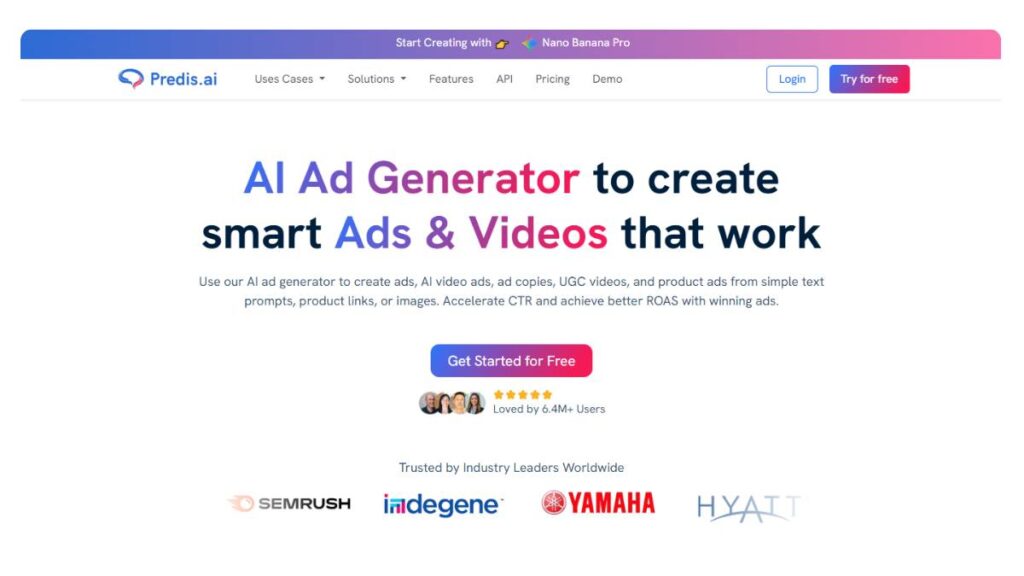
Best for: AI creatives + captions
Predis.ai stands out for combining visuals and text in one flow. Instead of just generating captions, it leans into full post creation.
Key features:
- Text-to-post generation (caption + creative)
- Competitor analysis insights
- Templates for quick design
Pros:
- Speeds up visual content creation
- Useful for brands focused on Instagram-style posts
Cons:
- Creative outputs can feel repetitive without customization
- Not as strong on analytics
6. HubSpot

Best for: Enterprise marketing automation
HubSpot isn’t just a social media tool; it’s a full marketing ecosystem. The AI features sit within that larger structure, which makes them more useful for teams already using the platform.
Key features:
- AI content assistant for posts and campaigns
- CRM integration for audience insights
- Campaign-level tracking
Pros:
- Strong data integration
- Works well for larger teams with structured workflows
Cons:
- Overkill for small teams
- Pricing can be a barrier
7. Hootsuite
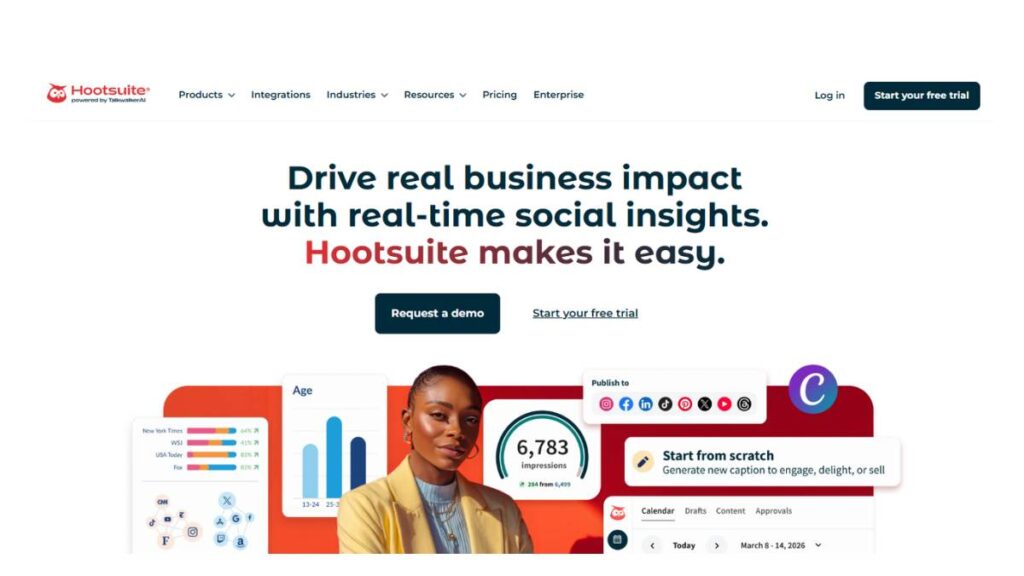
Best for: Agencies & teams
Hootsuite has been around long enough to understand what teams actually need: control, visibility, and scale.
Key features:
- OwlyWriter AI for content generation
- Bulk scheduling across platforms
- Advanced analytics dashboards
Pros:
- Built for managing multiple accounts
- Strong reporting capabilities
Cons:
- The interface can feel heavy
- AI features are useful, but not the main strength
8. Flick
Best for: Instagram captions & hashtags
Flick is more focused, and that’s part of its appeal. It doesn’t try to do everything, just a few things well.
Key features:
- AI caption generator tailored for Instagram
- Hashtag research and performance tracking
- Content planning tools
Pros:
- Strong hashtag recommendations
- Good for niche Instagram growth
Cons:
- Limited beyond Instagram use cases
- Not ideal for multi-platform workflows
9. SocialPilot
Best for: Budget-friendly automation
SocialPilot sits in that middle ground; more capable than basic tools, but still affordable for smaller teams.
Key features:
- AI-assisted content creation
- Bulk scheduling
- Team collaboration features
Pros:
- Good value for money
- Handles multiple accounts without complexity
Cons:
- UI feels slightly dated in places
- AI capabilities aren’t deeply advanced
10. Promeo
Best for: Visual-first content
Promeo is built with creatives in mind. If visuals matter more than copy, this tool leans in that direction.
Key features:
- Pre-built templates for social posts
- AI-generated captions
- Video and ad creative support
Pros:
- Strong design capabilities
- Useful for quick visual content production
Cons:
- Less focus on analytics or scheduling
- Works best when paired with another tool
11. Simplified
Best for: All-in-one content creation
Simplified tries to bring everything into one place: writing, design, and scheduling. That all-in-one approach can be convenient, especially for smaller teams.
Key features:
- AI copywriting tools
- Built-in design editor
- Social media scheduling
Pros:
- Covers multiple content needs
- Reduces tool switching
Cons:
- Jack-of-all-trades, not best-in-class in every area
- Can feel cluttered with too many features
12. Postly
Best for: Automated posting workflows
Postly focuses on automation; getting content created and published with minimal friction.
Key features:
- Bulk content generation
- Automated posting workflows
- AI writing assistant
Pros:
- Saves time on repetitive tasks
- Useful for high-volume posting
Cons:
- Limited creative depth
- Not ideal for highly customized content
13. Lately.ai
Best for: Repurposing long-form content
Lately.ai approaches content differently. Instead of starting from scratch, it breaks down existing content into smaller social posts.
Key features:
- Converts blogs, videos, and podcasts into social content
- Learns from past performance
- Generates multiple post variations
Pros:
- Great for content repurposing
- Reduces effort in maintaining content pipelines
Cons:
- Less useful without existing long-form content
- Requires some initial setup to get the best results
There’s no single “best” tool here. It depends on how content is being created, how often it needs to go out, and how much control is required.
Some tools are better for speed. Others for structure. A few for creativity.
The real advantage comes from choosing one that fits the workflow, not the one with the longest list of features.
Enroll Now: AI Marketing Course
Comparison Table: Best AI Social Media Post Generators
At some point, all these tools start to blur together. They all “generate content,” many offer scheduling, and most claim to improve performance. But when you actually compare them side by side, the differences become clearer, especially depending on what you need day to day.
Here’s a simplified breakdown to make that easier:
| Tool | AI Captions | Scheduling | Analytics | Visual Content | Best For |
| AIOSEO | Yes | No | Limited | No | WordPress users |
| ChatGPT | Yes | No | No | No | Custom content creation |
| SocialBee | Yes | Yes | Basic | No | Organized content workflows |
| Buffer | Yes | Yes | Yes | No | Simple scheduling |
| Predis.ai | Yes | Yes | Basic | Yes | Visual content + captions |
| HubSpot | Yes | Yes | Advanced | Limited | Enterprise teams |
| Hootsuite | Yes | Yes | Advanced | Limited | Agencies |
| Flick | Yes | Limited | Hashtag-focused | No | Instagram growth |
| SocialPilot | Yes | Yes | Yes | No | Budget-friendly teams |
| Promeo | Yes | Limited | No | Yes | Visual-first content |
| Simplified | Yes | Yes | Basic | Yes | All-in-one use |
| Postly | Yes | Yes | Limited | No | Bulk posting |
| Lately.ai | Yes | Yes | Advanced | No | Content repurposing |
Pricing comparison
Pricing varies more than expected.
- Entry-level tools tend to offer free plans or low-cost tiers, but usually with limitations on usage or features
- Mid-range tools bundle AI with scheduling and basic analytics; this is where most small teams land
- Enterprise tools come with deeper integrations, but pricing scales quickly
What matters here isn’t just cost; it’s how often the tool will actually be used. Paying for features that don’t fit the workflow rarely makes sense.
Best use cases (freelancers, agencies, enterprises)
- Freelancers or solo marketers usually benefit from flexible tools that don’t require heavy setup; something like ChatGPT, Buffer, or Simplified
- Agencies need structure and collaboration, so tools like Hootsuite or SocialBee tend to fit better
- Enterprise teams lean toward platforms like HubSpot or Lately.ai, where content ties into broader campaigns and data
There’s no single “best” tool here. It depends on how content is being created, how often it’s being posted, and how many people are involved.
How We Chose These AI Social Media Post Generators
With so many tools available, putting together a list like this isn’t just about popularity or feature lists. A lot of tools look impressive until you actually start using them regularly, and then small issues start to show up.
So the selection here leans more on practical use than surface-level features.
Evaluation criteria:
AI content quality
Not just whether the tool generates content, but whether that content feels usable without heavy rewriting. Some tools produce outputs that look fine at first glance but lack depth or variation.
Ease of use
Complicated tools tend to slow things down, especially for teams juggling multiple platforms. A clean interface and simple workflow matter more than endless features.
Platform integrations
Content rarely lives in isolation. Tools that connect smoothly with publishing platforms, analytics dashboards, or existing systems tend to be more useful in the long run.
Pricing vs value
Not all expensive tools are better, and not all budget tools are limited. The focus here is on whether the pricing actually aligns with what the tool delivers.
Automation capabilities
This goes beyond scheduling. It’s about how much of the workflow can be handled without constant manual input, while still maintaining control over content quality.
Real-world testing vs feature-based ranking
Feature lists can be misleading.
A tool might offer ten different capabilities, but if half of them don’t work smoothly, they don’t really count. On the other hand, a simpler tool that does a few things well can be far more valuable.
That’s why this list leans toward tools that hold up in everyday use, not just in demos or marketing pages.
How to Choose the Best AI Social Media Post Generator for Your Needs
Choosing a tool isn’t about finding the “most advanced” option. It’s about finding something that fits into the way content is already being created, or at least doesn’t disrupt it too much.
A lot of people overcomplicate this step. In reality, it comes down to a few practical considerations.
For Beginners
Simplicity matters more than features.
A tool that’s easy to use, with minimal setup, usually works best. Something that helps generate ideas and captions without requiring too much input.
At this stage, the goal isn’t automation; it’s consistency. Getting into a rhythm of posting regularly.
For Agencies
Things get more complex here.
Multiple clients, multiple platforms, different content styles; all running at the same time. Tools need to support collaboration, approvals, and scheduling at scale.
Structure becomes more important than flexibility. Without it, things get messy quickly.
For Small Businesses
Small teams often sit somewhere in between.
They need efficiency, but also flexibility. Tools that combine content creation with scheduling tend to work well here, especially when resources are limited.
Budget plays a role, too, so finding something that balances cost and functionality is key.
For Enterprise Teams
At this level, content is part of a larger system.
It connects with campaigns, customer data, performance tracking, everything. Tools need to integrate with existing platforms and support long-term strategy, not just day-to-day posting.
That usually means more advanced solutions, even if they take longer to set up.
Budget vs features breakdown
It’s tempting to go for tools with the most features, but that rarely works out well.
A better approach:
- Identify what part of the workflow takes the most time
- Choose a tool that specifically solves that problem
- Ignore features that won’t be used regularly
This keeps things focused and avoids unnecessary complexity.
Platform-specific recommendations (Instagram, LinkedIn, etc.)
Not all tools perform equally across platforms.
- For Instagram, tools that focus on visuals and hashtags tend to perform better
- For LinkedIn, content quality and tone matter more than volume
- For multi-platform strategies, scheduling and analytics become more important
Choosing a tool with the primary platform in mind usually leads to better results than trying to cover everything at once.
At the end of the day, the right tool is the one that fits naturally into the workflow. Not the one with the longest feature list, or the most hype around it.
How to Generate Social Media Post Images with AI
Choose an AI tool (e.g., Simplified / Predis.ai)
Most people overthink this part. They compare features, pricing, integrations… and still end up confused.
The better way to look at it? Workflow.
Some tools are built for speed; you open them, pick a format, and you’re done in minutes. Others give more control, but they slow things down a bit. Neither is “better,” it just depends on how content is being created day-to-day.
If content needs to go out consistently, without bottlenecks, simplicity usually wins. If brand visuals are a big deal, then flexibility matters more. There’s always a trade-off somewhere.
Input prompt (topic + tone + platform)
This is where things quietly break.
A vague input gives a vague output. Always. And then it feels like the tool isn’t working, when actually the direction wasn’t clear enough.
Instead of something broad, the input needs a bit of intent behind it. Not complicated, just… specific enough to guide the result.
Think in terms of:
- Who the post is for
- What it’s trying to do
- where it’s going
A prompt that includes even these three elements tends to produce something usable right away. Without it, most outputs feel flat. Slightly off. Hard to fix.
Select template/design style
Templates get a bad reputation sometimes. Like they make content look repetitive.
But in reality, most high-performing posts already follow patterns; lists, quick tips, bold statements, simple breakdowns. Templates just package those patterns.
The trick is not to get stuck here.
Pick something that fits the message and move on. Spending too long choosing designs usually leads to overcomplicating things. And overdesigned posts… don’t always perform better. In fact, they often do worse.
Simple, clear, readable; that’s usually enough.
Customize visuals (colors, fonts, branding)
This is the part where the content starts feeling less “generated” and more… owned.
A few small tweaks go a long way:
- adjusting colors so they match your usual palette
- choosing fonts that are actually readable on a phone (this gets ignored a lot)
- adding subtle branding, not loud logos everywhere
Perfection isn’t really the goal here. Consistency is.
When posts start looking familiar in a feed, even before someone reads them, that’s when things start working.
Generate captions and hashtags
Design pulls attention, but captions do the heavy lifting.
A lot of generated captions look fine at first glance. Clean sentences, decent structure. But they’re often missing a bit of edge or clarity.
Usually, tightening the first line makes the biggest difference. If that doesn’t land, the rest doesn’t matter much.
Captions that work tend to:
- start with something sharp or specific
- Add a quick layer of value or context
- gently push the reader to react (like, save, comment; nothing forced)
Hashtags… better to be selective. A mix works best. Some broad, some niche, some intent-driven. Too many, and it starts looking cluttered.
Export & schedule posts
This step feels basic, but it’s where consistency either happens… or doesn’t.
Wrong dimensions, low resolution, poor formatting; these things quietly affect performance. Not dramatically, but enough.
Scheduling matters more than people expect. Not in a rigid way, but in a steady rhythm. Posting randomly might work for a while, but it’s hard to sustain.
Consistency doesn’t need to be daily. It just needs to be predictable.
Best Practices for Using AI Social Media Post Generators
Always edit AI-generated content for authenticity
Raw outputs are rarely bad. But they’re rarely great either.
They usually sit somewhere in the middle: safe, structured, a bit generic. That’s the problem.
A quick pass makes a difference. Changing a phrase, tightening a sentence, adding a sharper hook. Small edits, but they shift the tone from “generated” to something more natural.
It doesn’t take long. But skipping this step shows.
Add brand voice guidelines
Without some kind of direction, content starts drifting.
One post sounds formal. Another feels casual. Then something in between. Over time, it becomes inconsistent, even if each post is decent on its own.
A simple voice guideline helps more than expected. Not anything complex. Just clarity on how the brand should sound.
Over time, that consistency builds familiarity. And familiarity builds trust. It’s subtle, but it compounds.
Combine AI with human creativity
Automation handles volume well. No doubt about that.
But the posts that actually connect usually have something extra: timing, phrasing, perspective. That part doesn’t come automatically.
The balance matters. Let the system handle the structure, then shape it into something more thoughtful.
That’s where the difference shows up.
Use AI for ideation, not just automation
This part gets overlooked a lot.
It’s not just about generating posts; it’s about generating angles. Ideas. Directions that might not come up otherwise.
Especially useful when content starts feeling repetitive. Same formats, same themes, just reworded.
Using it as a thinking tool opens things up. New hooks, different formats, slightly unexpected takes. That variety keeps content from going stale.
Optimize posts for each platform algorithm
Every platform behaves differently. Not drastically, but enough.
What works on one doesn’t always translate cleanly to another. Even small things, such as caption length, structure, and pacing, can affect how content performs.
Posting the same thing everywhere saves time, but it rarely gives the best results.
A few small adjustments usually go a long way. Not a full rewrite. Just enough to match the platform.
Common Mistakes to Avoid When Using AI for Social Media
Over-reliance on generic AI content
This shows up quickly.
Content starts looking polished, but also… interchangeable. One post blends into the next. Nothing really stands out.
That’s usually a sign of relying too much on default outputs.
Even a bit of customization changes that. A different angle, a sharper hook, a more specific example. It doesn’t need a full rewrite; just enough to make it feel distinct.
Ignoring audience insights
It’s easy to focus on producing more content. But without paying attention to what actually works, it becomes guesswork.
Patterns are usually there; certain formats, tones, or topics perform better. The data isn’t always obvious, but it’s there.
Leaning into those patterns tends to give better results than constantly trying new things without direction.
Posting without personalization
Generic content is easy to scroll past.
Even small touches, speaking to a specific problem, using familiar language, and narrowing down the audience make posts feel more relevant.
It doesn’t need to be hyper-personalized. Just intentional enough that it feels like it’s meant for someone, not everyone.
Not testing different formats
Sticking to one format feels safe. But it limits reach over time.
Some ideas work better as carousels. Others have short captions. Some need visuals, others don’t.
Testing different formats isn’t about experimenting randomly. It’s about understanding what works best for the audience and leaning into it.
Using the same captions across platforms
It seems efficient. Write once, post everywhere.
But platforms have their own rhythm. Their own style.
A caption that works well in one place might feel off somewhere else. Slightly too long. Or too short. Or just… mismatched.
Small tweaks usually fix that. Adjust the tone, tighten the structure, maybe reframe the hook.
It’s not a lot of extra effort. But it usually performs better.
Future of AI Social Media Post Generators
AI real-time trend adaptation
Content is already moving fast, but what’s coming next is faster than most teams are used to.
The shift isn’t just about creating posts; it’s about reacting in the moment. Trends, conversations, even micro-moments inside a niche… they don’t last long anymore. Tools are starting to pick up on that, adjusting content direction based on what’s happening right now, not what worked last week.
That changes how content gets planned. Less rigid calendars, more flexibility. Brands that adapt quickly tend to stay relevant longer. The ones that don’t… start to feel delayed, even if the content itself is good.
Hyper-personalized content generation
Broad messaging is slowly losing its edge.
What’s working more now is specificity; content that feels like it’s meant for a certain group, not everyone scrolling past. That could mean different versions of the same post for different audiences, or small variations in tone and messaging based on behavior.
It’s not about over-personalizing everything. That usually backfires. But even light segmentation, changing how something is framed for beginners vs experienced users, makes content land better.
And over time, that gap becomes noticeable.
Voice & video AI integration
Text and static visuals have been the core for a while. That’s changing.
Short-form video, voice overlays, dynamic content; these formats are getting easier to produce, which means they’ll become more common. Not necessarily more creative, just more accessible.
The challenge won’t be creating video. It’ll make it worth watching.
Attention is already fragmented. Adding more content doesn’t solve that. Quality still matters, maybe more than before. Clear messaging, pacing, structure; those fundamentals don’t go away, even as formats evolve.
Predictive engagement scoring
This is where things get interesting.
Instead of posting and then analyzing performance later, content is starting to be evaluated before it even goes live. Signals like structure, clarity, timing, and even emotional tone can be assessed early.
Not perfectly, but enough to guide decisions.
That doesn’t mean every post will perform well. It just reduces guesswork. Over time, it helps teams understand what’s likely to work and what probably won’t before investing too much into it.
Still, instincts matter. Data helps, but it doesn’t replace judgment.
Conclusion:
At this point, it’s less about whether to use them and more about how.
The biggest advantage is speed. Content that used to take hours can now be created much faster, without losing structure or clarity. For teams managing multiple platforms or high posting frequency, that alone makes a difference.
But speed isn’t the full story.
Used well, these tools help with consistency, idea generation, and reducing creative fatigue. They make it easier to stay active without constantly starting from scratch. That’s valuable, especially when content demands don’t slow down.
At the same time, relying on them too heavily creates a different problem: content that feels predictable, slightly generic, and easy to ignore. That’s where a bit of human judgment still matters. Adjusting tone, refining messaging, and making sure it actually connects.
So the real answer sits somewhere in between.
For beginners, they remove a lot of friction. Getting started becomes easier, less overwhelming.
For small teams, they act like a multiplier; more output without needing more people.
For agencies and larger teams, they help standardize processes and scale content without breaking workflows.
The key is not to treat them as a replacement, but as support.
Use them to move faster. Use them to explore more ideas. But keep a layer of intention over everything that goes out.
Because in the end, content still needs to feel like it’s coming from somewhere, not just generated and published.
FAQs: AI Social Media Post Generators
1. What is the best AI social media post generator?
“Best” usually depends on how the content actually gets made behind the scenes. Some setups need quick captions on the fly, others need a full system: drafting, approvals, scheduling, and analytics. Tools behave very differently once they’re part of a real workflow. The right one tends to be the one that quietly fits in… not the one with the longest feature list.
2. Are AI-generated social media posts effective?
They can be. But straight out of the tool, most posts feel a bit… unfinished. Not bad, just missing that extra edge. A sharper opening line, a clearer angle, maybe tightening the wording; that’s where performance starts to shift. The raw version gets you halfway. The edits do the rest.
3. Can AI create Instagram and LinkedIn posts?
Yes, and it usually gets the broad tone right. Instagram leans quick and visual, LinkedIn wants a bit more substance. Still, outputs often land somewhere in the middle. Close, but not quite there. A few small tweaks; line breaks, phrasing, maybe a stronger hook; make them feel more native.
4. Are AI social media tools free or paid?
Both, and the gap between them shows up pretty quickly. Free tools are fine for occasional use, testing ideas, that sort of thing. But once posting becomes regular, limits start to get in the way. Paid versions tend to remove that friction; more control, better outputs, fewer workarounds.
5. How do AI tools generate hashtags?
Mostly by reading the content and pulling out themes, keywords, topics, and intent. Then matching those with commonly used tags. It works… to an extent. The issue is, they often lean generic. A quick pass to swap out a few tags usually improves reach more than leaving them as-is.
6. Can AI tools replace social media managers?
Unlikely. They’re useful for speeding things up: drafts, ideas, repurposing content, but strategy is a different game. Timing, audience mood, positioning… those aren’t things tools fully grasp. Without that layer, content might look fine on the surface, but it won’t really move the needle.
7. Which AI tool is best for beginners?
Anything that doesn’t feel complicated within the first few minutes. That’s usually the real test. Simple layout, a few guided prompts, maybe templates to start with; that’s enough. Early on, clarity matters more than features. Too many options tend to slow things down.
8. Are AI-generated posts SEO-friendly?
They can include keywords, sure. But social platforms don’t reward posts the same way search engines do. Engagement signals matter more: comments, shares, and saves. A post that feels clear and relatable tends to outperform something that’s technically “optimized” but doesn’t connect.
9. Do AI tools support multiple languages?
Most do, and they’re getting better at it. Still, there are moments where phrasing feels slightly off; too literal, or just not how people actually speak. It’s subtle, but noticeable. For anything important, a quick human check goes a long way.
10. How safe is AI-generated content?
Generally fine, just not something to publish blindly. Sometimes there are small slips; awkward wording, odd phrasing, or details that don’t quite hold up. Nothing major, but enough to need a quick review. Treat it like a first draft, not the final version.
11. How do AI social media post generators improve engagement rates?
Mostly through consistency and structure. Posts come out more regularly, with clearer hooks and cleaner flow. That alone helps. But the real lift shows up when those posts are adjusted based on what the audience actually responds to. Without that, gains tend to plateau.
12. Can AI generate platform-specific content for Instagram, Facebook, and LinkedIn?
Yes, though it’s not always perfectly tuned. The structure shifts; shorter lines for Instagram, more detail for LinkedIn, but the tone can still feel slightly off. Small edits fix that. A line here, a tweak there… suddenly it feels like it belongs on that platform.
13. What are the limitations of AI social media post generators?
Context is the big one. Tools don’t really “read the room.” They don’t know what your audience is tired of, what just trended yesterday, or what tone feels right this week. That’s why some posts feel repetitive or a bit disconnected. Good starting point, not the full picture.
14. Do AI social media tools support content scheduling and automation?
A lot of them do, especially the more complete platforms. Scheduling helps keep things consistent, which matters more than posting constantly. That said, it’s not set-and-forget forever. Content needs occasional check-ins; things change, and posts can age faster than expected.
15. How accurate are AI-generated captions and hashtags?
Captions are usually solid structurally, just sometimes lacking personality. Hashtags can be hit or miss; relevant, but often too broad. The more specific the input, the better the output. Even then, a quick edit makes a noticeable difference.
16. Can AI tools generate viral social media content?
They can shape posts in a way that could perform; strong hooks, relatable ideas, and clean structure. But virality doesn’t follow a formula. Timing plays a role, so does audience behavior… sometimes it’s just unpredictable. Tools help set the stage, not control the outcome.
17. What input is required to generate high-quality social media posts using AI?
Clarity, mostly. Topic, audience, tone, platform; that’s enough to get decent output. When inputs are vague, the result usually feels generic. A bit more direction upfront saves time later. Less fixing, fewer rewrites.
18. Are AI social media post generators suitable for small businesses and startups?
Yes, especially when time and resources are tight. They make it easier to stay visible without a full team. But relying on them without any edits tends to make content blend in. A few small adjustments help it stand out again.
19. How do AI tools maintain brand voice consistency in social media posts?
They don’t, not on their own. They follow whatever patterns are given: tone, examples, guidelines. Without that, the voice shifts. Consistency usually comes from setting a clear direction and making light edits. The tool supports it, but doesn’t enforce it.
20. Can AI-generated social media posts be customized for different target audiences?
Yes, and that’s where they’re actually quite useful. Changing a few inputs, tone, audience type, and intent can reshape the whole message. It’s not a full rewrite, more like adjusting the angle. That flexibility makes content easier to adapt without starting from scratch every time.