
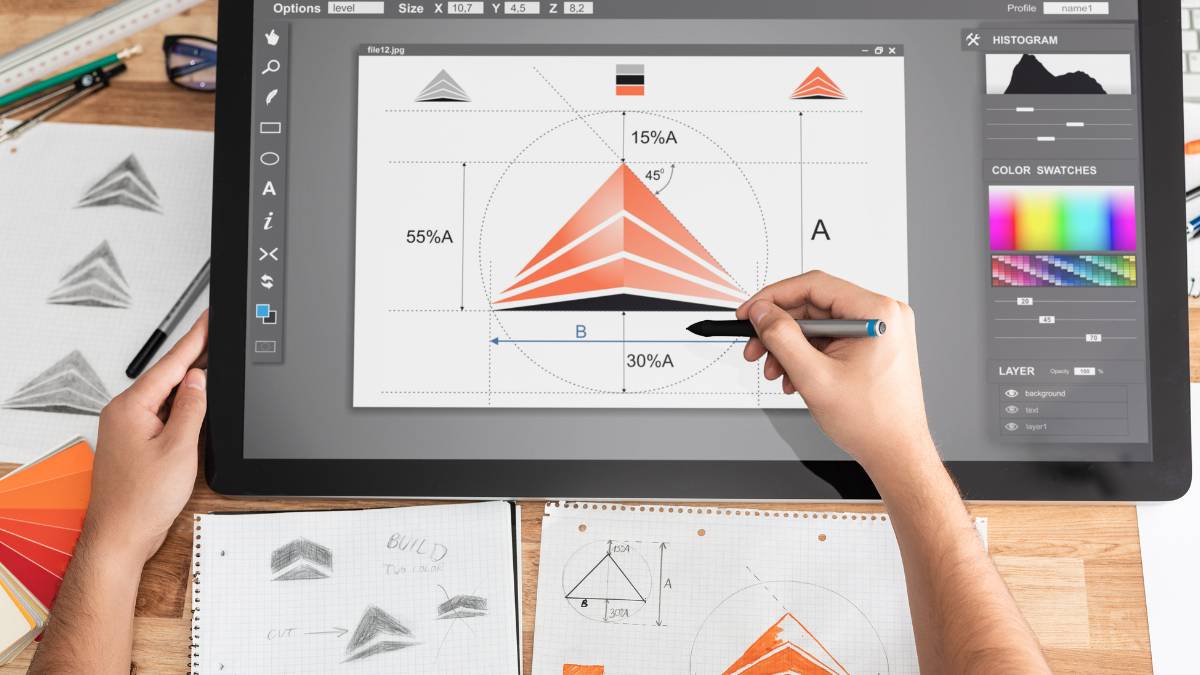
AI illustration generator tools have quickly shifted from being experimental to something teams actually rely on in day-to-day creative work. This blog breaks down how these tools function, where they fit, and what to realistically expect from them, without overhyping the output. It walks through key use cases, practical limitations, and the kind of control users can (and can’t) have. There’s also a closer look at leading tools, how they compare, and where each one makes sense. For anyone trying to figure out whether these tools can fit into a real workflow, not just for quick visuals, but consistent output, this gives a clearer, more grounded view.
Table of Contents
Introduction
The way visuals get created has changed; not slowly, but all at once. What used to sit in a design queue for days now gets turned around in an afternoon. Sometimes faster. And not just rough drafts either… actual usable illustrations.
Most teams didn’t plan for this shift. It just happened. More platforms, more content, more demand for visuals that don’t look generic. And at the same time, timelines kept shrinking. Something had to give.
That’s where AI illustration tools quietly stepped in. Not as a replacement for designers; that conversation is overplayed, but as a way to handle the volume. Early concepts, quick variations, campaign visuals that don’t need a full design cycle. The kind of work that eats up time but still needs to look good.
Designers use them to unblock ideas. Marketers use them to move faster. Founders use them when there’s no design team at all. Different entry points, same outcome; less friction between idea and execution.
This guide is meant to cut through the noise a bit. Not every tool that looks impressive actually holds up in real workflows. Some do. Some don’t. The goal here is simple: understand what matters, what doesn’t, and where these tools actually fit into day-to-day work.
What Are AI Illustration Generator Tools?
At the simplest level, these tools turn text into visuals. Type something in, get an image out. That’s the surface view.
Underneath, it’s more layered than that.
Instead of pulling from a library, these systems generate images from scratch. They’ve been trained on massive datasets; patterns, styles, compositions; and they use that training to “predict” what an image should look like based on a prompt. It’s less like searching, more like constructing.
That’s why results can feel surprisingly original… and sometimes a bit off. Both come from the same place.
A couple of distinctions tend to matter more than people expect:
AI art vs illustration tools
Not every tool is built for the same outcome. Some lean heavily into artistic, stylized outputs; great for mood boards, concept art, and experimental work. Others aim for cleaner, more structured visuals that actually fit into marketing creatives or product design. Mixing these up leads to frustration pretty quickly.
Raster vs vector outputs
This usually gets ignored early on. Then it becomes a problem. Raster images are detailed but fixed; scale them too much, quality drops. Vector outputs, on the other hand, stay sharp no matter the size. That matters for logos, icons, UI elements… basically anything that needs flexibility.
Most of these tools run on variations of diffusion models and neural networks. The technical side can get deep, but in practice, what matters is how well the tool understands intent. Some get surprisingly close. Others… not so much.
Why AI Illustration Tools Are Booming in 2026
It’s easy to say “because the tech improved,” but that’s only part of it.
The bigger reason? Pressure.
Content expectations have gone up across the board. More platforms, more formats, more visuals needed; and all of it faster. Teams didn’t suddenly get more time or bigger budgets to match that demand. So naturally, they started looking for leverage.
AI illustration tools became the leverage.
A few shifts stand out:
Speed resets expectations
Once teams see that a usable visual can be generated in minutes, waiting hours for a first draft starts to feel unnecessary. Not for everything, but for a lot of everyday work.
Cost started to matter more
Not every asset justifies a full design process. Social posts, blog visuals, internal decks; these add up. AI helps cover that middle ground without cutting corners too badly.
Non-designers got more involved
This one’s subtle but important. People who wouldn’t normally touch design tools can now create something decent enough to use. Not perfect. But workable. That changes how teams operate.
Tools got closer to existing workflows
Platforms like Adobe and Canva didn’t treat AI as a separate feature. They built it into what people were already using. That reduced the friction a lot.
Consistency is getting better (finally)
Earlier versions felt random. Now there’s more control: styles, references, even custom-trained outputs. Still not flawless, but much more usable in real projects.
There’s also a mindset shift happening. These tools aren’t being treated as shortcuts anymore. More like assistants. Useful ones, if used properly.
Key Features to Look for in AI Illustration Generator Tools
Not every tool that generates a good-looking image is actually useful long-term. That usually becomes clear after a few projects.
A few things tend to separate the ones that stick from the ones that get dropped:
Prompt understanding (not just output quality)
Some tools create beautiful images… that have nothing to do with what was asked. That’s a problem. The better tools get closer to intent without constant rework.
Consistency across outputs
One good image is easy. Ten similar ones? That’s where most tools struggle. Look for options that allow style control or reuse; it saves a lot of time later.
Editing flexibility
Regenerating from scratch every time something looks off gets frustrating. Being able to tweak parts of an image, small fixes, and background changes make the workflow smoother.
Output format matters more than expected
Early-stage users don’t think about this much. Then they need a scalable asset and realize the tool can’t deliver it properly. Vector support isn’t a “nice to have” for certain use cases; it’s essential.
How it fits into existing work
If a tool requires too many extra steps, exporting, reformatting, switching platforms, it slows things down. The best ones feel like they belong in the workflow, not outside it.
Usage rights (often ignored, until it’s not)
Not every generated image is safe for commercial use. This part isn’t exciting, but it matters. Especially for client work or campaigns.
Speed vs quality trade-off
Fast is good. But not if the output needs heavy fixing afterward. There’s usually a balance, and different tools handle it differently.
In practice, the “best” tool isn’t always the most powerful one. It’s the one that fits how the work actually gets done, without adding extra friction along the way.
12 Best AI Illustration Generator Tools in 2026
At some point, most teams hit the same realization: these tools might look similar in demos, but they behave very differently once they’re part of actual work. The first few outputs can be impressive. Then the real test starts. Consistency, control, repeatability… that’s where the gaps show up.
Some tools are great for quick ideas but fall apart when precision is needed. Others are powerful but slow things down. A few manage to strike a balance, but even those come with trade-offs.
So instead of chasing the “best” tool overall, it’s more useful to look at where each one actually fits. What kind of work does it handle well? And where it quietly struggles.
1. Midjourney
Midjourney tends to impress right out of the gate. The visuals come out rich, detailed, and almost cinematic without much effort. Lighting feels intentional, textures look layered… even simple prompts can produce something that feels polished.
That’s exactly why it’s popular for early-stage work. When the goal is to explore a direction, not finalize it, this kind of output helps. Moodboards, storytelling visuals, concept pieces… it handles those comfortably.
But there’s a flip side. That strong visual style isn’t always easy to dial down. Sometimes the output feels a bit too stylized, especially for practical design work. When something clean and functional is needed, it can take extra effort to get there.
Key features: High-quality rendering, stylized outputs
Use cases: Concept art, storytelling, branding
2. DALL·E (GPT Image / OpenAI Image Models)
This one stands out more for how it thinks through instructions. It tends to follow prompts closely, especially when they’re layered or specific. That alone makes it more reliable in day-to-day use.
There’s also a smoother way to refine outputs. Instead of starting over every time something feels off, parts of the image can be adjusted. Small changes, tweaks, extensions… that flexibility adds up when working on real deliverables.
Visually, it sits somewhere in the middle. Not overly artistic, not too flat either. Which, in many cases, makes it easier to adapt across different formats.
Key features: Conversational image refinement, strong prompt understanding
Use cases: Blog visuals, marketing creatives
3. Adobe Firefly
Firefly feels less like a standalone tool and more like something that quietly fits into existing workflows. That’s probably its biggest advantage. No major shift required; it works where the work is already happening.
The outputs lean toward consistency. Cleaner results, fewer surprises. That matters more than it sounds, especially when working with brand guidelines or structured layouts.
It’s also built with commercial use in mind. Not just generating visuals, but generating ones that can actually be used without second-guessing.
Key features: Generative fill, Photoshop integration, brand-safe outputs
Use cases: Commercial illustration, branding
4. Stable Diffusion
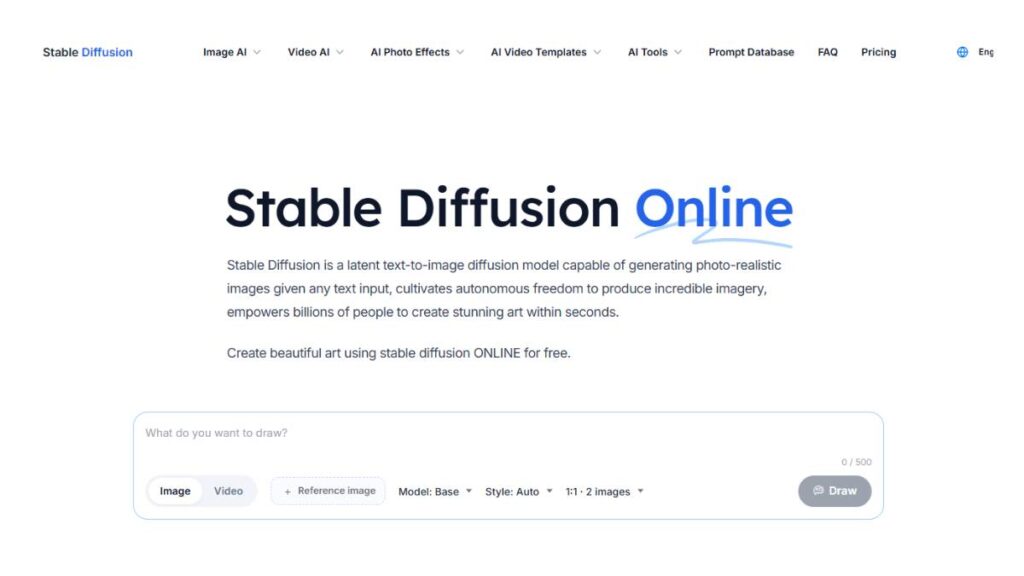
Stable Diffusion is a different kind of tool altogether. It’s not just something to “use”; it’s something to work with. There’s more control, more flexibility… but also more responsibility.
Being open-source means it can be shaped to fit very specific needs. Custom styles, trained models, local setups; all possible. But none of it happens instantly. It takes time to get it right.
For quick tasks, it’s not ideal. But for teams that need control over outputs, real control, not surface-level tweaks, it’s hard to ignore.
Key features: Open-source, local deployment, customization
Use cases: Custom AI models, niche illustration styles
5. Leonardo AI
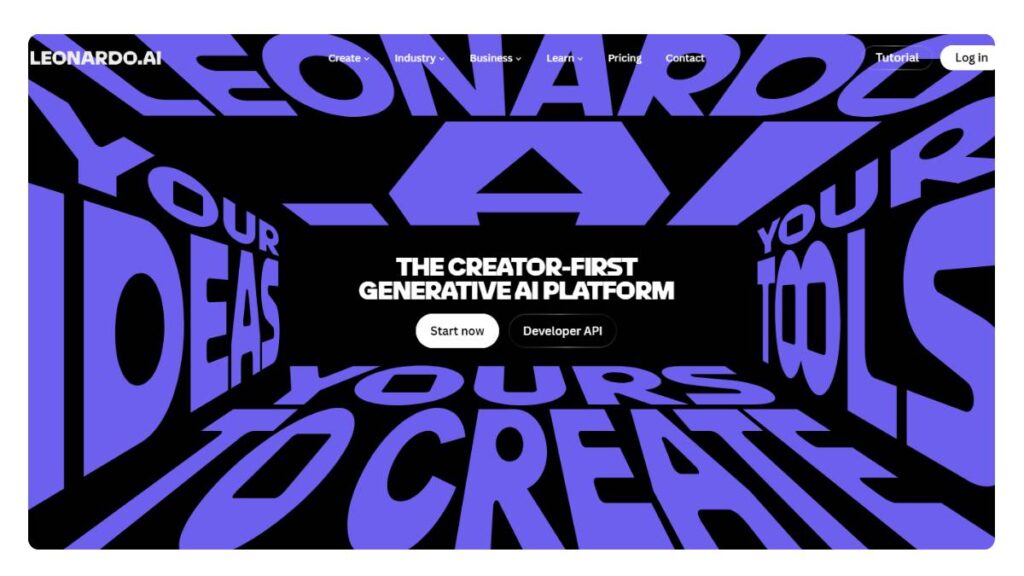
Leonardo feels more practical than flashy. It doesn’t try too hard to impress upfront, but it holds up well when used consistently.
It’s particularly useful for generating assets that need to belong together: characters, environments, and visual elements that repeat across a project. The pre-trained models help here. Less guesswork, more structure.
It’s not the most advanced tool out there, but it’s reliable. And that counts for a lot in ongoing work.
Key features: Pre-trained models, asset generation
Use cases: Game design, fantasy art
6. Ideogram
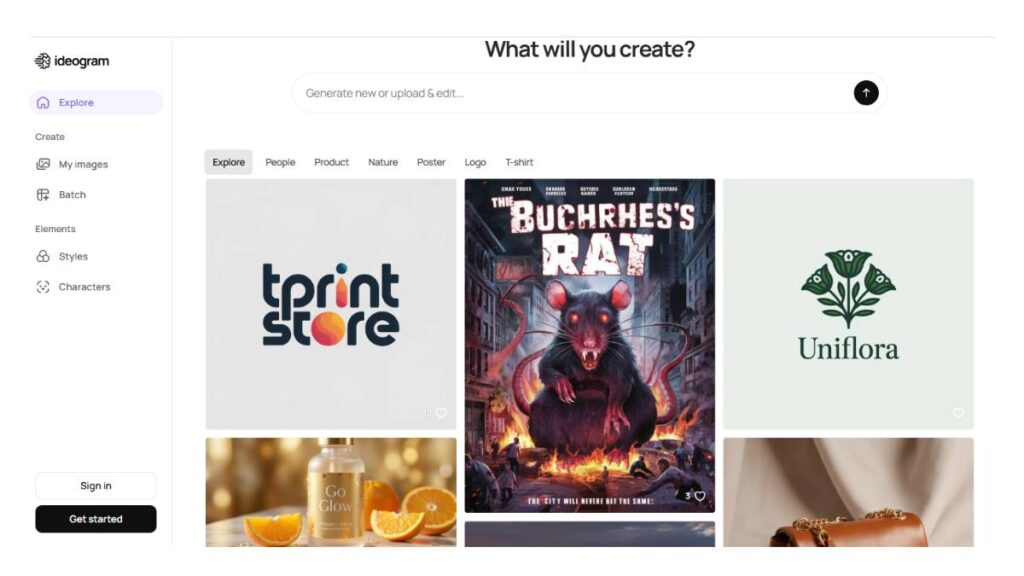
Most tools struggle with text inside images. Letters come out distorted, spacing feels off… It’s a common issue.
Ideogram handles this better than most. Text looks cleaner, more readable, more usable. That alone makes it stand out in a crowded space.
It’s not trying to do everything. But for posters, ads, social creatives, anything where text is part of the design, it solves a real problem.
Key features: Accurate text rendering in images
Use cases: Posters, social media creatives
7. Recraft
Recraft takes a slightly different direction by focusing on vector outputs. That changes how the visuals can actually be used.
Instead of fixed images, it produces assets that can scale, adapt, and fit into design systems. Logos, icons, UI elements… things that need flexibility.
It also offers better control over colors and structure, which helps when consistency matters across multiple assets.
Key features: Native vector output, brand color control
Use cases: Logos, icons, UI assets
8. Canva AI (Magic Design / Text-to-Image)
Canva keeps things simple. That’s the whole point.
The AI features are built into a platform many teams already use, so there’s no extra setup or learning curve. Generate, tweak, publish; all in one place.
The outputs aren’t the most advanced, but they don’t need to be. For everyday content, social posts, presentations, and quick visuals, it gets the job done without slowing things down.
Key features: Templates + AI generation
Use cases: Social media, presentations
9. Freepik AI Image Generator
Freepik blends two things: generation and a large asset library. That combination makes it flexible in practice.
Sometimes generating from scratch isn’t necessary. Adjusting or extending existing visuals works just as well. This tool makes that easier.
The style leans more toward clean, usable outputs rather than artistic ones. Which, for marketing work, is often exactly what’s needed.
Key features: Large asset library + AI generation
Use cases: Marketing visuals, blogs
10. Bing Image Creator (Microsoft Copilot AI)
This is often where people start. Mostly because it’s easy. No setup, no friction; just type and generate.
It’s not the most advanced option, but it’s fast. And for early-stage ideation, that’s enough. Trying out directions, testing ideas… it works well in that phase.
For more refined work, it may fall short. But as a starting point, it does its job.
Key features: Integration with search, powered by advanced models
Use cases: Quick visuals, ideation
11. Flux (Black Forest Labs)
Flux is built for control. Not just generating images, but working on them; adjusting, refining, modifying without starting over.
That’s useful in professional workflows where small details matter. Instead of regenerating an entire image for one change, edits can be made directly.
It’s not the fastest tool, but it’s precise. And sometimes that’s more important.
Key features: Layer editing, in-context modifications
Use cases: Professional design workflows
12. Icons8 Illustration Generator
Icons8 leans heavily into consistency. Instead of generating something completely different every time, it sticks to defined styles.
That’s useful for product teams, SaaS platforms, or websites where visuals need to feel connected. Not just good individually, but cohesive as a set.
It’s less about experimentation, more about reliability. And in many workflows, that’s exactly what’s needed.
Key features: Style libraries, marketing visuals
Use cases: SaaS, websites, UI illustration
Looking at these tools side by side, the pattern becomes clearer. None of them does everything perfectly. Some are fast, some are precise, some are consistent. The choice usually comes down to what kind of work needs to get done and how often it needs to be repeated without breaking the flow.
Enroll Now: AI Marketing Course
Comparison Table of AI Illustration Tools
At some point, comparing tools side by side becomes necessary. Not in a surface-level way; more like understanding where each one actually fits when work starts piling up. Features alone don’t tell the full story. It’s how those features behave under pressure that matters.
Here’s a clearer breakdown:
| Tool Name | Best For | Pricing | Output Type | Ease of Use | Unique Feature |
| Midjourney | Artistic, cinematic visuals | Paid | Raster | Medium | Highly stylized, polished outputs |
| DALL·E | Prompt accuracy & editing | Freemium | Raster | Easy | Strong prompt understanding + editing |
| Adobe Firefly | Professional workflows | Freemium/Paid | Raster + Vector | Easy | Seamless integration with design tools |
| Stable Diffusion | Customization & control | Free/Open-source | Raster | Hard | Full model control, local deployment |
| Leonardo AI | Asset generation | Freemium | Raster | Medium | Pre-trained models for consistency |
| Ideogram | Text-based visuals | Freemium | Raster | Easy | Accurate typography rendering |
| Recraft | Vector illustrations | Freemium/Paid | Vector | Medium | Native vector output |
| Canva AI | Quick marketing content | Freemium | Raster | Very Easy | Built-in templates + AI |
| Freepik AI | Stock-style visuals | Freemium/Paid | Raster | Easy | Library + AI hybrid approach |
| Bing Image Creator | Free ideation | Free | Raster | Very Easy | Instant access, no setup |
| Flux | Advanced editing workflows | Paid | Raster | Medium/Hard | Layer-level editing |
| Icons8 Illustration Generator | Consistent design systems | Freemium/Paid | Vector/Raster | Easy | Style-based illustration sets |
A quick pattern shows up here. Tools that are easier to use tend to trade off control. The more customizable ones usually ask for more time and effort. There’s no perfect middle ground; just better alignment depending on the use case.
How to Choose the Right AI Illustration Tool
This is where most people overcomplicate things. The instinct is to test everything, compare endlessly, and still feel unsure. In reality, the right choice usually comes down to a few practical factors, not feature lists.
Start with how the tool will actually be used.
If the goal is quick content creation, social posts, blog visuals, and lightweight creatives, then ease of use matters more than depth. Tools that are fast, simple, and integrated into existing platforms tend to work better here. There’s no point in using something powerful if it slows the process down.
For more structured work, branding, UI, and product design, consistency becomes the priority. Outputs need to match, follow a style, and fit into a system. This is where tools with better control, vector support, or style management start to make more sense.
Then there’s the skill level factor. Not in terms of talent, but familiarity with design workflows. Some tools assume a certain level of comfort with prompts, iterations, and adjustments. Others are built for immediate use, even without that background.
Budget plays a role, too, but not always in the way expected. Free tools are great for exploration, but they often come with limitations: output quality, usage rights, or lack of control. Paid tools usually offer more consistency and reliability, which becomes important over time.
And then there’s customization. This part tends to get overlooked early on. But as soon as a project scales, the need for consistent outputs, brand alignment, or repeatable styles becomes obvious. Tools that support this, even in a limited way, tend to hold up better in the long run.
A simple way to think about it:
- Quick, everyday content; go for speed and simplicity
- Brand or product work: prioritize consistency and control
- Large-scale or repeated output; look for customization options
Trying to force one tool to do everything usually leads to frustration. A small mix, used intentionally, tends to work better.
Use Cases of AI Illustration Generator Tools
The real value of these tools shows up in how they’re used, not just what they can do. And that use keeps expanding. What started as a way to generate quick visuals has now moved into core parts of marketing, design, and product workflows.
Some of the more common and practical use cases:
Social media creatives
This is where speed matters the most. Campaigns need fresh visuals constantly, and not every post justifies a full design cycle. AI-generated illustrations help fill that gap. Quick concepts, multiple variations, platform-specific formats… all without slowing things down.
Blog and website visuals
Stock images don’t always fit, and custom design for every article isn’t scalable. AI tools sit in the middle. They allow for more relevant, contextual visuals that actually match the content, not just decorate it.
UI/UX design
Illustrations in product design aren’t just decorative anymore. They guide users, explain features, and shape the overall experience. Tools that can generate consistent, scalable visuals, especially vector-based, are increasingly useful here.
Advertising & marketing
Ad creatives need constant testing. Different angles, styles, messaging variations. AI tools make it easier to generate multiple visual directions quickly, which speeds up experimentation without increasing production effort.
Game design and concept art
This is one of the earliest use cases, and it still holds strong. Generating characters, environments, and props, especially in early stages, helps teams explore ideas before committing to final designs.
Print-on-demand products
T-shirts, posters, merchandise… these rely heavily on unique visuals. AI tools make it easier to generate multiple design variations quickly, which is useful when testing what actually sells.
Across all of these, one thing stays consistent: the tools work best when they support the process, not replace it. They handle the repetitive, time-consuming parts. The direction, judgment, and final decisions still come from the people using them.
Pros and Cons of AI Illustration Tools
There’s a tendency to look at these tools as a straight upgrade; faster, cheaper, more scalable. And yes, in many cases, that holds true. But once they’re part of actual workflows, the picture becomes a bit more nuanced.
Pros
Speed and scalability
What used to take hours, sometimes days, can now be done in minutes. Not perfectly, but fast enough to move things forward. That speed compounds over time, especially in content-heavy environments where volume matters.
Cost-effective
For early-stage teams, small businesses, or even large marketing departments trying to optimize budgets, this changes the equation. Not every visual needs a full design cycle anymore. That alone reduces overhead in a meaningful way.
Creative experimentation
One of the more underrated advantages. Testing ideas becomes easier. Different styles, directions, concepts, all without committing too early. It creates space to explore, which traditional workflows often limit due to time or cost constraints.
Still, none of this comes without trade-offs.
Cons
Limited originality in some cases
Outputs can start to feel familiar after a while. Not identical, but close enough that patterns become noticeable. Without careful direction, it’s easy to end up with visuals that blend in rather than stand out.
Ethical and copyright concerns
This area is still evolving. Questions around ownership, training data, and usage rights don’t always have clear answers. For commercial work, especially at scale, this requires attention; not something to ignore until it becomes a problem.
Learning curve for advanced tools
The simpler tools are easy to pick up, no doubt. But the ones offering real control? They take time. Understanding prompts, refining outputs, and maintaining consistency; it’s a skill set on its own. Not difficult, but not instant either.
In practice, the pros tend to outweigh the cons, but only when the tools are used intentionally. Treated as shortcuts, they fall short. Used as part of a broader workflow, they start to deliver real value.
Future Trends in AI Illustration
Things are moving quickly here. What feels advanced today tends to become standard sooner than expected. And the direction is becoming clearer; less about generating random visuals, more about fitting seamlessly into real creative work.
One of the biggest shifts is toward personalized models. Instead of adapting to generic styles, teams are starting to train systems on their own visual identity: brand colors, illustration styles, and design language. The output feels more aligned, less generic. That gap between “generated” and “designed” is slowly narrowing.
Then there’s multi-modal generation. Images are no longer the endpoint. The same input can lead to visuals, short videos, or even 3D assets. It’s not fully mature yet, but it’s heading in that direction. Content isn’t being created in silos anymore; everything is starting to connect.
Real-time collaboration is another area picking up pace. Instead of isolated creation, multiple stakeholders can now shape outputs together, adjusting, refining, and iterating in shared environments. It sounds simple, but it changes how teams actually work.
On the backend, there’s a noticeable push toward cleaner, copyright-safe datasets. Not just for compliance, but for trust. Especially for brands, this becomes non-negotiable. The expectation is shifting; usable output isn’t enough; it needs to be safe to use.
And then, quietly, there’s the bigger shift; AI-assisted workflows replacing traditional pipelines. Not entirely, not overnight. But step by step, parts of the process are getting compressed. Concepting, iteration, and even some aspects of execution were handled faster, with fewer handoffs.
It doesn’t remove the need for creative direction. If anything, it raises the bar. The tools handle more, which means the thinking behind them has to get sharper.
Conclusion
Looking across the current landscape, one thing becomes clear: there’s no single “best” tool. Just better fits depending on how the work is structured.
Some tools are built for speed. Others for control. A few lean toward consistency, which becomes critical as projects scale. The mistake most teams make is trying to force one tool to cover everything. It rarely works that way.
What tends to work better is a more practical approach, choosing tools based on actual workflow needs. What needs to be created regularly? Where does speed matter? Where does precision matter more? Those answers usually point in the right direction.
And underneath all of this, the role of these tools is becoming clearer, too. They’re not replacements. Not for design thinking, not for creative direction, not for judgment.
They’re amplifiers.
Used well, they remove friction. Speed things up. Open up more room for experimentation. But the quality of the outcome still depends on the clarity of the input; the ideas, the intent, the decisions behind it.
That part hasn’t changed. It’s just moving faster now.
FAQs: AI Illustration Generator Tools
1. What is the best AI illustration generator tool?
There isn’t a neat, one-size answer here. Different tools behave differently; some lean into highly stylized, almost painterly outputs, while others stay closer to structured design. In practice, the “best” tool usually ends up being the one that doesn’t interrupt the workflow. If it takes too many retries to get something usable… that friction adds up fast.
2. Are AI illustration tools free?
On the surface, yes. Most platforms offer a free layer, which is helpful in the early stages, testing prompts, and understanding how outputs behave. But that phase doesn’t last long for serious use. Limits start creeping in. Slower generations, fewer options, lower resolution. At some point, upgrading stops feeling optional.
3. Can AI replace illustrators?
Not really. It can speed things up; no doubt about that. Rough concepts, variations, and even moodboards can come together quickly. But the thinking behind the work? That’s still human. Deciding what actually communicates the right idea, what feels on-brand, what should be refined or discarded… that layer doesn’t come from the tool.
4. Which tool is best for beginners?
Something that doesn’t feel overwhelming right away. Clean interface, simple controls, maybe a few built-in styles to guide things. Early on, it’s less about precision and more about getting a feel for how these systems respond. Once that clicks, moving to more advanced tools becomes easier, almost naturally.
5. Which AI tool creates vector illustrations?
This is where things get a bit limited. Most tools generate raster images; great for detail, not ideal for scaling. Vector-focused tools exist, but they’re fewer and tend to be more structured in how they work. Not as flashy, but far more practical for logos, icons, or anything that needs flexibility later on.
6. Are AI-generated illustrations copyright-free?
It’s not something to assume. Some platforms clearly allow commercial use, others… not so much, or at least not without conditions. The tricky part is that these details aren’t always obvious upfront. For personal use, it’s usually fine. For anything client-facing or business-related, it’s worth double-checking before moving ahead.
7. How do AI illustration generator tools work?
At a basic level, they’re trained on large datasets of images and patterns. When a prompt is entered, the system doesn’t pull an existing image;it builds a new one based on what it has learned. That’s why small wording changes can shift the result quite a bit. It’s not always predictable, which is part of the process.
8. Do I need design skills to use AI illustration tools?
To get started, no. But to get consistently good results… it helps. Understanding spacing, composition, and visual hierarchy; those things still matter. Without that, outputs can feel slightly off, even if they look technically fine. The tool handles execution, but direction still needs a bit of design sense behind it.
9. What is prompt engineering in AI illustration?
It sounds more technical than it is. Essentially, it’s about how instructions are written. Clear prompts tend to produce clearer results. Over time, patterns start to emerge; certain phrases work better, some don’t do much at all. It’s less about complexity and more about learning how to describe intent in a way the system understands.
10. Can AI illustration tools generate consistent characters or styles?
They can, but it takes some effort. Consistency doesn’t just happen automatically. Usually, it comes from repeating similar prompts, refining outputs, and sometimes even building on previous images. Without that, results can drift; subtle at first, then more noticeable over time.
11. Which AI illustration tools are best for commercial use?
The safer choice tends to be tools that are clear about licensing; no ambiguity, no hidden clauses. Beyond that, consistency becomes important. Outputs need to hold up across multiple uses, not just look good once. In real-world projects, reliability often matters more than visual flair.
12. Are AI-generated illustrations unique?
In theory, yes. In practice… it depends on how they’re used. Common prompts or trending styles can lead to outputs that feel familiar. Not identical, just slightly repetitive. Pushing for more specificity, adding detail, and adjusting tone usually helps create something that stands out a bit more.
13. Can AI tools create vector illustrations?
Some can, though it’s still not the standard. Vector outputs are cleaner, easier to edit, and scale without losing quality, which makes them valuable for design systems. Most tools still focus on raster images, though; visually rich, but less flexible once finalized.
14. What is the difference between text-to-image and image-to-image generation?
Text-to-image starts from nothing; a blank slate guided only by a prompt. Image-to-image works differently; it builds on something that already exists. That second approach tends to offer more control, especially when the direction is already defined. The first is better for exploration.
15. How accurate are AI illustration tools?
Accuracy varies. Vague prompts usually lead to broad, sometimes unpredictable outputs. More detailed input helps narrow things down, but even then, it’s rarely perfect on the first attempt. A bit of iteration is part of the workflow; generate, tweak, try again.
16. Can AI illustration tools be used for branding?
They can support the process, definitely. Useful for exploring directions, generating visual ideas, and even creating supporting assets. But branding itself needs consistency over time; guidelines, structure, oversight. Without that, things can start to feel scattered pretty quickly.
17. Do AI illustration tools support team collaboration?
Some are getting there, but it’s still evolving. In many cases, teams collaborate around the tool rather than inside it; sharing outputs, reviewing, and refining externally. It works, though not always seamlessly. Improvements are happening, just not across the board yet.
18. Are there offline AI illustration tools available?
Yes, mostly in open-source setups. They offer more control and keep everything local, which can be useful in certain environments. But setup isn’t always straightforward. Compared to cloud tools, they take more effort upfront; less convenience, more flexibility.
19. What are the limitations of AI illustration tools?
They’re strong when it comes to speed and idea generation. Less reliable when precision is critical. Consistency can be tricky, originality depends heavily on input, and licensing can still feel unclear at times. They work best as part of a broader process, not as a complete replacement.
20. How fast can AI generate illustrations?
Initial results are quick, often just a few seconds. That’s the appealing part. But getting something usable usually takes a few rounds of refinement. So while generation is fast, the full process still requires a bit of time and adjustment.
21. Can AI illustration tools be integrated with other software?
Increasingly, yes. Many tools now connect with design platforms or fit into larger content workflows. It’s not always perfectly smooth; some gaps still show up, but it’s improving. Once integrated properly, it does make day-to-day work noticeably easier.