
AI Product Mockup Generator Tools have quietly become part of how modern brands build visuals, especially when speed matters. This guide takes a closer look at how these tools actually work in day-to-day marketing, not just in theory. It walks through where they fit best, where they fall short, and what to pay attention to before picking one. There’s also a breakdown of 12 widely used tools, with practical context around eCommerce, print-on-demand, and content creation. Some parts are straightforward, others need a bit of judgment; that’s covered too. If creating product visuals has ever felt slow or repetitive, this should make things a bit clearer.
Table of Contents
Introduction
Product visuals weren’t always this easy. Not even close. A decent-looking mockup used to mean coordinating a shoot, waiting on edits, going back and forth on small tweaks… and repeating the whole thing when something changed. That pace just doesn’t hold up anymore, especially for brands pushing out products or campaigns every other week.
That’s where AI product mockup generator tools have quietly stepped in. Not as a flashy replacement, but more like a practical fix to a very real bottleneck.
At a glance, they seem simple; upload a design, pick a format, get a mockup. But the real shift is in how quickly things move now. Need five variations of the same product? Different backgrounds, maybe a darker tone, something more lifestyle-focused? That can be done in minutes. No heavy setup, no starting over every time.
And that changes behavior. Teams don’t overthink the first version as much. They test more. Try different visual angles. Scrap things faster. It’s less about getting it perfect upfront and more about getting something good out, then improving it.
Another thing that’s become noticeable: the style of product visuals has shifted. Clean white backgrounds still exist, sure. But they’re not the only option anymore. There’s more context now. Products shown in use, in environments, in slightly imperfect, real-looking scenes. That kind of flexibility used to take effort. Now it’s… just part of the process.
This guide keeps things grounded. No overcomplication. Just a clear look at how these tools work, where they actually help, and how to use them without turning them into another time-consuming task.
What is an AI Product Mockup Generator?
An AI product mockup generator is, in simple terms, a tool that helps create product visuals without building everything manually. It handles placement, perspective, and lighting, most of the tedious parts that usually slow things down.
Some tools lean heavily on templates. You drop a design onto a t-shirt, a box, a phone screen; it snaps into place and looks fairly realistic. Others go a step further. They build entire scenes around the product. Backgrounds, shadows, reflections… sometimes even small details that weren’t explicitly asked for. That’s where things start to feel a bit more dynamic.
It’s not one fixed approach. More like a spectrum.
On one end, there are structured mockups; predictable, clean, consistent. On the other hand, more generative setups where the output can vary quite a bit depending on the input. Both have their place. It just depends on how much control or variation is needed.
Where these tools tend to show up most:
- eCommerce listings where consistency across a large catalog matters
- Print-on-demand setups; apparel, mugs, accessories, the usual
- Social media creatives that need to go out quickly, sometimes daily
- UI or product previews when showcasing apps, dashboards, or concepts
There’s also this ongoing mix-up between mockups, renders, and actual product photos. Easy to see why. They can look similar at a glance.
But the difference is in how they’re created.
Photos are captured. Renders are built from scratch, often in 3D environments with full control over everything. Mockups sit somewhere in the middle; they simulate reality well enough without requiring that level of effort or technical setup.
That “middle ground” is exactly what makes them useful. Not perfect. Not overly complex. Just practical.
Why Use AI Product Mockup Generator Tools?
Key Benefits of AI Mockup Tools
The first thing most teams notice is speed. Not in a dramatic, exaggerated way; just… things stop taking as long. A mockup that used to take an hour (or more, depending on revisions) can now be put together in a few minutes. Sometimes less.
That alone removes a surprising amount of friction.
There’s also less dependency on specific roles. Not every task needs to wait for a designer anymore. Marketing teams, founders, even interns in some cases; they can put together usable visuals without getting stuck. It’s not about replacing design expertise, but more about reducing the load on it.
Cost naturally follows. Photoshoots, especially for physical products, add up quickly. Equipment, setup, editing, reshoots if something’s off… It’s a lot. Mockup tools don’t eliminate that entirely, but they reduce how often it’s needed.
Then there’s scale. This is where things get a bit tricky without tools like these. Managing visuals for a handful of products is manageable. Managing hundreds? That’s where inconsistencies creep in. Different lighting, slightly off angles, mismatched styles. AI mockup tools help keep things aligned without manually adjusting every single image.
Business Impact
Better visuals tend to lead to better outcomes. Not always instantly, but over time, it shows. Cleaner images, more realistic presentation; they make products easier to trust. And that trust plays a role in whether someone clicks, scrolls, or buys.
There’s also something subtle that happens with consistency. When product images follow a similar style, layout, and tone, the brand starts to feel more put together. Not necessarily “premium,” just… reliable. Familiar.
Speed to market is another piece that doesn’t always get talked about. Launching faster, updating visuals quickly, testing different looks without delay; it adds up. Especially in competitive spaces where timing matters more than expected.
At the end of the day, it’s not about completely replacing traditional methods. There are still cases where high-end photography or detailed design work makes sense. But for day-to-day needs, ongoing campaigns, and scaling visuals, these tools tend to remove just enough friction to make a noticeable difference.
12 Best AI Product Mockup Generator Tools (2026)
There’s no shortage of mockup tools right now. Some look impressive on the surface but fall apart when you actually try to use them at scale. Others feel basic… until you realize they save hours every week. The difference usually comes down to how they fit into real workflows, not just features on a landing page.
Below are twelve tools that tend to hold up in practice. Each one has its own rhythm; some are quick and predictable, others give more room to experiment.
1. Canva AI Mockup Generator
Best for beginners & marketers
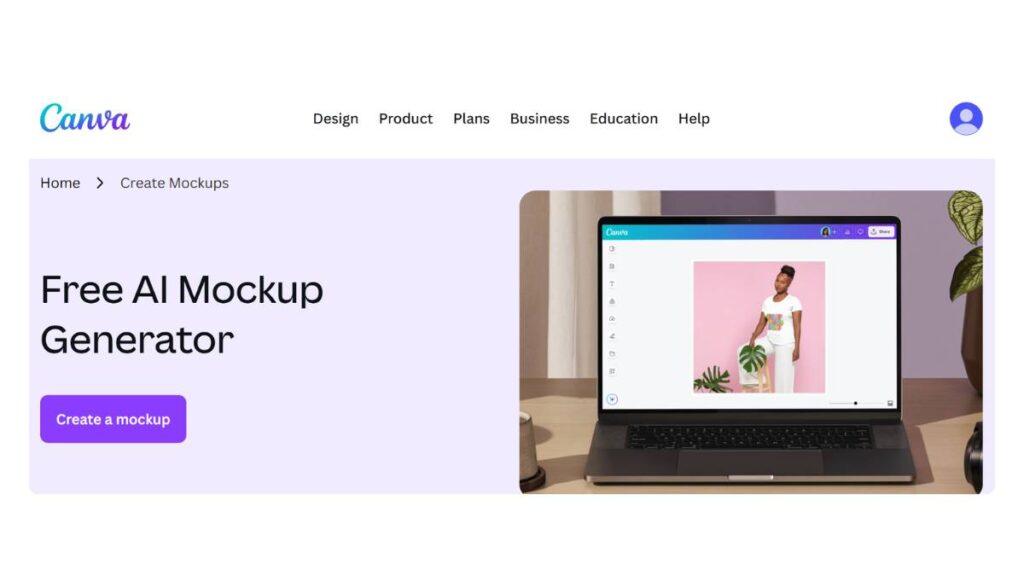
Canva does what it’s always done: remove friction. You open it, drop in a design, and things just… work. No real learning curve, which is why teams keep coming back to it for everyday tasks.
What stands out isn’t just the templates (there are plenty), but how quickly variations can be created. Different backgrounds, slight layout tweaks, alternate formats; all without breaking flow.
- Drag-and-drop editor that doesn’t get in the way
- Wide template range across common product types
- Free plan is usable, paid plans unlock better exports
It’s not built for deep customization. But for 80% of marketing use cases, it doesn’t need to be.
2. Placeit
Best for print-on-demand mockups
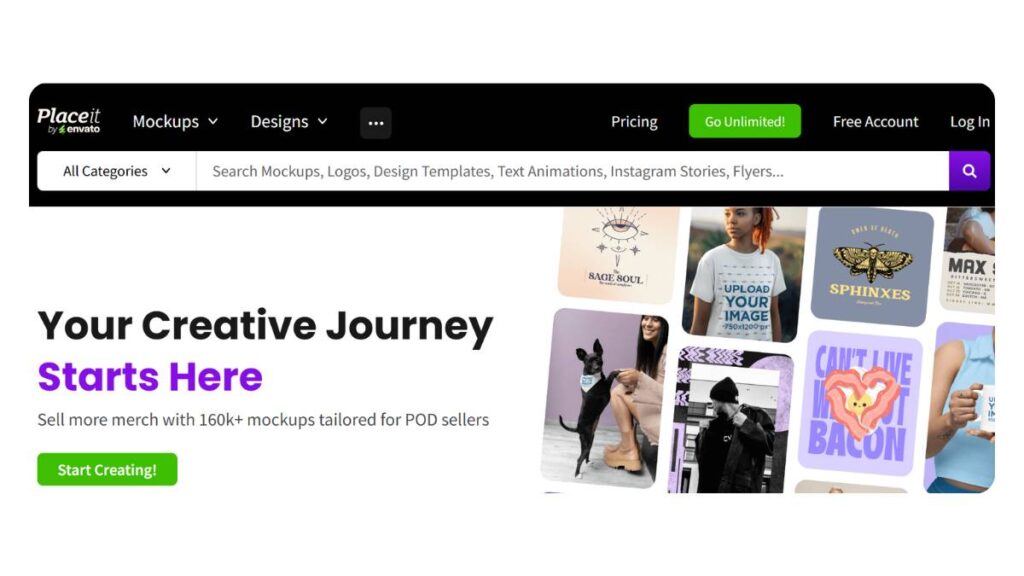
Placeit is very much built for volume. Apparel, mugs, posters; the usual print-on-demand lineup is covered well. The process is simple: pick a template, upload, adjust, and done.
Where it really helps is speed. Especially when launching multiple products at once.
- Strong library for clothing and merch
- Video mockups, which are surprisingly useful for ads
- Works smoothly with eCommerce platforms
Customization is limited, yes. But that’s kind of the trade-off. It’s fast because it doesn’t overcomplicate things.
3. Smartmockups
High-quality device & branding mockups
Smartmockups sits in that middle ground; not too basic, not overly complex. The outputs look clean, especially for device mockups and branding materials.
It’s often used when consistency matters more than creativity. Think product pages, landing visuals, and presentations.
- Device and lifestyle templates that feel polished
- Easy adjustments without breaking layouts
- Reliable output quality
It doesn’t try to do too much, which actually works in its favor.
4. Renderforest
All-in-one branding + mockup tool
Renderforest is less about single mockups and more about the bigger picture. It combines visuals, videos, and branding assets; all in one place.
That’s useful when campaigns need multiple formats, not just static images.
- Mockups + video + branding tools in one workflow
- Useful for quick campaign builds
- Decent automation built in
Not the most precise tool out there, but it saves time when juggling different content types.
5. Adobe Firefly
Generative AI for custom mockups
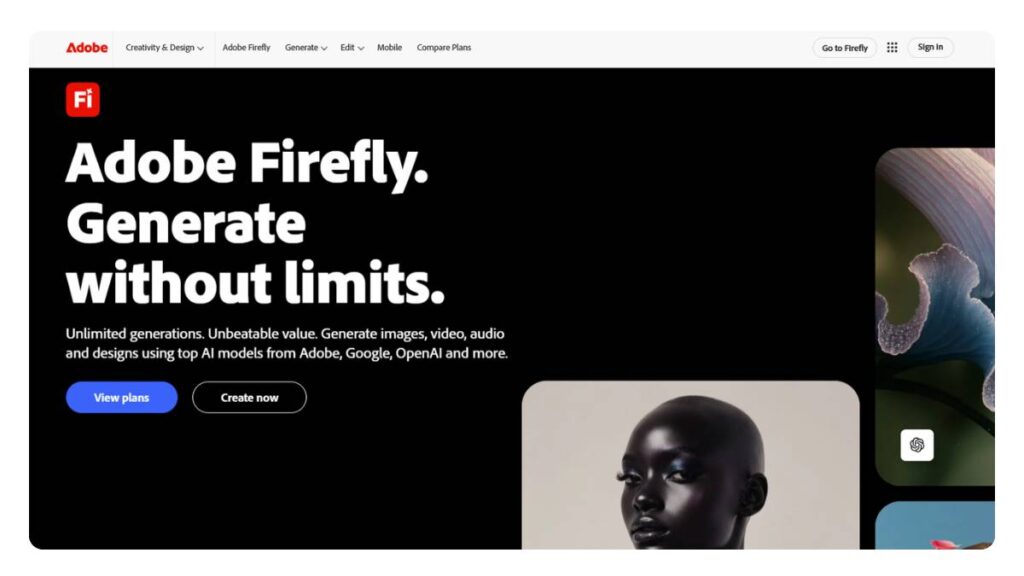
Firefly leans toward creative flexibility. It’s not the fastest option, but it gives more control over how the final visual actually looks.
That matters when templates start to feel limiting.
- Generates more unique, less “template-like” visuals
- Strong editing controls
- Safer for commercial use compared to some tools
It takes a bit more effort to get exactly what’s needed. But the payoff is originality.
6. Fotor AI Mockup Generator
Text-to-image mockups
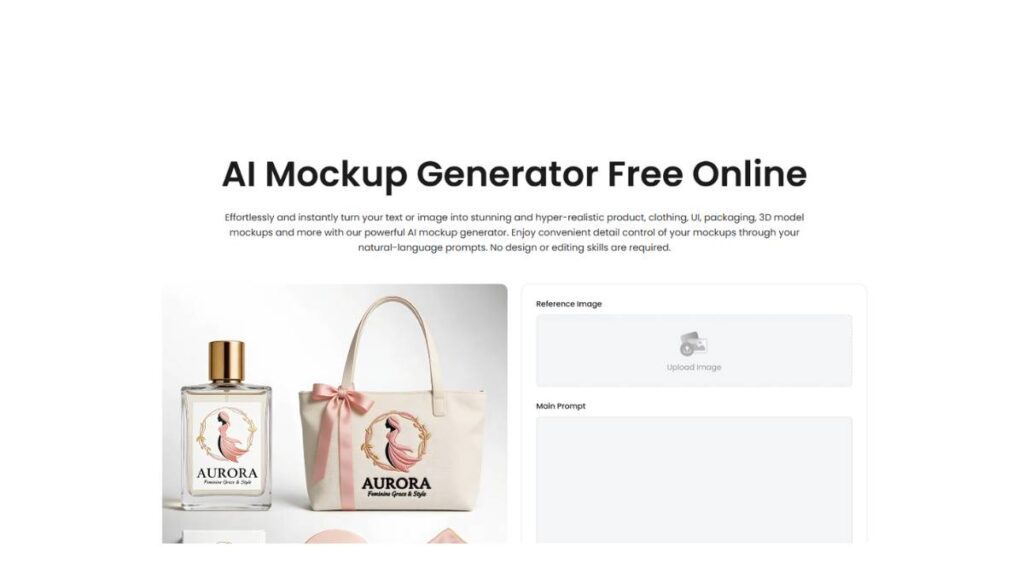
Fotor is interesting because it lets you start with an idea, not just a file. Type something in, generate a scene, and adjust from there.
Results can be hit or miss sometimes. But when it works, it saves a lot of setup time.
- Prompt-based mockup generation
- Quick way to test visual directions
- Beginner-friendly overall
Best used for exploration, not final production every time.
7. Mockey
Free mockup generator
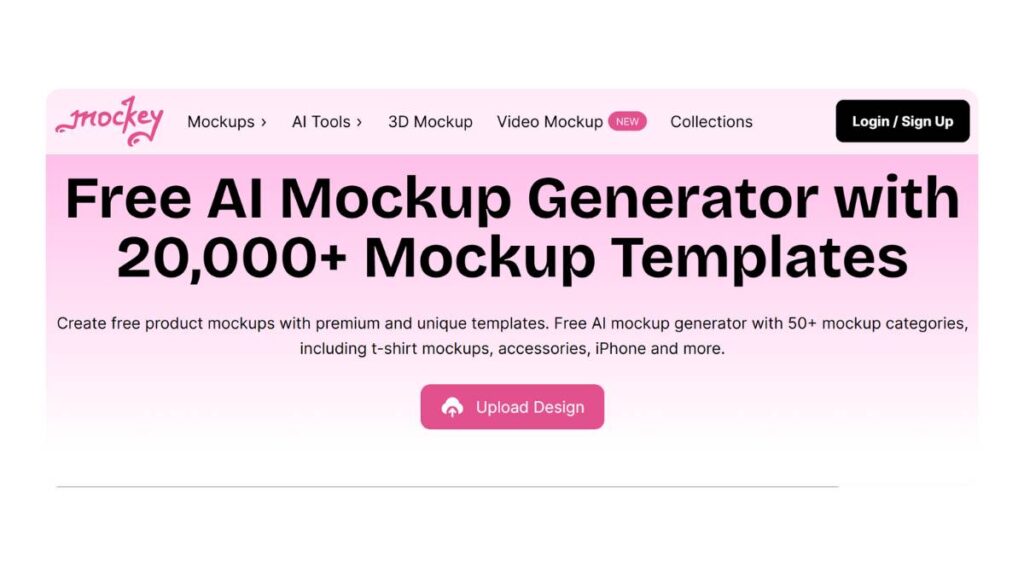
Mockey keeps things simple. No steep pricing, no heavy features; just a decent collection of templates, mostly for apparel and accessories.
- Free access to usable templates
- Straightforward editing
- Good enough for early-stage projects
It’s not trying to compete with premium tools. It’s more of a practical starting point.
8. Pacdora
Best for packaging mockups
Packaging is a different game. Flat images don’t always cut it. Pacdora handles this well with 3D-style mockups that actually show depth.
- Strong focus on boxes, bottles, and packaging formats
- Multi-angle views
- Good level of customization
If packaging is central to the product, this kind of tool becomes hard to ignore.
9. Flair AI
AI product photography tool
Flair AI leans toward realism. The outputs feel closer to studio photography, which is useful for product pages and ads where quality matters.
- Consistent, high-quality visuals
- Works well for catalogs
- Cleaner lighting and composition
Not as flexible creatively, but strong where it counts: presentation.
10. Uizard
AI UI/UX mockup generator
Uizard is more for digital products. Apps, dashboards, websites; that space.
It helps turn rough ideas into something visual, quickly.
- Converts text or sketches into UI layouts
- Useful for early-stage concepts
- Easy to share across teams
Not a design replacement, but a solid starting point.
11. Visily
AI-powered UI design tool
Visily feels a bit more structured compared to Uizard. It’s often used when teams need clearer, more refined mockups without going full design mode.
- Turns screenshots or wireframes into cleaner designs
- Helps align teams visually
- Reduces back-and-forth
Good for collaboration. Less about creativity, more about clarity.
12. Recraft AI
Text-to-product mockups
Recraft sits somewhere in between structured and flexible. It allows prompt-based generation but still gives control over variations.
- Generates multiple mockups from one idea
- Allows adjustments without restarting
- Useful for campaign variations
It’s particularly helpful when multiple versions of the same product are needed; different angles, moods, contexts.
Looking across all of these, there isn’t a single “best” tool. It depends on the situation.
Some teams just need speed; Canva or Placeit usually works. Others care more about control or uniqueness; that’s where Firefly or Recraft come in. Packaging-heavy brands lean toward Pacdora. Digital teams stick with Uizard or Visily.
The real shift isn’t about which tool is better. It’s that mockups are no longer a bottleneck. And once that friction is gone, everything else, testing, launching, iterating, starts moving a lot faster.

Enroll Now: Product Marketing Course
Key Features to Look for in AI Product Mockup Generator Tools
Not every mockup tool is built the same, and the differences usually show up when you’re under pressure: tight timelines, multiple products, and last-minute changes. That’s where the right features actually matter.
A few things tend to separate tools that are “nice to try” from ones that become part of daily workflow:
AI background generation
This one quietly does a lot of heavy lifting. Instead of hunting for the right backdrop or setting up scenes manually, you can generate environments that match the product: clean studio, lifestyle, seasonal, whatever fits. Saves time. Also keeps visuals from looking repetitive.
Drag-and-drop editor
Seems basic, but not all editors feel smooth. A good one lets you move fast; swap designs, adjust positioning, test variations without friction. If the editor feels clunky, the whole process slows down.
Template library (apparel, devices, packaging)
Templates are still the backbone for most use cases. The key isn’t just quantity, it’s relevance. Apparel for print-on-demand, device mockups for SaaS, packaging for physical products; the closer the fit, the less editing needed later.
3D mockup rendering
Flat images only go so far. 3D adds depth, especially for packaging or physical products. It gives customers a better sense of scale and realism… which, in practice, tends to improve how products are perceived.
Batch mockup generation
This becomes important quickly. One product is easy. Fifty? That’s where things break down without batch capabilities. Being able to generate multiple mockups in one go, same style, different designs, saves hours.
Brand kit & customization
Consistency is often overlooked until things start looking… off. Fonts, colors, logo placement; a solid tool lets you lock these in so every mockup feels aligned, not pieced together.
Integration with eCommerce platforms
Direct integrations remove extra steps. Upload once, sync across product listings, keep things updated. It’s not flashy, but it keeps operations cleaner.
High-resolution exports (4K/HD)
Low-quality visuals can quietly hurt conversions. Sharp, high-res exports make a difference, especially on product pages or ads where details matter.
Collaboration features
For teams, this matters more than expected. Being able to share, review, and tweak mockups without endless back-and-forth speeds things up and avoids version confusion.
At a glance, these features look standard. In practice, the tools that execute them well are the ones that stick.
Types of AI Product Mockup Generator Tools
There’s a bit of confusion here because everything gets grouped under “mockup tools,” but they don’t all work the same way. Different types solve different problems.
Template-based mockup generators
This is where most people start. Pre-designed scenes where you drop in your product and adjust a few elements.
- Fast and predictable
- Great for eCommerce listings
- Limited flexibility, but reliable
These work best when speed matters more than originality.
Text-to-mockup AI generators
Instead of starting with a template, you describe what you want. The tool builds the scene from that.
- More creative freedom
- Useful for testing ideas quickly
- Output can vary; sometimes great, sometimes needs tweaking
Good for early-stage concepts or when standard templates feel too repetitive.
AI product photography tools
These focus on realism. The goal is to mimic studio-quality product photos without actually shooting them.
- Clean lighting, realistic shadows
- Strong for product pages and ads
- Less experimental, more polished
Often used by brands that want a premium look without the cost of photoshoots.
3D mockup generators
Built for products that need depth: packaging, bottles, boxes.
- Multiple angles and perspectives
- Better product visualization
- Slight learning curve compared to flat mockups
These become essential when presentation directly impacts buying decisions.
UI/UX mockup AI tools
A different category altogether. Focused on digital products like apps and websites.
- Converts ideas, sketches, or text into interface designs
- Useful for product teams and early prototypes
- Not meant for physical product visuals
Choosing the right type matters more than choosing the “best” tool. The use case usually decides that.
Comparison of Best AI Product Mockup Generator Tools
A quick comparison helps cut through the noise. Not everything needs a deep dive; sometimes, a side-by-side view makes decisions easier.
| Tool Name | Best For | Pricing | Key Features | Ease of Use |
| Canva | Beginners, marketers | Free + Paid | Drag-and-drop, templates, quick edits | Very Easy |
| Placeit | Print-on-demand products | Paid | Apparel templates, video mockups, and integrations | Easy |
| Smartmockups | Branding & device mockups | Paid | Clean visuals, device frames, high-res exports | Easy |
| Renderforest | All-in-one content creation | Free + Paid | Mockups + video + branding tools | Moderate |
| Adobe Firefly | Custom, creative mockups | Paid | Generative visuals, advanced editing | Moderate |
| Fotor | Quick concept mockups | Free + Paid | Text-to-image, fast iterations | Easy |
| Mockey | Free mockups (apparel focus) | Free | Basic templates, simple editing | Very Easy |
| Pacdora | Packaging mockups (3D) | Paid | 3D rendering, multiple angles | Moderate |
| Flair AI | Product photography-style visuals | Paid | Realistic lighting, consistent outputs | Easy |
| Uizard | UI/UX mockups | Free + Paid | Text/sketch to UI, rapid prototyping | Easy |
| Visily | Product team mockups | Free + Paid | Screenshot to design, collaboration | Easy |
| Recraft AI | Creative product variations | Paid | Text-based mockups, multiple variations | Moderate |
No tool dominates across everything. Some win on speed, others on control, a few on realism.
The better approach is to match the tool to the workflow. Fast-moving eCommerce? Simpler tools usually win. More design-heavy or brand-focused work? Flexibility starts to matter more.
How to Choose the Best AI Product Mockup Generator Tool
Choosing a mockup tool sounds simple… until you actually start using one in a real workflow. That’s where things get clearer. Some tools feel great in a demo, then slow everything down once you’re handling multiple products or last-minute changes.
Start with the use case, always.
If the goal is clean product images for an online store, you don’t need something overly creative. You need consistency. Fast output. Same angles, same lighting, across dozens of SKUs. On the other hand, for social media or ads, a bit more variation helps. Different scenes, different moods; otherwise, everything starts looking the same pretty quickly.
Then there’s budget, which is rarely just about money.
Free tools are fine in the beginning. Good, even. But once volume increases, limitations start showing up: export quality, watermark issues, and limited templates. Paid plans usually remove those bottlenecks. The question is whether the time saved actually justifies the cost. In most cases, it does… but not always.
Skill level is one of those things people underestimate.
Some tools look simple but require a bit of figuring out. Others are almost too simple. If a team has no design background, even small friction adds up. A “powerful” tool isn’t helpful if nobody wants to use it.
And then, output quality; this is where shortcuts show.
Low-quality mockups don’t always look bad at first glance. But side-by-side with sharper visuals? The difference is obvious. Slight blur, odd lighting, weird proportions… customers notice, even if they don’t say it out loud.
So yeah, less about picking the “best” tool. More about picking the one that doesn’t slow things down or create extra fixes later. That’s usually the real test.
How to Create Product Mockups Using AI
The process itself isn’t complicated. What usually causes issues is overthinking or trying to perfect everything too early. A simple flow works better.
Step 1: Choose your AI mockup tool
Pick something that fits the product you’re working with. Sounds obvious, but it saves a lot of backtracking later. A tool built for apparel won’t handle packaging well, and vice versa.
Step 2: Upload your product design or image
Clean inputs make everything easier. Transparent backgrounds help. High-resolution files help even more. If the base image is messy, the mockup will be too. No way around that.
Step 3: Select a template or generate an AI scene
Templates are faster. Generated scenes are more flexible.
Most of the time, templates are enough. But when things start feeling repetitive, that’s when custom scenes come in handy.
Step 4: Customize background, lighting, and angles
This is where small changes matter. Not big redesigns; just subtle adjustments.
A slightly better angle, softer shadow, cleaner background… those things add up. Especially across multiple images.
Step 5: Export high-resolution mockup
Always go for the highest quality available. It avoids rework later.
Also, keep formats in mind: PNG for flexibility, JPEG for lighter files. Nothing complicated, just practical.
One thing that helps: don’t aim for perfection on the first pass. Get a solid version out, then refine if needed. Otherwise, time disappears fast.
Best Use Cases of AI Product Mockup Generator Tools
Mockup tools aren’t magic, but in certain situations, they make a noticeable difference. Especially when speed and consistency matter.
Print-on-demand businesses
This is probably the most obvious fit.
When the same design needs to go on ten different products, t-shirts, hoodies, and mugs, doing that manually isn’t realistic. Mockups handle that scale easily. It’s more about volume than creativity here.
Dropshipping stores
Speed is everything in this space. Products change quickly, trends move fast. Waiting for product photography isn’t always an option. Mockups fill that gap; quick, decent-looking visuals that get listings live faster.
Digital product creators
Digital products are tricky because there’s nothing physical to show.
Mockups solve that. E-books, templates, software; they all feel more “real” when presented visually. Makes a difference on landing pages.
Marketing agencies
Agencies usually need variety. Same product, different angles, different campaigns.
Mockups make it easier to test. Instead of committing to one visual direction, multiple versions can be created and compared. What works stays, what doesn’t gets dropped.
UI/UX designers
Not the first use case people think of, but still relevant.
Turning rough screens into polished mockups helps communicate ideas better. Especially when presenting to non-design stakeholders, visuals reduce confusion.
Across all of these, the pattern is pretty clear.
Less time spent creating visuals from scratch. More time testing, adjusting, improving. And that shift… that’s where most of the value actually comes from.
Limitations of AI Mockup Generator Tools
AI mockup tools do a lot… but they’re not magic. That’s usually where expectations go slightly off. On the surface, everything looks quick and polished. Under the hood, a few trade-offs start to show.
Creative control is the first one that comes up.
Templates are fast; no doubt about that. But once you try to push beyond what’s already there, things get restrictive. Want a very specific angle? A slightly different lighting mood? Sometimes it’s doable, sometimes it turns into a workaround situation. Not ideal when you’re aiming for something precise.
Then there’s branding consistency, which sounds like a small thing… until it isn’t.
Generate ten mockups, and they might all look “good” individually. Put them side by side, though, and you’ll notice differences. Slight shifts in lighting, background tone, and proportions. It’s subtle, but over a full product catalog, those inconsistencies stack up.
Weird errors still happen. Not constantly, but enough to keep an eye on.
Logos is stretching a bit too much. Shadows falling in the wrong direction. Occasionally, proportions just feel… off. Nothing dramatic, but enough to require manual fixes here and there.
And then there’s the template trap.
Templates make things easy, which is why they get overused. After a point, different brands start looking the same. Same angles, same setups, same “style.” That’s fine for speed, not so great for standing out.
So yeah, these tools solve a lot of problems. But they introduce a few new ones, too. Knowing where they fall short makes a big difference in how they’re used.
AI Product Mockup Generator vs Traditional Mockup Design
This comparison gets oversimplified a lot. It’s not really about one replacing the other. It’s more about when each approach makes sense.
AI vs Photoshop mockups
Photoshop (or similar tools) gives full control. Every detail can be adjusted; shadows, reflections, textures, all of it. But it takes time. And skill.
AI tools flip that. You get something usable almost instantly. Not perfect, but close enough in many cases. The trade-off is obvious: less control, more speed. For some workflows, that’s a fair deal. For others, not quite.
AI vs professional photoshoots
This one depends heavily on the goal.
Photoshoots still win when realism really matters: high-end products, luxury branding, detailed textures. There’s a level of depth that’s hard to fully replicate.
But they come with baggage. Time, cost, coordination. Locations, lighting setups, retakes… it adds up quickly.
AI mockups skip all of that. You get a near-realistic output in minutes. For most eCommerce use cases, that’s more than enough. Especially when speed matters more than perfection.
Cost, speed, scalability
This is where the gap becomes obvious.
Traditional methods scale… slowly. More products = more effort, more cost. It’s linear.
AI doesn’t behave that way. One product or fifty, the effort doesn’t increase at the same rate. That’s a big shift, especially for businesses handling large catalogs or frequent updates.
Of course, there’s a trade-off. Small imperfections, occasional inconsistencies. But in many real-world scenarios, those are acceptable. Customers care more about clarity and consistency than absolute perfection.
Future of AI Product Mockup Generator Tools
Things are moving fast here. Faster than most people expected, honestly. What feels “good enough” today will probably look basic in a year or two.
Hyper-realistic rendering is already improving.
Shadows look better. Reflections feel more natural. Textures are getting closer to real materials. At some point, the difference between a generated mockup and a real photo won’t be obvious to most people. We’re not fully there yet… but it’s getting close.
3D and AR integration is another shift that’s hard to ignore.
Instead of just seeing a product, users will interact with it; rotate it, place it in their space, and view it from different angles. That changes how products are evaluated before purchase.
Then there’s real-time personalization, which is interesting from a marketing angle.
Same product, different audience; different background, different context, maybe even different styling. All generated instantly. No need to rebuild visuals from scratch every time.
And quietly, one more thing is coming into play: performance-driven visuals.
Mockups won’t just look good. They’ll be shaped by what actually works. Better click-through rates, higher conversions, stronger engagement. Subtle adjustments based on data, not just design preference.
So the direction is pretty clear.
Less effort in creating visuals manually. More focus on testing, adapting, and improving. The tools are becoming part of the decision-making process, not just the execution.
Conclusion
Mockup generators really do save time, and that’s where they shine. They’re not a total replacement for hands-on design, but for eCommerce, marketing visuals, or digital products, they take a huge load off your plate. Instead of spending hours nudging shadows or resizing every element, you get something usable almost instantly; enough to keep campaigns moving.
Some tools are simple and almost plug-and-play, which is great if design isn’t your day job. Others let you dig in with 3D previews, scene customization, or workflow integrations. The real win comes from picking one that fits the way your team actually works and the type of products you sell.
At the end of the day, it’s about cutting busywork, experimenting freely, and keeping visuals consistent without losing that polished look. When used right, they make life easier without cheapening the brand.
FAQs: AI Product Mockup Generator Tools
What is the best AI product mockup generator tool?
There’s no single winner here. It really depends on what’s being built. Some tools work better for large product catalogs, others feel more suited for UI or packaging. The better approach is to match the tool with the workflow. If it fits the way the work gets done, that usually matters more than anything else.
Are AI mockup generators free?
Some are, at least on the surface. Free plans usually cover the basics, but there are limits: resolution, templates, and exports. That sort of thing. For testing ideas or small projects, it works fine. But once things get serious or scaled, paid plans tend to make life a lot easier.
Can AI create realistic product mockups?
In most cases, yes… and sometimes surprisingly good. Lighting and shadows have come a long way. That said, it’s not flawless. Certain textures or fine details can still feel slightly off. For everyday marketing or listings, it’s more than enough. For premium visuals, a bit of manual refinement still helps.
Which AI tool is best for eCommerce mockups?
Anything that handles bulk creation well tends to work best. eCommerce isn’t about one product; it’s dozens, sometimes hundreds. Tools that keep outputs consistent while speeding up the process are usually the most practical. Integrations and easy exports also matter more than people initially expect.
Do AI mockups replace product photography?
Not fully. They cover a lot of ground, especially for digital-first brands. But real photography still has an edge when it comes to depth and texture. It’s less about replacement and more about balance. Use mockups where speed matters, photography where detail really needs to stand out.
How accurate are AI-generated mockups?
Generally solid, but not perfect. Shapes and colors are usually reliable. It’s the small things; shadows, proportions, alignment, that can occasionally slip. Nothing dramatic, just enough to notice if not checked. A quick review before publishing usually takes care of most issues.
What are AI product mockup generator tools used for?
Mostly for turning ideas into visuals quickly. Product listings, social media creatives, early-stage concepts; things that need to look polished without spending days on design. They help bridge that gap between “idea” and “something usable,” which is often where teams get stuck.
Can AI generate mockups from text prompts?
Yes, and it’s getting better. You describe the scene, and it builds something around it. Results can vary, though. Sometimes it nails it, sometimes it needs a bit of tweaking. Combining prompts with actual design uploads usually gives more reliable outcomes.
Are AI product mockups suitable for eCommerce websites?
They fit quite well, especially for fast-moving catalogs. Clean visuals, consistent layouts, quick updates; it checks most boxes. Minor imperfections do happen, but in most cases, they don’t affect buying decisions. Speed and consistency tend to matter more at scale.
Which AI mockup generator is best for beginners?
The simpler ones usually win here. Drag-and-drop, ready-made templates, minimal setup. No one wants to spend hours figuring out controls just to create a basic mockup. If it feels intuitive within the first few minutes, that’s usually a good sign.
Do AI mockup tools support custom branding?
For the most part, yes. Logos, colors, and backgrounds; those basics are easy to plug in. It’s not always perfect across every variation, but it’s good enough to maintain a consistent look. Especially useful when multiple assets need to follow the same brand style.
Can AI mockup generators create 3D product mockups?
Some of them can, and it’s a useful feature. Being able to adjust angles or view products from different sides adds a lot, especially for packaging or physical goods. Not every tool handles 3D well, though, so it’s worth checking before relying on it.
Are free AI mockup generator tools reliable?
They’re fine for getting started. Testing ideas, quick visuals, low-stakes work; it all works. But limitations show up quickly. Watermarks, lower quality exports, fewer options. For anything client-facing or large-scale, paid versions tend to feel more dependable.
How do AI mockup generators improve marketing performance?
Mostly through speed and flexibility. More variations can be tested, campaigns can adapt faster, and visuals stay consistent. That alone can make a noticeable difference. It’s not just about making things look good; it’s about keeping up with how fast campaigns move now.
Can AI replace professional product photography?
In some cases, yes. Especially for simpler products or quick campaigns. But when detail, texture, or premium feel matters, photography still has the edge. Think of it less as a replacement and more as a practical alternative when speed or budget is a constraint.
What file formats do AI mockup tools support?
Usually, the standard ones: PNG, JPEG, and sometimes PDF. Nothing too surprising there. PNG works well for clean visuals, JPEG for general use. Some tools offer layered files too, which helps if further editing is needed later.
Are AI-generated mockups copyright-free?
Often they are, but it’s not something to assume blindly. Each platform has its own terms. Assets generated inside the tool are usually safe for use, but anything uploaded or customized may carry its own rules. A quick check saves trouble later.
Can I use AI mockup generators for print-on-demand businesses?
Yes, and that’s actually where they shine. You can preview designs across multiple products without producing anything physically. It speeds up listings, testing, and even marketing. Especially useful when dealing with multiple variations of the same design.
Do AI mockup tools work on mobile devices?
Most do, at least for basic tasks. Uploading designs, selecting templates, exporting files; it’s all manageable. For more detailed edits, the desktop still feels easier. But for quick changes or last-minute updates, mobile does the job just fine.
How accurate are AI-generated product mockups?
They’re generally reliable, especially for standard product views. Small inconsistencies can still happen, mostly around lighting or angles. Nothing major, but worth reviewing before final use. A quick check usually keeps things in line.
What is the difference between AI mockup tools and mockup templates?
Templates are fixed starting points; you drop in your design and adjust what’s available. AI tools go a bit further. They can generate new scenes, variations, or layouts without relying entirely on presets. Templates feel predictable. AI tools feel more flexible, sometimes a bit unpredictable, too.