
Handling several social platforms at once can get messy faster than most teams expect. Posts slip through, timing gets off, and suddenly the feed looks inconsistent. That’s where social media scheduling tools start proving their worth. This guide walks through 15 platforms worth considering in 2026, breaking down their features, strengths, and a few limitations, so brands can figure out what actually fits their workflow.
Table of Contents
Introduction:
Why Social Media Scheduling Tools Matter in 2026
Not that long ago, running a brand’s social media didn’t require much infrastructure. A few posts each week. Maybe a quick update during a product launch. Someone on the team handled it between other tasks.
That approach doesn’t hold up anymore.
Most brands now operate across several platforms at once: Instagram, LinkedIn, Facebook, TikTok, and sometimes Pinterest or YouTube Shorts. Each one moves at its own speed. Audiences behave differently. Content formats change constantly. And once a brand stops posting regularly… people notice pretty quickly.
Trying to keep that entire system running manually? It starts to feel chaotic.
Posts get delayed. Campaign messaging becomes inconsistent. Someone forgot to publish something that was supposed to go out hours earlier. It happens more often than teams like to admit.
This is where social media scheduling tools come in. Not as some shiny marketing trend, but as basic operational support. The kind that quietly keeps things from falling apart.
Instead of scrambling to publish content throughout the day, teams can map things out ahead of time. A week, two weeks, sometimes a full month of posts sitting in a calendar, ready to go.
Once that structure is in place, a few things tend to improve almost immediately:
- Posting becomes consistent instead of reactive
- Campaigns feel more coordinated
- Teams spend less time switching between platforms
- Content planning gets easier
There’s also a less obvious benefit that marketers start to appreciate after a while.
Scheduling tools reduce the constant pressure of daily posting. That little voice in the back of the mind, we need something for social today, starts to fade once content is already planned out.
That breathing room matters.
It gives marketing teams the space to focus on ideas, campaigns, and content quality instead of just filling the next empty time slot.
This guide takes a close look at some of the best social media scheduling tools available in 2026. Not just the big names everyone recognizes, but the platforms that different types of teams actually rely on, whether that’s a small business, a growing marketing department, or an agency handling multiple clients.
Some tools lean heavily into analytics. Others focus on visual planning or collaboration. A few try to cover the entire social media workflow.
None of them solves every problem. But the right one can turn social media from a daily scramble into something much more manageable.
What Are Social Media Scheduling Tools?
At its simplest, a social media scheduling tool allows teams to create posts in advance and automatically publish them at a chosen time.
Instead of logging into each platform whenever a post needs to go live, everything can be prepared ahead of schedule.
It sounds straightforward. And technically, it is.
But once a team starts using a scheduler regularly, the impact goes beyond simple automation.
Without one, social media tends to operate in bursts. A few posts go out when someone has time. Then things go quiet for a few days. Then another burst of activity.
With a scheduling tool in place, content usually moves into a more structured rhythm.
Inside most platforms, the process looks something like this:
- Draft a post
- Upload images, videos, or links
- Select the social networks where it should appear
- Choose a date and time
- Schedule it
Once scheduled, the platform handles the publishing automatically.
No reminders. No alarms. No one is scrambling to post something five minutes before a campaign deadline.
Over time, these tools start acting less like simple schedulers and more like a control center for social media content.
Most modern platforms include additional features such as:
- Visual content calendars
- Post previews for different platforms
- Suggested publishing times
- Collaboration and approval workflows
- Analytics dashboards
Those additions make a big difference, especially once multiple people are involved in managing content.
How social media post schedulers actually work
Behind the scenes, these tools connect to social media accounts using official integrations.
When a post is scheduled, the platform essentially stores that content until the selected time arrives. At that moment, it publishes the post through the connected account.
From the outside, it appears exactly the same as if someone posted it manually.
Most tools also allow teams to prepare a single piece of content and adapt it slightly for different platforms. A LinkedIn caption might be longer. Instagram might require hashtags or a different image format.
That flexibility is important because audiences behave differently across networks.
What performs well on one platform might look completely out of place on another.
Social media scheduling vs social media management tools
These two terms get mixed together quite often, and to be fair, the distinction isn’t always clear anymore.
Traditionally, a social media scheduling tool focuses on planning and publishing posts ahead of time.
A social media management tool, on the other hand, usually includes additional capabilities like:
- Monitoring comments and direct messages
- Tracking brand mentions
- Social listening
- Advanced performance analytics
In practice, many platforms now blend these features together. Scheduling remains the foundation, but engagement tracking and analytics are often built in as well.
So the categories overlap quite a bit.
Benefits of using a social media scheduler
The obvious advantage is automation, but the real benefits tend to show up in how teams organize their work.
A few stand out.
Consistent posting across platforms
Consistency is one of the biggest challenges in social media marketing. When posts are scheduled in advance, gaps in the calendar become obvious and easier to fix before they become a problem.
Less daily friction
Creating content in batches tends to be far more efficient than writing and posting something every single day. Scheduling tools support that kind of workflow.
Better visibility into upcoming content
A content calendar gives teams a clear view of what’s coming next. That helps prevent repetition and keeps messaging aligned with campaigns.
Performance insights
Many platforms track how posts perform over time. Engagement patterns become easier to spot, which helps teams adjust their strategy moving forward.
The feedback isn’t always flattering. But it’s useful.
Why Businesses Use Social Media Scheduling Tools
Most companies don’t adopt scheduling tools right away.
In the early stages, social media usually feels manageable. Someone on the marketing team handles it when they have time. A blog post gets shared. A product update goes out. Nothing too complicated.
Eventually, though, things start slipping.
A campaign launches, but the supporting posts aren’t ready. Two platforms get regular updates while another sits inactive for weeks. A draft post goes live before anyone approves it.
Those little issues start adding up.
That’s typically when teams begin looking for a better system.
Managing multiple platforms from one place
The biggest challenge is often the number of platforms involved.
A typical brand might be posting across:
- TikTok
Each platform has its own interface, publishing flow, and quirks. Switching between them all day isn’t just annoying; it’s inefficient.
Scheduling tools pull those accounts into a single dashboard.
Posts can be drafted once, adjusted slightly for each network, and scheduled without constantly jumping between tabs.
It may not sound dramatic, but teams quickly notice the difference in how much smoother the process becomes.
Maintaining a consistent posting rhythm
Social media audiences get used to patterns.
When an account posts regularly, followers begin expecting new content. When posting becomes irregular, several updates one week, then silence the next, engagement tends to drop.
Scheduling tools help smooth out that inconsistency.
Instead of thinking about posts day by day, teams can plan content across longer stretches of time. A calendar fills up. Campaigns line up properly. The overall presence becomes steadier.
And steadiness matters more than most brands realize.
Automating routine publishing
Manual posting seems manageable until you look at the cumulative time involved.
Multiple platforms. Several posts each day. Different time zones. It turns into a constant stream of small interruptions.
Scheduling tools remove much of that repetition.
Posts are created, assigned a time slot, and then published automatically. Some platforms even support bulk scheduling or recurring posts for evergreen content.
Once that system is in place, teams spend far less time worrying about logistics.
Supporting team collaboration
Social media rarely belongs to one person anymore.
Designers create visuals. Writers draft captions. Marketing leads review campaigns. Sometimes clients or brand teams need to approve posts before they go live.
Without a structured workflow, that process quickly becomes disorganized.
Scheduling tools often include built-in collaboration features such as:
- Approval steps before publishing
- Shared calendars showing upcoming posts
- Internal comments on draft content
- Role-based permissions for team members
Those features don’t get much attention when people first evaluate scheduling platforms.
But over time, they tend to become some of the most valuable parts of the system.
Because once social media involves multiple contributors, the organization stops being optional. It becomes necessary.
How to Choose the Best Social Media Scheduling Tool for Your Business
Choosing a social media scheduling tool sounds straightforward at first. Compare features, check pricing, and pick the one that looks the most powerful. Done.
In practice, it’s rarely that neat.
A lot of platforms look fantastic in demos. Clean dashboards, impressive analytics charts, automation everywhere. But once a team starts using the tool every day, the experience can shift. What seemed powerful suddenly feels… heavy. Too many steps just to publish a post. Too many settings nobody really asked for.
That’s where many teams get stuck.
The better way to choose a scheduler is less about features and more about fit. How the team actually works matters more than the number of tools inside the platform.
Some brands just need a reliable way to line up posts and stay consistent. Others run multi-platform campaigns where several people are involved: writers, designers, managers, sometimes even clients. Those two situations require very different tools.
So before jumping into comparisons, it helps to slow down and think through a few practical things.
Understanding your social media marketing goals
First question worth asking: What role does social media really play in the business?
For some companies, it’s mainly a visibility channel. Share updates, promote new blog posts, and stay present in the feed. In that scenario, the scheduling tool mostly needs to keep content organized and make posting easier.
Other teams use social media much more aggressively. Product launches happen there. Campaigns run across multiple platforms. Audience engagement matters. Sometimes even lead generation.
When social media sits that close to revenue or growth, the tools around it need to be stronger.
Analytics start to matter. Performance tracking. Coordinating campaigns across several networks. A simple posting tool may not give enough insight into what’s actually working.
That’s why the starting point isn’t “Which tool is best?”
It’s closer to “What exactly are we trying to achieve on social media?”
Once that answer becomes clearer, the tool selection usually gets easier.
Identifying your team size and workflow needs
Another thing that quietly shapes the decision is team size.
A single marketer managing a few social accounts has a completely different workflow compared to a team of five or six people touching the same calendar.
Solo marketers usually want speed and simplicity. Draft the post, schedule it, move on. Too many approval steps or permissions can actually get in the way.
But when multiple contributors are involved, things change quickly.
Designers create visuals. Writers draft captions. Marketing leads review messaging. Sometimes clients want a final look before publishing. Without a structured system, that process tends to scatter across email threads or chat apps.
And once that happens, confusion isn’t far behind.
Tools designed for teams often include features like:
- Approval workflows before posts go live
- Shared content calendars everyone can see
- Role-based access for contributors
- Comment threads on draft posts
Those systems keep everything in one place. Not glamorous, but extremely useful once teams grow.
At the same time, smaller teams often prefer tools that stay lean. Too many layers can slow down a workflow that used to be quick.
So again, it comes back to fit.
Budget considerations for social media scheduling software
Pricing for social media scheduling tools varies quite a bit. More than most people expect at first.
Some platforms offer free plans that are surprisingly capable. Others start with affordable monthly tiers but scale quickly as more accounts or team members are added. Then there are enterprise platforms built for agencies or large marketing teams; those can get expensive.
But cost alone isn’t really the deciding factor.
The real question is whether the tool saves time or improves how the team works.
If a platform helps schedule content faster, avoid missed posts, and provide useful performance insights, the cost usually makes sense. The time saved every week adds up quickly.
The opposite scenario happens, too, though.
Teams sometimes pay for tools packed with advanced features that nobody ever uses. Fancy reporting dashboards, automation rules, deep integrations… all sitting there untouched.
That’s money spent on potential rather than real value.
A practical approach is to solve current problems first. Pick a tool that improves the existing workflow. If the company grows and new needs appear later, upgrading the toolset is always possible.
Choosing between free and paid social media schedulers
Free scheduling tools have improved a lot over the past few years.
For individual creators, startups, or small teams, they often cover the basics well enough. Most free plans include things like:
- Basic post scheduling
- A simple content calendar
- Limited social media accounts
That’s usually enough to keep posting consistently and organized.
Paid plans start becoming useful once the workload grows.
They often unlock features such as:
- Advanced analytics and reporting
- Team collaboration tools
- Bulk scheduling capabilities
- Additional social accounts
- Automation features
For businesses running regular campaigns or managing multiple brands, those upgrades start to matter.
Still, many teams discover they don’t need the full toolkit immediately. Starting with something simple and upgrading later tends to work just fine.
Key Factors for Selecting the Best Social Media Scheduler
Once the bigger questions are sorted, goals, team structure, and budget are in place, the next step is evaluating actual features.
Some capabilities have become fairly standard across most scheduling tools. Others vary quite a bit depending on the platform.
Knowing what to look for makes the comparison process far less overwhelming.
Multi-platform scheduling capabilities
The first requirement is simple but important: the tool should support the platforms where the audience actually spends time.
Most brands aren’t active on just one network anymore. A typical setup might include Instagram, LinkedIn, Facebook, TikTok, and sometimes Pinterest.
Managing each platform separately can get tedious fast. That’s where scheduling tools help by centralizing everything into one dashboard.
Common platform support usually includes:
Instagram scheduling tools
Instagram remains one of the main marketing channels for many brands. A good scheduler should support feed posts, reels, and sometimes stories, along with caption editing and hashtag organization.
LinkedIn scheduling tools
For B2B companies, especially, LinkedIn is essential. Being able to schedule posts and updates directly from a dashboard makes consistency much easier.
Facebook and X scheduling tools
These networks still play a role in announcements, brand updates, and broader audience reach.
TikTok and Pinterest scheduling tools
Visual and discovery platforms continue to grow. Brands using short-form video or visual inspiration content often need scheduler support for these channels, too.
The real benefit here isn’t posting everywhere; it’s managing everything without constantly jumping between apps.
Content calendar and automation features
One of the most useful parts of a scheduling platform is the visual content calendar.
Seeing posts mapped across a week or month provides instant clarity. Maybe too many promotional posts are stacked together. Maybe there’s a long gap with nothing scheduled.
Those patterns become obvious on a calendar view.
Helpful scheduling features often include:
Visual content calendar
A drag-and-drop interface allows posts to be moved around easily. Campaign planning becomes much simpler.
Bulk scheduling and queue systems
Instead of scheduling each post manually, teams can upload several posts at once and let the system distribute them across time slots.
Recurring posts and automation rules
Evergreen content: tips, guides, reminders; can sometimes be reused over time. Recurring scheduling features help automate that process.
Individually, these features feel small. But together they remove a lot of repetitive work.
Social media analytics and reporting
Publishing content is only half the job. Understanding how that content performs is just as important.
Most modern scheduling tools now include built-in analytics dashboards.
Typical reporting features include:
Engagement tracking
Metrics like likes, comments, shares, and click-through rates show how audiences interact with posts.
Performance insights
After a few weeks of data, patterns start to appear. Certain content formats perform better. Some posting times attract more engagement.
Those insights gradually shape future content decisions.
Competitor benchmarking
Some platforms also provide limited visibility into how other brands in the same space are performing. It’s not perfect data, but it can offer helpful context.
Collaboration and approval workflows
Once multiple people are involved in the content process, collaboration tools become extremely helpful.
Without them, teams rely on screenshots, email approvals, or quick messages in chat apps before publishing. That system works… until it doesn’t.
Scheduling platforms built for teams usually include features like:
Team roles and permissions
Different contributors can have different access levels. Some create drafts, others approve or publish posts.
Post approvals and feedback
Draft posts can move through an approval process before going live.
Client collaboration tools
Agencies often need clients to review content before publishing. Some tools allow guest access or shared calendars for that purpose.
These systems may seem minor, but they prevent a lot of confusion.
Integrations with marketing tools
Finally, it’s worth considering how the scheduling tool connects with the rest of the marketing ecosystem.
Social media rarely operates on its own. It overlaps with email marketing, content publishing, and campaign management.
Some scheduling platforms offer integrations with tools such as:
CRM systems
Connecting social activity with customer data can provide deeper insight into audience behavior.
Marketing automation platforms
Integrations can help align social media campaigns with email workflows or lead-nurturing sequences.
Content management systems
When new blog content goes live, integrations can make sharing those updates across social platforms faster.
Not every team needs these connections immediately. But once marketing operations expand, they can become quite valuable.
In the end, the best social media scheduling tool isn’t simply the one with the most features on paper.
It’s the one that fits the team’s workflow without friction. The tool people actually enjoy using, or at least don’t have to fight with every day. When that alignment happens, social media management becomes a lot smoother… and a lot more strategic.
15 Best Social Media Scheduling Tools for Brands in 2026
The number of social media scheduling tools out there has grown fast over the last few years. Almost every platform promises the same things: smarter automation, better analytics, and easier collaboration. Some deliver. Some feel impressive in demos and then quietly collect dust once a team actually starts using them.
That’s the reality of social tools. The “best” option usually isn’t the one with the longest feature list. It’s the one that fits how a team actually works.
A startup with one marketer has very different needs than an agency juggling ten clients. A creator posting daily on Instagram probably values visual planning more than complex analytics dashboards. Meanwhile, a large brand running campaigns across five platforms will care a lot about reporting and approval workflows.
So instead of trying to crown a universal winner, it helps to understand what each platform is designed for. Below are fifteen social media scheduling tools that marketers continue to rely on. Each one solves the scheduling problem in its own way.
Some focus on analytics. Some focus on collaboration. Others keep things intentionally simple.
1. Sprout Social – Advanced Social Media Scheduling and Analytics Platform
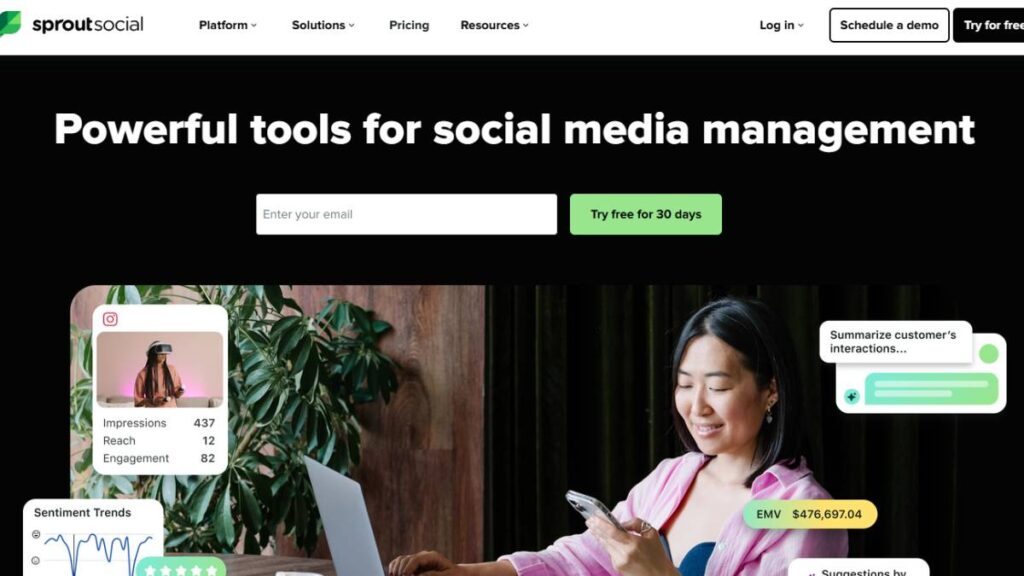
Sprout Social sits firmly on the more advanced side of the social media tool spectrum. It’s not just a scheduler; it’s closer to a full social media management platform. Scheduling is only one piece of the puzzle.
For marketing teams managing multiple accounts, campaigns, and performance reports, that broader scope can be extremely helpful. Everything lives in one place: publishing, engagement tracking, analytics, and social listening.
What tends to stand out first is the reporting. Sprout’s analytics dashboards are detailed but still readable. That matters more than it sounds. Plenty of tools dump metrics into charts without context. Sprout organizes the data so patterns are easier to spot: audience growth, engagement trends, and post performance over time.
For marketing leads who need to explain social performance to stakeholders, those reports often become the real selling point.
Scheduling itself works the way most teams expect. Posts can be planned across several networks, dropped into a calendar view, reviewed internally, and scheduled ahead of time. Once content goes live, engagement tracking and conversation management kick in through the unified inbox.
For brands where social media is tied closely to customer communication, that inbox becomes surprisingly valuable.
Key features
- Multi-platform social media scheduling
- Detailed analytics dashboards and reporting
- Social listening and brand monitoring
- Unified inbox for comments and messages
- Team workflows and approval processes
- Automated campaign reports
What’s great about Sprout Social
- One of the strongest reporting systems in the social media tool space
- Built-in listening tools help track brand mentions and conversations
- Clean interface despite the number of features
- Strong collaboration tools for marketing teams
What it lacks
- Pricing can become expensive for smaller teams
- For basic scheduling needs, the platform may feel heavier than necessary
Who should use Sprout Social
Mid-sized companies, agencies, and marketing teams that rely heavily on analytics, campaign reporting, and structured workflows.
Pricing and plans
Sprout Social sits on the higher end of the pricing spectrum. Plans scale depending on features, social profiles, and team members.
2. Later – Best Visual Social Media Scheduling Tool
Later built its reputation around Instagram. That origin still shapes how the platform works today.
While many social media tools revolve around analytics dashboards or automation rules, Later focuses on visual planning. The interface is designed around seeing posts before they go live; arranging them, previewing how they appear in a feed, adjusting layouts until everything feels right.
For brands that care about visual storytelling, this matters quite a bit.
Instagram-heavy brands, ecommerce stores, travel companies, lifestyle creators… these teams often want to see how content looks together. A grid preview removes a lot of guesswork.
The scheduling process is refreshingly simple. Upload images or videos, write captions, add hashtags, and drop the post into the calendar. Drag and move things around if needed.
Later has expanded beyond Instagram over time. TikTok, Pinterest, LinkedIn, and Facebook scheduling are all supported now. Still, the tool feels most natural when managing visual-first platforms.
And honestly, that focus is part of the appeal.
Key features
- Drag-and-drop visual content calendar
- Instagram feed preview planning
- Media library for content organization
- Hashtag suggestions and caption tools
- Link-in-bio landing page builder
What’s great
- Very intuitive visual interface
- Makes Instagram feed planning easier
- Smooth scheduling workflow for creators and brands
What it lacks
- Analytics are fairly basic compared to enterprise tools
- Collaboration features are somewhat limited
Who it’s best for
Creators, ecommerce brands, and marketing teams focused heavily on visual content platforms.
Pricing and plans
Later offers a limited free plan. Paid tiers expand scheduling capacity and analytics.
3. Buffer – Best Free Social Media Scheduling Tool for Beginners
Buffer has been around for years, and that longevity says something. The platform never tried to become an all-in-one marketing suite. Instead, it stuck to what it does well: simple social media scheduling.
That simplicity is exactly why many small teams stick with it.
The interface is clean. No overwhelming dashboards. Just a straightforward system for planning posts and sending them out on schedule.
Buffer uses a queue-based scheduling approach. Instead of picking a specific date for every post, users define time slots. Content added to the queue automatically fills those slots.
For teams posting regularly, that workflow saves time.
Add ten posts at once, and Buffer spreads them across the schedule. Done.
The platform also includes basic analytics, engagement metrics, and some collaboration features. Nothing overly complex, but enough to understand how content performs.
And sometimes that’s all a team really needs.
Key features
- Queue-based scheduling system
- Multi-platform publishing
- Simple content calendar
- Basic analytics and engagement tracking
- Browser extensions for quick sharing
What’s great
- Extremely easy to learn
- Free plan works well for smaller teams
- Lightweight and reliable
What it lacks
- Automation features are limited
- Larger teams may outgrow the collaboration tools
Who it’s best for
Solo marketers, startups, and small businesses managing a few social accounts.
Pricing and plans
Buffer offers a free plan with limited accounts. Paid tiers unlock additional features and profiles.
4. Metricool – Best Social Media Analytics and Scheduling Tool
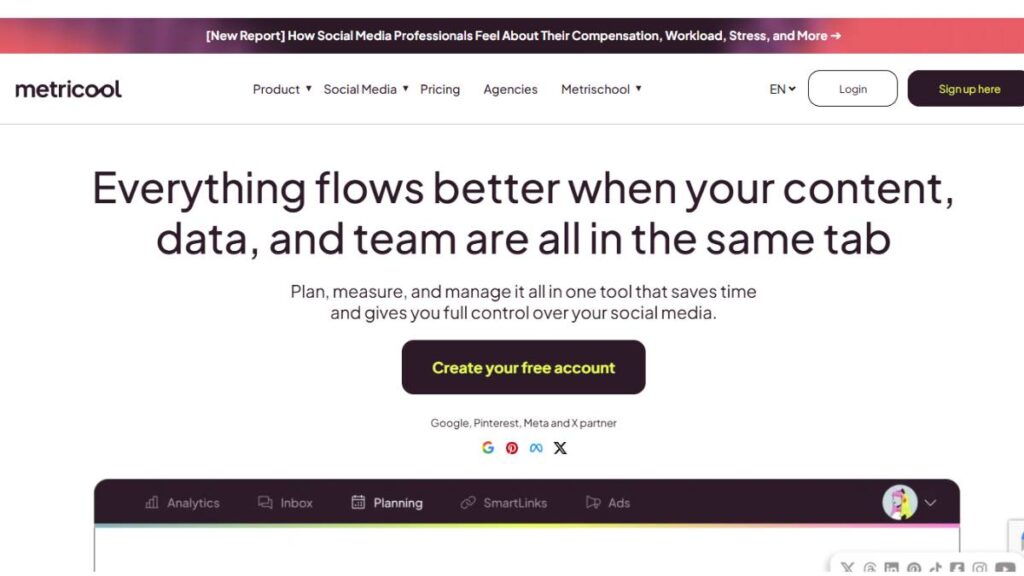
Metricool is interesting because it sits right between two categories: scheduling software and a performance analytics platform.
Yes, it schedules posts. But the real strength of the platform appears after the content has been running for a while.
The analytics dashboard pulls together performance data from multiple social networks and sometimes even advertising campaigns. Instead of jumping between platforms to check engagement numbers, everything appears in one place.
That unified view makes it easier to identify trends.
Which posts drive the most engagement?
When are audiences most active?
Which campaigns actually produce results?
Those answers become clearer once data accumulates.
For marketers who like making decisions based on evidence rather than intuition, Metricool’s reporting tools can be extremely useful.
Key features
- Cross-platform scheduling calendar
- Social media analytics dashboards
- Competitor benchmarking tools
- Advertising campaign tracking
- Performance reporting
What’s great
- Strong data visualization and reporting
- Helpful insights into competitor activity
- Good balance between publishing and analytics
What it lacks
- Interface can feel dense initially
- Collaboration features are less advanced than agency tools
Who it’s best for
Data-focused marketing teams that care about performance insights.
Pricing and plans
Metricool offers a free plan, with paid tiers unlocking deeper analytics and additional accounts.
5. SocialBee – Best Tool for Content Repurposing and Evergreen Posts
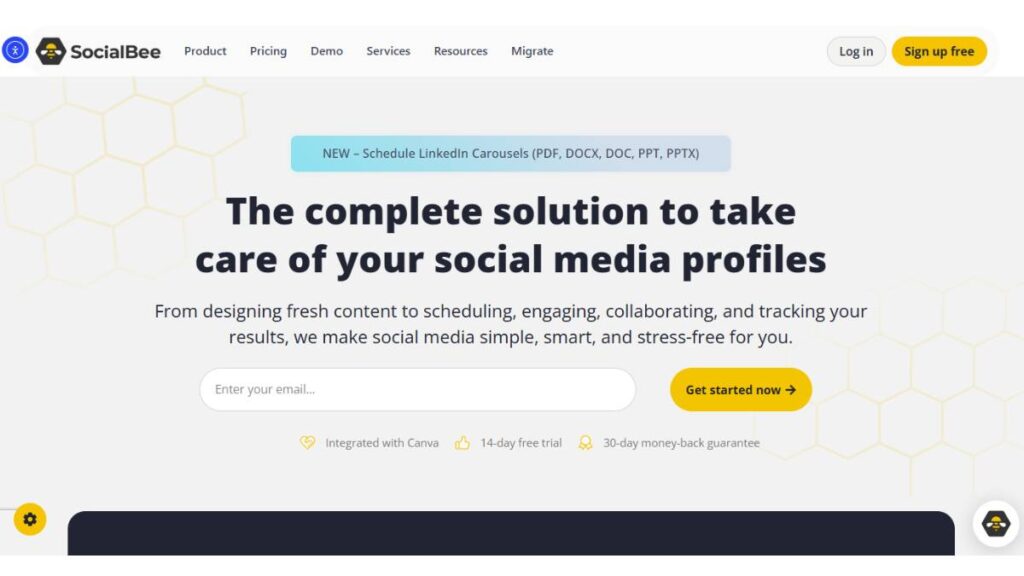
SocialBee takes a slightly different approach to scheduling. Instead of focusing only on the publishing calendar, it organizes content around categories.
That might sound like a small detail. In practice, it changes how content flows through a social feed.
Posts can be grouped into categories such as educational tips, curated resources, promotional content, or product updates. Each category can follow its own posting rhythm.
Over time, this structure helps keep feeds balanced.
Educational content doesn’t disappear under a flood of promotions. Promotions don’t accidentally dominate the schedule. Everything rotates naturally.
Another strong point is evergreen content recycling. Posts that remain useful for months, tutorials, guides, and resources can be reshared automatically.
For brands producing lots of long-lasting content, the feature saves a lot of time.
Key features
- Category-based scheduling
- Evergreen post recycling
- Multi-platform publishing
- Content libraries and organization tools
- Basic analytics
What’s great
- Keeps content mix balanced
- Ideal for evergreen content strategies
- Helps maintain consistent posting
What it lacks
- Interface takes some time to learn
- Visual planning tools are somewhat limited
Who it’s best for
Content-driven brands, publishers, and bloggers managing large content libraries.
Pricing and plans
Paid plans vary depending on social accounts and features.
6. CoSchedule – Best Social Media Scheduler for Content Marketing Teams
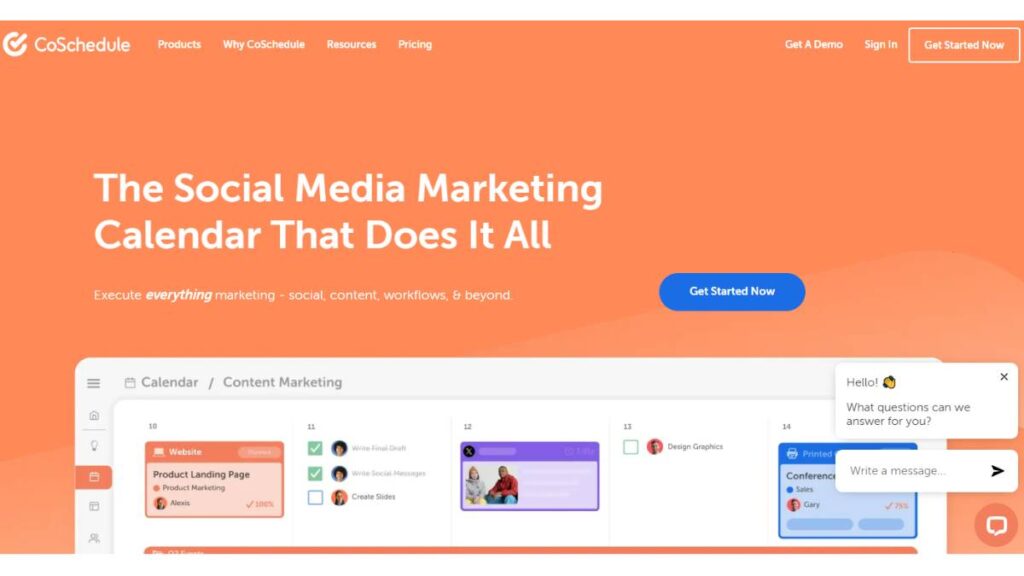
CoSchedule approaches social media from a slightly broader marketing perspective.
Instead of treating social scheduling as a standalone activity, the platform organizes it alongside blog publishing, email campaigns, and other marketing efforts.
Everything revolves around a central marketing calendar.
For teams producing regular content; blog posts, newsletters, and campaign launches, this structure helps keep everything aligned. A blog article gets published, social promotion is scheduled, email announcements go out… all coordinated inside the same timeline.
That level of visibility can make a big difference for content marketing teams trying to keep multiple campaigns organized.
Key features
- Unified marketing calendar
- Social media scheduling tools
- Campaign planning workflows
- Content marketing project management
- Performance reporting
What’s great
- Excellent campaign planning structure
- Clear visibility across marketing activities
- Useful for coordinating blog, email, and social content
What it lacks
- Engagement monitoring is limited
- Slight learning curve for new teams
Who it’s best for
Content marketing teams manage several channels and campaigns.
Pricing and plans
Multiple pricing tiers depending on team size and features.
7. Hootsuite – Best Social Media Scheduling Platform for Enterprises
Hootsuite is one of the longest-running social media management platforms. For years, it was almost the default choice for companies managing large numbers of social accounts.
The platform offers scheduling, engagement monitoring, analytics, and integrations with dozens of marketing tools.
One defining feature is the dashboard layout. Streams display real-time social conversations, mentions, and scheduled posts side by side.
For teams handling a lot of interactions, that setup helps keep everything visible.
That said, the interface has grown more complex over time. As features were added, the dashboard became more crowded. New users often need some time to get comfortable navigating the system.
Still, for large organizations managing large social footprints, the platform remains reliable.
Key features
- Multi-platform scheduling
- Social listening streams
- Engagement monitoring
- Analytics dashboards
- Integrations with marketing tools
What’s great
- Supports many social networks
- Scales well for large teams
- Strong integration ecosystem
What it lacks
- The interface can feel crowded
- Pricing rises quickly for large teams
Who it’s best for
Large brands and enterprises are managing multiple social channels.
Pricing and plans
Several pricing tiers are available, including enterprise plans.
8. Planable – Best Social Media Scheduler for Team Collaboration
Planable was designed around collaboration first, scheduling second.
Instead of building a traditional publishing dashboard, the platform feels more like a shared workspace for social content. Draft posts appear in a visual calendar. Team members can comment directly on those posts, suggest edits, and approve them before publishing.
For agencies, especially, this workflow makes life easier.
Clients can log into the workspace, review posts exactly as they will appear on social platforms, and approve them without endless email threads. No screenshots. No messy feedback loops.
Everything stays in one place.
The trade-off is that analytics aren’t the main focus here. Planable prioritizes planning and approvals more than performance reporting.
But for teams that deal with multiple stakeholders, managers, editors, and clients, that collaborative environment can save a surprising amount of time.
9. Zoho Social – Best Affordable Social Media Management Tool
Zoho Social sits inside the larger Zoho ecosystem, which includes CRM tools, project management software, and email marketing platforms.
For companies already using Zoho products, the integration between systems feels natural. Social data can connect with CRM insights, customer interactions, and marketing campaigns.
Even outside that ecosystem, Zoho Social stands out because of its pricing. Compared to many competitors, the platform delivers a good range of features without pushing costs too high.
Scheduling works through a straightforward content calendar. Analytics dashboards track engagement and audience growth. Monitoring tools help brands follow conversations around their name or industry.
It’s not the most advanced platform on the market. But for small to mid-sized businesses, it strikes a practical balance between functionality and affordability.
10. Post Planner – Best Tool for Content Discovery and Scheduling
Post Planner tackles a challenge many marketers quietly struggle with: coming up with something worth posting.
Scheduling tools usually assume content already exists. Post Planner tries to help generate ideas as well.
The platform includes a discovery engine that surfaces trending posts, articles, and content formats likely to perform well on social media. Marketers can browse suggestions, adapt them to their own voice, and schedule them directly.
It doesn’t replace the original content strategy, of course. But when the content calendar starts looking a little empty, those prompts can spark ideas.
Beyond discovery, the scheduling features remain fairly straightforward: publish posts, recycle content, and track basic engagement metrics.
11. SocialBee (Content Organization Focus)
Some teams use SocialBee primarily for its content organization system.
Instead of a single stream of scheduled posts, the platform separates content into structured categories. Educational content might run twice a week. Curated articles once a week. Promotional posts occasionally.
Over time, that structure keeps feeding balanced. No sudden streaks of promotional content. No accidental silence for days.
For brands managing evergreen libraries, guides, tips, and resources, that organization becomes especially useful.
12. Airtable – Flexible Social Media Scheduling for Meta and LinkedIn
Airtable isn’t technically a social media scheduling platform.
It’s more of a flexible database and workflow system. But marketing teams increasingly use it as the backbone of their social media planning.
Content calendars, approval workflows, and campaign timelines can all be built inside Airtable using customizable tables and views.
With integrations layered on top, posts can even be published automatically.
The setup takes more effort than using a traditional scheduling tool. But the flexibility allows teams to design workflows exactly the way they want.
For complex marketing operations, that level of customization can be extremely valuable.
13. Sendible – Best Social Media Scheduler for Agencies
Sendible was built specifically for agencies managing multiple clients.
The platform includes tools for separating client accounts, generating branded performance reports, and organizing content workflows for different brands.
Instead of mixing everything together in one dashboard, each client gets their own structured environment.
That organization helps agencies keep campaigns clean and easy to manage.
Scheduling, analytics, engagement tracking, and reporting all live inside the platform. But the real strength lies in how neatly it handles multi-client environments.
14. Statusbrew – Powerful Social Media Scheduling and Engagement Tool
Statusbrew focuses heavily on engagement management.
Scheduling posts is part of the system, but the platform shines when brands start receiving high volumes of comments, messages, and mentions.
The unified inbox gathers conversations from different platforms into a single space. Moderation tools help filter spam, assign conversations to team members, and manage responses.
For brands with active communities or customer service teams handling social inquiries, those features become essential.
15. Loomly – Best Social Media Content Calendar and Post Planner
Loomly approaches social media from a planning perspective.
The platform revolves around a visual editorial calendar that helps teams map upcoming posts, campaigns, and content ideas.
Each post moves through a structured workflow: drafting, editing, approval, and publishing. Along the way, Loomly offers suggestions for optimizing captions, hashtags, and publishing times.
It’s not the most automation-heavy tool on the market. But for teams that value clear organization and predictable workflows, Loomly keeps the content pipeline running smoothly.
No scheduling tool is perfect. Each one reflects a slightly different philosophy about how social media should be managed.
Some emphasize automation. Others prioritize analytics, collaboration, or visual planning.
The real goal isn’t finding the single “best” platform. It’s finding the one that fits the team’s daily rhythm; the tool that makes scheduling easier instead of adding another layer of friction.

Enroll Now: Advanced Digital Marketing Course
What to Look for in the Best Social Media Scheduling Tool
At first glance, most social media scheduling tools seem almost identical. They promise automated posting, content calendars, analytics, and time savings. All the usual talking points.
But after spending a bit of time inside a few of them, the differences start showing up. Some tools feel smooth and practical. Others look impressive, but slow everything down. That gap usually becomes obvious once a team tries to actually use the platform every day.
The goal isn’t to find the tool with the longest feature list. The goal is to find the one that fits the way the team already works, or at least doesn’t make the workflow harder than it needs to be.
A few things tend to matter more than the rest.
Alignment with Your Brand and Team Needs
Every brand handles social media differently. A freelance creator posting a few times a week on Instagram has a completely different workflow than a marketing team planning campaigns across five or six platforms.
So before digging into features, it helps to pause for a moment and ask some basic questions:
- How many social accounts are being managed?
- Is one person handling the scheduling, or several?
- Do posts need approval before they go live?
- Are detailed reports required for leadership or clients?
Those answers shape the type of scheduling tool that actually makes sense.
Solo creators vs marketing teams
Solo marketers usually benefit from simpler tools. A clean calendar, quick scheduling, maybe a few analytics insights; that’s often enough.
Too many dashboards and settings can turn into unnecessary friction. When scheduling a post takes longer than writing the post, something has gone wrong.
Marketing teams tend to need more structure. Shared calendars, content libraries, approval systems, and analytics reports become much more important once several people are involved.
Small businesses vs agencies
Agencies operate in a slightly different environment. They aren’t just managing social media accounts. They’re managing clients.
That usually means juggling multiple brands, generating reports, requesting approvals, and switching between accounts dozens of times a day.
Scheduling tools designed for agencies typically handle these situations better, especially when it comes to permissions, client access, and reporting.
Ease of Deployment and Usability
A scheduling tool might have excellent features, but if the interface feels awkward, teams simply stop using it properly.
The best platforms usually feel straightforward from the first login. The calendar makes sense. Scheduling a post is quick. Editing something doesn’t require hunting through three menus.
Those little details matter more than most feature comparisons.
A couple of things worth paying attention to:
Intuitive dashboards
The calendar view tends to be the center of everything. If the calendar clearly shows what’s scheduled, what’s waiting for approval, and what still needs content, planning becomes much easier.
If the dashboard feels cluttered or confusing, teams often fall back to spreadsheets, which defeats the point of the tool entirely.
Mobile functionality
Social media rarely stays within office hours. Posts get approved on the go. Comments get checked during commutes. Campaign performance gets reviewed between meetings.
A solid mobile experience isn’t always critical, but once teams start using it, it becomes surprisingly helpful.
Quality of Customer Support
Customer support usually sits in the background until something breaks. And eventually, something will.
A post fails to publish. A platform connection drops. Analytics numbers don’t look right.
When those moments happen, fast and helpful support suddenly becomes very important.
Good scheduling tools tend to offer:
- Detailed help documentation
- Responsive support teams
- Clear onboarding tutorials
Platforms that invest in education, guides, walkthroughs, and help centers often feel much easier to work with over time.
Analytics and Reporting Capabilities
Scheduling content is only part of the job. Understanding what happens after posting is just as important.
Most solid tools provide analytics dashboards that track metrics such as:
- Engagement rates
- Reach and impressions
- Audience growth
- Top-performing posts
These insights gradually shape better content decisions. Patterns start appearing. Certain topics perform better. Some posting times drive stronger interaction.
For marketing teams running campaigns, reporting becomes even more useful. Being able to export reports or present campaign performance clearly can save a lot of time.
Multi-Platform Compatibility
Very few brands operate on a single social network anymore.
A typical strategy might include Instagram, LinkedIn, TikTok, Facebook, maybe Pinterest; sometimes more. Managing those accounts individually can quickly become chaotic.
That’s where a scheduling platform proves its value.
When comparing tools, it helps to check whether they support the platforms that matter most, including:
- Instagram scheduling
- LinkedIn publishing tools
- Facebook and X scheduling
- TikTok support
- Pinterest content planning
New platforms appear all the time, so tools that update their integrations regularly tend to stay useful longer.
Collaboration Features and Workflows
Once multiple people start contributing to social media, collaboration features become extremely helpful.
Without them, teams end up passing drafts through email, messaging apps, or shared documents. It works for a while. Then things get messy.
Scheduling tools can streamline that entire process.
Content approvals
Approval workflows allow posts to move through review stages before publishing. Draft – review – approval – scheduled.
It sounds simple, but it removes a surprising amount of confusion.
Team communication tools
Some platforms allow comments directly on posts or drafts. A small detail, but it keeps feedback attached to the content instead of scattered across conversations.
Agencies often benefit from client access features as well. Clients can review scheduled posts inside the tool rather than relying on screenshots or email threads.
Top Features of Social Media Scheduling Tools
Most scheduling platforms offer a similar core toolkit. The basics rarely change.
Still, the way those features are implemented can vary quite a bit. Some tools focus heavily on automation. Others lean into collaboration or analytics.
But a few capabilities show up in almost every strong platform.
Content Calendar and Scheduling Automation
The content calendar is the center of a scheduling tool.
This is where marketers map out upcoming posts, adjust publishing dates, and maintain some sense of structure across platforms. A good calendar makes planning easier because everything becomes visible at once.
Campaigns. Gaps. Overlaps. It’s all there.
Automation builds on top of that calendar. Instead of scheduling posts every day, teams can prepare content weeks ahead, sometimes even months.
And consistency matters. Social platforms reward active accounts, and audiences usually respond better to predictable posting rhythms.
Bulk Scheduling and Queue Management
Scheduling posts one by one works fine for small accounts.
But once content volume increases, the process gets tedious. Quickly.
Bulk scheduling allows marketers to upload several posts at once and assign dates in batches. Queue systems take it a step further by automatically filling time slots with upcoming content.
For brands publishing daily or multiple times a day, these tools save a surprising amount of time.
Social Media Analytics Dashboards
Posting content without reviewing performance doesn’t lead to much improvement.
Analytics dashboards help teams understand what actually resonates with their audience. Engagement patterns, reach trends, follower growth; all those signals start forming a clearer picture.
Over time, a few things become obvious:
Certain content formats outperform others.
Some posting times consistently work better.
Certain topics spark more discussion.
Those insights gradually shape a smarter content strategy.
Caption and Hashtag Suggestions
Writing captions sounds simple until there are dozens of posts scheduled every week.
That’s where caption prompts or hashtag suggestions can be useful. They aren’t magic solutions, but they speed things up when the content pipeline gets busy.
Sometimes they also surface hashtag combinations or phrasing ideas that might not have been considered otherwise.
Used thoughtfully, they’re a small but helpful productivity boost.
Engagement Tracking and Inbox Management
Publishing a post is only half the story.
After content goes live, conversations begin. Comments appear. Direct messages show up. Mentions pop up across different platforms.
Checking each network separately can become exhausting.
Many scheduling tools solve this with a unified inbox that gathers interactions in one place. Teams can respond to comments, review messages, and track mentions without constantly switching platforms.
For brands with active communities, this feature quickly becomes essential.
Content Repurposing and Evergreen Scheduling
Not every piece of content has a short life span.
Educational posts, tutorials, or resource guides can remain useful for months, sometimes years. Instead of publishing them once and forgetting about them, scheduling tools often allow those posts to be recycled automatically.
Evergreen scheduling keeps valuable content circulating without constant manual effort.
For brands with a strong content library, it’s an easy way to keep feeds active during slower publishing periods.
How to Evaluate Social Media Scheduling Software
With so many scheduling tools available, choosing one can feel overwhelming.
Feature lists start blending together. Every platform claims to save time, improve performance, and simplify workflows.
Instead of focusing only on features, it usually helps to focus on workflow. The right tool should feel natural to use, not like something the team has to fight against.
A few evaluation steps can make the decision clearer.
Identify Your Primary Social Media Channels
Start by looking at where the brand actually spends its time.
If most activity happens on Instagram and TikTok, visual planning tools might matter more than detailed reporting dashboards.
If LinkedIn and X drive most engagement, scheduling reliability and analytics may take priority.
The right tool should support the channels that matter most, not just the ones listed in a feature table.
Compare Scheduling and Automation Features
Scheduling systems work differently depending on the platform.
Some rely on calendar-based scheduling, where each post gets a specific time and date. Others use queue systems that automatically distribute content across predefined time slots.
Neither approach is better by default. It simply depends on the team’s workflow.
Brands producing high volumes of content often benefit from automation features like recurring posts, queue scheduling, or bulk uploads.
Test Usability with Free Trials
This step often reveals the most.
Most scheduling tools offer free trials or entry-level plans. Taking advantage of those trials gives teams a chance to see how the platform actually feels.
During that testing period, it helps to try a few basic tasks:
- Schedule several posts
- Adjust items in the calendar
- Review analytics dashboards
- Collaborate with another team member
If those actions feel smooth and intuitive, the platform is probably a good fit.
Evaluate Reporting and Analytics Capabilities
Analytics requirements vary widely.
Creators might only need a quick snapshot of engagement and reach. Marketing departments often require detailed campaign reporting.
While testing tools, it helps to check:
- Which metrics are tracked
- Whether reports can be exported
- How clearly the data is presented
Good reporting saves time later when teams need to share results with stakeholders.
Consider Pricing Scalability for Teams
Pricing is another area where small details matter.
A tool may appear affordable initially, but costs can increase quickly once more accounts or team members are added.
When evaluating pricing, it’s worth considering future needs:
- Will additional social profiles be added later?
- Will more team members need access?
- Are advanced features restricted to higher plans?
A platform that scales comfortably as the team grows tends to be the safest choice.
At the end of the day, social media scheduling tools are supposed to simplify the work, not complicate it.
The right platform keeps content organized, maintains posting consistency, and helps teams understand what’s actually working. If it quietly supports those goals without getting in the way, that’s usually the sign of a tool worth keeping around.
Conclusion:
Choosing the Right Social Media Scheduling Tool
After digging through feature pages, demo dashboards, and pricing tiers, one thing tends to stand out sooner or later. There really isn’t a single social media scheduling tool that works for everyone. Not in the long run, anyway.
Teams run social media differently. Some map out content a month ahead and stick to a calendar. Others operate closer to real time, reacting to trends or customer conversations as they appear. Even something as simple as team size can change what a “good” tool looks like.
Because of that, chasing the most feature-packed platform rarely solves the problem. What actually matters is whether the tool fits the way the team already plans and publishes content. When that alignment happens, things start to feel smoother. Posts get scheduled earlier. Campaign planning feels less rushed. And the content calendar… well, it finally stops looking like a last-minute scramble.
A few practical considerations usually help narrow things down.
Matching Tools to Team Size and Marketing Goals
Team size quietly shapes which features matter most.
For individual creators or smaller marketing teams, simplicity usually wins. A clean calendar view, quick scheduling options, and basic performance insights often cover most day-to-day needs. Too many advanced features can actually slow things down. Sometimes a lot more than expected.
Larger teams tend to work differently. Content rarely moves straight from idea to publishing. Designers, writers, editors, and marketing managers may all touch the same post before it goes live. In that kind of environment, shared calendars and approval workflows become essential rather than optional.
Agencies add yet another layer to the mix. They’re usually managing several brands at once, sometimes dozens. That means switching between accounts constantly, sending previews to clients, and generating reports that make sense outside the marketing team. Without those capabilities, things can get messy pretty quickly.
The best scheduling tools handle those workflows quietly in the background. They support the process instead of forcing teams to rebuild it.
Balancing Features, Usability, and Pricing
Feature lists can be a little deceptive. Many platforms promote dozens of capabilities: automation rules, analytics dashboards, integrations, listening tools, reporting systems, and so on.
But more features don’t always mean a better experience.
In practice, teams usually work faster with tools that stay focused. Scheduling content should feel straightforward. Analytics should be easy to read without digging through endless menus. Collaboration features should help people coordinate, not complicate the process.
Pricing deserves some attention, too, especially over time.
Social media programs rarely stay the same size. New campaigns appear. More platforms get added. Additional team members start contributing to the content pipeline. When that happens, the scheduling platform should scale without turning into a budgeting headache.
Switching tools later is possible. But most teams would rather avoid doing it twice.
Why the Best Social Media Scheduling Tool Depends on Your Workflow
Social media moves fast. Campaigns evolve, trends appear unexpectedly, and priorities shift mid-week more often than anyone would like to admit.
Scheduling tools exist to bring some order to that chaos. They help teams stay consistent, keep campaigns organized, and understand what content actually works.
But tools only deliver real value when they match the way people naturally work.
Some teams rely heavily on visual calendars to map content weeks ahead. Others care more about analytics dashboards and performance reporting. In certain organizations, collaboration features matter most because several departments contribute to social media campaigns.
When the right platform supports those habits, things start to click. Scheduling becomes quicker. Planning feels clearer. Social media management stops feeling like a constant scramble.
That’s usually the moment when the tool stops feeling like “software” and simply becomes part of the workflow.
FAQs: About Social Media Scheduling Tools
1. Why do I need a social media post planner?
Trying to run social media without a planner usually turns messy after a while. At first, it feels manageable. Then a busy week shows up, and suddenly nothing is ready to post. It happens more often than most teams admit.
A post planner smooths that chaos out. Instead of deciding content every single day, posts get mapped out ahead of time. Campaigns start lining up properly. Content themes make sense across the week. And honestly, it removes a lot of last-minute pressure from whoever is managing the account.
Consistency ends up being the real benefit. Not perfection. Just steady, predictable publishing.
2. What should I look for in a social media scheduling tool?
The best tools rarely feel complicated. That’s usually the first sign something is working well. A clear calendar view is important because it lets teams see upcoming posts without digging through menus.
Multi-platform scheduling matters too. Most brands aren’t posting to just one network anymore. Being able to manage Instagram, LinkedIn, Facebook, and others from one place saves a surprising amount of time.
Analytics help, but they don’t need to be overwhelming. Basic engagement metrics often tell the story just fine. If a tool requires hours just to understand the dashboard… chances are the team stops using it sooner or later.
3. Is there a free way to schedule social media posts?
Yes, and quite a few tools offer free plans now. They usually come with some limits; maybe a small number of social profiles or a monthly cap on scheduled posts. Still, for freelancers, creators, or small brands, those free tiers are often enough to get started.
Many teams actually begin there just to see whether scheduled posting fits their workflow. Once things grow a bit more complex, upgrading to a paid plan starts making more sense.
4. How do I create a social media posting schedule?
A good schedule rarely starts with the calendar. It usually begins with the audience. Where do they spend time? Which platforms actually drive conversations or clicks?
Once those answers are clearer, the posting rhythm becomes easier to figure out. Some brands publish daily. Others do well with three or four posts a week. There isn’t one universal formula.
After that, everything goes into a content calendar. Seeing posts laid out across the week helps avoid repetition and keeps the feed from feeling random.
5. Do scheduled posts get fewer views?
This question pops up a lot, especially with newer marketers.
In practice, scheduled posts perform about the same as manual ones, assuming the tool uses official platform integrations. Social networks don’t typically penalize posts just because they were scheduled.
What affects reach more is timing and content quality. When scheduling tools are used properly, they actually help posts go live at better times. That alone can improve visibility.
6. What is the best social media scheduling tool for small businesses?
Small businesses usually benefit from tools that stay simple. Too many advanced features can actually slow things down.
A clear calendar, reliable scheduling, and basic analytics often cover most needs. If the team can quickly draft a post, schedule it, and check how it performed later, that’s already a strong workflow.
The “best” tool really depends on how many accounts the business manages and how active its posting schedule is.
7. Which social media scheduling tools support multiple platforms?
Most modern scheduling platforms connect with several social networks. Instagram, LinkedIn, Facebook, X, TikTok, and Pinterest are the most common integrations.
That said, not every tool handles each platform exactly the same way. Some allow full automation, while others require small manual steps, especially with things like Stories or short-form video.
Before choosing a tool, it’s worth checking how well it supports the platforms the brand actually uses.
8. Can I schedule Instagram posts in advance?
Yes, scheduling Instagram posts ahead of time has become fairly normal now. Feed posts and reels can often be published automatically through approved integrations.
Stories are a little different depending on the tool. Some platforms still send reminders rather than publishing them automatically. But the planning part, captions, visuals, timing, can definitely be prepared in advance.
For teams running regular campaigns, that preparation makes a big difference.
9. What is the difference between social media scheduling and social media management tools?
Scheduling tools focus mainly on planning and publishing content. They help organize posts and make sure everything goes live on time.
Management platforms go a bit further. They often include comment monitoring, direct message tracking, team collaboration features, and deeper analytics dashboards.
These days the line between the two is thinner though. Many tools blend scheduling and management features into the same platform.
10. Are social media scheduling tools safe to use?
Reputable scheduling tools connect to social platforms through official APIs. That’s the key part. It means posts are published through approved channels rather than risky workarounds.
Security still depends partly on how accounts are managed internally. Strong passwords, role-based permissions, and two-factor authentication are always worth using.
But in general, widely used scheduling tools are considered safe for professional use.
11. Can social media scheduling tools help increase engagement?
Not directly. Tools don’t create engagement on their own.
What they do is support the habits that lead to engagement: consistent posting, better timing, and organized campaigns. When content shows up regularly, audiences are more likely to notice and interact with it.
Over time, that steady presence tends to build trust and familiarity with followers.
12. What are the best free social media scheduling tools?
Several platforms offer free versions that include basic scheduling features. These plans usually allow a few connected accounts and a limited posting queue.
They’re especially useful for creators, freelancers, or smaller teams experimenting with structured social media planning for the first time.
Eventually, once posting volume increases or analytics become more important, paid plans often become the next step.
13. Can I schedule posts for multiple accounts at the same time?
Yes, most scheduling tools allow one post to be published across multiple accounts simultaneously. It’s a common feature and saves a lot of manual work.
Some platforms even let users tweak captions for each network. That small adjustment helps posts feel more native to each platform instead of looking identical everywhere.
14. Do social media schedulers support bulk scheduling?
Many tools include bulk scheduling options. Instead of creating posts one at a time, teams can upload several posts in a single batch.
This approach works particularly well for brands that produce content in weekly or monthly batches. A full calendar can be filled surprisingly quickly once the assets are ready.
For agencies or larger teams, bulk scheduling becomes almost essential.
15. What platforms can social media scheduling tools publish to?
Most tools connect with major social networks such as Instagram, LinkedIn, Facebook, X, TikTok, and Pinterest. Some also support platforms like YouTube or Google Business profiles, depending on their integrations.
Because platform policies change from time to time, it’s always a good idea to check the latest supported networks before committing to a tool.
16. Can social media scheduling tools help with content planning?
Yes, in fact, that’s one of their most practical benefits.
Visual content calendars make it easier to see what’s coming up. Teams can quickly spot gaps, adjust posting frequency, or balance different types of content. Promotional posts, educational content, community updates… it all becomes easier to manage when everything is visible in one place.
Without that overview, social feeds tend to drift into randomness.
17. Do social media scheduling tools offer analytics and reporting?
Most platforms include built-in analytics dashboards. These typically track engagement rates, reach, follower growth, and post performance over time.
The insights help marketers figure out what type of content resonates with their audience. Some tools also generate downloadable reports, which is useful when presenting results to clients or internal teams.
It’s not just about numbers though. The real value comes from spotting patterns in what works.
18. Are social media scheduling tools useful for marketing agencies?
For agencies, these tools are almost non-negotiable.
Managing several client accounts manually would be chaotic. Scheduling platforms make it possible to organize content calendars, switch between accounts quickly, and track performance without jumping across multiple dashboards.
Many tools also include approval workflows, which helps agencies coordinate content with clients before posts go live.
19. Can I automate social media posts with scheduling tools?
Yes, automation is actually one of the main reasons teams adopt these tools in the first place.
Posts can be scheduled days or weeks ahead and automatically published at specific times. Some platforms also allow recurring posts, which is useful for evergreen content that needs occasional resurfacing.
Automation doesn’t replace strategy, of course. But it definitely removes a lot of repetitive manual work.
20. How far in advance should you schedule social media posts?
Most teams plan their content somewhere between one and four weeks ahead. That window usually provides enough structure without making the calendar too rigid.
Social media moves quickly. Trends appear overnight. Leaving some open space in the schedule allows brands to respond to those moments without disrupting the entire content plan.
A flexible calendar tends to work better than a perfectly packed one.