
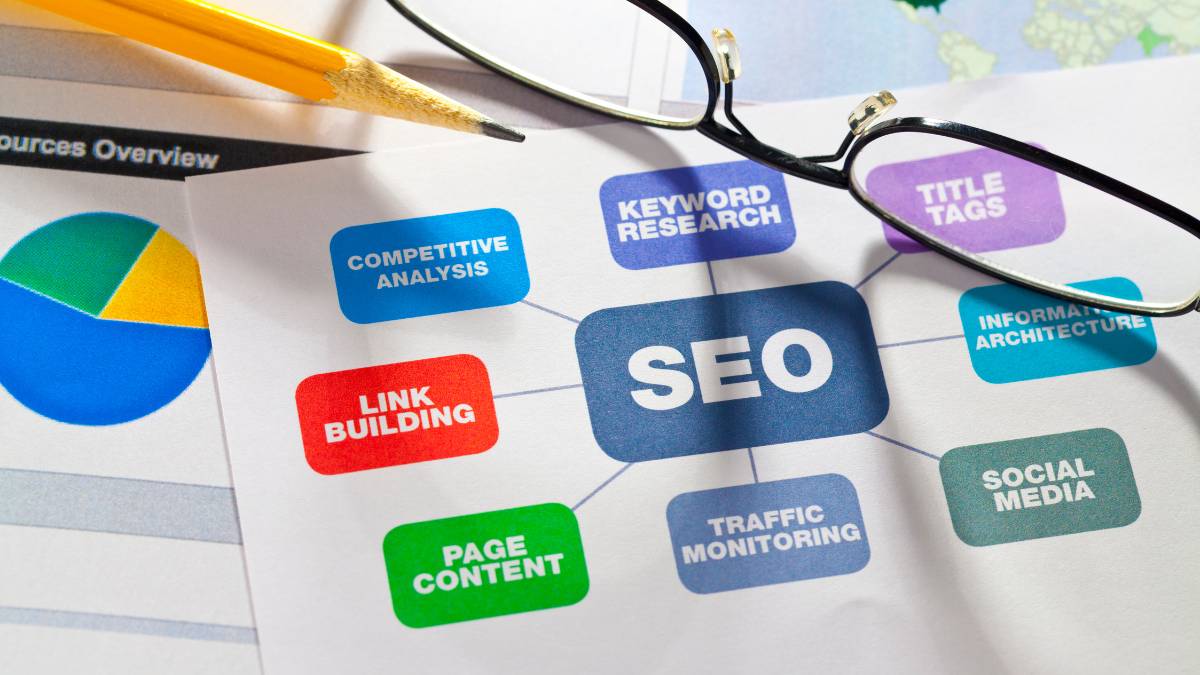
This guide dives into SEO reporting tools and how they actually help teams make sense of all the data piling up every day. It’s not just about charts and numbers; it’s about spotting what’s working, what’s falling behind, and where to focus next. Agencies, marketers, or in-house teams will find tips on picking the right tool, from integrations and automation to dashboards that actually get used. The blog also breaks down 15 top tools for 2025, shares practical reporting best practices, and shows how good reporting can drive real business growth. FAQs tackle common questions, making this more than just theory; something you can put to work.
Table of Contents
What Are SEO Reporting Tools?
SEO reporting tools sit in that middle layer between raw data and actual understanding. There’s always been plenty of data in SEO: traffic numbers, keyword positions, backlinks, but without proper reporting, it just turns into noise.
These tools take all that scattered information and shape it into something readable. Something that answers basic but important questions:
What’s improving? What’s stuck? What’s quietly dropping off?
For agencies, this is often the difference between a client feeling like things are working and actually seeing it. And that gap matters more than most people think.
How SEO reporting software works
At a glance, most reporting tools seem simple: connect accounts, generate reports, done. But there’s a bit more going on underneath.
They usually pull data from multiple sources: analytics platforms, search consoles, rank trackers, and layer it into one place. Then they organize it. Clean it up. Present it in a way that doesn’t require a deep dive every time someone opens a report.
A decent tool will do more than just display numbers. It highlights movement. Trends. Odd spikes. Sudden drops. The kind of stuff that makes you pause for a second and think, “Okay, something’s going on here.”
And that’s really the point; not just collecting data, but making it easier to notice what actually matters.
Difference between SEO tools and SEO reporting tools
This one gets mixed up a lot, especially by people new to the space.
SEO tools are where the work happens: keyword research, audits, backlink checks, and competitor digging. They’re hands-on.
Reporting tools, on the other hand, are more about stepping back and looking at the bigger picture. They take outputs from those tools and turn them into something you can share, explain, or review without getting lost in details.
Think of it like this:
One set helps you do the work.
The other helps you make sense of the work.
Some platforms blur the line, sure. But in practice, most teams end up relying on both.
Why SEO reporting tools are important for agencies and businesses
There’s a quiet problem in SEO; good work often goes unnoticed if it’s not reported properly.
Rankings improve slowly. Traffic builds gradually. Without clear reporting, it’s easy for all of that to feel… underwhelming. Even when things are moving in the right direction.
For agencies, reporting is how progress becomes visible:
- Clients can see where things started vs where they are now
- Wins, small or big; don’t get overlooked
- Conversations shift from “What are you doing?” to “What’s next?”
For businesses, it’s more about clarity than presentation:
- Which pages are actually driving traffic
- Which keywords bring in the right kind of visitors
- Where effort is paying off, and where it isn’t
And there’s another side to it. Reporting creates accountability. When numbers are tracked regularly, decisions tend to get sharper. Less guessing. More intention.
Why SEO Reporting Tools Matter for Rankings & AI Overviews
Role of SEO reports in Google ranking improvements
Rankings don’t improve in a straight line. There are jumps, dips, plateaus; sometimes all in the same month.
Without reporting, those patterns are easy to miss.
A solid report doesn’t just show where things stand. It shows movement. Pages are creeping up from page two. Keywords slipping without warning. Content that suddenly starts pulling traffic out of nowhere.
Those small signals are usually where the real opportunities are hiding.
Instead of reacting late, teams can adjust early. Tweak a page. Refresh content. Fix something technical before it snowballs. It’s not dramatic work, but over time, it adds up.
How SEO reporting tools help optimize for Google AI Overviews
Search has shifted a bit. Not overnight, but enough to notice.
With AI-generated summaries showing up more often, traditional rankings don’t tell the whole story anymore. A page might rank well but still lose visibility if it’s not being picked up in those summaries.
This is where reporting starts to get more interesting.
Good tools help break things down at a deeper level:
- Which queries are triggering these AI summaries
- How impressions and clicks are changing around them
- What kind of content is holding attention
It’s less about chasing rankings and more about understanding visibility as a whole. Slight difference, but it changes how content gets planned.
Importance of data-driven SEO decisions
There’s always been a tendency to rely on instinct in SEO. Sometimes it works. Sometimes it doesn’t.
Reporting brings a bit of discipline into the mix.
Instead of guessing what might work, there’s actual feedback:
- Pages that consistently perform vs ones that fade out
- Keywords that convert vs ones that just bring traffic
- Content that gets engagement vs content that gets ignored
And over time, patterns start forming. Not always obvious at first, but they’re there.
Decisions get less reactive. More deliberate.
Still not perfect, but definitely more grounded.
Real-world use cases of SEO reporting tools
In real scenarios, reporting tools don’t all get used the same way. It depends on who’s handling them.
For agencies, it’s often about communication:
- Monthly reports that clients can actually understand
- Dashboards that don’t require explanation every time
- A way to keep everyone aligned without endless calls
For in-house teams, it leans more toward tracking:
- Watching how updates impact performance
- Keeping an eye on long-term growth
- Connecting SEO efforts to actual business outcomes
Freelancers usually sit somewhere in between: quick insights, clean reports, enough detail to show value without overwhelming.
Across the board, though, one thing stands out.
Better reporting leads to better conversations. And better conversations tend to lead to better decisions.
How to Choose the Best SEO Reporting Tools
Criteria for selecting the best SEO reporting tools
There’s no shortage of tools claiming to “simplify reporting.” In reality, many of them either overcomplicate things or barely scratch the surface.
So the focus here isn’t on flashy features. It’s on what actually makes reporting easier to work with, day to day.
Tools were looked at from a practical angle. How they handle real workflows. How they scale. Whether they reduce friction… or quietly add more of it.
Accuracy of SEO data (keywords, backlinks, traffic)
Everything starts with data. If that’s off, the rest doesn’t really matter.
Some tools look great on the surface but fall apart when you compare their numbers with actual analytics. That’s usually where trust starts to break.
Reliable tools don’t have to be perfect, but they should be consistent. Close enough that decisions based on them don’t feel risky.
Because once there’s doubt in the data, every report becomes harder to stand behind.
Reporting automation capabilities
Manual reporting has worked for a while. Then it doesn’t.
At some point, copying data, updating slides, and formatting reports turns into a time drain. Not difficult work, just repetitive.
Automation fixes that.
- Reports get generated on schedule
- Data updates without manual effort
- Delivery becomes consistent
It sounds simple, but it changes how teams operate. Less time spent assembling reports. More time actually looking at them.
Integrations (Google Analytics, Search Console, etc.)
No single platform has everything. That’s just how it is.
So integrations become important, not as a bonus, but as a necessity.
The stronger tools connect smoothly with:
- Analytics platforms for traffic and behavior
- Search data for queries and visibility
- Other SEO tools for deeper insights
When everything flows into one place, reports feel complete. When it doesn’t… gaps start showing up.
Custom dashboards and white-label reporting
Not every report needs to look the same. And honestly, they shouldn’t.
Different clients care about different things. Some want high-level summaries. Others want every detail.
Custom dashboards make that possible:
- Highlighting the metrics that matter most
- Removing unnecessary clutter
- Adjusting the view depending on the audience
For agencies, white-labeling adds another layer; reports feel like part of their own system, not something pulled from a third-party tool.
Small detail, but it does make a difference.
Ease of use for beginners vs agencies
Some tools try to do everything, and end up being hard to use. Others keep things simple but feel limited after a point.
The balance matters.
Beginners usually need clarity. Clean dashboards. Straightforward reports.
Agencies need flexibility. Depth. The ability to handle multiple clients without friction.
The tools selected here don’t all aim for the same audience, but they do handle their intended use well. That’s what counts.
Pricing and scalability
Pricing isn’t just about the starting cost. It’s about how things change as usage grows.
A tool might seem affordable at first, but once more clients or projects are added, costs can climb quickly.
So scalability becomes part of the evaluation:
- Does pricing stay reasonable as usage increases?
- Are there limits that get in the way?
- Does the value hold up over time?
Because switching tools later… that’s rarely a smooth process.
Who this list is for (agencies, freelancers, in-house teams)
This isn’t a one-size-fits-all list. Different setups need different tools.
- Agencies managing multiple clients and reports
- In-house teams tracking long-term performance
- Freelancers juggling a bit of everything
Each group approaches reporting differently. The goal here is to cover that range, without forcing one type of tool to fit every situation.
At the end of the day, the “best” tool usually isn’t the most powerful one.
It’s the one that fits into the workflow without slowing things down.
15 Best SEO Reporting Tools for Agencies
This is where things get practical. There’s no single “best” tool that works for everyone, despite what most lists claim. Some tools are great for deep analysis, but messy for reporting. Others look clean but feel limited once you start scaling.
The tools below stand out because they handle reporting in a way that actually fits into real workflows. Some are better for agencies, some for smaller teams, some for specific use cases. It really depends on what kind of reporting you’re doing, and how often.
1. All in One SEO (AIOSEO) – Best All-in-One SEO Reporting Tool for WordPress
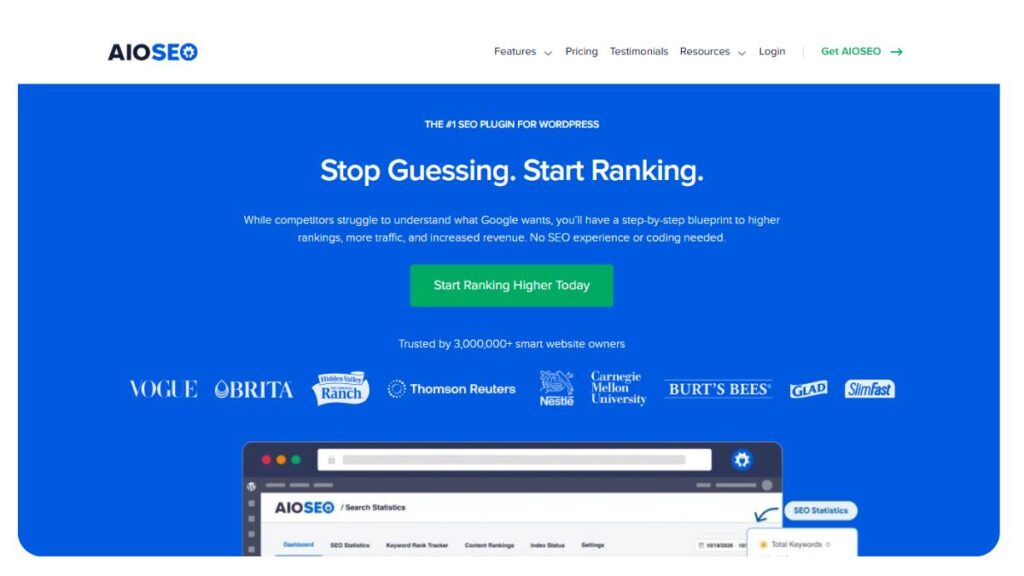
AIOSEO leans more toward WordPress users who want reporting without jumping between too many tools. It’s not trying to be everything; it focuses on making on-site insights easy to understand.
Key Features of AIOSEO
- Built-in SEO audit reports with actionable suggestions
- TruSEO scoring system for content optimization
- Keyword tracking within the WordPress environment
- Integration with Google Search Console
Pros of AIOSEO
- Clean, straightforward reporting inside WordPress
- Good for content-focused teams
- Minimal setup compared to larger platforms
Cons of AIOSEO
- Limited depth compared to full SEO suites
- Not ideal for managing multiple clients
- Reporting customization is somewhat basic
AIOSEO Pricing Plans
Starts affordable, but advanced features sit behind higher tiers. Works well for small to mid-sized sites.
AIOSEO Reviews: What Do Real Users Say?
Generally appreciated for simplicity. Some users outgrow it once they need deeper reporting or multi-site tracking.
2. Google Looker Studio – Best Free SEO Reporting Dashboard Tool
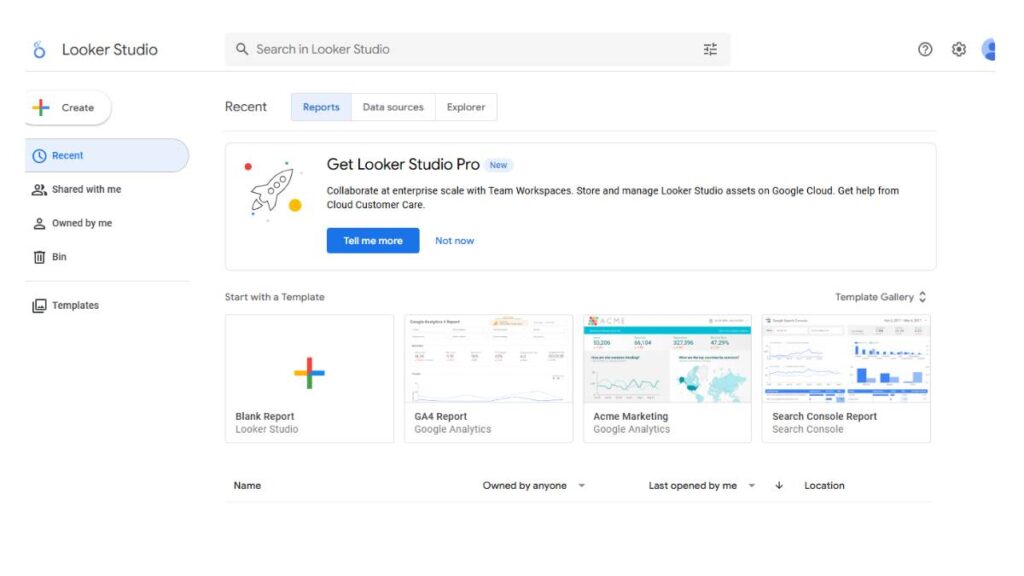
Looker Studio is one of those tools that’s incredibly powerful… but only if you’re willing to spend time setting it up properly. It’s flexible, almost too flexible at times.
Key Features of Google Looker Studio
- Fully customizable dashboards
- Direct integration with Google Analytics and Search Console
- Real-time data visualization
Pros
- Completely free
- Highly customizable reports
- Great for combining multiple data sources
Cons
- Steep learning curve for beginners
- Requires manual setup and maintenance
- Can get messy if dashboards aren’t structured well
Pricing
Free
User Reviews
Loved by agencies that want control. Frustrating for those looking for plug-and-play solutions.
3. Ahrefs – Best for Backlink & Keyword Reporting

Ahrefs is often used for research, but its reporting capabilities are just as strong, especially when it comes to backlinks and keyword movements.
Key Features of Ahrefs
- Detailed backlink reports
- Keyword tracking with historical data
- Competitor analysis and comparison
Pros
- Very reliable backlink data
- Strong keyword tracking
- Clean, readable reports
Cons
- Expensive for smaller teams
- Limited customization for client-facing reports
- More analysis-focused than reporting-focused
Pricing
Premium pricing, with multiple tiers depending on usage.
User Reviews
Highly trusted for data accuracy. Some feel reporting features could be more flexible.
4. Moz Pro – Best Beginner-Friendly SEO Reporting Tool
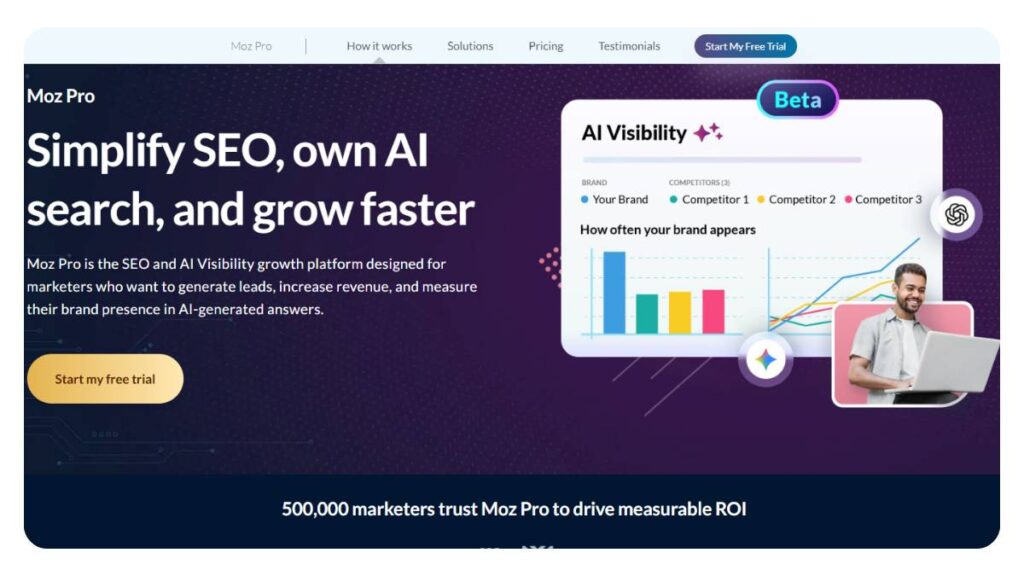
Moz Pro feels a bit more approachable than most tools in this space. It’s not overwhelming, which makes it a good starting point.
Key Features
- Keyword tracking and ranking reports
- Site audit summaries
- Basic backlink analysis
Pros
- Easy to use
- Clean interface
- Good for smaller teams or beginners
Cons
- Data depth isn’t as strong as competitors
- Reporting customization is limited
- Slower updates compared to some tools
Pricing
Mid-range pricing is generally accessible.
User Reviews
Often recommended for beginners. Advanced users tend to switch later.
5. SE Ranking – Best Budget-Friendly SEO Reporting Tool
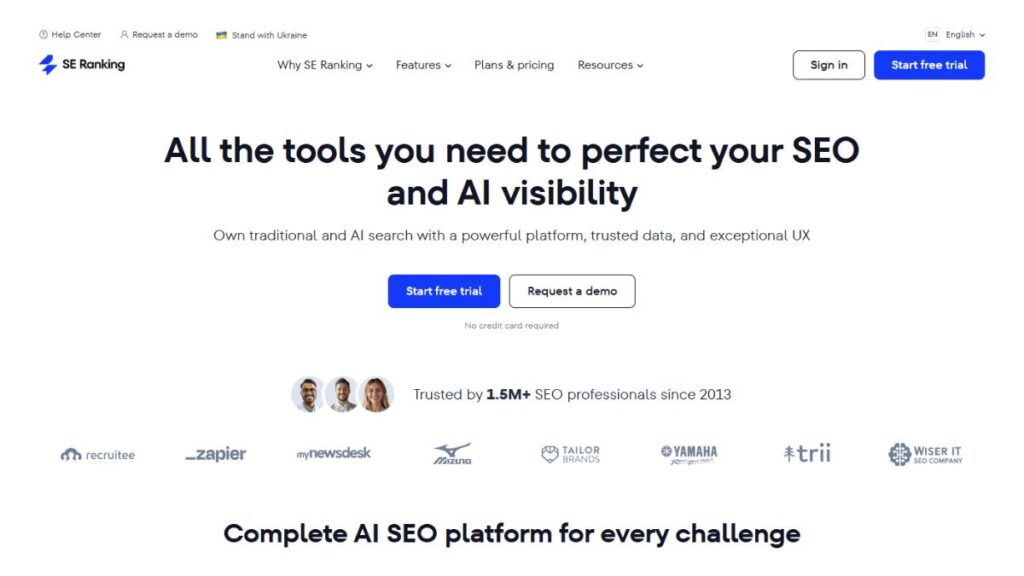
SE Ranking sits in that sweet spot between affordability and functionality. It doesn’t feel stripped down, which is rare at this price point.
Key Features
- Keyword tracking with flexible limits
- White-label reporting options
- Website audit reports
Pros
- Cost-effective
- Solid feature set for the price
- Good reporting customization
Cons
- Interface can feel slightly dated
- Data depth varies depending on the feature
- Not as polished as premium tools
Pricing
Flexible pricing based on usage.
User Reviews
Popular among freelancers and smaller agencies. Seen as a strong value for money.
6. AgencyAnalytics – Best for Multi-Client SEO Reporting
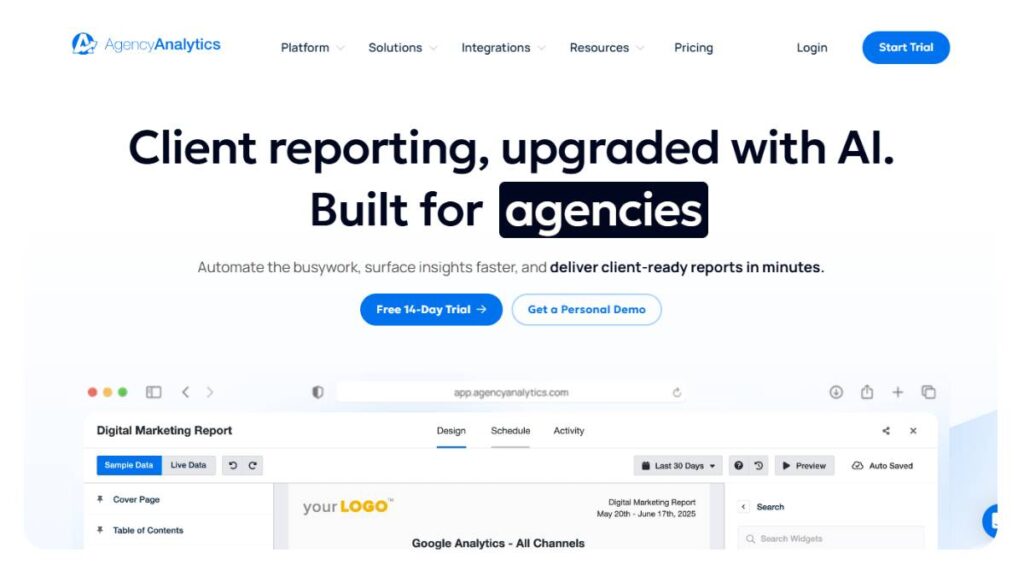
AgencyAnalytics is built specifically for agencies, and it shows. Everything is structured around managing multiple clients without chaos.
Key Features
- Client dashboards and automated reports
- White-label reporting
- Integrations with multiple marketing platforms
Pros
- Easy client management
- Strong automation features
- Clean, client-friendly reports
Cons
- Limited deep analysis features
- Pricing increases with client count
- Some integrations feel basic
Pricing
Scales based on the number of clients.
User Reviews
Well-liked for ease of use. Some wish for deeper data insights.
7. Raven Tools – Best for Historical SEO Reports
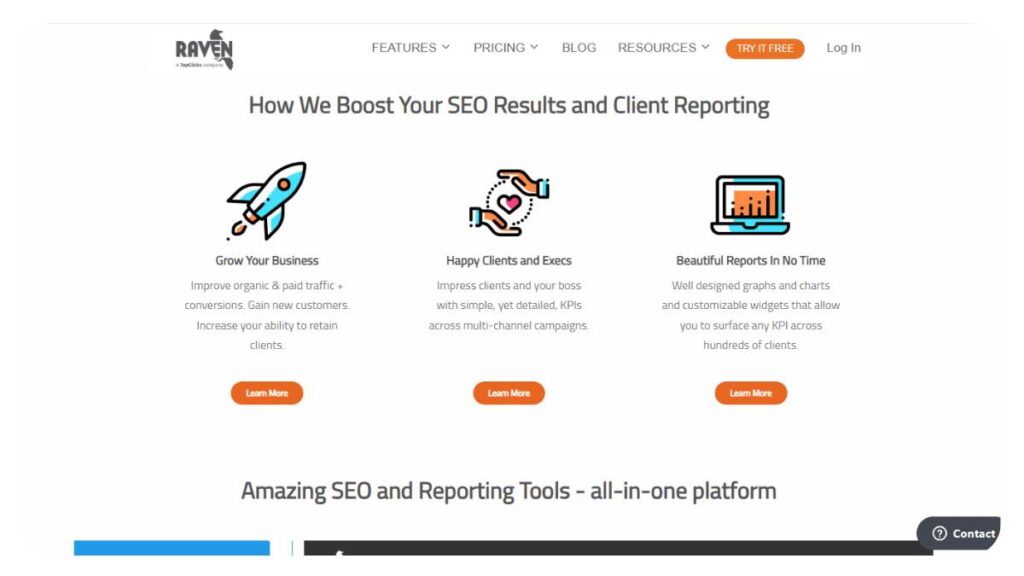
Raven Tools has been around for a while, and it’s particularly useful when you need to look at long-term trends.
Key Features
- Historical data tracking
- Competitor research
- Custom reporting tools
Pros
- Strong historical data access
- Reliable reporting structure
- Good for long-term tracking
Cons
- Interface feels dated
- Slower updates in some areas
- Limited modern integrations
Pricing
Mid-range, depending on usage.
User Reviews
Valued for consistency. Not always seen as cutting-edge.
8. Whatagraph – Best for Visual SEO Reporting Dashboards

Whatagraph focuses heavily on presentation. Reports look clean, polished, and easy to digest, which matters more than it sounds.
Key Features
- Visual dashboards and templates
- Automated reporting
- Multi-channel data integration
Pros
- Strong visual appeal
- Easy to share with clients
- Good automation options
Cons
- Limited deep SEO analysis
- Higher pricing for advanced features
- Less flexibility compared to custom tools
Pricing
Premium, especially for agencies.
User Reviews
Great for client-facing reports. Less useful for technical deep dives.
9. TapClicks – Best for Marketing Data Integration
TapClicks is more of a broader marketing reporting platform, but it handles SEO data well when integrated properly.
Key Features
- Centralized data reporting
- Workflow automation
- Cross-channel reporting
Pros
- Strong integrations
- Scalable for larger teams
- Good for multi-channel reporting
Cons
- Complex setup
- Expensive
- Overkill for smaller teams
Pricing
Enterprise-level pricing.
User Reviews
Preferred by larger agencies. Smaller teams often find it too heavy.
10. Databox – Best for KPI & Performance Reporting
Databox is all about tracking performance metrics in a way that’s easy to monitor daily.
Key Features
- KPI dashboards
- Real-time performance tracking
- Pre-built templates
Pros
- Easy to set up
- Good for quick insights
- Strong visualization
Cons
- Limited SEO-specific depth
- Customization has limits
- Data delays are occasionally reported
Pricing
Freemium model with paid upgrades.
User Reviews
Popular for dashboards. Less favored for detailed SEO reporting.
11. DashThis – Best for Automated SEO Reports
DashThis focuses on making reporting as hands-off as possible. Once set up, it largely runs on its own.
Key Features
- Automated report generation
- Pre-built templates
- Multi-platform integration
Pros
- Saves time
- Easy to use
- Clean report layouts
Cons
- Limited customization
- Not very flexible
- Can feel restrictive
Pricing
Mid to high range.
User Reviews
Appreciated for simplicity. Advanced users sometimes feel constrained.
12. Swydo – Best for White-Label SEO Reporting
Swydo leans heavily into white-label reporting, making it a strong choice for agencies focused on branding.
Key Features
- Fully customizable reports
- Automated delivery
- Client portal access
Pros
- Strong white-label options
- Flexible reporting
- Good client presentation
Cons
- The interface can feel clunky
- Setup takes time
- Limited deep analytics
Pricing
Agency-focused pricing.
User Reviews
Valued for branding flexibility. Mixed feedback on usability.
13. Coupler.io – Best for Data Automation in SEO Reporting
Coupler.io isn’t a traditional reporting tool; it’s more about moving data where it needs to go.
Key Features
- Automated data transfers
- Integration with spreadsheets and dashboards
- Custom data pipelines
Pros
- Highly flexible
- Great for custom setups
- Works well with Looker Studio
Cons
- Not beginner-friendly
- Requires setup effort
- No built-in reporting interface
Pricing
Usage-based pricing.
User Reviews
Loved by technical users. Less accessible for beginners.
14. Semrush – Best All-in-One SEO Reporting & Analytics Tool
Semrush covers a lot of ground. Reporting is just one part of it, but it’s handled well enough to be useful in most scenarios.
Key Features
- Keyword and traffic reports
- Site audit summaries
- Competitive analysis
Pros
- Comprehensive toolset
- Reliable data
- Good reporting options
Cons
- Expensive
- Can feel overwhelming
- Reporting customization is limited
Pricing
Premium pricing tiers.
User Reviews
Widely used and trusted. Some users feel it tries to do too much.
15. Google Analytics – Essential Free SEO Reporting Tool
Google Analytics isn’t built specifically for SEO reporting, but it’s still one of the most important pieces of the puzzle.
Key Features
- Traffic analysis
- User behavior tracking
- Conversion insights
Pros
- Free
- Deep data insights
- Industry standard
Cons
- Not SEO-focused
- Requires setup and interpretation
- Reporting isn’t very visual by default
Pricing
Free
User Reviews
Essential, but not always easy to use. Most teams pair it with other tools for better reporting.
Some of these tools overlap. Some do completely different things. That’s normal.
The better approach isn’t to find a single tool that does everything; it’s to pick one (or a combination) that fits how reporting actually happens day to day. Because in the end, even the best tool doesn’t help much if it doesn’t fit into the workflow.

Enroll Now: Advanced Digital Marketing Course
What Should an SEO Report Include?
A good SEO report isn’t about stuffing in every metric available. That’s where most reports go wrong; they become long, detailed… and strangely unhelpful.
The goal is clarity. Not volume.
At a minimum, a solid report should cover a few core areas that actually reflect performance and direction.
Organic traffic performance
This is usually the first thing people look at, and for good reason. Traffic trends show whether visibility is improving or slipping. But raw numbers alone don’t tell much. What matters is context.
Is traffic growing steadily? Spiking randomly? Dropping after an update?
Those patterns matter more than the total number itself.
Keyword rankings and visibility
Rankings still play a role, just not in isolation. It’s less about chasing individual positions and more about tracking overall visibility.
Are important keywords moving up? Are new ones appearing?
Sometimes a small shift across multiple keywords is more meaningful than one big jump.
Backlink profile analysis
Backlinks are still one of the strongest signals out there, but not all links are equal.
A report should show growth, yes, but also quality.
Are links coming from relevant sources? Is there a sudden drop? Any unusual spikes?
Those details usually reveal more than a simple count.
Technical SEO issues (crawl errors, site health)
This part often gets overlooked in reports, which is a mistake. Technical issues don’t always show immediate impact, but they quietly affect everything else.
Broken pages, crawl errors, and indexing issues; they build up over time. A report should keep an eye on them, even if nothing looks urgent.
Conversion tracking and ROI metrics
Traffic without outcomes doesn’t mean much.
Whether it’s leads, sales, or sign-ups, reports should connect visibility to results.
This is where things shift from “interesting data” to “actual value.”
Competitor SEO comparison
Sometimes performance only makes sense when compared to others in the same space.
Are competitors gaining ground? Losing visibility? Targeting new keywords?
These comparisons don’t need to be overly detailed, but they help add perspective.
A report doesn’t need to cover everything. But it should cover what matters. And more importantly, it should make it obvious what to do next.
Understanding the Importance of SEO Reporting
Why SEO reporting is critical for long-term growth
SEO tends to move slowly. Not in a frustrating way; just… gradually. Changes take time to show. Results don’t always come in clear, immediate jumps.
That’s exactly why reporting matters.
Without it, progress is easy to miss. A page might climb from position 18 to 9 over a few weeks. That’s a big shift, but if no one’s tracking it, it just goes unnoticed.
Over longer periods, reporting helps connect the dots:
- What worked over time
- What didn’t move the needle
- Which efforts had a lasting impact
It creates a kind of timeline. And that timeline is what turns scattered work into a clear strategy.
How reporting improves SEO strategy
Most strategies don’t fail because of bad ideas. They fail because there’s no feedback loop.
Reporting closes that loop.
It shows what’s actually happening after changes are made. Not what was expected, but what really happened.
- Content updates that improved rankings
- Pages that didn’t respond at all
- Keywords that brought traffic but no engagement
These insights reshape the approach. Sometimes subtly, sometimes completely.
Instead of repeating the same actions, strategies start evolving. Small adjustments at first. Then the bigger ones, once patterns become clearer.
Common mistakes in SEO reporting
There’s a pattern that shows up in a lot of reports; they look impressive, but they’re hard to use.
A few common issues tend to come up:
Too many metrics, not enough meaning
Listing everything doesn’t make a report better. It just makes it harder to read.
No clear takeaway
A report should answer, “What does this mean?” If it doesn’t, it leaves more questions than answers.
Focusing only on positive data
Highlighting wins is fine. Ignoring drops or issues isn’t.
In fact, the dips are often where the most useful insights come from.
Lack of consistency
Reports that change format or metrics every time become difficult to track over the long term.
No connection to business outcomes
Traffic and rankings matter, but they’re not the end goal.
Without tying them to results, reports feel incomplete.
A good report doesn’t try to impress. It tries to inform. That’s a subtle difference, but it changes how everything is presented.
Key Benefits of SEO Reporting Tools
Better decision-making with data
Decisions based on assumptions tend to drift. Sometimes they work, sometimes they don’t, but there’s no clear reason why.
Reporting brings a bit more structure into that process.
Instead of asking, “What should be done next?”, the data starts pointing in a direction:
- Pages showing steady growth
- Keywords gaining traction
- Areas where effort isn’t paying off
It doesn’t remove uncertainty completely, but it reduces it enough to make decisions feel more grounded.
Time-saving automation
Reporting manually sounds manageable… until it isn’t.
At some point, it turns into copying numbers, updating slides, double-checking data; again and again. Not difficult work, just repetitive.
Automation changes that.
- Reports generate on their own
- Data stays updated without constant input
- Delivery happens on schedule
It frees up time for actual analysis. Which, in most cases, is the part that gets neglected when reporting takes too long.
Improved client communication (for agencies)
Clients don’t always care about the technical side. They care about results and understanding those results.
Clear reporting makes that easier.
Instead of long explanations, a well-structured report can show:
- What’s improved
- What’s being worked on
- What comes next
It reduces confusion and cuts down unnecessary calls. Keeps expectations aligned.
And over time, it builds trust, because progress isn’t just being claimed, it’s being shown.
Performance tracking and accountability
When something is tracked consistently, it naturally becomes a priority.
Reporting creates that structure.
- Progress is measured regularly
- Issues don’t go unnoticed
- Efforts are tied to outcomes
It also adds a level of accountability, internally and externally.
Teams know what’s being monitored. Clients know what’s being delivered.
That kind of clarity tends to improve how work gets done. Not dramatically. Just steadily, over time.
How SEO Reporting Drives Business Growth
Turning SEO data into actionable insights
Data looks useful at first glance. Charts, numbers, nice upward lines… but left alone, it doesn’t actually do much.
The shift happens when someone slows down and reads between those numbers.
A report, when done right, starts pointing things out. Quietly, sometimes. A blog post getting steady traffic without promotion; that’s not random. It usually means the topic is working. There’s room to expand, update, maybe build a cluster around it.
Then there are pages that just sit there. No movement. Not dropping, not growing. Easy to ignore. But those are often the ones worth looking at more closely. Something’s slightly off; maybe the search intent doesn’t quite match, maybe the structure feels thin. Hard to tell at a glance, but the report hints at it.
That’s really the role here. Not just showing performance, but nudging decisions.
And most of the time, growth doesn’t come from big changes anyway. It’s the small adjustments made consistently that start to compound.
Improving ROI with SEO analytics
ROI here isn’t always obvious. Effort goes in… and for a while, nothing much seems to happen. That’s normal, but also where things get frustrating.
Reporting helps bring some clarity to that delay.
Instead of staring at overall traffic, it starts breaking things down in a more useful way:
- Which pages actually bring in leads
- Where users spend time vs where they drop off quickly
- Which keywords attract visitors who do something… not just browse
That last part matters more than it seems.
Because traffic can be misleading. A sudden jump might look impressive, but if those users don’t engage, it doesn’t move the business forward. On the flip side, a slower, quieter increase in the right kind of traffic; people who convert, subscribe, inquire; that’s where things start to click.
Reporting helps separate those two. Cuts through the noise a bit.
And once that distinction is clear, decisions tend to get sharper.
Case-based examples (traffic growth, lead generation)
Some patterns show up again and again.
One common one: pages stuck on page two. They’re close, but not quite there. Traffic is low, so they don’t get attention. But reports bring them into view. That “almost ranking” position is usually an opportunity. A few tweaks: better internal linking, clearer headings, maybe expanding a section; and suddenly it moves. Not always dramatically, but enough. And traffic follows.
Another situation: pages getting decent traffic but no real results. On paper, everything looks fine. But conversions stay flat. That’s usually a mismatch. The content answers one thing, but the visitor expects something else. Fixing that isn’t about getting more traffic; it’s about aligning what’s already there.
Then there’s the quiet plateau. No growth, no drop. Just… flat. Reports make that visible. And once it’s visible, it’s harder to ignore. Something needs to change: content, targeting, maybe even expectations.
None of these are flashy wins. But they’re real. And over time, those are the ones that add up.
How to Choose the Right SEO Reporting Tool for Your Needs
Data Integration Capabilities
Most setups aren’t clean. Data lives in different places: analytics, search consoles, third-party tools, and rarely talks to each other neatly.
A good reporting tool smooths that out.
Pulls in data without too much effort. Connects things that would otherwise stay separate.
- Search Console for queries and impressions
- GA4 for behavior and traffic patterns
- Other tools for backlinks, rankings, and audits
When this works well, reporting feels… lighter. When it doesn’t, it turns into manual patchwork. Copying, exporting, double-checking. That kind of friction builds up faster than expected.
Customizable SEO Reports
Not everyone reading a report is looking for the same thing.
Some want a quick snapshot. Others want details. Trying to force both into one rigid format usually leads to a report that satisfies neither.
Flexibility matters here.
Being able to adjust what’s shown, what’s hidden, how things are structured; it makes a difference. Especially when switching between internal reviews and client updates.
For agencies, there’s another layer. Reports often need to feel like they belong to the brand, not the tool behind them. Small detail, but it changes perception.
Automated Reporting Features
Consistency sounds simple. In practice, it slips.
Reports get delayed. Data gets outdated. Deadlines shift.
Automation helps keep things steady.
- Reports generated on schedule
- Data refreshed without manual effort
- Delivery handled quietly in the background
It’s less about saving time (though that helps) and more about reliability. Reports show up when expected. No last-minute rush to pull numbers together.
And that kind of consistency builds trust, internally and externally.
Visual Data Representation
Not everyone wants to read through rows of numbers.
Most people scan first. Look for patterns. Try to get a sense of what’s happening without digging too deep.
That’s where visuals come in.
- Trend lines to show direction
- Simple charts for comparisons
- Dashboards for quick overviews
But there’s a line here. Too many visuals, too much going on; it becomes noise again. Clean, simple visuals usually do the job better than overly detailed ones.
Clarity over complexity. Always.
User-Friendly Interface
This part doesn’t get enough attention upfront.
A tool might be powerful, packed with features, but if it’s clunky to use, it slows everything down. Finding data takes longer. Building reports feels heavier than it should.
For beginners, that can be discouraging. For teams handling multiple projects, it becomes a daily drag.
A good interface doesn’t need to be impressive. Just intuitive. Things should be where they’re expected to be. Reports should be easy to generate without digging through menus.
When that’s in place, the tool fades into the background. Work just flows.
Tips for Effective SEO Reporting
Focus on actionable SEO metrics
It’s tempting to include everything. More data feels… thorough.
But more isn’t always better.
What actually matters are the metrics that lead somewhere. The ones that prompt a decision.
- Traffic tied to specific pages
- Keywords that are moving, even slightly
- Conversions connected to organic visits
If a metric doesn’t help answer “what now?”, it’s probably not worth highlighting.
Avoid vanity metrics
Some numbers look great at first glance.
High impressions. Big traffic spikes. Growing keyword counts.
But without context, they’re a bit hollow.
They don’t explain what’s working or what needs attention. They just sit there, looking impressive.
Over time, relying on those can create a false sense of progress. Things seem fine… until they’re not.
Better to focus on fewer metrics that actually reflect performance in a meaningful way.
Use clear visuals in reports
Reports aren’t always read line by line.
Most people skim. Look for trends. Try to understand the story quickly.
Simple visuals help with that.
- Line graphs for direction
- Bar charts for comparisons
- Clean dashboards for summaries
Nothing too complicated. Just enough to make the data easier to absorb at a glance.
Customize reports for clients vs internal teams
Internal reports can afford to be messy. Detailed. Experimental.
They’re for digging deep, testing ideas, spotting patterns.
Client reports are different.
They need to be clearer. More focused. Less technical.
- Internal: deeper insights, raw numbers, ongoing analysis
- Client-facing: key outcomes, highlights, next steps
Trying to combine both usually leads to confusion. Separating them keeps things cleaner and easier to follow.
Automate SEO reporting workflows
Manual reporting tends to drift over time.
It starts off structured. Then things get busy. Reports get delayed. Data becomes inconsistent.
Automation helps keep things on track.
- Regular report generation
- Up-to-date data without manual effort
- Predictable delivery
It doesn’t replace analysis; that part still needs attention. But it removes the repetitive work. And that’s usually the part that slows everything down.
Conclusion:
A good reporting setup doesn’t suddenly transform everything. It’s more subtle than that. Over a few weeks, maybe a couple of months, things start feeling… clearer. Less second-guessing. Fewer “let’s just try this” decisions.
That’s usually the first sign it’s working.
It’s easy to assume reporting is about tracking numbers. Traffic up, rankings down, that sort of thing. But that’s surface-level. The real value shows up when those numbers start explaining something: why a page is doing well, why another one isn’t moving at all, and where effort is actually paying off.
For agencies, this tends to change conversations quite a bit. Instead of walking clients through what was done, the focus shifts to what changed. What improved, what needs attention next? Much easier to keep things grounded that way.
Internally, it plays out differently. Reports become a kind of reference point. Teams stop relying on assumptions as much because there’s something concrete to look at. Not perfect, but better than guessing.
Now, the tools themselves are useful, definitely. But they’re not the main thing. Without a clear focus, even the most detailed reports turn into clutter. Too many charts, too many metrics, not enough meaning.
Looking ahead, there’ll be more features, more automation, probably more data than anyone really needs. That’s already happening. But the core idea won’t shift much. Data needs to lead somewhere. If it doesn’t, it just sits there… looking important.
FAQs: About SEO Reporting Tools
What features should I look for in an SEO reporting tool?
Look for something that makes data easier to work with, not more complicated. Clean dashboards help. So do reliable integrations and flexible report layouts. Automation is useful, especially for recurring reports. Over time, usability matters more than extra features. If it feels heavy or confusing early on, that usually doesn’t improve later.
How can I improve my SEO reporting process?
Most reporting issues come from overcomplicating things. Too many metrics, too much detail. Start trimming that down. Focus on what actually drives decisions, keep the format consistent, and review trends over time instead of isolated numbers. Reports don’t need to be perfect; they just need to be useful.
Are there any free SEO reporting tools available?
Yes, and they’re often enough to get started. Basic reporting: traffic, visibility, and user behavior can be handled without much cost. The trade-off is usually manual work. Less automation, fewer advanced features. Still, for smaller teams or early-stage setups, free tools can cover more than expected.
What metrics are most important for SEO reporting?
The ones that show impact. Traffic alone doesn’t say much unless it leads somewhere. It helps to look at where users land, what they do next, and whether it connects to conversions. Rankings and engagement add context. Anything beyond that should have a clear reason to be included.
Can SEO reporting tools help identify technical SEO issues?
They can, and they’re usually good at spotting early signs. Crawl errors, slow pages, broken links; these tend to show up in reports before they become bigger issues. It’s not about fixing everything immediately, but having visibility. That alone helps keep things from slipping over time.
What are the best SEO reporting tools for agencies?
Agencies usually need tools that scale well. Managing multiple clients, keeping reports consistent, and presenting them cleanly; that’s the priority. Features like customization and automation help, but usability matters just as much. If a tool slows the team down, it doesn’t matter how powerful it looks.
Which SEO reporting tool is best for beginners?
Beginner-friendly tools tend to keep things simple. Clear layouts, straightforward data, minimal setup. That’s usually enough in the beginning. Complicated features can wait. If a tool helps make sense of performance without digging through layers of options, it’s probably a good fit.
Are SEO reporting tools worth the investment?
They can be, but only when used properly. The value comes from saving time and improving decisions, not just generating reports. For teams handling multiple projects, that efficiency adds up quickly. Otherwise, even a paid tool can end up sitting there, barely used.
How often should I generate SEO reports?
There’s no strict rule. Monthly reports work well for spotting trends without too much noise. Weekly can help when things are moving quickly. What matters more is consistency. Reports should tell a story over time, not just show disconnected snapshots.
What is white-label SEO reporting?
It’s simply presenting reports under your own branding. The data stays the same, but the presentation feels like it comes directly from your team. For agencies, this helps keep things professional and consistent. It also avoids unnecessary focus on the tools behind the scenes.
Can SEO reporting tools track keyword rankings?
Yes, that’s one of their core functions. They show how keywords move over time: up, down, or staying put. The useful part isn’t just the position, though. It’s the pattern. Which terms are improving, which ones need attention, and where there’s potential to push further.
Do SEO reporting tools integrate with Google Analytics and Search Console?
Most of them do, and that integration makes things easier. Pulling data into one place reduces manual work and keeps reports consistent. Without it, reporting tends to become fragmented; different sources, different formats. Integration helps keep everything aligned.
What is the difference between SEO dashboards and SEO reports?
Dashboards are more for quick checks. Real-time, flexible, something to glance at during the day. Reports are more structured, scheduled, reviewed, and often shared. Both have their place. One helps monitor ongoing performance, the other helps explain what’s happening over time.
Can I automate SEO reports for clients?
Yes, and it’s usually worth setting up. Automated reports keep things consistent and reduce last-minute work. They go out on time, with updated data. That said, they still need occasional review. Otherwise, it becomes a routine without much thought behind it.
What metrics should be included in an SEO report for clients?
Clients usually care about outcomes, not every detail. Traffic trends, keyword movement, conversions, and a few key highlights are enough in most cases. Adding brief context, especially around changes, helps. The goal is clarity, not completeness.
Are there free SEO reporting tools available for small businesses?
Yes, and they’re often a practical starting point. They cover basic tracking: traffic, visibility, and performance trends. What they lack is automation and deeper customization. For small teams, that trade-off is usually fine. It keeps things simple and manageable.
How do SEO reporting tools help improve rankings?
They don’t directly improve anything. What they do is show where to focus. Gaps, weak pages, missed opportunities; these become easier to spot. Acting on those insights is what drives improvement. The tool just makes the patterns clearer.
Can SEO reporting tools detect technical SEO issues?
They can highlight the most common issues: crawl errors, broken pages, and slow load times. Nothing too complex, but still important. Catching these early prevents bigger problems later. It’s more about staying ahead than constantly reacting.
Which SEO reporting tools offer customizable dashboards?
Many tools offer some level of customization. Being able to adjust what’s shown and how it’s arranged helps keep things focused. Without that, dashboards can get cluttered quickly. A cleaner setup usually makes reports easier to read and actually use.
How do I choose the right SEO reporting tool for my business?
It usually comes down to fit. How reporting is done, what data is needed, and how often reports are created. A tool should fit into that flow without adding friction. The best option isn’t always the most advanced; it’s the one that gets used consistently without slowing things down.