
Customer engagement tools aren’t just another category of software anymore. They’ve become part of how businesses actually run day to day; how conversations happen, how follow-ups don’t get missed, how customers are… well, not ignored after the first interaction.
This guide takes a closer look at what these tools really do beyond the usual definitions. It walks through key features, different types, and a detailed breakdown of 13 customer engagement tools that show up often in real use. There’s also a comparison, some practical decision points, and a look at where things are heading. Not everything is necessary for every team, and that’s kind of the point: figuring out what actually fits.
Table of Contents
What Are Customer Engagement Tools?
Customer engagement tools sound straightforward on paper. Tools that help you “engage customers.” Fair enough. But once you start working with them day to day, the definition gets a bit more layered.
They’re not just about sending messages or replying to queries. They sit right in the middle of how a business actually talks to its customers, across moments that don’t always look connected at first.
A quick way to break it down without overcomplicating things:
- A CRM stores customer data
- Marketing tools push campaigns
- Engagement tools handle the back-and-forth; the actual interaction
That middle layer is where most friction shows up.
Someone reaches out on chat, comes back later via email, and the conversation resets. Happens more often than teams like to admit. It’s rarely intentional; usually just systems not talking to each other.
Customer engagement tools are meant to fix that. Or at least reduce it enough that the experience feels smoother.
You’ll typically see them used for things like:
- Live chat on websites or apps
- Email and lifecycle messaging
- Push notifications or SMS alerts
- Social media replies and DMs
- Chatbots handling basic queries
Nothing new individually. The shift is in how they work together.
Earlier, each channel more or less operated on its own. Now, there’s an effort, sometimes messy, but improving, to connect those touchpoints into something that feels continuous.
So if a customer browses a product, asks a question, and comes back later, the system remembers. Not perfectly. But enough to avoid starting from zero.
There’s also more emphasis on timing now. Not just what message goes out, but when and why. Messages triggered by behavior tend to land better than scheduled blasts. That’s been pretty consistent across industries.
And that’s really where these tools earn their place. Less about volume, more about relevance.
Why Customer Engagement Tools Are Critical for Business Growth
Most teams don’t ignore customer engagement on purpose. It just gets split across departments; marketing handles campaigns, support handles issues, and sales handles follow-ups.
Individually, things seem fine.
Put together, though, it can feel disjointed. A bit like different conversations happening with the same person, but no one’s fully aware of the others.
That disconnect shows up in small ways first.
Customers repeating themselves.
Messages that don’t quite match their intent.
Follow-ups that arrive too late… or not at all.
None of it looks dramatic in isolation. But over time, it chips away at the experience.
Customer engagement tools try to bring some order to that. Not perfectly, but enough to make interactions feel more connected.
And when that happens, a few things start to shift.
Customers don’t need to work as hard to get what they need.
Teams spend less time digging for context.
Communication becomes a bit more… natural, for lack of a better word.
From a growth perspective, the impact tends to show up in familiar metrics.
Retention usually improves first. That’s often the easiest win.
Then come repeat purchases, especially in eCommerce or SaaS.
Conversions pick up, too, though that depends on how well things are set up.
There’s also a change in expectations worth noting.
Customers now assume a certain level of continuity. Not perfection; just basic awareness. If they interacted with a brand yesterday, they expect that context to carry forward today.
When it doesn’t, it stands out. Quietly, but clearly.
Key Benefits of Customer Engagement Platforms
The benefits aren’t tied to one standout feature. It’s more about how everything works together over time.
Higher conversion rates
Often comes down to timing. The right message at the right moment tends to outperform multiple generic ones.
Better customer retention
Consistent engagement keeps the relationship active without feeling forced. That balance matters.
Omnichannel communication
Customers move between channels without thinking about it. The experience should keep up.
Personalized customer journeys
Not every user needs the same message. Small adjustments, based on behavior, go a long way.
Improved customer satisfaction (CSAT)
Faster responses help, but clarity and context matter just as much. People notice when they don’t have to repeat themselves.
None of this is particularly flashy. But it works. And over time, it compounds.
Key Features to Look for in Customer Engagement Tools
There’s no shortage of tools claiming to “improve engagement.” The tricky part is figuring out which ones actually hold up once teams start using them daily.
A lot of platforms check the right boxes on paper. Fewer handle real-world usage without creating extra work.
A few features tend to separate the useful ones from the rest.
Omnichannel Communication
Customers don’t think in terms of channels. They just reach out wherever it’s convenient.
One day it’s chat. Next time, email. Maybe a quick message on social.
If those interactions don’t connect, things get messy fast.
A proper omnichannel setup keeps conversations linked. Same context, regardless of where the conversation continues.
That’s where a unified inbox becomes important. Not glamorous, but practical. Everything in one place, easier to track, fewer gaps.
AI & Automation in Customer Engagement
Automation has been around for a while, but it’s shifted a bit.
It’s less about sending more messages, more about sending them at the right time.
A user browses, hesitates, and leaves. That’s a signal.
Someone signs up but doesn’t complete onboarding. Another signal.
AI helps pick up on these patterns. Not perfectly, but well enough to guide actions.
Chatbots fit into this, though they’re often overused. When they handle simple queries quickly, they’re helpful. When they try to do too much… not so much.
The better setups keep automation in the background. Useful, but not intrusive.
Customer Data Platform (CDP) Integration
Data is usually scattered. CRM, website analytics, and support tools each hold a piece of the puzzle.
On their own, they’re limited.
When connected, they start to tell a clearer story.
A good engagement tool pulls this data together. Not necessarily into one giant system, but at least into a shared view.
That way, interactions aren’t based on guesses. They’re based on what the customer actually did.
Personalization & Segmentation
Generic messaging still gets sent. It just doesn’t land the same way anymore.
Segmentation helps narrow the audience. Personalization adjusts the message.
Sometimes it’s basic; different emails for new vs returning users.
Other times, it’s more dynamic; content based on browsing or purchase behavior.
It doesn’t have to be overly complex. In fact, simpler setups often perform better. The key is relevance.
Analytics & Reporting
Plenty of tools offer data. Not all of it is useful.
What matters is understanding where things are working, and where they’re not.
Where do users drop off?
Which messages actually lead to action?
What’s being ignored entirely?
If teams have to dig too much to answer these, the system slows them down.
Clear reporting saves time. And usually leads to better decisions.
Integration Capabilities
No business runs on a single tool. There’s always a stack.
So the question becomes: how well do these tools connect?
Strong integrations mean less manual work, fewer errors, and better context across teams.
Weak integrations… tend to create more problems than they solve.
That’s usually where friction creeps back in.
Types of Customer Engagement Tools
Customer engagement isn’t handled by one platform alone. It’s spread across different tools, each covering a specific part of the journey.
Some overlap, sure. But each category has a clear role once you start using it.
Customer Support Engagement Tools
This is where most direct interaction happens, especially when something needs fixing.
Support tools, such as helpdesks, live chat, and ticketing systems, are built to resolve issues quickly. That’s the baseline.
What makes a difference is context.
When support teams can see previous interactions, recent activity, or past issues, conversations move faster. Customers don’t have to explain everything again.
It’s a small detail, but it changes how the interaction feels.
Marketing Automation & Engagement Platforms
These tools handle ongoing communication. Emails, push notifications, in-app messages; the usual set.
But the real value comes from how messages are structured over time.
Instead of isolated campaigns, there are flows. Onboarding sequences, follow-ups, re-engagement nudges.
When done well, it doesn’t feel like constant marketing. Just timely communication.
CRM-Based Engagement Tools
In sales-driven setups, engagement often lives inside the CRM.
These tools combine customer data with outreach: emails, calls, and reminders; all tracked together.
They’re especially useful when deals take time. Consistency matters more than frequency in those cases.
Missed follow-ups can slow things down. A structured system helps avoid that.
Social Media Engagement Tools
Social platforms have become active communication channels, not just marketing spaces.
Customers ask questions, share feedback, and sometimes raise issues; all publicly.
Engagement tools help manage that flow. Messages, comments, mentions; everything organized in one place.
There’s also social listening. Keeping track of what people are saying, even when they’re not directly tagging the brand.
It adds another layer of insight. Not always obvious, but useful.
Conversational AI & Chatbot Tools
These tools handle real-time interactions at scale.
Chatbots can take care of common queries, guide users through simple steps, and reduce the load on support teams.
But they need to be used carefully.
Overcomplicate them, and they frustrate users. Keep them focused, and they’re genuinely helpful.
Most effective setups use them as a first layer; quick responses where possible, with human support stepping in when needed.
That balance tends to work best.
13 Best Customer Engagement Tools
There’s a tendency to look for a single “best” tool and be done with it. Doesn’t really work that way. Most of these platforms are built with a specific kind of team, workflow, or scale in mind. Pick the wrong one, and even a good tool starts feeling like friction.
What actually matters is fit; how the tool aligns with how a business communicates, how fast it moves, and how much complexity it can realistically handle.
Some of these go deep into data. Some are more about execution. A few try to balance both. None of them is perfect, but each one has a clear strength once you start looking closely.
1. Insider One
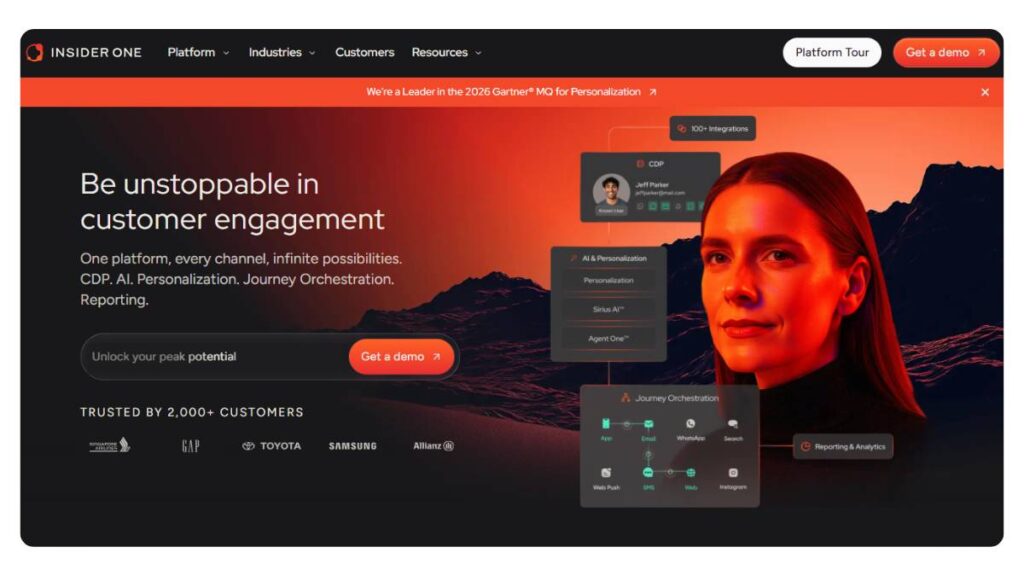
Best AI-powered omnichannel engagement platform
Insider One is built around journeys. Not campaigns, not channels; journeys. That distinction shows up pretty quickly once teams start using it.
Instead of creating isolated messages, everything is tied to how a user moves. What they clicked, where they dropped off, and what they came back for. The platform connects those moments and builds communication around them.
There’s a strong emphasis on personalization, but not in a surface-level way. It goes deeper into behavior, which means the setup takes some thought. Once it’s running, though, the system adapts fairly well without constant manual tweaks.
Omnichannel is another big piece here. Web, app, email, push; all feeding into the same flow. It doesn’t feel like switching channels; it feels like continuing a conversation. That’s harder to pull off than it sounds, but this is one of the few tools that gets reasonably close.
It tends to work best for businesses that already have a decent amount of traffic or user activity. Without that, a lot of its strengths don’t fully show up.
2. HubSpot
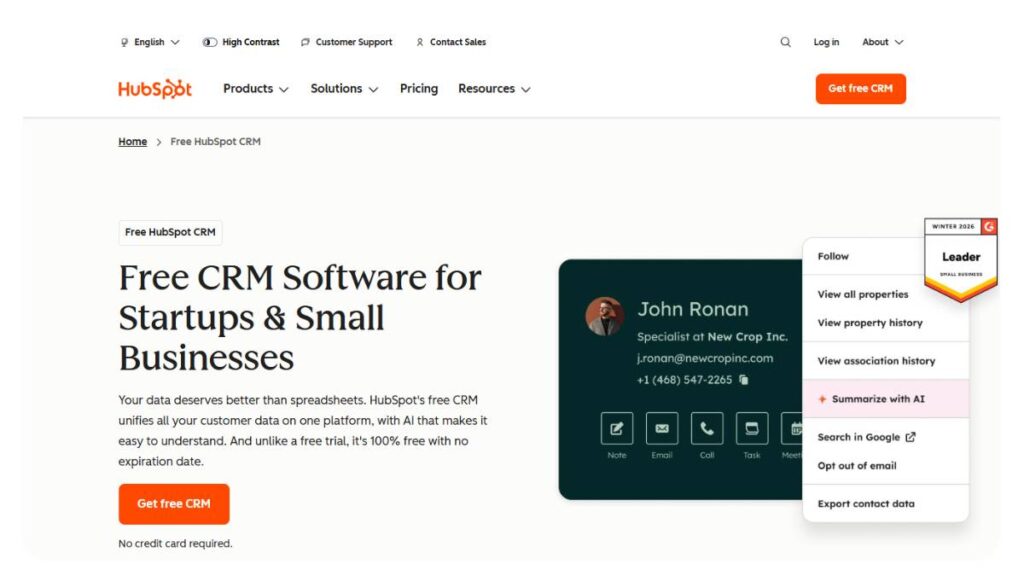
Best all-in-one CRM & engagement platform
HubSpot is one of those platforms that grows with you; sometimes smoothly, sometimes a bit awkwardly.
At the start, it’s simple. Contacts, emails, basic automation, maybe some chat. Easy to get going, not much resistance from teams. That’s a big reason why so many businesses begin here.
As things scale, HubSpot starts layering in more: workflows, segmentation, reporting, service tools. It becomes less of a tool and more of a system.
The engagement side sits tightly connected to its CRM, which is both helpful and limiting. Helpful because everything is in one place. Limiting because deeper customization can get tricky.
Still, for teams that want a single platform covering marketing, sales, and support without stitching together multiple tools, HubSpot holds its ground pretty well.
3. Twilio Engage
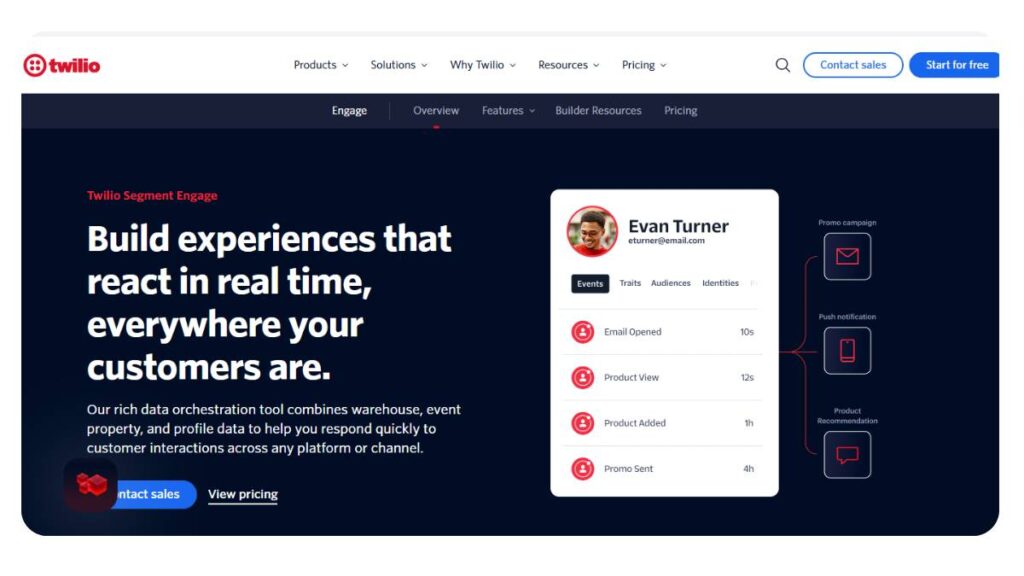
Best for communication APIs & messaging
Twilio Engage isn’t really a “tool” in the traditional sense. It’s more like a toolkit.
It gives you the building blocks: messaging APIs, communication layers, data capabilities, and expects you to shape the experience around them.
That flexibility is powerful. You can create very specific, tailored interactions. Custom workflows, unique triggers, channel-specific logic… all possible.
But it comes with a cost. Not financial, necessarily. More in terms of effort.
Teams without technical support usually struggle here. There’s no quick setup or ready-made playbook. Everything needs to be designed, tested, and refined.
For companies that need that level of control, it’s a strong option. For others, it can feel like trying to build something from scratch when a simpler tool would’ve done the job.
4. Freshdesk / Freshworks
Best for customer support engagement
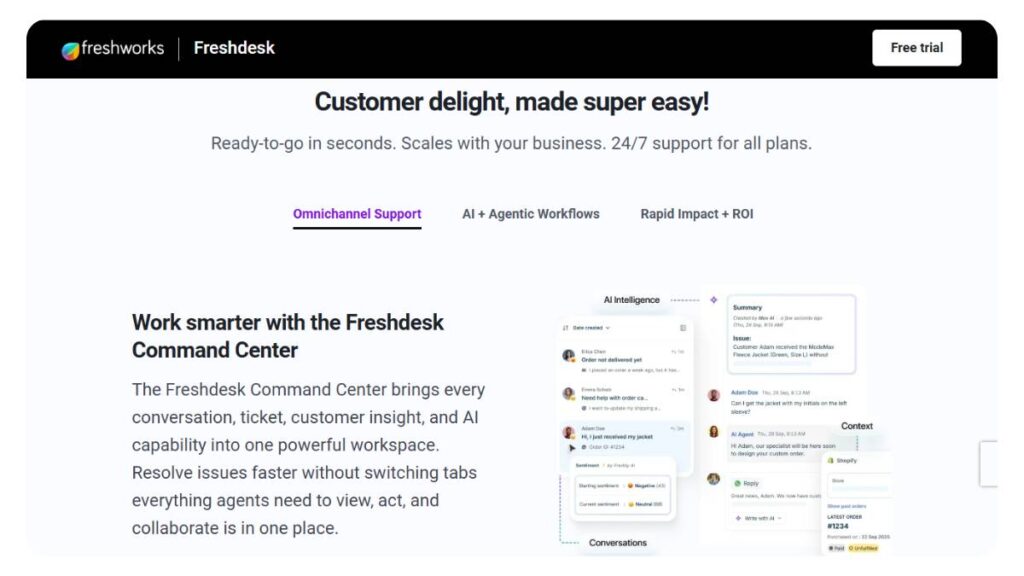
Freshdesk is very much built for support teams that deal with volume. Lots of tickets, lots of queries, constant inflow.
What it does well is structure. Tickets are organized, conversations are tracked, and nothing gets lost easily. That alone makes a difference when things get busy.
Automation is present, but it doesn’t try to overtake everything. Basic queries can be handled automatically, while more complex ones are routed to the right person.
There’s also a certain clarity in how the system works. Agents don’t have to dig around too much to find context. That reduces back-and-forth, which customers notice almost immediately.
It’s not trying to be an all-in-one engagement platform. It stays focused on support and does that reliably.
5. Hootsuite
Best for social media engagement
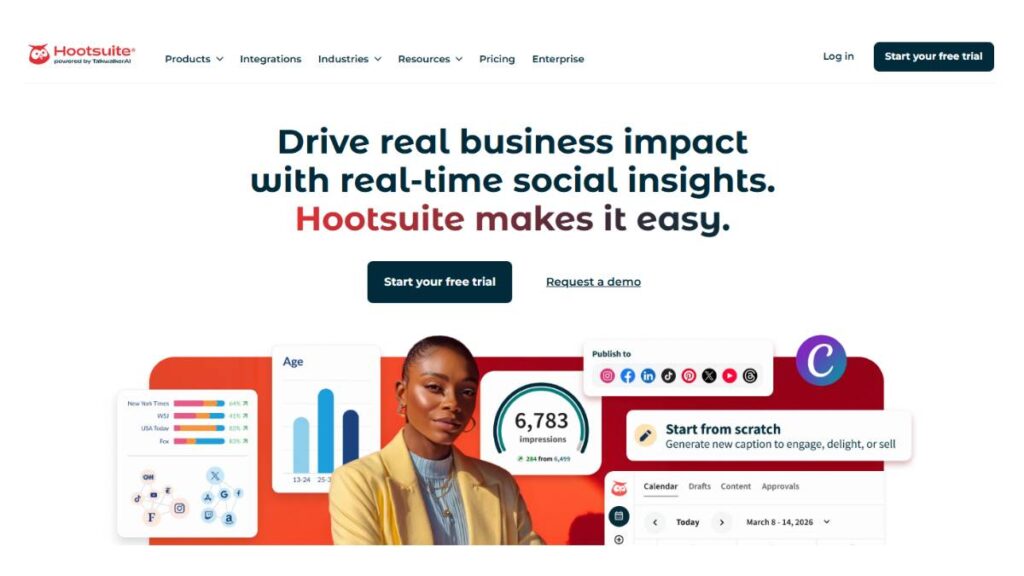
Hootsuite is straightforward in what it offers. Social media management, done in a structured way.
For engagement, the key value is consolidation. Instead of checking multiple platforms separately, everything sits in one dashboard: messages, comments, mentions.
That visibility helps teams respond faster and stay consistent. Especially useful when managing multiple accounts or brands.
It also includes scheduling and analytics, which rounds things out, but the core strength is still in handling conversations efficiently.
It doesn’t try to go beyond social, and that’s probably why it works. It stays focused.
6. Sprinklr
Best enterprise customer experience platform
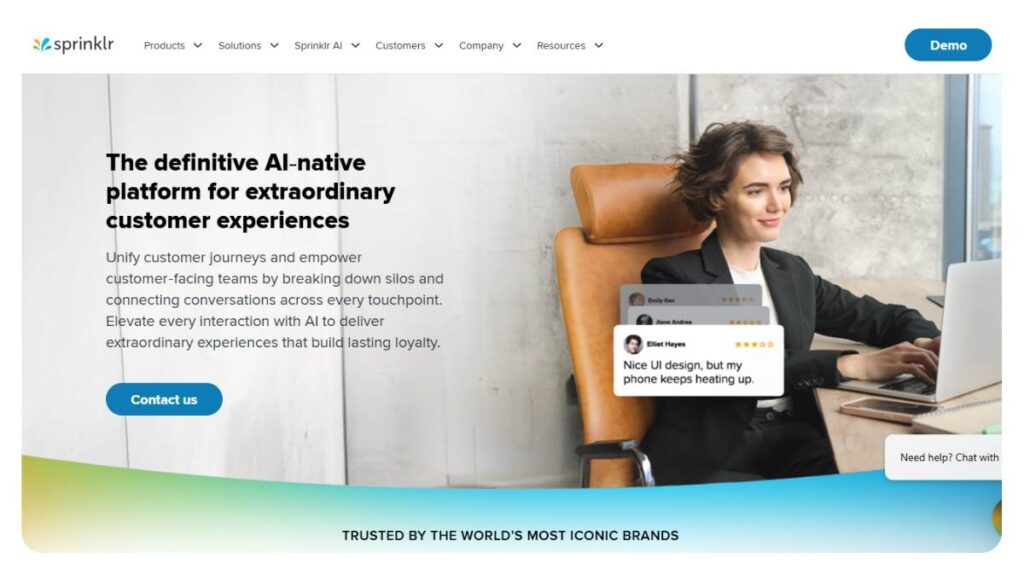
Sprinklr operates on a different level altogether. It’s built for large organizations where customer interaction is spread across teams, regions, and channels.
There’s a lot happening inside this platform: social engagement, customer support, analytics, messaging, and workflow management.
That depth can be useful, but it also means onboarding isn’t quick. Teams need time to understand how everything connects.
Where it really stands out is control. Permissions, workflows, and reporting structures; everything can be customized in detail.
For enterprises managing complex operations, that flexibility is valuable. For smaller teams, it’s often more than what’s needed.
7. Salesforce Marketing Cloud
Best for enterprise marketing engagement
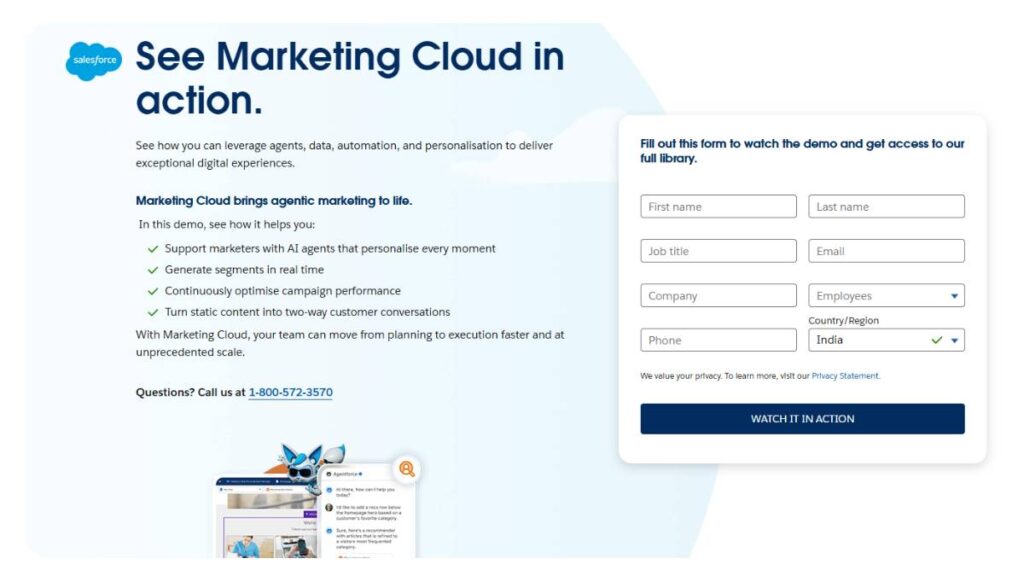
Salesforce Marketing Cloud is designed for scale. Large databases, detailed segmentation, multi-step journeys; it handles those without much trouble.
The real strength lies in how deeply it connects with the broader Salesforce ecosystem. Sales data, service interactions, and marketing campaigns all feed into each other.
That said, it’s not the most intuitive system. There’s a learning curve, and setup takes time.
But once it’s in place, it allows for a level of coordination that’s hard to achieve with simpler tools.
It’s less about speed and more about structure. Businesses looking for quick execution might find it heavy. Those building long-term systems tend to benefit more.
8. Adobe Experience Platform
Best for customer data & personalization
Adobe Experience Platform focuses heavily on data unification.
It pulls customer information from multiple sources and builds a centralized profile. That profile then feeds into personalization, targeting, and journey mapping.
The engagement side depends on how well that data is used. Without a clear strategy, it can feel like a powerful engine without direction.
When used properly, though, it enables very precise targeting. Messages aren’t just personalized; they’re timed and positioned based on behavior patterns.
It’s not a lightweight tool. It requires planning, integration, and ongoing management. But for data-driven teams, it offers depth that’s hard to ignore.
9. MoEngage
Best for mobile-first engagement
MoEngage is built with mobile users in mind. That’s clear from the way its features are structured.
Push notifications, in-app messaging, and user tracking are all designed to respond quickly to user actions.
Engagement here is heavily behavior-driven. If a user opens an app, interacts, and leaves, the system reacts in near real-time.
It’s particularly useful for apps where retention is a challenge. Gaming, eCommerce, and content platforms are areas where user attention shifts quickly.
It does support other channels, but mobile is where it feels most natural.
10. Genesys Cloud CX
Best for contact center engagement
Genesys Cloud CX is focused on contact centers, environments where customer interaction happens at scale, often in real time.
Calls, chats, emails; everything is routed through a structured system designed to keep things moving efficiently.
Routing logic is a big part of it. Queries go to the right agent, based on skill or availability. That reduces delays and improves resolution times.
There’s also a strong focus on agent performance; tracking how interactions are handled, where improvements can be made.
It’s not built for lightweight use. But for businesses where support is a core function, it brings a level of organization that’s hard to manage manually.
11. LivePerson
Best conversational AI engagement platform
LivePerson centers around messaging. Conversations happen through chat, apps, or messaging platforms, and the system keeps everything flowing.
What stands out is the focus on conversational experience. Interactions don’t feel overly scripted when configured properly.
Automation is there, but it doesn’t dominate the interaction. It supports it.
The platform works well for businesses that want to move away from traditional ticket-based support and shift toward real-time conversations.
It’s not always a perfect fit for every use case, but for messaging-heavy engagement, it does the job well.
12. Nextiva
Best for unified communications & engagement
Nextiva combines communication tools with engagement features in a way that feels practical.
Voice is a big part of it; calls, VoIP systems, but it doesn’t stop there. Messaging, CRM features, and customer tracking all come into play.
The advantage is having everything connected. Calls aren’t separate from customer data. Conversations aren’t isolated.
For teams that rely heavily on phone communication but still want visibility into customer interactions, this setup works well.
It’s not trying to be overly complex. Just consistent.
13. Apollo.io
Best for sales engagement & lead generation
Apollo.io is built for outbound engagement; reaching out to prospects, managing pipelines, and keeping conversations going.
It combines a lead database with outreach tools, which makes it easier to move from research to action without switching platforms.
Sequences can be automated, but still feel somewhat personalized if set up carefully.
It’s particularly useful for B2B teams that need to maintain consistent outreach without losing track of leads.
Not focused on post-purchase engagement as much, but strong in the early stages of the customer journey.
Each of these tools fits a different kind of workflow. Some overlap, some complement each other.
Trying to force one tool to do everything usually doesn’t work. The better approach is figuring out where engagement matters most and choosing accordingly.

Enroll Now: Advanced Digital Marketing Course
Comparison Table of Customer Engagement Tools
When teams start shortlisting tools, this is usually where things get clearer. Not because a table gives all the answers… but because it forces a side-by-side view. And that’s where trade-offs show up.
Some tools look strong until you compare their channel coverage. Others feel feature-heavy but fall short on usability. This is where priorities start to matter.
| Tool | Best For | Key Features | Pricing (Indicative) | Ideal Business Size |
| Insider One | AI-driven omnichannel engagement | Journey orchestration, real-time personalization, 12+ channels | Custom | Mid to Enterprise |
| HubSpot | All-in-one CRM & engagement | CRM, email automation, workflows, analytics | Free + Paid tiers | SMB to Mid |
| Twilio Engage | Communication APIs & messaging | SMS, WhatsApp, APIs, CDP | Usage-based | Mid to Enterprise |
| Freshdesk | Customer support engagement | Ticketing, live chat, automation | Freemium | SMB to Mid |
| Hootsuite | Social media engagement | Social inbox, scheduling, analytics | Paid plans | SMB to Enterprise |
| Sprinklr | Enterprise CX management | Unified engagement, AI insights, workflows | Enterprise pricing | Large enterprises |
| Salesforce Marketing Cloud | Marketing engagement at scale | Automation, segmentation, journeys | Premium | Enterprise |
| Adobe Experience Platform | Customer data & personalization | CDP, real-time profiles, AI targeting | Enterprise pricing | Enterprise |
| MoEngage | Mobile-first engagement | Push, in-app messaging, automation | Tiered pricing | SMB to Mid |
| Genesys Cloud CX | Contact center engagement | Omnichannel routing, AI support | Subscription | Enterprise |
| LivePerson | Conversational AI engagement | Messaging, bots, automation | Custom | Mid to Enterprise |
| Nextiva | Unified communications | VoIP, CRM, customer tracking | Subscription | SMB to Mid |
| Apollo.io | Sales engagement & lead generation | Lead database, outreach automation | Freemium + Paid | SMB to Mid |
No single tool dominates across every column. That’s the point. A strong tool for marketing might feel incomplete for support. A powerful enterprise platform might slow down a small team.
The better question isn’t “which is best?” It’s “best for what, exactly?”
How to Choose the Right Customer Engagement Tool
Choosing a tool sounds straightforward… until it isn’t. On paper, most platforms promise similar things: better engagement, more personalization, and higher retention. In practice, the gap shows up in how they fit into daily work.
That’s usually where decisions go wrong. Tools get picked for features, not for how teams actually operate.
Based on Business Size
Startups tend to need speed more than sophistication. Something that works out of the box, doesn’t require heavy setup, and doesn’t break when scaled a little. Tools like HubSpot or Freshdesk often fit here because they’re easy to start with and don’t demand a full system overhaul.
SMBs sit in an in-between space. They’ve outgrown basic tools but aren’t ready for enterprise-level complexity. This is where platforms like MoEngage or Insider start making more sense; more control, more channels, but still manageable.
Enterprises are a different story. At that level, it’s less about features and more about coordination. Multiple teams, regions, workflows… everything needs to connect. That’s where tools like Salesforce, Sprinklr, or Adobe come in. Not simple, but built for scale.
Based on Use Case
The biggest mistake here is trying to use one tool for everything.
Customer support teams need structure, ticketing, routing, and fast responses. Freshdesk or Genesys tends to handle that well.
Marketing teams usually care more about journeys, campaigns, and segmentation. That’s where Insider, MoEngage, or Salesforce Marketing Cloud come into play.
Sales teams need outreach and tracking. Apollo.io fits naturally there.
Trying to stretch a support tool into a marketing platform (or the other way around) usually leads to workarounds. And too many workarounds slow everything down.
Based on Budget & Scalability
Budget isn’t just about current cost. It’s about how pricing changes as usage grows.
Some tools look affordable early on, then scale quickly with contacts or message volume. Others are expensive upfront but more stable over time.
Free plans are useful, but only to a point. They help teams get familiar with a platform, maybe even run basic operations. But most businesses hit limitations sooner than expected; automation caps, contact limits, restricted integrations.
Scalability matters more than initial pricing. Switching tools later is rarely smooth. Data migration, retraining teams, rebuilding workflows… it adds up.
A slightly higher upfront investment often saves more in the long run, especially if the tool aligns with how the business plans to grow.
Customer Engagement Trends
There’s been a shift over the last couple of years. Engagement used to be about responding; answering queries, sending campaigns, reacting to actions.
Now it’s moving toward anticipation.
Tools aren’t just waiting for users anymore. They’re trying to predict what comes next. Sometimes that works well. Sometimes it feels a bit off. But the direction is clear.
AI-driven Customer Experiences
AI is becoming part of the workflow, not just an add-on.
Instead of manually setting every trigger, systems are starting to suggest actions: when to send a message, which users to target, and what kind of content works best.
It’s not perfect. There are still gaps, especially when context is missing. But for repetitive tasks or pattern-based decisions, it reduces a lot of manual effort.
Teams that use it well don’t rely on it blindly. They adjust, refine, and keep a layer of control. That balance matters.
Hyper-Personalization at Scale
Personalization used to mean adding a first name to an email. That doesn’t really count anymore.
Now it’s about behavior; what users do, when they do it, what they ignore. Messages are shaped around those signals.
The challenge isn’t collecting data. Most tools already do that. The challenge is using it without overcomplicating things.
Too much personalization can feel intrusive. Too little feels generic. The middle ground is where most brands are still figuring things out.
Omnichannel Becomes Standard
Customers don’t think in channels. They switch between them without noticing; from email to app to chat, sometimes in the same journey.
Engagement tools are trying to catch up to that behavior. Not just by supporting multiple channels, but by connecting them.
A conversation started on chat should make sense when it continues over email. Sounds obvious, but it’s harder to execute than expected.
The tools that manage this well tend to stand out quickly.
Shift from Support to Experience
Support used to be reactive. A problem comes in, a response goes out.
Now, engagement stretches across the entire lifecycle. Before purchase, during onboarding, after support; it’s all connected.
That shift changes how tools are used. They’re no longer just for solving issues. They’re part of shaping the overall experience.
And that’s where things get interesting. Because at that point, engagement isn’t just a function. It becomes part of how a brand is perceived.
Common Mistakes to Avoid When Using Customer Engagement Tools
Most teams don’t fail because they picked the wrong tool. They struggle because of how the tool gets used after implementation. The gap between “what the tool can do” and “what actually gets done with it” is usually wider than expected.
A few patterns show up again and again.
Over-automation
Automation looks efficient on paper. Set workflows, trigger messages, let the system run. But overdo it, and the experience starts feeling mechanical.
Customers can tell when they’re being pushed through a flow instead of being responded to. Messages arrive at the wrong time, or worse, with the wrong context. That’s where engagement drops quietly.
Automation works best when it supports interaction, not replaces it entirely. There still needs to be room for flexibility… a bit of human judgment in between.
Ignoring customer data
There’s no shortage of data anymore. The problem is that most of it sits unused.
Tools collect behavior, preferences, and interaction history, but unless that data is actively shaping decisions, it doesn’t add much value. Teams often rely on default segments or broad campaigns, even when more precise targeting is possible.
The missed opportunity isn’t in data collection. It’s in not acting on what’s already available.
Lack of integration
This one creeps in slowly. A chat tool here, an email platform there, CRM somewhere else; each doing its job, but not really talking to each other.
When systems don’t connect, the customer experience starts to break. Repeated questions, inconsistent messaging, gaps in context.
Integration isn’t just a technical detail. It directly affects how smooth or fragmented interactions feel.
Poor personalization
Personalization has become a checkbox for many teams. Add a name, maybe a recent activity reference, and call it done.
But surface-level personalization doesn’t move the needle much anymore. In some cases, it even feels forced.
What works better is relevance. Messages that align with what the user actually needs in that moment. That takes a bit more effort; understanding behavior, timing, and intent, but the difference shows.
Conclusion:
There isn’t a perfect tool waiting to be discovered. That idea usually leads to over-research and delayed decisions.
What matters more is clarity, knowing what kind of engagement actually drives results for the business.
Some teams need better support workflows. Others need stronger marketing automation. A few are trying to connect everything into one system. Each of those paths points to a different kind of tool.
The key takeaways are fairly straightforward, even if execution isn’t:
- The right tool depends on how the business operates, not just on features
- Simpler setups often outperform complex ones when teams are small
- Integration matters more than most people expect
- Personalization works only when it’s meaningful, not just present
Alignment is what makes a tool effective. When the platform fits the workflow, things move faster. Less friction, fewer workarounds.
It’s also worth thinking a bit ahead. Not too far; just enough to avoid outgrowing the tool in a few months. Switching later comes with its own set of problems, and most teams underestimate that.
In the end, customer engagement isn’t really about the tool itself. It’s about how consistently and thoughtfully interactions are handled across the journey.
The tool just makes that easier, or harder, depending on the choice.
FAQs: Customer Engagement Tools
1. What are customer engagement tools?
Customer engagement tools are basically the systems businesses use to stay in touch with customers, not just once, but across the whole journey. Emails, chats, notifications, support conversations… all of it. Instead of scattered interactions, everything starts to connect. And that’s where things get easier to manage, and honestly, easier to improve.
2. Which is the best customer engagement platform?
There’s no clear winner here. Different tools work better in different setups. Some are built for speed and simplicity, others for depth and scale. The “best” one usually ends up being the one that fits how the team already works, not the one with the longest feature list.
3. Are customer engagement tools the same as CRM?
Not quite. A CRM keeps track of customer data: who they are, what they’ve done. Engagement tools take that information and actually do something with it. Messages, follow-ups, conversations. There’s overlap, sure, but the purpose is slightly different. One stores, the other acts.
4. How do customer engagement tools improve retention?
It’s less about big moments and more about consistency. When communication is timely, relevant, and doesn’t feel disconnected, customers stick around. These tools help close the small gaps: missed follow-ups, delayed responses, and generic messaging. Fix enough of those, and retention tends to improve without much noise.
5. What features should I look for?
Depends on what’s breaking right now. If communication feels scattered, omnichannel support matters. If things are too manual, automation helps. Analytics becomes important when decisions feel unclear. There’s no fixed checklist; just look for features that solve actual friction, not hypothetical problems.
6. What is the difference between customer engagement tools and customer experience (CX) platforms?
Engagement tools handle the interactions; messages going out, replies coming in. CX platforms look at the bigger picture, how everything feels from the customer’s side. Engagement is one part of that experience. Important, yes, but not the whole thing.
7. How do customer engagement tools improve customer retention?
They make things smoother, that’s really it. Customers don’t have to repeat themselves, responses come quicker, and communication feels a bit more relevant. Nothing dramatic. But over time, those small improvements build trust, and that’s what keeps people coming back.
8. Are customer engagement tools suitable for small businesses?
Actually, they’re often more useful for smaller teams. When resources are limited, having structured communication and a bit of automation can take a lot off the plate. The trick is not overcomplicating it; simple tools usually work better in the early stages.
9. What are the best free customer engagement tools available?
Free tools can get things moving: basic email campaigns, chat widgets, maybe a lightweight CRM. Good for testing the waters. But they tend to hit limits fairly quickly. Once workflows get more complex or volume increases, most teams end up upgrading sooner than expected.
10. How do AI-powered customer engagement tools work?
They look at patterns: what users click, when they drop off, how they respond, and use that to guide actions. Things like timing messages or segmenting audiences happen with less manual input. It’s not magic, though. It still needs oversight to stay accurate and useful.
11. Can customer engagement tools integrate with CRM systems?
Yes, and in most cases, they should. Without that connection, data sits in silos, and teams end up guessing more than they should. When integrated properly, interactions and customer history stay aligned, which makes communication feel a lot more consistent.
12. What channels do customer engagement tools support?
Email, SMS, chat, social media, push notifications; that’s the usual mix. Some tools go further with voice or messaging apps. But having channels isn’t the hard part. Making them work together without losing context… that’s where things get tricky.
13. How much do customer engagement platforms cost?
It varies more than people expect. Some start free, others jump straight into paid plans. Costs usually scale with usage; more contacts, more messages, more features. What looks affordable early on can change quickly as things grow, so it’s worth thinking a bit ahead.
14. What industries benefit most from customer engagement tools?
Any industry that deals with ongoing customer interaction tends to benefit. eCommerce, SaaS, banking, healthcare; the usual suspects. The more touchpoints involved, the more value these tools bring. It’s really about how often and how deeply customers engage.
15. How do customer engagement tools help in lead generation?
They keep things moving. Instead of leads going cold, there’s a system in place to follow up, nudge, and guide them forward. Whether through chat, email sequences, or targeted messaging, the process becomes more consistent, and that consistency usually improves conversion.
16. What metrics should be tracked using customer engagement tools?
Engagement rates, retention, conversions, customer satisfaction; the basics still matter. But it also helps to look at where people drop off or lose interest. Those points often reveal more than the overall numbers. It’s less about tracking everything, more about tracking what actually signals change.
17. Are customer engagement tools secure and compliant?
Most established platforms follow standard compliance practices, including data protection regulations. But tools alone don’t guarantee security. It also depends on how access is managed and how data is handled internally. A well-configured system matters just as much as the platform itself.
18. How long does it take to implement a customer engagement platform?
For simpler tools, setup can be fairly quick, sometimes just a few hours. More advanced systems take longer, especially when integrations and workflows are involved. The timeline usually reflects how deeply the tool is being integrated into existing processes.
19. Can customer engagement tools be used for omnichannel marketing?
Yes, that’s one of their main strengths. They help connect different channels so the experience doesn’t feel fragmented. Instead of separate messages across platforms, it becomes one continuous flow; or at least, that’s the goal when it’s done well.
20. What are the challenges of using customer engagement tools?
Things can get messy if there’s no clear direction. Too much automation, disconnected systems, or generic messaging are all common issues. The tool itself isn’t usually the problem. It’s how it’s set up and used over time that makes the difference.