

A data management platform isn’t just a tech tool; it’s kind of the backbone for handling all the messy, scattered data companies collect these days. This guide walks through what a DMP really does, from organizing audience info to making marketing efforts actually make sense. There’s a deep dive into the top platforms out there, how they work, and what kind of businesses get the most out of them. Along the way, it covers practical stuff, audience segmentation, cross-device targeting, compliance, and even mobile data management. If handled right, a DMP can turn chaotic data into something useful, helping teams make smarter decisions and keep campaigns running smoother than before.
Table of Contents
What is a Data Management Platform (DMP)?
A data management platform sounds more technical than it really is. At a practical level, it’s the system that takes scattered, messy audience data and turns it into something marketing teams can actually use.
Most companies already have data. Plenty of it. Website traffic, app events, CRM records, campaign data… It’s all there. The problem is, it lives in different places and don’t talk to each other. That’s where a DMP comes in; not to store everything forever, but to organize and activate it.
Definition of data management platform
A DMP is a platform that collects data from multiple sources, organizes it into usable segments, and then pushes those segments into marketing and advertising channels.
It’s less about storage, more about usability. The real value shows up when that data starts driving targeting decisions, not just sitting in dashboards.
First-party, second-party, and third-party data
Not all data is created equal, and DMPs are built around that idea.
- First-party data comes directly from your own channels: website visits, app usage, customer interactions
- Second-party data is essentially someone else’s first-party data shared through a partnership
- Third-party data is aggregated data purchased from external providers
For a long time, DMPs leaned heavily on third-party data. That worked… until privacy changes started tightening things up. Now, there’s a noticeable shift back toward first-party data. Slower to build, but far more reliable.
Role of DMP in the modern data stack
In a typical setup today, a DMP doesn’t operate in isolation. It sits alongside other systems, each doing a different job.
- Data warehouses handle storage and heavy analysis
- CRMs and CDPs manage known users and customer relationships
- DMPs focus on audience segmentation and activation, especially for advertising
It’s a bit like the difference between owning ingredients and actually cooking a meal. The warehouse stores everything. The DMP helps decide what to do with it.
Difference between DMP and database
This confusion comes up a lot.
A database is built to store and retrieve data. Clean, structured, predictable.
A DMP, on the other hand, is built to:
- Pull data from multiple sources
- Clean and standardize it (to a reasonable extent, not perfectly)
- Group users into segments
- Send those segments to external platforms
So while a database answers questions, a DMP helps take action. That’s the key distinction.
How Does a Data Management Platform Work?
On paper, the process looks straightforward. In reality, there are a few moving parts that matter more than others.
Data collection from multiple sources
Everything starts with data coming in from different touchpoints.
Websites, mobile apps, ad platforms, CRM systems; each one sends its own signals. Page views, clicks, time spent, purchases. Some structured, some not.
A DMP pulls all of this together. Not perfectly, but enough to start building a usable picture.
Data unification and normalization
Raw data is messy. Always has been.
Different naming conventions, duplicate records, missing fields… it’s rarely clean out of the box. So the DMP does some level of normalization:
- Aligns formats
- Removes obvious inconsistencies
- Connects identifiers where possible
It’s not magic. It won’t fix everything. But it gets the data into a workable state.
Audience segmentation and profiling
This is where things get more interesting.
Instead of looking at individual data points, the DMP starts grouping users based on patterns:
- People who visited a product page multiple times
- Users who dropped off at checkout
- Visitors coming from a specific campaign
These segments aren’t static. They shift as new data comes in. Someone moves from “browsing” to “high intent” without anyone manually updating a list.
Data activation across channels
Segmentation alone doesn’t do much unless it’s used somewhere.
The DMP pushes these audience groups into:
- Advertising platforms
- Email systems
- Personalization tools
So instead of running broad campaigns, marketing teams can target specific groups with more relevant messaging. Not perfect targeting, but definitely sharper.
Real-time vs batch processing
This part often gets overlooked.
Some DMPs process data in batches; every few hours, sometimes longer. Others work closer to real time.
Real-time processing matters when timing is critical. For example:
- Showing a relevant ad right after someone visits a pricing page
- Triggering a message based on immediate behavior
Batch processing still has its place. It’s simpler, often cheaper, and works fine for many use cases. It really depends on how fast decisions need to happen.
Why Data Management Platforms Matter in Marketing
Marketing used to be broader. Less precise. That’s changed; mostly because of data.
DMPs play a role in that shift, even if they’re not always visible on the surface.
Data-driven marketing
Without structured data, campaigns rely on assumptions. Sometimes they work, sometimes they don’t.
With a DMP in place, there’s a clearer view of:
- Who’s interacting
- What they’re doing
- How they respond to campaigns
It doesn’t remove guesswork entirely, but it reduces it. And over time, that adds up.
Cookieless future strategy
The shift away from third-party cookies isn’t theoretical anymore. It’s happening.
That means:
- Less reliance on third-party data
- More focus on first-party data
- Greater emphasis on privacy and consent
DMPs are evolving here, but not all at the same pace. Some still depend heavily on older models. Others are adapting to identity frameworks and alternative tracking methods.
Either way, the direction is clear: control your own data, or risk losing visibility.
Omnichannel personalization
Users don’t follow neat, predictable paths.
They browse on mobile, switch to desktop, click an ad, leave, come back later… It’s messy. A DMP helps connect some of those dots.
Not perfectly, but enough to:
- Avoid showing the same ad repeatedly
- Adjust messaging based on behavior
- Create a more consistent experience across channels
It’s less about personalization in a flashy sense, more about reducing friction.
Performance tracking and attribution
Attribution is still complicated. No platform solves it completely.
But DMPs help by:
- Tracking how different audience segments behave
- Highlighting which groups convert
- Showing where campaigns are actually working
It’s not a perfect picture, but it’s clearer than looking at isolated channel reports.
What You Can Do with a Data Management Platform
This is usually where things click. Not in theory, but in actual use.
A DMP isn’t just a data tool. It’s a way to make marketing more intentional.
Audience segmentation
Segmentation is the starting point, but it goes deeper than basic demographics.
Instead of broad groups, you get more specific slices:
- Users showing purchase intent
- Visitors engaging with certain types of content
- Repeat users who haven’t converted yet
It’s not about creating dozens of segments just because you can. The useful ones are usually tied directly to actions.
Personalized advertising
Personalization gets talked about a lot. In practice, it often just means being slightly more relevant.
With a DMP, campaigns can:
- Show different creatives to different segments
- Adjust messaging based on behavior
- Focus on users more likely to engage
Not groundbreaking, but effective when done consistently.
Cross-device targeting
People switch devices constantly. That’s just normal behavior now.
Without some form of identity resolution, the same person looks like multiple users. A DMP helps reduce that fragmentation by linking identifiers where possible.
It’s not perfect. There are gaps. But even partial visibility is better than none.
Marketing ROI optimization
Once performance data is tied to specific segments, decisions become clearer.
Budgets can shift toward:
- High-performing audiences
- Campaigns that actually convert
- Channels that deliver results
And away from things that don’t. Simple in theory, but it requires clean segmentation to work well.
Audience insights
Sometimes the most useful outcome isn’t the campaign itself, but what’s learned from it.
Patterns start to emerge:
- Which behaviors signal intent
- Where users tend to drop off
- What content drives engagement
Those insights often feed back into broader strategy; not just marketing, but product and messaging as well.
Compliance management
Not the most exciting part, but probably one of the most important.
With regulations like GDPR and CCPA, data handling needs to be controlled:
- Consent tracking
- Data usage policies
- Clear audit trails
A good DMP helps manage this in the background. It doesn’t remove responsibility, but it makes compliance easier to handle at scale.
These fundamentals set the stage. Everything else, tools, comparisons, decisions, builds on how well this layer is understood and implemented.
15 Best Data Management Platforms
Matillion
Matillion tends to come up a lot when teams move their data stack to the cloud and suddenly realize… the old ETL setup just doesn’t cut it anymore. It’s built for that exact shift. Not retrofitted. That difference shows pretty quickly once pipelines start scaling.
The platform leans into ELT, which basically means transformations happen inside your warehouse instead of outside it. That sounds small, but it changes performance quite a bit. Less data movement, fewer bottlenecks. Things just run smoother.
There’s also a practical side to it; pipelines are visual, relatively easy to adjust, and don’t require constant engineering involvement. That matters more than people expect. Most teams don’t have time to rebuild data flows every time something changes.
Key features and benefits:
- Cloud-native ELT: Designed specifically for modern warehouses, so transformations run where the data already lives
- Strong warehouse integrations: Works closely with Snowflake, BigQuery, Redshift; no heavy lifting to connect things
- Visual pipeline builder: Easier to manage workflows without digging into code every time
- Scales without much friction: As data grows, pipelines don’t need to be rethought from scratch
- Faster setup overall: Teams can get from raw data to usable outputs fairly quickly
Cons:
- Not a full data platform: It handles integration well, but governance and advanced analytics still need other tools
- Performance tied to the warehouse: If the warehouse slows down, so does everything running on top of it
Snowflake Data Cloud
Snowflake is one of those platforms that quietly becomes the center of everything. Not because it tries to do too much, but because it removes a lot of the usual headaches around scaling and performance.
The biggest shift it introduced was separating compute from storage. Before that, scaling usually meant scaling everything together; expensive and inefficient. With Snowflake, workloads can run independently. Heavy queries don’t choke the system. That alone makes a difference once multiple teams start using the same data.
Another thing that stands out is data sharing. Instead of copying datasets across systems (which always creates version issues), Snowflake lets teams access the same data directly. Cleaner, less duplication.
Key features and benefits:
- Unified platform: Warehousing, lakes, and sharing are handled in one place
- Independent scaling: Compute and storage scale separately, which keeps things flexible
- Secure data sharing: Data can be accessed across teams without duplication
- Handles concurrency well: Multiple workloads don’t interfere with each other as much
- Low infrastructure overhead: Less time spent managing systems, more time using them
- Snowflake Development Solutions: Organizations can build custom data pipelines, automate workflows, integrate multiple data sources, and develop scalable analytics applications using Snowflake’s cloud-native architecture.
Cons:
- Costs can creep up: Usage-based pricing needs attention, especially at scale
- Not built for activation: Great for storing and processing data, but you’ll still need tools to actually use that data in campaigns
Segment
Segment feels different from traditional DMPs. It’s closer to the front lines, where data actually gets created, rather than where it’s stored later.
Instead of pulling data from different systems after the fact, Segment captures it as it happens. Every click, event, interaction. That data is then cleaned up and sent wherever it needs to go. Analytics tools, ad platforms, email systems… all from one place.
What makes it useful isn’t just the collection. It’s consistency. When tracking is messy (which it usually is), downstream data becomes unreliable. Segment helps fix that at the source.
Key features and benefits:
- Real-time event tracking: Data is captured and processed as users interact
- Centralized data collection: One setup feeds multiple tools, reducing duplication
- Clean data structure: Events are standardized early, which avoids issues later
- Strong integrations: Connects with a wide range of marketing and analytics platforms
- Faster activation cycles: Data moves quickly from collection to usage
Cons:
- Limited third-party data focus: More aligned with first-party data strategies
- Pricing scales with usage: Event-heavy environments can get expensive
Databricks
Databricks sits a bit deeper in the stack. It’s not built specifically for marketing teams, and that’s important to keep in mind. It’s more about handling large-scale data and making it usable for advanced analysis.
The lakehouse approach is the main idea here: combining data lakes and warehouses into a single system. It sounds like a buzzword at first, but in practice, it reduces the need to maintain separate pipelines for different data types.
Where Databricks really stands out is flexibility. Structured data, unstructured data, streaming data… it handles all of it. But that flexibility comes with complexity. It’s not something you casually plug in and start using.
Key features and benefits:
- Lakehouse architecture: Brings storage and analytics together in one system
- Handles large datasets well: Built for scale, not just convenience
- Supports advanced analytics: Machine learning and data science workflows fit naturally
- Flexible data processing: Works with batch and real-time data
- Collaborative environment: Engineers and analysts can work within the same platform
Cons:
- Not beginner-friendly: Requires technical expertise to get real value
- Indirect for marketing use cases: Needs additional layers for segmentation and activation
SAP Data Intelligence
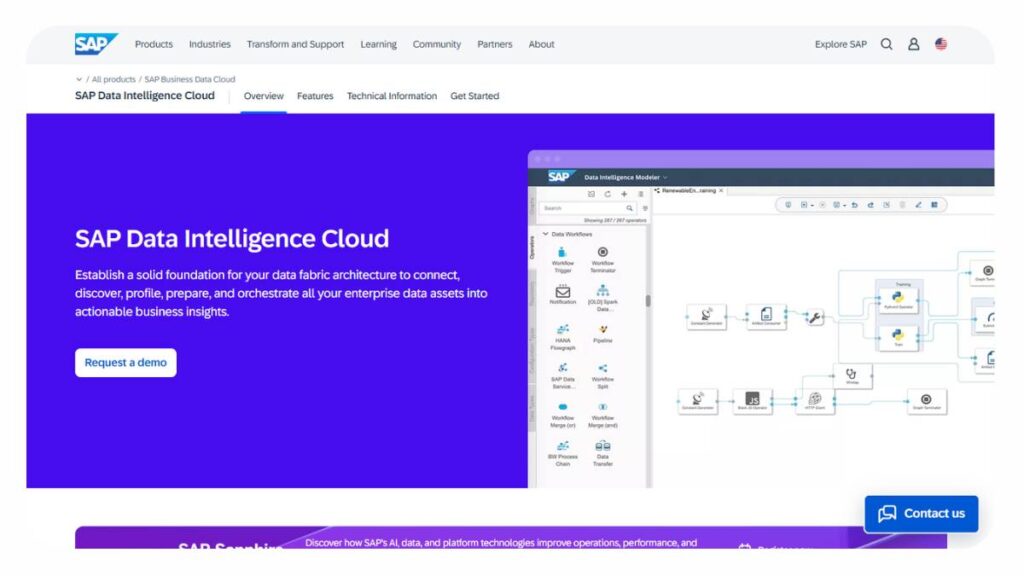
SAP Data Intelligence is less about individual features and more about control. It’s designed for environments where data is spread across multiple systems and needs to move between them in a structured way.
A lot of organizations using SAP already have complex data landscapes. Different systems, different formats, different rules. This platform tries to bring some order to that.
It focuses heavily on orchestration: how data flows, where it goes, and what happens along the way. Not always the most exciting part of the stack, but often the most necessary.
Key features and benefits:
- Data orchestration capabilities: Manages how data moves across systems
- Deep SAP integration: Fits naturally into existing SAP environments
- Supports hybrid setups: Works across cloud and on-premise systems
- Workflow automation: Reduces manual effort in managing data pipelines
- Central visibility: Teams can track how data flows and changes over time
Cons:
- Best within the SAP ecosystem: Outside of that, flexibility can feel limited
- Implementation takes time: Setup isn’t lightweight, especially in large organizations
Informatica Intelligent Data Management Cloud (IDMC)
Informatica IDMC usually enters the picture when things stop being simple. Not just “we have data,” but “we have data everywhere, and none of it lines up the way it should.” Different systems, different rules, compliance pressure sitting in the background… that kind of setup.
What Informatica tries to do is bring some order to that chaos. Integration, governance, data quality; all bundled together. On paper, it sounds like a lot. In practice, it is a lot. But that’s also the point.
Once it’s up and running properly, there’s a noticeable shift. Data feels more controlled. Less guesswork. Fewer inconsistencies are popping up in reports. Not perfect, but steadier.
Key features and benefits:
- End-to-end data coverage: From ingestion to governance, most of the lifecycle sits in one place
- Built-in governance controls: Policies aren’t an afterthought; they’re part of how data flows
- Data quality management: Helps catch inconsistencies before they spread across systems
- Cloud-native foundation: Works across modern environments without heavy reconfiguration
- Handles complexity well: Designed for large, messy, regulated data environments
Cons:
- Takes time to set up: Not something that’s fully operational in a week or two
- Heavy for simpler use cases: If the data environment is straightforward, this can feel excessive
AWS Data Management Suite
AWS doesn’t really hand over a single platform and say, “here’s your DMP.” It gives a bunch of services: Glue, Redshift, Lake Formation, a few others, and leaves it to the team to connect the dots.
That approach works… but only if there’s clarity on what’s being built.
The upside is flexibility. You’re not locked into someone else’s structure. You can shape the system around actual needs. The downside is obvious too; more moving parts, more decisions to make, more things to maintain.
Teams already deep into AWS usually don’t mind this. Everything sits in the same ecosystem, scaling is straightforward, and integrations don’t feel forced.
Key features and benefits:
- Modular design: Build only what’s needed instead of adopting a full-stack platform
- Tight ecosystem integration: Services connect without much friction
- Scales without much effort: Infrastructure grows as usage increases
- Flexible architecture: Can be adapted for different data workflows
- Usage-based pricing: Costs align with consumption, at least when managed carefully
Cons:
- Not plug-and-play: Requires planning, setup, and ongoing oversight
- Fragmented experience: No single interface tying everything together
Cloudera Data Platform
Cloudera feels like it belongs to a different era of data, and in some ways, it does. But that’s not a bad thing. Plenty of organizations still run hybrid environments, and Cloudera is built for exactly that.
It handles situations where data isn’t neatly sitting in the cloud. Some of it’s on-prem, some distributed across systems, some legacy pipelines still running because replacing them isn’t trivial.
Cloudera doesn’t try to force everything into one model. It works around what’s already there. That flexibility keeps it relevant, even now.
Key features and benefits:
- Hybrid environment support: Works across on-prem and cloud setups
- Strong big data processing: Designed for large-scale, distributed datasets
- Data engineering focus: Handles complex pipelines without too many shortcuts
- Multi-cloud flexibility: Avoids dependency on a single provider
- Governance and security layers: Maintains control across systems
Cons:
- Not marketing-oriented: Doesn’t directly support segmentation or activation
- Needs experienced teams: Setup and management aren’t lightweight
Oracle Enterprise Data Management
Oracle takes a more structured approach. Some would say rigid. But in certain environments, that’s exactly what’s needed.
When multiple systems depend on the same core data, customer records, financial data, product information, even small inconsistencies can cause bigger problems down the line. Oracle focuses on keeping that foundation stable.
It’s less about speed, more about control. Changes are managed carefully. Processes are defined clearly. There’s less room for improvisation, which can be frustrating… but also necessary in regulated setups.
Key features and benefits:
- Master data management: Keeps critical data consistent across systems
- Defined governance structure: Changes follow clear, controlled workflows
- High data reliability: Reduces discrepancies between departments
- Enterprise-grade stability: Built for large-scale operations
- Process-driven updates: Limits errors from manual changes
Cons:
- Not very flexible: Adapting quickly to new use cases can be difficult
- Implementation takes effort: Setup isn’t quick, especially in large environments
Azure Purview
Azure Purview, now folded into Microsoft Purview, focuses on something that often gets overlooked: visibility. Not just where data is stored, but how it moves, who uses it, and whether it’s compliant.
Once data starts spreading across tools and teams, it becomes harder to track. Datasets get duplicated, ownership gets unclear, and suddenly no one’s fully confident in what they’re using. That’s where Purview steps in.
It maps data across systems, builds a catalog, and shows lineage. It doesn’t try to transform or activate data; it just makes it easier to understand and manage.
Key features and benefits:
- Data discovery capabilities: Scans and identifies data across environments
- Centralized catalog: Makes datasets easier to find and interpret
- Data lineage tracking: Shows how data flows and changes over time
- Compliance support: Helps maintain regulatory standards
- Strong Microsoft integration: Fits naturally within Azure-based setups
Cons:
- Not built for marketing use cases: Focus stays on governance, not activation
- Works best inside the Microsoft ecosystem: Outside of it, integration takes more effort
Collibra
Collibra usually comes into play when data stops being just an asset and starts becoming a risk. Not in a dramatic way; just the slow buildup. More teams using the same data, more regulations, more “who approved this?” moments.
That’s where it fits. It doesn’t try to move data or analyze it. It focuses on control. Who owns what, what’s allowed, what needs approval before it changes. That layer is often missing until things get messy.
The workflow side of Collibra is what really defines it. Data isn’t just sitting there; it goes through processes. Approvals, validations, documentation. It can feel a bit rigid at first. Then again, in regulated environments, that structure is exactly what keeps things from falling apart.
Key features and benefits:
- Governance-first design: Everything revolves around ownership, policies, and accountability
- Data lineage tracking: Clear view of where data comes from and how it’s been transformed
- Approval workflows: Changes don’t just happen; they move through defined steps
- Compliance alignment: Helps manage regulatory requirements without patchwork solutions
- Central policy management: Keeps governance consistent across teams
Cons:
- Not built for activation: Doesn’t handle segmentation or campaign execution
- Needs discipline: Works best when teams actually follow governance processes (which isn’t always the case)
Alation
Alation tackles a quieter problem; not lack of data, but lack of clarity. Data exists everywhere, but finding the right dataset… that’s where things slow down.
What it does differently is layer usage on top of metadata. So instead of just listing datasets, it shows which ones people actually use, trust, and query regularly. That small shift changes how teams interact with data.
It also leans into collaboration more than most platforms. Comments, shared queries, documentation; data becomes something teams interact with, not just pull from. That matters in larger organizations where context tends to get lost.
Key features and benefits:
- Usage-driven catalog: Surfaces data based on how it’s actually used, not just where it exists
- Search and discovery: Makes it easier to find relevant datasets without digging through systems
- Collaborative layer: Teams can share context, queries, and insights
- Behavioral signals: Helps identify high-value or trusted data assets
- Accessible interface: Not limited to engineers or analysts
Cons:
- Doesn’t replace core data tools: Still needs platforms for storage and transformation
- Relies on adoption: If teams don’t use it actively, value drops pretty quickly
DataHub
DataHub sits in that open-source space where flexibility is high, but so is responsibility. It gives teams control over how metadata is structured and managed, but doesn’t handhold much along the way.
At its core, it’s about visibility. Mapping datasets, tracking lineage, understanding how different pieces connect. The foundation is solid. But getting it to a point where it’s fully useful takes effort.
The upside is obvious for technical teams. No vendor lock-in, full customization, and the ability to shape the system around actual workflows instead of adapting to a fixed product.
Key features and benefits:
- Open-source flexibility: Can be tailored to specific data environments
- Strong metadata model: Tracks datasets, ownership, and relationships clearly
- Data discovery layer: Makes it easier to search and navigate data assets
- Active ecosystem: Continuous updates and community-driven improvements
- Integration-friendly: Works across different tools without heavy restrictions
Cons:
- Requires engineering time: Setup, customization, and maintenance aren’t minimal
- No polished out-of-the-box experience: Needs work before it feels complete
OpenMetadata
OpenMetadata feels like a newer take on the same problem DataHub is solving, but with a bit more structure baked in from the start.
The schema-first approach stands out here. Instead of letting definitions evolve loosely (which often leads to confusion later), it pushes for clarity upfront. Data has a defined shape, ownership, and context early on. That reduces ambiguity over time.
It also leans heavily on APIs. Which, in practice, makes automation and integration smoother. Less manual work, stitching things together.
Still, it’s not something that runs itself. Like most open-source tools, the trade-off is clear: more flexibility, but more responsibility.
Key features and benefits:
- Schema-first structure: Encourages consistent data definitions from the beginning
- API-first design: Easier to integrate into modern workflows
- Metadata tracking: Covers lineage, ownership, and dataset relationships
- Supports governance: Helps apply structure to how data is managed
- Adaptable setup: Can be customized to fit different environments
Cons:
- Still maturing: Not as battle-tested as older enterprise platforms
- Needs technical resources: Implementation and upkeep take effort
Talend
Talend sits in a slightly different lane. It’s less about governance or discovery, more about moving data from one place to another, and making sure it’s usable along the way.
That sounds basic, but it’s where a lot of problems start. Data comes in from multiple sources, in different formats, with inconsistencies baked in. Talend handles that layer. Extraction, transformation, cleanup.
It’s been around long enough to feel stable. Not flashy, not trying to redefine the category. Just focused on doing integration well.
Key features and benefits:
- Strong ETL capabilities: Handles data movement and transformation across systems
- Data quality features: Helps clean and standardize data before it’s used
- Wide connector support: Works with a range of data sources
- Flexible deployment: Can run in cloud, on-prem, or hybrid setups
- Reliable performance: Proven across different use cases over time
Cons:
- Limited beyond integration: Doesn’t cover advanced analytics or activation
- Interface can feel dated: Not always as intuitive as newer platforms

CheckOut: Online Performance Marketing Training
Data Management Platform vs Customer Data Platform
This is where a lot of confusion starts. DMP and CDP get used interchangeably in conversations, but they’re not the same thing. They overlap, sure, but the intent behind each is different.
A DMP traditionally works with large volumes of audience data, often anonymized, and is heavily tied to advertising use cases. Think audience segmentation for campaigns, media buying, and third-party data enrichment. It’s less about individuals and more about patterns at scale.
A CDP, on the other hand, is built around known users. It pulls in first-party data, connects it to identifiable profiles, and creates a unified customer view. That makes it more useful for personalization, lifecycle marketing, and retention strategies.
Key differences
The main difference comes down to identity and usage. DMPs deal with anonymous data and are often used for acquisition. CDPs focus on identifiable users and are used for engagement and retention. That distinction matters more now, especially with privacy changes reshaping how data can be used.
Use cases
DMPs still play a role in advertising, building lookalike audiences, targeting at scale, and optimizing campaigns. CDPs take over once the user is known: email journeys, app personalization, CRM syncing.
When to choose each
If the goal is broad audience targeting across paid channels, a DMP still has value. If the focus is on building relationships with existing users, a CDP becomes more relevant. Most growing companies eventually need both, or at least a setup that blends the two.
Can they work together?
They often do. A CDP can feed high-quality first-party data into a DMP for better targeting. At the same time, DMP insights can inform acquisition strategies that feed new users into the CDP. It’s less about choosing one over the other, more about how they connect.
Types of Data Management Platforms
Not all DMPs look the same. The category has expanded quite a bit, and depending on the use case, the “right” platform can look very different.
Cloud-native platforms
These are built for modern data environments. Everything runs in the cloud, scaling is relatively easy, and integrations tend to be cleaner. Most newer tools fall into this category. They’re faster to deploy, easier to maintain, and generally more flexible.
Enterprise data hubs
These are heavier systems, designed for large organizations with complex data needs. They often combine integration, governance, and storage into a single ecosystem. Powerful, but not lightweight. Implementation usually takes time.
Customer data platforms (CDPs)
Not traditional DMPs, but close enough that they’re often grouped together. These platforms focus on first-party data and user-level profiles. More relevant for personalization than pure advertising.
Open-source frameworks
These give teams more control. Instead of working within a fixed product, they build their own data management layer using open tools. It’s flexible, but it also shifts responsibility to internal teams.
Industry-specific solutions
Some platforms are built for specific industries: healthcare, finance, and retail. They come with pre-built compliance features and workflows tailored to those environments. Less flexibility, but faster alignment with regulatory needs.
What Makes a Great Data Management Platform
There’s no single feature that defines a strong DMP. It’s usually a combination of things working well together. And in most cases, weaknesses show up not in what the platform can do, but in how it handles edge cases.
Reliable data integration
If data can’t move smoothly between systems, everything else breaks down. Integration isn’t just about connecting sources. It’s about consistency. Data should flow without constant manual fixes or unexpected gaps.
Smart data quality controls
Bad data doesn’t always look bad at first. It creeps in slowly; duplicates, missing fields, inconsistent formats. A good DMP catches those issues early and keeps them from spreading.
Enterprise-grade security
Data access needs to be controlled. Not just at a high level, but in detail; who can see what, who can change what. Especially with privacy regulations tightening, this isn’t optional anymore.
Practical scalability
Scaling sounds good in theory, but in practice, it often introduces new problems. Performance drops, costs increase, and workflows slow down. A strong DMP handles growth without forcing constant rework.
Actionable insights
Data on its own doesn’t do much. The platform should make it easier to turn that data into something usable: segments, insights, decisions. If teams still struggle to act on the data, something’s missing.
Key Features of a Data Management Platform
A lot of platforms claim to be “full-featured,” but in reality, a few core capabilities tend to matter more than everything else combined. Not flashy features; the ones teams rely on daily.
Advertising data integration
This is usually where DMPs earn their place. The ability to pull in data from ad platforms, websites, apps, CRM systems, and actually make it usable is critical. Without clean integration, everything downstream becomes unreliable.
It’s not just about connecting APIs. It’s about making sure the data aligns. Same naming conventions, consistent formats, no silent mismatches. That’s where many setups quietly break.
Audience building
Once data is in place, segmentation becomes the next layer. Good DMPs don’t just store data; they let teams slice it in ways that actually reflect real behavior.
Basic segments are easy. The real value comes when teams can build nuanced audiences, combining behavior, demographics, and engagement signals, without needing to rebuild logic every time.
Cross-device targeting
Users don’t stick to one device anymore. They move between phone, laptop, tablet… sometimes all in the same day. A strong DMP tries to connect those touchpoints into something more coherent.
It’s not perfect. Identity resolution rarely is. But even partial visibility across devices improves targeting and reduces wasted spend.
Audience analytics
Data without interpretation doesn’t help much. Teams need to understand how segments perform, how users behave, and what patterns are emerging.
This is where DMPs should surface insights, not just raw numbers. Trends, overlaps, performance signals; things that guide decisions, not just report them.
Data governance
Often overlooked until something goes wrong. Governance defines who can access data, how it’s used, and what rules apply.
In regulated environments, this becomes non-negotiable. But even outside those, having clear control prevents a lot of downstream issues, especially as more teams start using the same data.
Factors to Consider When Choosing a DMP
Choosing a DMP isn’t really about feature comparison. Most platforms check similar boxes on paper. The difference shows up later, in how well the platform fits the way the business actually operates.
Business requirements
This sounds obvious, but it’s where decisions often go off track. A company focused on paid acquisition will need something very different from one focused on retention and lifecycle marketing.
The mistake is picking a platform based on what it can do, rather than what’s actually needed day to day.
Integration capabilities
A DMP doesn’t exist in isolation. It needs to connect with existing systems: CRM, analytics tools, ad platforms, and data warehouses.
If integration feels forced or requires constant workarounds, it becomes a long-term problem. Smooth data flow matters more than feature depth.
Governance maturity
Not every organization is ready for heavy governance. Some need strict controls, approval workflows, and compliance tracking. Others just need basic access control.
Choosing a platform that’s too advanced (or too basic) for the current maturity level usually creates friction.
Total cost of ownership
Costs don’t stop at licensing. Implementation, maintenance, data storage, usage fees… it adds up.
Some platforms look affordable upfront, but become expensive as usage grows. Others require more initial investment but stay predictable over time.
Vendor ecosystem
The surrounding ecosystem matters more than expected. Documentation, support, community, partner integrations; all of these influence how easy the platform is to work with.
A strong ecosystem reduces friction. A weak one slows everything down.
Decision Framework for Choosing a Data Management Platform
There’s no perfect way to choose a DMP, but there is a practical way to approach it. Not rushed, not driven by feature lists; more grounded in how the platform will actually be used.
Define requirements
Start with clarity. What problems need solving? Is it audience segmentation, data unification, governance, or all of the above?
Without that baseline, every platform starts to look equally appealing and equally confusing.
Evaluate capabilities
Once requirements are clear, the next step is mapping them to actual capabilities. Not just what the platform claims to do, but how it does it.
This is where gaps show up. Some platforms excel at integration but fall short on governance. Others do the opposite.
Assess scalability
It’s easy to choose based on current needs. Harder to think about where things will be in a year or two.
Will the platform handle more data, more users, more complexity? Or will it start showing limits once usage grows?
Compare vendors
At this stage, differences become clearer. Not just in features, but in usability, support, and flexibility.
Demos help, but they don’t show everything. It’s worth digging into how the platform performs in real scenarios, not just ideal ones.
Pilot implementation
This is often skipped, but it shouldn’t be. A small-scale implementation reveals more than any feature list.
How easy is it to integrate? How clean is the data flow? Where do issues show up? Those answers matter more than anything written in documentation.
A pilot doesn’t need to be perfect. It just needs to be real enough to expose the gaps before they become expensive.
Examples of How Businesses Use DMPs
The practical side of DMPs doesn’t show up in feature lists; it shows up in how teams actually use them day to day. And interestingly, the use cases tend to look very different depending on the business model.
E-commerce personalization
For e-commerce, the focus is usually on behavior. What users browse, what they ignore, how often they return, and where they drop off. A DMP pulls all of that together and starts building patterns.
Not just “people who visited this page,” but deeper signals. Frequent browsers who haven’t purchased. High-value customers who only respond to discounts. One-time buyers who disappear after the first order.
Those segments feed directly into campaigns. Product recommendations, retargeting ads, email flows. It’s not perfect, but even small improvements in targeting tend to compound quickly.
Ad targeting
This is the more traditional use case. Building audience segments and pushing them into ad platforms for better targeting.
The interesting part isn’t the segmentation itself; it’s how often it evolves. Campaign performance feeds back into the DMP, which refines the segments. Over time, targeting gets sharper. Less wasted spend, more relevance.
Though it’s worth noting… with privacy changes, reliance on third-party data is shrinking. So the quality of first-party data is starting to matter a lot more here.
SaaS analytics
SaaS companies tend to use DMPs a bit differently. Less about ads, more about understanding product behavior.
Which features are used most? Where users drop off. What actions correlate with retention or churn? The DMP becomes a layer that connects product data with marketing data.
That connection is useful. It helps align acquisition with actual product usage, not just top-level metrics.
Financial compliance
In finance, the priorities shift. It’s less about marketing efficiency and more about control.
Data needs to be accurate, traceable, and compliant with regulations. A DMP helps track how data flows, who accesses it, and what changes are made.
Not the most exciting use case, but probably one of the most critical. When audits happen, having that visibility saves a lot of trouble.
Mobile Data Management Platform Explained
Mobile changes the way data behaves. It’s more fragmented, more event-driven, and often tied to identity challenges that don’t exist on desktop.
A mobile data management platform focuses on collecting and organizing data from apps rather than websites. That means tracking installs, sessions, in-app behavior, device identifiers, all the small interactions that add up over time.
Mobile-first data tracking
App data is different. It’s not page-based like web analytics. It’s event-based. Button clicks, screen views, and session duration; each interaction is a signal.
A DMP built for mobile captures those signals and starts connecting them. Over time, patterns emerge. Which users are active, which ones churn early, and what behaviors lead to conversions?
App analytics
Once the data is structured, analysis becomes possible. Not just basic metrics, but deeper insights into how users move through the app.
Where they drop off. Which features get ignored? What actions lead to higher engagement? These insights often feed back into both product decisions and marketing strategies.
Mobile audience targeting
Targeting mobile comes with its own challenges. Cookies don’t really apply the same way, and device identifiers have limitations.
Even so, DMPs help build segments based on behavior. Active users, dormant users, high-value users; those segments can then be used for push notifications, in-app messaging, or ad targeting.
It’s a bit less precise than the web in some cases. But still useful when done right.
Conclusion:
At a surface level, a DMP looks like just another layer in the stack. Another system to manage, another integration to maintain. But over time, it becomes something else, a kind of backbone for how data is used across the business.
Without it, data stays scattered. Different teams are working with different versions of the same information. Marketing campaigns built on partial insights. Decisions are made with gaps that aren’t always obvious.
With a DMP in place, things start to connect. Not perfectly, but enough to make data usable in a more consistent way.
Summary of benefits
Better audience understanding. More relevant targeting. Cleaner data flows. Stronger control over how data is used. None of these are instant wins, but together they add up.
And in most cases, the value compounds over time. The longer the system runs, the more useful it becomes.
Future of DMPs
The role of DMPs is shifting. Less reliance on third-party data, more focus on first-party signals. More emphasis on privacy, governance, and transparency.
At the same time, expectations are rising. Real-time insights, cross-channel consistency, and deeper personalization; all of that is becoming standard.
DMPs that adapt to these changes will stay relevant. Others… probably not.
Final recommendations
The right DMP isn’t the one with the most features. It’s the one that fits how the business actually works.
Start with clarity. What data matters, what needs to be solved, and where the gaps are. From there, the choice becomes a bit more obvious.
And one thing tends to hold true: the earlier data is structured properly, the easier everything else becomes later.
FAQs: Data Management Platforms
What’s the difference between DMP and CDP?
The gap is mostly about identity. DMPs deal with anonymous audiences, often for ad targeting at scale. CDPs lean into known users; real profiles, real interactions. One helps find new users, the other helps understand and retain them. In practice, teams end up needing both… just at different stages.
Do I need a DMP with a modern data stack?
Not always. A lot of modern stacks already handle storage and pipelines well. The need for a DMP shows up when data starts getting scattered across tools and teams. That’s when unification, segmentation, and activation start becoming harder to manage without something dedicated.
Can a DMP support real-time analytics?
Sometimes, but “real-time” can be a bit misleading. Many platforms still process data in intervals, even if those intervals are short. Some newer setups get close to real-time, especially for targeting. But across the whole system, there’s usually some lag. It’s just less noticeable now.
How do DMPs enable customer segmentation?
It starts with pulling data into one place, but that’s just the base layer. The real value comes from combining signals: behavior, intent, engagement, into segments that actually mean something. Not just broad categories, but groups that reflect how people move, click, and decide.
How long does implementation take?
Longer than expected, most of the time. A basic setup can be quick, but getting everything connected properly takes effort. Data rarely comes in clean. Systems don’t always align. So while timelines might say weeks, real-world setups often stretch into months without much warning.
How do DMPs handle data privacy?
They provide the tools: access controls, consent tracking, and anonymization. But the responsibility still sits with the team using it. If policies aren’t clear internally, the platform won’t fix that. It just enforces whatever rules are defined, for better or worse.
Cloud vs on-premise DMPs?
Cloud setups are easier to scale and quicker to get running. That’s why most teams lean that way now. On-premise still has its place, especially where control or compliance is strict. But it comes with overhead; maintenance, updates, infrastructure; things that don’t go away.
Open source vs commercial DMP?
Open source gives flexibility, but it also asks more from the team. Set up, customization, and ongoing fixes; all internal. Commercial tools simplify that, though at the cost of control and sometimes cost creep. It’s less about which is better, more about what the team can realistically support.
DataHub vs Collibra?
They solve similar problems, but in very different ways. DataHub feels more flexible, more hands-on. Collibra is structured and process-driven. One leans toward engineering-heavy teams, the other toward governance-heavy environments. The choice usually becomes obvious once priorities are clear.
Can Tinybird replace a DMP?
Not really. Tinybird handles real-time data processing well, but a DMP covers more ground: segmentation, activation, governance. They can work together, though. One handles speed, the other handles structure. Trying to replace one with the other usually leaves gaps.
Data Mesh vs DMP?
Data Mesh is more of a philosophy than a product. It spreads data ownership across teams. A DMP is still a tool; something that organizes and activates data. The two can sit together, but they solve different problems at different layers.
Key features of top DMPs?
It usually comes down to a few things working quietly in the background: clean integrations, reliable segmentation, and solid governance. Nothing flashy. But when those pieces work smoothly, everything else gets easier. When they don’t, even simple tasks start feeling heavy.
What industries benefit the most from data management platforms?
Anywhere data volume and complexity are high. E-commerce, finance, SaaS, media; those tend to see the biggest impact. Not because they need more tools, but because the cost of messy data is higher there. Small gaps turn into real losses pretty quickly.
Is a data management platform suitable for small businesses?
Early on, not always. If data is still simple, a full DMP can feel like overkill. But as channels grow and segmentation gets deeper, the need starts creeping in. Many teams start with lighter tools, then move toward a DMP once things become harder to manage manually.
How does a DMP integrate with CRM and marketing automation tools?
Usually through APIs or pipelines. Data flows in from CRM systems, gets enriched or segmented, and then flows back out into marketing tools. Over time, it becomes a loop. Insights from one system start shaping how another one behaves, which is where the real value shows up.
What is the role of AI in modern data management platforms?
Mostly behind the scenes. It helps spot patterns, flag anomalies, and suggest segments. Useful, but not magic. Without clean data and a clear structure, those features don’t do much. With the right setup, though, they save time and reduce manual work quite a bit.
Can a data management platform improve customer experience (CX)?
Yes, but indirectly. It’s less about the platform itself and more about what it enables. Better data leads to better targeting, which leads to more relevant interactions. It’s a slow improvement, not instant. But over time, the difference becomes noticeable.
What are the common challenges when implementing a DMP?
Data inconsistency is usually the first hurdle. Different formats, missing fields, mismatched systems. Then comes alignment; getting teams to agree on definitions, ownership, and processes. The platform rarely fails on its own. It’s the surrounding setup that creates friction.
How do data management platforms handle identity resolution?
They try to connect different signals: cookies, device IDs, and logins into a single view. It’s not perfect. Cross-device tracking especially has gaps. But even partial connections help build a clearer picture than looking at each interaction in isolation.
What is the cost of implementing a data management platform?
It’s rarely just the license. Integration, storage, maintenance, internal effort; all of that adds up. And costs tend to grow with usage. What looks affordable at the start can shift over time, especially as more data and teams get involved.
How does a DMP support omnichannel marketing strategies?
By connecting data across channels into something consistent. Instead of separate views for ads, email, and mobile, everything feeds into one layer. That makes messaging more aligned. Not perfect, but definitely less fragmented than managing each channel on its own.
What metrics should you track when using a data management platform?
Depends on what matters most. For marketing, performance metrics like conversions and audience engagement are key. On the data side, accuracy and consistency matter more than people expect. If the data isn’t reliable, the rest of the metrics don’t mean much anyway.