
This guide takes a close look at AI Text-to-Speech Tools, showing how far they’ve come from the old, stiff robotic voices to something that actually feels… well, human. It covers what TTS really is, how these tools generate realistic speech, and lays out the top options. There’s practical advice on picking the right one; voice quality, languages, cost, and use case all matter. It also digs into common applications, like YouTube channels, audiobooks, podcasts, and e-learning, while touching on voice cloning, legal stuff, and the quirks these tools still have. Plus, there’s a peek at the future: hyper-realistic voices, real-time interactions, and easy multilingual dubbing.
Table of Contents
What Are AI Text-to-Speech Tools?
What is Text-to-Speech (TTS)?
Text-to-speech, or TTS, is one of those things most people have already used… just not consciously. Phone assistants read messages out loud. Articles being narrated during a commute. Even those robotic voices in older videos, that was early TTS.
But the definition alone doesn’t do it justice anymore.
Today, TTS isn’t just about converting text into sound. It’s about how naturally that sound lands. Whether it holds attention. Whether it feels like someone is actually speaking, or just reading words off a screen.
That gap used to be obvious. Now, it’s getting harder to spot.
How AI Text-to-Speech Works (Neural Voices Explained)
Under the hood, things have changed quite a bit.
Older systems followed rules. Pronounce this word like that. Pause here. Stop there. It worked, technically. But it never felt right.
Modern systems are trained differently. They learn from large datasets of human speech: how sentences flow, where emphasis naturally sits, and how tone shifts depending on context. It’s less about rules now, more about patterns. If you want the technical background, understanding what is text to speech shows how these systems turn written words into natural, human-sounding audio.
So when a sentence has a certain rhythm, the system picks up on it. Not perfectly, but close enough that most listeners won’t question it.
There’s still the occasional awkward pause. Or a line that feels slightly off. But overall… It’s a different experience.
Difference Between Traditional TTS vs AI Voice Generators
The easiest way to look at this is through listening fatigue.
Traditional TTS works fine in short bursts. Navigation systems, quick alerts, simple instructions. But try listening to it for ten minutes straight; it gets tiring fast. The tone stays flat, the pacing feels unnatural, and attention drops off.
AI voice generators don’t have that same problem, at least not to the same extent. They adjust pacing. Add variation. Sometimes, even a bit of personality slips through.
That’s why they’re being used for longer formats now: videos, courses, audiobooks. Not because they’re perfect, but because they’re listenable.
And that’s a big shift.
Key Components of AI Voice Synthesis (NLP, Deep Learning, Voice Models)
There are a few moving parts behind all this. Nothing too mysterious, but worth understanding.
Natural language processing handles structure. It decides where pauses should happen, how sentences connect, and what needs emphasis. Basically, it keeps things from sounding like a monotone block of text.
Then there’s the learning layer. Deep learning models trained on speech data, hours and hours of it. That’s where tone, rhythm, and variation come from.
And finally, the voice itself. The actual sound you hear. Some are neutral. Others are designed to carry a certain style; warm, authoritative, conversational… depends on the use case.
Put those pieces together, and you get something that feels less like a tool, more like a voice you can actually use.
Why AI Text-to-Speech Tools Are Growing Fast
Shift from Robotic Voices to Human-Like AI Voices
This is really the turning point.
For years, the tech existed. But people avoided it for anything serious because it just didn’t sound good. It was functional, not usable.
Once the voices improved, proper pacing, better tone, and fewer awkward breaks, that hesitation started to disappear.
And interestingly, expectations changed too. People no longer compare AI voices to old systems. They compare them to real humans. That says a lot about how far things have moved.
Rise of Audio Content (Podcasts, Audiobooks, Shorts)
Content consumption has shifted quietly.
More people are listening instead of reading. Not because reading is going away, but because audio fits into parts of the day where screens don’t. Driving, walking, even doing routine work.
Podcasts grew first. Then audiobooks followed. Now, even short-form content leans heavily on voiceovers.
The challenge, though, was always production. Recording takes time. Editing takes effort. Scaling it… even harder.
AI text-to-speech steps in right there. It doesn’t replace everything, but it removes enough friction to make audio viable at scale.
Accessibility and Productivity Use Cases
There’s a practical side to this that often gets overlooked.
Not everyone wants to read everything. Some can’t. Some just prefer listening; it’s easier, faster, and less straining.
TTS makes content flexible. A blog post becomes something you can listen to while doing something else. Documents don’t have to be read line by line. Information moves differently.
And for accessibility, it’s even more important. It’s not just a convenience feature; it’s a necessity in many cases.
Cost vs Hiring Voice Actors (ROI Breakdown)
Now, from a business lens, the math is pretty straightforward.
Professional voice actors bring quality, no question. But they also bring cost, scheduling constraints, revisions… and those things add up quickly, especially for ongoing content.
AI text-to-speech doesn’t carry that overhead. Once the setup is done, generating audio is almost instant.
That doesn’t mean it replaces human voices entirely. High-end projects still benefit from that human touch. But for day-to-day content? Training videos, YouTube scripts, internal material; it’s hard to ignore the efficiency.
Benefits of Using AI Text-to-Speech Tools
Save Time on Content Production
Time savings show up almost immediately.
Instead of planning recordings, setting up equipment, and going through multiple takes, you’re working directly from text. Make an edit, regenerate, done.
It changes the workflow. Content becomes easier to test, tweak, and repurpose. There’s less friction between idea and output.
And over time, that compounds.
Create Lifelike Voiceovers Instantly
Voice quality used to be the limiting factor. Not anymore.
The newer systems handle tone better. They pause where it makes sense. Some even capture subtle variations in delivery that weren’t possible before.
It’s not flawless; there are still moments where things feel slightly off. But overall, it’s more than usable. In many cases, it’s good enough that most listeners won’t question it.
That opens up a lot of possibilities, especially for creators who don’t want to record their own voice.
Multilingual Voice Generation at Scale
Expanding into multiple languages used to mean rebuilding the entire production process from scratch.
Different scripts, different voice actors, different timelines.
Now, it’s a lot more streamlined. The same piece of content can be adapted across languages with far less effort. The tone stays relatively consistent. The turnaround is faster.
For teams working across regions, that’s a major advantage.
Consistency Across Content
One thing that doesn’t get talked about enough: consistency.
Human recordings vary. Even with the same voice actor, the tone can shift from one session to another. It’s natural.
AI voices don’t have that issue. Once a voice is selected and tuned, it stays the same across every piece of content.
That kind of consistency matters more than it seems, especially when content is being produced at scale.
Accessibility for Visually Impaired Users
This part tends to sit in the background, but it shouldn’t.
Text-to-speech makes content usable for people who rely on audio to access information. And as the voices improve, the experience becomes less mechanical, more natural.
It’s a small shift in how content is delivered, but for some users, it changes everything.
10 Best AI Text-to-Speech Tools
There’s no single “best” tool here. It depends on what’s being built: content, products, internal workflows. Some tools lean heavily into realism, others into scalability or ease of use.
What matters is how they behave in real use. Voice quality, flexibility, and how much control you actually get once you’re inside the editor. That’s where the differences start to show.
ElevenLabs – Most Realistic AI Voice Generator
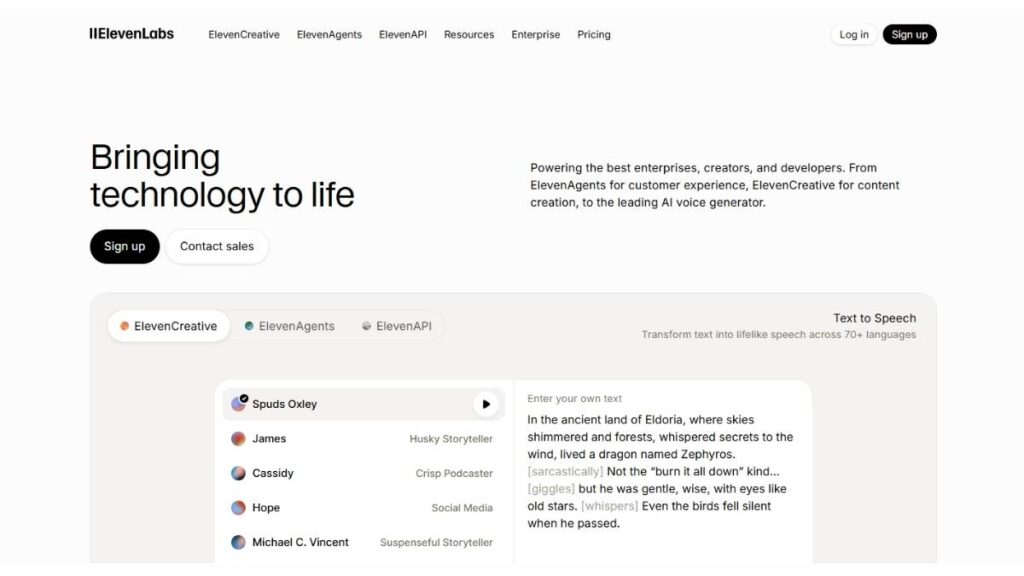
This is usually the first name that comes up when voice quality is the priority.
The voices don’t just sound clean; they carry tone surprisingly well. Subtle pauses, emotional shifts, and even slight emphasis changes make long-form content easier to sit through. It’s one of the few tools where narration doesn’t feel like narration.
Features
- Advanced voice cloning
- Emotion and tone control
- High-quality long-form narration
Best for
- YouTube storytelling
- Audiobooks
- Narrative-heavy content
Pros
- Extremely natural voice output
- Strong emotional range
- Good control over delivery
Cons
- Pricing can climb quickly
- Requires some tweaking to get perfect output
PlayHT – Best for Content Creators & Bloggers
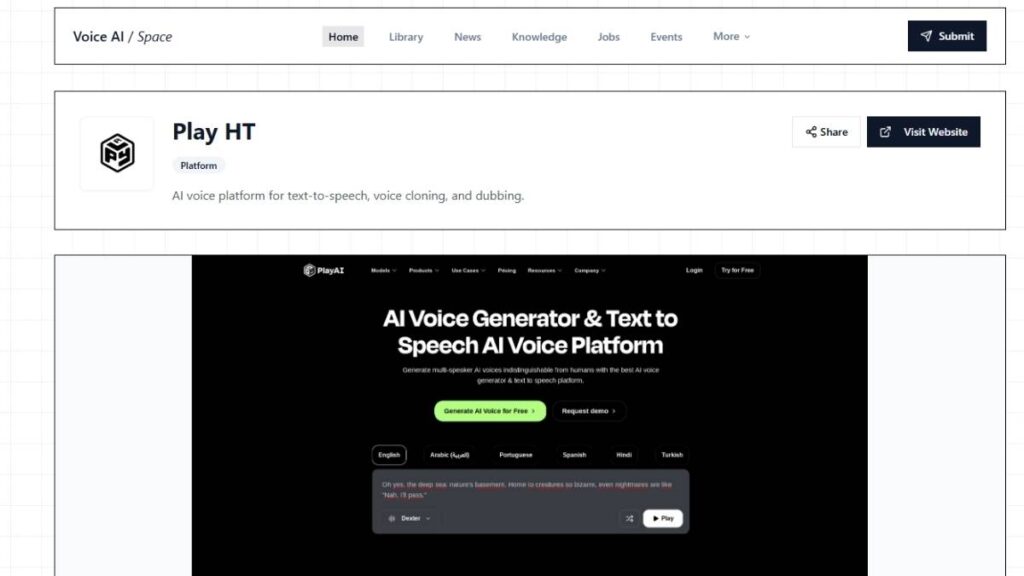
PlayHT feels built for scale.
There’s a wide selection of voices, and more importantly, it’s structured in a way that makes turning written content into audio fairly straightforward. Blog posts, articles, scripts; it handles volume well.
It’s less about perfection, more about throughput.
Features
- Large voice library (800+ voices)
- API access for automation
- Multiple language support
Use cases
- Blog-to-audio conversion
- Podcast-style narration
- Bulk content production
Murf AI – Best AI Voice Generator for Business
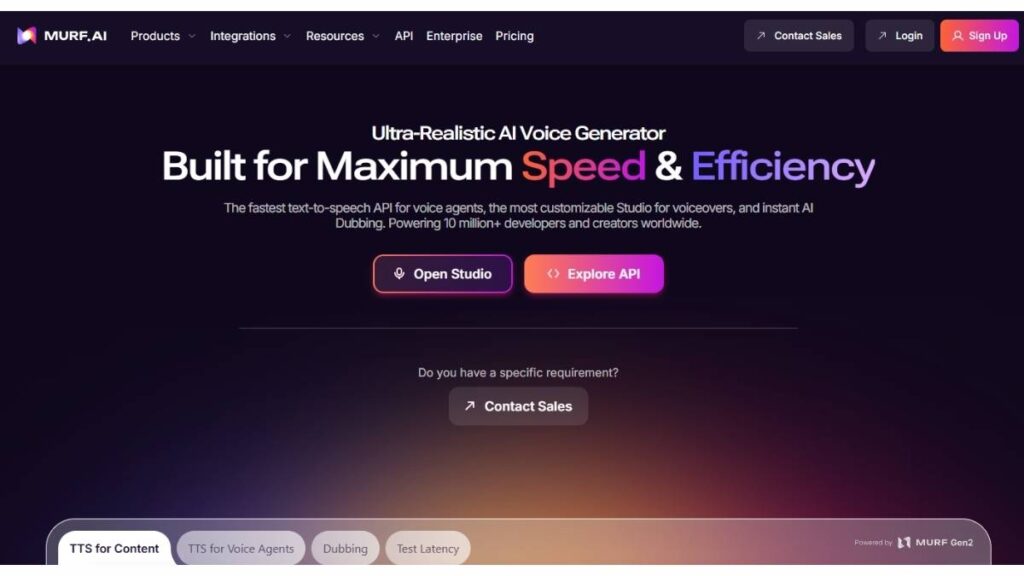
Murf sits in a slightly different lane. It’s less about experimentation and more about structured output: ads, presentations, training material.
The interface feels closer to an editing suite than a simple generator. That helps when multiple people are involved or when projects need revisions.
Features
- Built-in voice editor
- Team collaboration tools
- Voice customization controls
Best for
- Marketing videos
- Corporate training
- Product demos
Resemble AI – Best for Voice Cloning
Resemble focuses heavily on customization.
If the goal is to create a voice that feels specific, whether it’s for branding, apps, or interactive experiences, this is where it starts to make sense. The real-time generation aspect is useful too, especially for dynamic environments.
Features
- Custom voice cloning
- Real-time voice generation
- API integration
Best for
- Branded voice experiences
- Apps and software products
- Interactive content
Speechify – Best for Personal Productivity
Speechify is less about production and more about consumption.
It’s designed to turn written material into something you can listen to throughout the day: articles, PDFs, and notes. The experience is simple, which is kind of the point.
Not overly complex, not overloaded with features.
Features
- Cross-device syncing
- Natural reading voices
- Speed control for faster listening
Best for
- Students
- Professionals managing large reading loads
- Everyday content consumption
WellSaid Labs – Best for Enterprise Voiceovers
WellSaid leans into consistency and polish.
The voices are clean, controlled, and reliable; exactly what’s needed in enterprise settings where content needs to sound professional every single time.
It doesn’t try to do too much. It focuses on doing a few things very well.
Features
- Studio-quality voice output
- Controlled tone and pacing
- Enterprise-ready workflows
Best for
- Corporate training
- Internal communications
- Professional voiceovers
Lovo AI (Genny) – Best for Marketing Content
Lovo strikes a balance between usability and creative control.
There’s enough flexibility to shape how the voice sounds, without making the process complicated. It also integrates well into video workflows, which makes it useful for marketing teams.
Features
- Emotion-driven voices
- Built-in video tools
- Wide voice selection
Best for
- Ad creatives
- Explainer videos
- Social media content
NaturalReader – Best Free Text-to-Speech Tool
NaturalReader is often where people start.
It’s simple, accessible, and doesn’t overwhelm. The voice quality isn’t at the top end, but for basic use cases, it gets the job done.
Sometimes that’s enough.
Features
- Free plan available
- OCR (text from images)
- Easy-to-use interface
Best for
- Beginners
- Light usage
- Quick text-to-audio conversion
Amazon Polly – Best Developer-Friendly TTS
Amazon Polly is built for developers first.
It’s not trying to be flashy. It’s built to integrate into systems, apps, platforms, and workflows, where speech is just one part of a larger product.
The strength here is reliability and scale.
Features
- AWS integration
- Scalable voice generation
- Multiple voice styles
Best for
- SaaS products
- Applications
- Backend automation
Google Cloud Text-to-Speech – Best for Scalability
Google’s offering sits in a similar space, but with a strong focus on global scale.
The voice quality is solid, and the language support is extensive. For teams building across regions or handling large volumes, it’s a practical option.
Features
- WaveNet voice technology
- Wide language coverage
- Scalable infrastructure
Best for
- Enterprise-level applications
- Multilingual platforms
- Automation-heavy workflows
There’s a pattern across all of these.
The “best” tool depends less on features and more on context: what’s being built, how often it’s used, and how much control is needed over the final output.
Pick based on that, and most of these will hold up just fine.
AI Text-to-Speech Tools Comparison Table
At some point, all these tools start looking the same on paper. Same claims, same feature lists. But once you actually sit with them for a bit, the differences show up, usually in the small things.
Here’s what tends to matter in practice:
- Pricing (Free vs Paid)
Free plans are fine for testing. Maybe even light use. But they come with strings: limited voices, capped usage, sometimes lower-quality output. Paid plans unlock better voices and fewer restrictions, but costs can creep up if usage scales. Especially with character-based pricing. - Voice quality (Realism score)
This one’s hard to judge without listening. Some voices sound clean at first, but after a few minutes, the cracks show: repetition, odd pacing, slightly off tone. A handful of tools hold up well even in longer formats. That’s usually where they separate. - Languages supported
Most tools list a long set of languages. That doesn’t always mean they sound good in all of them. English tends to be the strongest. Other languages can feel a bit uneven; it depends on the model behind it. - Voice cloning availability
Available in a few tools, but not always essential. And quality varies a lot. Some clones sound close to the original. Others… feel like a rough approximation. - Best use case (YouTube, podcasts, business, etc.)
This part gets skipped too often. A tool that works great for quick content might struggle with long-form narration. Some are built for scale, others for polish. Matching the tool to the job saves a lot of back-and-forth later.
There’s no clean winner across all of this. Just better fits depending on what’s being built.
How to Choose the Best AI Text-to-Speech Tool
Based on Use Case (YouTube, Audiobooks, Business)
Everything hinges on this, even if it doesn’t seem like it at first.
For YouTube, the voice has to carry attention. If it sounds even slightly off, people click away. It’s that sensitive. So realism matters more here.
Audiobooks are a different challenge. It’s not just about sounding good; it’s about sounding consistent for hours. Small flaws that go unnoticed in short clips become obvious over longer stretches.
Business use cases? Much simpler. Clarity wins. No one’s expecting emotional storytelling in a training module. Just clean, easy-to-follow audio.
Trying to use one tool across all of these… usually leads to compromise.
Voice Quality vs Cost Tradeoff
This is where things get practical.
Better voices cost more. Not always dramatically more, but enough to notice if the content volume is high. And it adds up quietly, especially when revisions come into play.
On the other side, cheaper tools can work fine… until they don’t. You end up spending time fixing pacing, rewording scripts, and regenerating sections. That time has a cost too, just less obvious.
So it’s not really about picking the cheapest or the best. It’s about where the tradeoff feels acceptable.
Language & Accent Requirements
This part tends to get underestimated.
A tool might support a language, sure. But does it sound natural? That’s a different question. Accents, tone, even pronunciation quirks; those things stand out more than expected.
For global content, it’s worth testing a few samples properly. Not just short lines. Full sections. That’s usually when issues show up.
Custom Voice Cloning Needs
Voice cloning sounds like a must-have feature. In reality, it depends.
For most content, pre-built voices are enough. They’re stable, easy to use, and generally well-tuned.
Cloning starts to matter when there’s a need for something specific: brand voice, character-driven content, or continuity across projects.
Even then, results vary. Some tools handle it impressively well. Others feel slightly off, no matter how much tweaking happens.
API vs No-Code Tools
This is more about workflow than features.
No-code tools are straightforward. Paste text, generate audio, move on. Works well for content teams, creators, and anyone working directly with scripts.
API-based tools are built for integration. They sit behind the scenes; inside apps, platforms, automated systems.
Both are useful. Just in different ways. Choosing the wrong type here can make things unnecessarily complicated.
How to Use AI Text-to-Speech Tools
Step 1: Paste or Upload Text
This seems obvious, but it’s where most output quality issues begin.
Raw text doesn’t always translate well into speech. Long sentences, awkward phrasing, and missing punctuation; it all show up in the audio.
Breaking things into shorter lines helps. Writing the way people actually speak helps even more.
A small tweak here saves a lot of fixes later.
Step 2: Choose AI Voice & Language
This step sets the tone; literally.
Some voices feel more conversational. Others sound formal, almost scripted. Neither is wrong, but picking the wrong one for the content feels… off.
Language selection isn’t just about translation either. It’s about how natural the delivery feels. That part takes a bit of testing.
Step 3: Adjust Tone, Speed, Emotion
This is where things start to feel more refined.
Even small changes, slowing the pace slightly, adding a bit of variation, can make the output easier to listen to. Too fast, and it feels rushed. Too flat, and it loses attention.
Not every tool gives deep control here. But when it does, it’s worth spending a few extra minutes.
Step 4: Generate and Download Audio
The generation itself is quick. Almost instant in most cases.
But it’s rarely perfect on the first try. A sentence might sound slightly off. A pause might feel too long. That’s normal.
Listening all the way through once or twice usually catches these things. Then it’s just a matter of adjusting and regenerating.
Step 5: Use in Videos, Podcasts, or Apps
This is where everything comes together.
In videos, timing matters. The voice has to align with visuals. In podcasts, flow matters more; how one line leads into the next.
For apps, clarity and responsiveness take priority.
Same audio, different context. And that context changes how the output is perceived. Small detail, but it makes a difference.
Common Use Cases of AI Text-to-Speech Tools
AI text-to-speech has quietly shifted from “interesting tech” to something teams actually rely on. Not everywhere, not for everything; but in the right spots, it just makes sense. And once it’s part of the workflow, it tends to stick.
YouTube Videos & Faceless Channels
Faceless content lives or dies on the voice. Viewers won’t say it out loud, but they feel it within seconds; flat delivery, awkward pauses, slightly off emphasis… and they’re gone. A decent AI voice smooths that out. Not perfect, but close enough that the content carries. Short-form especially. There’s less room for friction there.
Audiobook Creation
Long-form narration is where things get interesting. Consistency matters more than flair. Listeners settle into a rhythm, and any break in that rhythm stands out. Some AI voices handle this surprisingly well: steady pacing, clean pronunciation, fewer weird tonal jumps. It cuts production time down a lot. Still, not every voice holds up for hours. That’s where careful selection matters.
Podcast Production
Podcasts are a bit different. They need texture. Slight variation. A sense that someone is actually “there.” AI can get close, especially for structured formats; news breakdowns, explainers, and even scripted interviews. But it’s not a universal fit. Works best when the goal is clarity over personality… or when mixing human and AI voices together.
E-learning & Course Content
Clarity wins here. Every time. Course content doesn’t need drama; it needs to be understood on the first pass. AI voices help keep things consistent across modules, which is harder than it sounds when multiple instructors are involved. No fatigue, no off days, no variation between sessions. Just the same tone, start to finish.
Accessibility (Screen Readers)
This is where TTS really earns its place. A good voice reduces effort. That’s the simplest way to put it. Less strain, better comprehension, longer listening sessions without fatigue. The jump from older robotic voices to newer neural ones… It’s noticeable. Small improvements, but they add up over time.
Ads & Marketing Voiceovers
Marketing teams move fast. Or try to. Recording new voiceovers for every variation isn’t always practical. AI fills that gap; test different tones, swap accents, tweak delivery slightly. Not every version lands, but the ability to iterate quickly is what makes the difference. Speed matters more than perfection in most campaigns.
AI Voice Cloning Explained
Voice cloning sounds impressive on paper. In reality, it’s a mix of precision and limitation; powerful when handled well, slightly off when rushed.
What is Voice Cloning in AI TTS?
At its core, it’s about capturing a voice and making it reusable. Not just the sound, but the rhythm, the pauses, the little quirks that make it recognizable. Strong models pick up on those details. Weaker ones tend to flatten everything out. The result might still be usable… just not convincing up close.
How to Clone Your Own Voice
Most tools don’t need much to get started. A short recording; clean, steady, no background noise, and the system builds from there. Quality in, quality out. Rushed samples usually show up later as odd phrasing or unnatural emphasis. It’s subtle, but noticeable once heard.
Ethical Concerns & Deepfake Risks
This part tends to get brushed aside, but it shouldn’t. Using someone’s voice without permission crosses a line. There’s also the broader issue: misrepresentation, misleading content, things that feel harmless until they aren’t. Guardrails matter here. Internal policies, approvals, basic checks… not exciting, but necessary.
Legal Considerations
The legal side is still catching up, but directionally it’s clear; voice is being treated more like identity than data. Using it commercially without consent can lead to problems. Even when laws aren’t fully defined, platforms and companies usually set their own rules. Playing it safe isn’t overcautious here. It’s practical.
Free vs Paid AI Text-to-Speech Tools
The free vs paid decision looks simple at first. It usually isn’t. It depends on how often the tool is used and how much quality actually matters for the end result.
What You Get in Free Plans
Free plans are useful. Good for testing, quick experiments, maybe a few small projects. Basic voices, limited controls, and some export options. Enough to understand the workflow and see if it fits. For occasional use, that’s often all that’s needed.
Limitations of Free AI Voice Generators
The gaps show up over time. Limited characters, fewer natural-sounding voices, restricted control over tone. Sometimes watermarks, sometimes usage caps. None of these is a deal-breaker on day one. But when output volume increases, they start to slow things down.
When to Upgrade to Paid Tools
Upgrading usually happens when friction builds up. Needing better voices, more control, higher limits, or commercial usage rights. Paid tiers unlock those pieces, along with integrations that make scaling easier. The key is timing it right. Too early, and it’s a wasted spend. Too late, and it starts affecting output quality. Somewhere in between is the sweet spot.
AI Text-to-Speech vs Human Voiceovers
There’s always this temptation to frame it as a clean winner;AI vs human. In practice, it rarely works like that. Different jobs, different strengths.
Human voice-overs still carry something hard to replicate. Slight hesitations, natural emphasis, the way a sentence bends depending on context… it all adds up. Especially in storytelling or anything brand-heavy. Listeners don’t consciously analyze it, but they feel it. That “this sounds right” moment.
AI, on the other hand, plays a different game. It’s about reliability. Same tone, same delivery, every single time. No scheduling delays, no back-and-forth revisions. Need ten variations of the same script? Done. Need it in three languages? Also doable, without rebuilding the entire process.
Where things get interesting is in the middle. Short-form content, explainer videos, and internal training; AI handles these well. Clean, structured, repeatable. But stretch it into longer narratives, or anything that depends on emotional buildup, and the cracks start to show. Not always obvious at first… but over time, they surface.
Cost-wise, it’s not even close for ongoing work. Human voice talent adds up; recording sessions, revisions, licensing. AI flattens that curve. Still, cheaper doesn’t always mean better. The real question is whether the audience notices. Or cares.
In most setups, it’s less about choosing one over the other and more about using both where they make sense.
Limitations of AI Text-to-Speech Tools
For all the progress, there are still edges. Some rough ones.
Emotion is the obvious one. AI can simulate it, sure. Add a bit of warmth here, urgency there. But sustained emotion across a longer piece? That’s harder. It can drift. Sentences start to feel a bit too even, too controlled. Not wrong… just slightly off.
Then there’s repetition. Not the obvious kind, but the subtle patterning in delivery. Once noticed, it’s hard to ignore. Especially in longer formats like audiobooks or courses, where listeners spend more time with the voice.
Licensing is another area that trips people up. Not every voice is cleared for every use. Some are fine for personal projects but restricted commercially. Others have usage caps or hidden conditions. It’s one of those details that’s easy to skip, until it becomes a problem later.
And yes, most tools still lean heavily on cloud processing. Which means internet dependency, occasional lag, and the usual concerns around data handling. Not always a dealbreaker, but worth keeping in mind.
Pronunciation can be hit or miss, too. Common words are fine. But throw in niche terminology, brand names, or regional accents… and things can get messy. Fixable, usually. Just not always automatic.
None of these is a dealbreaker on its own. But together, they shape how far the tool can go without manual cleanup.
Future of AI Text-to-Speech Technology
Things are moving fast. Faster than most people expected, if being honest.
Voices are getting closer to natural speech, not just in sound, but in behavior. Tiny pauses, breath patterns, subtle shifts in tone depending on context. The kind of details that used to feel out of reach are slowly becoming standard.
Real-time voice generation is another shift to watch. Not just pre-recorded scripts, but live responses that sound coherent and human enough to hold a conversation. That opens up a different category altogether: support systems, interactive content, dynamic experiences.
Then there’s personalization. Voices that adjust depending on audience, platform, even mood. One base voice, multiple variations. Less rigid, more adaptive.
And of course, translation. Not the old-style dubbing where everything feels slightly disconnected. But voices that carry the same tone across languages. That part, if it fully clicks, changes how content travels globally.
Still, progress brings its own set of questions. At what point does a voice become “too real”? Where do boundaries sit, legally, ethically, creatively? Those conversations are already happening. They’ll only get louder.
Conclusion:
There’s a tendency to overcomplicate the decision. Comparing features, reading long lists, chasing the “best” option. In reality, it usually comes down to fit.
What’s the actual use case? Quick social content? Long-form narration? Internal training? Each one demands something slightly different. A tool that works perfectly for one might feel limiting for another.
Voice quality matters, but so does control. The ability to tweak pacing, adjust tone, and fix small things without starting over. Those details don’t stand out at first, but they matter once production scales.
It’s also worth thinking a bit ahead. Not in a vague “future-proof everything” way, but practically. Will the same tool handle more volume later? More languages? More formats? Switching midway is possible, just rarely convenient.
A simple way to approach it:
- Test a few voices with real scripts, not sample text
- Listen all the way through, not just the first 10 seconds
- Check how easy it is to fix mistakes
- Look at usage limits before they become a constraint
Beyond that, it’s mostly instinct. If something sounds right and fits the workflow, it probably is. The goal isn’t perfection; it’s consistency, speed, and output that hold up where it matters.
FAQs: AI Text-to-Speech Tools
What is the best AI text-to-speech tool?
There isn’t a single “best” option that fits every case. Some tools lean heavily into ultra-realistic voices, while others focus on speed or integrations. It usually comes down to what’s needed day-to-day: quick content, long narration, or multilingual output. A bit of testing goes a long way here. What sounds good in demos doesn’t always hold up in real projects.
Which AI voice generator sounds most human?
The gap is smaller than it used to be, but differences still show. The more natural voices tend to handle pacing and emphasis better, especially in longer sentences. Still, even strong ones can slip occasionally. It helps to listen beyond short samples; run a full script through and see how it feels after a minute or two.
Are there free AI text-to-speech tools?
Yes, and they’re useful; up to a point. Free versions usually cover the basics: a few voices, limited controls, capped usage. Good enough for testing ideas or small pieces of content. Once things scale, though, those limits start to show. That’s typically when upgrading stops feeling optional.
Can I use AI text-to-speech for YouTube videos?
It works well for many formats: explainers, list videos, and faceless content. The key is voice quality. If it sounds flat, viewers drop off quickly. For smaller channels, free options can work. As things grow, better voices tend to make a noticeable difference. One thing to double-check: commercial rights. Not every voice is cleared for that.
What is the best TTS software for audiobooks?
Audiobooks are demanding. It’s not just about sounding good; it’s about staying consistent for hours. Voices that handle pacing and emphasis well tend to perform better here. Short tests can be misleading, so it’s worth checking longer sections. Free tools can help early on, but most long-form work leans toward paid options eventually.
How many languages do AI TTS tools support?
It varies quite a bit. Some platforms stick to major languages, others go much broader, including regional accents. The number alone doesn’t tell the full story, though. Quality differs across languages. A tool might support many, but only a few will sound truly natural. That’s something to check before committing.
Can I clone my voice using AI?
Yes, that’s possible now. Usually, it starts with a clean voice sample, short but clear. The system builds from that. Results can be impressive, though not always perfect. One thing that matters here is usage. Cloning someone else’s voice without permission can create real issues, so it’s not something to take lightly.
Is AI text-to-speech legal for commercial use?
It can be, but it’s not automatic. Some voices are cleared for commercial use, others aren’t. The terms vary more than expected. It’s one of those details that’s easy to overlook early on, then becomes a problem later. A quick check upfront saves a lot of back-and-forth down the line.
Do AI voice generators store my data?
Most tools process content through the cloud, so some level of data handling is involved. What happens after that depends on the platform. Some claim not to store anything, others use data to improve systems. If the content is sensitive, it’s worth reading those policies carefully or considering alternatives that keep things local.
Can I control tone, pitch, and speed?
To a degree, yes. Basic controls are common: speed and slight pitch adjustments. More advanced tools go deeper, letting you shape tone or add emphasis. That extra control can make a big difference, especially for content that needs a specific feel. Without it, everything starts to sound a bit the same.
What file formats are supported (MP3, WAV)?
MP3 and WAV are usually standard, and for most use cases, that’s enough. Some platforms offer additional formats, depending on the plan. The choice mostly comes down to where the audio will be used: lighter files for web, higher quality for production. Not complicated, but worth deciding early.
Which is the best free text-to-speech app for PC and mobile?
There are a few solid free options across devices, and they do the job for light use. Simple interface, basic voices, quick output. For anything more consistent or high-quality, though, limitations start to show; voice realism, export caps, that sort of thing. Free works to start. Beyond that, expectations usually shift.