
API testing tools have quietly become a core part of how modern applications are built and maintained, and not just for QA teams anymore. This guide looks at how these tools actually show up in real workflows, beyond feature lists and neat comparisons. It breaks down the most relevant API testing tools, where they genuinely help, and where they can fall short. There’s also a closer look at how to choose the right setup depending on use case, team size, and how things are likely to scale. Along the way, it gets into best practices, common friction points, and a few shifts happening in the space that are hard to ignore.
Table of Contents
Introduction
APIs run quietly in the background, but when something goes wrong, it’s rarely quiet. A payment fails, a dashboard doesn’t load, and data goes missing somewhere between two systems. Most of the time, it traces back to an API that didn’t behave the way it was supposed to.
That’s the tricky part. APIs don’t break in obvious ways all the time. Sometimes everything looks fine on the surface, but responses are slightly off, slower than usual, or inconsistent under load. Those small cracks tend to show up later, when they’re harder and more expensive to fix.
API testing tools exist to catch those issues earlier. Not just whether something works, but how reliably it works across different scenarios. Good teams don’t rely on a single test run. They check patterns, edge cases, weird inputs… the stuff that usually gets overlooked when deadlines are tight.
There’s also been a shift in how teams approach testing. It’s happening earlier now, often before a UI even exists. And tools are evolving alongside that. More automation, less manual repetition, and in some cases, tools that try to anticipate what should be tested instead of waiting for someone to write it all out.
This guide keeps things grounded. No hype, no overcomplication. Just:
- What API testing tools actually help with
- Which ones are worth considering right now
- Where they fit, depending on the team and setup
- And how to choose without second-guessing every option
Because in most real-world setups, the goal isn’t to find the “perfect” tool. It’s to find one that doesn’t get in the way.
What Are API Testing Tools?
At a basic level, API testing tools are used to check how an API behaves, without involving any frontend. No buttons, no UI flows. Just direct interaction with endpoints.
But that simple definition doesn’t really capture how they’re used day to day.
In practice, these tools help answer a few important questions:
- Does the API return what it’s supposed to?
- Does it stay consistent across different inputs?
- Does it break under pressure, or just slow down?
- And maybe more importantly… does it fail gracefully when something goes wrong?
It’s less about one-time validation and more about building confidence over time. APIs change. Dependencies shift. Small updates can have side effects that aren’t obvious right away.
That’s where testing earns its place.
How API Testing Tools Work
Most tools follow the same core idea, even if they look different on the surface.
A request gets sent to an endpoint; something like a GET or POST call. The API responds. Then the tool checks that response against a set of expectations. Status codes, response structure, specific values… all of that gets validated.
Sounds straightforward. And it is, at first.
But things get more layered pretty quickly. Tests start chaining together. One request depends on data from another. Environments change. Tokens expire. Data isn’t always clean or predictable.
That’s where better tools start to stand out. They handle dynamic data, allow reusable test flows, and make it easier to run the same tests across different setups without rewriting everything.
Over time, those tests stop being “checks” and start acting more like safeguards. Quiet ones, but important.
Types of API Testing
API testing isn’t one bucket. It’s usually a mix, depending on what needs attention.
Functional testing is the obvious starting point. Given an input, does the API return the expected output? Straightforward, but still where most issues show up.
Performance testing digs into how the API behaves under load. Not just extreme load, either. Sometimes, even moderate traffic can expose bottlenecks that weren’t visible during development.
Security testing looks for vulnerabilities: unauthorized access, weak authentication, and data exposure. This tends to get overlooked until it becomes urgent. By then, it’s usually reactive.
Integration testing checks how APIs interact with other services. In systems with multiple dependencies, this becomes critical. One service changing slightly can affect several others downstream.
Not every team goes deep into all of these. But skipping them entirely… that usually shows up later, in ways that are harder to trace back.
Why API Testing Tools Are Important
Systems aren’t getting simpler. If anything, they’re becoming more fragmented. Microservices, third-party integrations, and real-time data flows; it all adds up.
And APIs sit right in the middle of it.
Testing at the API level helps catch issues early, before they spread across the system. It’s not just about saving time, though that’s part of it. It’s about avoiding those long debugging cycles where the root cause isn’t obvious.
There’s also the pace of development to consider. Releases are faster now. Updates happen more frequently. Without some level of automated testing, things slip through. Not always immediately, but eventually.
Security plays a role, too. APIs expose a lot; sometimes more than intended. Testing helps surface those weak points before they’re exploited. It’s not foolproof, but it’s a necessary layer.
And then there’s reliability. Users don’t see APIs, but they feel when something’s off. A slow response, missing data, and inconsistent behavior; it all adds up to a poor experience.
Most teams don’t think much about API testing when things are working. It becomes a priority when they’re not.
Key Features to Look for in API Testing Tools
Must-Have Features
Some features sound optional until they’re not.
Automation is one of those. Manually testing endpoints might work early on, but it doesn’t scale. Tests get skipped, or rushed, or forgotten altogether. Automation keeps things consistent, even when the pace picks up.
CI/CD integration is another. Testing shouldn’t feel like a separate step. It needs to run alongside builds and deployments, quietly doing its job without slowing things down.
API mocking is useful in ways that aren’t obvious at first. When parts of the system aren’t ready yet, mocking lets teams move forward instead of waiting. It keeps development unblocked, which matters more than it sounds.
Data-driven testing helps uncover issues that don’t show up with a single input. Real-world data isn’t clean. It varies, sometimes in unexpected ways. Testing across different scenarios catches more than one-off checks.
And reporting, this one tends to get overlooked. Not just logs, but clear, readable insights. When something fails, it should be obvious where and why. Otherwise, debugging turns into guesswork.
Advanced Features
Some of the newer features feel like nice-to-haves at first, but they’re becoming more relevant.
AI-assisted test generation is one example. It’s not perfect, but it helps get a baseline in place quickly. Especially useful when dealing with large APIs where writing tests manually would take time.
Self-healing tests are another shift. APIs evolve. Endpoints change slightly, responses get updated. Tests that can adapt, within reason, reduce the need for constant maintenance.
Support for newer protocols like GraphQL and gRPC is also becoming standard. REST is still dominant, but it’s no longer the only format teams deal with.
Multi-environment support matters more than it used to. APIs don’t behave the same in staging and production. Tools that make it easy to switch contexts without breaking tests save a lot of back-and-forth.
Open Source vs Paid API Testing Tools
This choice tends to come down to trade-offs, not clear winners.
Open source tools offer flexibility. They’re often preferred when teams want control: custom setups, deeper integrations, fewer constraints. But they can take time to configure, and not every team wants to invest in that upfront.
Paid tools lean toward convenience. Faster setup, cleaner interfaces, and built-in features that would otherwise need stitching together. For teams that want to move quickly, that can make a difference.
In reality, it’s rarely one or the other. Many setups end up using both, depending on the use case.
What matters more is whether the tool fits into the way the team already works. If it feels like extra effort just to maintain, it usually doesn’t last long.
12 Best API Testing Tools
There’s a pattern most teams go through with API testing tools. Start simple, pick something easy. Then requirements grow, tests get messy, and suddenly that “simple” tool either stretches… or starts to feel limiting.
So this list isn’t about which tool looks best on paper. It’s more about where each one actually fits once things get real: more endpoints, more environments, more people touching the same setup.
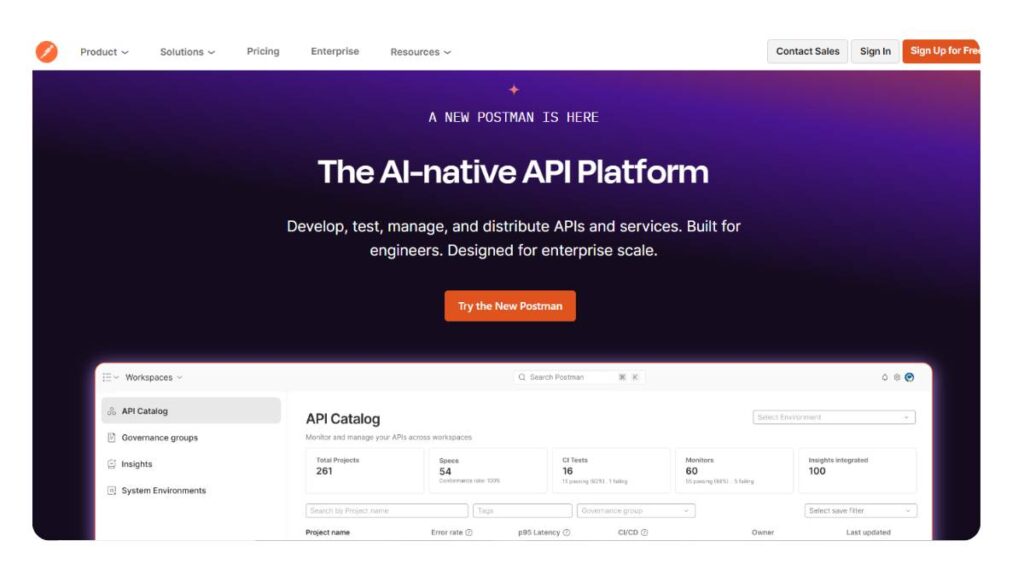
1. Postman
Best Overall API Testing Tool
Postman usually shows up early. And it sticks around longer than expected.
At first, it’s just sending requests. Pretty straightforward. Then collections come in, environments, a bit of scripting… and before long, it’s handling quite a bit of the testing workflow.
What works well:
- Easy to get started, no friction there
- Collections make it manageable as things scale
- Scripting is flexible enough for most use cases
- Mock servers help when backend pieces aren’t ready
It’s a good fit for mixed teams; developers, QA, even product folks occasionally jumping in.
That said, once things get large, collections can turn into… a bit of a maze. Not unmanageable, just something teams usually need to organize proactively.
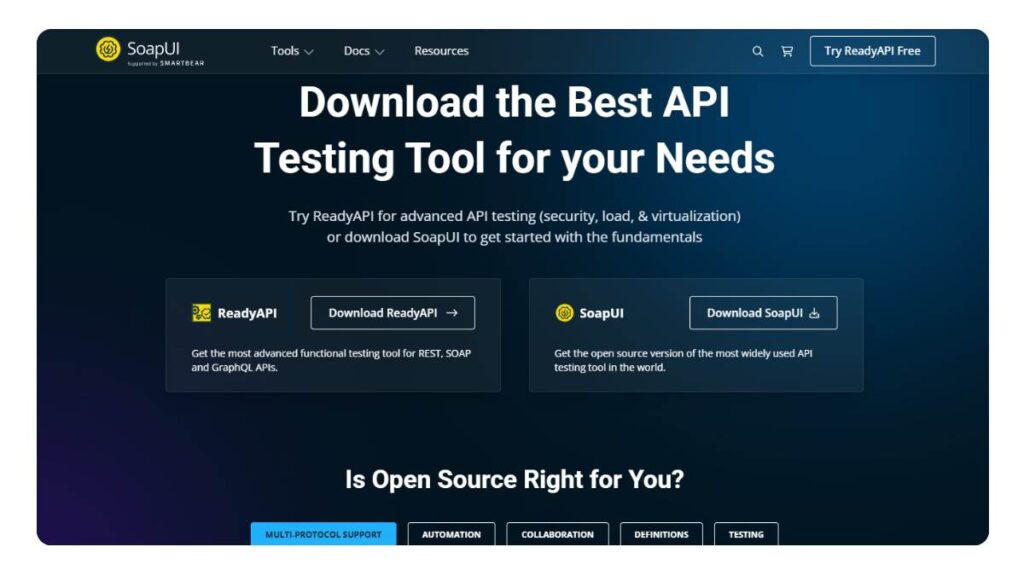
2. SoapUI
Best for SOAP & Advanced Testing
SoapUI feels older. Because it is. But that’s not necessarily a bad thing.
It’s still one of the more reliable tools when working with SOAP APIs, which haven’t disappeared as quickly as some expected. In enterprise setups, they’re still very much around.
Where it holds up:
- Strong SOAP support, still better than most
- Handles functional and regression testing well
- Mock services are surprisingly useful in complex setups
It’s not the cleanest interface, and onboarding takes a bit of patience. But once configured properly, it does what it’s supposed to; consistently.
3. Apache JMeter
Best for Performance Testing APIs
JMeter isn’t trying to be everything. It’s built for performance testing, and it stays in that lane.
The interface can feel a bit… dated. No way around that. But under the surface, it’s powerful. Especially when testing how APIs behave under load, which is where a lot of issues hide.
Where it shines:
- Load and stress testing at scale
- Broad protocol support
- Works well in automated pipelines
Not ideal for quick checks or day-to-day functional testing. It’s more of a “bring it in when needed” tool. But when needed, it’s usually the right one.
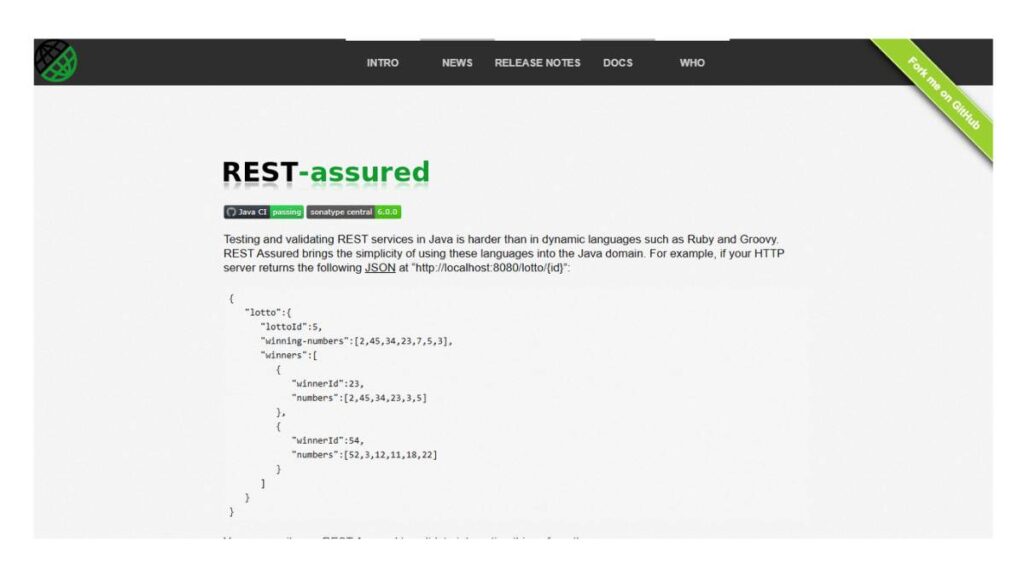
4. REST Assured
Best for Java Developers
REST Assured doesn’t come with a UI, and that’s intentional.
It’s built for developers who’d rather keep testing close to the code. Write tests in Java, integrate them with existing frameworks, and run them as part of the development process.
Why teams stick with it:
- Clean, readable syntax once familiar
- Fits naturally into Java-based projects
- Highly flexible, no rigid structure
It’s not beginner-friendly. There’s a bit of a ramp-up. But for teams already working in Java, it tends to feel more natural than switching to a separate tool.
5. Karate DSL
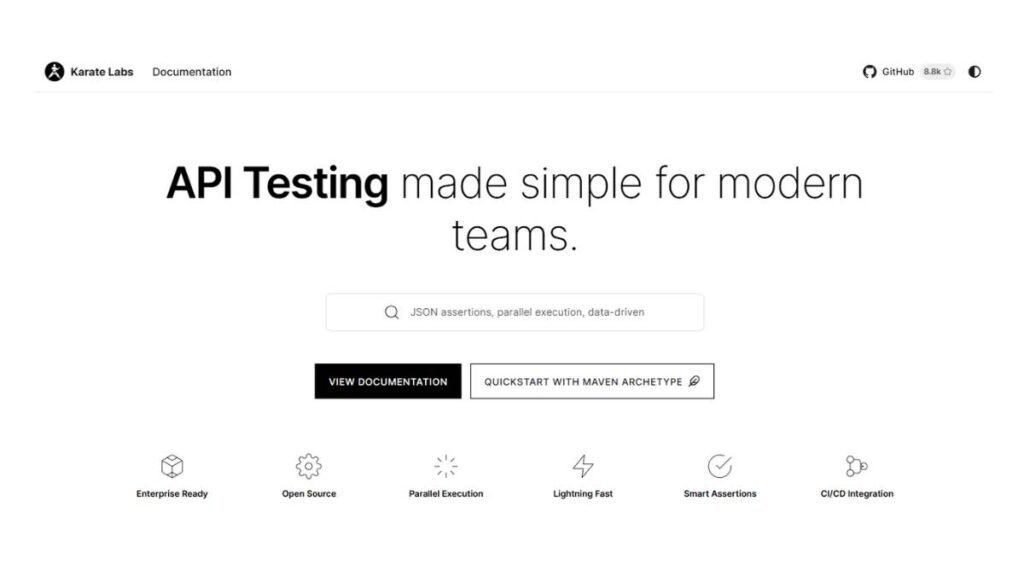
Best for BDD API Testing
Karate sits in an interesting spot. Not fully code-heavy, not completely no-code either.
The syntax is readable, closer to plain language than most frameworks, which makes collaboration easier across teams.
What stands out:
- Less boilerplate compared to traditional frameworks
- Combines API testing, mocking, and even performance checks
- BDD-style approach keeps tests understandable
It works well when both QA and developers are involved in testing. Less back-and-forth, fewer misunderstandings.
It may not cover every edge case in complex systems, but for most workflows, it gets the job done without too much overhead.
6. Insomnia
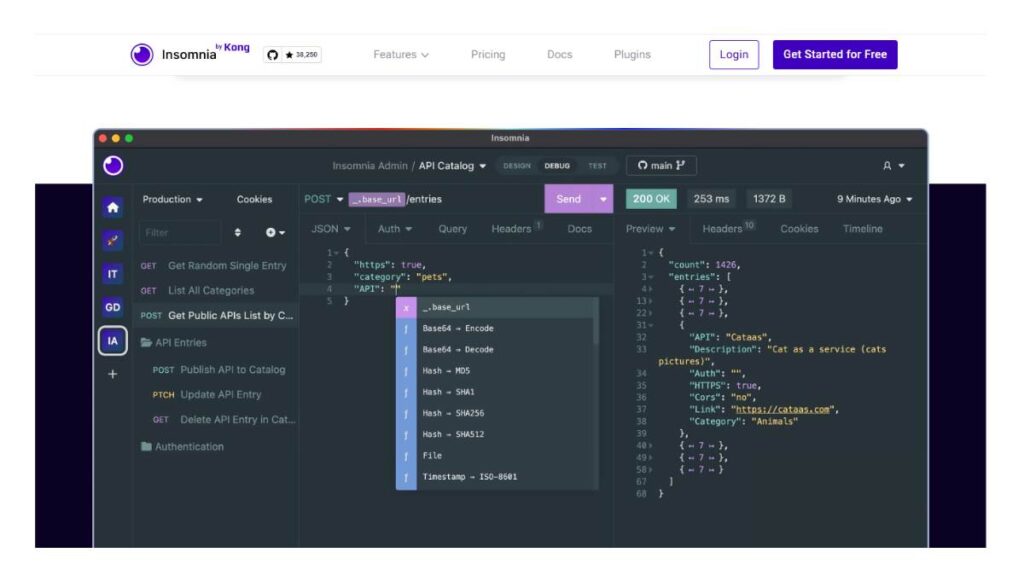
Best Lightweight API Client
Insomnia feels… lighter. That’s usually the first impression.
No clutter, no extra layers. Just a clean interface for sending requests and checking responses. For a lot of developers, that’s enough.
Where it fits:
- Quick API testing and debugging
- Strong GraphQL support
- Fast, minimal setup
It doesn’t try to compete with full-scale testing platforms. And that’s fine. It’s more of a focused tool; useful in daily workflows without getting in the way.
7. Katalon Studio
Best Low-Code Automation Tool
Katalon leans toward teams that want structure without building everything from scratch.
It brings together API, web, and mobile testing into one place, which can simplify things or feel a bit heavy, depending on the setup.
What it offers:
- Low-code test creation
- Built-in automation workflows
- Cross-platform testing support
It’s useful when scaling automation quickly, especially for teams that don’t want to rely entirely on code.
There’s some learning involved, especially understanding how different parts connect. But once that’s clear, it tends to run smoothly.
8. Swagger / SwaggerHub
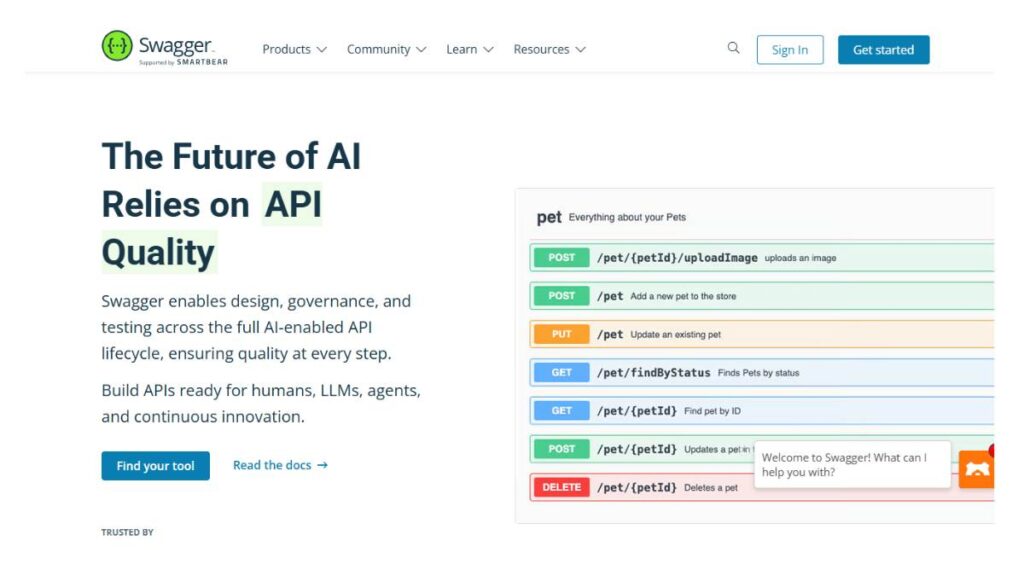
Best for API Design + Testing
Swagger isn’t just about testing. It starts earlier, at the design stage.
When APIs are defined clearly using OpenAPI specs, testing becomes more structured almost by default. Less guesswork, fewer inconsistencies.
Where it helps:
- Keeps documentation and testing aligned
- Encourages API-first workflows
- Makes collaboration easier across teams
It’s not a standalone testing solution in the traditional sense. More like part of a larger system. But in the right setup, it makes everything else easier.
9. StackHawk
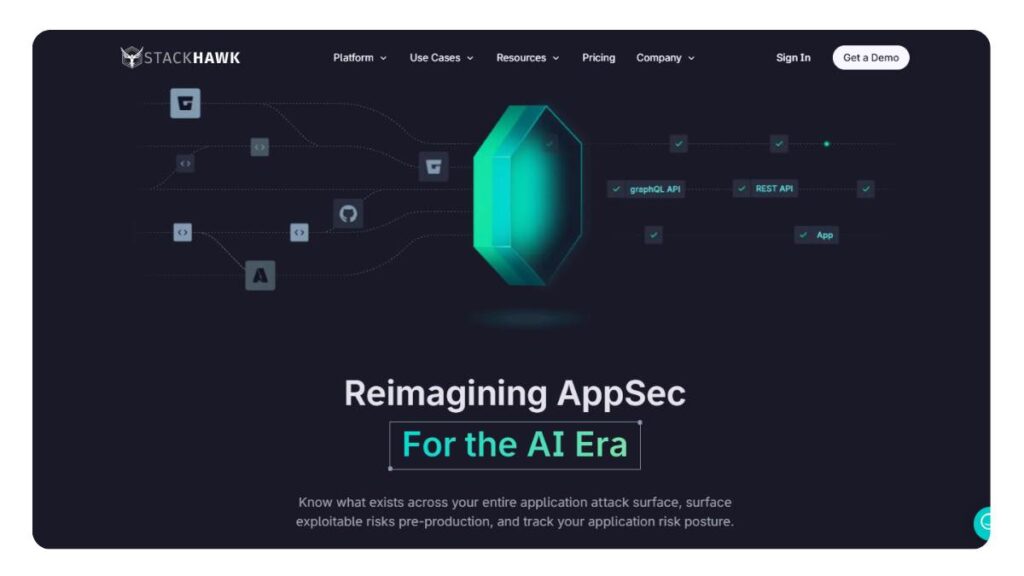
Best for API Security Testing
Security testing often gets pushed down the list. Until it can’t be ignored anymore.
StackHawk focuses on that gap; scanning APIs for vulnerabilities as part of the development process, not as an afterthought.
What stands out:
- Automated security checks
- Fits into CI/CD workflows
- Focuses on real, practical vulnerabilities
It’s not meant to replace functional testing tools. It complements them. And for teams handling sensitive data, it’s not really optional.
10. Apigee
Best for Enterprise API Monitoring & Testing
Apigee sits at a different level. It’s less about individual testing workflows and more about managing APIs at scale.
Testing is part of that, but so is monitoring, analytics, and lifecycle management.
Where it fits:
- Large-scale API ecosystems
- Centralized control and monitoring
- Enterprise-level performance tracking
It’s powerful, but also heavier. Setup takes time. Smaller teams might find it more than they need.
11. Parasoft SOAtest
Best Enterprise Testing Tool
SOAtest is built for structured environments. Teams that need consistency, repeatability, and control over how testing is handled.
It combines several capabilities into one platform, which can simplify things or feel complex at first.
Key strengths:
- Automated API testing at scale
- Service virtualization for complex systems
- Strong support for enterprise workflows
It’s not the fastest tool to set up. But once everything is in place, it tends to be reliable.
12. Kreya
Best for gRPC & Modern APIs
Kreya focuses on a specific area: modern APIs, especially gRPC.
That focus shows. It doesn’t try to cover everything, just the parts that newer systems actually need.
Where it works well:
- Native gRPC support
- Lightweight and fast
- Straightforward interface
For teams working with newer architectures, it fills a gap that older tools don’t always handle well.
Not a replacement for broader tools. More of a specialist that fits into the stack where needed.

Enroll Now: AI Marketing Course
Comparison of Best API Testing Tools
Once the shortlist starts getting real, most teams end up comparing tools side by side anyway. Not just features, but how they actually behave in day-to-day work; setup time, flexibility, how messy things get after a few months.
Here’s a clearer breakdown to make that easier:
| Tool | Type | Best For | Open Source | CI/CD Support |
| Postman | Functional | All teams | Partial | Yes |
| SoapUI | Functional | SOAP APIs | Yes | Yes |
| JMeter | Performance | Load testing | Yes | Yes |
| REST Assured | Framework | Java devs | Yes | Yes |
| Karate | BDD | Automation | Yes | Yes |
| Insomnia | Client | Lightweight testing | Yes | Yes |
| Katalon | Automation | Low-code teams | No | Yes |
| Swagger | Design | API lifecycle | Partial | Yes |
| StackHawk | Security | DevSecOps | No | Yes |
| Apigee | Enterprise | Monitoring | No | Yes |
| SOAtest | Enterprise | Automation | No | Yes |
| Kreya | Modern APIs | gRPC testing | Yes | Yes |
A couple of things stand out when looking at this together.
Most tools support CI/CD now; that’s almost expected. The real difference shows up in how smoothly they fit into pipelines. Some plug in cleanly, others need a bit of glue work.
Open-source tools dominate flexibility. Paid tools tend to win on structure and support. Neither is automatically better; it depends on how much control the team wants versus how much setup effort they’re willing to take on.
And then there’s overlap. A lot of it. Which is why most teams don’t stick to just one tool for long.
How to Choose the Right API Testing Tool
Based on Use Case
Choosing an API testing tool sounds simple until everything starts to blur together. Most tools claim to “do it all,” but in practice, each one leans in a certain direction.
For beginners or teams just getting started, tools like Postman or Insomnia usually make the most sense. There’s very little friction. Requests, responses, done. No heavy setup, no steep learning curve. That matters early on.
When automation becomes the focus, things shift. REST Assured and Karate DSL tend to come into the picture here. More control, more flexibility, but also more responsibility. Tests live closer to the codebase, which is great long-term, but takes some discipline to maintain.
Enterprise environments are a different story altogether. Tools like Apigee or SOAtest aren’t just about testing; they’re about managing APIs at scale. Monitoring, governance, and consistency across teams. It’s less about individual productivity and more about system-level control.
For performance testing, JMeter still holds its ground. Not flashy, but reliable when testing how APIs behave under stress, which is usually where problems show up anyway.
Security is its own lane. StackHawk fits into that DevSecOps workflow where testing isn’t a separate phase anymore, but something that runs alongside development.
There’s no clean separation, though. Most real setups end up combining a couple of these, depending on what needs to be covered.
Based on Team Size
Tool choice changes quite a bit depending on how many people are involved and how they work together.
For solo developers, simplicity usually wins. Lightweight tools, minimal setup, quick feedback. Insomnia or Postman works well here. No need to overcomplicate things.
Startups sit somewhere in between. There’s a push toward automation, but not always the time to build everything from scratch. This is where tools like Karate or Katalon start to make sense. Faster to scale, without requiring a deep framework setup from day one.
Enterprise teams deal with a different kind of complexity. Multiple teams, shared APIs, stricter processes. Tools like Apigee or SOAtest help bring structure into that chaos, though they do come with a learning curve and overhead.
One thing that tends to get overlooked: how comfortable the team is with code. That alone can tilt the decision. A highly technical team might prefer REST Assured. A mixed team might lean toward something more visual or low-code.
There’s no perfect choice; just a better fit for how the team already works.
Best API Testing Tools by Category
Best Free API Testing Tools
Free tools aren’t just for getting started anymore. Some of them hold up surprisingly well even in larger setups.
Postman’s free tier is often enough for small to mid-sized teams, at least in the early stages. It covers the basics and even some advanced workflows if used carefully.
SoapUI, being open-source, still offers solid functionality, especially for SOAP APIs, which many newer tools don’t prioritize as much.
JMeter stands out for performance testing. It’s not the easiest to use, but it’s powerful. And for load testing, that matters more than polish.
Free tools do come with trade-offs. Limited collaboration features, fewer integrations, and sometimes less support. But for many teams, that’s a reasonable exchange.
Best Open Source API Testing Tools
Open-source tools usually appeal to teams that want control. Full access, flexibility, no vendor lock-in.
REST Assured is a strong choice for Java-based projects. It integrates directly into the development workflow, which makes testing feel less like a separate activity.
Karate DSL simplifies a lot of the usual boilerplate. Tests are easier to read, easier to share across teams. That alone can make a difference over time.
JMeter fits here as well, especially for performance testing. It’s widely used, well-supported by the community, and adaptable.
The flip side is maintenance. Open-source tools give freedom, but they also expect more involvement. Setup, updates, and troubleshooting; that part doesn’t go away.
Best API Automation Testing Tools
Automation sounds great in theory. In practice, it needs to be handled carefully.
Katalon offers a structured way to build automated tests without going too deep into code. That’s useful for teams that want speed without complexity.
REST Assured, again, works well when automation is tightly integrated with development. Tests become part of the build process, which helps catch issues early.
Karate DSL sits somewhere in between. It supports automation, but keeps things readable. That balance is often what teams are looking for.
One thing worth noting: automation isn’t about testing everything. Overdoing it tends to create more maintenance work than value. The better approach is usually selective automation, focused on high-impact scenarios.
Best API Security Testing Tools
Security testing doesn’t always get the same attention as functional testing. But it probably should.
StackHawk focuses specifically on API security, scanning for vulnerabilities as part of the development workflow. It fits naturally into CI/CD, which makes it easier to run regularly.
SoapUI can also handle security testing to some extent, especially in more complex environments where different testing types overlap.
The challenge with security testing is that it’s often reactive. Tools help, but they work best when used consistently, not just before release.
And realistically, most teams don’t rely on a single tool here either. Security tends to be layered, just like everything else in API testing.
API Testing Best Practices
Design Test Cases Early
API testing works best when it starts before things feel “finished.” Waiting until the UI is ready tends to create unnecessary delays, and worse, it hides issues that could’ve been caught much earlier.
A shift-left approach sounds like a buzzword at this point, but the idea behind it is simple: test APIs as soon as they exist. Even if they’re incomplete. Especially then.
Early test cases don’t need to be perfect. They just need to reflect expected behavior. Over time, they evolve alongside the API. That’s the part many teams miss; they treat test cases as static, when they’re really meant to move with the product.
Use Automation Strategically
Automation helps. No question. But there’s a tendency to overdo it.
Not every test case needs to be automated. In fact, trying to automate everything usually backfires; tests become harder to maintain, debugging takes longer, and the overall system slows down.
The more practical approach is selective automation:
- High-frequency test cases
- Critical API endpoints
- Regression scenarios that repeat often
Leave room for manual testing where it actually adds value. That balance tends to hold up better over time.
Validate Both Positive and Negative Scenarios
It’s easy to test for what should work. Much harder, and more important, to test for what shouldn’t.
APIs don’t fail cleanly by default. Edge cases, unexpected inputs, missing parameters… these are where things usually break.
A solid testing approach includes:
- Valid inputs that should pass
- Invalid inputs that should fail
- Boundary conditions that sit in between
Error handling often gets less attention than it deserves. But in real-world usage, that’s exactly where reliability shows up.
Maintain Test Data Properly
Test data can quietly become a problem if it’s not managed well.
Hardcoded data might work in the beginning. But as systems grow, it leads to flaky tests, inconsistent results, and a lot of confusion when something fails for no clear reason.
A more stable setup usually involves:
- Isolated test environments
- Dynamic or reusable datasets
- Clear data cleanup processes
It’s not the most exciting part of API testing, but it’s one of the most important. Without stable data, even good test cases lose their value.
Monitor API Performance Continuously
Testing once isn’t enough. APIs behave differently under real usage conditions.
Performance monitoring fills that gap. It tracks how APIs respond over time; under load, across environments, during peak traffic.
This isn’t just about speed. It’s about consistency.
Small delays, occasional failures, gradual slowdowns… these patterns don’t always show up in controlled testing. But they matter in production.
Continuous monitoring helps catch those shifts early, before they turn into bigger issues.
Common Challenges in API Testing
API testing looks clean in theory. In practice, it’s a bit messier.
Test maintenance is one of the biggest friction points. APIs change; endpoints evolve, parameters get updated, responses shift slightly. And every small change can break multiple test cases.
Over time, maintaining tests can feel like a task on its own. Not difficult, just… constant.
Frequent API changes add to that. In fast-moving environments, APIs are rarely stable for long. Which means testing setups need to be flexible enough to adapt without requiring a full reset every time something updates.
Data dependencies create another layer of complexity. Many APIs rely on specific data states to work correctly. If that data isn’t available or isn’t in the expected format, tests fail, even if the API itself is fine.
And then there are flaky tests. The kind that passes sometimes, fails sometimes, without a clear pattern. Usually tied to unstable data, timing issues, or environment inconsistencies.
These challenges don’t go away completely. The goal isn’t to eliminate them; it’s to reduce how often they slow things down.
Future Trends in API Testing Tools
AI-Powered API Testing
There’s a noticeable shift toward making testing more adaptive.
Test generation is becoming less manual. Instead of writing every scenario from scratch, tools are starting to suggest or generate tests based on API behavior and usage patterns.
Natural language inputs are also entering the mix. Not fully replacing traditional methods, but making it easier to define test cases without deep technical syntax.
It’s still evolving. Some parts feel genuinely useful, others are still a bit early. But directionally, it’s clear; less manual effort, more assisted testing.
Shift Toward API-First Development
APIs are no longer just a backend layer. In many setups, they are the product.
That shift changes how testing is approached. APIs get defined, documented, and tested before any UI is built on top of them.
This leads to:
- Cleaner architecture
- Fewer integration issues
- More predictable development cycles
It also puts more responsibility on API testing tools. They’re no longer just supporting development; they’re shaping it.
Continuous Testing in DevOps
Testing isn’t a phase anymore. It’s woven into the entire development pipeline.
With continuous integration and deployment, APIs are tested automatically at multiple stages:
- During development
- Before deployment
- After release
The idea is simple: catch issues as early as possible, without slowing things down.
This kind of setup requires tools that integrate well, run reliably, and don’t need constant manual intervention.
Not every team gets this right immediately. But once it’s in place, it changes how quickly and confidently updates can be shipped.
Conclusion
There isn’t a single API testing tool that works for every team. That’s usually the first realization after going through a few options.
Some tools are better for getting started. Others are built for scale. A few are highly specialized. Most sit somewhere in between.
The more practical approach is to think in combinations rather than replacements. One tool for functional testing, another for performance, maybe something separate for security. That setup tends to be more realistic.
Starting simple usually works best. Pick a tool that fits current needs, get comfortable with it, and then expand as requirements grow.
API testing isn’t static. It evolves alongside the product, the team, and the systems being built. The tools just need to keep up.
FAQs:
1. What is the best API testing tool?
There’s no clean winner here, honestly. Postman ends up being the default for a lot of teams because it’s easy to pick up and doesn’t get in the way early on. But once automation gets serious, REST Assured usually steps in. Most setups don’t stay loyal to one tool for long anyway.
2. Which API testing tools are free?
Quite a few, actually. Postman’s free plan covers more than people expect in the beginning. SoapUI and JMeter are fully open-source and still widely used. The catch shows up later: collaboration limits, missing features, but for smaller teams or early-stage work, they hold up just fine.
3. Which tool is best for beginners?
Postman tends to be the easiest place to start. It’s simple, visual, and doesn’t demand much setup. Insomnia is another solid option if something lighter feels better. At that stage, the goal isn’t finding the “best” tool; it’s finding one that doesn’t slow learning down.
4. Which tool is best for automation?
REST Assured and Karate DSL come up a lot here. REST Assured fits neatly into Java-based environments, especially when tests live close to the code. Karate, on the other hand, keeps things more readable. The better choice usually depends on how technical the team is and how much structure they want.
5. What is API testing in simple terms?
At its core, it’s just checking whether the backend behaves the way it should. Instead of clicking through a UI, requests go straight to the API. The responses are what matter: status codes, data, errors. If those don’t line up, something’s off, even if the front end looks fine.
6. What are the most popular API testing tools?
A few names keep showing up: Postman, JMeter, REST Assured, SoapUI. Not because they’re perfect, but because they’ve been reliable for a long time. They’ve settled into real workflows. Newer tools come in, some stick, some don’t. These ones just… keep getting used.
7. Which API testing tool is best for beginners?
Even now, Postman still feels like the easiest entry point. It hasn’t really lost that position. Insomnia is getting more attention, too, mostly because it’s clean and quick to use. Either way, beginners don’t need complexity; they need something that lets them understand APIs without friction.
8. What is the difference between API testing and UI testing?
API testing happens underneath everything. It checks how data moves, how endpoints respond. UI testing sits on top, looking at what users actually see and interact with. API tests are faster, usually more stable. UI tests are closer to real usage. Both matter, just in different ways.
9. Are API testing tools free to use?
Some are, completely. Tools like JMeter or SoapUI don’t cost anything upfront. Others follow that freemium model; basic features are free, but advanced stuff sits behind a paywall. For a while, free versions work fine. Eventually, though, most teams hit a point where they need more.
10. Which API testing tools support automation?
Most tools support automation in some form now, but the depth varies. REST Assured and Karate are built for it, no question. Postman handles it too, though in a slightly different way with collections and scripts. It really depends on whether the goal is quick automation or something more structured.
11. What is the best API testing tool for automation frameworks?
REST Assured tends to fit best when building out full automation frameworks, especially in Java environments. It integrates cleanly and gives a lot of control. Karate is a strong alternative when readability matters more. It’s less rigid, which some teams prefer once things start scaling.
12. Can API testing tools be integrated with CI/CD pipelines?
Yes, and at this point, it’s almost expected. Most tools plug into CI/CD pipelines so tests can run automatically during builds or deployments. The tricky part isn’t whether they integrate; it’s how smoothly they do. Some setups feel seamless, others need a bit of effort to stay stable.
13. What is API load testing, and which tools support it?
API load testing checks how systems behave under pressure; more traffic, more requests, less breathing room. It’s where performance issues usually show up. JMeter is still one of the go-to tools here. Not the prettiest interface, but it handles large-scale simulations without much trouble.
14. Which API testing tools support GraphQL APIs?
Postman and Insomnia both handle GraphQL pretty well now. Sending queries, inspecting responses; it’s all fairly straightforward. As GraphQL adoption grows, more tools are catching up. The real difference comes down to usability. Some make it feel smooth, others… not quite there yet.
15. What is API mocking in API testing tools?
API mocking is basically working with a stand-in version of an API. When the real backend isn’t ready or is unstable, mock servers simulate expected responses. It keeps development moving instead of waiting around. Not perfect, but it’s often the only way to keep things from getting blocked.
16. What are the benefits of using AI in API testing tools?
There’s a shift happening here, slowly. Some tools now suggest test cases or pick up patterns automatically. It cuts down repetitive work, especially in larger systems. That said, it’s not something to rely on blindly. It helps, but still needs oversight to actually be useful.
17. Which API testing tools are best for security testing?
StackHawk is built specifically for API security, so it tends to come up first. SoapUI also handles certain security scenarios, especially in more complex setups. But security testing rarely sits in one place. It’s usually layered, with different tools covering different kinds of risks.
18. How do I choose the right API testing tool for my project?
It usually comes down to how the team works day to day. Skill level, project size, and how often APIs change; all of that matters. A simple tool might be enough early on, but it won’t always scale. The better approach is choosing something that fits now, without boxing things in later.
19. What are the limitations of API testing tools?
They don’t tell the whole story. API tests won’t show how real users experience a product, and they depend heavily on stable data. Maintenance can also creep up as APIs evolve. They’re essential, no doubt, but they work best alongside other testing methods, not as a complete replacement.