

Customer behavior almost never shows up in a neat, linear way. It’s scattered. A bit on the website, some in the app, some buried in CRM data, and a lot of it just… missing context. Most teams try to stitch it together manually, dashboard by dashboard. It works, to a point. Then it starts breaking.
That’s usually where AI customer behavior analysis tools come into the picture. Not as a magic fix (they’re not), but as a way to connect those scattered signals into something that’s at least usable. Something you can act on without second-guessing every assumption.
This guide looks at how these tools actually work in practice, not just what they claim to do. Where they tend to help, where they fall short, and what usually matters once the initial setup dust settles. Because that’s the part most comparisons skip over.
Table of Contents
What Are AI Customer Behavior Analysis Tools?
Most teams already track customer behavior in some form. That part isn’t new. The shift is in what happens after the data is collected.
AI customer behavior analysis tools take that same data: clicks, sessions, conversions, drop-offs, and try to read between the lines a bit. Not just report it. They look for patterns that don’t jump out immediately. The kind you don’t see unless you’re digging deep or comparing across multiple segments over time.
They also tend to pull from different data types. Behavioral data, obviously. Transactional data. Sometimes, even qualitative inputs like feedback or support interactions. Then there’s a modeling layer on top, which is where things start to change.
Segments stop being static. Insights aren’t just pulled manually once a week. You start seeing signals instead of isolated metrics. Small shifts that might not mean much on their own but start to matter when they repeat.
And that’s really the difference. Traditional tools tell you what happened. These tools try to explain what might be going on underneath… and where it could be heading next. Not always clean. Not always perfectly accurate. But often useful enough.
How AI Customer Behavior Analysis Works
Despite how it’s often positioned, the process itself isn’t all that mysterious. It’s structured. Just happening at a scale that’s hard to manage manually.
It starts with data collection. Every interaction gets logged: page visits, clicks, time on page, navigation paths, and feature usage. Standard stuff. But the volume adds up quickly, especially across multiple channels.
Then comes the modeling phase. This is where behavior starts getting grouped. Not by surface-level attributes, but by actual patterns. Some users explore extensively before making a decision. Others act quickly if something clicks early. Some drop off consistently at the same step. These patterns repeat more often than expected.
Over time, the system learns from that. Adjusts. Refines.
The predictive layer sits on top of this. And this is where things start becoming practical. Instead of waiting for churn to show up in reports, the system flags users who look like they’re drifting away. Same idea with conversions, upgrades, and even long-term value.
Worth noting, though… It’s not always precise. Accuracy varies. But directionally, it’s usually strong enough to guide decisions. And in many cases, that’s all that’s needed.
Then there’s the output. Not just dashboards. Suggestions. Sometimes triggers. Small adjustments that can happen while the user is still active, not days later when someone reviews a report and realizes something was off.
Why Traditional Analytics Tools Are No Longer Enough
Traditional analytics tools still have their place. They’re reliable, they’re structured, and they do a good job of showing what’s already happened. That hasn’t changed.
Where things start to feel limited is when complexity increases.
For one, they depend heavily on manual interpretation. Someone has to pull the data, compare it, and make sense of it. That’s manageable at a smaller scale. Less so when there are multiple channels, large datasets, and constant changes in behavior.
Then there’s the fragmentation problem. Data lives everywhere now: marketing platforms, product tools, CRMs, support systems. Bringing all of that together takes effort, and even then, it’s rarely complete. There’s always something missing or slightly out of sync.
And maybe the biggest gap is forward-looking insight. Most traditional tools focus on past data. They tell you what happened. Useful, yes. But not enough when decisions need to be made before outcomes play out.
So in practice, it’s not about replacing these tools. It’s more of a layering approach. Traditional analytics for visibility. AI tools for interpretation. One without the other usually feels incomplete.
Why AI Customer Behavior Analysis Tools Matter
Shift from Tracking to Predicting Customer Behavior
There’s been a quiet shift here, and it’s easy to miss if the focus stays on reporting.
Tracking used to cover most needs. Knowing where users came from, what they clicked, and where they dropped off; that was considered enough to make decisions.
Now it feels… insufficient.
The expectation has moved toward prediction. Not just understanding what happened, but getting a sense of what might happen next. And whether there’s a window to act before it does.
AI tools help surface those early signals. A slight dip in engagement. Longer gaps between sessions. Changes in browsing patterns. On their own, these don’t always mean much. But when they start clustering together, they tell a story.
Not a perfect one. But often clear enough.
And that changes how teams operate. Decisions become a bit less reactive. A bit more forward-looking. Sometimes that small shift is what moves the needle.
Rise of Omnichannel Customer Journeys
Customer journeys have become… messy. There’s no clean path anymore.
Someone might discover a product on social, browse casually on mobile, come back through a search ad, read reviews somewhere else, and then finally convert through a direct visit. Or not convert at all and repeat the loop weeks later.
Trying to track this with isolated tools doesn’t really work. Each platform shows its own version of the story.
AI tools attempt to connect those fragments. Not perfectly, but enough to build a more continuous view of the journey. That continuity matters, especially when decisions depend on understanding how touchpoints influence each other.
It’s less about individual channels now, more about how they interact.
AI’s Role in Real-Time Personalization
Personalization has been around for a while, but it used to be fairly rigid.
Rules-based. If this, then that. Show X product after Y action. Send Z an email after purchase. Useful, but limited.
What’s changing is timing and flexibility.
AI-driven systems adjust experiences based on what’s happening right now. Not just what happened before. A user hesitates on a pricing page; maybe the messaging shifts slightly. Someone explores a feature repeatedly; maybe they get nudged toward a deeper use case.
These are small adjustments. Often barely noticeable. But they reduce friction in ways that static rules don’t.
And over time, those small improvements stack up.
Data Overload & Need for AI Insights
There’s no shortage of data. If anything, there’s too much of it.
Every tool generates reports. Every campaign adds another layer. Metrics pile up quickly, often faster than teams can actually process them.
The bottleneck isn’t access anymore. It’s attention.
AI tools help by filtering. Not in a simplistic way, but by surfacing patterns that matter; spikes, drops, anomalies, correlations that wouldn’t stand out otherwise.
Still requires judgment, of course. But instead of digging through everything, teams start with something meaningful.
That shift alone saves time. And reduces a lot of noise.
Key Features to Look for in AI Customer Behavior Analysis Tools
Behavioral Analytics & Event Tracking
Everything depends on the quality of data going in. Sounds obvious, but it’s often where things fall apart.
Basic tracking isn’t enough anymore. Page views won’t tell much on their own. What matters are the interactions in between: clicks, scroll depth, feature usage, partial actions, and exits at specific points.
Also, flexibility matters more than it seems. If adding or modifying events requires heavy engineering effort, teams stop experimenting. And that slows everything down.
Good tools make this part feel almost… invisible.
AI-Powered Predictive Analytics (Churn, LTV, Intent)
This is usually the headline feature. And for good reason.
But not all predictions are equally useful.
Churn prediction, for example; common across tools. The real question is whether it explains why churn is likely. Or if it just flags a probability score.
Same with LTV and intent. A number on its own doesn’t help much. What matters is whether it leads to action. Can high-risk users be segmented easily? Can interventions be triggered without too much friction?
That’s where the practical value shows up.
Customer Segmentation & Cohort Analysis
Segmentation used to be fairly static. Create a few groups, analyze them, and revisit occasionally.
That approach doesn’t hold up well anymore.
User behavior changes quickly. Segments need to adapt just as fast. AI-driven segmentation does this in the background; clusters evolve as new patterns emerge.
Cohort analysis becomes more meaningful when it reflects real behavior shifts, not just predefined categories.
It’s less tidy, but far more accurate.
Journey Mapping & Funnel Analysis
Funnels still exist. But they’re rarely linear.
Users jump steps, revisit pages, take detours. Traditional funnel views don’t always capture that well.
Modern tools try to map actual journeys instead. Including the messy parts: loops, drop-offs, and re-entries. That’s where most of the insight sits anyway.
Clean funnels look good in reports. Real journeys explain what’s actually happening.
Session Replay, Heatmaps & UX Insights
Quantitative data tells you where things go wrong. Visual data often explains why.
Session replays, heatmaps; they add context. You start noticing patterns that numbers alone don’t reveal. Repeated clicks on non-clickable elements. Sudden exits after scrolling. Hesitation in certain sections.
It’s not always comfortable to watch. But it’s useful.
Some tools now layer AI on top of this, pointing out friction automatically. Saves time, especially when dealing with large volumes of sessions.
Real-Time Analytics & Automation
Timing matters more than most teams expect.
Insights that come in days later are often too late to act on. By then, the opportunity has passed, or the issue has already impacted results.
Real-time analytics changes that. Issues get spotted earlier. Opportunities too.
Automation builds on top of this. Instead of just identifying patterns, the system can trigger responses, messages, offers, and adjustments based on behavior as it happens.
Not everything should be automated, of course. But for repeat scenarios, it helps.
Data Integration & Customer Data Platforms (CDPs)
No single tool has the full picture.
Data lives across systems: marketing platforms, sales tools, product analytics, support channels. Integration is what brings that together.
Without it, insights stay partial.
Some platforms also act as lightweight CDPs, creating unified customer profiles. That becomes the foundation for everything else: segmentation, prediction, and personalization.
And without that foundation, even the best AI models struggle.
Types of AI Customer Behavior Analysis Tools
Product & Event Analytics Tools
These tools focus on what users actually do inside a product.
Feature usage, navigation paths, drop-offs, repeat actions; it’s all tracked and analyzed. Particularly useful for SaaS or app-based businesses where user behavior directly ties to retention.
They can get quite data-heavy. But when used properly, they highlight exactly where engagement builds… or fades.
Experience & UX Analytics Tools
This category is more about usability than pure behavior.
Where do users get stuck? What parts of a page are ignored? Where does frustration start to build?
Heatmaps and session recordings are common here. But the real value comes from connecting those visuals to patterns. Not just watching sessions, but understanding what keeps repeating.
Often, small fixes come out of these insights. Small, but impactful.
Customer Journey Analytics Tools
These tools try to connect the entire journey.
From first interaction to conversion, across channels, devices, and touchpoints. It’s not always perfect; data gaps still exist, but it’s far more complete than looking at channels separately.
They’re particularly useful when journeys are long or non-linear. Which, these days, is most cases.
Voice of Customer (VoC) & Sentiment Analysis Tools
Behavior tells one side of the story. Feedback tells another.
VoC tools collect and analyze what customers are saying through surveys, reviews, and support conversations. AI helps categorize this at scale, picking up recurring themes and sentiment shifts.
This adds context. Sometimes a drop in engagement makes more sense when paired with negative feedback. Or confusion.
Numbers alone don’t always explain that.
In-Store & Offline Behavior Analytics Tools
Offline behavior used to be harder to measure. Still is, to some extent.
But newer tools are starting to fill that gap. Using sensors, computer vision, footfall tracking, basically observing how people move through physical spaces.
Which areas get attention? Where people linger. How traffic flows.
For retail or physical environments, this brings a level of visibility that wasn’t really available before.
And as online and offline experiences keep blending, this kind of data becomes more relevant. Not less.
15 Best AI Customer Behavior Analysis Tools
There’s a tendency to look for a single “best” tool here. In practice, that almost never works out.
Different tools solve different problems. Some go deep into product behavior. Others are better at UX, or customer journeys, or feedback. Trying to force one platform to do everything usually leads to shallow insights across the board.
What tends to work better is picking tools based on how decisions are actually made internally. Where the bottlenecks are. Where teams keep asking, “Why is this happening?” and not getting clear answers.
With that in mind, here are the tools that consistently show up in serious setups, and more importantly, where they actually fit.
1. Saras Pulse
Best for Ecommerce Customer Intelligence
Ecommerce teams don’t struggle with data. They struggle with connecting behavior to revenue in a way that’s actually usable.
Saras Pulse leans into that gap. It pulls customer activity and revenue signals into the same view, which sounds basic, but is usually spread across multiple systems.
Where it gets interesting is segmentation. Not just “frequent buyers” or “new users,” but segments based on expected value. Who’s likely to come back? Who’s drifting away? Who looks promising but hasn’t converted yet.
It’s less about tracking activity, more about prioritizing customers.
- Brings revenue and behavior into one place
- Strong focus on LTV and repeat purchase signals
- Built for ecommerce flows, not generic tracking
Works best when the goal is to tie behavior directly to business outcomes, not just engagement.
2. Contentsquare
Best for Experience Analytics
Contentsquare is one of those tools that makes issues feel… obvious, once you see them.
Instead of digging through numbers, you get a visual layer of how users move across pages. Where they slow down. Where they skip. Where they seem to struggle.
The friction detection is where most teams find value. It doesn’t always tell you exactly what to fix, but it points you to the right places quickly.
- Visual journey mapping across pages
- Highlights friction and usability issues
- Strong for diagnosing conversion drop-offs
Especially useful when metrics look fine on the surface, but conversions don’t match expectations.
3. Mixpanel
Best for Product & Event Analytics
Mixpanel has stayed relevant for a reason. It’s flexible, and it doesn’t try to overcomplicate things.
Everything revolves around events. You define what matters: clicks, actions, flows, and track that. From there, you can break things down in almost any way.
Retention analysis is where it tends to shine. Understanding who comes back, who doesn’t, and what separates the two.
- Real-time event tracking
- Strong retention and cohort views
- Predictive signals around churn and engagement
It works well… as long as the team is willing to spend time exploring the data. It’s not a “set it and forget it” kind of tool.
4. Amplitude
Best for Behavioral Segmentation
Amplitude goes deeper than most tools when it comes to behavior.
Segmentation isn’t just a feature here; it’s the core. You can slice users based on actions, sequences, timing… things that are hard to model elsewhere.
It takes a bit to get comfortable with. The interface isn’t always the most forgiving. But once teams settle in, it becomes a central decision tool.
- Advanced behavioral segmentation
- Cohort analysis tied to real actions
- Predictive insights layered into workflows
Better suited for teams that want to go beyond basic analytics and are okay with a bit of complexity.
5. Heap
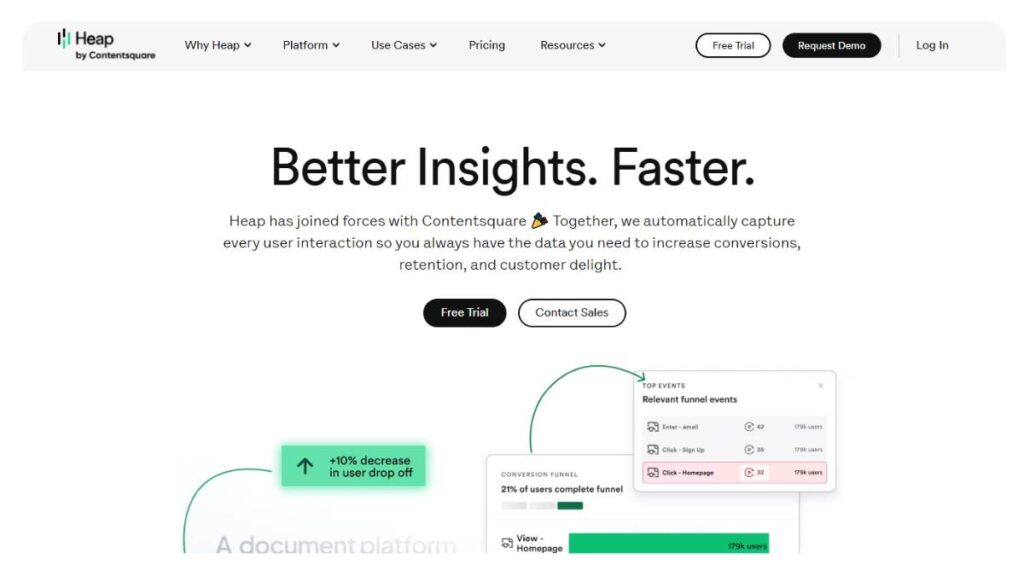
Best for Automatic Data Capture
Heap solves a very specific problem: missing data.
Instead of asking teams to define every event upfront, it captures everything by default. Then events can be defined later, when needed.
That changes how analysis happens. You don’t have to anticipate every question in advance.
- Automatic tracking with minimal setup
- Retroactive event definition
- Flexible funnel and journey analysis
Not perfect; too much data can get messy, but it removes a lot of early friction.
6. FullStory
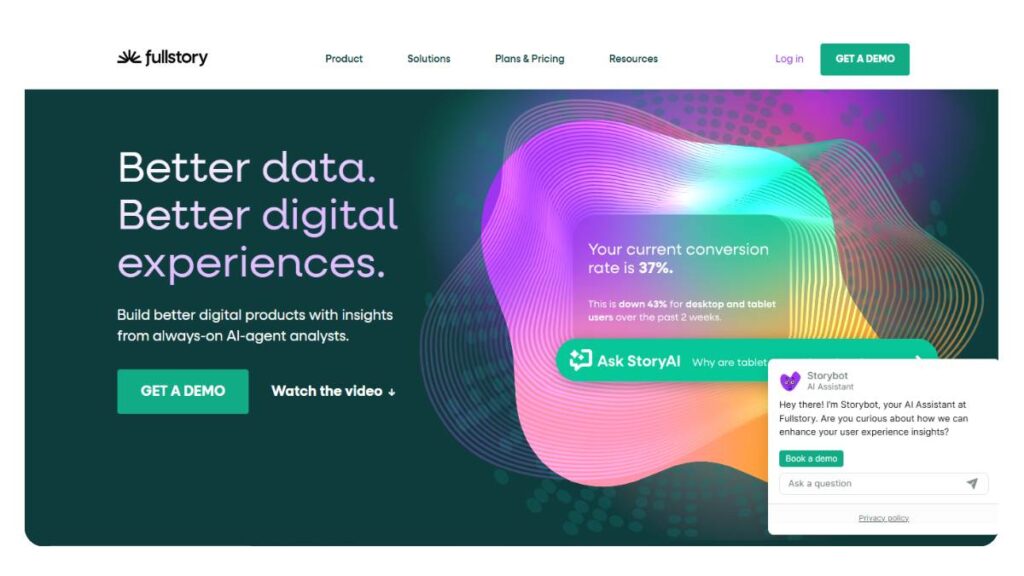
Best for Session Replay Analytics
FullStory is less about numbers, more about seeing behavior directly.
Watching session replays tends to shift how teams think. Patterns show up quickly: hesitation, confusion, repeated clicks, abandoned flows.
It’s not something teams use all day. But when something feels off, this is usually where they go.
- Detailed session recordings
- Helps identify UX issues quickly
- Strong for debugging user flows
It adds context that dashboards alone can’t provide.
7. Hotjar AI
Best for Heatmaps + AI Insights
Hotjar has always been simple to pick up. That hasn’t changed.
Heatmaps and recordings are still the core. The added AI layer just speeds up interpretation, surfacing patterns without needing to review everything manually.
It’s not trying to be an all-in-one platform. And that’s probably why it works.
- Heatmaps, recordings, and feedback tools
- AI-assisted insights for quicker analysis
- Easy setup, minimal learning curve
Good for teams that want quick answers without getting too deep into data.
8. Microsoft Clarity
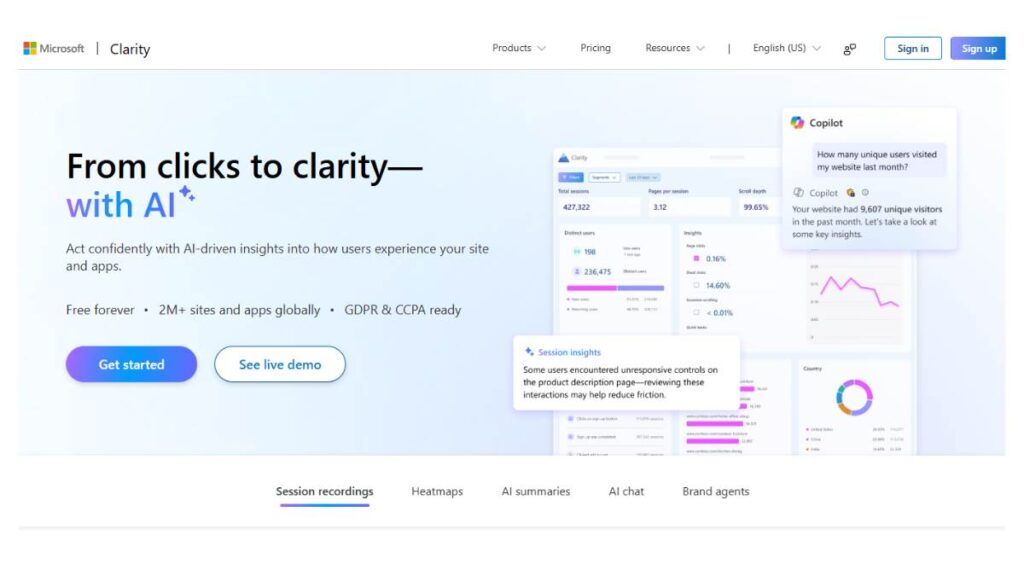
Best Free Behavior Analytics Tool
Clarity is often underestimated.
It covers the essentials: session recordings, heatmaps, and interaction tracking, and does it without adding complexity or cost. That alone makes it useful.
Of course, it doesn’t go as deep as paid tools. But for many teams, especially early on, it’s enough.
- Free access to core UX insights
- Simple, clean interface
- Quick to implement
Often used alongside other tools rather than replacing them.
9. Google Analytics 4 (GA4)
Best for Baseline Analytics
GA4 is… unavoidable at this point.
It handles the basics: traffic, engagement, events, across web and app. The event-based model is more flexible than older versions, though not always intuitive.
Most teams don’t rely on it alone anymore. But they still rely on it.
- Cross-platform event tracking
- Broad visibility into user activity
- Strong integrations with other tools
Think of it as the foundation. Not the full picture.
10. Woopra
Best for Customer Journey Analytics
Woopra focuses on stitching together journeys.
Instead of isolated sessions, you get a continuous view of how users move across touchpoints. That includes repeat visits, different devices, and multiple channels.
The real strength is in real-time tracking tied to behavior.
- End-to-end journey visibility
- Real-time updates and triggers
- Lifecycle-focused analysis
Useful when understanding that the full path matters more than individual interactions.
11. Kissmetrics
Best for Revenue-Focused Analytics
Kissmetrics keeps things grounded in revenue.
It tracks how behavior connects to actual business outcomes: conversions, repeat purchases, and customer value over time.
It’s not flashy. But it’s practical.
- Revenue attribution tied to user behavior
- Strong lifecycle tracking
- Focus on retention and monetization
Best for teams that care less about vanity metrics and more about financial impact.
12. Crescendo.ai
Best for AI Customer Insights & VoC
Crescendo.ai leans into customer conversations.
Instead of just analyzing behavior, it looks at what customers are saying; support chats, feedback, reviews, and pulls out patterns from that.
Sometimes, that’s where the real insight is.
- Analyzes customer conversations at scale
- Detects sentiment and recurring themes
- Adds context to behavioral data
Useful when numbers alone don’t explain what’s going on.
13. Qualtrics
Best for Enterprise Customer Experience
Qualtrics sits firmly in the enterprise space.
It’s built for structured feedback programs; surveys, experience tracking, and sentiment analysis across large customer bases. Very comprehensive… sometimes a bit heavy.
Setup can take time. But once in place, it covers a lot.
- Advanced survey and VoC capabilities
- Scales across large organizations
- Deep experience analytics
Better suited for complex setups rather than smaller teams.
14. Sprinklr
Best for Social Behavior Analytics
Sprinklr focuses on social channels, which are often the first touchpoint now.
It tracks conversations, engagement, and sentiment across platforms and helps teams understand how audiences respond in real time.
Especially relevant for brands with active social presence.
- Social listening across platforms
- Real-time sentiment tracking
- Insights into audience behavior
It fills a gap that traditional analytics tools don’t really cover.
15. Pygmalios
Best for In-Store Behavior Analytics
Pygmalios moves beyond digital.
It looks at physical spaces; how customers move through stores, where they stop, and how long they stay. That kind of visibility is hard to get otherwise.
It’s still an evolving space, but becoming more relevant.
- Tracks footfall and movement patterns
- Measures dwell time in physical locations
- Helps optimize store layouts
For retail, this kind of insight can change how spaces are designed.
Most teams won’t use all of these. And they shouldn’t.
What usually works is a combination; one tool for product behavior, one for UX, maybe another for journeys or feedback. The overlap matters less than how well they complement each other.
Because customer behavior isn’t happening in one place. And trying to force it into a single tool rarely ends well.

Also Read: AI-Powered Performance Marketing Course
Comparison Table of AI Customer Behavior Analysis Tools
Trying to compare these tools purely on features doesn’t really work. Most of them overlap in some way. The difference shows up in how they’re used day-to-day; what they prioritize, how deep they go, and how easily teams can act on the data.
Still, a side-by-side view helps cut through some of the noise.
| Tool | Best For | Key Feature | Pricing |
| Mixpanel | Product analytics | Predictive insights & retention | Free – Paid |
| FullStory | UX analysis | Session replay & behavior tracking | Custom |
| Amplitude | Behavioral analytics | Advanced cohort analysis | Free – Paid |
| Saras Pulse | Ecommerce | Unified customer + revenue analytics | Paid |
| Contentsquare | Experience analytics | Visual journey mapping | Custom |
| Heap | Data capture | Automatic event tracking | Free – Paid |
| Hotjar | UX insights | Heatmaps + user feedback | Free – Paid |
| Microsoft Clarity | Free UX analytics | Session recordings & heatmaps | Free |
| GA4 | Baseline analytics | Cross-platform event tracking | Free |
| Woopra | Journey analytics | Real-time journey tracking | Paid |
| Kissmetrics | Revenue analytics | Funnel + revenue attribution | Paid |
| Crescendo.ai | VoC insights | Conversation intelligence | Custom |
| Qualtrics | Enterprise CX | Survey + sentiment analytics | Enterprise |
| Sprinklr | Social analytics | Social listening & sentiment | Enterprise |
| Pygmalios | In-store analytics | Footfall & dwell-time tracking | Custom |
A quick observation, looking at this as a whole, there’s a clear split.
- Product-focused tools (Mixpanel, Amplitude, Heap)
- Experience-focused tools (Hotjar, FullStory, Contentsquare)
- Journey and lifecycle tools (Woopra, Kissmetrics)
- Feedback and sentiment tools (Qualtrics, Crescendo, Sprinklr)
- And then niche ones like Pygmalion’s handling of offline behavior
Most teams end up pulling from at least two of these categories. Rarely just one.
How to Choose the Best AI Customer Behavior Analysis Tool
This is where things usually get overcomplicated.
The better approach is simpler; start with the problem, not the tool. What’s unclear right now? Where are decisions getting stuck? That tends to narrow things down quickly.
Based on Business Type
Different business models naturally lean toward different tools.
For SaaS or product-led businesses, behavior inside the product matters most. Feature usage, retention, drop-offs; those signals drive everything.
- Mixpanel and Amplitude usually fit well here
- Heap can be useful early on when tracking isn’t fully defined
For ecommerce, the focus shifts. It’s less about feature usage, more about purchase behavior, repeat customers, and value over time.
- Saras Pulse tends to align better with that model
Enterprise setups are a different story altogether. More stakeholders, more data sources, more complexity.
- Qualtrics and Sprinklr are often used at that level
- Not because they’re “better,” but because they handle scale and structure differently
Based on Use Case
Sometimes it’s not about the business type at all. It’s about a specific problem that needs solving.
If the issue is UX, low conversions, high drop-offs, or unclear behavior, then visual tools tend to surface answers faster.
- Hotjar and FullStory are usually the starting point
If the focus is on journeys, how users move across channels, where they drop in and out, then something like Woopra becomes more relevant.
For predictive insights, retention, churn, and future value, tools like Amplitude tend to go deeper.
The key is not trying to stretch one tool across all use cases. That’s where things break.
Based on Budget & Scalability
Budget matters, but not always in the way people think.
Free tools can go surprisingly far. GA4, Clarity, even the free tiers of Mixpanel or Heap; they cover a lot of ground.
But there’s usually a ceiling. Either in data limits, flexibility, or depth of insight.
Paid tools bring more power, but also more complexity. Setup takes longer. Teams need time to actually use them properly.
So it’s less about free vs paid, and more about readiness.
- Early-stage teams – start simple, layer tools gradually
- Scaling teams – invest where gaps start slowing decisions
- Enterprise – prioritize integration and consistency over cost
One small detail that often gets missed: switching tools later is harder than it looks. Data continuity, team adoption, workflows… it all adds friction. So choosing something that can scale, even if it’s slightly more than needed right now, tends to pay off.
Benefits of Using AI Customer Behavior Analysis Tools
Most of the benefits sound obvious on paper. Better insights, more data, improved performance.
But the real value shows up in how decisions change. Slightly faster. Slightly clearer. Less guesswork.
Better Customer Segmentation
Segmentation becomes less rigid.
Instead of grouping users once and revisiting later, segments evolve continuously. Users move between groups based on behavior, not fixed attributes.
That leads to more relevant targeting. Not perfect, but noticeably better.
Increased Conversion Rates
This usually doesn’t come from one big change.
It’s smaller adjustments. Fixing friction points. Tweaking flows. Catching issues earlier than before.
Over time, those small improvements stack up. Conversion rates improve almost as a side effect.
Reduced Churn with Predictive Insights
Churn is rarely sudden. There are signals: reduced activity, incomplete actions, and hesitation patterns.
The advantage here is timing.
Instead of reacting after users leave, teams can act while there’s still a chance to retain them. Even a small improvement in retention tends to have a bigger impact than most acquisition efforts.
Improved Customer Experience
This one is a bit harder to measure, but easy to notice.
Experiences feel smoother. Less friction. Fewer dead ends. Content and messaging align more closely with what users are actually looking for.
It’s not about dramatic changes. More about removing small annoyances that add up.
Data-Driven Decision Making
“Data-driven” gets overused. But when it works, it’s not about having more data; it’s about having clearer direction.
Instead of debating assumptions, teams start with patterns. Not absolute answers, but stronger signals.
And over time, that shifts how decisions are made.
Less back-and-forth. More alignment. Slightly faster execution.
Which, in most cases, is where the real advantage comes from.
Challenges & Limitations of AI Behavior Analytics Tools
For all the promise these tools bring, they’re not plug-and-play magic. Most teams run into a few friction points; some expected, some not so obvious at the start.
Data Privacy & Compliance
Customer data is getting more regulated, not less. GDPR, cookie consent frameworks, regional policies… it adds layers.
The tricky part is balancing useful insights with responsible tracking.
- Over-collection can backfire, both legally and in terms of user trust
- Anonymous tracking reduces risk, but also limits depth
- Consent banners quietly affect data accuracy more than most dashboards admit
There’s no shortcut here. Clean, compliant data is slower to build, but more sustainable.
Integration Complexity
On paper, everything “integrates.” In reality, stitching tools together can get messy.
- Data lives across CRM, ads, product, support… rarely in one place
- Events don’t always match across systems
- Even small tracking gaps can distort insights
Teams often underestimate how much setup and ongoing maintenance is required to make the data actually usable.
High Learning Curve for Advanced Tools
Basic reports are easy. Real insights? That takes time.
- Cohort analysis, predictive models, journey mapping… not beginner-friendly
- Misinterpreting patterns is more common than expected
- Teams either underuse features or overcomplicate decisions
There’s a bit of a gap between “having the tool” and “getting value from it.”
Over-Reliance on AI Insights
This one’s subtle. When tools start predicting behavior, it’s tempting to trust them blindly.
But models aren’t perfect. They’re only as good as the data and assumptions behind them.
- Predictions can drift over time
- Edge cases get ignored
- Context (seasonality, campaigns, market shifts) isn’t always captured
Good teams use these insights as signals, not final answers.
Future Trends in AI Customer Behavior Analysis
Things are shifting fast. What feels advanced today will look fairly standard in a year or two.
Predictive – Prescriptive Analytics
Predicting what might happen is useful. Suggesting what to do next; that’s where things are heading.
Instead of just flagging churn risk, tools are starting to recommend actions:
- Who to target
- What message to send
- When to trigger it
Less analysis, more direction.
AI Agents for Autonomous Optimization
A quieter trend, but important. Systems are beginning to act on insights automatically.
- Adjusting campaigns in real time
- Personalizing experiences without manual rules
- Running small experiments continuously
Not full automation (yet), but definitely moving in that direction.
Real-Time Personalization at Scale
Personalization used to mean segments. Now it’s moving toward individuals, at scale.
- Dynamic content based on live behavior
- Offers that adapt mid-session
- Experiences that feel… almost reactive
The expectation is shifting. Static journeys won’t hold attention much longer.
Unified Customer Data Platforms (CDPs)
Fragmented data is the root of most problems. CDPs are trying to fix that by bringing everything into one view.
- Web, app, CRM, ads, offline; connected
- Cleaner identity resolution across devices
- More consistent insights across teams
Still not perfect. But getting closer to something usable.
How AI Customer Behavior Analysis Impacts SEO & AI Search
Search behavior isn’t just about keywords anymore. It’s about what people actually do once they land somewhere, and why.
Understanding Search Intent Through Behavior Data
Click-throughs only tell part of the story. What happens after the click matters more.
- Where users drop off
- What they engage with
- How long they stay (and where they hesitate)
These patterns often reveal intent more clearly than search queries themselves.
Sometimes, a page ranks well but doesn’t convert at all. That’s usually a behavior problem, not a traffic problem.
Optimizing Content for AI Overviews
Content that performs well tends to have a few things in common: not flashy, just structured and clear.
- Direct answers to specific questions
- Clean formatting (sections, bullets, comparisons)
- Content that’s easy to scan, not just read
Long, dense pages without structure struggle. Not because they lack depth, but because they’re harder to interpret quickly.
Using Behavior Insights for Content Strategy
This is where things get practical.
Instead of guessing what to create next, behavior data points to it:
- Pages that bring traffic but don’t convert – need clarity or better alignment
- Pages with high engagement – signals to expand or replicate
- Drop-offs in key sections – friction points worth fixing
It’s less about creating more content and more about improving what’s already there.
Conclusion:
There isn’t a single “best” tool. And chasing one usually leads to disappointment.
The better approach is simpler, even if it sounds less exciting; choose based on what actually needs solving.
- If the focus is product usage, go deeper into event and cohort analysis
- If UX feels like a black box – session insights and heatmaps matter more
- If customer journeys are fragmented, something that connects touchpoints becomes essential
Most teams end up using a combination anyway. One tool rarely covers everything well.
Also worth keeping in mind, more data doesn’t automatically mean better decisions. What matters is clarity. Being able to look at behavior and actually understand what’s going on.
That’s the real goal.
If the tool helps get there, it’s doing its job. If not, it’s just another dashboard.
FAQs: AI Customer Behavior Analysis Tools
1. What is the best AI customer behavior analysis tool?
No single tool really owns that title. It usually depends on where things are breaking: inside the product, across journeys, or somewhere in the revenue flow. Some platforms go deep into behavior, others stay closer to outcomes. In practice, teams mix tools over time. One fills gaps, another adds context. It evolves.
2. Are free tools like GA4 enough?
They do the job early on. You get visibility, basic patterns, and a sense of what’s happening. But at some point, questions get sharper; why users hesitate, what nudges conversion, and that’s where things feel… a bit thin. Not broken, just limited. Good starting point, rarely the full setup.
3. How do AI tools predict customer behavior?
It’s less magic, more pattern buildup. Users who act in similar ways often drift toward similar outcomes. These systems pick up on those signals; small ones, too, like pauses or repeated visits; and connect them over time. The result isn’t certainty. It’s a probability curve, shaped quietly in the background.
4. Which tools are best for small businesses?
Usually, the ones that don’t try to do everything. Clean dashboards, quick setup, insights that make sense without digging too deep. Small teams don’t need layers; they need clarity. If it takes too long to figure out what’s going on, the tool starts working against them.
5. How do AI customer behavior analysis tools collect data?
Mostly through interaction tracking: clicks, scrolls, sessions, movement across pages. That data comes in through scripts or integrations, then gets stitched together. Sounds simple enough. The messy part shows up later, when different data sources don’t quite line up the way they should.
6. What is the difference between customer analytics and behavior analytics?
Customer analytics looks at the broader arc: who the customer is, what they buy, and how they move over time. Behavior analytics zooms in tighter, focusing on actions in the moment. One explains results, the other explains how those results take shape. Both matter, just answering different layers.
7. Are AI customer behavior analysis tools suitable for small businesses?
They can be, if used with restraint. It’s easy to get pulled into too many metrics, too many views. Smaller teams tend to do better when they stay focused; pick a few key questions and go deeper there. Otherwise, it turns into noise pretty quickly.
8. Which industries benefit most from AI customer behavior analysis tools?
Anywhere user interaction is frequent and measurable. SaaS, ecommerce, fintech; those stand out. But it’s spreading. Even offline-heavy sectors are catching up as more touchpoints move digital. The more behavior there is to observe, the more useful these tools become. That’s usually the pattern.
9. Can AI tools track customer behavior across multiple devices?
They can, though it’s rarely perfect. When users log in consistently, things line up well. Without that, it relies on partial signals, which leaves gaps. So yes, cross-device tracking works, but accuracy depends a lot on how clearly users can be identified.
10. What is predictive customer behavior analysis?
It’s essentially looking at past actions and projecting forward. Not in a dramatic way; more like spotting early signals before something happens. A drop in activity, a pattern shift. The value sits in timing. Acting early tends to matter more than the prediction itself.
11. How accurate are AI-based customer behavior predictions?
They can be quite solid with clean data. But behavior shifts; campaigns, seasonality, external changes; all of that moves things around. So accuracy isn’t fixed. It’s better to treat predictions as guidance, something to work with, not something to follow without question.
12. Do AI behavior analytics tools require coding skills?
Not always. Many tools are built to be usable without heavy technical work. But once tracking gets more specific, custom events, and deeper journeys, technical support usually comes in. The basics are easy. Going deeper takes a bit more effort.
13. How do AI tools help reduce customer churn?
They surface early signals: less engagement, incomplete actions, subtle drop-offs. That gives teams a window to respond before users leave entirely. Timing plays a big role here. Once churn happens, recovery gets harder. Catching it early changes the outcome.
14. What is customer journey analytics in AI tools?
It pulls interactions into a sequence, rather than leaving them as isolated events. You start to see paths, where users move smoothly, where they stall, and where they exit. That flow matters. Without it, insights stay fragmented and harder to act on.
15. Are AI customer behavior tools GDPR and privacy compliant?
Most tools support compliance features, but they don’t handle everything on their own. It comes down to how data is collected and managed: consent, storage, and usage. Those details matter more than the tool itself. Setup decisions shape whether things stay compliant.
16. How do AI tools improve personalization?
They react to behavior as it happens, instead of relying on fixed segments. So content, offers, and even flows adjust in real time. It feels more aligned with what users are actually doing. Not perfect, but noticeably more relevant than static experiences.
17. What integrations should AI behavior analytics tools support?
At the very least, connections to CRM systems, marketing platforms, and product data. Without those, insights sit in isolation. When data connects across systems, it starts to make more sense. Otherwise, it’s just one piece without the full context.
18. How long does it take to see results from AI behavior analytics tools?
Some patterns show up quickly: engagement, drop-offs, and basic flows. But deeper insights take time to settle. A few weeks, sometimes longer. It builds gradually as more data comes in. Early signals are useful, but the real clarity comes later.
19. Can AI customer behavior analysis tools replace traditional analytics tools?
Not really. They add another layer rather than replacing what’s already there. Basic tracking still matters. What changes is the depth; more context, more connection between actions. Most teams end up using both, just in slightly different ways.