

AI Wireframing Tools have quietly shifted how teams approach early design work. What used to take hours, sometimes days, can now be mapped out in minutes. But speed isn’t the only change. The way ideas get tested, refined, even challenged… that’s different now.
This guide walks through that shift practically. It covers what wireframes actually do (beyond the textbook definition), how AI tools generate them, and which platforms are worth paying attention to. There’s also a closer look at where these tools help and where they fall short.
Not everything is solved by automation. But used well, it does move things forward faster than most teams expect.
Table of Contents
Introduction:
Why AI Wireframing Tools Are Replacing Traditional Design Workflows
For a long time, wireframing was… slow. Not complicated, just slow in a very predictable way. Open a blank canvas, drop in a few rectangles, adjust spacing, rethink the layout, start over. Repeat that loop enough times, and half a day is gone, but the idea still feels half-formed.
That’s the part people don’t always say out loud: the early stage isn’t about design quality. It’s about figuring out what even makes sense.
This is where things have shifted.
AI wireframing tools aren’t replacing design thinking. They’re cutting down the dead time between “this might work” and “okay, now this is something we can actually react to.” That gap used to be filled with manual effort. Now it’s compressed into minutes.
And it changes behavior.
Instead of overthinking the first version, teams are more willing to explore multiple directions. Try a different layout. Change the flow. Scrap it and rebuild. There’s less attachment to the first idea because it didn’t take hours to create in the first place.
A few patterns show up pretty quickly when teams start using these tools:
- Founders stop waiting for design bandwidth just to visualize an idea
- Marketers sketch out landing pages before writing copy (which, honestly, works better)
- Product teams validate flows earlier, before they become expensive to fix
- Designers spend less time on repetitive structure and more on refinement
There’s still a trade-off between speed and precision. That hasn’t gone away. But early on, precision isn’t the bottleneck; clarity is.
And that’s what this shift really solves.
What Is a Wireframe in UI/UX Design?
A wireframe is basically the skeleton of a product interface. No styling, no branding, no distractions. Just structure.
It answers a simple question: what goes where, and why?
That might sound obvious, but it’s where most design problems start. Not with colors or typography, but with unclear structure. When that’s off, everything built on top of it feels off, too.
Wireframes strip things down on purpose. No visual polish means fewer opinions about things that don’t matter yet. The focus stays on layout, hierarchy, and flow.
Some teams treat wireframes as a formality. That usually shows later. Confusing navigation, cluttered screens, unclear actions, all symptoms of skipping this step or rushing through it.
Types of Wireframes
Not all wireframes are created for the same moment in the process. The level of detail changes depending on what needs to be figured out.
Low-fidelity wireframes
These are rough, sometimes borderline messy. Boxes, labels, maybe a few notes. The goal isn’t to impress anyone; it’s to think clearly. Fast to create, easy to throw away. That’s the point.
Mid-fidelity wireframes
Things start to settle here. Spacing becomes more intentional, content feels a bit more real, and the hierarchy is easier to evaluate. Still not “design,” but you can see where it’s going.
High-fidelity wireframes
Now it starts feeling like a product. Components behave more realistically, interactions are clearer, and stakeholders can actually understand what’s being built. At this stage, the line between wireframe and prototype gets blurry.
Wireframes vs Mockups vs Prototypes
This distinction gets mixed up all the time, usually because the outputs start to look similar.
- Wireframes focus on structure, layout, flow, and priorities
- Mockups focus on visuals, colors, fonts, and branding
- Prototypes focus on behavior, how screens connect and respond
Skipping straight to mockups might feel faster, but it tends to create more revisions later. People react to how things look instead of how they work. Conversations drift. Decisions slow down.
Wireframes keep things grounded. Not exciting, maybe. But necessary.
What Is an AI Wireframe Generator?
An AI wireframe generator flips the starting point.
Instead of building layouts manually, it starts with a description. A rough idea of what the screen should do, who it’s for, and maybe a few key elements. From there, it generates a layout that’s… usually pretty close to usable.
Not perfect. But good enough to react to.
That’s the real value. It gives something to respond to without investing too much upfront.
How AI Generates Wireframes
Underneath it all, these tools are leaning on patterns. Lots of them.
They’ve seen enough interfaces, dashboards, landing pages, and onboarding flows to recognize what typically goes where. So when a prompt comes in, the system isn’t inventing something new. It’s assembling something familiar, based on what tends to work.
A “pricing page,” for example, almost always follows a certain structure. Headline, tiers, feature comparison, call-to-action. The tool just builds that structure instantly.
There’s also some interpretation happening. Prompts aren’t always clean or detailed, so the system fills in gaps using common design logic. That’s why results can feel surprisingly coherent, even with minimal input.
Still, it’s not thinking. It’s predicting.
Which is fine, as long as that’s understood.
AI Wireframe Generators vs Other AI Design Tools
Everything in this space gets labeled “AI design,” which doesn’t help much.
There are a few clear differences once you look closer:
- AI wireframe generators focus on layout and structure. Early-stage work.
- AI UI tools go deeper into visuals, styling, branding, and polish.
- AI website builders try to do both, often with publishing built in.
Using the wrong type at the wrong stage creates friction. High-fidelity tools, too early, can slow things down. Low-fidelity tools, too late, can feel limiting.
It’s less about which tool is better, more about when it’s used.
What Can You Actually Build with AI Wireframing Tools?
The range is wider than most expect.
Basic landing pages are the obvious use case, but it doesn’t stop there. SaaS dashboards, mobile app screens, onboarding flows, internal tools, and most standard interfaces can be mapped out quickly.
The outputs won’t replace final design work. They’re not meant to.
But they do something valuable: they remove the hesitation at the start. That moment where the idea exists, but nothing concrete exists yet.
Once that barrier is gone, everything else tends to move faster.
10 Best AI Wireframing Tools
There’s no shortage of tools in this space right now. New ones keep showing up, older ones are adding AI layers, and a few are trying to do everything at once: design, prototype, even publish.
But most teams don’t need “everything.” They need something that fits how they already work.
Some tools are better for quick idea dumps. Others lean toward polished outputs. A few sit closer to development. The difference usually comes down to how much control is needed versus how fast something needs to be created.
Below is a breakdown that cuts through the noise a bit.
Uizard

Best AI Wireframe Generator for Non-Designers
Uizard feels like it was built for speed first, design second, and that’s not a bad thing.
It’s one of the easiest tools to get started with, especially for people who don’t come from a design background. The interface doesn’t get in the way, and the outputs are structured enough to make sense without much tweaking.
Key features
- Text-to-wireframe generation with minimal input
- Pre-built UI components and templates
- Screenshot and sketch-to-wireframe conversion
Pros & cons
- Very accessible, low learning curve
- Great for quick drafts and early-stage ideas
- Can feel a bit limited when trying to push into more refined layouts
Ideal use case (founders, marketers)
Works well when speed matters more than control. Early-stage ideas, landing pages, rough app flows, things that need to exist quickly so they can be discussed.
Pricing overview
Offers a free plan with basic features, with paid tiers unlocking more advanced capabilities and exports.
Galileo AI

Best for High-Fidelity Wireframes
Galileo leans toward output quality. The screens it generates tend to look closer to finished designs than rough wireframes, which can be useful, or slightly misleading, depending on how it’s used.
There’s less of that “sketchy” feel here. It jumps straight into polished layouts.
Key features
- Generates high-fidelity UI screens from prompts
- Strong visual hierarchy and spacing out of the box
- Focus on modern UI patterns
Pros & cons
- Produces visually impressive layouts quickly
- Reduces the gap between wireframe and mockup
- Less flexibility for raw exploration compared to simpler tools
When to use vs low-fidelity tools
Best used when there’s already some clarity on the direction. Not ideal for messy ideation phases where things are still being figured out.
Visily
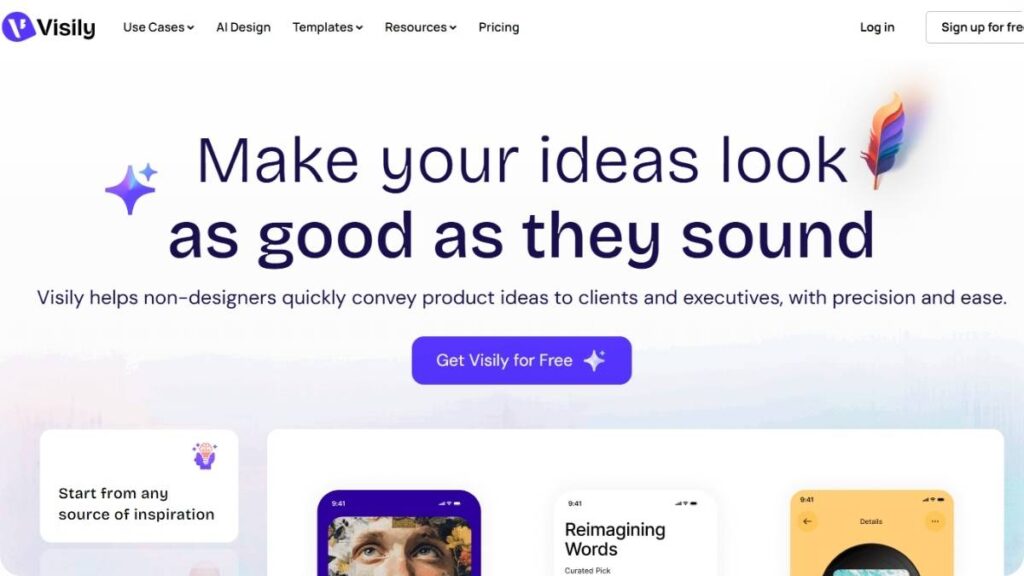
Best for Quick Single-Screen Ideation
Visily sits somewhere in the middle. Not too basic, not overly complex.
It’s particularly good when the goal is to map out a single screen quickly, a dashboard view, a login page, or a settings panel. That kind of work.
Key features
- Fast screen generation from prompts or screenshots
- Drag-and-drop editing with simple controls
- Screenshot-to-wireframe capability
Pros & cons
- Great for speed and simplicity
- Useful for iterating on specific screens
- Less suited for building full product flows end-to-end
The screenshot-to-wireframe feature is worth noting. It saves time when rebuilding existing layouts or taking inspiration from something already out there.
Figma Make
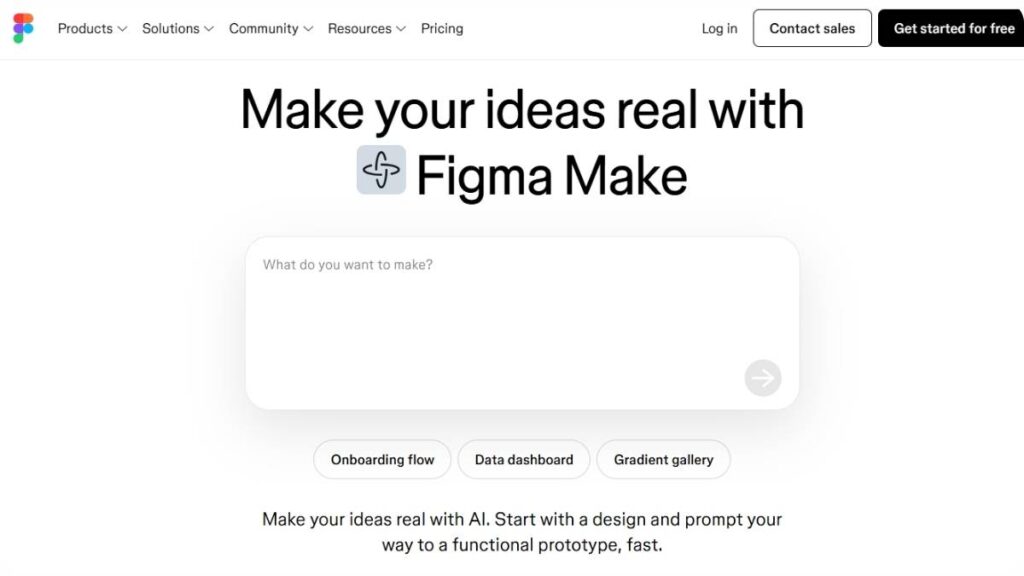
Best for Figma Teams
For teams already working inside Figma, this feels like a natural extension rather than a separate tool.
There’s no switching between platforms, no exporting back and forth. Everything stays in one place, which matters more than it sounds.
Key features
- Prompt-based layout generation directly inside Figma
- Seamless integration with existing design files
- Real-time collaboration with team members
Pros & cons
- Fits naturally into existing workflows
- Strong collaboration and version control
- Still evolving, so not everything feels fully mature yet
Collaboration advantages
This is where it stands out. Teams can generate, edit, and iterate on wireframes without breaking their usual workflow. That continuity makes adoption easier.
UXPin
Best for Code-Accurate Wireframes
UXPin takes a slightly different approach. It’s less about quick drafts and more about precision, especially when designs need to align closely with development.
It bridges the gap between design and code more directly than most tools in this list.
Key features
- Code-backed components
- Interactive prototypes with realistic behavior
- Design systems integration
Pros & cons
- Strong alignment with development workflows
- Reduces handoff friction
- Steeper learning curve compared to simpler tools
Design-to-code accuracy
This is where UXPin earns its place. The outputs are closer to something developers can actually use, not just interpret.
Relume
Best for Website & Marketing Wireframes
Relume is built with websites in mind, especially marketing sites. It doesn’t just generate pages; it can map out entire site structures.
That’s a different level of planning.
Key features
- Sitemap generation alongside wireframes
- Pre-built sections for marketing pages
- Focus on conversion-driven layouts
Pros & cons
- Strong for website structure and flow
- Speeds up landing page creation significantly
- Less relevant for complex app interfaces
Marketing-focused layouts
The outputs tend to follow patterns that work well for conversions, clear hierarchy, strong CTAs, and logical flow from top to bottom.
UX Pilot
Best for Screen Flow Mapping
UX Pilot focuses more on the journey than individual screens.
Instead of just generating layouts, it helps map how users move through a product, which, honestly, is where many designs fall apart.
Key features
- User flow and journey mapping
- Screen sequence generation
- UX research alignment
Pros & cons
- Useful for planning complete experiences
- Helps visualize user journeys clearly
- Less focused on detailed UI design
User journey and flow generation
This is the strength here. It’s not about how one screen looks, but how everything connects.
Framer
Best for AI-Assisted Layouts
Framer sits closer to the “design meets build” side of things.
It doesn’t stop at wireframes. Layouts can quickly turn into live, interactive pages, which changes how quickly ideas can be tested.
Key features
- AI-assisted layout generation
- Interactive design capabilities
- Direct publishing options
Pros & cons
- Fast transition from idea to live page
- Great for landing pages and simple sites
- Can feel limiting for complex product interfaces
Design-to-publish workflows
This is where Framer stands out. It shortens the distance between concept and something users can actually interact with.
MockFlow
Best for AI-Assisted Features
MockFlow has been around longer than most tools in this category, and it shows. The foundation is traditional wireframing, with AI layered on top.
It’s a hybrid approach.
Key features
- Classic wireframing tools with AI enhancements
- Collaboration features for teams
- Templates and UI kits
Pros & cons
- Familiar interface for experienced designers
- Balanced approach between manual and AI
- AI features aren’t as central as newer tools
Traditional + AI hybrid approach
For teams not ready to fully shift into AI-driven workflows, this feels like a safer transition.
Miro
Best for Collaborative Wireframing Boards
Miro isn’t a dedicated wireframing tool, but it’s often where wireframing starts, especially in collaborative settings.
It’s more about ideas than structure.
Key features
- Infinite canvas for brainstorming
- Real-time collaboration
- Basic wireframing templates
Pros & cons
- Excellent for team ideation and workshops
- Flexible and easy to use
- Limited when it comes to structured UI design
Brainstorming + wireframing
Miro works best in the early chaos phase, when ideas are still loose, and structure hasn’t fully formed yet.
There’s no single “best” tool here. It depends on what stage the work is in, how much control is needed, and who’s actually using it.
Some teams even end up using two or three in combination, one for ideation, another for refinement, maybe a third for handoff.
That’s usually a sign the workflow is evolving, not broken.

Enroll Now: AI Marketing Course
Comparison Table: Best AI Wireframing Tools
Choosing between tools gets confusing fast, mostly because many of them overlap on the surface. They all promise speed, automation, and better workflows. But once used in real scenarios, the differences become more obvious.
Some tools are built for quick drafts. Others lean toward structured systems. A few try to bridge design and development. That’s where the real distinction lies.
Here’s a side-by-side view to make that clearer:
| Tool | Best For | Pricing (Typical) | AI Capability | Export Options |
| Uizard | Non-designers, quick drafts | Free + Paid tiers | Strong text-to-wireframe, sketch conversion | PNG, PDF, limited design exports |
| Galileo AI | High-fidelity UI screens | Paid | Advanced layout + visual generation | Design files (limited flexibility) |
| Visily | Single-screen ideation | Free + Paid | Screenshot-to-wireframe, prompt-based layouts | PNG, design exports |
| Figma Make | Teams already using Figma | Included / evolving | Prompt-based layouts within the design system | Native Figma files |
| UXPin | Dev-ready wireframes | Paid | AI-assisted components + logic | Code components, prototypes |
| Relume | Marketing websites | Paid | Sitemap + page structure generation | Figma/Webflow exports |
| UX Pilot | User flows and journeys | Paid | Flow mapping + UX structure generation | Flow diagrams, UI drafts |
| Framer | Design-to-publish workflows | Free + Paid | AI layout + live site generation | Live websites, code |
| MockFlow | Hybrid workflows | Free + Paid | Basic AI + manual wireframing | PDF, PNG, design files |
| Miro | Collaboration & ideation | Free + Paid | Light AI assistance + templates | Boards, images, integrations |
What stands out isn’t just feature sets, it’s intent.
Some tools are clearly built for exploration. Others assume there’s already a direction and try to speed up execution. Trying to use them interchangeably usually leads to friction.
A practical way to think about it:
- Early-stage idea? Go lightweight and flexible
- Defined structure? Move toward more controlled tools
- Close to development? Prioritize accuracy over speed
That shift matters more than the tool itself.
What Makes the Best AI Wireframing Tool?
There’s a tendency to judge these tools based on output alone, how “good” the wireframe looks. But that’s rarely the right metric.
What matters more is how the tool fits into the workflow. Does it reduce friction, or add another layer of complexity? Does it help decisions happen faster, or just generate more options?
The best tools usually get a few fundamentals right.
Core Features to Look For
At a basic level, the tool needs to handle structure well. Not just generate layouts, but make them usable.
- Text-to-wireframe capability should feel intuitive, not rigid
- Editing should be fast, without needing to rebuild everything
- Components and templates should follow real UI patterns
- Collaboration should feel natural, not forced
- Export options should actually fit where the design is going next
If any of these feel clunky, the tool starts slowing things down, which defeats the purpose.
Advanced AI Capabilities
This is where tools start separating from each other.
Some generate layouts. Others actually guide decisions.
- Context-aware layout generation helps avoid generic outputs
- UX suggestions can improve structure, not just fill space
- Design system alignment keeps things consistent
- AI-assisted flows connect screens in a meaningful way
The difference is subtle but important. One gives you a layout. The other helps shape how that layout works.
Practical Considerations
This part gets overlooked, but it’s often what decides whether a tool sticks or gets abandoned.
Ease of use matters more than feature depth in most cases. A powerful tool that takes too long to learn usually ends up unused.
Pricing also plays a role, especially for smaller teams. Free tiers are useful, but limitations show up quickly when real work begins.
Integration is another piece that quietly affects everything. If the tool doesn’t connect well with existing workflows, design systems, collaboration tools, and development environments, it creates extra steps. And those steps add up.
Then there’s output quality. Not just how it looks, but how usable it is. Can it be built on, or does it need to be redone somewhere else?
That’s usually the deciding factor.
How AI Is Transforming Wireframe Design
The biggest change isn’t the output. It’s the starting point.
Wireframing used to begin with a blank canvas. Now it starts with intent, a rough idea, a description, sometimes just a goal. That shift sounds small, but it changes how quickly things move.
Instead of building from zero, there’s something to react to almost immediately. That shortens feedback loops in a way that’s hard to ignore.
A few patterns are becoming clear.
The iteration cycle is faster. Not slightly faster, noticeably faster. Ideas that would’ve taken hours to sketch can now be explored in minutes. That doesn’t mean better ideas automatically, but it does mean more ideas get tested.
Validation happens earlier. Product flows, landing pages, and onboarding screens can be visualized before too many assumptions get locked in. That reduces the cost of being wrong, which is usually where most time gets lost.
There’s also a shift in who participates in design decisions.
People who weren’t traditionally involved in wireframing, marketers, founders, and even operations teams can now contribute earlier. Not at the level of final design, but at the level of structure and flow. And that input, when used correctly, can improve outcomes.
At the same time, it’s not removing the need for design thinking. If anything, it highlights it more.
Generated layouts tend to follow patterns. Safe ones. Familiar ones. That’s useful, but it can also lead to sameness if left unchecked. The real value comes from shaping those outputs, refining them, questioning them, sometimes breaking them.
There’s also a growing overlap between wireframing, no-code tools, and design systems. The lines are starting to blur.
Wireframes aren’t always just planning artifacts anymore. In some workflows, they’re becoming the foundation for actual products, especially when connected to tools that can take them further without starting over.
That’s where things get interesting. Not just faster design, but fewer steps between idea and execution.
Still early in many ways. But the direction is clear.
Benefits of Using AI for Wireframing
The biggest benefit isn’t just speed. That’s the obvious one, and yes, it matters, but the real shift is in how quickly ideas become tangible.
Instead of sitting in documents or conversations, ideas move into something visual almost immediately. That alone changes how teams think, react, and decide.
Speed shows up in a few different ways:
- Wireframes that used to take hours now take minutes
- Multiple variations can be explored without starting from scratch
- Feedback cycles shorten because there’s always something concrete to review
But speed without direction doesn’t help much. The value comes from what that speed enables.
Cost reduction is one of those side effects. Not necessarily in terms of replacing people, but in reducing wasted effort. Fewer long iterations in the wrong direction. Fewer redesign cycles late in the process. Less time spent on layouts that were never going to work anyway.
For MVPs, this becomes even more relevant. Early-stage products don’t need polished design; they need clarity. What works, what doesn’t, what needs to change. AI-driven wireframing makes it easier to get to that point without over-investing too early.
Collaboration also tends to improve, though not always in obvious ways.
When wireframes are easier to create, more people engage with them. Conversations happen earlier. Feedback becomes more frequent, and often more useful because it’s tied to something visual rather than abstract ideas.
There’s also a bit more freedom to experiment.
- Try different layouts without committing too early
- Test variations of user flows quickly
- Explore ideas that would’ve felt “too much work” before
That kind of flexibility is hard to build into traditional workflows. Here, it’s almost built in by default.
How to Generate a Wireframe with AI
Using Figma Make
There’s a tendency to overcomplicate this part. In reality, generating a wireframe with AI is straightforward; the nuance comes in how clearly the intent is defined before starting.
The process isn’t about getting a perfect output on the first try. It’s about getting something usable quickly, then shaping it.
Step 1. Start with a Frame
Everything begins with setting up a basic canvas. Nothing fancy here. Just define the screen size or layout you’re working toward: mobile, desktop, dashboard, or landing page.
This step matters more than it seems. A clear frame sets boundaries, and those boundaries help guide the output in the right direction.
Jumping in without this usually leads to layouts that feel slightly off. Not wrong, just… misaligned with what’s needed.
Step 2. Describe Your App (Prompt Engineering for Wireframes)
This is where most of the quality comes from.
A vague description leads to a generic layout. A clear, structured description tends to produce something much closer to what’s needed.
It doesn’t have to be long. But it should be specific.
For example, instead of:
“Create a dashboard.”
Something closer to:
“A SaaS dashboard with a sidebar navigation, top metrics overview, recent activity feed, and a call-to-action for upgrading plans”
That level of detail gives enough direction without over-constraining the output.
A few patterns that tend to work well:
- Mention the type of product (SaaS, mobile app, marketplace)
- Define key sections or components
- Include the primary goal of the screen
Small tweaks here can completely change the result.
Step 3. Watch Your Prototype Come to Life
Once the input is processed, the layout appears, usually within seconds.
This is the point where expectations need to be managed. The output won’t be perfect. It shouldn’t be.
What matters is whether the structure makes sense:
- Is the hierarchy clear?
- Do the key elements exist?
- Does the flow feel logical?
If those fundamentals are right, the rest can be refined.
Treat the first version as a draft, not a decision.
Step 4. Refine and Test
This is where the real work happens.
Generated layouts are a starting point. They still need adjustment, spacing, grouping, prioritization, and sometimes entire sections.
Editing tends to be faster than building from scratch, but it still requires judgment.
- Remove elements that don’t serve the goal
- Adjust hierarchy to match user intent
- Simplify where things feel crowded
Testing doesn’t have to be formal at this stage. Even quick internal reviews can reveal gaps. Something that looks fine initially often breaks when someone else interacts with it.
Iteration here is key. Not endless tweaking, but deliberate refinement.
Best Practices for AI Wireframing
There’s a pattern with these tools. When results feel off, it’s rarely because the tool “failed.” It’s usually because the input wasn’t clear enough, or the output wasn’t shaped properly afterward.
A few habits tend to make a noticeable difference.
Writing clear prompts sounds obvious, but it’s often overlooked. The goal isn’t to describe everything, it’s to describe the right things.
Focus on intent, structure, and key elements. Skip unnecessary detail. The more signal, the less noise.
Defining target users and goals upfront helps avoid generic layouts. A dashboard for a marketer looks different from one built for a developer. Without that context, outputs tend to default to safe, generic patterns.
Iteration matters more than the first result. Expecting a perfect layout immediately usually leads to frustration. Better to treat each version as a step forward.
There’s also a balance to maintain between automation and judgment.
Generated layouts can be surprisingly solid, but they don’t always understand nuance. Priorities, edge cases, and user behavior still need human input. Skipping that step is where problems creep in.
Consistency is another factor that shows up later if ignored early.
Using design systems, even loosely, helps keep things aligned. Without that, outputs can start to feel disconnected across different screens or flows.
And one small but useful habit: don’t over-edit too early.
It’s tempting to fine-tune every detail right away, but that slows things down. Get the structure right first. Details can come later, when the direction is clearer.
That’s usually where the best results come from.
How to Choose the Right AI Wireframe Tool
For beginners: simple tools
Picking a tool sounds simple until it isn’t. Most options look similar on the surface, and almost all of them promise faster workflows. The difference only shows up once they’re used in real scenarios.
The mistake most teams make is choosing based on features instead of fit.
The better approach is to start with context. Who is using the tool, what stage the product is in, and how the output will be used next, those three things usually narrow things down quickly.
For beginners, simplicity matters more than depth. A tool that generates usable layouts quickly, without too many controls, tends to work better. The goal here isn’t precision. It’s getting comfortable turning ideas into structure.
For teams: collaboration tools
For teams, collaboration becomes the deciding factor. Not just sharing files, but actually working together in real time. Comments, edits, versioning, those small details make a difference when multiple people are involved.
For developers: code-accurate tools
For developers, accuracy starts to matter more. Wireframes aren’t just visual references; they’re stepping stones toward implementation. Tools that align closely with code or structured components tend to fit better here.
For marketers: landing page tools
For marketers, the focus shifts again. Landing pages, funnels, and content-heavy layouts, these need a clear hierarchy and conversion-focused structure. Speed is still important, but so is how easily the layout can be adapted into something live.
Budget-based recommendations
Budget also plays a role, but not always in the obvious way. Free tools are fine for exploration, but limitations show up quickly when the work becomes more serious. Paid tools, on the other hand, need to justify their cost by actually saving time or reducing effort somewhere in the workflow.
In the end, the “right” tool isn’t the one with the most features. It’s the one that fits naturally into how the work is already being done, or improves it without adding friction.
Common Use Cases of AI Wireframing Tools
SaaS product design
These tools aren’t limited to one type of project. In practice, they show up across different workflows, often solving slightly different problems depending on the context.
SaaS product design is one of the more obvious use cases. Dashboards, onboarding flows, and account settings are structured, repeatable patterns. AI wireframing works well here because it can quickly generate layouts that follow familiar logic.
Mobile app prototyping
Mobile app prototyping is another strong fit. Early-stage apps don’t need pixel-perfect design. They need flow. What happens first, what comes next, and how users move between screens. Wireframes handle that without getting distracted by visuals.
Landing page creation
Landing page creation tends to benefit more than expected. Marketers often struggle to translate messaging into layout. AI wireframing bridges that gap. Instead of starting with copy or design in isolation, both can evolve together.
MVP development
MVP development is where things really come together. The goal isn’t perfection, it’s validation. Does the idea work? Does the flow make sense? AI wireframes make it easier to answer those questions quickly, without overbuilding.
UX experimentation
UX experimentation is another area where these tools quietly add value. Trying different layouts, testing alternative flows, comparing variations, all of that becomes easier when creating new versions doesn’t take much effort.
Across all these use cases, the common thread is speed paired with flexibility. Not just creating faster, but changing direction without much resistance.
Limitations of AI Wireframing Tools
Lack of deep UX reasoning
There’s a tendency to overestimate what these tools can do, especially early on. The outputs can look convincing, sometimes even polished, but that doesn’t mean they’re always correct.
One of the bigger limitations is the depth of reasoning.
AI-generated wireframes follow patterns. Good patterns, usually. But patterns don’t always account for context. Why a certain flow exists, what edge cases need to be handled, and how users actually behave, those layers still require human thinking.
That’s where things can break down.
Generic design patterns
Generic design is another issue that shows up over time. When multiple tools rely on similar patterns, outputs can start to feel repetitive. Not wrong, just familiar in a way that lacks distinction.
Limited customization in some tools
Customization also varies a lot between tools. Some allow deeper control, others keep things intentionally simple. That simplicity is useful early on, but it can become limiting when more specific adjustments are needed.
Requires human refinement
Then there’s the refinement gap.
Generated wireframes are rarely final. They need to be adjusted, improved, and sometimes restructured entirely. Skipping that step usually leads to problems later, usability issues, unclear flows, or designs that don’t quite hold together.
There’s also a subtle risk of over-reliance.
When layouts are generated quickly, it’s easy to accept them as “good enough” without questioning them. That can slow down real thinking instead of speeding it up.
Used well, these tools remove friction. Used passively, they can introduce new blind spots.
Future of AI in Wireframing & UX Design
AI + real user data integration
The current tools are just the beginning. What’s happening now is mostly about speed, faster layouts, quicker drafts, shorter iteration cycles.
But the direction is shifting toward something deeper.
AI is starting to move beyond static layouts and into context-aware design. That means understanding not just what a screen should look like, but how it should behave based on real usage patterns.
Real user data is likely to play a bigger role here. Instead of generating layouts based only on patterns, future systems may adapt based on how users actually interact with products. What gets clicked, what gets ignored, where users drop off, all of that could shape design decisions automatically.
Autonomous design systems
Design systems are also evolving alongside this. Instead of static libraries, they’re becoming more dynamic, capable of generating components that stay consistent while adapting to different contexts.
Real-time UX optimization
There’s also a growing overlap with no-code and low-code tools. The line between wireframe and product is starting to blur. In some workflows, wireframes already move directly into functional interfaces without being rebuilt.
That changes the role of wireframing itself.
Instead of being a temporary step, it becomes part of the final output, something that evolves rather than gets replaced.
AI-generated full products (not just wireframes)
Autonomous design is still a bit further out, but early signs are there. Systems that can suggest improvements, optimize layouts, and even test variations automatically.
Not perfect. Not fully independent. But moving in that direction.
Conclusion:
There isn’t a single answer here, and that’s usually a good sign.
Different tools solve different problems. Some are built for speed, others for structure, and a few for precision. The right choice depends less on the tool itself and more on how it fits into the work being done.
For quick idea validation, simpler tools tend to work better. They remove friction and make it easier to explore without overcommitting.
For teams, collaboration and integration matter more than raw features. A tool that fits into existing workflows will always outperform one that requires constant switching.
For more technical use cases, accuracy becomes the priority. Wireframes need to align with how things will actually be built, not just how they look.
The safest approach isn’t picking one tool and forcing everything into it. It’s understanding where each tool fits best, and using it for that purpose.
At the end of the day, these tools aren’t replacing design decisions. They’re speeding up how those decisions are reached.
And that’s where the real value sits.
FAQs: AI Wireframing Tools
What is an AI wireframe generator?
It’s basically a shortcut past the slowest part of design, starting from nothing. You describe what you’re trying to build, and it gives you a rough layout to work with. Not polished, not perfect. But enough to react to. That alone changes how quickly ideas move from vague to something tangible.
Can I use my existing Figma files in Figma Make?
Yeah, most teams don’t throw away what they’ve already built. Existing files usually stay in play. What tends to happen instead is layering, using AI to adjust, expand, or rethink parts of a design without rebuilding everything. It’s less of a reset, more of an extension.
Do I need to code to use AI wireframing tools?
No, and that’s kind of the point. These tools are meant to help shape ideas visually, not technically. You’re thinking in flows and layouts, not logic or syntax. Some platforms do edge closer to development later on, but for wireframing itself, coding really isn’t part of the equation.
Is Figma free?
There’s usually a free way in, but it doesn’t stay unlimited for long. Enough to try things out, maybe run a few projects. Once the work gets more serious, more screens, more people involved, that’s when the paid side starts to make more sense. Pretty typical setup.
What kind of apps can I build with AI wireframing tools?
Anything that follows a recognizable structure works well: dashboards, apps, landing pages, internal tools. These platforms aren’t building the final product, though. They’re shaping the early version of it. Giving something concrete to react to, instead of endless back-and-forth on abstract ideas.
Does AI wireframing support real data or backends?
Not really, at least not in a way that replaces actual development. What you’re seeing is simulated layouts that look functional but aren’t connected to anything live. Some tools are starting to bridge that gap, but it’s still early. For now, it’s mostly about structure, not real data.
Can I publish apps directly from these tools?
Usually not. These tools sit earlier in the process. Planning, structuring, and testing ideas. A few of them are starting to push closer to publishing, but there’s still a gap. Designs need refinement, sometimes a full rebuild, before they’re ready to go live.
How much does wireframing software cost in 2026?
It varies more than people expect. Some tools are free but limited. Others charge monthly, and team-focused platforms can get expensive quickly. The price tends to reflect how much of the workflow the tool replaces. The more it does, the more it costs. Simple as that.
Is there a free wireframing tool for Figma users?
Yes, and they’re actually decent. Between built-in features and community plugins, there’s enough to get started without spending anything. But as projects grow, more complexity, more collaboration, those free options start to feel tight. That’s usually when teams upgrade.
Which AI wireframing tool is best for non-designers?
The ones that don’t try too hard. Simple interface, quick output, minimal setup. Non-designers don’t need full control; they need something that works without friction. If it takes too long to figure out, it’s probably the wrong tool for that use case.
Can AI wireframing tools replace UX designers completely?
No, and it’s not even close. They speed things up, sure. But good UX isn’t just layout, it’s decisions, trade-offs, and understanding behavior. That layer still needs human judgment. These tools help execute faster, but they don’t replace thinking.
How accurate are AI-generated wireframes compared to manual designs?
They’re solid in structure. Layouts usually make sense, and flows feel logical. But they miss nuance. Specific user needs, edge cases, product quirks, that’s where manual work still matters. So it’s not about accuracy in isolation. It’s about how much refinement happens afterward.
What is the difference between AI wireframes and AI-generated UI designs?
Wireframes are about clarity, where things go, and how users move. No styling, no visual polish. UI design is the layer on top: colors, typography, and branding. One defines function, the other defines feel. Mixing the two too early usually slows things down.
Are AI wireframing tools suitable for mobile app design?
They actually work really well for that. Mobile flows can get complicated fast, and wireframes help keep things simple early on. Screen order, navigation, and interactions are easier to fix before visual design comes into play. Saves effort later, even if it doesn’t feel like it upfront.
Which AI wireframing tools support real-time collaboration?
Most of the newer ones do. Teams can jump into the same file, leave comments, and adjust layouts together. It cuts down on version chaos. Instead of sharing files back and forth, everything happens in one place. Not perfect, but definitely smoother than older workflows.
Can AI wireframe generators convert sketches into digital wireframes?
Yes, and it’s more useful than it sounds. Rough sketches, messy ones included, can be turned into structured layouts pretty quickly. It’s not flawless, though. Some cleanup is always needed. Still, it beats rebuilding everything from scratch when ideas start on paper.
How secure are AI wireframing tools for handling product ideas?
Most established tools follow standard security practices, so generally safe. But that doesn’t mean everything should be uploaded without thought. Early ideas, sensitive concepts, those need a bit more caution. Permissions, access control, all that still matters.
Do AI wireframing tools integrate with no-code or low-code platforms?
Some do, and that’s where things are heading. The gap between design and build is getting smaller. Instead of recreating layouts later, parts of the wireframe can carry forward. It’s not seamless everywhere yet, but you can see where this is going.
What are the best free AI wireframing tools available?
There are quite a few solid options now. Good enough for testing ideas, building early flows, even small projects. The trade-off is always between limits, exports, collaboration, and advanced features. But compared to a few years ago, free tools are far more usable.
How can beginners get started with AI wireframing tools?
Keep it simple at the start. Basic ideas, clear descriptions, nothing fancy. The first outputs won’t be perfect, and that’s fine. The real progress comes from tweaking, iterating, and trying again. It’s less about getting it right immediately, more about building that loop of improvement.