
AI Speech-to-Text Tools have moved past the “interesting tech” phase. They’re just… part of the workflow now. Writing, meetings, and capturing ideas mid-thought, it all blend in pretty naturally once you start using them.
This guide takes a closer look at how these tools actually hold up in day-to-day use. Not just what they promise, but where they work well and where things still feel a bit rough. There’s a breakdown of the main tools, how they compare, and what tends to matter depending on how the work is done.
Nothing overly technical here. Just a practical view of what fits, what doesn’t, and where voice actually makes things easier.
Table of Contents
Introduction
Something shifted over the last couple of years. Typing… just isn’t the default anymore for a lot of people.
Voice has quietly taken over parts of the workflow where speed matters. Drafting ideas, capturing meetings, and even writing long-form content, it’s faster to say it than to type it. And now, with AI handling transcription far more accurately than before, that shift actually sticks.
AI speech-to-text tools sit right in the middle of this change. They’re not just converting words anymore; they’re organizing thoughts, structuring conversations, and turning messy audio into something usable. Clean, searchable, and often ready to publish with minimal edits.
For anyone creating or managing content regularly, the appeal is obvious:
- Less friction between thinking and output
- Fewer lost ideas
- Faster turnaround on drafts and documentation
And it’s not just for writers.
Marketers use it to draft campaigns on the go.
Creators use it to turn videos into blogs.
Students rely on it for lectures and notes.
Teams use it to capture meetings without someone playing “note-taker.”
Developers plug it straight into products and workflows.
Different use cases, same underlying shift, voice becoming input.
This guide breaks things down properly. Not just a list of tools, but what actually matters when choosing one. Features that make a difference, where each tool fits best, and where things still fall short.
Because while the tech is impressive… It’s not perfect. And knowing where it works, and where it doesn’t, is what makes it useful.
What Are AI Speech-to-Text Tools?
At the simplest level, AI speech-to-text tools convert spoken language into written text. That part hasn’t changed in years.
What has changed is how they do it, and how good they’ve become at handling real-world audio.
Modern tools aren’t just listening for words. They’re interpreting context, adjusting for accents, predicting sentence structure, and cleaning up output in real time. That’s why the gap between “what was said” and “what shows up on screen” is much smaller now.
How AI Speech Recognition Works
Under the hood, it’s a mix of language models, acoustic modeling, and pattern recognition, all trained on massive datasets of speech.
The system listens to audio, breaks it into tiny segments, and maps those sounds to probable words. Then a language layer steps in and makes sense of it, correcting phrasing, predicting punctuation, and smoothing things out.
It’s not just transcription. Its interpretation.
One important distinction here is how the transcription happens:
- Real-time transcription processes speech instantly as it’s being spoken. Useful for meetings, live captions, or quick dictation.
- Batch transcription processes recorded audio after the fact. Usually more accurate since the system has more time to analyze context and clean things up.
Both have their place. Real-time is about speed. Batch is about precision.
Key Features of Modern Speech-to-Text Software
Most tools today go beyond basic transcription. The difference between a decent tool and a great one usually comes down to these features.
Speaker identification makes a big difference in multi-person conversations. Instead of a wall of text, you get structured dialogue, who said what, clearly separated.
Multilingual transcription has improved a lot. Not just translating languages, but actually understanding mixed-language conversations, which is far more common than people think.
Real-time captions are becoming standard, especially for meetings and live content. It’s not just accessibility anymore; it’s usability.
AI summaries and search quietly add a lot of value. Instead of re-reading full transcripts, you get highlights, key points, and the ability to jump to specific moments instantly.
Put all of this together, and these tools start to feel less like transcription software… and more like productivity systems built around voice.
Benefits of Using AI Speech-to-Text Tools
Faster Content Creation and Output
The biggest advantage is obvious: speed. But that’s only part of it.
When speech replaces typing, the way work gets done changes a bit. Ideas come out more naturally. There’s less overthinking in the first draft. And that tends to lead to more output, not just faster output.
For content-heavy roles, that alone is enough to justify using it.
Accessibility and Ease of Use
There’s also the accessibility side, which often gets overlooked. Not everyone prefers typing, and for some, it’s not even practical. Voice removes that barrier entirely.
Improved Productivity in Meetings and Workflows
Then there are meetings, probably where these tools make the most immediate impact.
Instead of trying to listen, think, and write at the same time… everything gets captured automatically. Conversations turn into structured notes. Action items don’t get lost. And no one has to ask, “Wait, what did we decide earlier?”
Over time, that adds up.
Better Documentation and Knowledge Capture
Documentation improves. Knowledge becomes easier to retrieve. And teams spend less time going back and forth trying to piece together what already happened.
There’s also a quieter benefit, consistency.
When conversations, ideas, and workflows are recorded and transcribed regularly, patterns start to show. What works. What doesn’t? Where time is being spent. It becomes easier to refine processes without guessing.
Trade-offs and Real-World Limitations
Of course, it’s not perfect. Accuracy still depends on clarity, environment, and context. Editing is still part of the process.
But even with those limitations, the trade-off is usually worth it.
Less friction. Faster output. Better capture of information.
That’s really the value here.
Best AI Speech-to-Text Tools
OpenAI Whisper
Best for Accuracy & Multilingual Transcription
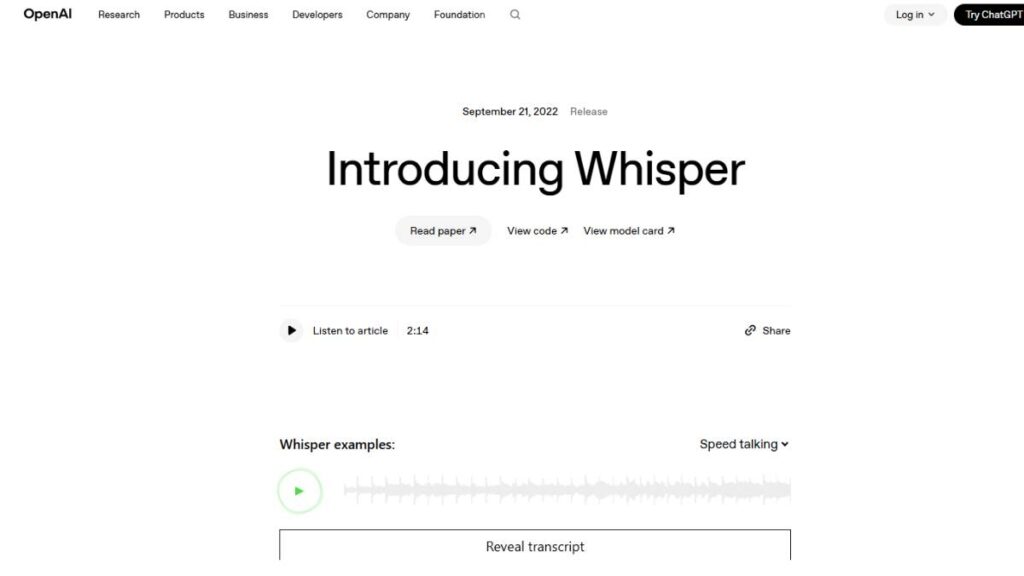
OpenAI Whisper doesn’t behave like a typical “tool” most people sign up for and start using right away. It’s more like the engine sitting underneath a lot of newer apps. Quietly doing the heavy lifting.
And that’s kind of the point.
Where it stands out is consistency. Not just in clean audio, but in the messy stuff, accents, background noise, and slightly rushed speech. The kind of real-world input that usually trips systems up. It holds up better than most.
There’s also strong multilingual support baked in. Not as an afterthought, but as something it handles fairly naturally. Mixed-language conversations don’t completely fall apart, which is still rare.
- Low word-error rate, even outside ideal conditions
- Handles multiple languages without major drop-offs
- Can run locally through tools like Aiko or Mac-based apps
Best for: developers, advanced users, or anyone building around transcription rather than just using it
The catch? It’s not the easiest starting point. No polished dashboard, no plug-and-play experience. But for raw capability… It’s usually where things start.
Sonix
Best for Professional Transcription & Analytics
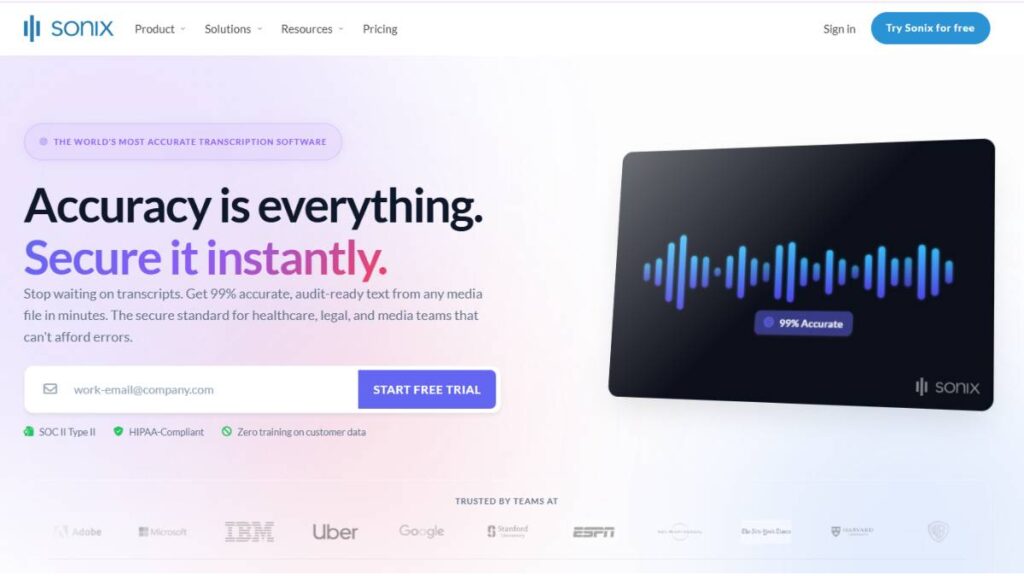
Sonix feels like it was built for people who deal with long recordings every single week. Interviews, podcasts, research calls, that kind of workload.
The transcription itself is solid, sure. But the real value shows up after the file is processed.
Searching through a one-hour interview without scrubbing through audio… that saves time. Jumping to exact moments using timestamps… even better. It turns transcripts into something usable, not just something stored.
- Supports 49+ languages
- Built-in summaries, timestamps, and keyword search
- High accuracy when audio is reasonably clean
Best for: podcasters, journalists, research-heavy teams
It leans more toward professional use. Probably overkill for casual dictation. But when content volume goes up, tools like this start paying for themselves.
Otter.ai
Best for Meetings & Live Notes
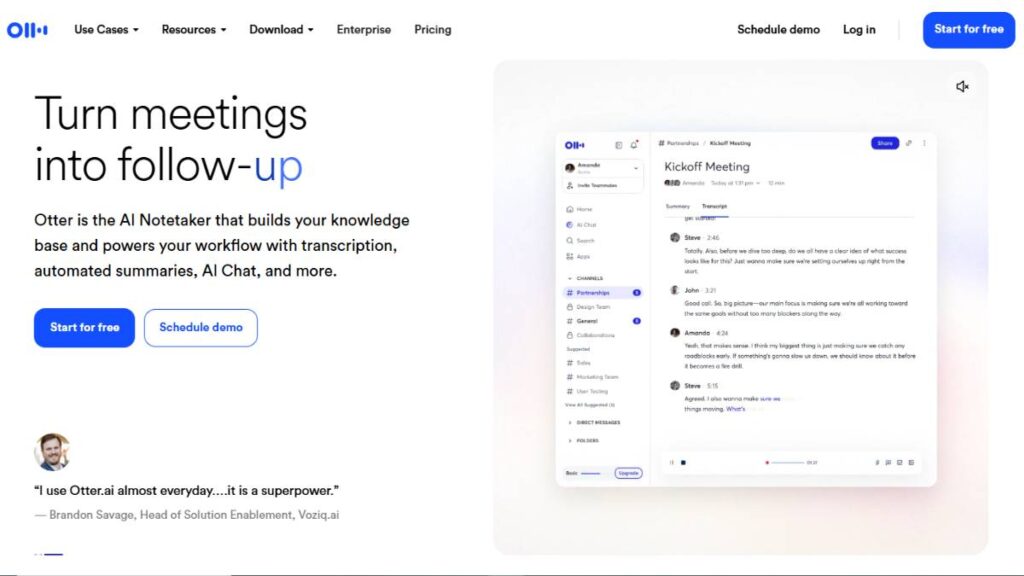
Otter.ai has pretty much become the default for meeting notes. Not because it’s perfect… but because it’s convenient enough to use every day.
Join a call, let it run in the background, and it captures everything. No scrambling to write things down mid-conversation. No, trying to remember what was said 20 minutes ago.
It also structures conversations decently well. Speaker labels, quick summaries, small things, but they reduce the need to revisit full recordings.
- Real-time transcription during calls
- Speaker identification is built in
- Works with Zoom and similar platforms
Best for: teams, remote setups, interviews
It does struggle a bit with people talking over each other. And heavy accents can still throw it off sometimes. But for most meetings… It’s more than enough.
Google Docs Voice Typing
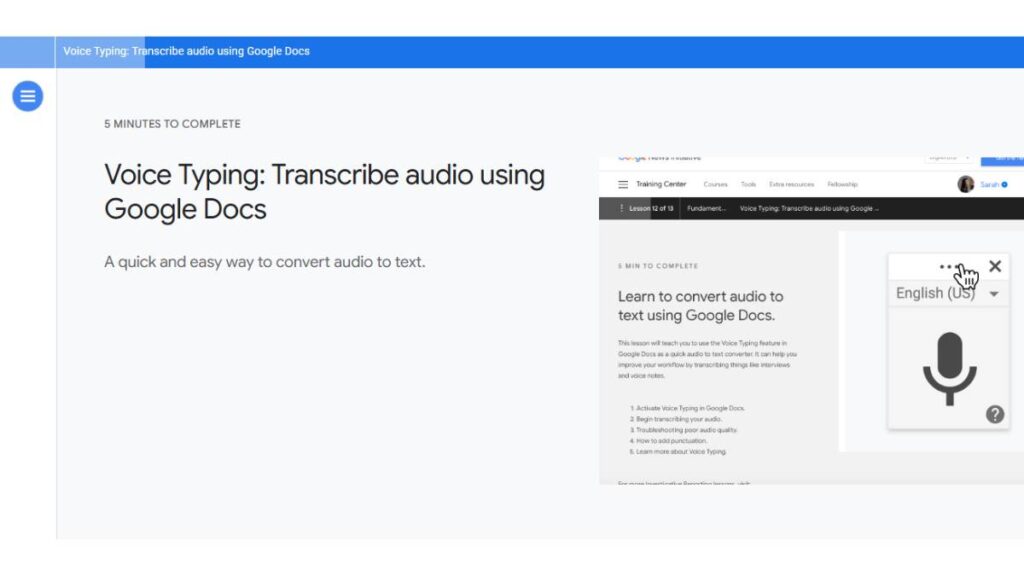
Best Free Speech-to-Text Tool
Google Docs Voice Typing is one of those features people forget exists… until they actually try it.
No setup. No learning curve. Just open a doc and start talking.
For straight-up dictation, it works surprisingly well. Especially for drafting, getting thoughts out quickly without worrying too much about structure. It keeps up, which is what matters.
- Free inside Google Docs
- Simple, no-friction dictation
- Works well for long-form drafting
Best for: students, writers, and anyone working inside Google Docs regularly
It’s not built for complex workflows. No speaker tracking, no advanced editing features. But for everyday use, it does exactly what’s needed. Nothing more, nothing less.
Willow
Best Mac Speech-to-Text for Productivity
Willow solves a slightly different problem: the friction of switching between tools.
Instead of dictating in one place and pasting text somewhere else, it works directly across apps. Email, Slack, Notion… wherever the cursor is, that’s where the text goes.
That small shift makes a big difference in how often it actually gets used.
- Works across multiple apps without switching
- Fast response, minimal lag
- Designed with privacy in mind
Best for: marketers, operators, Mac users juggling multiple platforms
It’s not trying to be a full transcription suite. It’s more about speed and flow. And for day-to-day work, that’s often what matters.
Rev
AI + Human Transcription Hybrid
Rev takes a more practical approach. Sometimes AI is enough. Sometimes it isn’t.
So it gives both options.
Automated transcription handles speed. Human review handles accuracy when it really matters, legal content, client deliverables, and anything where small mistakes create bigger problems.
- AI transcription through Rev.ai
- Optional human-reviewed transcripts
- Reliable for high-stakes use cases
Best for: legal teams, agencies, client-facing work
It’s not the fastest option when human review is involved. And it’s definitely not the cheapest. But when accuracy becomes non-negotiable, that trade-off makes sense.
Deepgram
Best Developer Speech-to-Text API
Deepgram is built for products, not individuals.
It’s what sits behind systems, call center tools, analytics platforms, and voice-enabled apps. The focus isn’t on interface or ease of use. It’s on speed, scalability, and reliability.
And it handles those well.
- Real-time transcription with low latency
- Scales easily for large workloads
- Strong support for multiple languages
Best for: developers, SaaS teams, enterprise use
There’s a setup involved, obviously. But once it’s integrated, it becomes part of the workflow itself, not something separate.
Descript
Best for Audio & Video Editing with Transcription
Descript changes how editing feels.
Instead of working on timelines and waveforms, everything is tied to text. Edit the text… and the audio adjusts with it. It sounds simple, but it speeds things up more than expected.
For content teams, especially video-heavy ones, that shift matters.
- Edit audio and video by editing text
- Automatic transcription on upload
- Built-in tools for content workflows
Best for: YouTubers, podcasters, video teams
It’s not the most precise transcription tool on its own. But that’s not really the goal. It’s built for creation, not just conversion.
Dragon Anywhere / Dragon Professional
Best for Advanced Dictation
Dragon Professional has been around long enough to feel… a bit old-school. But the core dictation experience is still strong.
Especially for structured writing.
It adapts over time. Learns vocabulary. Handles industry-specific terms better than most tools once it’s trained a bit. Voice commands for formatting reduce the need to switch back to the keyboard constantly.
- Custom vocabulary support
- Voice commands for editing and formatting
- High accuracy for long-form dictation
Best for: legal, medical, or any domain with specialized language
The interface isn’t the most modern. But for heavy dictation use, it still holds its ground.
Aiko
Best Privacy-Focused Offline Speech-to-Text Tool
Aiko goes in the opposite direction of most cloud-based tools.
Everything runs locally. No uploads, no external processing. Which, for some use cases, matters more than anything else.
It’s built on Whisper-style models, so the underlying transcription quality is solid. But the real focus is control, keeping data on-device.
- Fully offline transcription
- Runs locally on Mac
- No data leaves the device
Best for: privacy-focused workflows, sensitive content, offline use
Performance depends on the device, so it’s not always as fast as cloud-based options. Still, for anyone dealing with confidential material, that trade-off is usually acceptable.
Enroll Now: AI Marketing Course
AI Speech-to-Text Tools Comparison Table
At some point, the list of tools starts to blur together. Everyone claims high accuracy, fast processing, and “easy workflows.” But when you actually compare them side by side, the differences show up in the details , not the headlines.
Accuracy, for example, isn’t a fixed number. It changes based on audio quality, accents, speed of speech, and even how structured the conversation is. Tools like Whisper-based systems and enterprise platforms tend to hold up better when things get messy. Others work great… until the audio isn’t ideal.
Then there’s the real-time vs batch divide. It sounds like a small distinction, but it changes how the tool fits into a workflow.
- Real-time tools are built for presence. Meetings, calls, live note-taking. Speed matters more than perfection here.
- Batch tools are built for output. Upload a file, get a cleaner transcript back. Slower, but usually more accurate.
Pricing is another layer that often gets overlooked early on. Free tools exist, yes, but they usually come with limits. Either in usage time, features, or output quality.
Paid tools tend to fall into a few buckets:
- Subscription-based (monthly usage limits, ongoing workflows)
- Pay-as-you-go (cost per minute of audio processed)
- Hybrid (basic free tier, paid upgrades for advanced features)
The right choice depends less on price and more on how often the tool is being used. Occasional use? Free tools might be enough. Daily workflows? The paid options start to make more sense quickly.
Platform support is where things get practical.
Some tools are tightly tied to ecosystems, Mac-only apps, browser-based tools, and API-first platforms. Others are more flexible across devices.
- Mac users often get access to faster, native dictation tools
- Web-based tools work anywhere but rely on internet stability
- APIs open up integration but require setup
There’s no single “best” combination here. It comes down to how the tool fits into existing workflows without creating extra steps.
Because that’s usually where things break. Not in accuracy… but in friction.
How to Choose the Best AI Speech-to-Text Tool
Choosing the right tool sounds simple at first. Pick the most accurate one, right?
In practice, it’s rarely that straightforward.
Accuracy matters, but it’s only one piece. What matters more is how well the tool fits into the way work already happens. If it slows things down, requires extra steps, or doesn’t integrate cleanly… it won’t get used. No matter how good it is.
Based on Use Case
Different use cases demand completely different strengths.
For meetings and calls, something like Otter.ai makes sense. It’s built for real-time capture, and more importantly, it organizes conversations in a way that’s actually usable afterward.
For content creation, the priorities shift. Speed, flow, and ease of drafting matter more than perfect transcription. Tools like Descript or Google Docs Voice Typing fit better here, less friction, more output.
Developers or teams building products will naturally lean toward something like OpenAI Whisper or Deepgram. The focus there is flexibility, scalability, and control over how transcription is used.
And then there’s privacy. If the concern is keeping data off external servers, tools like Aiko stand out immediately. Not because they’re the fastest… but because they don’t send data anywhere.
Each of these choices solves a different problem. Trying to force one tool to do everything usually leads to frustration.
Based on Features
Once the use case is clear, features start to matter more.
Accuracy is still important, but it needs context. Some tools perform extremely well in controlled environments but struggle with accents or background noise. Others are more forgiving, even if they’re slightly less precise in ideal conditions.
Language support is another factor that shows up quickly in global teams. Not just the number of languages supported, but how well the tool handles switching between them mid-conversation.
Integrations tend to be underestimated early on. But they often decide whether a tool becomes part of the workflow or stays unused. If it doesn’t connect with the tools already being used, email, meetings, and content platforms, it adds friction.
And then there’s the real-time vs offline decision again.
Real-time tools are great for capturing ideas instantly. But they often need editing later.
Offline or batch tools take longer but produce cleaner output.
Most people end up using a mix of both, even if they don’t plan to at the start.
Use Cases of AI Speech-to-Text Tools
The use cases look obvious on the surface. But once these tools are part of daily workflows, they tend to expand into areas that weren’t expected.
Content creation (blogs, scripts, captions)
For content, speed changes everything.
Drafting by voice removes that initial resistance, the blank page problem. Ideas come out faster, more naturally. Not perfectly structured, but that’s fine. Structure can be fixed later.
It’s especially useful for:
- First drafts of blogs or articles
- Video scripts that need a conversational tone
- Social content that benefits from natural language
The output usually needs editing. But the time saved getting to that first version… that’s where the real value is.
Meeting transcription & summaries
This is where most teams start.
Meetings generate a lot of information, and most of it gets lost. Notes are incomplete, action items slip through, and context disappears over time.
Speech-to-text tools change that by capturing everything. Not just the main points, but the full conversation.
Over time, this builds a searchable record of decisions, discussions, and patterns. Which turns out to be more useful than expected.
Podcast and video production
For audio and video, transcription is just the starting point.
Once content is transcribed, it becomes easier to repurpose:
- Turn videos into blog posts
- Extract quotes for social media
- Create captions without manual effort
Editing workflows also improves. Instead of scrubbing through timelines, creators can search text and jump directly to the right moments.
Customer support & call analysis
In support and sales environments, conversations hold a lot of insight. But without transcription, most of that insight stays buried in recordings.
Speech-to-text tools make those conversations searchable.
Patterns start to show:
- Common customer issues
- Objections in sales calls
- Repeated feedback across interactions
That information can be used to improve scripts, refine messaging, and spot gaps in the process.
Accessibility & note-taking
This is one of the more straightforward use cases, but still important.
Speech-to-text tools make content accessible in ways that weren’t possible before. Live captions, transcribed lectures, and voice-based note-taking all of it reduces barriers.
For note-taking specifically, it changes how information is captured. Instead of trying to summarize in real time, everything gets recorded first. Notes can be refined later, with full context available.
Simple shift. But it makes a difference.
AI Speech-to-Text vs Traditional Transcription
There’s still a bit of confusion around this. People assume AI transcription has completely replaced traditional methods.
It hasn’t. Not entirely.
What’s changed is the default choice. AI handles most day-to-day transcription now because it’s fast, accessible, and “good enough” in most scenarios. Traditional transcription, usually human-led, still exists, but it’s used more selectively.
Speed comparison
This is where the gap is obvious.
AI transcription is almost instant. Real-time tools process speech as it happens. Even recorded files are usually transcribed in minutes, not hours.
Traditional transcription takes longer. A 60-minute recording might take several hours to transcribe properly, depending on complexity.
That difference alone shifts behavior. When speed matters, AI wins without much debate.
Cost comparison
AI tools are significantly cheaper at scale.
- Many offer free tiers or low-cost subscriptions
- Pay-as-you-go pricing is predictable
- No need to factor in human labor for every file
Traditional transcription, on the other hand, is priced per minute, and that cost adds up quickly, especially with longer recordings.
But there’s a reason for that.
Accuracy differences
This is where things get more nuanced.
AI transcription is highly accurate in controlled conditions, clear audio, minimal background noise, and standard accents. In those cases, the output can be close to perfect.
But introduce complexity, overlapping speech, heavy accents, industry-specific terminology, and accuracy drops. Not drastically, but enough to require editing.
Human transcription still performs better in these edge cases. It understands context differently. Picks up nuances. Fills in gaps where audio isn’t clear.
When human transcription is still better
There are situations where “almost accurate” isn’t enough.
- Legal documentation
- Medical records
- Client-facing transcripts where errors carry risk
- Highly technical discussions with specialized vocabulary
In these cases, human transcription, or at least human-reviewed output, still makes sense.
For everything else, AI handles the workload just fine. Faster, cheaper, and increasingly reliable.
Limitations of AI Speech-to-Text Tools
For all the progress, there are still a few rough edges. Some obvious, some less so.
Accuracy in noisy environments
Background noise is still a problem. Not always, but often enough.
Busy offices, outdoor recordings, and poor-quality microphones all of these affect output. Even strong systems struggle when the audio itself isn’t clear.
It’s not that transcription fails completely. It just becomes… messy. More corrections, more guesswork.
Accent & dialect challenges
Most tools claim to support multiple accents. And they do, to an extent.
But performance varies. Some accents are handled well, others less so. Mixed-language conversations, especially in informal settings, can still confuse systems.
This is improving, slowly. But it’s not fully solved.
Privacy concerns
This depends heavily on the tool being used.
Cloud-based platforms process audio externally. That means recordings are uploaded, stored (at least temporarily), and processed on remote servers.
For general use, this isn’t a major issue. But for sensitive conversations, internal meetings, and confidential discussions, it becomes a real consideration.
That’s where offline or local-processing tools start to matter.
Editing still required
Even the best tools don’t produce final-ready text every time.
There are always small errors. Missing punctuation, slightly incorrect phrasing, and formatting inconsistencies.
Nothing major. But enough that a quick review is still necessary.
The expectation needs to be realistic; these tools reduce effort, but they don’t eliminate it entirely.
Future of AI Voice-to-Text Technology
Things are already moving fast. But the direction is becoming clearer.
Real-time multilingual translation
Transcription is gradually blending with translation.
Instead of just converting speech to text, systems are starting to convert speech in one language into text, or even audio, in another, instantly.
Not perfect yet. But close enough to be useful in global teams.
AI meeting assistants
Transcription is only one layer of what happens in meetings.
The next step is assistance, tools that don’t just capture conversations but actively structure them. Summarize key points, highlight decisions, and track action items.
In some cases, even prompt follow-ups.
It moves from passive recording to active participation.
Voice-first workflows
Typing isn’t disappearing, but it’s losing its default position.
Voice is becoming a primary input method in more workflows, especially where speed matters. Drafting, brainstorming, and capturing ideas on the go.
The tools that support this shift are becoming more integrated, less visible. This is usually a sign that adoption is increasing.
Integration with AI agents
This is where things get more interesting.
Speech becomes input. Transcription becomes structured data. And that data feeds into systems that can act on it.
Summaries, task creation, and follow-ups are all triggered from spoken input.
It’s not just about capturing information anymore. It’s about using it immediately.
Conclusion
There’s no single “best” speech-to-text tool. That idea doesn’t really hold up once real workflows come into play.
What matters more is fit.
- For meetings, tools that capture and organize conversations in real time tend to work best
- For content, speed, and ease of drafting usually matter more than perfect accuracy
- For technical or large-scale use, APIs and customizable systems make more sense
- For sensitive work, privacy-focused or offline options become important
Most people end up using more than one tool without planning to. One for meetings, another for writing, maybe a different one for recorded content.
And that’s fine.
The real shift isn’t about replacing typing completely. It’s about reducing friction, getting ideas out faster, capturing conversations properly, and spending less time on manual work that doesn’t add much value.
The tools are good enough now to make that shift practical.
What matters is choosing the ones that actually get used.
FAQs: AI Speech-to-Text Tools
What is the most accurate AI speech-to-text tool?
Accuracy isn’t a fixed number. It shifts based on audio quality, accents, and how people actually speak. That said, tools built on models like OpenAI Whisper tend to stay more stable across messy inputs. Still, even the best ones need a quick clean-up. Nothing ships perfectly straight out.
Are there free speech-to-text tools available?
Yes, and some of them are surprisingly usable. Google Docs Voice Typing is the obvious one, simple, free, and gets the job done. But free tools usually come with limits somewhere. Usage caps, fewer features, or less control. Fine for light use. Starts to feel tight once usage grows.
Which tool is best for meetings?
For meetings, consistency matters more than perfection. Otter.ai works well because it runs quietly in the background and keeps everything structured. It won’t catch every word flawlessly, especially in chaotic calls, but it captures enough context that nothing important really slips.
Can AI convert audio to text in real time?
Yes, and it’s become the default in many tools. Speech gets processed as it happens, which is useful for meetings or quick dictation. The trade-off is subtle; real-time output can feel slightly rough around the edges. Usually readable, just not polished. A quick edit afterward tends to fix most of it.
Is speech-to-text better than typing?
Not better. Just different.
Speech works well when speed matters or when ideas need to come out quickly. Typing still wins when structure, precision, or editing is the priority. Most workflows end up blending both. Speak first, clean later. That balance tends to work better than forcing one method.
How accurate are AI speech-to-text tools in real-world conditions?
In real conditions, accuracy depends more on the environment than the tool itself. Clear audio? Results are strong. Add noise, interruptions, or mixed accents… things get a bit uneven. Still usable, just not perfect. Expect to review the output. Think of it as a strong draft, not the final version.
Which AI speech-to-text tool works best for different accents and languages?
Some tools handle variation better than others, especially those trained on broader datasets. OpenAI Whisper does a decent job here. But even then, performance isn’t equal across all accents. It’s improved, no doubt. Just not completely solved yet. Testing with real input usually tells the truth.
Can AI speech-to-text tools transcribe multiple speakers accurately?
They can, yes. Most tools now separate speakers and label them, which helps a lot. But when people talk over each other, which happens often, things get messy. It’s usually good enough to follow the conversation, though some corrections are almost always needed in fast discussions.
Do speech-to-text tools work offline without internet access?
Some do, but they’re the exception. Tools like Aiko run locally, so nothing leaves the device. That’s useful for privacy or unreliable internet. The trade-off is that performance can vary depending on the machine. Cloud tools are usually faster, but less private.
What is the difference between real-time and recorded transcription?
Real-time transcription captures speech as it happens. It’s immediate, but slightly rough. Recorded transcription processes audio afterward, which gives the system more time to clean things up. So the output tends to be more accurate. It really comes down to urgency versus quality.
Are AI speech-to-text tools secure for sensitive or confidential data?
It depends on how the tool works behind the scenes. Cloud-based tools process data externally, which means audio is uploaded somewhere. For general use, that’s usually fine. For sensitive content, it’s worth being cautious. Offline tools keep everything local, which reduces risk, but may limit features.
Which speech-to-text software is best for students and note-taking?
For students, simplicity wins. Tools that start instantly and don’t need setup tend to get used more. Google Docs Voice Typing fits that well. It’s not feature-heavy, but it’s reliable for lectures, quick notes, or drafting assignments without overcomplicating things.
Can AI tools convert audio and video files into text automatically?
Yes, most tools handle file uploads easily now. Drop in an audio or video file, and the transcript is generated without much effort. The results depend on audio clarity, but for most podcasts, interviews, or videos, it’s accurate enough to work from without starting from scratch.
What file formats are supported by most speech-to-text tools?
Most common formats are covered, MP3, WAV, MP4, things like that. Some tools also support direct recording, which skips the upload step entirely. Format compatibility rarely becomes a blocker unless the file is unusual or outdated. In most cases, it just works without much thought.
How much do AI speech-to-text tools typically cost?
Costs vary quite a bit. Some tools stay free with limits, others charge monthly or per minute of audio. For light use, costs stay low. But once usage scales, more meetings, more content, pricing starts to matter. It’s less about the price itself, more about how often the tool is used.
Are there any completely free AI speech-to-text tools available?
Yes, but with trade-offs. Google Docs Voice Typing is fully free and works well for basic needs. Beyond that, most tools introduce limits, either on usage or features. Free works fine early on. Over time, limitations tend to show up.
Can speech-to-text tools integrate with Zoom, Google Meet, or Slack?
Many tools are built to plug into existing workflows. Otter.ai integrates with Zoom, for example, so transcription happens automatically. That kind of integration matters more than expected. If it runs in the background, it actually gets used.
Which AI transcription tools are best for podcasts and YouTube videos?
For content workflows, tools that go beyond transcription tend to work better. Descript is a good example because it connects transcription with editing. That makes it easier to cut, refine, and repurpose content without jumping between tools constantly.
Do AI speech-to-text tools support punctuation and formatting automatically?
Basic punctuation is usually handled well now, full stops, commas, that sort of thing. It improves readability right away. Formatting, though, still needs attention. Paragraphs, structure, and flow, those often need manual tweaks. The output is usable, just not fully polished.
How do developers integrate speech-to-text APIs into apps or workflows?
Integration usually happens through APIs like Deepgram. Audio gets sent to the system, and text comes back in a structured format. From there, it can be used however needed, analytics, search, and automation. Setup takes effort, but once it’s in place, it runs quietly in the background.