
AI translation tools aren’t just “nice to have” anymore; they’ve quietly become part of how content gets created, shipped, and scaled across markets. This guide takes a closer look at what’s actually happening behind the scenes: how these tools work, where they genuinely help, and where they still fall short. It walks through the most widely used AI translation tools today, not just by listing them, but by looking at how they fit into real workflows, business, content, product, and even live communication. There’s also a bit of honesty around the trade-offs. Speed vs nuance, scale vs control. Because in most cases, it’s not about picking a perfect tool, it’s about knowing where each one fits.
Table of Contents
What Are AI Translation Tools?
AI translation tools are essentially systems built to take meaning from one language and carry it over into another without breaking it along the way. That’s the idea, at least. In practice, some do it better than others.
Earlier tools mostly worked like dictionaries on steroids, swap this word for that one, follow a few grammar rules, and hope it makes sense. Sometimes it did. Often, it didn’t. Anyone who’s tried translating full paragraphs that way knows the result can feel… off. Technically correct, maybe. But not something a real person would say.
What changed is how these tools process language now. Instead of looking at words in isolation, they look at chunks, sentences, sometimes whole passages, and try to understand what’s actually being said. Not perfectly, but enough to make the output feel smoother.
What is AI-powered translation?
At a surface level, it’s just translation done by AI. But that doesn’t really explain much.
What’s actually happening is closer to interpretation. The system reads a sentence, tries to grasp the intent behind it, then rebuilds that intent in another language. That’s why translations don’t always match word-for-word anymore, and honestly, that’s a good thing.
It also means results can vary a bit depending on phrasing. Slight change in input, slightly different output. That unpredictability can be frustrating in some cases, but it’s also what makes the translation feel less mechanical.
The difference between AI translation, machine translation, and human translation
This is where things tend to get lumped together, even though they’re not the same.
Traditional machine translation was rigid. Rules, dictionaries, predefined structures. It got the job done for basic use, but anything beyond that, tone, nuance, flow, it struggled.
AI translation improved the experience by learning from real language usage. It doesn’t follow strict rules in the same way. Instead, it leans on patterns it has seen before. That’s why sentences tend to read more naturally now, even if they’re not perfect.
Human translation still sits in a different category altogether. Especially where precision matters. Legal text, brand messaging, anything creative, machines can get close, but there’s usually a layer missing. Cultural nuance, intent, subtle tone shifts. Those are harder to replicate.
So it’s not really about one replacing the other. It’s more about knowing when each makes sense.
How neural machine translation (NMT) and LLMs improve accuracy
Neural Machine Translation was the first real shift that made people take this seriously.
Instead of translating piece by piece, it started looking at the sentence as a whole. That alone made outputs feel less choppy. More connected. Less like something stitched together.
Then, large language models came in and pushed things further. They added a sense of context, who the content might be for, what tone fits, and how phrases are typically used. It’s not awareness in the human sense, but it’s close enough to improve readability quite a bit.
That said, the quality of input still matters more than most expect. Clean sentences usually lead to clean translations. Messy structure, unclear phrasing… the tool doesn’t magically fix that. It just passes the confusion along.
Real-world examples of AI translation
What’s interesting is how normal this has become.
It shows up quietly across different places:
- Chat apps translating messages mid-conversation
- Videos are getting subtitles almost instantly
- Websites switching languages without breaking structure
- Calls where people speak different languages but still understand each other
None of this feels particularly surprising anymore. It’s just expected. And that shift, where something complex starts feeling ordinary, is usually a sign the tech has matured.
Why AI Translation Tools Are Growing Fast
The demand here didn’t spike overnight. It built up gradually, then all at once.
More content is being created, more audiences are spread across regions, and less patience for slow processes. Translation sits right in the middle of all that.
Rise of global content and multilingual marketing
A few years ago, expanding into multiple languages felt like a “later” problem for many businesses. Now it shows up much earlier.
Content travels. Sometimes, without planning for it. A blog post, a product page, a video, it reaches audiences outside its original market, and suddenly, there’s a need to make it accessible.
But here’s the catch: people don’t just want translated content. They want content that feels like it was made for them. That’s a higher bar.
AI tools help bridge that gap. Not perfectly, but enough to make scaling possible without stretching resources too thin.
Cost savings vs human translators (up to ~90% cheaper)
There’s no point skirting around this; cost is a big driver.
High-quality human translation takes time and skill, and it’s priced accordingly. That works fine for critical content, but when volumes increase, it becomes harder to sustain.
AI translation reduces that load, not by replacing humans entirely, but by handling the bulk of the work. First drafts, large datasets, repetitive content, it all moves faster.
Then comes editing. That combination, AI plus human refinement, has become a pretty common setup.
Real-time translation in apps, calls, and videos
Speed used to be the bottleneck. Now it’s part of the expectation.
Real-time translation is showing up in places where delays just don’t work, such as customer support chats, live meetings, webinars, and even casual conversations.
It’s not always flawless. Sometimes there’s a lag, sometimes phrasing feels slightly off. But it’s fast enough to keep communication going, and that’s usually what matters in the moment.
AI + localization workflows for businesses
Translation used to sit at the end of the workflow. Content got created first, then translated later. Often manually, often slowly.
That’s starting to change.
Now, translation is being built into the process itself. Content moves through systems where translation happens alongside creation, not after it. Less friction, fewer delays.
Localization adds another layer, adjusting for cultural context, tone, and regional differences. AI helps with the heavy lifting, but there’s still a need for oversight.
Still, compared to how things worked before, it’s a noticeable shift. Less back-and-forth. More continuity.
Key Features to Look for in AI Translation Tools
Choosing a tool isn’t about picking the most popular name and moving on. It usually comes down to how well it fits the kind of work being done.
Some features sound important until they’re used. Others don’t get much attention but end up saving hours.
Translation accuracy & contextual understanding
Accuracy sounds straightforward, but it rarely is.
A sentence can be translated correctly on a word level and still feel wrong overall. Tone might be off. Meaning slightly skewed. It happens more often than expected.
Better tools tend to handle context with more care. They don’t just translate, they adjust. Especially useful when dealing with longer content or anything customer-facing.
Language support (100+ vs niche languages)
Most tools handle widely spoken languages without much trouble.
The difference shows up with the less common ones. Some tools technically support them, but the quality can drop. Not dramatically, but enough to notice.
So it’s worth looking beyond the number. Support is one thing. Quality of support is another.
Real-time voice translation
This feature sounds simple until it’s actually used.
It relies on accurate speech recognition first, then solid translation right after. If either part slips, the experience breaks. That’s why results can vary depending on the situation, background noise, accents, and speed of speech.
When it works well, though, it’s surprisingly effective. Conversations flow without much interruption.
Document formatting preservation
This tends to be overlooked early on, then becomes a headache later.
Translating plain text is easy. Keeping layouts intact, tables, formatting, and structure is where things get tricky. Some tools handle it smoothly. Others require manual fixes.
For teams working with reports or structured files, this ends up being more important than expected.
API & integrations (CMS, apps, workflows)
Standalone tools are fine for one-off use.
But once workflows get involved, integrations start to matter. Being able to plug translation into existing systems, content platforms, apps, and development pipelines makes a noticeable difference.
Without that, everything becomes manual. And manual work doesn’t scale well.
Custom glossary & brand voice control
Consistency is one of those things that doesn’t seem urgent until it breaks.
Different translations for the same term, slight variations in phrasing, tone shifting across pages… it adds up.
A custom glossary helps keep things aligned. Some tools go further and allow tone adjustments, which can be useful for maintaining a consistent voice across languages.
Security & data privacy
For casual use, this isn’t always top of mind.
For businesses, it usually is.
Translating sensitive content, internal documents, user data, and proprietary information comes with risk if the tool isn’t handling data properly. Not all tools are built the same in this area.
In many cases, this becomes the deciding factor. Even if everything else checks out.
15 Best AI Translation Tools
DeepL
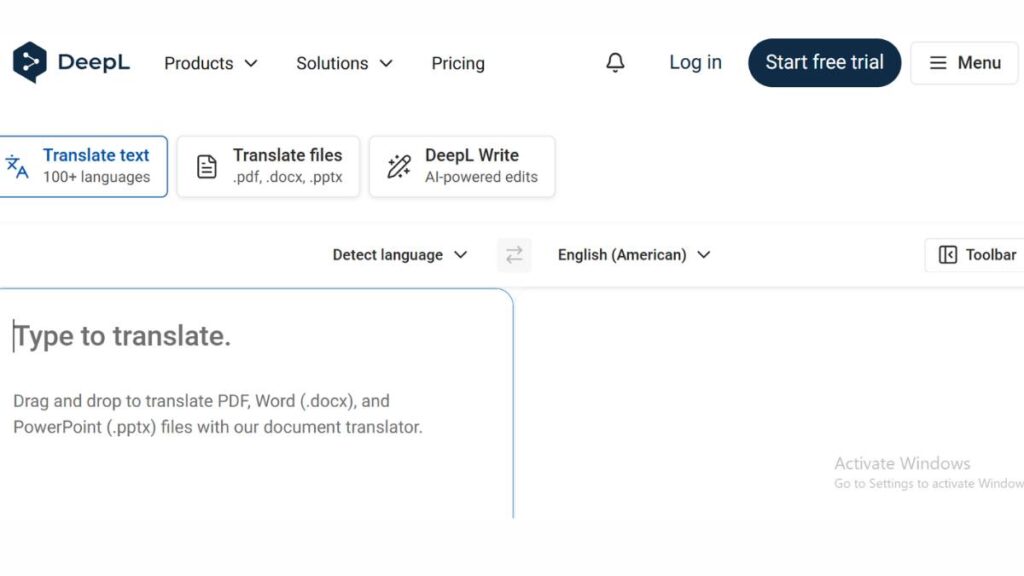
Best for High Accuracy Translation
DeepL tends to come up when the conversation shifts from “good enough” to “this actually needs to read well.” There’s a difference. Not always obvious at first, but it shows up the moment sentences get longer or slightly nuanced.
The output usually feels less… mechanical. Phrasing flows better, word choices don’t feel forced, and there’s less of that literal translation effect that many tools still fall into. It’s especially noticeable with European languages, German, French, and Spanish, where structure matters more.
That said, it’s not magic. Some industries still need a second pass, especially where terminology gets specific. But compared to most options, it gives a cleaner starting point. Less fixing later.
Google Translate
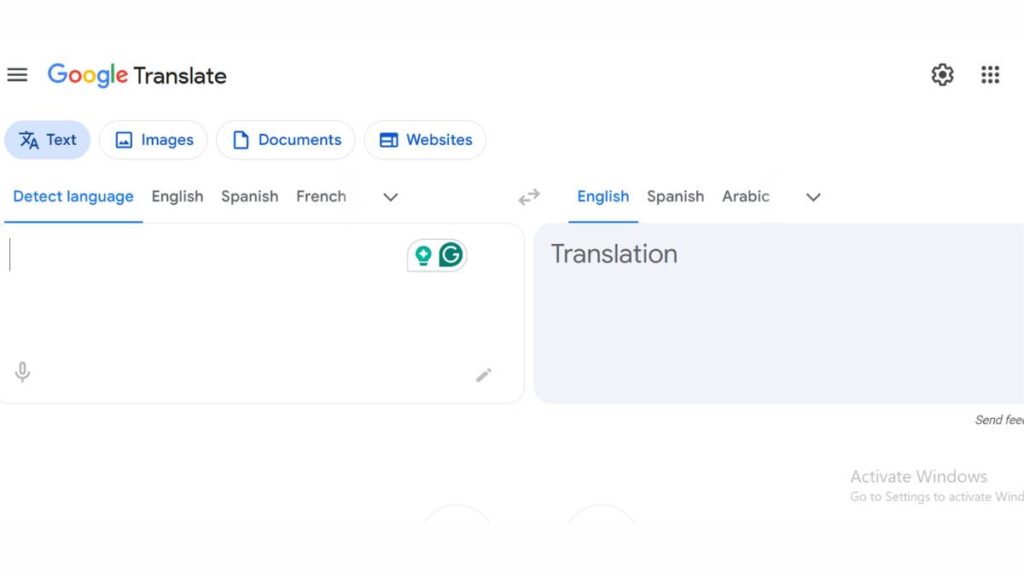
Best Free AI Translation Tool
Google Translate is the tool people default to. Not because it’s perfect, but because it’s always there.
Need to translate a sentence quickly? It works. Need to understand a webpage or sign? It works. That kind of reliability, being available everywhere, instantly, matters more than people admit.
The trade-off shows up with complexity. Short phrases? Fine. Longer content or tone-heavy writing? It can feel a bit flat, sometimes overly literal. But for speed and accessibility, it still does the job without getting in the way.
ChatGPT Translate
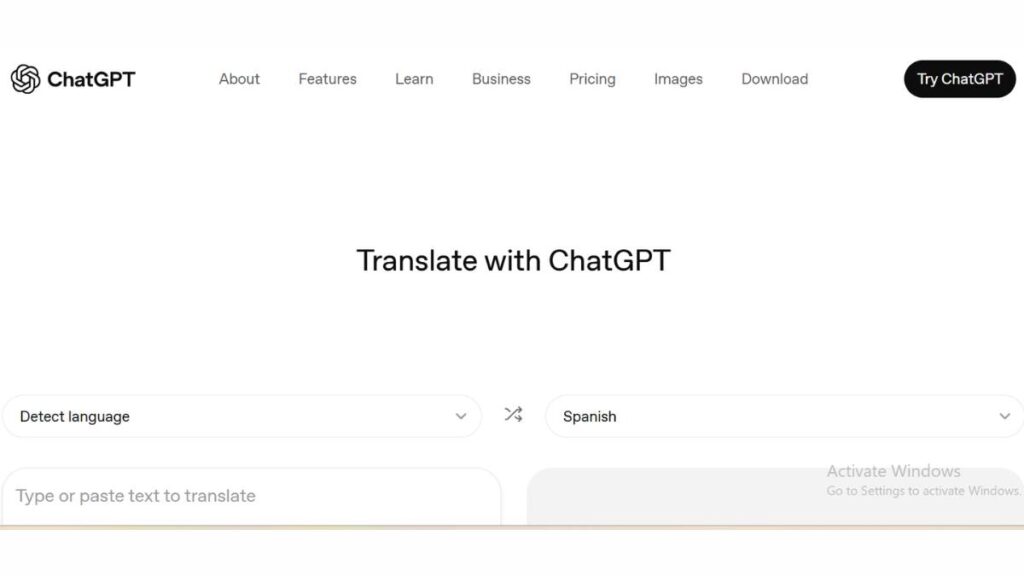
Best for Tone & Context
Some tools translate. This one reshapes.
That’s the difference. It doesn’t just convert language, it adjusts how something sounds. Formal, casual, persuasive… the tone can shift depending on what’s needed. That makes it useful for content that isn’t purely informational.
Marketing copy, emails, even product descriptions, anything where voice matters, tends to hold up better. Not always perfect, but closer to how someone would naturally phrase things.
It does require slightly better input. If the source text is messy, the output reflects that. Clean input helps. A lot.
Microsoft Translator
Best for Business Integration
Microsoft Translator isn’t trying to stand out on its own. It works best when it’s part of something bigger.
Inside the Microsoft ecosystem, it blends in. Teams chats, Outlook emails, documents,it all gets translated without needing to switch tools or think about it too much. That’s where it shines.
The translation quality is steady. Not exceptional, not weak either. But the real value is convenience. For teams already using Microsoft tools daily, it removes an extra step. Sometimes that’s all that’s needed.
Amazon Translate
Best for Developers & APIs
Amazon Translate sits in the background more than anything else.
It’s built for systems, not individuals. Large-scale content, continuous updates, automated workflows, that’s the space it operates in. Developers tend to rely on it because it integrates cleanly and handles volume without much friction.
From a content standpoint, it’s functional. Doesn’t try to be expressive or nuanced. Just consistent and scalable, which is exactly what’s needed in that context.
Smartcat
Best for Enterprise Translation
Smartcat feels less like a tool and more like a working environment.
It brings translation, editing, collaboration, and project management into one place. That becomes important once teams grow. Multiple contributors, different languages, ongoing updates, things get complicated quickly without structure.
There’s a mix of automation and human input, which gives some flexibility. It’s not fully hands-off, and that’s probably a good thing. Some level of control is still needed when quality matters.
Crowdin
Best for Localization & Dev Teams
Crowdin is clearly built with developers in mind.
It connects directly with codebases, which means translation becomes part of the development workflow instead of something that happens after the fact. That small shift saves time, less backtracking, and fewer delays.
It’s not focused on translating standalone content. It’s about maintaining consistency across a product, interfaces, updates, and user-facing text. That’s a different kind of challenge, and it handles it well.
Smartling
Best for Workflow Automation
Smartling leans into structure. Maybe a bit heavily, depending on how it’s used.
Content moves through defined steps, translation, review, and approval before it goes live. That level of control helps larger teams stay organized, even if it feels slightly rigid at times.
Automation plays a big role. Less manual effort, fewer gaps in the process. It’s not the most flexible setup, but it’s reliable once everything is in place.
Lokalise
Best for Agile Localization Teams
Lokalise feels lighter, faster… less heavy than some enterprise tools.
It’s built for teams that ship frequently. Updates come in, get translated, and move out without slowing everything down. That matters for apps and platforms where content changes constantly.
The interface is straightforward. Collaboration doesn’t feel forced. It fits into existing workflows rather than trying to reshape them entirely.
Phrase
Best Translation Management System (TMS)
Phrase sits somewhere between structure and flexibility.
It handles translation, localization, and content management in one place. That makes it useful for teams juggling different types of content, web, app, and marketing across multiple regions.
There’s a bit to learn at the start. No way around that. But once things are set up, it becomes easier to maintain consistency. Less duplication, fewer gaps, smoother overall flow.
Doclingo
Best for Document Translation
Doclingo solves a problem that doesn’t get enough attention: formatting.
Translating text is one thing. Keeping documents intact is another. Tables break, layouts shift, formatting disappears. Fixing that manually takes time, sometimes more than expected.
This tool focuses on preserving structure. Documents come out looking close to the original, just translated. For teams dealing with reports or presentations, that saves a lot of cleanup.
MachineTranslation.com
Best Multi-Engine Output
This one takes a slightly different approach.
Instead of relying on a single system, it pulls results from multiple engines and shows them side by side. That comparison can be useful, especially when phrasing matters.
It’s not the fastest workflow. But it gives more control. Seeing different variations helps spot subtle differences, tone, word choice, and clarity that might otherwise go unnoticed.
InterpretCloud
Best for Live Interpretation
InterpretCloud focuses on real-time interaction rather than written content.
It combines automated translation with human interpreters, which helps bridge the gaps machines still struggle with. That hybrid setup works well in meetings or live discussions where accuracy matters in the moment.
It’s a different use case altogether. Less about documents, more about conversations that need to keep moving without confusion.
Google Cloud Translation
Best API-Based AI Translation
Google Cloud Translation operates behind the scenes.
It’s built for scale, similar to Amazon’s offering, but with more room for customization. Models can be adjusted, outputs refined, systems integrated deeply.
Most teams won’t interact with it directly. It powers things quietly in the background. Reliable, consistent, not something that draws attention to itself.
Vozo AI
Best for Video Translation & Dubbing
Vozo AI focuses on video, which adds a few extra layers to translation.
It’s not just text anymore; there’s timing, subtitles, voice, sometimes even syncing speech. That complexity makes it harder to get right, but also more valuable when it works.
The results aren’t always perfect. Voice tone can feel slightly off at times. But it’s good enough to make multilingual video production far more accessible than it used to be. And that shift… that’s noticeable.

Checkout: AI Marketing Course
Comparison Table: Best AI Translation Tools
Comparing translation tools sounds straightforward until it isn’t.
On paper, most of them tick the same boxes: multiple languages, decent accuracy, and some level of automation. But once they’re actually used in real workflows, the differences show up pretty quickly. Some handle long-form content well. Others fall apart after a few paragraphs. A few are great in isolation but don’t fit into a team setup at all.
So instead of trying to crown a single “best,” it helps to look at how they stack up in context:
| Tool | Best for | Key feature | Languages supported | Pricing |
| DeepL | High-quality content | Natural phrasing, better nuance handling | 30+ | Free + Paid |
| Google Translate | Quick, everyday use | Wide coverage, multi-format input | 100+ | Free |
| ChatGPT Translate | Tone-sensitive content | Flexible tone and contextual output | Multiple | Free + Paid |
| Microsoft Translator | Workplace use | Built into Teams, Office ecosystem | 70+ | Free + Paid |
| Amazon Translate | Backend systems | Scalable API for large workloads | 70+ | Pay-as-you-go |
| Smartcat | Enterprise teams | Workflow + collaboration features | 280+ | Paid |
| Crowdin | Product teams | GitHub and CI/CD integration | 100+ | Paid |
| Smartling | Structured workflows | Automated localization pipelines | 150+ | Paid |
| Lokalise | Fast-moving teams | Continuous localization support | 100+ | Paid |
| Phrase | Content-heavy teams | Full translation management system | 100+ | Paid |
| Doclingo | Document-heavy work | Keeps formatting intact | 100+ | Paid |
| MachineTranslation.com | Accuracy checks | Multi-engine comparison | Varies | Free + Paid |
| InterpretCloud | Live conversations | Hybrid human + AI translation | Multiple | Paid |
| Google Cloud Translation | Scalable systems | Custom models, deep integration | 100+ | Pay-as-you-go |
| Vozo AI | Video content | Subtitles + dubbing tools | Multiple | Paid |
Looking at it this way, the pattern becomes clearer. Some tools are built for speed. Some for control. Some for scale. Rarely all three at once.
Best AI Translation Tools by Use Case
This is usually where things click.
Because the “best tool” question only really makes sense once the use case is clear. Without that, it’s just comparing features that may or may not matter.
Best AI translation tools for businesses
For businesses, translation isn’t a one-off task. It’s ongoing, repetitive, and often spread across teams.
That changes what matters.
It’s less about how fast a single sentence gets translated and more about how consistent things stay over time. Brand terms, product names, and messaging, these need to hold up across languages. And across teams.
Tools like Smartling, Lokalise, and Smartcat tend to work well here because they bring structure. Content flows through them instead of being handled in bits and pieces. That alone reduces a lot of friction.
There’s also a practical side to this: review cycles, approvals, updates. Without a system, things get messy fast. With one, it’s at least manageable.
Best AI translation tools for developers (API-based)
Developers don’t usually care about interfaces. They care about whether something integrates cleanly and scales without breaking.
That’s where API-driven tools come in.
Amazon Translate and Google Cloud Translation are built for this. They plug directly into applications, handle large volumes, and run quietly in the background. No manual work, no constant oversight.
The real advantage here is consistency at scale. Once it’s set up properly, translations just happen as part of the system. No extra steps needed.
Of course, it takes some setup. But that’s expected in this space.
Best AI translation tools for content creators
Content creators tend to notice things others don’t: tone, flow, phrasing.
A sentence can be technically correct and still feel wrong. That’s the tricky part.
Tools that allow more flexibility, like ChatGPT Translate or DeepL, tend to work better here. They don’t lock translations into rigid structures. There’s room to adjust, rephrase, and shape the output a bit.
It’s not just about translating words. It’s about keeping the voice intact. And that’s harder than it sounds.
Best AI translation tools for real-time voice translation
Real-time translation has its own set of challenges.
Speed matters more than perfection. Conversations can’t pause every few seconds to fix phrasing. So the goal shifts, keep things understandable, even if it’s not polished.
Microsoft Translator works well in team settings, especially with built-in integrations. InterpretCloud adds another layer with human interpreters, which helps in more critical conversations.
There’s always a trade-off here. Some accuracy gets sacrificed for speed. But in live situations, that’s usually acceptable.
Best free AI translation tools
Free tools still have their place.
Google Translate covers most basic needs, quick checks, simple translations, and understanding content on the fly. It’s not always refined, but it’s reliable enough for everyday use.
Some platforms offer free tiers, but they come with limits. And those limits show up quickly once usage increases.
So it comes down to volume. For occasional use, free tools work fine. For anything ongoing, they tend to fall short sooner than expected.
AI Translation Tools vs Human Translation: Which Is Better?
This comparison comes up often, but it’s usually framed too simply.
It’s not about one being better across the board. It’s about where each one works, and where it doesn’t.
Accuracy comparison
AI translation has improved a lot. For straightforward content, it’s often good enough. Instructions, product details, and general information it handles these fairly well.
But accuracy isn’t just about correctness. It’s about meaning landing the right way.
That’s where things get uneven. Subtle tone, cultural context, and intent, AI can miss these, especially in more complex content. Not always, but often enough to notice.
Human translation still handles these layers better. There’s more judgment involved, more interpretation.
Cost vs quality trade-off
This is where most decisions get made, whether openly or not.
AI is faster. And cheaper. That makes it hard to ignore, especially at scale.
Human translation costs more, but it usually requires less fixing afterward. For content where mistakes carry weight, such as legal, medical, and brand messaging, that extra cost makes sense.
In practice, many teams don’t choose one over the other. They combine both. AI handles the bulk, humans refine what matters most.
It’s not perfect, but it’s efficient.
When to use AI vs human translators
The decision usually comes down to risk.
If the content is low-risk, internal docs, basic content, or high-volume material, AI works well. It gets things done quickly.
If the content carries consequences, legal terms, public-facing messaging, or anything sensitive, human translation is safer.
And then there’s the middle ground. Which is where most real work happens.
Use AI to move fast. Use humans to make it right.
Benefits of Using AI Translation Tools
There’s a reason these tools have moved from “nice to have” to almost expected. Once they’re part of the workflow, it’s hard to go back.
Speed is the obvious one. Content that used to take days to translate can now be processed in minutes. Not perfectly polished, sure, but usable. And in many cases, that’s enough to keep things moving.
Cost comes right after. Traditional translation, especially at scale, adds up quickly. AI reduces that pressure. It doesn’t eliminate the need for human input, but it cuts down the heavy lifting. That shift alone changes how teams approach multilingual content.
Then there’s scale. This is where things quietly get interesting.
Instead of choosing which markets to prioritize, teams can start thinking bigger, multiple regions, multiple languages, all running in parallel. It’s not just about translating more. It’s about removing the hesitation around expansion.
Consistency also improves, though not always in the way people expect. When the same system handles repeated phrases, product names, or standard messaging, variation drops. Fewer inconsistencies slipping through. Over time, that adds up to a cleaner, more predictable output.
A few practical upsides that tend to show up once these tools are in use:
- Faster turnaround across content types
- Lower overall translation costs
- Easier scaling into new markets
- More consistent terminology and phrasing
None of this means the output is flawless. It just means the starting point is much stronger than it used to be.
Limitations of AI Translation Tools
For all the progress, there are still gaps. Some small, some harder to ignore.
Context is a common one. Simple sentences usually translate well. But once things get layered with idioms, cultural references, and industry-specific language, the output can drift. It doesn’t always break completely, but it loses precision. And sometimes, that’s enough to change meaning.
Cultural nuance is another area where things get tricky.
Language isn’t just words; it carries tone, intent, and even subtle assumptions. A phrase that works in one market might feel off, or even inappropriate, in another. AI doesn’t always catch that. It tends to translate what’s written, not what’s implied.
There’s also the question of data.
Not every tool handles input the same way. For businesses working with sensitive content, internal documents, customer data, and proprietary information, this becomes a real concern. It’s not always obvious where that data goes or how it’s processed.
And then there are edge cases.
Legal documents, medical content, and highly technical material, these require a level of precision that AI still struggles with. Small errors here aren’t just inconvenient; they can have consequences.
A few limitations that tend to surface in real use:
- Misinterpretation of complex or nuanced language
- Weak handling of cultural context
- Potential data privacy concerns depending on the tool
- Lower reliability for specialized or high-risk content
The tools are improving, no question. But they’re not at a point where oversight can be skipped entirely.
How to Choose the Best AI Translation Tool
Choosing the right tool sounds simple until there are too many options. Then everything starts to look the same.
A better approach is to step back a bit and start with the actual need. Not the features. Not the pricing. Just the use case.
Step 1: Identify your use case (content, business, dev)
This is where most decisions either get clearer… or more confusing.
Are you translating blog content? Product interfaces? Internal documents? Live conversations? Each of these has different requirements, even if they all fall under “translation.”
A tool that works well for content might not fit into a development workflow. Something built for real-time conversations won’t necessarily handle structured documents properly.
Getting this part right narrows things down quickly.
Step 2: Choose between free and paid
Free tools are tempting. And for light use, they’re usually enough.
But once volume increases, or expectations around quality rise, the limitations start to show. Less control, fewer integrations, sometimes inconsistent output.
Paid tools don’t automatically solve everything, but they offer more stability. More control over how translations are handled, stored, and reused.
It’s less about cost and more about how often the tool will be used.
Step 3: Check language support
Most tools cover major languages. That part is straightforward.
The issue usually comes up with less common languages or combinations that aren’t widely supported. Even when a language is available, the quality can vary quite a bit.
So it’s worth looking beyond the number of languages listed and focusing on the ones that actually matter for your use case.
Step 4: Evaluate integrations
This tends to get overlooked early on, then becomes a problem later.
If translation is happening frequently, switching between tools slows things down. Integrations, whether with a CMS, product backend, or workflow system, make a noticeable difference.
It’s one of those details that doesn’t seem urgent at first. Until it is.
Step 5: Test output quality
At some point, it comes down to the output.
No feature list can replace actually testing how a tool performs with real content. Short samples, longer pieces, different tones, it helps to see where things hold up and where they don’t.
Patterns show up quickly. Some tools are consistent but rigid. Others are flexible but unpredictable.
There’s no perfect option. But there’s usually one that fits better than the rest.
Future Trends in AI Translation Tools
There’s a noticeable shift happening, not dramatic, not overnight, but steady. Translation is moving from being a separate task to something that just… happens in the background.
And once that shift settles in, expectations change.
Real-time speech-to-speech translation is already creeping into everyday use. Not perfect yet, but close enough that people are starting to rely on it in meetings, support calls, and even casual conversations. The lag that used to break the flow is shrinking. That alone changes how comfortable people feel communicating across languages.
Then there’s multimodal translation. Text isn’t the center anymore.
Content now moves across formats, video, audio, visuals, and translation tools are adapting to that. Subtitles, voiceovers, and on-screen text are all handled together. It’s a more layered problem than plain text, and it shows. Some outputs still feel slightly off, especially when tone and timing need to match. But the direction is clear.
Offline models are another quiet shift.
Not every use case works with cloud-based tools; connectivity, privacy, and speed all play a role. Having translation available locally, without relying on external systems, is becoming more relevant. Especially for businesses handling sensitive data or operating in low-connectivity environments.
And then there’s personalization.
This part doesn’t get talked about enough. Translation isn’t just about language, it’s about voice. The way a brand communicates, the way a product “sounds” across regions… that’s hard to standardize.
Future systems are starting to adapt to that. Learning preferred phrasing, tone, and terminology over time. Not just translating content, but aligning it with how it’s meant to feel.
A few shifts that are likely to shape how this space evolves:
- Real-time conversations are becoming more natural, less interrupted
- Translation expanding beyond text into full media formats
- More control over data through offline or localized models
- Outputs that feel more tailored, less generic over time
None of this replaces the need for judgment. But it does reduce how much manual effort goes into getting there.
Conclusion:
At this point, it’s less about finding the “best” tool and more about finding the one that fits without friction.
Because the wrong tool doesn’t just slow things down, it creates extra work. Fixing phrasing, correcting inconsistencies, reformatting documents… it adds up. The right one, on the other hand, tends to disappear into the workflow. It just does its job.
For a quick way to think about it:
- If accuracy and natural phrasing matter most → DeepL usually holds up well
- If the goal is speed and accessibility → Google Translate is hard to ignore
- If tone and flexibility are important → tools like ChatGPT Translate make more sense
- For teams managing ongoing content → Smartling, Lokalise, or Smartcat bring structure
- For developers and backend systems → Amazon Translate or Google Cloud Translation fit better
There isn’t a perfect choice. Every option comes with trade-offs: speed vs nuance, cost vs control, flexibility vs consistency.
What tends to work in practice is a mix.
Use faster tools for volume. Bring in more controlled systems for structured workflows. Add human review where precision actually matters. That balance isn’t always clean, but it’s realistic.
And that’s really the takeaway here.
Translation isn’t a one-time decision anymore. It’s part of how content gets created, adapted, and scaled. The tools just determine how smooth or messy that process feels over time.
FAQs: AI Translation Tools
What is the best AI translation tool?
“Best” usually falls apart the moment context changes. For quick lookups, something like Google Translate gets used almost by default. When phrasing matters a bit more, DeepL tends to sound less rigid. And once teams are involved, multiple people, ongoing content, and tools like Smartling or Lokalise start to feel more practical. It’s less about ranking them and more about fit.
Are AI translation tools accurate?
For clean, simple sentences, they hold up well. No drama. But add a bit of complexity, industry terms, tone shifts, layered meaning, and small inconsistencies start creeping in. Not always obvious, but noticeable if someone’s paying attention. For internal use, it’s fine. For anything outward-facing, even a quick review helps smooth things out.
Is DeepL better than Google Translate?
Depends on what’s being asked of it. DeepL often reads more naturally, especially with longer passages where tone matters. Google Translate, though, is faster and covers more languages, which makes it more convenient in a lot of everyday situations. So it’s not really better or worse, just built with slightly different priorities.
Can AI replace human translators?
Not completely. It handles volume well, no question there. But nuance still trips it up, subtle tone, cultural context, and intent behind certain phrases. Those gaps don’t show up everywhere, but when they do, they’re hard to ignore. What’s happening in practice is more of a split: machines for scale, humans for judgment.
Are AI translation tools free?
Some are, yes, but there’s usually a catch somewhere. Google Translate is fully open, which is why it gets used so widely. Others offer free tiers that work fine at low volume, then start limiting usage or features. For occasional use, that’s enough. Once things grow, free versions tend to feel a bit restrictive.
How do AI translation tools work?
They’re not swapping words one by one anymore; that approach didn’t age well. Now, the system looks at full sentences, sometimes entire chunks, and tries to figure out meaning based on patterns it has seen before. It’s more about predicting intent than translating directly. Still, unclear input tends to produce… equally unclear output.
Which AI translation tool is the most accurate?
DeepL gets mentioned often, especially for languages where phrasing matters more. But accuracy isn’t fixed across the board. It shifts depending on the language pair and the type of content. Something that works perfectly in one case might feel slightly off in another. Testing with real material usually reveals more than general claims.
Are AI translation tools better than traditional machine translation?
In most cases, yes, and the difference is fairly obvious. Older systems followed strict rules, which made everything sound stiff or overly literal. Newer ones handle context better, so sentences flow more naturally. Still not perfect, but definitely closer to how a person would phrase things.
Can AI translation tools translate voice in real time?
They can, and it’s improved quite a bit. Real-time voice translation works reasonably well for basic conversations. That said, it can still struggle with accents, fast speech, or noisy environments. It’s not seamless, but it’s usable, and that alone changes how conversations happen across languages.
What languages do AI translation tools support?
Most tools cover widely spoken languages without much trouble. The real variation shows up with the less common ones, where quality can be uneven. Even when a language is technically supported, the output might not feel as strong. It’s one of those things that only becomes clear after trying it firsthand.
Are AI translation tools safe for sensitive data?
That depends on the tool and how it handles data behind the scenes. Some process everything externally, which raises obvious concerns. Others offer more control, especially in enterprise setups. For anything sensitive, it’s worth taking a closer look at data handling policies, often overlooked, but hard to ignore once it matters.
Can AI translation tools translate entire websites?
Yes, and it’s becoming standard practice. Many tools plug directly into content systems, so pages get translated automatically. But it’s rarely a one-click, done deal. Small inconsistencies, tone, layout, and phrasing tend to show up. Usually needs a bit of manual cleanup before it feels right.
What is the difference between AI translation and localization?
Translation gets the words across. Localization makes them feel like they belong.
That includes tone, cultural context, and even formatting choices. A translated sentence might be technically correct and still feel slightly off. Localization is what closes that gap and makes content land naturally with a specific audience.
Which AI translation tools are best for businesses?
For business use, tools like Smartling, Lokalise, and Smartcat tend to stand out, not just because they translate, but because they manage the process around it. Content moves through systems, teams collaborate, and consistency gets maintained. That structure matters more once things scale beyond a few pieces of content.
Are there free AI translation tools available?
Yes, quite a few. Google Translate is the obvious one, and it works well for basic needs. Some other platforms offer free plans too, though usually with limitations. They’re useful starting points, but as content volume grows, those limits tend to show up sooner than expected.
Can AI translation tools handle technical or legal documents?
They can process them, but handling them accurately is another matter. Technical and legal content depends on precision, and even small errors can cause problems. AI can help with drafts, sure. But relying on it without review in these cases isn’t a great idea.
Do AI translation tools support document formatting?
Some do, and it ends up saving more time than expected. Tools like Doclingo keep layouts, tables, and structure intact. Others focus mainly on text, which means formatting needs to be fixed afterward. For teams dealing with structured documents, this detail becomes surprisingly important.
Which AI translation tool is best for developers?
Developers usually go for API-based options like Amazon Translate or Google Cloud Translation. They integrate directly into applications and handle translation automatically. No manual steps, no extra tools. Once set up, it just runs in the background, which is kind of the point.
How much do AI translation tools cost?
Costs vary quite a bit. Some tools are free, others charge based on usage, words translated, API calls, or subscription tiers. For smaller workloads, costs stay low. As volume increases, pricing becomes more noticeable, though still generally lower than traditional translation at scale.
Will AI translation tools replace human translators in the future?
Probably not entirely. They’ll keep taking over routine work; that part is already happening. But language carries context, tone, cultural signals… things that don’t always translate cleanly. Human judgment still fills those gaps. So it’s less about replacement and more about how the roles are shifting.