
People are still managing their work the same way they did in 2018. A to-do list here, a calendar block there, a sticky note for the stuff that doesn’t fit anywhere. And somehow, things still fall through the cracks.
That’s exactly where AI task manager tools come in. Not the gimmicky kind with a chatbot slapped on top. The real kind, tools that actually figure out when you should work on something, warn you before a deadline starts burning, and reshuffle your whole day automatically when that 30-minute call turns into two hours.
This blog covers 10 of the best AI task manager tools available in 2026. What they actually do. Who they’re built for. And where they fall short, because no tool is perfect, and pretending otherwise doesn’t help anyone. Whether you’re running a six-person agency, managing your own freelance calendar, or trying to keep a remote team from losing its mind, there’s something here for you.
The focus keyword throughout this piece is AI task manager tools, and every recommendation has been verified directly against official product pages and recent feature rollouts. No guessing.
Table of Contents
What Are AI Task Manager Tools?
AI Task Manager Tools Explained
A lot of tools get labeled “AI-powered” these days, so it’s worth being precise.
AI task manager tools are software platforms that use automation, machine learning, and natural language processing to help people plan, prioritize, and execute work with less manual effort. The operative word is less. Not zero, you still need to think, but the grinding, repetitive work of figuring out what to do when, and then rebuilding that plan every time something changes, gets handed off to the system.
Compare that to a regular task manager. A regular task manager is basically a fancy list. It remembers what you need to do. That’s it. You’re still the one deciding what’s urgent, when to schedule things, and what gets dropped when your week goes sideways. AI task management software actually tries to answer those questions for you.
The best tools in this category sit somewhere between a calendar app, a project management tool, and a personal assistant. The lines between those three things are blurring fast.
How AI Task Management Works
The mechanics differ between platforms, but there are a few things that show up across the board:
Natural language input is one. Type “draft proposal for client, due Thursday, about 90 minutes” and the system creates the task, assigns it a priority, finds a slot on your calendar, and puts it there. No clicking through dropdown menus.
Then there’s the prioritization layer. The AI looks at deadlines, how long tasks actually take (not how long you think they’ll take), what’s blocking what, and sometimes even your past behavior, and ranks things accordingly. Not just alphabetically or by date added.
Predictive scheduling is where it gets genuinely interesting. Instead of manually dragging tasks around your calendar every morning, the system finds the best available window based on your real schedule. And when meetings run long, or new urgencies show up, it reschedules automatically.
Automation workflows handle the handoff work, status updates, reminders, and routing tasks to teammates, without anyone having to remember to do it.
Put together, those things don’t just save time. They reduce the mental load of managing work, which is the part nobody talks about enough.
Key Benefits of AI Task Management Tools
Smart prioritization means you’re not starting your day staring at 47 tasks, wondering where to begin. The tool surfaces the most important thing and tells you to start there.
Less manual planning is probably the biggest everyday win. Rebuilding a schedule after an unexpected meeting used to take 20 minutes. With a good AI task manager, it’s automatic.
For teams, the visibility improvements matter a lot. Everyone can see who’s working on what, who’s overloaded, and where projects are quietly getting close to the edge.
And fewer missed deadlines, not because the AI is better at your job, but because it catches things slipping before they’re actually late.
Key Features to Look for in AI Task Manager Tools
Not all AI task managers are built for the same problems. Here’s what to actually look at when comparing them.
AI Task Prioritization & Smart Recommendations
This goes beyond assigning labels like “high” and “low.” A properly built prioritization engine looks at your current workload, what’s due when, what’s blocking other things, and then makes a recommendation. Some tools, Motion, for example, surface a single top priority for the current moment. That kind of directive clarity is genuinely useful when you’re underwater and can’t think straight.
Automated Scheduling & Calendar Integration
If a tool doesn’t connect to your actual calendar and schedule tasks as real-time blocks, it’s still just a list. The best AI task manager tools treat your calendar as the source of truth. They see your meetings, find the gaps, and fill those gaps with the right work. And when your calendar breaks (which it will), they adapt.
AI Task Generation from Notes & Meetings
This one’s becoming a real differentiator. Paste in a client brief, a meeting transcript, or even a rough set of notes, and a good tool generates a structured task list from it. For agency teams, this saves hours of setup work per project. It’s not perfect, but it’s close enough to be genuinely useful.
Workflow Automation & Integrations
Can the tool connect to Slack? Gmail? Notion? HubSpot? The depth of native integrations determines how much the tool can actually automate versus how much you’ll need to wire up manually with Zapier. Neither is wrong, but it’s worth knowing upfront.
Real-Time Collaboration & Team Insights
For anyone managing a team, visibility is everything. The ability to see who’s at capacity, who’s underutilized, and where work is piling up, in real time, is worth a lot. Chasing status updates is one of the biggest time sinks in team management. Good AI task manager tools make it unnecessary.
Customization & Learning Behavior (Adaptive AI)
The better tools learn from you. They get smarter about when you do your best work, what kinds of tasks you tend to underestimate, and what your working patterns actually look like. Look for tools that let you configure things like deep work windows, soft vs. hard deadlines, and personal habits. The more signals you can give the AI, the better it performs.
10 Best AI Task Manager Tools in 2026
TeamworkAI
Best AI Task Manager for Teams & Agencies
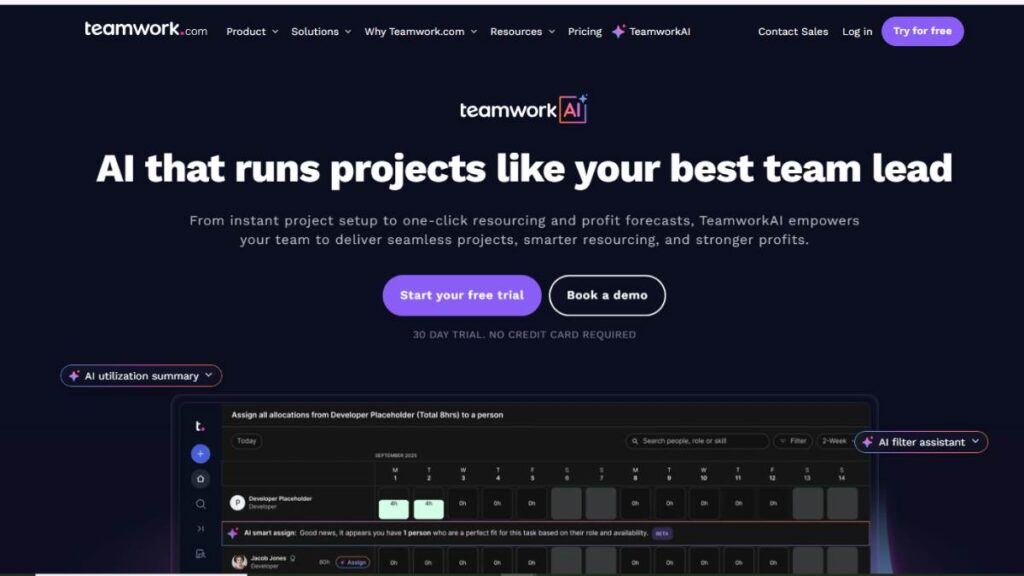
Teamwork.com has been a solid project management platform for years. TeamworkAI is what happens when they take that foundation and actually build intelligence into the workflows, not just add a chatbot button.
The tool is built specifically for client services teams. Agencies, consultancies, and marketing teams managing client accounts. That specificity matters because it means the AI features aren’t generic. They’re designed around the problems those teams actually face.
The AI Project Wizard is one of the standout features. Paste in a client brief, and it generates the full project structure, tasks, subtasks, and timelines. Not a rough skeleton you have to rebuild. A real starting point that’s editable and ready to go. There’s also an AI Smart Scheduler that matches team members to tasks based on availability, skills, and current workload rather than just whoever happens to be free. And the AI Profitability Forecaster does something most PM tools completely ignore: it looks at your project data and predicts revenue, costs, and profit margins. That’s genuinely useful for agencies worried about scope creep eating their margins.
TeamworkAI also launched AI Teammates in early 2026, context-aware assistants that understand your actual projects and deadlines. The first one, called Scout, works as a personal productivity assistant that knows what’s on your plate and what needs attention.
Worth noting: TeamworkAI is SOC 2 compliant, and they’re explicit that your data isn’t used to train third-party AI models. For teams handling sensitive client work, that matters.
Best for: Agencies, client-facing teams, and marketing teams juggling multiple projects at once. Standout: AI profitability forecasting and smart resource matching, features that most competitors don’t have
Motion
Best AI Task Manager for Auto Scheduling
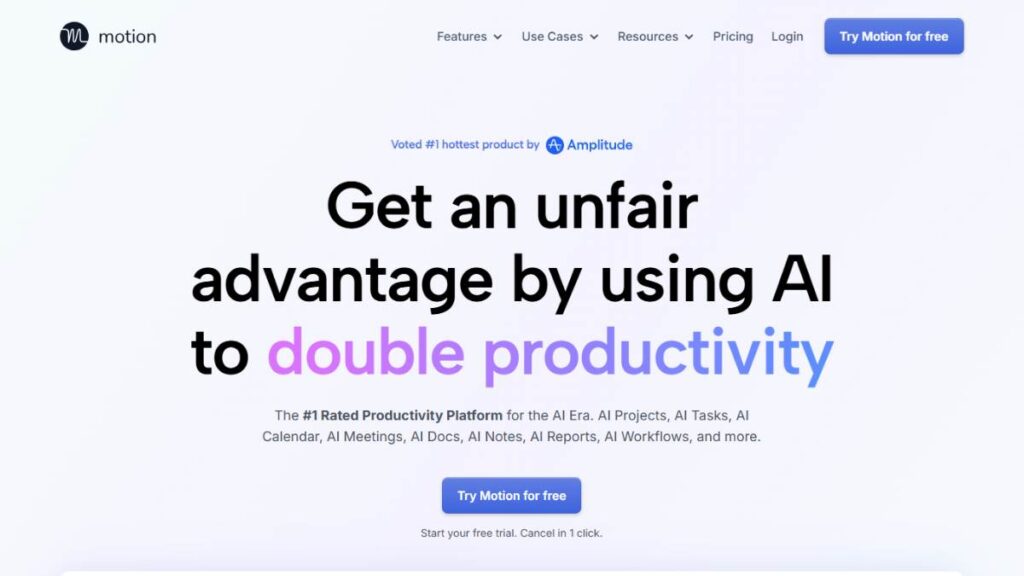
Motion started as a smart calendar app. It’s grown into something considerably bigger, an “AI Employee SuperApp” is how they describe it now, which sounds like marketing speak until you actually use it.
The core of what Motion does is this: you tell it your tasks, deadlines, and how long things will take, and it builds your schedule. Not a suggested schedule. An actual calendar with blocks for everything. And when something changes, meeting runs long, urgent task comes in, it reschedules the whole day automatically. It optimizes your schedule hundreds of times per day, according to Motion, which sounds excessive until you realize your plan usually falls apart by 10 am.
Over a million professionals use it. The desktop experience is strong (G2 rating of 4.5/5). The mobile app is honestly behind; it’s functional for quick checks, but if you’re planning to work primarily from your phone, look elsewhere.
Pricing is $19/month for individuals, $12/user/month for teams on an annual plan. There’s a 7-day free trial. No permanent free tier.
The AI Employees feature, essentially configurable AI agents for sales, support, marketing, and more, launched in 2025 and is still maturing. Some users love it, others find it underwhelming. Fair to treat it as a bonus rather than a core reason to sign up.
Best for: Busy professionals, freelancers, and small teams who want their schedule handled automatically. Not great for: Anyone who needs strong mobile functionality or deep client project tracking
ClickUp Brain
Best AI Task Manager for All-in-One Workspaces
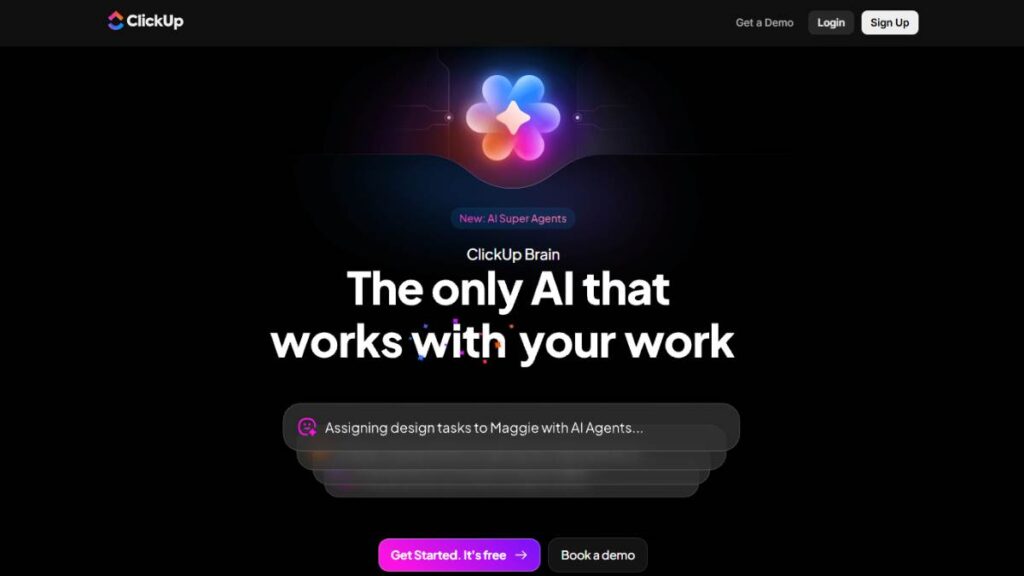
ClickUp is already one of the most feature-dense project management tools out there. ClickUp Brain, their AI add-on, extends that into task generation, content summarization, status reporting, and workspace Q&A.
The most practical thing ClickUp Brain does on a daily basis: it generates tasks from a prompt, summarizes long threads so you don’t have to read through 40 comments, and can answer questions like “what’s overdue in this project?” in plain language. For teams that live inside ClickUp, those things are legitimately time-saving.
The honest caveat is that ClickUp’s complexity is both its strength and its weakness. There are 20+ features on the base platform. Adding AI on top of that means another layer of “where do I find this thing?” Expect a learning curve, probably 1-2 weeks before you feel comfortable enough to use Brain efficiently.
Pricing: ClickUp Brain is a $5/user/month add-on to any ClickUp plan. In practice, the total cost with a base plan and Brain usually runs $12–$24/user/month.
Best for: Teams already using ClickUp who want AI without switching tools. Not great for: New users looking for a simple starting point
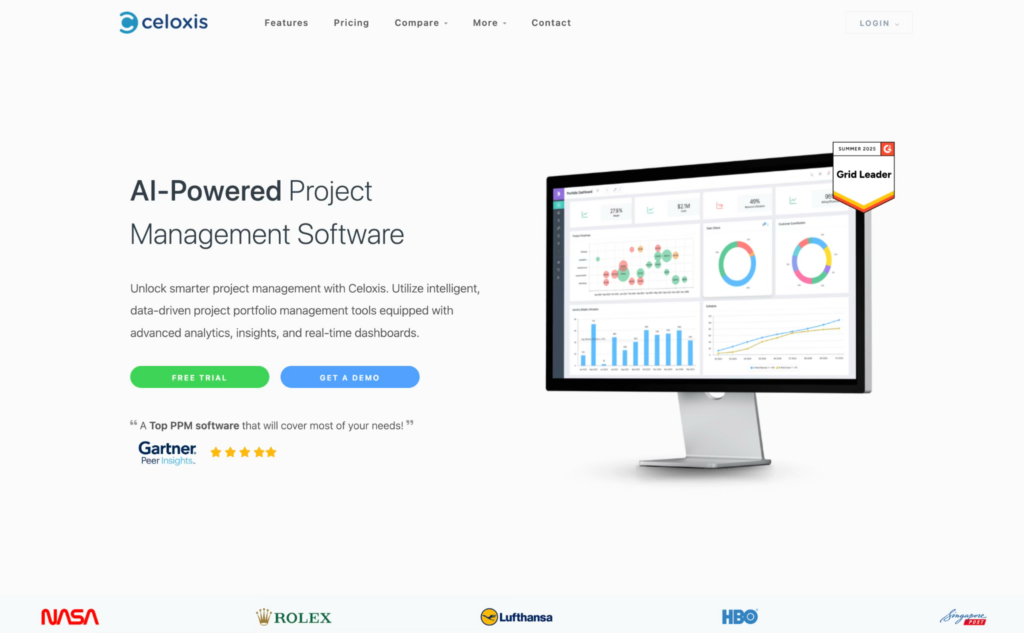
Celoxis LEX AI
Best AI Task Manager for Enterprise Project Intelligence
Most AI task managers focus on organizing individual tasks or personal schedules. Celoxis LEX AI is built for teams managing multiple projects, shared resources, budgets, and deadlines simultaneously from a single workspace.
The AI continuously monitors project activity across the portfolio and highlights delivery risks, workload imbalances, and scheduling conflicts before they turn into delivery issues. Managers can quickly identify overloaded teams, shifting priorities, and delayed dependencies without manually reviewing every project status update.
What makes Celoxis LEX AI stand out is its combination of AI-driven project tracking and financial visibility. Teams can monitor project progress alongside planned budgets, resource utilization, and delivery timelines in real time. This is particularly useful for IT services firms, consulting teams, engineering companies, manufacturing, BFSIs, and operations departments handling multiple active projects at once.
However, Celoxis LEX AI is designed for organizations managing complex project environments rather than individuals looking for a lightweight personal productivity app. The platform delivers the most value when multiple teams, timelines, and operational priorities need to stay aligned across the business.
Worth noting: Celoxis offers both cloud and on-premise deployment options, which is especially useful for enterprise teams and government organizations operating under strict security or data residency requirements. That flexibility is something most AI task managers on this list do not provide.
Best for: PMOs, consulting firms, engineering teams, IT services companies, and operations leaders managing multiple concurrent projects.
Notion AI
Best AI Task Manager for Notes-to-Tasks Workflow
Notion AI works best for people whose work is in documents. Writing teams, product managers, knowledge workers, and anyone who spends half their day in pages, wikis, and notes, and wants help turning that content into action.
What Notion AI can do: convert meeting notes or a rough outline into a structured task list, summarize long documents, write and edit content inside pages, and answer questions across your workspace. That last one, being able to ask “what did we decide about the pricing model?” and getting an answer from your own notes, is more useful than it sounds.
Where it falls short is in scheduling. Notion AI doesn’t auto-schedule tasks on a calendar. It doesn’t balance workloads or reschedule dynamically. It’s more of a thinking and writing assistant than a planning engine. For teams that need intelligent scheduling on top of task management, Notion AI alone won’t cut it.
Best for: Content teams, knowledge workers, product teams with documentation-heavy workflows. Use alongside: A dedicated scheduling tool if calendar management matters
Asana AI
Best AI Task Manager for Workflow Automation
Asana has long been a go-to for enterprise teams that need structure. Their AI capabilities, smart priorities, workflow automation suggestions, and AI-generated status reports have been rolling out steadily through 2024–2025.
The strongest use case for Asana AI right now is workflow automation at scale. Setting up rules that trigger actions based on task status, deadline proximity, or custom conditions, and having AI suggest what those rules should be based on your existing work patterns. The reporting layer is also solid, with AI summarizing project health in plain language rather than forcing you to read dashboards.
Where Asana’s AI is still catching up: it doesn’t offer AI project generation from a brief the way TeamworkAI does, and it doesn’t have AI resource matching or budget forecasting. The feature set is solid but not as deep as some competitors’ on raw AI capability.
One thing that stands out: Asana AI is included in the Business plan ($24.99/user/month billed annually) without an additional add-on fee. With ClickUp, you pay extra for Brain. With Asana, you don’t.
Best for: Enterprise teams, operations-heavy organizations that need structured workflows and compliance Pricing: Included in Business plan, no extra cost
Taskade
Best AI Task Manager for Collaboration & Brainstorming
Taskade takes a more creative, flexible approach than most task managers. It blends tasks, mind maps, outlines, notes, AI agents, and real-time collaboration into one workspace, with the ability to switch between list, board, calendar, and mind map views.
For remote teams that think visually or need to move fast, that flexibility is genuinely useful. Taskade’s built-in AI agents can automate workflows, generate task structures from prompts, and assist with content creation inside projects. The collaboration features, including video calls and whiteboarding, are built in rather than bolted on.
It’s not the deepest tool for heavy project management. Resource allocation, budget tracking, and client billing aren’t here. But as a fast, flexible workspace for distributed teams, Taskade is seriously underrated.
Pricing: Free forever plan with one AI agent and limited credits. Paid plans from $10/user/month, billed annually.
Best for: Remote teams, creative teams, startups that value collaboration speed over project management depth
Todoist AI
Best AI Task Manager for Simple Productivity
There’s a reason Todoist has been around for years with a loyal user base. It’s reliable, lightweight, and doesn’t make you think too hard. The AI additions keep that simplicity intact.
Todoist’s natural language input has always been one of its best features. Type “Submit quarterly report next Friday at 3pm,” and it parses the date, time, and priority without you touching a dropdown. The AI layer extends that into smarter suggestions and deadline reminders based on patterns, without suddenly making the app feel complicated.
This isn’t a tool for people managing complex team projects. It’s for individuals and small groups who want a task manager that works without a two-week setup process. Sometimes that’s exactly what you need.
Best for: Individuals, freelancers, small teams who want simple and reliable over powerful and complex
Bardeen AI
Best AI Task Manager for Automation Workflows
Bardeen is a different kind of tool, browser-native automation that runs directly inside Chrome. It’s not a traditional task manager in the scheduling sense, but for teams spending hours on repetitive browser-based work, it fills a gap that nothing else really does.
The way it works: you build “Playbooks”, automated workflows that connect apps like Google Sheets, Notion, Slack, LinkedIn, HubSpot, and 100+ others. No code needed. You describe what you want to automate in plain language, and Bardeen builds the logic. It also watches what you do repeatedly and suggests automations: “You’ve scraped this site three times this week, want me to automate that?”
Practically speaking, this is most useful for SDRs and recruiters doing lead research, ops teams doing data entry, content researchers, and anyone moving data between tools manually. The automation handles the clicking and copying so you don’t have to.
Pricing: Free plan with 100 credits/month. Paid plans start at $99/month for 15,000 annual credits.
Best for: Sales teams, recruiters, marketing ops, anyone with browser-based repetitive tasks. Not great for: People looking for scheduling intelligence or project management
Reclaim AI
Best AI Task Manager for Time Blocking & Scheduling
Reclaim AI does one thing really well: it makes sure your actual priorities end up on your actual calendar, rather than getting squeezed out by meetings.
The core feature set is built around smart time blocking. You assign priorities to your tasks, P1 through P4, and Reclaim finds the right time for each one, automatically protecting focus blocks from being eaten by meetings. It also schedules personal habits (lunch, a workout, daily review) the same way it schedules work tasks, which means those things actually happen instead of getting pushed to “tomorrow.”
In August 2025, Reclaim launched full Microsoft Outlook support, expanding beyond Google Calendar. Reclaim was also acquired by Dropbox in 2024, which signals long-term investment and enterprise stability. No more worrying about the platform quietly disappearing.
One honest limitation: there’s no dedicated mobile app as of late 2025. You can access it through a mobile browser, and since Reclaim syncs with your calendar, events show up in your native calendar app anyway. But it’s worth knowing.
Pricing: Free Lite plan available. Paid plans start at $8/user/month, one of the more affordable options on this list.
Best for: Knowledge workers, managers, anyone whose deep work keeps getting steamrolled by meetings. Standout: Habit scheduling and priority-based time blocking that actually defends your focus time.
Checkout: AI Marketing Course
AI Task Manager Tools Comparison Table
| Tool | AI Scheduling | Task Automation | Team Collaboration | Integrations | Best Use Case |
| TeamworkAI | Smart Scheduler | Project Wizard + AI | Strong | Strong | Agencies & client work |
| Motion | Auto-reschedules all day | AI Employees | Team plans available | Strong | Individuals & small teams |
| ClickUp Brain | Limited | Workflow automation | Excellent | 1,000+ apps | All-in-one workspaces |
| Notion AI | No calendar AI | Partial automation | Good | Strong | Knowledge workers |
| Asana AI | Basic | Workflow rules | Excellent | Strong | Enterprise teams |
| Celoxis LEX AI | AI-driven portfolio scheduling | Predictive workload and risk automation | Strong | Enterprise-grade integrations | Multi-project portfolio management |
| Taskade | None | AI Agents | Real-time collab | Moderate | Remote/creative teams |
| Todoist AI | Basic NLP | Limited | Basic | Zapier + native | Personal productivity |
| Bardeen | None | Browser automation | Limited | 100+ apps | Workflow/task automation |
| Reclaim AI | Smart time blocking | Habit + task scheduling | Team plans | Calendar-native | Focus time protection |
How to Choose the Best AI Task Manager Tool
Based on Your Use Case
If it’s personal productivity, you’re managing your own schedule, your own projects, your own calendar, start with Motion or Reclaim AI. They’re both built for individual control and calendar intelligence. Morgen is a good middle ground if you want suggestions rather than full automation.
For team collaboration, the calculus shifts. TeamworkAI is the strongest option for client-facing teams. Asana AI and ClickUp Brain make more sense for internal teams with complex workflows. Taskade is the pick for remote teams that need speed and visual flexibility over depth.
For client project management specifically, if you’re billing clients, tracking utilization, and managing multiple simultaneous engagements, TeamworkAI is in a different league from the others on this list.
Based on Features
Biggest pain point is scheduling chaos? Motion or Reclaim AI. Need to generate project structures fast? TeamworkAI or ClickUp Brain. Living in documents and notes? Notion AI. Drowning in browser-based repetitive tasks? Bardeen.
Based on Budget & Scalability
Reclaim AI’s free plan and $8/month paid tier make it one of the most accessible options on this list. Taskade also has a solid free forever plan. For teams scaling up, TeamworkAI, Asana, and ClickUp all have tiered pricing, though remember ClickUp Brain is an additional cost on top of the base plan.
AI Task Manager Tools vs Traditional Task Management Software
The core difference is simple: traditional tools store your work. AI tools manage it.
With a regular task manager, you decide what’s important, when to do it, and how to sequence everything. Every time your week changes, you rebuild the plan manually. And you will spend 15-20 minutes every morning just organizing your day before you’ve done a single thing.
AI task manager software flips that. You put your tasks and deadlines in. The system builds the plan, finds the time, and adjusts when things shift. That’s not a small upgrade; for people managing 20+ active tasks at once, it’s the difference between feeling in control and constantly feeling behind.
The other thing traditional tools don’t do: warn you. A static to-do list doesn’t know you’re about to miss a deadline until you already have. A good AI task manager catches it coming.
Use Cases of AI Task Manager Tools
AI Task Management for Marketing Teams
Marketing teams run on campaigns with hard ship dates, multiple stakeholders, and a lot of parallel workstreams. The pain points are usually: unclear ownership, workload imbalance, and last-minute scrambles when timelines slip.
AI task manager tools help by generating task structures from creative briefs (TeamworkAI is especially good here), surfacing who’s overloaded before it becomes a problem, and keeping everyone aligned on what’s actually happening. Fewer status meetings. More actual work.
AI Task Management for Remote Teams
Remote teams lose hours to coordination overhead. Who’s doing what? Is this blocked? What’s the status? AI task managers, especially tools like Taskade and Asana AI, create shared visibility across time zones without constant check-ins. The automation handles the reminders and updates, so team leads aren’t spending their days chasing people.
AI Task Management for Entrepreneurs
Founders are often managing a dozen different types of work at once, including sales conversations, product decisions, hiring, operations, and finance. There’s rarely a clean system. Motion’s auto-scheduling works particularly well here because you can dump everything into the system with deadlines and let it figure out when things happen. Less planning, more doing.
AI Task Management for Personal Productivity
The underrated use case. Reclaim AI and Morgen are genuinely good at building realistic schedules, ones that account for the fact that humans need lunch, need breaks, and need time that isn’t meetings. They protect personal habits the same way they protect work tasks. That’s a much more honest model of how productive days actually work.
Pros and Cons of AI Task Manager Tools
Advantages
The automation is real. Not theoretical. Tools like Motion and Reclaim AI save hours per week on scheduling decisions alone, and that’s before you get into AI-generated project structures, automated status updates, and smart workload balancing.
The decision-making support matters too. When you’re overwhelmed, having something tell you “here’s the one most important thing right now” is genuinely valuable. Analysis paralysis is real, and a good AI task manager short-circuits it.
Time savings compound. Save 30 minutes a day across a team of ten people, and you’ve recovered 75+ hours per week. That math matters.
Limitations
There’s a learning curve with every serious AI task manager. You need to give the tool proper input, real deadlines, accurate time estimates, and clear priorities before it can give you good output. Most tools don’t start delivering their full value until week two or three of consistent use.
Over-automation is a real risk that nobody talks about enough. If you never review what the AI is scheduling, you can end up with a calendar that looks efficient but doesn’t actually reflect what matters to you. The AI needs your judgment, not just your tasks.
Tool dependency is the longer-term concern. The more deeply embedded a tool becomes in how you work, the harder it is to leave. Always worth thinking about what happens if pricing changes or a feature disappears.
Future of AI Task Management Tools
The honest trajectory is this: AI task management is moving from scheduling assistance to genuine autonomous work management.
Today’s tools mostly react. They reschedule when your calendar breaks. They warn you when deadlines are at risk. They generate task structures when you give them a brief. Tomorrow’s tools won’t wait to be asked.
Teamwork’s AI Teammates are an early indicator of where this goes. These are context-aware agents that understand your projects, your team, and your deadlines deeply enough to act, not just advise. Scout, their first Teammate, is a productivity assistant that proactively surfaces what needs attention rather than waiting for you to check in.
Predictive workload management is the other big shift coming. Instead of flagging who’s overloaded after it’s already a problem, the next generation of tools will spot resourcing gaps weeks out and suggest adjustments before timelines slip. That moves project management from reactive to genuinely proactive.
Autonomous workflows, where AI handles entire end-to-end processes without human prompting, will become more common. Right now, tools like Bardeen hint at what that looks like at the browser level. The same logic, applied across full project lifecycles, is where things are heading.
Conclusion
There’s no universal answer to which AI task manager is best. It depends on what’s actually breaking down in how you work.
Scheduling chaos? Motion or Reclaim AI. Client project coordination? TeamworkAI. Documentation-heavy teams? Notion AI. All-in-one flexibility? ClickUp Brain. Remote collaboration? Taskade. Browser automation headaches? Bardeen.
The real recommendation: pick two that look like a fit. Try them for a week each with real work, not a demo project. The one that actually reduces friction, rather than just feeling impressive in a walkthrough, is the right one.
Most people make the mistake of evaluating tools based on features they might use. Evaluate the problems they solve for the work you’re actually doing. That’s where the value shows up.
FAQs:
What is the best AI task manager tool?
There’s no clean single answer. For agencies and client-facing teams, TeamworkAI leads on project intelligence and resource management. For individual scheduling, Motion and Reclaim AI are the strongest options. The right pick comes down to whether you need personal calendar automation or team-level coordination, two genuinely different problems that require different tools.
Are AI task managers worth it?
For most people managing real workloads, yes. The time savings from automated scheduling alone usually cover the monthly cost within the first few weeks. That value is even higher for teams, with less coordination overhead, fewer missed deadlines, and less time spent in status meetings. The ROI is real, though it requires an honest setup investment upfront.
Which AI tool is best for scheduling tasks?
Motion and Reclaim AI are the two strongest pure scheduling tools. Motion auto-builds your entire daily schedule and re-optimizes it continuously. Reclaim focuses on protecting focus time and habits alongside meetings. Both connect with Google Calendar and Outlook, but Motion leans more automated while Reclaim gives you slightly more manual control.
Can AI replace project managers?
Not meaningfully, at least not soon. AI handles the logistics well, scheduling, status tracking, and workload visibility. But the judgment calls, what to prioritize strategically, how to handle a difficult stakeholder, when to push back on scope, still need a human. The better framing is that AI makes project managers significantly more effective by removing the administrative overhead.
Are there free AI task manager tools?
Yes, genuinely useful ones. Reclaim AI has a free Lite tier for individuals. Taskade offers a free forever plan with limited AI credits. ClickUp has a free base plan (Brain is extra). Todoist has a free version with core features. Most tools with serious AI capability require paid plans, but trials are usually 7–14 days, enough to evaluate fit before spending anything.
What features make the best AI task manager tools stand out?
The real differentiators are: intelligent scheduling that actually integrates with your calendar, natural language task input that works reliably, adaptive reprioritization when things change, and automation that handles work you’d otherwise do manually. Tools that combine those four things well consistently outperform those that do one or two of them. AI should reduce friction, not create a new kind of it.
How do AI task manager tools improve productivity?
The primary lever is cutting planning overhead. Most knowledge workers spend 30–60 minutes a day just deciding what to do and reorganizing around disruptions. AI task manager tools handle that automatically. Less time deciding, more time doing. The secondary lever is catching problems early, before a deadline slips or a team member hits capacity, which prevents the expensive scrambles that kill momentum.
Are AI task manager tools suitable for small businesses?
Very much so. Motion, Reclaim AI, and Taskade are all built with individuals and small teams in mind. TeamworkAI is particularly strong for small agencies managing client work. The key is picking a tool that matches your actual complexity, not buying an enterprise platform when something lighter will do the job fine.
Which AI task manager tools offer free plans?
Reclaim AI, Taskade, ClickUp (base plan), and Todoist all have free tiers. Free plans are typically limited on AI credits or features, but they’re real free plans, not just trials. For teams, paid plans are usually necessary to get meaningful AI functionality, but starting free to evaluate the interface and workflow fit is a reasonable approach.
Can AI task manager tools integrate with calendars and emails?
Yes, Google Calendar and Microsoft Outlook integration is standard across most tools on this list. Reclaim AI added full Outlook support in August 2025. Email integration varies more. Motion, Reclaim, and TeamworkAI all have some email connectivity. Always verify specific integration details on the official product page before committing.
What is the difference between AI task managers and AI project management tools?
AI task managers focus on individual-level scheduling, daily prioritization, and task capture. AI project management tools handle the broader picture, timelines, resource allocation, team coordination, and budget tracking. The categories are converging. TeamworkAI and ClickUp Brain function as both. Motion and Reclaim lean toward personal task management. Knowing which problem you’re actually solving helps pick the right category.
Are AI task manager tools secure for business use?
It depends on the tool. TeamworkAI is SOC 2 compliant and explicitly states that your data doesn’t train third-party AI models. Reclaim AI, now under Dropbox, adheres to enterprise security standards. Always review the specific tool’s data policy, especially if you handle client data or anything sensitive. Don’t assume that because a tool looks professional, it has enterprise-grade data protection.
Do AI task manager tools work offline?
Mostly no. The core AI features, scheduling intelligence, task generation, and adaptive reprioritization, rely on cloud infrastructure and require a connection. Some tools let you view existing tasks offline, but meaningful AI functionality needs the internet. For anyone working in frequently disconnected environments, this is a real limitation worth factoring in.
How accurate are AI task prioritization recommendations?
Accuracy is low for the first week or two, then improves significantly. The AI needs real signals to work well, proper deadlines, honest time estimates, and clear priority levels. Tools that accept more input (like hard vs. soft deadlines, or specific do-not-schedule windows) tend to prioritize more accurately than those relying entirely on passive behavior. Set the tool up properly, and the recommendations get genuinely useful fast.
Can AI task manager tools replace human decision-making?
For logistical decisions, they can carry a lot of the weight. Scheduling, sequencing, catching overload, flagging risk, the AI handles those well. For anything strategic, what project matters most, what trade-off to make, how to handle a complex situation, human judgment is still required, and honestly should be. Think of it as AI handling the “when and how” while you retain ownership of the “what and why.”