
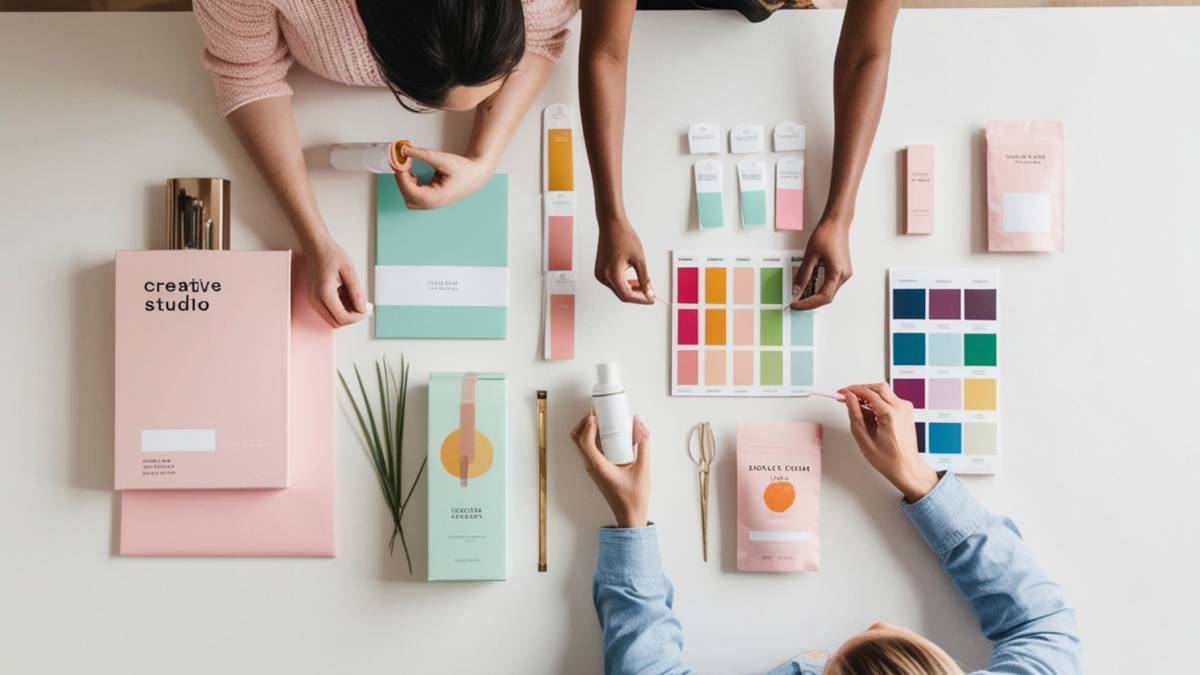
AI packaging design tools have quietly moved from “nice experiment” territory into something teams actually rely on day to day. This blog walks through that shift in a grounded way, what’s genuinely useful, what still needs human judgment, and where these tools tend to fall short once packaging moves closer to production.
Instead of treating it like a hype cycle, the focus stays on how real workflows are forming in 2026: quick concept generation, faster mockups, and tighter brand testing before anything goes to print. There’s also a clear breakdown of which tools fit different stages, early ideas, branding, visualization, and final prep. The idea is simple: not every tool does everything, and most of the value comes from how they’re combined in practice, not used in isolation.
Table of Contents
Introduction
The Rise of AI in Packaging Design
Packaging design used to move slowly.
A brand would brief a designer, wait for concepts, revise them endlessly, create mockups, send files for approvals, then repeat half the process again after stakeholder feedback. For startups and smaller brands, the process was expensive. For agencies, it was time-consuming. And for fast-moving eCommerce companies, it often becomes a bottleneck.
That changed fast once AI design systems became good enough to generate realistic packaging concepts, branding directions, label ideas, and mockups in minutes instead of weeks.
AI packaging design tools will no longer be niche creative experiments. They’re becoming part of the actual workflow for:
- DTC brands
- Amazon sellers
- Shopify stores
- packaging agencies
- supplement companies
- beauty startups
- food and beverage brands
- Freelancers handling product launches
The explosion isn’t happening because AI magically replaces designers. It’s happening because businesses want speed.
A founder launching a new protein powder flavor doesn’t want to wait three weeks just to see packaging directions. A cosmetics brand testing new seasonal branding wants 20 visual concepts before lunch. Agencies handling multiple clients need quicker mockups without sacrificing presentation quality.
AI tools solve that early-stage creative friction surprisingly well.
Another reason these tools are taking off: packaging has become part of marketing itself.
Products today compete on:
- TikTok shelf appeal
- Amazon thumbnail visibility
- unboxing experience
- creator-friendly aesthetics
- mobile-first branding
- social-ready product visuals
Good packaging is no longer just functional. Its content.
And that’s exactly where AI-powered packaging workflows fit in. Brands can rapidly generate concepts, test visual styles, iterate packaging directions, and create realistic previews before investing in manufacturing or hiring a full production team.
The shift is especially noticeable with smaller businesses.
A few years ago, professional packaging design felt inaccessible unless there was a large budget behind it. Now, founders with basic creative skills can generate packaging ideas, refine branding systems, build mockups, and prepare presentation-ready visuals using AI-assisted tools.
That accessibility is changing the market fast.
Why Businesses Are Searching for AI Packaging Design Tools
Most companies aren’t searching for AI packaging software because they want futuristic technology.
They’re searching because traditional packaging workflows are expensive, slow, and hard to scale.
The biggest reasons businesses are adopting AI packaging tools include:
Faster packaging concept generation
Instead of briefing multiple directions manually, AI tools can generate dozens of packaging ideas from simple prompts, mood references, or product descriptions.
That dramatically speeds up early-stage brainstorming.
Lower design and prototyping costs
Mockups, concept revisions, and visualization work used to consume huge chunks of project budgets. AI-generated packaging previews reduce the amount of manual production work required during the exploration phase.
Better branding consistency
Modern AI branding systems can maintain:
- consistent typography
- color systems
- logo placement
- visual identity rules
- packaging hierarchy
This matters a lot for brands launching multiple SKUs quickly.
AI-generated mockups for eCommerce
Many businesses mainly need packaging visuals for:
- Amazon listings
- Shopify stores
- ads
- investor decks
- social media
- product validation
AI mockup tools now produce surprisingly realistic renders without requiring expensive 3D software knowledge.
Personalized packaging at scale
Brands are experimenting heavily with:
- regional packaging variations
- seasonal packaging
- influencer collaborations
- limited edition branding
- personalized consumer packaging
AI makes those iterations faster and cheaper to test.
AI tools helping non-designers create professional packaging
This is probably the biggest shift.
A founder with no formal design background can now:
- generate packaging directions
- create label concepts
- build presentation-ready mockups
- test color palettes
- write packaging copy
- visualize branding systems
The output still benefits from professional oversight, but the barrier to entry has dropped dramatically.
How This Guide Helps You Choose the Right AI Packaging Design Tool
Not every AI packaging tool solves the same problem.
Some are built for fast visual inspiration. Others focus on realistic 3D packaging previews. Some specialize in branding systems, while others help with mockups, copywriting, or packaging templates.
That’s where a lot of buyers get confused.
A tool that works perfectly for a Shopify skincare startup may be completely wrong for a professional packaging agency handling print-ready dielines and manufacturing workflows.
This guide breaks down:
- beginner-friendly AI packaging tools
- advanced creative platforms for designers
- AI mockup generators
- branding-focused packaging software
- AI tools for labels and product visualization
- packaging AI tools with 3D rendering support
- platforms useful for Amazon and DTC sellers
- tools that support agency collaboration workflows
Some tools are best for:
- creative exploration
- rapid ideation
- social-ready packaging concepts
Others are stronger for:
- production workflows
- realistic rendering
- packaging structure visualization
- client presentation mockups
The goal isn’t to find one perfect AI packaging design tool.
It’s to find the right combination of tools that matches how a brand actually works.
What Are AI Packaging Design Tools?
AI packaging design software refers to platforms that use machine learning, generative AI, automation, or intelligent design systems to help create packaging concepts faster and more efficiently.
Depending on the platform, these tools can assist with:
- packaging artwork
- product labels
- mockups
- typography
- branding
- packaging copy
- visual styles
- 3D product rendering
- dielines
- layout suggestions
Some tools focus heavily on visuals.
Others combine design generation with branding systems, packaging structure previews, or production-ready workflows.
One important distinction: not all AI packaging tools actually create production-ready packaging files.
A lot of AI-generated packaging today is still concept-focused.
For example:
- Midjourney might generate beautiful cosmetic packaging inspiration
- Canva might help create fast product labels
- Pacdora may generate realistic packaging mockups
- ChatGPT may help structure packaging messaging and branding direction
Each tool solves a different layer of the packaging process.
Understanding Generative AI for Packaging
Generative AI changed packaging design because it introduced something traditional design software never really offered: rapid creative exploration.
Instead of manually building every direction from scratch, designers can now generate:
- visual styles
- packaging concepts
- product identities
- label aesthetics
- color combinations
- illustration directions
- premium packaging ideas
through prompts and iterative refinement.
That changes the creative process entirely.
Rather than spending hours building one initial direction, teams can explore dozens of directions early and narrow down stronger concepts faster.
This matters because packaging is highly emotional.
Consumers often make buying decisions based on:
- perceived quality
- shelf appeal
- color psychology
- typography
- visual trust
- packaging texture cues
- branding clarity
Generative AI tools accelerate the experimentation phase where those visual decisions happen.
AI Image Generation vs AI Mockup Generation
A lot of people confuse these two categories, but they solve different problems.
AI image generation tools
These generate creative packaging visuals from prompts.
Examples include:
- concept packaging
- luxury branding directions
- illustration styles
- experimental label designs
- aesthetic packaging inspiration
Tools like Midjourney and DALL·E are strong here.
They’re excellent for ideation, but not always ideal for production accuracy.
AI mockup generation tools
These focus more on presentation and visualization.
They help create:
- realistic product renders
- packaging previews
- shelf simulations
- eCommerce visuals
- branded product scenes
- 3D packaging displays
Mockup tools are often more practical for agencies, client approvals, and product marketing.
Many businesses actually use both categories together:
- Generate creative concepts with AI image tools
- Refine them in branding software
- Present them through packaging mockup platforms
That hybrid workflow is becoming extremely common in 2026.
AI-Powered Branding and Label Creation
Packaging design isn’t just about visuals anymore.
The strongest AI packaging tools now help with:
- brand positioning
- packaging messaging
- typography pairing
- tone consistency
- visual identity systems
- product naming
- label hierarchy
- marketing copy
This is especially useful for smaller brands launching quickly.
Instead of hiring separate specialists for:
- branding
- packaging copy
- visual identity
- mockups
Teams can build an early-stage system much faster using AI-assisted workflows.
That doesn’t mean the output is automatically great.
Strong branding still requires human judgment.
But AI dramatically speeds up the messy early exploration stage that used to consume massive amounts of time.
Text-to-Packaging Design Workflows
One of the biggest shifts in modern packaging workflows is prompt-driven design generation.
A user can type something like:
“Minimal luxury skincare packaging with matte white tubes, embossed serif typography, soft beige accents, eco-conscious premium aesthetic”
…and generate multiple visual directions within seconds.
That changes how brands approach creative development.
Instead of:
- static briefing documents
- long revision cycles
- vague visual references
Teams can iterate visually in real time.
Prompt-based packaging workflows are becoming particularly useful for:
- concept exploration
- moodboarding
- client pitching
- branding experimentation
- packaging refreshes
- seasonal campaigns
- limited edition product lines
The quality of results depends heavily on prompting skill, visual references, and refinement workflows, but the speed advantage is undeniable.
How AI Packaging Design Tools Work
Most AI packaging tools combine several technologies together:
- image generation models
- branding systems
- automation engines
- 3D rendering technology
- machine learning-based recommendations
- design templates
- layout prediction systems
Different platforms prioritize different capabilities.
Some focus on aesthetics. Others focus on packaging structure or production visualization.
Common AI-assisted capabilities include:
Machine learning for packaging layouts
AI systems analyze layout balance, hierarchy, spacing, and visual organization to suggest cleaner packaging structures.
AI-generated brand concepts
Some tools generate:
- logos
- typography systems
- brand color palettes
- naming ideas
- packaging themes
based on brand descriptions.
AI color palette and typography suggestions
AI tools increasingly recommend font pairings and packaging color systems based on:
- industry
- target audience
- mood
- product category
Prompt-based packaging creation
Users describe a packaging direction using natural language prompts to generate concept visuals rapidly.
AI-assisted packaging mockups and visualization
Modern platforms generate realistic:
- product scenes
- bottle renders
- box packaging previews
- label applications
- shelf displays
without requiring advanced 3D design skills.
Key Features to Look for in AI Packaging Design Tools
Not all AI packaging tools are equally useful in real-world workflows.
The best platforms usually combine multiple strengths together.
Here are the features that matter most:
AI image generation
Useful for:
- creative exploration
- branding ideation
- packaging concepts
- visual experimentation
Packaging mockup generators
Important for:
- client presentations
- eCommerce
- Amazon listings
- marketing assets
- social content
Dieline support
Essential for brands needing production-ready packaging structures.
3D packaging rendering
Realistic visualization helps brands validate packaging before manufacturing.
Brand kit integration
Allows consistent use of:
- logos
- typography
- colors
- brand assets
across multiple packaging variations.
AI copywriting for packaging
Helpful for:
- product descriptions
- packaging messaging
- taglines
- ingredient highlights
- marketing language
Print-ready export formats
Important for actual production workflows.
Collaboration and workflow tools
Especially useful for:
- agencies
- distributed teams
- client approvals
- brand managers
- packaging revisions
Why AI Packaging Design Matters
AI Packaging Design Trends
The packaging industry is changing faster than most brands expected.
AI isn’t just influencing visual design anymore. It’s reshaping how packaging gets conceptualized, tested, personalized, and launched.
Several trends are driving this shift.
Hyper-personalized packaging
Brands increasingly want packaging tailored to:
- regions
- audiences
- creators
- product variants
- customer segments
Traditional workflows made this difficult because every variation required additional design work.
AI dramatically reduces that friction.
Companies can now generate multiple packaging directions quickly while keeping the core branding system consistent.
AI-generated sustainable packaging concepts
Sustainability has become a huge part of packaging conversations, but many brands still struggle to make eco-friendly packaging feel visually premium.
AI tools are helping explore:
- minimal material aesthetics
- recyclable packaging concepts
- low-ink design systems
- natural texture simulations
- eco-conscious branding styles
much faster during the ideation phase.
Interactive and smart packaging
Packaging is becoming increasingly digital.
Brands are experimenting with:
- QR-driven experiences
- AR packaging layers
- creator-linked packaging
- dynamic campaign packaging
- interactive product storytelling
AI tools help rapidly prototype these concepts visually before expensive development begins.
AI branding for small businesses
Smaller brands are benefiting massively from AI packaging systems.
Previously, building:
- product branding
- packaging identity
- mockups
- launch visuals
Often required multiple freelancers or agencies.
Now, smaller teams can move far faster with fewer resources.
That speed advantage matters a lot in competitive eCommerce categories.
AI-assisted rapid product launches
Consumer brands launch products faster than ever now.
Seasonal drops, limited editions, influencer collaborations, and trend-based launches all of it demands quick creative turnaround.
AI packaging workflows make rapid iteration possible without overwhelming creative teams.
Real-time packaging iteration with generative AI
This may be one of the biggest long-term changes.
Instead of waiting days for revised concepts, teams can:
- adjust prompts
- regenerate packaging styles
- test alternate directions
- explore typography variations
- Compare color systems
almost instantly.
Creative decision-making becomes far more dynamic.
How AI Is Changing the Packaging Industry
The impact goes beyond faster visuals.
AI is changing how brands think about packaging strategy itself.
Faster creative cycles
Packaging projects that once took weeks to visualize can now reach the presentation stage dramatically faster.
That doesn’t eliminate design refinement, but it compresses early-stage exploration significantly.
Reduced agency dependency
Many startups now handle initial packaging exploration internally before bringing in specialists for refinement or production.
That changes the role of agencies from “starting from scratch” to “elevating and polishing direction.”
Lower production waste
Early visualization and mockup generation help brands catch weak directions before investing in physical samples or manufacturing runs.
That reduces unnecessary revisions and wasted production costs.
Better packaging testing before manufacturing
AI-generated renders allow brands to test:
- shelf appearance
- eCommerce visibility
- social media aesthetics
- packaging hierarchy
- color readability
before committing to print.
AI-generated packaging concepts for global markets
Brands operating internationally can quickly adapt packaging aesthetics for different regions, audiences, or cultural preferences.
That level of iteration used to require massive creative resources.
Benefits of Using AI Packaging Design Tools
Faster Packaging Design Process
This is the biggest benefit by far.
AI reduces the time spent on:
- early ideation
- concept exploration
- mockup creation
- visual experimentation
- packaging variations
Creative teams can spend more time refining strong directions instead of manually building weak ones.
Cost-Effective Packaging Creation
For startups, especially, AI tools reduce the cost of:
- concept generation
- mockups
- presentation visuals
- branding exploration
That makes professional-looking packaging more accessible.
Improved Creative Exploration
One underrated advantage of AI packaging tools is volume.
Teams can test:
- bold concepts
- unconventional aesthetics
- luxury directions
- minimalist packaging
- experimental typography
without committing major design hours upfront.
That often leads to more creative exploration overall.
Better Brand Consistency
AI-powered branding systems can help maintain consistent:
- visual hierarchy
- typography
- logo placement
- packaging tone
- color usage
campaign sacross multiple SKUs and campaigns.
That’s especially useful for fast-growing product brands.
Easier Packaging Mockups for Clients
Client approvals move faster when stakeholders can see realistic packaging visuals early.
Modern AI mockup systems create:
- shelf-ready renders
- studio-style product shots
- lifestyle packaging scenes
- presentation visuals
without requiring expensive rendering pipelines.
AI-Powered Design Suggestions for Beginners
Non-designers still benefit from creative guidance.
AI tools increasingly help users improve:
- layout structure
- typography balance
- color combinations
- packaging readability
- visual hierarchy
That lowers the barrier for smaller brands entering crowded markets.
Best AI Packaging Design Tools
Packify.ai
What Is Packify.ai?
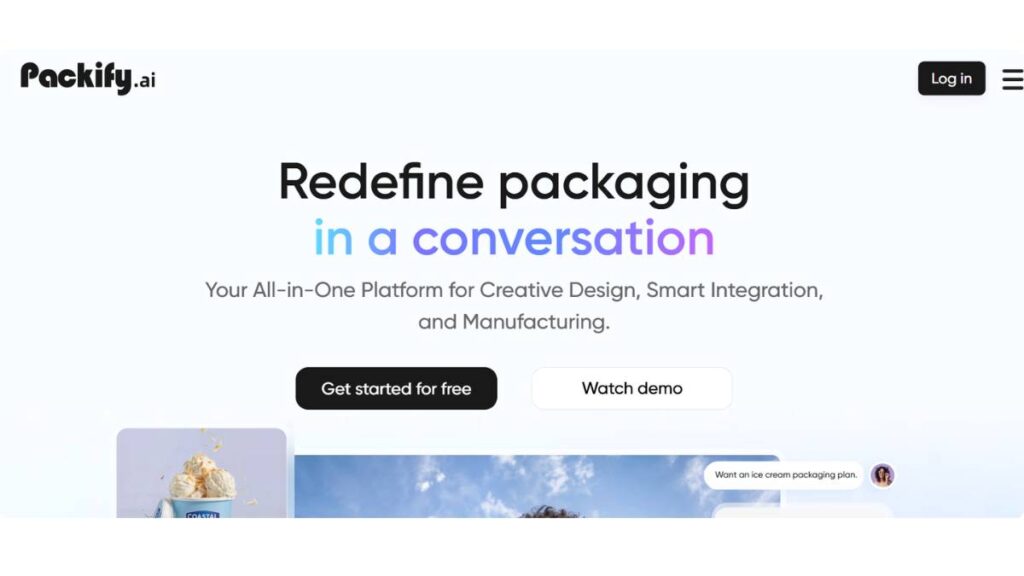
Packify.ai sits in an interesting position right now because it solves one of the biggest problems in packaging design: turning rough ideas into believable packaging concepts fast. Most AI image generators can create attractive packaging visuals, but they struggle when it comes to actual packaging structure, dimensions, mockups, and production-style previews. That’s where Packify.ai has gained momentum.
The platform focuses heavily on packaging-specific workflows instead of generic image generation. So instead of forcing designers to adapt broad AI tools for packaging, it starts from the assumption that the user needs boxes, labels, pouches, cans, tubes, cartons, or retail-ready packaging concepts.
For startups and fast-moving eCommerce brands, that matters a lot. Packaging timelines are shorter than ever. Teams want concept visuals immediately, especially when testing products on Amazon, TikTok Shop, Shopify, or crowdfunding platforms.
Packify.ai essentially compresses the early packaging ideation stage into minutes instead of days.
Key Features of Packify.ai
One of the strongest aspects of the platform is how focused the feature set feels. It isn’t overloaded with unnecessary creative tools.
Core features include:
- AI-generated packaging concepts from text prompts
- Packaging-specific visual generation
- 3D packaging mockups
- Dieline support
- Product visualization tools
- Brand-based packaging styling
- Multiple packaging format templates
- Realistic rendering previews
The mockup quality is especially useful for client presentations. A lot of AI-generated packaging visuals still look obviously fake or “AI-ish.” Packify.ai gets closer to believable commercial packaging than many general-purpose tools.
Best Use Cases for Packify.ai
The tool works particularly well for:
- DTC product brands
- Amazon private label sellers
- Packaging agencies
- Product launch teams
- Beverage startups
- Cosmetic brands
- Subscription box businesses
It’s also useful for agencies pitching early-stage branding concepts before committing to full production design work.
Pros and Cons of Packify.ai
Pros
- Built specifically for packaging workflows
- Fast concept generation
- Strong 3D visualization
- Useful packaging templates
- Better packaging realism than most AI art tools
- Helpful for non-designers
Cons
- Still requires refinement for production-ready packaging
- Advanced branding systems may need external tools
- Some outputs can feel repetitive after heavy usage
- Less flexible for completely experimental art directions
Pricing and Plans
Pricing has evolved quite a bit over the past year as AI rendering costs changed across the industry. Most users end up somewhere between the free experimentation tier and professional subscription plans, depending on render volume and export requirements.
For occasional users, the lower tiers are usually enough. Agencies and packaging studios typically need the higher plans because of rendering limits and commercial workflows.
Is Packify.ai Worth It?
For packaging-focused concept generation, yes. Especially if speed matters.
The biggest value is not necessarily replacing designers. It’s removing friction from early exploration. Instead of spending hours building rough mockups manually, teams can rapidly explore directions, packaging styles, color systems, and branding concepts before committing resources.
That alone saves a surprising amount of time.
Canva Magic Studio / Magic Media for Packaging Design
How Canva AI Helps Create Packaging Designs
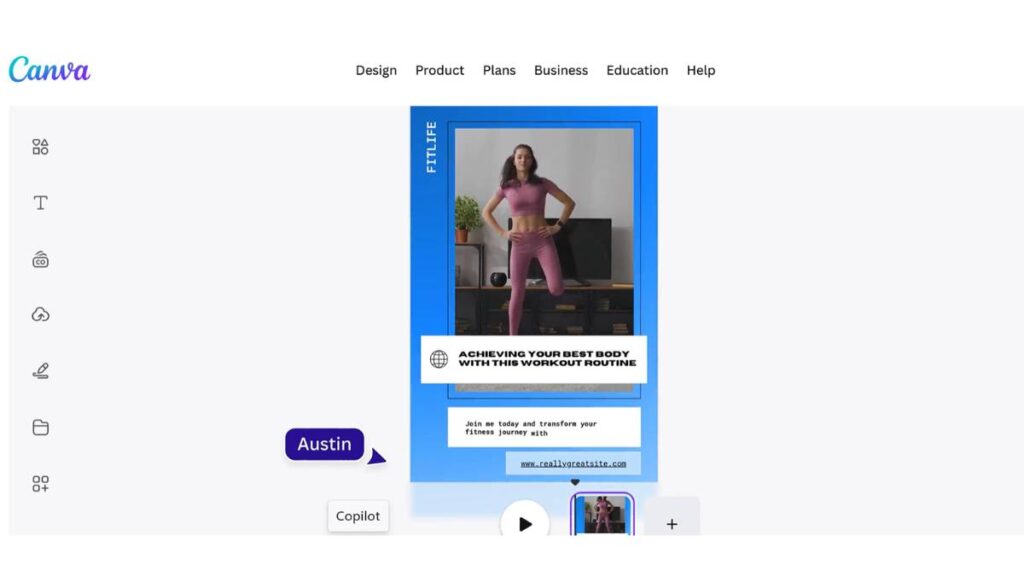
Canva has quietly become one of the biggest packaging design entry points for small businesses. Not because it’s the most advanced platform, but because it lowers the barrier dramatically.
A few years ago, packaging design still felt inaccessible to non-designers. Canva changed that. And now with Magic Studio and Magic Media, it’s pushing deeper into AI-assisted branding and packaging creation.
The platform works especially well for lightweight packaging projects:
- Product labels
- Sticker packaging
- Cosmetic jars
- Coffee bags
- Candle branding
- Supplement packaging
- Shipping inserts
- Retail labels
For many small brands, that’s enough.
Canva Magic Studio Features for Packaging
Magic Studio adds AI-assisted workflows that speed up packaging creation significantly.
Important features include:
- Magic Design for instant layout suggestions
- Magic Media image generation
- AI background generation
- Brand kit automation
- AI text generation
- Smart resizing
- Template-based packaging systems
One underrated advantage is speed. Canva isn’t trying to be advanced packaging engineering software. It’s trying to help businesses publish packaging visuals quickly.
And honestly, that simplicity is why it works.
Best Packaging Design Templates in Canva
The template ecosystem is one of Canva’s strongest advantages.
There are thousands of packaging-related templates covering:
- Food labels
- Cosmetic packaging
- Beverage branding
- Soap packaging
- Minimalist packaging
- Luxury labels
- Organic product branding
- Seasonal packaging campaigns
For beginners, templates reduce decision fatigue significantly.
Canva AI for Social-Ready Packaging Mockups
Another reason Canva performs well for modern brands is its connection between packaging and marketing assets.
Most businesses don’t just need packaging anymore. They also need:
- Instagram visuals
- Amazon listing images
- TikTok product creatives
- Shopify banners
- Ad creatives
Canva makes that workflow smoother than many traditional design tools.
Pros and Cons of Canva AI Packaging Design
Pros
- Extremely beginner-friendly
- Fast learning curve
- Huge template library
- Affordable pricing
- Good collaboration tools
- Strong brand kit system
Cons
- Limited advanced packaging engineering features
- Not ideal for complex print production
- Weaker 3D rendering capabilities
- Less suited for high-end packaging studios
Canva vs Professional Packaging Software
This is where expectations matter.
Canva is not replacing professional packaging production software anytime soon. But it doesn’t need to.
For startups, creators, Etsy sellers, and small DTC brands, Canva handles a large percentage of everyday packaging needs surprisingly well.
Adobe Express
Adobe Firefly AI for Packaging Design
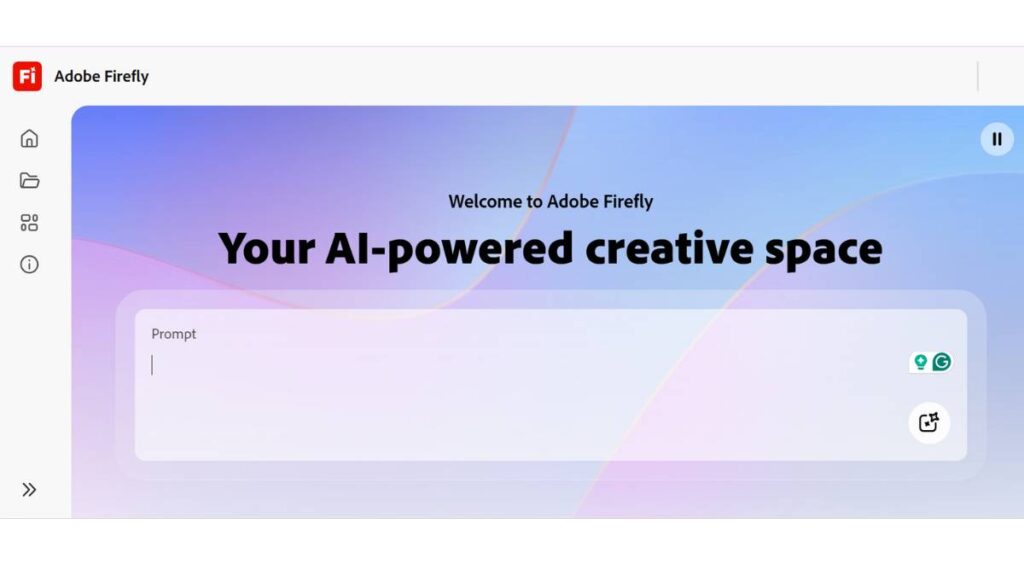
Adobe’s approach to AI packaging design feels more polished and commercially aware than many competitors.
That makes sense given Adobe’s long history with creative professionals. Instead of chasing flashy AI gimmicks, Firefly focuses more on controlled creative workflows, brand consistency, and production-friendly generation.
For packaging designers already working inside the Adobe ecosystem, the integration matters a lot.
Best Adobe Express AI Features
Key features include:
- Text-to-image packaging concepts
- AI recoloring
- AI typography tools
- Generative fill
- Brand asset generation
- Style matching
- Commercial-safe workflows
The typography tools are especially useful for packaging because packaging design depends heavily on hierarchy, readability, and visual balance.
Many AI tools still struggle badly with typography-heavy layouts. Adobe handles that transition better than most.
Adobe Express vs Canva for Packaging Design
This comparison comes up constantly.
Canva wins on simplicity and accessibility.
Adobe wins on creative control and professional flexibility.
For beginner-friendly packaging workflows, Canva is easier. For more polished brand systems and scalable creative production, Adobe usually pulls ahead.
Especially once teams start working across multiple campaigns and packaging variations.
Best Use Cases for Adobe Firefly Packaging Workflows
Adobe works well for:
- Professional branding teams
- Agencies
- Retail product packaging
- Campaign-based packaging systems
- Premium cosmetic brands
- Beverage packaging
- Multi-SKU product lines
Pros and Cons
Pros
- Strong professional design ecosystem
- Better typography control
- Commercially safer AI positioning
- Excellent brand consistency tools
- High-quality creative outputs
Cons
- Higher learning curve
- More expensive than beginner tools
- Some AI features are still evolving
- Can feel excessive for small businesses
Pricing Breakdown
Adobe pricing depends heavily on ecosystem usage. Teams already using Creative Cloud usually gain the most value because the AI features integrate naturally into existing workflows.
For standalone users, pricing can feel higher compared to Canva-style tools.
Still, for professional packaging environments, the workflow efficiency often offsets the cost.
Midjourney for AI Packaging Concepts
Why Designers Use Midjourney for Packaging Inspiration
Midjourney remains one of the strongest tools for visual packaging inspiration.
Not production packaging. Inspiration.
That distinction matters.
The platform excels at generating visually striking packaging directions that would take traditional moodboarding hours to explore manually.
Luxury brands especially love Midjourney because it handles atmosphere, texture, lighting, and artistic direction extremely well.
Best Midjourney Prompts for Packaging Design
Some of the most effective packaging prompt categories include:
- Luxury cosmetic packaging
- Premium beverage concepts
- Organic food packaging
- Japanese minimalist packaging
- Futuristic supplement branding
- High-fashion retail packaging
Specificity improves results dramatically.
Material descriptions, lighting details, packaging finishes, camera angles, and branding styles all shape the output quality.
Midjourney Packaging Design Workflow
Most professional designers use Midjourney as the front-end ideation layer.
The workflow usually looks something like this:
- Generate creative packaging directions
- Select promising concepts
- Rebuild layouts manually
- Create production packaging in professional software
- Finalize print-ready assets
That hybrid workflow is becoming very common across the industry.
Limitations of Midjourney for Production Packaging
Midjourney still struggles with:
- Accurate typography
- Consistent label layouts
- Production dimensions
- Dielines
- Packaging regulations
- Editable design systems
It’s a visual exploration tool first.
Pros and Cons
Pros
- Incredible visual creativity
- Strong luxury aesthetics
- Fast concept generation
- Excellent artistic exploration
- Great for moodboards
Cons
- Weak production usability
- Typography inconsistencies
- Limited editability
- Requires external tools for final packaging
ChatGPT (with DALL·E 3)
Using ChatGPT for Packaging Design Ideation
A lot of packaging teams are now using ChatGPT less for visuals and more for strategic packaging thinking.
That includes:
- Product naming
- Packaging messaging
- Brand voice development
- Tagline generation
- Packaging copy
- Audience positioning
- Concept brainstorming
This is where the platform becomes surprisingly valuable.
Packaging is not only visual design. Good packaging communicates positioning instantly. And many brands underestimate how difficult that is.
How DALL·E 3 Helps Generate Packaging Concepts
DALL·E 3 improves concept generation by turning detailed prompts into usable packaging visuals quickly.
It works well for:
- Product label concepts
- Packaging exploration
- Style testing
- Brand visualization
- Early-stage presentations
Compared to earlier AI image models, prompt interpretation is much stronger.
Best ChatGPT Prompts for Packaging Design
The strongest prompts usually combine:
- Product category
- Target audience
- Packaging material
- Brand tone
- Color direction
- Retail environment
- Competitive positioning
Detailed prompts consistently outperform vague requests.
AI Packaging Design + AI Copywriting Workflow
One interesting shift in 2026 is the merging of packaging visuals and packaging copy into a single workflow.
Instead of separate brainstorming processes, teams now generate:
- Packaging concepts
- Messaging systems
- Taglines
- Product descriptions
- Retail copy
- Brand positioning
All within the same creative session.
That dramatically speeds up packaging development cycles.
Pros and Cons
Pros
- Strong ideation capabilities
- Excellent packaging copy support
- Helpful for brainstorming
- Flexible across industries
- Fast concept iteration
Cons
- Packaging visuals still need refinement
- Not specialized for packaging production
- Requires strong prompting skills
- Limited structural packaging support
Best Use Cases for Small Businesses
For small businesses with limited creative resources, ChatGPT can function almost like an early-stage branding assistant.
Especially during product launch phases.
Pacdora AI Packaging Design
What Makes Pacdora Popular for Packaging Designers
Pacdora has become one of the most practical AI-assisted packaging platforms because it bridges the gap between concept visuals and realistic packaging presentation.
A lot of AI tools generate attractive artwork. Pacdora focuses more on the actual packaging application.
That distinction is important.
Packaging designers need:
- Accurate mockups
- Structural previews
- Dielines
- Realistic product rendering
- Packaging movement visualization
Pacdora handles those workflows better than most general AI platforms.
Pacdora AI Features
Core features include:
- AI-powered packaging mockups
- 3D visualization
- Packaging templates
- Smart rendering
- Realistic lighting
- Product scene generation
- Packaging animation support
- Editable dielines
The rendering quality is one of the platform’s biggest strengths.
Best Industries Using Pacdora
Pacdora performs particularly well for:
- Beverage brands
- Food packaging
- Cosmetic packaging
- Tech accessories
- Health supplements
- Consumer packaged goods
Pacdora vs Traditional Packaging Mockup Software
Traditional mockup software often requires more manual setup.
Pacdora simplifies the process considerably.
That doesn’t mean traditional workflows disappear entirely, especially for enterprise packaging teams. But for fast-moving creative production, Pacdora reduces friction significantly.
Pros and Cons
Pros
- Excellent mockup realism
- Packaging-specific workflows
- Strong 3D previews
- Easy-to-use interface
- Faster than manual rendering
Cons
- Advanced customization still has limits
- Some packaging structures remain restrictive
- Full production workflows may require external software
Pricing Overview
Pricing remains fairly competitive compared to enterprise mockup platforms. Smaller teams usually find the value reasonable given the rendering and visualization capabilities.
Fotor AI Image Generator
How Fotor AI Supports Packaging Design
Fotor works well for quick-turn packaging visuals and lightweight branding concepts.
It’s not trying to become enterprise packaging software. Instead, it focuses on accessible AI image generation that small businesses and creators can use without technical complexity.
That simplicity appeals to many users.
Best Features for Packaging Creatives
Useful packaging-related features include:
- AI artwork generation
- Product branding visuals
- Label concepts
- Fast style experimentation
- Background generation
- Creative variations
Fotor performs best during early concept exploration rather than production packaging development.
Pros and Cons of Fotor AI
Pros
- Easy to use
- Fast generation speed
- Beginner-friendly
- Affordable
- Good for visual experimentation
Cons
- Limited packaging-specific tools
- Weak structural packaging support
- Less professional control
- Inconsistent typography handling
Fotor vs Canva AI for Packaging
Canva generally offers stronger branding workflows and packaging templates.
Fotor performs better as a lightweight AI image experimentation tool.
The choice depends heavily on workflow priorities.
DALL·E 3 (via OpenAI / ChatGPT)
Using DALL·E 3 for Product Packaging Concepts
DALL·E 3 has become one of the more accessible ways to generate packaging visuals because prompt interpretation feels far more natural than earlier image generation systems.
That reduces the learning curve significantly.
Instead of highly technical prompting, users can describe packaging ideas conversationally and still get usable concepts.
Best DALL·E Packaging Design Prompt Strategies
Strong prompts often include:
- Packaging structure
- Materials
- Branding tone
- Lighting style
- Shelf environment
- Audience demographic
- Design inspiration references
The model handles aesthetic direction surprisingly well when prompts are detailed.
Strengths and Weaknesses
Strengths
- Strong prompt understanding
- Good concept flexibility
- Fast ideation
- Useful for early branding exploration
- Easy integration with ChatGPT workflows
Weaknesses
- Typography inconsistencies
- Packaging dimensions may lack accuracy
- Limited production readiness
- Structural packaging realism varies
Commercial Use Cases for DALL·E Packaging Concepts
The tool works well for:
- Startup concept visualization
- Pitch decks
- Moodboards
- Early branding exploration
- Packaging brainstorming sessions
Most professional packaging teams still refine outputs manually afterward.
Zawa-Curated AI Ad-Copy + Packaging-Style Tools
What Are Zawa-Curated Packaging AI Tools?
Zawa focuses more on the intersection between branding, advertising, and packaging presentation rather than standalone packaging engineering.
That’s becoming increasingly relevant because packaging no longer exists separately from marketing content.
The same visual identity now needs to work across:
- Product packaging
- Paid ads
- Landing pages
- TikTok creatives
- Amazon listings
- Email campaigns
AI Packaging Copy + Visual Alignment
One of the more useful emerging trends is aligning packaging visuals with advertising language automatically.
Instead of disconnected branding systems, AI tools are starting to create more unified creative direction.
That consistency matters more than many brands realize.
AI Branding Systems for Product Packaging
Zawa-style workflows help teams build:
- Brand voice systems
- Packaging messaging
- Ad-copy alignment
- Visual consistency
- Product positioning frameworks
Best Use Cases for Marketing Teams
These workflows work especially well for:
- DTC brands
- Performance marketing teams
- Product launch campaigns
- Social-first brands
- Subscription product companies
Packaging Design + AI Advertising Workflow
The biggest advantage is workflow integration.
Packaging design increasingly connects directly to customer acquisition strategy, especially for online-first brands.
ToolWorthy’s AI Packaging Design Category Tools
What Is ToolWorthy?
ToolWorthy operates more like a discovery platform than a packaging design tool itself.
That makes it useful for researching emerging AI packaging platforms without manually searching through dozens of separate products.
Best AI Packaging Design Tools Listed on ToolWorthy
The platform regularly surfaces:
- New AI packaging generators
- Mockup platforms
- Branding tools
- AI rendering systems
- Packaging workflow software
- Experimental AI creative tools
This matters because the AI packaging landscape changes constantly.
Discovering Emerging Packaging AI Platforms
One thing many businesses underestimate is how quickly new tools appear and disappear in this space.
Some platforms improve dramatically within months. Others stagnate.
Discovery platforms help teams stay updated without investing hours into research every week.
Comparing Multiple AI Packaging Tools in One Place
Comparison-style exploration is especially valuable for agencies evaluating workflows across multiple client types.
Instead of committing immediately to one platform, teams can evaluate strengths across different tools first.
Best Use Cases for Agencies and Creators
ToolWorthy works best for:
- Creative agencies
- Freelance designers
- Brand consultants
- Startup founders
- Creative researchers
- AI workflow experimentation teams
How to Choose the Best AI Packaging Design Tool
This is where most people go a bit off track. The instinct is to compare features, what tool has more buttons, more templates, more “AI” stuff? But packaging work doesn’t really reward that thinking.
It’s more about sequence. What are you trying to do right now in the process?
Best AI Packaging Design Tools for Beginners
Beginners usually don’t need complexity. In fact, too much control slows things down.
Canva tends to work here because it removes friction entirely. Templates do a lot of the heavy lifting. Drag, drop, adjust, done. It’s not trying to simulate a full design studio, and that’s exactly why it works.
At this stage, the goal isn’t perfect packaging. It’s just getting something that looks coherent enough to test ideas in the real world.
Best AI Packaging Tools for Professional Designers
Professional work changes the expectation completely. It’s less about speed, more about control, especially typography, spacing, hierarchy, and consistency across SKUs.
Adobe Express and the broader Adobe ecosystem tend to fit better here. Not because they’re flashy, but because they allow more deliberate construction of layouts.
At this level, tools like Midjourney often still show up, but more on the concept side. You generate ideas there, then rebuild properly somewhere more structured.
That separation matters. Mixing ideation and production in the same tool often leads to messy outputs.
Best AI Packaging Software for Agencies
Agencies are dealing with a different pressure entirely. It’s not just design, it’s presentation, iteration, and convincing someone else that the idea works.
That’s where mockups become non-negotiable.
Pacdora becomes useful here because it closes the gap between “concept” and “this looks real enough for a client deck.”
And then there’s ChatGPT again, quietly doing the support work: naming options, copy variations, packaging messaging angles. Not glamorous, but it saves a lot of back-and-forth.
Best AI Tools for Amazon Sellers and DTC Brands
For eCommerce-focused brands, the priorities shift again. It’s less about design purity and more about conversion and speed.
Typical needs look like:
- Fast label creation without overthinking
- Clean, readable packaging
- Quick mockups for listings
- Consistent visuals across product lines
Canva shows up a lot here simply because it’s fast. And Pacdora helps bridge the gap when a product needs to look real before it even exists physically.
Best AI Packaging Mockup Tools
Mockups are where reality starts to push back on ideas.
A design can look great in isolation, but packaging lives on shelves, in hands, in photos. That’s a different test.
Pacdora stands out here because it focuses on how packaging behaves in real space, not just how it looks as a flat concept.
That difference sounds small. It isn’t.
Best AI Tools for Sustainable Packaging Concepts
Sustainable packaging work is usually less about precision and more about exploration. Materials, textures, tone, things that feel slightly harder to define.
This is where tools like Midjourney tend to be used more freely. Not because they’re accurate, but because they allow quick testing of visual directions that don’t yet exist in production.
It’s messy by nature. That’s fine. It’s supposed to be.
How to Use AI Packaging Design Tools Effectively
One thing that becomes obvious after a while, AI tools don’t fix unclear thinking. They amplify it. If the direction is vague, the output gets vague fast.
Packaging especially punishes that.
So the process works better when it’s treated in layers instead of one continuous task.
Step-by-Step AI Packaging Design Workflow
Step 1: Define Your Brand Identity
Before opening any tool, there needs to be at least a loose sense of direction. Not a full brand bible, just enough clarity to avoid random results.
Things that matter here:
- What the product is trying to feel like (not just what it is)
- Who it’s actually for
- Where it will be seen (shelf, online, ads, unboxing)
- The emotional tone it should carry
Without this, most tools default to generic “nice-looking packaging,” which rarely means anything.
Step 2: Generate Packaging Concepts With AI
This is the exploratory phase. Tools like Midjourney or ChatGPT are often used here,not for final work, but for direction.
The goal is simple: see enough variations to notice what feels right.
Some outputs will be off. Some will feel surprisingly close. Most will sit somewhere in between.
That mix is useful. It gives you something to react to.
Step 3: Create AI Packaging Mockups
Once a direction starts forming, it needs to be tested against reality.
Pacdora is useful here because it forces a question that matters more than aesthetics:
Would this actually work as a physical product?
A lot of ideas quietly break at this stage. That’s normal.
Step 4: Refine Packaging Typography and Colors
This is where things usually shift from “AI-looking” to “real brand.”
Typography does more damage than most people expect. Slight spacing issues or weak hierarchy can make even a good concept feel off.
Tools like Adobe Express help tighten that up because they give more control over structure without overcomplicating the process.
Small edits matter here more than big changes. Often, it’s just contrast, spacing, or weight adjustments that fix the entire feel.
Step 5: Add AI-Generated Packaging Copy
Packaging isn’t silent; it’s selling something, even when it’s minimal.
ChatGPT tends to get used heavily here for things like:
- Naming directions
- Tagline variations
- Ingredient messaging
- Front-of-pack copy
- Tone adjustments (clinical vs friendly vs premium)
Good packaging usually says less, but says it better.
Step 6: Export Print-Ready Packaging Files
This is where things stop being experimental.
At this stage, structure matters more than creativity. Dimensions, bleed, print rules, none of it is optional.
AI can help at the edges, but final output usually moves into more controlled design systems. This is where precision takes over from exploration.
Best AI Prompts for Packaging Design
Prompting for packaging isn’t really about “writing better prompts.” It’s more about describing something the AI can actually anchor to: material, context, mood, and purpose.
If any of those are missing, results tend to drift into generic territory.
AI Packaging Design Prompt Examples
The strongest prompts usually feel a bit like brief creative direction rather than instructions. Not overly structured, not too loose either.
Food Packaging AI Prompts
Food packaging works best when sensory detail is included without overdoing it.
Things that tend to help:
- Freshness cues that feel believable
- Real material references like kraft paper or matte film
- Clear shelf context instead of isolated objects
When that context is missing, results often look like floating product renders rather than real packaging.
Cosmetic Packaging AI Prompts
Cosmetic packaging is heavily emotional, even when the design is minimal.
What changes output quality most is tone clarity:
- Is it clinical or luxury?
- Is it skincare or beauty-first branding?
- Is it clean, bold, or decorative?
The AI responds better when that positioning is clear instead of implied.
Beverage Packaging AI Prompts
Beverage packaging improves a lot when it’s placed in context.
Instead of just “a bottle design,” it helps to frame it in environments, cool retail lighting, outdoor lifestyle scenes, or studio product shots.
It gives the design somewhere to exist, not just something to look like.
Luxury Product Packaging Prompts
Luxury packaging behaves differently. Over-detailing usually weakens it.
What works better:
- Controlled lighting
- Simple composition
- Strong material language
- Minimal but intentional typography cues
There’s a kind of restraint involved. Too much description and it starts losing that premium feel.
Sustainable Packaging AI Prompts
Sustainability-focused packaging is mostly about material storytelling.
Things that tend to guide outputs well:
- Recycled textures
- Natural fiber references
- Muted earth tones
- Minimal ink, minimal noise
The goal is not to over-style it. Just to make the material honesty visible.
Prompt Engineering Tips for Better Packaging Results
There’s a pattern that shows up repeatedly: the closer the prompt gets to real packaging decisions, the better the result becomes.
What helps most:
- Mention actual materials instead of vague adjectives
- Define the format clearly (box, pouch, bottle, etc.)
- Add environment context (shelf, studio, lifestyle scene)
- Specify tone instead of just style
- Include lighting direction (soft, harsh, natural, studio)
At some point, good prompting stops feeling like “writing for AI” and starts feeling like giving clear creative direction to a designer who just happens to be very fast.
AI Packaging Design for Different Industries
Packaging doesn’t behave the same way across industries. That sounds obvious, but it’s where a lot of AI-generated design falls apart. A cosmetic brand, a food startup, and a luxury label are all playing completely different games, even if they’re using the same tools.
AI helps most when it understands that difference, or at least when the prompt or workflow guides it in that direction.
AI Packaging Design for Food Brands
Food packaging is usually about clarity first, emotion second. People want to know what the product is instantly, especially on crowded shelves or fast-scrolling eCommerce listings.
AI tools tend to work well here when the direction is simple and grounded:
- Clear ingredient visibility
- Natural, honest material cues
- Shelf-readability at a glance
- Strong but not overwhelming color identity
The mistake many designs make is over-styling food packaging until it stops feeling edible. Clean often performs better than complex in this category.
Canva often gets used here for quick label systems, while Pacdora helps test how the product actually looks in real shelf environments.
AI Cosmetic Packaging Design Tools
Cosmetic packaging is a different emotional space entirely. It’s less about explanation and more about perception. People don’t just buy skincare, they buy identity, routine, aspiration.
AI-generated concepts in this space tend to lean heavily into:
- Minimal luxury cues or clinical precision
- Soft gradients or controlled monochrome palettes
- Glass, frosted, or matte textures
- Typography-driven layouts
What matters most here is restraint. When AI over-decorates cosmetic packaging, it quickly starts to feel untrustworthy or generic.
This is also where refinement becomes important. Early AI outputs can be strong visually, but typography and spacing usually need manual adjustment in tools like Adobe Express.
AI Packaging Tools for Supplements
Supplement packaging sits somewhere between medical clarity and lifestyle branding. That balance is tricky, and AI often struggles with it unless the prompt is very specific.
Successful outputs usually emphasize:
- Trust and credibility over visual flair
- Structured label hierarchy
- Ingredient-first communication
- Clean, clinical layouts with subtle branding
Overdesign is a common issue here. The more “creative” the packaging looks, the less credible it often feels in this category.
AI Packaging Design for Fashion and Luxury Brands
Luxury packaging behaves differently again. It’s not trying to explain much; it’s trying to signal value instantly.
AI works surprisingly well in generating direction for this space, especially when it focuses on:
- Negative space
- Controlled lighting
- Premium material references (foil, embossing, soft-touch finishes)
- Minimal but intentional typography
Midjourney is often used for early luxury exploration because it captures mood and atmosphere better than structured design tools.
But the real work happens after. Luxury packaging almost always requires refinement beyond AI outputs to avoid looking generic or over-styled.
AI Packaging Design for eCommerce Products
eCommerce packaging is less about shelf presence and more about digital conversion.
What matters here:
- Instant visual clarity in thumbnails
- Strong unboxing appeal
- Consistency across product lines
- Fast iteration for seasonal or campaign updates
Canva tends to dominate this space because speed matters more than perfection. Meanwhile, mockup tools like Pacdora help simulate how packaging looks in real-world scenarios before production.
AI Packaging Design for Eco-Friendly Products
Sustainable packaging design relies heavily on material storytelling. It’s not just about looking “green”, it’s about visually communicating responsibility without feeling forced.
AI-generated concepts in this category often lean into:
- Kraft paper textures
- Earth-tone palettes
- Minimal ink usage aesthetics
- Recycled or organic visual cues
- Simple, honest typography
The challenge here is avoiding cliché “eco design language.” When everything looks the same, sustainability loses its impact.
AI Packaging Design and SEO in Google AI Overviews
Search behavior around packaging design has shifted quite a bit. People don’t just look for tools anymore; they look for comparisons, workflows, and real decision guidance. That changes how content needs to be structured and how information is evaluated.
What tends to perform well now is not surface-level explanation, but depth that actually reflects how design decisions are made in practice.
How AI Packaging Design Content Ranks in Google AI Mode (SGE)
Content that performs well in AI-driven search experiences usually has a few things in common:
- Clear entity references (tools, platforms, software names)
- Practical comparisons instead of generic descriptions
- Workflow-based explanations, not just definitions
- Coverage of multiple intent levels (beginner – professional – agency use)
Pages that only list tools without explaining how they fit into real workflows tend to fade quickly. The systems favor content that feels grounded in actual usage.
Entity-Based SEO for AI Tools
One noticeable shift is how important named entities have become. Instead of vague references like “a design tool,” clarity around platforms matters more.
For example:
- Canva for beginner design workflows
- Adobe Express for structured brand design
- Pacdora for packaging realism
- Midjourney for concept exploration
- ChatGPT for ideation and copy support
This kind of clarity helps both users and systems understand how the ecosystem actually fits together.
Why Comparison Content Performs Better
Single-tool content rarely holds attention anymore. What works better is contrast, how tools behave differently depending on the use case.
People don’t want “best tool” answers. They want:
- What works for beginners vs professionals
- Where tools break down
- What each tool is actually good at
- How workflows combine across platforms
That’s where real decision-making happens.
Importance of First-Hand Tool Experience
There’s a noticeable difference between theoretical descriptions and practical usage patterns.
Content that performs better tends to reflect:
- Limitations as well as strengths
- Where tools feel fast vs where they slow down
- What needs manual correction after AI output
- How tools behave under real project pressure
This kind of detail is what makes information feel grounded instead of surface-level.
Semantic SEO for Packaging AI Topics
Packaging design is no longer treated as a single niche topic. It sits across branding, eCommerce, product design, and AI tools all at once.
That means strong content usually connects:
- Design workflows
- Branding systems
- Mockup generation
- Print production realities
- AI ideation systems
Isolated explanations don’t perform as well as connected ones.
SEO Strategies for Ranking This Topic
The strongest-performing content in this space tends to follow a pattern that feels closer to how designers actually work.
Key elements include:
- Covering full search intent layers (not just beginners)
- Including comparisons across multiple tools
- Showing real workflow sequences
- Using examples instead of abstract explanations
- Structuring content around decisions, not definitions
One consistent pattern: content that feels usable tends to outperform content that only feels informative.
Limitations of AI Packaging Design Tools
AI packaging tools have improved a lot, but there’s still a gap between generating something that looks good and creating something that is actually ready for production, branding consistency, and real-world usage.
That gap shows up more clearly the further you go into actual packaging work.
Can AI Replace Packaging Designers?
Not really, not in any complete sense.
AI is strong at generating directions, variations, and early concepts. It struggles more with:
- Brand strategy thinking
- Production constraints
- Regulatory requirements
- Material behavior in real printing processes
- Long-term consistency across product lines
Packaging design isn’t just visual. It’s structural, strategic, and technical at the same time.
Problems With AI-Generated Packaging
Even when outputs look impressive at first glance, a few recurring issues show up:
- Designs can feel visually generic after multiple iterations
- Typography often lacks precision or hierarchy
- Packaging structure doesn’t always translate to real dimensions
- Brand consistency becomes difficult across variations
- Some outputs ignore print feasibility entirely
These issues don’t make AI unusable; they just mean it’s not the final step in the process.
Generic Designs
One of the most common frustrations is repetition. AI systems tend to fall back on familiar visual patterns, clean layouts, centered typography, and balanced compositions.
It looks good, but it can start to feel interchangeable across brands unless heavily refined.
Copyright Concerns
Another ongoing concern is visual originality. AI-generated packaging can sometimes resemble existing design styles too closely, especially in crowded industries like cosmetics or beverages.
This creates uncertainty around:
- Visual uniqueness
- Brand differentiation
- Commercial safety in competitive markets
It’s one reason many teams still treat AI output as a starting point, not a final asset.
Print Production Limitations
This is where AI tools consistently fall short.
Even strong-looking packaging concepts often miss real-world requirements like:
- Bleed margins
- Dieline accuracy
- Material behavior under printing conditions
- Ink limitations on certain surfaces
These are technical details, and AI tools aren’t fully reliable in handling them yet.
Inconsistent Branding
When multiple variations are generated quickly, brand identity can drift. Colors shift slightly. Typography changes. Layout balance becomes inconsistent.
Without strict control, it becomes difficult to maintain a unified packaging system across SKUs.
Lack of Strategic Thinking
AI can generate visuals and even suggest copy, but it doesn’t naturally understand:
- Market positioning
- Competitive differentiation
- Pricing perception
- Long-term brand architecture
That part still relies heavily on human direction and decision-making.
When Human Packaging Designers Are Still Essential
There are still clear areas where human designers remain central:
- Final production-ready packaging files
- Brand system development across product lines
- Regulatory-compliant packaging design
- Strategic positioning decisions
- High-end luxury packaging where nuance matters
AI speeds up the early and middle stages. But the final layer, where decisions become permanent, is still very much human-led.
Future of AI Packaging Design
Packaging design is shifting in a way that’s hard to miss once you’ve worked in it for a while. Things that used to drag across weeks,concepting, revising, waiting for mockups, are getting compressed into much tighter loops. Not rushed, exactly… just less fragmented.
Still, the idea that everything becomes fully automated doesn’t really hold up in practice. What’s actually happening feels more layered. Tools are getting smarter, yes, but also more dependent on direction, context, and taste.
The Next Generation of AI Packaging Tools
The next wave of tools doesn’t feel like “software upgrades.” It feels more like systems that understand the whole packaging journey at once.
Instead of jumping between separate steps, you’ll see workflows that stay connected from idea to output. Not perfect yet, but the direction is clear.
What’s already taking shape:
- Packaging systems that respond instantly to brand inputs without rebuilding from scratch
- More realistic 3D outputs that behave closer to physical materials (not just clean renders)
- Better awareness of category rules, food, cosmetics, and supplements all treated differently by default
- Faster transitions from rough concept to something client-ready
- Less separation between branding, packaging, and marketing visuals
Tools like Pacdora already sit somewhere in this direction, especially in how they bring packaging closer to real-world presentation instead of flat design layers.
Real-time 3D Packaging AI
This is where things get interesting. Real-time 3D packaging isn’t just about spinning a model around anymore.
It’s moving toward something more responsive:
- Adjust a label, and the lighting response shifts naturally
- Change a material, and reflections behave differently immediately
- Modify structure, and everything updates without breaking the scene
It sounds small, but it fixes something designers have always dealt with quietly: the gap between what looks good on screen and what actually works in real life.
That gap is slowly shrinking.
AI-Generated Packaging Animations
Static mockups are starting to feel incomplete on their own.
There’s a growing expectation now for motion, how packaging behaves, not just how it looks. Think:
- Subtle rotation previews for eCommerce
- Shelf presence simulations
- Unboxing sequences for social platforms
The shift here is practical. Buyers don’t just see packaging anymore; they experience it through screens first. That changes what “finished” even means.
AR and Smart Packaging Integration
Augmented reality packaging is finally moving out of the experimental phase and into actual use cases, though still unevenly.
Where it’s showing up more:
- Scan-based product storytelling
- Ingredient breakdowns or sourcing transparency overlays
- Post-purchase engagement experiences tied to packaging
It adds a second layer to packaging, one physical, one digital. Not every brand needs it, but for some categories, it’s becoming a real differentiator.
AI Personalization at Scale
Personalized packaging used to mean just swapping a name or color variant. That’s now the basic level.
The newer direction is broader:
- Packaging variations based on audience segments
- Region-specific visual systems without redesigning from scratch
- Campaign-based packaging versions generated quickly
This matters most for subscription brands and fast-moving eCommerce products where repetition gets stale quickly.
AI Connected with eCommerce Data
One of the quieter shifts is packaging starting to respond to data.
Not in a flashy way, more like subtle adjustments based on performance signals:
- Which designs convert better in certain markets
- Seasonal shifts in visual preference
- Engagement differences between packaging styles
- Category-level performance benchmarks
Design stops being purely subjective at that point. It becomes partially informed by behavior. Not controlled by it, but influenced.
Will AI Fully Automate Packaging Design?
Short answer: no, not fully, and probably not in a way brands would trust end-to-end.
What’s more realistic is a split that already exists in many workflows:
- AI handles exploration, variation, and speed
- Humans handle judgment, positioning, and brand coherence
Packaging carries too much meaning, especially on crowded shelves and competitive marketplaces, for it to be reduced to pure automation.
The risk isn’t lack of capability. It’s lack of context.
Predictions for and Beyond
If current direction continues, the biggest change won’t be “better design tools.” It’ll be compressed decision cycles.
Expect:
- Faster movement from concept to mockup to validation
- Less separation between branding and packaging workflows
- More structured AI-assisted pipelines instead of isolated tools
- Earlier testing of packaging in real or simulated environments
- Heavier reliance on iteration rather than one final “perfect” design
The shift is subtle but important: packaging design is becoming less about producing a single final output and more about managing continuous versions of an idea.
Conclusion
AI packaging design tools have quietly moved from experimental to everyday use. Not in a dramatic way, but in the background of real workflows, agencies, DTC brands, and even small sellers using them without necessarily labeling it as “AI-driven design.”
What’s changed most isn’t just capability. It’s tempo. Ideas move faster. Visuals appear earlier. Decisions happen sooner than they used to.
But that speed comes with a catch. Not every part of packaging benefits equally from acceleration. Some stages still need slow thinking, even if everything around them is getting faster.
Which AI Packaging Design Tool Is Best?
There isn’t a clean winner here, and that’s probably the most realistic answer.
Different tools naturally fit different stages:
- Concept exploration: Midjourney
- Beginner-friendly design: Canva
- Structured brand work: Adobe Express
- Realistic packaging mockups: Pacdora
- Ideation and copy: ChatGPT
Most real workflows don’t stick to one tool. They bounce between a few, depending on what’s needed at that moment.
Best Free AI Packaging Design Software
For early-stage work, free tools are usually enough. Not for final output, but for testing direction without commitment.
Canva is often the easiest entry point because it combines layout, templates, and light AI features without forcing technical setup. It’s not “advanced,” but it removes friction, which is often what matters most at the start.
Best AI Tool for Mockups
Mockups are where ideas get stress-tested.
Pacdora tends to stand out here because it doesn’t just show packaging,it shows how it sits in space, how light hits it, how structure affects perception. That realism is what makes it useful for decisions, not just presentation.
Best AI Tool for Branding
Branding needs consistency more than anything else.
Adobe Express fits well in that space because it supports structured design systems while still allowing creative flexibility. It works better when packaging isn’t isolated, but part of a broader identity system that spans multiple touchpoints.
Best AI Tool for Agencies
Agency workflows are rarely linear, so tool combinations matter more than individual tools.
A common setup looks like:
- Midjourney for early visual directions
- Pacdora for client-ready realism
- ChatGPT for naming, messaging, and copy variations
The strength isn’t in one tool doing everything. It’s in how quickly ideas can move between stages.
Best AI Tool for Beginners
Beginners usually don’t need complexity. They need momentum.
Canva works best in that context because it keeps things simple enough to actually finish designs. That matters more than advanced features early on. Complexity can always come later.
Final Thoughts on AI Packaging Design Tools
AI hasn’t replaced packaging design. It has changed the pace of it.
- Ideas move faster into visuals
- Visuals reach testing earlier
- Testing influences direction sooner
That alone reshapes how brands approach packaging decisions.
AI as a Creative Assistant, Not a Replacement
The most stable way to think about these tools is simple: they extend thinking, they don’t replace it.
They’re useful for generating directions, exploring variations, and speeding up early stages. But brand decisions, what something means, not just how it looks, still depend on human judgment.
That part hasn’t changed much.
Why Businesses Adopting AI Packaging Early Gain an Advantage
The real advantage isn’t novelty. It’s iteration speed.
Brands using these tools well tend to:
- Explore more directions in less time
- Cut down early design overhead
- Test concepts before committing resources
- Move from idea to market faster
Over time, that speed compounds. Especially in categories where attention shifts quickly.
Choosing the Right AI Packaging Workflow for Your Brand
There’s no universal setup that fits everyone. The better approach is to build something that mirrors how decisions actually happen inside a team.
A simple structure usually works best:
- Fast tools for exploration
- Controlled tools for refinement
- Realistic tools for validation
- Clear human direction at every stage
Once that balance exists, AI stops feeling like a collection of tools and starts behaving like a practical extension of the workflow.
FAQs: About AI Packaging Design Tools
What are the best AI packaging design tools?
The best tools depend on the stage of work rather than a single winner. Midjourney is often used for early concepts, Canva for quick and accessible design, Adobe Express for structured branding, Pacdora for realistic packaging mockups, and ChatGPT for ideation and copy. Most workflows combine several of these.
Can AI create professional packaging designs?
AI can generate strong packaging concepts, but professional-level output usually needs refinement. Typography, layout balance, print accuracy, and brand consistency often require manual adjustment. AI is useful for starting directions, but final production-ready packaging still depends on human design judgment and technical preparation.
Which AI tool is best for packaging mockups?
Pacdora is widely used for packaging mockups because it focuses on realistic 3D visualization. It helps show how packaging behaves in real environments, including lighting and structure. This makes it useful for presentations, client approvals, and evaluating whether a design feels viable in the real world.
Is Canva good for packaging design?
Canva works well for simple packaging design, especially for beginners or small businesses. It offers templates, easy editing, and basic AI features that help with labels and branding. However, it is less suited for complex packaging systems or highly technical production-level requirements.
Can ChatGPT generate packaging ideas?
ChatGPT can generate packaging ideas, naming options, messaging directions, and copy. It’s especially helpful in early brainstorming stages when brands are exploring positioning. It doesn’t produce final design files, but it supports the thinking and strategy behind packaging development.
What is the best AI packaging tool for beginners?
Canva is usually the most practical starting point because it removes technical barriers. It allows users to create packaging visuals quickly using templates and simple editing tools. This makes it easier for beginners to explore ideas without needing advanced design experience.
Which AI packaging software supports 3D mockups?
Pacdora is one of the main tools supporting 3D packaging mockups. It allows realistic visualization of packaging with accurate structure and lighting. This helps brands understand how designs will appear in real-life environments before moving into production or manufacturing.
Are AI packaging designs commercially usable?
AI-generated packaging can be used commercially, but it usually needs refinement first. Adjustments are often required for typography accuracy, branding consistency, and print specifications. Most teams treat AI output as concept material rather than final production-ready packaging.
Can AI generate print-ready packaging files?
AI tools can help generate early packaging concepts, but print-ready files require precision. Elements like dielines, bleed areas, and print standards usually need manual control. AI supports the design process, but final production files are typically created or finalized using structured design workflows.
How much do AI packaging design tools cost?
Costs vary depending on features and usage. Many tools offer free entry-level access for basic design work, while advanced features like 3D rendering, branding systems, or commercial licensing are usually part of paid plans. Pricing generally increases with complexity and professional requirements.
What is the difference between AI mockup tools and packaging design software?
Mockup tools focus on showing how packaging looks in realistic settings, often using 3D rendering. Design software focuses on building the actual packaging layout, including typography, labels, and structure. One is about visualization, the other is about creation
Can AI packaging tools help with branding?
AI tools can support branding by suggesting visuals, colors, typography styles, and messaging directions. However, long-term brand consistency still requires human direction. AI works best as a supporting layer rather than the core decision-maker in branding strategy.
Which AI tool is best for food packaging design?
Canva is often used for simple food packaging due to its templates, while Pacdora helps with realistic visualization. Midjourney is useful for exploring early creative directions before refining them into structured packaging concepts suitable for production.
Is Midjourney good for packaging concepts?
Midjourney is strong for generating creative packaging concepts and visual inspiration. It’s especially useful for luxury or experimental styles. However, it is less suited for production work because it lacks precision in structure, typography, and technical packaging constraints.
Can AI help create sustainable packaging ideas?
AI can generate sustainable packaging concepts by exploring eco-friendly materials, textures, and visual styles. It can simulate recycled aesthetics and minimal designs. However, real sustainability depends on manufacturing feasibility, material sourcing, and production constraints that AI cannot fully determine.
How do AI packaging tools improve workflow speed?
AI tools speed up packaging workflows by reducing time spent on early ideation and visual exploration. Instead of building each variation manually, multiple directions can be generated quickly, allowing teams to focus on refining stronger concepts rather than starting from scratch each time.
Are AI-generated packaging designs unique?
AI-generated designs are not guaranteed to be fully unique since they are based on learned patterns. While outputs can look different, overlaps in style can happen. Most brands refine AI-generated concepts further to create distinct and recognizable final packaging.
What are the limitations of AI packaging design?
AI struggles with precise typography, print-ready accuracy, structural packaging logic, and long-term branding strategy. It is effective for visual exploration but less reliable for final production decisions. Human oversight is still necessary to ensure consistency, feasibility, and brand alignment.
How do designers use ChatGPT for packaging design?
Designers use ChatGPT for brainstorming packaging ideas, generating naming options, writing copy, and shaping messaging direction. It helps speed up early thinking and exploration stages. While it doesn’t create visual outputs, it supports the strategic side of packaging development and decision-making.