

AI LinkedIn automation tools sound simple on the surface: save time, send messages, grow faster. In reality, there’s a bit more to it. Some setups work surprisingly well, others… not so much. This guide walks through how these tools actually behave once they’re in use, how outreach flows, where personalization helps, and where it quietly breaks. It also looks at the trade-offs: speed vs safety, scale vs control. Along the way, it covers different tools, use cases, and what tends to hold up over time. Nothing overcomplicated, just a clearer picture of what works, what doesn’t, and where most people get it slightly wrong.
Table of Contents
What Are AI LinkedIn Automation Tools?
At its core, LinkedIn automation isn’t new. People have been trying to speed up outreach and posting for years. What’s different now is how much smarter these tools have become.
AI LinkedIn automation tools basically handle the repetitive parts of LinkedIn, sending connection requests, following up, scheduling posts, but they don’t just run on fixed rules anymore. There’s some level of judgment built in. Not perfect judgment, but enough to make things feel less mechanical.
That shift matters more than it sounds.
Instead of blasting the same message to 200 people, these tools can tweak tone, adjust phrasing, or pick up small cues from someone’s profile. Sometimes subtle. Sometimes a bit off. But overall, closer to how a real person would approach it.
How AI automates LinkedIn outreach, content, and engagement
Most workflows follow a similar pattern, even if the tools look different on the surface.
A campaign might start with a list of prospects. From there, the system handles:
- Sending connection requests over time (not all at once, ideally)
- Triggering follow-ups if there’s no reply
- Suggesting replies or writing first drafts of messages
- Scheduling content so profiles stay active without daily effort
It’s not magic. It’s just removing the manual repetition that eats up time.
The real value shows up when consistency improves. Outreach doesn’t stop just because the day got busy.
Difference between LinkedIn automation vs AI-powered LinkedIn tools
This is where things often get mixed up.
Traditional automation tools are pretty rigid. Set a sequence, define delays, plug in a template, and that’s it. Everyone gets roughly the same experience.
AI-powered tools try to go a step further. They adjust things on the fly. Not dramatically, but enough to avoid that “copied and pasted” feel.
- Automation tools – follow instructions
- AI tools – interpret and adapt (to a degree)
Still, expectations need to stay realistic. These tools don’t replace thinking. They just reduce how much of it needs to happen manually.
Examples of automation: connection requests, follow-ups, content scheduling
In practice, most people use these tools for a handful of things:
- Sending connection requests in a steady, controlled way
- Following up automatically when someone doesn’t respond
- Keeping content consistent with scheduled posts
- Managing conversations without losing track of replies
Individually, none of this is hard. Together, it becomes a system, and that’s where the leverage comes from.
How AI LinkedIn Automation Tools Work
Underneath the interface, most of these tools run on a fairly predictable structure. It’s not complicated once it’s broken down, but it’s also not something most people want to manage manually.
AI workflows: scraping – segmentation – outreach – follow-ups
Everything starts with data. Usually pulled from LinkedIn searches or Sales Navigator.
From there, it moves through a few stages:
- Leads get collected and cleaned up a bit
- Then grouped based on role, industry, or other filters
- Outreach starts with connection requests first, then messages
- Follow-ups kick in depending on what people do (or don’t do)
It’s a pipeline, basically. And once it’s set up properly, it keeps running.
The difference is consistency. Humans get distracted. Systems don’t.
Machine learning for personalization & messaging
This part tends to get overhyped, but it does make a difference.
Instead of using one static message, AI can look at:
- Job titles
- Profile summaries
- Recent activity (in some cases)
And adjust the message slightly. Maybe it changes the opening line. Maybe it shifts tone. Sometimes it works really well. Other times… not so much.
Still, even a small improvement in relevance can increase replies over time.
Automation sequences and conditional logic
Good automation doesn’t feel like a straight line. It branches.
For example:
- If someone accepts a request, send a follow-up after a delay
- If there’s no reply – send a reminder
- If they respond, stop automation and move to manual conversation
That “if this, then that” logic is what keeps things from feeling robotic. Or at least, less robotic.
Without it, outreach starts to look very obvious, very quickly.
CRM + LinkedIn + AI integration ecosystem
LinkedIn alone isn’t enough if the goal is serious outreach.
Most setups connect multiple tools:
- CRM systems to track conversations and deals
- Email tools for follow-ups outside LinkedIn
- Data tools to enrich profiles with extra info
It creates a more complete picture of each lead. Not just who they are, but how they’re interacting across channels.
That’s where things start to feel less like outreach… and more like a process.
Cloud-based vs browser-based automation (safety factor)
This part tends to get overlooked early on.
There are two main approaches:
Cloud-based tools run on external servers. They space out actions, simulate human behavior, and generally play it safer.
Browser-based tools run directly in a browser. Easier to set up, yes. But also easier to misuse.
Neither is automatically “good” or “bad.” It depends on how they’re used.
But when the scale increases, safety becomes less optional. And small mistakes start to matter more.
Key Benefits of Using AI LinkedIn Automation Tools
The obvious benefit is time. But that’s only part of it.
What actually changes is how LinkedIn gets used day-to-day.
Save time on repetitive LinkedIn tasks
Sending messages manually, tracking replies, remembering who to follow up with, it adds up fast.
Automation removes that layer. Not entirely, but enough to free up time for actual conversations instead of setup work.
And that’s usually where results come from anyway.
Scale outreach across multiple accounts
One account has limits. That’s just how the platform works.
With the right setup, outreach can run across multiple profiles or campaigns without everything becoming messy. Still needs oversight, obviously, but it becomes manageable.
This is where teams and agencies start to see real leverage.
Improve response rates with AI personalization
Generic outreach is easy to ignore. Everyone’s inbox is full of it.
Even small tweaks, mentioning a role, referencing something specific, can make a difference.
AI helps with that. Not perfectly. But enough to avoid the “template fatigue” most people have built up.
Automate LinkedIn content creation and scheduling
Consistency is harder than it sounds.
Posting once or twice is easy. Keeping it going for weeks… different story.
Automation tools help maintain that rhythm:
- Content gets scheduled in advance
- Ideas get generated when things feel stuck
- Profiles stay active without daily effort
It’s not about removing effort entirely. Just spreading it out more efficiently.
Better analytics and campaign optimization
Without data, it’s all guesswork.
These tools usually track:
- Acceptance rates
- Reply rates
- Campaign performance over time
Patterns start to show up after a while. What works. What doesn’t? Where things drop off.
And once that’s visible, adjustments become easier to make.
Multi-channel automation (LinkedIn + Email + CRM)
LinkedIn is often just the starting point.
A typical flow might look like:
- Initial connection on LinkedIn
- Follow-up via message
- Continued conversation through email
- Tracked inside a CRM
It sounds simple when written out. But managing it manually gets messy fast.
Automation keeps everything connected, without losing track halfway through.
Risks & LinkedIn Safety Guidelines
This is where things tend to go wrong.
Not because the tools don’t work, but because they get pushed too hard, too quickly.
LinkedIn isn’t built for aggressive automation. And it shows.
LinkedIn automation limits and restrictions
There’s no official rulebook with exact numbers. But patterns are clear.
Too many actions in a short time, connection requests, messages, profile views, and the system starts paying attention.
Not immediately. But consistently enough.
And once flagged, activity can get restricted without much warning.
Risk of account bans and how to avoid them
Full bans don’t usually happen out of nowhere.
It starts smaller:
- Temporary limits
- Reduced activity visibility
- Occasional warnings
Ignore those, and it escalates.
The safer approach is slower than most expect. Gradual increases. Watching how the account responds. Adjusting when needed.
Not exciting, but effective.
Safe automation practices (human-like behavior, limits, proxies)
A few habits go a long way:
- Keep daily actions within reasonable limits
- Spread activity throughout the day instead of batching everything
- Avoid sending identical messages repeatedly
- Let campaigns “breathe” instead of running nonstop
Some setups use proxies or dedicated IPs, especially with multiple accounts. Helpful, but only when configured properly.
Otherwise, they create more problems than they solve.
Cloud-based vs Chrome extension tools (which is safer)
Cloud-based tools usually handle pacing better. They’re built with safety in mind, at least to a degree.
Browser extensions depend more on how they’re used. They can work fine, but they don’t always prevent risky behavior.
So the margin for error is smaller.
Compliance with LinkedIn policies
At the end of the day, the platform cares about user experience.
If outreach feels spammy, forced, or overly aggressive, it won’t hold up long-term.
Automation works best when it doesn’t feel like automation. That’s the line most setups are trying to walk.
And it’s easy to cross without noticing.
15 Best AI LinkedIn Automation Tools
There’s a pattern with these tools. On the surface, they all claim to do similar things: automate outreach, improve replies, save time. But once campaigns actually start running, the differences become… pretty obvious.
Some tools are built for scale. Others are better for content. A few try to do everything and end up being decent, not great, across the board.
So instead of just listing features, it makes more sense to look at where each one actually fits. What kind of workflow does it support? Where it starts to break, too, that matters just as much.
HeyReach
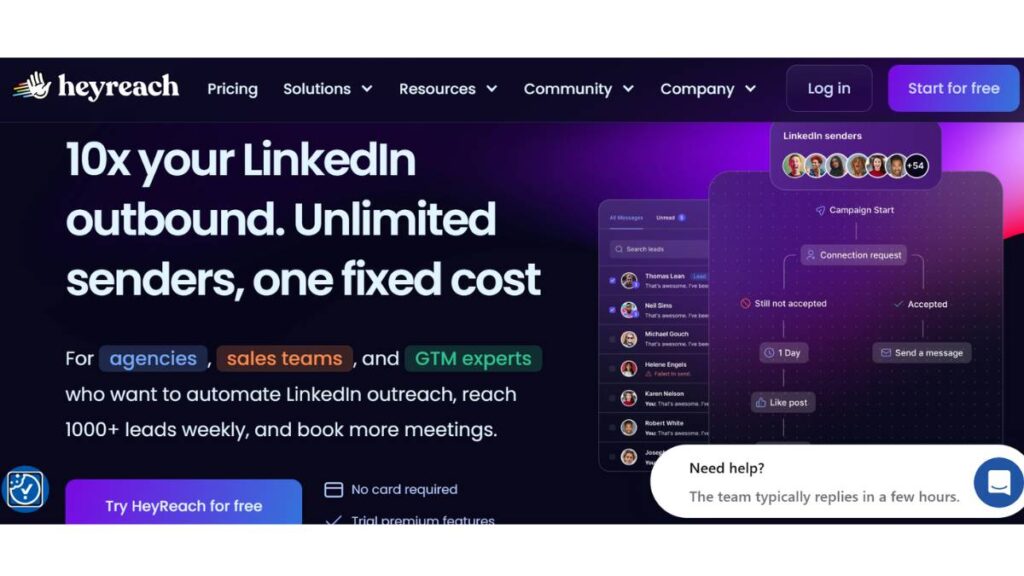
Best for Multi-Account LinkedIn Outreach Automation
HeyReach is very clearly designed for teams running outbound at scale. Not occasional outreach, proper, ongoing campaigns across multiple accounts.
The main thing it solves is coordination. Managing several LinkedIn profiles manually gets messy fast. Messages overlap, replies get missed, tracking falls apart. This tool pulls everything into one place, which sounds simple… but makes a big difference once volume increases.
There’s also the rotation aspect. Activity doesn’t sit on one account. It spreads out. That helps campaigns run more smoothly, and, just as important, keeps things from looking unnatural.
It’s not really aimed at solo users testing things out. Feels like overkill in that case. But for agencies or outbound teams, it fits naturally into the workflow.
Taplio
Best AI LinkedIn Content & Personal Branding Tool
Taplio sits in a different lane. This isn’t about outreach sequences or lead lists, it’s about staying visible.
Consistency on LinkedIn sounds easy until it isn’t. Posting regularly, coming up with ideas, keeping engagement steady… it drops off quickly without a system.
That’s where Taplio helps. It removes that “what should be posted today?” friction. Not completely, but enough to keep things moving.
The content suggestions are hit or miss at times, but they do the job when there’s nothing to start from. Scheduling is clean. Analytics are simple enough to act on without overthinking.
It works best for people building a presence over time. Less about immediate leads, more about long-term visibility.
Expandi
Best Safe Cloud-Based LinkedIn Automation Tool
Expandi usually comes up in conversations around safety. And for good reason.
Since it runs in the cloud, actions are spaced out more naturally. No sudden bursts, no obvious patterns. It just… runs in the background in a way that doesn’t draw too much attention.
Personalization is handled fairly well, too. Messages don’t feel completely templated if the setup is done right. That part still depends on how campaigns are written, though. The tool can only take it so far.
It’s not the cheapest option, which tends to filter who uses it. Usually, people care more about long-term use than quick wins.
Dripify
Best for Beginners in LinkedIn Automation
Dripify is often where people land when they’re just getting started.
The interface is simple. That’s the first thing that stands out. Campaigns are built visually, so it’s easier to understand what’s actually happening at each step.
Connect – message – follow-up. It’s all laid out clearly.
It doesn’t go too deep into advanced setups, and that’s fine. For beginners, that’s actually helpful. Less room to overcomplicate things.
At some point, limitations start to show, usually when campaigns need more flexibility. But early on, it does what it needs to do without much friction.
Waalaxy
Best Budget LinkedIn Automation Tool
Waalaxy tends to attract users who want something practical without spending too much up front.
It combines LinkedIn outreach with email, which is useful for basic multi-channel campaigns. Not overly advanced, but enough to test what works.
The interface leans toward simplicity, though it can feel a bit constrained depending on how complex the workflow gets.
For smaller setups, that’s not really an issue. For larger ones, it starts to feel limiting.
Still, for the price point, it covers the essentials without making things complicated.
PhantomBuster
Best for Data Scraping & Growth Automation
PhantomBuster plays a different role altogether.
It’s less about sending messages and more about collecting data. Pulling LinkedIn profiles, extracting search results, gathering engagement lists, that kind of work.
There’s a bit of a learning curve. Not huge, but enough to slow things down at the start. Once it’s set up properly, though, it becomes a solid backend tool.
Most people don’t use it alone. It usually feeds into other tools, helping build lead lists that are then used for outreach elsewhere.
Not flashy. But very useful in the right setup.
La Growth Machine
Best Multichannel AI Outreach Tool
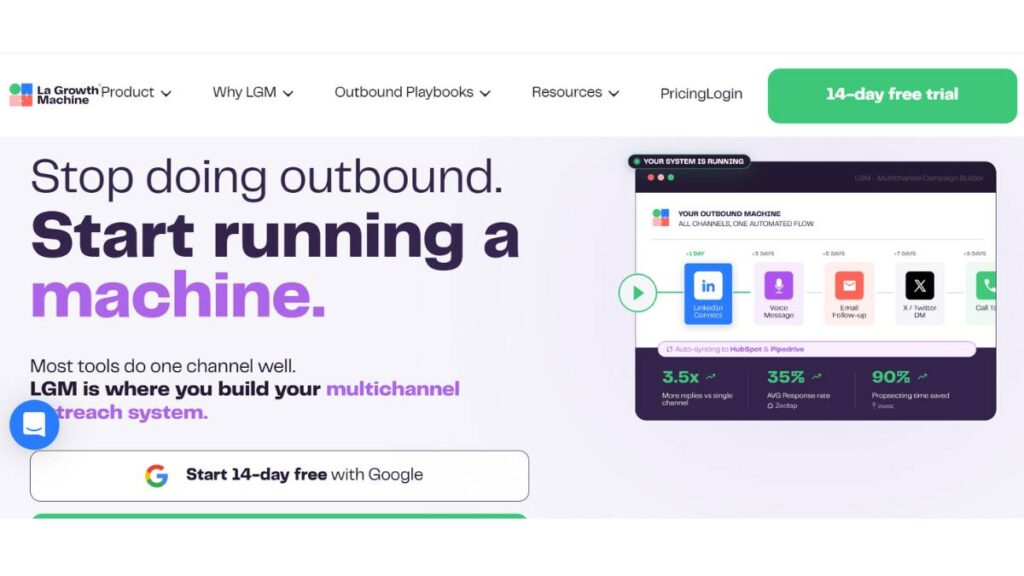
La Growth Machine takes a broader approach. LinkedIn is just one part of the flow.
Campaigns can move across channels, LinkedIn, email, and sometimes even Twitter. That adds a layer of flexibility that single-channel tools don’t really offer.
A prospect might get a connection request, then an email, then a follow-up message. All connected. All part of one sequence.
It works well for structured outbound setups. Less so for casual use.
There’s also data enrichment built in, which helps fill gaps in lead information. Makes targeting a bit sharper, especially at scale.
Lempod
Best for LinkedIn Engagement Automation
Lempod focuses on engagement. Likes, comments, and post visibility.
The idea is simple: boost early engagement so posts reach more people.
It can work. Posts get that initial push, which sometimes leads to more organic reach.
But there’s a balance. Overuse makes engagement patterns look unnatural. And that’s where it starts working against the account instead of helping it.
Best treated as a support tool, not the main strategy.
Postbeam
Best AI Signal-Based LinkedIn Automation Tool
Postbeam leans into timing.
Instead of reaching out randomly, it tracks signals, likes, comments, interactions, and uses those moments to trigger outreach.
That small shift changes how conversations start. They feel more relevant, more immediate.
It doesn’t rely on volume as much. Fewer messages, but often better context behind them.
Also includes content support, which helps keep profiles active alongside outreach.
Works well when the focus is on warmer leads rather than cold lists.
Jasper
Best AI Copywriting Tool for LinkedIn Content
Jasper isn’t built specifically for LinkedIn automation, but it fits into the workflow.
It helps generate content, posts, messages, and ideas faster than starting from scratch every time.
The output usually needs editing. That’s just how it is. But it speeds things up, especially when managing multiple profiles or running content at scale.
It’s more of a support layer than a full solution. Works best alongside other tools rather than replacing them.
LiProspect
Best for LinkedIn Lead Generation Automation
LiProspect is focused on outbound and lead generation, without trying to do too many extra things.
It includes a smart inbox, which helps keep conversations organized. Follow-ups are automated, but still structured in a way that doesn’t feel too rigid.
Integration with Sales Navigator helps with targeting, which is where a lot of the value comes from.
It’s fairly straightforward. Doesn’t try to be everything. Just handles outreach well.
Skylead
Best for Smart Inbox + Email Integration
Skylead connects LinkedIn and email into a single workflow.
The smart inbox pulls conversations from both channels into one place. That alone saves time, no switching back and forth trying to track replies.
Campaigns can move between platforms depending on how prospects respond. If LinkedIn stalls, email picks it up.
That flexibility makes follow-ups more consistent. Conversations don’t just stop because one channel didn’t work.
Zopto
Best Enterprise LinkedIn Automation Tool
Zopto is built for larger setups. Teams, agencies, and enterprise-level outreach.
It offers more control, targeting, campaign structure, and scaling. But with that comes more complexity.
Setup takes time. Not something that gets running in an hour.
For smaller users, it’s usually too much. For larger teams, it fits better because the structure is already there to support it.
Meet Alfred
Best All-in-One LinkedIn Automation Tool
Meet Alfred, who tries to bring everything into one place: outreach, CRM features, analytics, and multi-channel campaigns.
That convenience is its main strength. No need to stack multiple tools just to run basic campaigns.
The trade-off is depth. It handles many things reasonably well, but doesn’t go very deep into any single area.
For users who want simplicity and a unified setup, it works. For more advanced workflows, it may feel a bit limited.
Linked Helper
Best Desktop LinkedIn Automation Tool
Linked Helper has been around for a while, and it still holds up.
It runs as a desktop application, which gives more direct control over activity. That can be useful, but it also requires a bit more care.
It’s flexible, affordable, and capable of running solid campaigns when set up properly.
The interface isn’t the most modern, and setup takes a bit of time. But once it’s running, it does what it’s supposed to do.
For users who prefer more control over how things operate, it’s still a reliable option.
Enroll Now: AI Marketing Course
Comparison of AI LinkedIn Automation Tools
Once a few tools are tested side by side, patterns start to show. Not in a neat, “this one is better than that one” way, but in how they’re built, what they prioritize, and where they start to feel limiting.
Some tools lean heavily into outreach volume. Others are clearly built for content or personal branding. A few try to connect everything: LinkedIn, email, CRM, but that usually comes with trade-offs.
Instead of looking at features in isolation, it helps to compare them across a few practical factors:
- Pricing
There’s a wide spread here. Entry-level tools are accessible, but often limited in scale or flexibility. Higher-priced tools tend to justify it through multi-account support, better infrastructure, or safer execution. Cost usually starts to make sense only when campaigns are running consistently. - AI capabilities
Not all “AI” features are equal. In some tools, it’s basic personalization, changing a few lines based on profile data. In others, it’s more about adapting messaging or timing. The difference shows up in response quality, not just output. - Multi-account support
This becomes important faster than expected. Running one account is manageable. Running three or five without a proper system? That’s where things break. Tools that handle multiple accounts cleanly tend to be built for teams rather than individuals. - Safety level
This is less about marketing claims and more about how the tool behaves over time. Cloud-based setups usually space actions better. Browser-based ones rely more on manual control. Neither is automatically safer; it depends on how campaigns are configured. - Best use case (agency/creator/sales)
This is where most decisions actually get made. A tool that works well for a creator building an audience won’t necessarily fit a sales team running outbound. Same with agency setups, they need structure and scale, not just basic automation.
What becomes clear after a while is this: there isn’t a single “best” tool. There’s only one that fits the way LinkedIn is being used.
How to Choose the Best AI LinkedIn Automation Tool
Choosing a tool usually feels simple at the start: compare features, pick one, move on. In practice, it’s a bit messier than that.
The wrong choice doesn’t always fail immediately. It just slows things down, creates friction, or limits what can be done later.
So it’s worth thinking through a few things before settling on one.
Based on the use case
Everything starts here. What’s the actual goal?
Lead generation
The focus is outreach. Connection requests, follow-ups, replies. Tools here need strong sequencing, decent personalization, and reliable inbox management.
Personal branding
Completely different setup. Content matters more than messaging volume. Scheduling, idea generation, and analytics become the priority.
Agency scaling
This is where complexity increases. Multiple accounts, multiple clients, overlapping campaigns. The tool needs to handle structure without things getting messy.
Trying to force one tool into all three use cases rarely works well.
Budget considerations
It’s easy to underestimate this part.
Lower-cost tools can work fine at the start, but limitations show up quickly, especially when scaling. On the other hand, higher-priced tools only make sense if they’re actually being used to their full capacity.
The better approach is to match cost with usage. Not just current needs, but where things are heading in the next few months.
Safety & compliance
This tends to get ignored early on. Until something breaks.
Some tools are built with stricter limits and more controlled behavior. Others leave more room for manual setup, which can be good or bad depending on how it’s handled.
The key is not pushing activity too aggressively. The tool helps, but it doesn’t remove responsibility. If campaigns are poorly set up, no platform is going to “protect” the account.
AI capabilities vs manual automation
There’s a tendency to overvalue AI features without looking at how they’re actually used.
In many cases, solid sequencing and clear messaging matter more than advanced AI layers. Personalization helps, but only if the base message makes sense.
So the question isn’t just “does it have AI?”
It’s “does it improve what’s already being done?”
If not, it’s just an extra layer without much impact.
AI LinkedIn Automation Use Cases
This is where things get more practical. Tools are one part of it, but how they’re used is what actually drives results.
Different use cases lead to very different setups.
B2B lead generation
This is probably the most common one.
The goal is straightforward: start conversations with the right people and move them toward a sales discussion.
Automation helps by:
- Reaching out consistently without manual effort
- Following up at the right intervals
- Keeping conversations organized
But the real difference comes from targeting and messaging. If those are off, no tool is going to fix it.
Volume helps. Relevance matters more.
Personal branding growth
This works on a completely different timeline.
Instead of direct outreach, the focus shifts to visibility. Posting regularly, engaging with the audience, staying top of mind.
Automation supports this by:
- Scheduling content in advance
- Suggesting ideas when consistency drops
- Tracking what actually performs
It’s slower compared to outbound. But over time, it compounds. Conversations start coming in instead of being chased.
Sales outreach automation
This sits somewhere between lead generation and structured sales processes.
The goal isn’t just to start conversations, but to move them forward.
Automation helps keep the pipeline active:
- No missed follow-ups
- Clear sequences for different stages
- Better tracking of interactions
Still, once a real conversation starts, automation needs to step back. That transition, from automated to human, is where most deals are actually shaped.
Recruitment automation
Hiring teams use LinkedIn differently, but the mechanics are similar.
Instead of leads, it’s candidates. Instead of offers, it’s roles.
Automation helps by:
- Reaching out to large candidate pools
- Following up without manual tracking
- Keeping communication consistent
The challenge here is tone. Outreach needs to feel personal enough to stand out, especially in competitive roles.
Otherwise, it just blends into everything else candidates receive.
Agency client management
This is where things get layered.
Agencies aren’t running one campaign; they’re running many. Different clients, different audiences, different goals.
Automation helps create structure:
- Separate campaigns for each client
- Clear tracking across accounts
- Consistent reporting and performance visibility
Without that structure, things start slipping quickly. Messages overlap. Leads get mixed. Results become harder to measure.
With the right setup, though, it scales in a controlled way. That’s the difference.
AI LinkedIn Automation Strategy
Tools don’t create results on their own. The setup behind them does.
A lot of campaigns fail quietly, not because the tool is wrong, but because the structure is off from the start. Weak targeting, unclear messaging, no follow-up logic… it all adds up.
A simple framework tends to work better than trying to over-engineer things.
Step 1: Define ICP (Ideal Customer Profile)
This step gets rushed more often than it should.
“Target founders” or “target marketers” sounds clear, but it’s not. Those groups are too broad. The real clarity comes from narrowing things down:
- Industry
- Company size
- Role seniority
- Pain points that actually matter
The more specific this gets, the easier everything else becomes, especially messaging.
Without a clear ICP, outreach feels generic, no matter how personalized it tries to be.
Step 2: Build lead lists
Once the ICP is defined, lead building becomes more structured.
This usually involves pulling data from LinkedIn searches or Sales Navigator, then refining it. Not every lead needs to be perfect, but the list should be relevant enough that outreach doesn’t feel random.
Quality matters more than quantity here. A smaller, well-defined list will outperform a large, unfocused one almost every time.
Step 3: Create AI-powered outreach sequences
This is where most of the thinking happens.
Messages need to feel natural. Not overly clever, not overly long, just clear and relevant.
A basic sequence might look like:
- Connection request with a simple context
- First message that opens a conversation (not a pitch)
- Follow-up that adds value or asks a better question
The mistake is trying to “optimize” every line. Usually, simpler works better.
The goal isn’t to impress. It’s to start a conversation that actually continues.
Step 4: Automate follow-ups
This is where automation does most of the heavy lifting.
Following up manually is inconsistent. It gets skipped, delayed, or forgotten.
With automation, timing becomes predictable. Messages go out when they should, without overthinking it each time.
But there’s a limit. Too many follow-ups start to feel pushy. Two or three is usually enough before moving on.
Step 5: Track analytics and optimize
This part gets ignored more than it should.
Without looking at data, it’s hard to know what’s working:
- Are connection requests being accepted?
- Are people replying, or ignoring messages?
- At which step do conversations drop off?
Small adjustments make a difference. Changing the opening line, tweaking targeting, adjusting timing.
Not everything needs to be rebuilt. Often, it’s just refinement.
Best Practices to Maximize Results with LinkedIn Automation
There’s a difference between using automation… and using it well.
The tools can run campaigns, but they don’t fix poor habits. A few practical adjustments tend to improve results more than switching platforms.
Personalization using AI variables
Basic personalization isn’t enough anymore. Adding a name or company doesn’t change much.
What works better is context. Something specific to the person’s role, industry, or recent activity.
Even small details can shift how a message feels. It doesn’t need to be perfect, just relevant enough to stand out from generic outreach.
Warm-up accounts before scaling
Jumping straight into high activity is risky.
New or inactive accounts need time to build a pattern of normal behavior. That means:
- Gradually increasing connection requests
- Mixing in organic activity (views, likes, posts)
- Avoiding sudden spikes in messaging
It’s slower at the start. But it prevents problems later.
Avoid spam triggers
This is where most campaigns go wrong.
Common issues show up quickly:
- Sending the same message to everyone
- Running too many actions in a short time
- Overloading sequences with follow-ups
None of these feels natural. And that’s usually what gets flagged.
Keeping things simple, both in volume and messaging, works better in the long run.
Combine content + outreach strategy
Outreach alone has limits.
When profiles are active, posting content, and engaging with others, responses tend to improve. There’s more context. More trust.
It doesn’t need to be daily posting. Just enough to show that the account is active and credible.
The combination works better than either approach on its own.
Future of AI LinkedIn Automation Tools
Things are already shifting. Slowly, but noticeably.
Automation used to be about saving time. Now it’s starting to move toward decision-making, what to send, when to send it, and who to prioritize.
That shift will probably continue.
AI agents for LinkedIn outreach
Instead of just running sequences, tools are starting to act more like assistants.
They don’t just execute tasks; they suggest actions. Which leads to contact first. When to follow up. How to adjust messaging.
Still early, and not always reliable. But the direction is clear.
Hyper-personalization using LLMs
Personalization is getting deeper.
Not just inserting variables, but actually shaping messages around context, industry trends, role-specific challenges, and even recent activity.
It won’t be perfect. But it will reduce the gap between automated and manual outreach.
That’s where things get interesting.
Integration with CRM and GTM stacks
LinkedIn is becoming one part of a larger system.
Tools are connecting more tightly with CRMs, email platforms, and broader go-to-market setups. Data flows more easily between them.
That means fewer disconnected tools… and more unified workflows.
Predictive lead scoring
Instead of treating every lead the same, tools are starting to prioritize.
Who’s more likely to respond? Who’s worth following up with again? Who should be dropped?
This kind of filtering saves time and focuses effort where it actually matters.
Conclusion:
There isn’t a single right answer here. It depends on how LinkedIn is being used.
For teams or agencies running multiple accounts, something like HeyReach makes sense. It’s built for scale and structure.
For creators or individuals focused on content, Taplio fits better. It keeps consistency without needing constant attention.
If safety is the main concern, Expandi is usually the safer route. Slower, more controlled, but more stable over time.
And for those just getting started, Dripify keeps things simple enough to learn without getting overwhelmed.
Beyond that, the decision comes down to fit.
Not just features, but how well the tool aligns with the workflow, the goals, and the way campaigns are actually being run.
Because in the end, the tool matters less than how it’s used.
FAQs: AI LinkedIn Automation Tools
Are AI LinkedIn automation tools safe?
They can be, but “safe” depends more on usage than the tool itself. Run too many actions too quickly, or send the same message over and over, and problems show up. Slower pacing, varied messaging, and a bit of restraint usually keep things in a good place. Most issues come from pushing too hard, not the software.
Can LinkedIn ban automation tools?
LinkedIn doesn’t really go after tools directly; it reacts to behavior. If the activity looks unnatural, restrictions start showing up. First, it’s small limits, then warnings, and if nothing changes, stronger action follows. It’s less about what’s being used and more about how aggressively it’s being used over time.
What is the best AI LinkedIn automation tool for beginners?
For beginners, simpler usually wins. Tools with clean dashboards and straightforward sequences make it easier to understand what’s happening. Starting with basic campaigns, connection, message, and follow-up work better than trying to build something complex too early. Once the basics feel clear, then it makes sense to explore more advanced setups.
Which LinkedIn automation tool is best for agencies?
Agencies need control more than anything else. Multiple accounts, different clients, overlapping campaigns, it adds up quickly. Tools that centralize inboxes and separate campaigns properly tend to work better. Without that structure, things start slipping. Messages get mixed, replies get missed. So the setup matters just as much as the tool itself.
Do AI tools improve LinkedIn response rates?
They can help, yes, but only up to a point. Better timing and slightly more relevant messaging do make a difference. Still, if the core message doesn’t land, nothing really fixes that. Strong targeting and a clear reason to connect tend to move the needle more than any automation layer sitting on top.
Are there free LinkedIn automation tools?
There are free options, though they’re usually limited in some way, either in terms of features, volume, or reliability. They’re fine for testing things out, getting a feel for how automation works. But once campaigns start growing, those limits become noticeable. At that stage, most setups move toward paid tools without much hesitation.
What’s the difference between LinkedIn automation and AI tools?
Traditional automation follows a script. Do this, wait, then do that. AI tools try to adjust along the way, slight changes in messaging, maybe timing shifts. It’s not a huge leap in every case, but enough to make outreach feel less repetitive. Still, the foundation stays the same. Structure first, adjustments second.
Can I automate LinkedIn messages safely?
Yes, but it needs a bit of balance. Messages should be spaced out, not blasted all at once. Content should vary, even slightly. And follow-ups shouldn’t drag on forever. When things start to feel forced, that’s usually where issues begin. Keeping it simple tends to keep it safer.
Which tool is best for LinkedIn content automation?
Content tools focus more on consistency than automation in the strict sense. They help plan posts, suggest ideas, and keep publishing on track. That alone solves a big problem: staying active over time. The actual writing still needs a human touch, though. Otherwise, posts start feeling… a bit flat.
Do these tools work with LinkedIn Sales Navigator?
Most of them connect in some way, even if it’s not always direct. Sales Navigator is often where leads are found, then passed into campaigns. It’s a common pairing, especially for B2B outreach. The targeting from Navigator, combined with automation workflows, tends to create a more structured pipeline overall.
What are the best AI LinkedIn automation tools for lead generation?
Tools built around outreach sequences and inbox management tend to perform better here. It’s not just about sending messages, it’s about handling replies properly and keeping conversations moving. The ones that organize this process well usually stand out. Lead generation is less about volume, more about follow-through.
Which LinkedIn automation tools support multi-account management?
Not every tool handles this cleanly. The ones that do usually offer shared dashboards and unified inboxes, which make a big difference once more than one account is involved. Without that, things get messy fast. Especially when campaigns overlap. Multi-account support becomes less optional as scale increases.
Are cloud-based LinkedIn automation tools safer than Chrome extensions?
Cloud-based tools tend to handle pacing better, which helps. Extensions can work too, but they rely more on how carefully they’re used. It’s not a strict rule, just a pattern. When activity is controlled and spread out naturally, risk stays lower regardless of the setup.
How does AI improve LinkedIn outreach personalization?
It adds small layers of context. Maybe it adjusts wording based on someone’s role or industry. Nothing dramatic, but enough to avoid messages feeling completely generic. That slight shift can improve how messages are received. Still, the base message needs to be solid first; AI can’t fix weak positioning.
Can AI LinkedIn tools automate connection requests and follow-ups?
Yes, that’s a core part of what they do. Requests go out over time, then follow-ups are triggered based on responses, or lack of them. The sequence runs in the background once it’s set. The key is keeping it reasonable. Too many steps, and it starts to feel forced.
What features should I look for in AI LinkedIn automation tools?
A few things tend to matter more than the rest: clear campaign structure, reliable inbox handling, and decent control over timing. Beyond that, it depends on the use case. Some setups need multi-channel support, others don’t. Simpler tools often work better than overloaded ones, especially early on.
Do LinkedIn automation tools integrate with CRM platforms?
Many of them do, or at least connect through integrations. This helps keep track of leads once conversations move forward. Without it, things can get scattered, messages in one place, deals in another. Integration brings everything together, which becomes more useful as campaigns grow.
How much do AI LinkedIn automation tools cost?
Pricing ranges quite a bit. Entry-level tools are relatively affordable, but with limits. More advanced platforms cost more, especially those built for teams. The real question isn’t just price, it’s whether the tool supports the way campaigns are being run. Paying more only makes sense if it’s actually being used.
Can beginners use AI LinkedIn automation tools effectively?
They can, as long as things stay simple at the start. Basic sequences, small lead lists, steady pacing, that’s usually enough. Trying to scale too quickly tends to create problems. Learning how responses work, how timing affects things… that part takes a bit of practice.
What are the limitations of LinkedIn automation tools?
They don’t replace judgment. That’s the main limitation. Messaging still needs to make sense, targeting still needs to be right, and conversations still need human input at some point. Over-automation usually shows. These tools work best as support, not as a complete substitute for real interaction.