
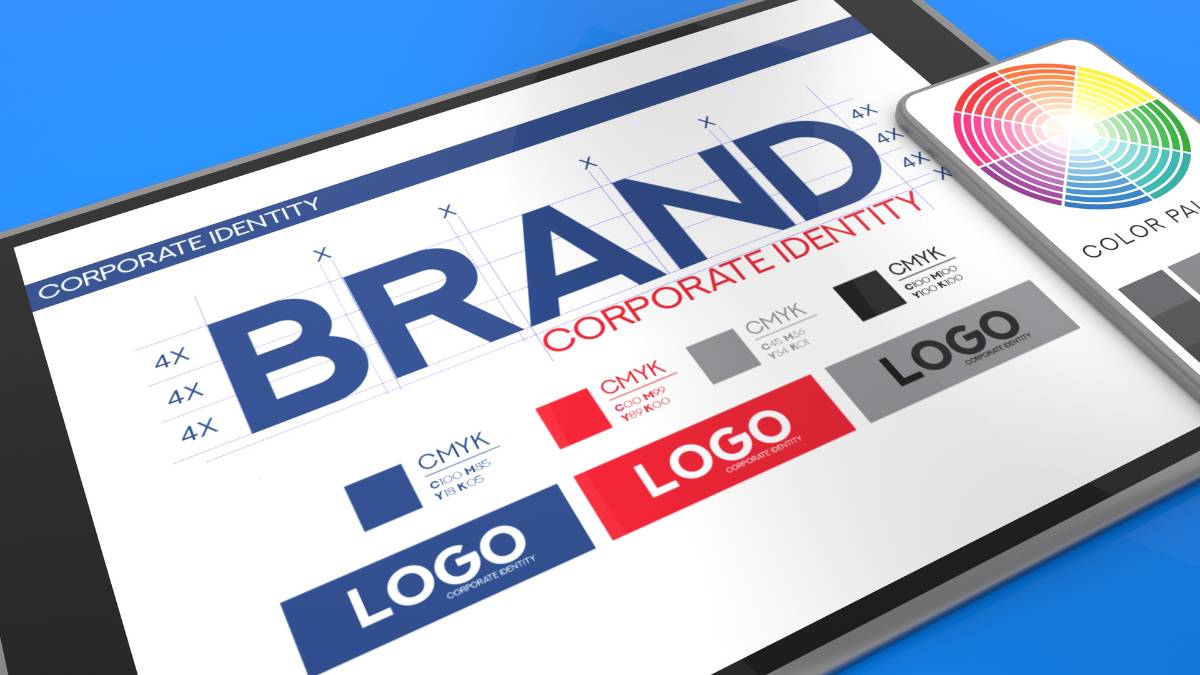
Building a brand used to be slow, expensive, and, honestly, a bit overwhelming for smaller teams. That’s changed quite a lot. An AI brand kit generator can now help businesses create logos, typography systems, brand colors, templates, and visual guidelines in far less time than traditional branding workflows. But speed alone isn’t the real story here. The bigger shift is consistency. Brands today need to look cohesive across websites, ads, social media, ecommerce stores, presentations… everywhere, really. This guide breaks down the best AI branding tools in 2026, how website brand extraction works, what features actually matter, common mistakes businesses make, and where AI-powered branding is heading next. Some tools are built for startups, others fit agencies or creators better. That distinction matters more than most comparison lists admit.
Table of Contents
Why AI Brand Kit Generators Are Becoming Essential in 2026
Branding used to move more slowly. Not necessarily better, just slower.
A company would spend weeks collecting references, testing logos, revising typography, adjusting color palettes three or four times, then eventually packaging everything into a PDF full of rules nobody opened again after launch. That process still exists, especially at the enterprise level, but for most modern businesses? Things have changed quite a bit.
Speed matters now. Maybe more than most branding agencies expected.
Startups launch products in public before the branding is fully finished. Ecommerce brands test entirely new categories every quarter. Creators turn newsletters into businesses almost overnight. And marketing teams are producing so much content now that maintaining visual consistency manually has become… honestly, kind of exhausting.
That’s where AI brand kit generators started becoming genuinely useful instead of just gimmicky logo tools.
A few years ago, most AI branding platforms produced generic-looking identities. Same gradients. Same predictable fonts. Everything looked like a crypto startup from. But the newer tools are noticeably better. Some are surprisingly thoughtful with typography pairings, visual hierarchy, layout balance, and even tone.
Not perfect, obviously. Human judgment still matters a lot in branding.
But the gap is shrinking.
Businesses also need branding systems now, not just logos. There’s a difference. A logo alone doesn’t solve much if the Instagram graphics look unrelated to the website, or if paid ads use different colors every month because nobody documented the visual identity properly.
That inconsistency adds up.
Customers notice fragmented branding faster than companies think. Maybe they can’t explain exactly what feels off, but they feel it anyway. A polished landing page paired with messy ad creatives creates friction. Same with mismatched typography or constantly shifting visual styles.
AI brand kit generators help reduce that chaos by centralizing brand assets and automating a lot of the repetitive production work.
Instead of manually building every template or defining every visual rule, these tools can generate coordinated systems almost immediately:
- Logo variations
- Typography combinations
- Color palettes
- Social media templates
- Brand guidelines
- Marketing assets
- Website styling elements
- Presentation designs
Some platforms even analyze an existing website and rebuild the brand system automatically from it. Colors, fonts, spacing, visual structure… all extracted in minutes. That used to require actual design audits.
And honestly, the timing makes sense.
Businesses are publishing more content than ever before. More ad creatives. More landing pages. More short-form video. More emails. More platform-specific content. The volume alone creates branding problems.
Without structured systems, visual consistency usually breaks somewhere.
That’s why AI branding tools are increasingly becoming operational tools for marketing teams, not just design shortcuts for founders. Agencies use them for onboarding. Ecommerce brands use them for campaign production. Creators use them to scale visual identity across platforms without hiring full design teams immediately.
The underlying shift is pretty clear now.
Branding is moving away from static guideline documents and becoming something more dynamic. More connected to workflows. More integrated with content production itself.
And AI fits naturally into that transition because it handles repetitive visual coordination unusually well.
Not a strategy. Not positioning. Those still need human thinking.
But execution speed? Asset consistency? Systemization? AI is getting very good at that part.
This guide breaks down how AI brand kit generators actually work, which tools stand out in 2026, how website brand extraction works, and what businesses should realistically expect from AI-powered branding systems today.
Because at this point, these tools are no longer “emerging.” They’re becoming standard workflow infrastructure for modern digital brands.
What Is an AI Brand Kit Generator?
An AI brand kit generator is a tool that creates a complete visual identity system using artificial intelligence. Instead of building every branding element manually from scratch, users can enter a company name, website URL, prompt, or business description, and the platform generates coordinated branding assets automatically.
The important part here is “coordinated.”
Older design tools helped create individual assets. AI branding tools try to create systems. That’s a very different thing.
A traditional design workflow might involve separate processes for logo creation, typography selection, color palette development, social templates, and brand guidelines. AI brand kit generators compress those steps into one connected workflow where everything is generated with visual consistency in mind.
That’s largely why adoption has accelerated so quickly among startups and smaller marketing teams.
Most businesses don’t actually struggle with getting a logo anymore. They struggle with maintaining consistency after the logo exists.
An AI brand kit generator usually handles things like:
- Logo systems
- Brand colors
- Font pairings
- Social templates
- Marketing visuals
- Brand guidelines
- Website styling assets
- Presentation templates
Some platforms go further and generate mockups, ad creatives, packaging concepts, and reusable design systems for web development, too.
The website extraction side is especially interesting right now.
Several newer AI branding tools can scan an existing website and identify visual patterns automatically. Fonts, colors, layouts, spacing systems, even UI styles. Then they convert those findings into reusable brand assets and editable guidelines.
That’s useful for rebrands, agency onboarding, or honestly just cleaning up inconsistent branding that evolved over time without structure.
And that happens more often than people admit.
A lot of growing businesses end up with fragmented visual identities because different teams create assets independently over months or years. Marketing chooses one font. Product teams use another. Social media evolves separately. Eventually, the brand starts feeling disconnected from itself.
AI branding tools help pull those systems back together.
What Is Included in an AI-Generated Brand Kit?
Most AI-generated brand kits include far more than a logo file.
The better platforms build entire identity systems designed to work across websites, ads, email marketing, social media, ecommerce stores, and presentations. Basically, every place a brand appears digitally now.
Logo variations are usually the starting point.
That includes horizontal versions, icon marks, stacked logos, monochrome assets, transparent files, favicon versions, and social-friendly layouts. Some tools also generate responsive logo systems optimized for different screen sizes automatically.
Color palettes are another major component.
Instead of randomly selecting trendy colors, AI tools now attempt to build structured palettes with primary, secondary, and accent colors that work together visually. Better systems also account for contrast, readability, and accessibility, which matter more than ever across digital platforms.
Typography systems have improved a lot too.
Earlier AI tools often paired fonts badly. Everything looked generic or overly polished. Newer platforms are much more nuanced with typography recommendations. A SaaS startup might receive cleaner geometric fonts, while a luxury fashion brand gets more editorial-style serif pairings with softer visual spacing.
Not every suggestion lands perfectly, but the baseline quality is much stronger now.
Most AI brand kits also include reusable marketing assets:
- Instagram post templates
- LinkedIn banners
- Ad creative layouts
- Email headers
- Presentation slides
- Business cards
- Website graphics
- Brand mockups
Some platforms generate actual brand guidelines automatically as well. That’s becoming one of the most useful features, honestly.
Instead of manually creating a long brand rulebook, AI can generate structured documentation covering:
- Logo usage
- Typography hierarchy
- Color rules
- Visual tone
- Image direction
- Layout spacing
- Social media styling
That consistency layer matters more than the logo itself in many cases.
Strong branding usually isn’t about one visual element. It’s about repetition. Familiarity. Consistent execution across dozens of touchpoints over time.
That’s what AI brand kit generators are increasingly optimized for.
How AI Creates a Cohesive Brand Identity
AI branding tools rely heavily on pattern recognition.
The system analyzes huge volumes of branding data, visual relationships, typography structures, layout patterns, color harmonies, and industry-specific design trends. Then it predicts combinations likely to work well together visually.
In practice, it feels surprisingly fast.
A user enters a business description like “minimal skincare brand for Gen Z consumers,” and within seconds, the platform starts generating coordinated visual directions based on similar branding patterns associated with that category.
Luxury-focused brands often trigger softer palettes and refined typography. Tech products usually produce cleaner spacing systems and more geometric fonts. Creative businesses lean toward expressive layouts or bolder visual contrast.
The AI is essentially identifying patterns humans already associate with certain industries and aesthetics.
Color harmony detection is one of the stronger capabilities in modern branding systems.
Good AI tools don’t just select random trendy colors anymore. They evaluate combinations based on contrast, emotional tone, readability, visual balance, and sometimes even platform behavior. Certain color systems simply perform better across digital interfaces.
Typography pairing works similarly.
The AI evaluates compatibility between fonts, heading structures, readability, spacing rhythm, and visual hierarchy. Designers still refine these outputs manually quite often, but AI handles the initial coordination surprisingly well now.
Another important feature is consistency automation.
Once the AI establishes visual rules, it applies those patterns across generated templates and assets automatically. That helps brands avoid the fragmented look that happens when multiple people create visuals independently without shared guidelines.
Some advanced systems even generate design tokens and CSS variables directly from brand outputs. That’s especially useful for product teams trying to align website interfaces with marketing visuals.
And honestly, this is where AI branding becomes genuinely practical rather than just visually impressive.
The value isn’t only faster logo generation.
It’s the ability to maintain cohesive branding across dozens of assets without rebuilding visual systems manually every single time.
Benefits of Using an AI Brand Kit Generator
Faster Brand Identity Creation
Traditional branding projects can take a long time. Sometimes for good reason. Strategy discussions, creative exploration, revisions, stakeholder approvals… all of that matters.
But not every business has months to spend refining a visual identity before launching.
That’s one reason AI brand kit generators have gained traction so quickly with startups, creators, ecommerce businesses, and smaller agencies.
They compress early-stage branding timelines dramatically.
A business can move from idea to usable identity system in a single afternoon now. Logo concepts, typography, color palettes, social templates, and even lightweight brand guidelines can be generated almost immediately.
That speed changes decision-making behavior.
Instead of delaying launches because branding feels overwhelming, teams can create functional visual systems early and refine them gradually over time. Momentum matters in modern marketing. Probably more than perfect visual polish during the initial phase.
Agencies benefit from this speed, too.
Many creative teams now use AI branding tools during concept development or onboarding stages to accelerate exploration before moving into deeper strategic refinement. It reduces repetitive setup work and frees more time for positioning and creative direction.
And honestly, clients increasingly expect faster turnaround times anyway.
The demand for rapid content production has changed branding workflows completely.
Cost-Effective Branding for Small Businesses
Professional branding can be expensive. Good branding, especially.
For established companies, investing heavily in visual identity usually makes sense because branding influences perception, conversion rates, trust, and long-term recognition. But early-stage businesses often don’t have the budget for full-scale agency engagements right away.
That’s where AI brand kit generators become extremely practical.
Instead of spending thousands upfront, businesses can access usable branding systems through subscription-based tools or lower-cost platforms. The quality won’t always match top-tier creative studios, obviously, but for many businesses, the tradeoff is worth it initially.
Especially for businesses still validating ideas.
Ecommerce stores launching new product lines, creators building niche audiences, local businesses modernizing online presence… these groups often need speed and flexibility more than award-winning design systems during early growth stages.
AI lowers the barrier significantly.
And because many platforms now include templates, brand assets, and guideline systems together, businesses avoid the scattered DIY look that used to happen when branding was assembled piece by piece from different tools.
That consistency alone improves perceived credibility.
Brand Consistency Across Platforms
Most brands don’t struggle with creating assets.
They struggle with maintaining consistency across all the places those assets appear.
And there are a lot of places now.
Websites, Instagram, LinkedIn, TikTok, YouTube thumbnails, paid ads, email campaigns, ecommerce stores, sales presentations, mobile apps… the list keeps growing. Visual fragmentation happens quickly when multiple people create content without centralized systems.
AI brand kit generators help solve that by turning branding into a shared operational framework instead of scattered design files.
Teams can access approved logos, templates, typography systems, color palettes, and marketing assets from one centralized environment. That reduces inconsistencies and speeds up production at the same time.
Some platforms also automate template styling so every new asset follows predefined visual rules automatically.
That matters more than many businesses realize.
Strong branding usually feels cohesive before people consciously notice it. The visual consistency creates familiarity over time, and familiarity builds trust surprisingly fast.
When branding constantly shifts, audiences feel that instability too.
Even if they can’t explain exactly why.
AI-Powered Brand Personalization
One thing newer AI branding tools do much better is personalization.
Earlier systems generated branding that often looked interchangeable. Same startup aesthetics. Same oversimplified visual style. Everything felt optimized for trendiness rather than actual brand personality.
That’s improved a lot.
Modern AI brand kit generators increasingly adapt outputs based on industry type, audience expectations, business positioning, and aesthetic direction. A fintech startup shouldn’t look identical to a wellness creator brand, and stronger AI systems understand that distinction now.
Many tools generate mood boards, visual references, and stylistic directions based on prompts or business descriptions. Some even analyze competitors and suggest ways to visually differentiate within crowded markets.
That exploration process becomes much faster with AI assistance.
Instead of manually testing dozens of directions, businesses can compare multiple branding styles quickly and refine what actually fits their positioning.
It doesn’t replace strategic brand thinking, but it definitely accelerates visual discovery.
Easier Collaboration for Marketing Teams
Branding gets messy when multiple teams touch creative assets without shared systems.
Marketing teams update social graphics. Designers revise presentation templates. Freelancers create ad creatives. Product teams adjust UI styles independently. Over time, the brand slowly drifts in different directions.
AI brand kit generators help centralize that process.
Most platforms now include shared asset libraries, template systems, collaborative editing, approval workflows, and version management tools. That creates much cleaner coordination between teams.
Especially remote teams.
Instead of constantly re-explaining branding rules or hunting for updated logos inside random folders, teams can access structured assets directly from centralized systems.
Some platforms also integrate with tools like Canva, Figma, CMS platforms, and ad creation software, which makes ongoing production smoother.
And really, that integration layer is where these tools become most valuable long-term.
Not just generating branding once.
But helping businesses maintain consistency while producing content at scale every single week.
10 Best AI Brand Kit Generators
The AI branding space has become crowded very quickly. New tools appear every few months, most claiming to generate “complete brand identities” in seconds. But once those platforms are actually tested across real workflows, the differences become obvious.
Some tools are excellent for quick startup branding but weak for long-term consistency. Others are strong for collaboration and design systems but feel overly complicated for solo creators. A few generate impressive visuals but lack export flexibility or proper asset management.
So choosing the right AI brand kit generator really depends on how the brand operates day to day.
A creator building a personal brand has very different needs from an ecommerce company running paid ads across five regions. Same with agencies onboarding multiple clients every month. The workflow matters more than flashy demos.
The tools below stand out because they solve actual branding problems, not just logo generation.
Looka
Looka remains one of the strongest AI brand kit generators for startups and early-stage businesses that need a fast, usable identity system without hiring a full creative team immediately.
The platform is built around simplicity. Users enter a company name, choose a few visual preferences, and the system generates logos, typography styles, color palettes, and branded assets fairly quickly. The interface is clean too, which helps. Some branding platforms try to do too much and become overwhelming fast.
Where Looka performs particularly well is brand consistency.
Instead of generating isolated logos, it creates connected visual assets designed to work together across social media, websites, and marketing materials. That matters because many businesses don’t fail at creating a logo. They fail at extending that identity consistently afterward.
The social media templates are useful for smaller teams. Business cards, email signatures, profile assets, presentation visuals… most essentials are already included inside the workflow.
The generated logos can sometimes feel slightly safe or startup-generic if customization is skipped, though. That’s probably the main limitation. Businesses usually get better results when they treat the AI output as a starting point rather than a finished identity.
Key features include:
- AI logo generation
- Full brand kit creation
- Social media templates
- Business card designs
- Brand guideline automation
- Website-ready branding assets
Pricing is relatively accessible compared to agency branding costs, which is a major reason the platform continues growing among founders and small businesses.
Best for startups, solo founders, and service businesses that need professional branding quickly without a heavy design process.
Canva Pro Brand Kit
Canva Pro has quietly become one of the most practical brand management platforms available right now. Not necessarily because its AI generation is the most advanced, but because the workflow integration is incredibly useful for everyday marketing teams.
The Brand Kit feature centralizes logos, fonts, color palettes, templates, and design assets inside one environment. That sounds simple, but operationally it saves a huge amount of time.
Especially for teams producing content constantly.
Social media managers, ad teams, email marketers, and content creators can all pull from the same visual system without rebuilding assets manually every time. That consistency layer is where Canva becomes valuable.
The AI-assisted design tools have improved significantly too. Layout suggestions, background generation, visual resizing, template adaptation… most routine design tasks are much faster than they were even a year ago.
Another advantage is accessibility.
Not every business has dedicated designers. Canva works because non-designers can still create reasonably polished assets without feeling intimidated by complex software.
That said, larger design teams sometimes outgrow Canva for advanced brand system management. It works best for agile content production rather than highly custom enterprise-level identity systems.
Key strengths include:
- Centralized brand management
- Shared team assets
- AI-assisted templates
- Social media design workflows
- Presentation and marketing visuals
- Multi-user collaboration
Best for creators, small businesses, marketing teams, and content-heavy brands managing large volumes of creative assets weekly.
HubSpot Brand Kit
HubSpot’s branding tools are less talked about compared to standalone AI design platforms, but they make a lot of sense for B2B marketing teams already operating inside the HubSpot ecosystem.
The major advantage is alignment.
Branding, CRM data, email campaigns, landing pages, lead generation, and content production all connect inside one workflow. That integration creates smoother campaign consistency across touchpoints, especially for sales-driven organizations.
Instead of treating branding as separate from marketing operations, HubSpot ties the visual identity layer directly into campaign execution. For agencies and SaaS businesses, that’s genuinely useful.
The AI-driven content styling features also help maintain visual and messaging consistency across marketing materials. Landing pages, presentations, email headers, and branded templates feel more unified because they’re connected to centralized brand settings.
HubSpot isn’t necessarily the strongest option for highly artistic or experimental branding systems, though. The platform prioritizes operational efficiency over visual exploration.
Which honestly fits its audience.
B2B teams usually care more about scalability, collaboration, and campaign consistency than highly expressive design experimentation.
Key features include:
- CRM-connected brand systems
- Marketing-aligned templates
- AI-assisted branded content
- Team collaboration workflows
- Landing page branding
- Campaign consistency tools
Best for B2B brands, agencies, SaaS companies, and marketing teams already using HubSpot for customer management and automation.
Tailor Brands
Tailor Brands has positioned itself somewhere between a logo maker and a broader business identity platform. And for ecommerce businesses, especially, that positioning works surprisingly well.
The platform handles logo generation, social assets, website branding, branded merchandise, and even some business formation services depending on region. It’s clearly built for founders trying to launch quickly without piecing together multiple tools.
The ecommerce branding support is one of its stronger areas.
Online stores need branding across packaging, ads, websites, social channels, and marketplaces simultaneously. Tailor Brands simplifies that process by generating connected assets that work reasonably well together out of the box.
The AI-generated logos are generally cleaner and more commercial-ready than many lower-tier competitors too. Less cluttered. Better spacing. More usable across digital placements.
Customization still matters, though.
Without refinement, some generated identities can lean slightly predictable visually. That’s fairly common across automated branding tools in general.
Still, for speed-focused ecommerce workflows, Tailor Brands performs well.
Key features include:
- AI logo generation
- Ecommerce branding assets
- Social media visuals
- Website branding support
- Branded merchandise design
- Business identity management
Best for ecommerce startups, online stores, direct-to-consumer brands, and entrepreneurs launching digitally-first businesses.
Kittl
Kittl feels different from many AI branding platforms because it leans more heavily into visual creativity and typography-driven design systems.
The platform is especially strong for creators, merch brands, packaging-focused businesses, and visually expressive brands that want more personality in their identity systems.
Typography tools are one of the standout features.
Instead of relying on generic font pairings, Kittl offers much more advanced styling control with layered text effects, visual treatments, decorative layouts, and editable branding assets. For poster-style branding or product-focused visuals, it works very well.
The reusable asset system is useful too.
Design components can be adapted across campaigns without rebuilding visuals repeatedly, which helps brands maintain consistency while still experimenting creatively.
Kittl’s AI features feel more design-oriented than strictly operational. That’s an important distinction. Some branding tools prioritize automation efficiency above all else. Kittl still leaves room for creative exploration.
Which many designers actually prefer.
Key features include:
- Advanced typography systems
- AI-powered visual generation
- Reusable brand assets
- Product branding workflows
- E-commerce-ready visuals
- Creative layout customization
Best for visual creators, merchandise brands, packaging-focused businesses, and highly design-driven startups.
Designs.ai Branding Suite
Designs.ai takes a broader “creative automation” approach rather than focusing only on logos or identity systems.
The platform combines branding, mockup generation, video creation, typography systems, and marketing assets inside one ecosystem. For businesses moving quickly across multiple content formats, that flexibility can be extremely useful.
The automation speed is impressive.
A business can generate logos, presentations, branded videos, social creatives, and mockups within a relatively short workflow. That matters for smaller teams handling both branding and marketing internally.
The multi-format export system is another strong point. Assets adapt across channels fairly well without requiring extensive manual resizing.
Some outputs still benefit from human refinement, especially for brands trying to stand out visually in crowded markets. But for rapid production environments, Designs.ai works efficiently.
Key features include:
- AI branding suite
- Logo and mockup generation
- Video branding tools
- Typography and color systems
- Multi-format exports
- Marketing creative automation
Best for fast-moving marketing teams, startups, and businesses producing high volumes of branded content across platforms.
Brandmark
Brandmark focuses heavily on minimalist branding systems and scalable logo generation.
The platform tends to produce cleaner, simpler visual identities compared to many competitors that overload designs with effects or unnecessary complexity. That minimalist approach works particularly well for SaaS brands, tech startups, and modern digital products.
The vector quality is strong too.
Generated logos scale well across websites, app interfaces, social platforms, and print materials without feeling visually inconsistent. That sounds basic, but a surprising number of AI-generated logos still struggle with adaptability.
Brandmark also does a good job of generating cohesive color systems automatically. The palettes usually feel balanced rather than overly trend-driven.
The tradeoff is creative experimentation.
Brands wanting highly expressive or unconventional visual identities may find the outputs slightly restrained. But for scalable, modern branding systems, the platform remains one of the cleaner options available.
Key features include:
- Vector-based logo generation
- AI color system creation
- Minimalist branding outputs
- Scalable digital assets
- Fast brand kit generation
- Clean typography pairings
Best for SaaS companies, tech startups, digital products, and modern minimalist brands.
Lovart AI Brand Kit Generator
Lovart is part of the newer generation of AI-first branding tools built around prompt-based creative workflows.
Instead of relying mainly on templates, the platform allows users to describe visual direction conversationally, then generates coordinated branding assets based on those inputs.
That flexibility makes the system feel more adaptive.
The generated outputs often include logos, social creatives, typography systems, marketing visuals, and broader visual identity directions that feel connected conceptually rather than just visually similar.
It’s particularly useful for brands experimenting with modern digital aesthetics or highly content-driven campaigns.
The cohesion engine is one of the stronger features. Assets generally maintain a recognizable visual rhythm across formats, which helps prevent fragmented branding.
Still, brands usually get the best results when prompts are specific and strategically guided. Vague inputs tend to create more generic outputs.
Key features include:
- Prompt-based brand generation
- Multi-asset visual systems
- AI-generated marketing visuals
- Automated branding cohesion
- Flexible design direction workflows
- Cross-platform asset creation
Best for AI-first creative teams, experimental digital brands, and content-heavy marketing environments.
ImagineArt AI Brand Kit Generator
ImagineArt approaches branding from a more visually generation-focused perspective.
The platform is especially strong for creators, influencers, and personal brands that rely heavily on visual storytelling. Instead of producing purely corporate identity systems, it leans more toward aesthetic flexibility and content-ready creative assets.
The text-to-brand-kit workflow is simple enough for non-designers while still allowing meaningful customization afterward.
Typography recommendations, logo generation, color systems, and visual mockups are all included, but the strongest outputs tend to be the marketing visuals and creative imagery.
That’s where the platform stands out.
For personal branding especially, visual differentiation matters more than rigid corporate structure. ImagineArt handles that balance fairly well.
Key features include:
- Text-to-brand-kit generation
- AI logo creation
- Creative visual mockups
- Typography automation
- Social-ready branding assets
- Personal brand design systems
Best for creators, influencers, personal brands, and visually-driven content businesses.
MediaKit.ai / Venngage Pro
MediaKit.ai and Venngage Pro operate slightly differently from traditional branding platforms because they focus more heavily on presentation-ready brand systems.
That includes creator media kits, pitch decks, press assets, branded reports, one-page brand summaries, and client-facing documents.
For influencers, consultants, agencies, and creators managing sponsorships or partnerships, this category has become increasingly important.
A polished media kit often shapes first impressions before conversations even happen.
The AI-assisted templates speed up production significantly while maintaining professional visual consistency. Layouts feel cleaner than many generic presentation builders, and the branding systems are relatively easy to customize.
Venngage Pro also performs well for infographic-heavy workflows and data visualization branding.
Key features include:
- AI-powered media kit generation
- One-page branding systems
- Pitch and press assets
- Branded presentation templates
- Infographic design support
- Creator partnership materials
Best for creators, agencies, consultants, influencers, and businesses producing client-facing branded documents regularly.

Enroll Now: Brand Management course
Best AI Brand Kit Generators by Use Case
Not every AI brand kit generator is built for the same kind of business. That’s where many comparisons fall apart a little. People search for the “best” tool when the better question is usually: best for what exactly?
A startup moving quickly has very different branding needs compared to an agency handling multiple clients. Same with ecommerce brands running aggressive ad campaigns versus creators building personal brands around content and audience trust.
The right platform depends on workflow, team size, customization needs, and how often the brand evolves.
Best AI Brand Kit Generator for Startups
Startups usually need three things from branding tools:
- Speed
- Affordability
- Flexibility
Perfection matters less early on than consistency and momentum. A startup launching a SaaS product or ecommerce store often needs a complete visual identity within days, not months.
Looka tends to work well here because the workflow is straightforward. Founders can generate logos, typography systems, social assets, and lightweight brand guidelines without building everything manually. Tailor Brands is another strong option for startups focused on ecommerce or digitally native products.
What matters most at this stage is having a usable system that feels cohesive across websites, pitch decks, landing pages, and ads.
Overcomplicated branding systems can actually slow early-stage companies down. That happens more often than people expect.
Best AI Brand Kit Generator for Agencies
Agencies need scalability more than simplicity.
A branding tool that works for one founder might completely break once multiple client accounts, approvals, revisions, and collaborative workflows enter the picture.
HubSpot Brand Kit performs well for agencies already managing marketing operations inside larger ecosystems. Canva Pro also remains surprisingly effective for fast-moving creative teams because asset sharing and template management are extremely easy to organize.
The real priority for agencies is centralized control.
When multiple designers, marketers, freelancers, and clients touch branding assets simultaneously, systems matter more than flashy generation features.
Strong agency-focused platforms usually include:
- Shared brand libraries
- Team permissions
- Reusable templates
- Client collaboration workflows
- Consistent export management
- Asset version control
Without those features, branding workflows become chaotic pretty quickly.
Best AI Brand Kit Generator for Ecommerce Brands
Ecommerce branding moves differently from traditional branding.
Product launches happen faster. Seasonal campaigns change visual direction constantly. Paid ads require endless creative variations. Packaging needs to match website aesthetics. Social content changes every week.
That level of content production creates a huge consistency challenge.
Tailor Brands works well for ecommerce because it supports multi-channel branding workflows without becoming overly technical. Kittl is also strong for product-focused brands that care heavily about packaging, merch visuals, and typography-driven creative direction.
For ecommerce businesses specifically, branding tools need to support:
- Ad creative consistency
- Product page visuals
- Packaging assets
- Social templates
- Email branding
- Marketplace imagery
A logo alone isn’t enough in ecommerce. The brand has to feel recognizable everywhere at once.
Best AI Brand Kit Generator for Content Creators
Creators usually need branding systems that feel personal rather than corporate.
That distinction matters.
A YouTube creator, podcaster, coach, or newsletter operator often builds audience trust through recognizable visual identity over time. Consistency helps, but overly polished branding can sometimes feel strangely distant in creator-led businesses.
Canva Pro remains one of the strongest options because it simplifies ongoing content creation. ImagineArt also performs well for visually expressive personal brands that rely heavily on aesthetic storytelling.
The best creator-focused branding tools support high-volume asset creation without requiring advanced design skills every single day.
Things like:
- Thumbnail systems
- Instagram branding
- Presentation visuals
- Digital product graphics
- Media kits
- Course branding
Creators produce content constantly. Branding tools need to support that rhythm.
Best Free AI Brand Kit Generator
Free branding tools usually come with limitations somewhere. Export restrictions, watermarking, limited templates, or reduced customization options. Still, for smaller businesses or early-stage creators, free plans can absolutely be enough to get started.
Canva’s free tier remains one of the most practical starting points because the ecosystem is already mature. Brandmark and Looka also offer early-stage previews before requiring upgrades for higher-quality exports.
The key thing with free AI branding tools is understanding where they stop being useful.
For testing ideas or validating concepts, they work well. But once a business grows, proper brand management, asset organization, and export flexibility become much more important.
Best AI Logo and Brand Identity Generator
For businesses focused specifically on identity creation rather than broader marketing workflows, Looka and Brandmark stand out consistently.
Looka is generally better for complete beginner-friendly systems with connected branding assets. Brandmark leans more minimalist and scalable, especially for digital-first companies.
The strongest AI logo generators usually do three things well:
- Create adaptable logos across formats
- Build connected color systems
- Maintain typography consistency
Many weaker tools still generate logos that look fine in isolation but collapse once applied across websites, social media, packaging, or mobile interfaces.
Scalability matters more than novelty.
Best AI Tool for Brand Guidelines
Brand guidelines are becoming one of the most important parts of modern branding systems, especially as content production scales across teams and platforms.
Canva Pro handles lightweight brand consistency very well for fast-moving teams. HubSpot works better for larger operational environments where branding ties directly into campaigns and marketing automation.
The best brand guideline tools don’t just store assets. They create systems people actually follow.
That includes:
- Typography rules
- Logo usage standards
- Approved templates
- Color hierarchies
- Social branding patterns
- Visual spacing systems
Without structured guidelines, brands slowly become inconsistent over time. Usually without realizing it at first.
How to Extract a Brand Kit From Any Website
Website brand extraction has become one of the more useful developments in AI branding tools recently.
Instead of building brand systems manually from scratch, users can now enter an existing website URL and generate reusable branding assets automatically. Fonts, colors, logos, layout styles, visual patterns… all identified within minutes.
For agencies, this speeds up onboarding dramatically. For businesses with outdated or inconsistent branding, it helps rebuild structure from assets already in use.
And honestly, it solves a problem many growing companies run into eventually.
A brand evolves slowly over years, but nobody documents the changes properly. The website reflects one version of the identity, social media reflects another, and internal presentations use completely different styling. Website extraction tools help reconnect those fragmented systems.
Enter Website URL
The process usually starts with a simple URL submission.
Once the website is entered, the AI scans visible design patterns and begins identifying recurring visual elements across the site structure. Most platforms analyze homepage layouts first, though stronger systems also scan product pages, navigation elements, typography hierarchies, and supporting visuals.
The goal isn’t just screenshot analysis.
Modern extraction tools attempt to understand how branding behaves across the website environment. Color usage, spacing consistency, heading systems, visual rhythm… all of that contributes to the generated brand kit.
Some tools even identify emotional positioning indirectly through visual style. Minimalist layouts suggest different branding intent than bold ecommerce interfaces or editorial-style landing pages.
Not perfectly, but the analysis is getting noticeably smarter.
AI Detects Brand Elements
Once scanning begins, the platform starts identifying individual branding components.
Colors are usually extracted first. Primary brand colors, accent tones, background systems, button styling, gradients, and interface palettes all get categorized automatically.
Typography recognition comes next.
The AI identifies heading fonts, paragraph styles, font weights, spacing systems, and hierarchy structures. This matters because typography often carries more brand personality than logos do. Especially in digital-first businesses.
Logo extraction is another core function.
Most systems isolate logos from navigation bars, favicons, footer sections, or hero layouts. Better tools also detect alternate logo variations already used across the website.
UI patterns are becoming increasingly important too.
Modern brand extraction tools often identify:
- Button styling
- Layout spacing
- Card structures
- Border systems
- Iconography
- Interface consistency
- Visual rhythm
This is where website extraction becomes more than simple color scraping. It starts functioning more like design system analysis.
Review Generated Brand Kit
The extracted brand kit usually requires review before becoming production-ready.
No AI extraction tool gets everything perfectly right every time. Sometimes colors are misidentified because of overlays or gradients. Typography pairings may need adjustment. Logos occasionally require cleanup or replacement with higher-quality versions.
Still, the time savings are significant.
Instead of rebuilding branding systems manually, teams can refine an existing foundation generated from live brand assets.
Most platforms also provide recommendations during the review stage.
That may include:
- Suggested typography improvements
- Color balance adjustments
- Accessibility refinements
- Consistency corrections
- Template recommendations
This part matters more than people think.
Extraction alone doesn’t create a strong brand system. Refinement does.
Export Design Assets
Once finalized, the extracted brand kit can usually be exported into multiple formats depending on the platform.
Modern branding tools increasingly support:
- CSS variables
- Design tokens
- SVG logo exports
- Figma compatibility
- Canva integration
- Brand guideline PDFs
- Social media assets
The design token side is especially important for web and product teams.
Instead of manually translating branding into development systems later, colors, typography, spacing rules, and component styles can flow directly into websites and applications much more smoothly.
That operational connection between branding and product design is becoming increasingly important in modern digital businesses.
Features of AI Website Brand Extraction Tools
Website brand extraction tools have evolved far beyond simple logo scraping or color picking.
The stronger platforms now analyze full visual systems, identify design consistency patterns, and generate reusable assets that work across marketing, product, and content environments. In many ways, they’re becoming lightweight design system generators rather than just branding assistants.
The details matter here.
Because extracting a few colors from a homepage is easy. Building a usable, scalable brand framework from an existing website is much harder.
Website Color Palette Extraction
Color extraction is usually the first thing AI branding tools analyze.
The platform scans website elements, identifies dominant visual tones, and categorizes colors into structured palettes. Primary colors, secondary tones, CTA accents, background shades, and UI neutrals all get separated automatically.
The better systems don’t just detect colors though. They evaluate relationships between them.
Contrast, readability, emotional tone, and visual hierarchy all influence how usable the generated palette becomes later. That’s especially important for brands operating heavily across mobile interfaces, ecommerce stores, and ad platforms where clarity matters.
Some extraction tools also generate accessibility-safe alternatives automatically, which helps avoid weak contrast combinations.
Font and Typography Detection
Typography detection has improved significantly in recent years.
Earlier systems struggled with identifying custom font pairings or complex heading structures. Modern tools are much more accurate, especially across responsive websites.
Most platforms now identify:
- Heading fonts
- Paragraph fonts
- Font weights
- Typography hierarchy
- Letter spacing
- Visual rhythm
And honestly, typography extraction is one of the most useful parts of website brand analysis because so many brands underestimate how much identity lives inside type systems.
A business may update logos repeatedly over time, but typography often becomes the more consistent recognition layer across content.
Especially for digital brands.
Design Tokens and CSS Variable Generation
This is where branding systems start becoming operational instead of purely visual.
Design tokens convert branding decisions into reusable development variables. Colors, typography sizes, spacing systems, border radiuses, shadows, and layout structures become structured code-friendly assets.
For developers and product teams, this matters a lot.
Instead of manually translating branding documents into front-end systems, AI extraction tools can generate CSS variables and token libraries automatically.
That improves consistency across:
- Websites
- Apps
- Landing pages
- Ecommerce interfaces
- Product dashboards
The connection between branding and UI systems is becoming much tighter now than it used to be.
Multi-Format Asset Export
Export flexibility is one of the biggest differences between weaker and stronger AI branding platforms.
Good systems support multiple workflows without forcing brands into one design environment. That means assets should export cleanly across formats and platforms.
Most modern tools now support:
- PNG exports
- SVG files
- PDF guidelines
- Transparent assets
- Social media dimensions
- Web-ready graphics
- Presentation formats
This sounds basic, but poor export systems create enormous workflow friction later.
Especially for marketing teams producing high volumes of assets weekly.
AI Brand Guideline Creation
Brand guidelines used to take days to organize properly.
Now, AI tools can generate structured guideline documents automatically based on extracted website branding and approved visual systems.
These guidelines usually include:
- Logo usage rules
- Typography systems
- Color hierarchies
- Visual spacing
- Image direction
- Social branding examples
The strongest platforms also create editable guidelines rather than static PDFs, which helps teams adapt branding as businesses evolve.
Because brand systems rarely stay completely fixed anymore. Modern digital brands iterate constantly.
Importing Brand Assets Into Design Tools
Integration matters more than people expect.
A branding platform can generate beautiful assets, but if importing those assets into existing workflows becomes frustrating, teams eventually stop using the system consistently.
That’s why compatibility with tools like Canva, Figma, Adobe platforms, CMS systems, and product design environments has become increasingly important.
Strong AI brand extraction tools simplify movement between systems instead of creating isolated branding silos.
And realistically, most companies already operate across multiple creative environments. The branding system has to move with them.
AI Brand Guidelines and Design System Creation
Brand guidelines used to feel static.
A PDF gets created during a rebrand, everyone feels organized for a few months, then slowly the actual marketing materials drift away from the original system anyway. Different teams interpret things differently. Social content evolves separately. Product design changes faster than documentation updates.
Eventually the brand starts feeling inconsistent without anyone noticing the shift immediately.
AI-driven brand systems are changing that process quite a bit.
What Are AI Brand Guidelines?
AI brand guidelines are dynamic branding systems generated or managed through artificial intelligence.
Instead of manually documenting every visual rule, AI platforms create structured guidelines automatically based on approved logos, typography systems, color palettes, layouts, and brand assets.
The important difference is adaptability.
Traditional guidelines are usually static reference documents. AI-powered systems increasingly behave more like living operational frameworks connected directly to design workflows.
That means templates, assets, and visual rules can update across systems more efficiently without rebuilding everything manually each time.
For fast-moving digital businesses, that flexibility matters.
How AI Maintains Brand Consistency
Consistency is where AI branding systems become genuinely useful.
Not because the AI is more creative than human designers, but because machines are very good at repetitive alignment. Visual spacing, typography scaling, color application, asset formatting… all the repetitive structure work that humans eventually overlook during large-scale production.
AI systems maintain consistency by standardizing visual rules automatically across templates and generated assets.
That includes:
- Typography hierarchy
- Color application
- Layout structure
- Spacing systems
- Logo positioning
- Social template styling
This becomes especially valuable when marketing teams scale content production aggressively across multiple channels.
Without centralized systems, inconsistency creeps in very quickly.
AI Design Systems vs Traditional Design Systems
Traditional design systems are usually built manually by designers and developers over long production cycles.
They’re often extremely detailed and powerful, but also resource-intensive to maintain. Updates take time. Documentation becomes outdated. Cross-team adoption sometimes becomes inconsistent.
AI-driven systems aim to reduce that friction.
Instead of manually defining every component from scratch, AI assists with generating scalable visual structures automatically based on established brand patterns.
That doesn’t mean traditional systems disappear. Large companies will still rely heavily on custom design operations. But AI accelerates many repetitive foundational tasks inside those workflows.
The difference is speed and adaptability.
Traditional systems prioritize precision. AI systems increasingly prioritize scalability and operational efficiency.
Creating Scalable Visual Identities With AI
Modern brands rarely exist in one format anymore.
A business may need branding across websites, mobile apps, paid ads, email marketing, ecommerce marketplaces, creator partnerships, presentation decks, and social content simultaneously. Maintaining consistency across all those environments manually becomes difficult very quickly.
AI branding systems help scale visual identities by automating repetitive adaptation.
Templates resize automatically. Typography adjusts dynamically. Visual structures remain consistent across formats. Assets stay connected to centralized brand rules.
That scalability matters more now because content production itself has exploded.
Marketing teams publish significantly more creative assets than they did even a few years ago.
AI Branding for Multi-Platform Marketing
Multi-platform marketing creates branding pressure most businesses underestimate initially.
A brand might look polished on Instagram but inconsistent on landing pages. Email campaigns may use different visual rules than paid ads. Ecommerce listings often drift away from the primary website identity.
Over time, fragmented branding weakens recognition.
AI branding systems help unify those environments by creating reusable asset structures optimized for multiple channels at once.
That includes:
- Social media templates
- Ad creative systems
- Email branding
- Ecommerce visuals
- Presentation assets
- Website components
The strongest platforms don’t just generate visuals. They maintain relationships between visuals across ecosystems.
And honestly, that’s probably where AI branding becomes most valuable long term.
Not replacing creative direction.
But making large-scale consistency much easier to maintain as brands grow.
Who Uses AI Brand Kit Generators?
AI brand kit generators are no longer limited to solo founders trying to make a quick logo. The audience has expanded a lot over the past couple of years.
Now these tools sit inside real marketing workflows. Agencies use them during onboarding. Ecommerce teams use them for campaign scaling. Creators use them to maintain visual consistency without hiring full-time design support. Even internal brand teams at larger companies are experimenting with AI-assisted systems for asset organization and design automation.
The interesting part is that different users care about completely different things.
Some want speed. Others want scalability. Some care about collaboration. Others just want branding that doesn’t look inconsistent across platforms anymore.
Agencies for Client Brand Onboarding
Agencies were initially skeptical about AI branding tools. Understandably so.
A lot of early platforms produced generic outputs that felt disconnected from actual brand strategy. But the newer generation of AI brand kit generators is being used differently inside agency environments now.
Not as replacements for creative direction.
More as acceleration layers.
Agencies often use these systems during discovery and onboarding stages to organize client assets, generate early visual directions, or create scalable template systems faster. This becomes especially useful when managing multiple client accounts simultaneously.
The operational side matters too.
A centralized AI-generated brand system makes it easier for account managers, content teams, paid media specialists, and designers to work from the same visual foundation without constantly requesting updated assets from each other.
And honestly, agencies deal with version chaos constantly.
Old logos floating around shared folders. Inconsistent typography in ad creatives. Outdated presentation decks. AI brand systems help reduce that fragmentation quite a bit.
Startups Creating Fast Brand Identities
Startups probably represent the biggest adoption category right now.
Most early-stage businesses don’t have the luxury of spending four months refining a perfect identity system before launch. They need branding that feels credible, cohesive, and adaptable quickly.
AI brand kit generators fit that environment naturally.
A startup can generate:
- Logos
- Pitch deck visuals
- Social media templates
- Website branding
- Typography systems
- Brand guidelines
…all within a relatively short workflow.
That speed changes how startups approach branding entirely.
Instead of waiting until “everything is ready,” many companies now launch with lean but structured visual systems, then refine the identity gradually as the business grows.
Which honestly makes sense.
A brand usually evolves through real market feedback anyway. Trying to finalize every visual decision too early can sometimes create unnecessary friction.
Ecommerce Businesses Building Product Brands
Ecommerce brands operate inside high-volume visual environments.
Product launches, seasonal campaigns, retargeting ads, email flows, influencer content, marketplace listings… the amount of creative production required is massive compared to traditional businesses.
That creates consistency problems fast.
AI brand kit generators help ecommerce teams maintain a recognizable visual identity across all those moving pieces, especially for smaller brands without large internal design departments.
The strongest ecommerce workflows usually rely on repeatable systems rather than isolated assets.
Things like:
- Ad templates
- Product visual systems
- Packaging consistency
- Email branding
- Social media layouts
- Marketplace imagery
Once those systems are centralized, scaling campaigns becomes much easier.
And because ecommerce brands test creative constantly, flexibility matters almost as much as consistency.
Marketing Teams Managing Brand Consistency
Internal marketing teams increasingly use AI branding systems as operational tools rather than pure design platforms.
The challenge most teams face isn’t creating one beautiful campaign. It’s maintaining visual alignment across hundreds of assets over time.
Especially in larger organizations.
One team creates webinar graphics. Another handles paid social. Product marketing builds sales materials separately. Eventually, the brand starts drifting visually without anyone intentionally changing it.
AI brand systems help standardize that process.
Shared templates, centralized assets, typography rules, and automated styling create more consistency across departments. Even lightweight guardrails make a huge difference once content production scales.
And realistically, modern marketing teams are publishing far more content than they were even three years ago.
Manual brand management becomes difficult at that volume.
Designers Creating Reusable Design Systems
Professional designers use AI branding tools differently from non-designers.
Most experienced designers aren’t looking for one-click finished identities. They’re using AI systems to accelerate repetitive tasks, explore directions faster, or build reusable frameworks more efficiently.
The reusable asset side is particularly valuable.
Design systems now extend far beyond logos. Designers increasingly need scalable visual components that work across:
- Websites
- Product interfaces
- Ad creatives
- Presentation decks
- Social media
- Email systems
- Ecommerce experiences
AI-assisted systems help organize those structures faster without removing creative control entirely.
And honestly, many designers care less about “automation” and more about reducing repetitive production work that eats into strategic or conceptual thinking time.
Competitor Brand Analysis and Research
Competitor analysis has quietly become one of the more interesting use cases for AI brand extraction tools.
Instead of manually documenting competitor visuals, teams can now scan websites and quickly identify patterns in:
- Color systems
- Typography styles
- UI structures
- Visual positioning
- Layout consistency
This is useful during rebrands, positioning shifts, market expansion, or category research.
Not for copying competitors obviously, but for understanding category patterns and identifying opportunities to differentiate visually.
Because many industries eventually become visually repetitive.
AI extraction tools make those patterns easier to spot.
Personal Branding for Creators and Influencers
Personal branding has become much more structured over the last few years.
Creators are no longer just posting content casually. Many are building full-scale media businesses around newsletters, courses, podcasts, consulting, memberships, or product lines.
That shift creates branding demands similar to traditional businesses.
Consistent visuals matter because audiences interact with creators across multiple platforms simultaneously. YouTube, LinkedIn, Instagram, websites, email newsletters, and podcasts… fragmented branding weakens recognition over time.
AI brand kit generators help creators maintain a recognizable identity without requiring advanced design workflows every week.
Especially when the content volume increases.
A creator publishing daily content needs systems, not endless manual design work.
How to Create a Brand Kit With AI
Creating a brand kit with AI has become much simpler than most businesses expect. The process is faster now, but the quality still depends heavily on the inputs and customization decisions afterward.
That’s an important distinction.
AI can generate structure quickly, but strong branding still requires clarity around positioning, audience, and visual direction. The businesses getting the best results usually treat AI-generated branding as a foundation to refine, not something completely untouchable.
Step 1: Open an AI Brand Kit Creator
The process starts by choosing a platform based on the business type and branding goals.
Some tools are better for startups and quick launches. Others work better for agencies, ecommerce teams, or creator-led brands. The workflow matters more than flashy feature lists.
A content creator may prioritize social templates and thumbnail systems. A SaaS company may care more about scalable design systems and website branding consistency.
Choosing the wrong platform often creates more friction later.
Especially once teams start producing assets regularly.
Step 2: Enter Brand Name or Business Description
Most AI branding platforms ask for a business name, category, keywords, or a short brand description early in the process.
This stage influences everything afterward.
The stronger the positioning input, the more usable the generated outputs usually become. Generic descriptions tend to create generic branding. A more specific direction creates stronger visual differentiation.
For example, there’s a huge difference between describing a company as:
“Fitness brand”
versus
“Premium recovery-focused fitness brand for working professionals.”
The second gives the system much more context around tone, audience, and visual expectations.
That affects typography, color direction, spacing choices, and overall identity style.
Step 3: Upload Logos, Images, or Inspiration
Many AI brand kit generators now support visual references during setup.
That can include:
- Existing logos
- Mood board references
- Competitor inspiration
- Product photography
- Website screenshots
- Packaging visuals
This step matters because branding is rarely built in isolation. Most businesses already have some visual direction established, even if it’s inconsistent.
Uploading references helps the AI align generated assets more closely with the intended aesthetic.
And honestly, this stage often separates polished outputs from generic-looking ones.
Step 4: Set Brand Colors and Typography
After the initial generation phase, most platforms allow users to refine typography systems and color palettes manually.
This step should never be skipped too quickly.
The default outputs may look visually attractive at first glance, but practical branding requires testing colors and fonts across actual use cases:
- Mobile screens
- Social graphics
- Landing pages
- Ads
- Product packaging
- Presentations
A typography pairing that looks good in a logo preview may become difficult to read inside email marketing or mobile interfaces later.
Same with color systems.
Certain trendy palettes collapse completely once applied across real-world marketing environments.
Step 5: Generate Brand Templates
Once the core identity system is finalized, the platform usually generates branded templates automatically.
These may include:
- Social media graphics
- Presentation decks
- Email headers
- Website banners
- Business cards
- Ad creatives
- Thumbnail systems
This is where AI branding tools become operational rather than purely visual.
Templates reduce repetitive work and make it easier for teams to maintain consistency across campaigns without constantly rebuilding layouts from scratch.
Especially for high-volume content environments.
Step 6: Customize Brand Assets
Customization is where good branding actually happens.
The initial AI outputs create structure, but refinement creates identity.
That may involve adjusting spacing, refining logo marks, replacing fonts, softening colors, changing image direction, or simplifying visual systems that feel overly generic.
Strong brands usually contain restraint.
One of the biggest mistakes businesses make is accepting every generated element exactly as it appears. The result often feels overdesigned or visually noisy.
Small refinements usually improve AI-generated branding dramatically.
Step 7: Export and Share the Brand Kit
Once finalized, the brand kit can be exported into different formats depending on how the business operates.
Most platforms support:
- PNG assets
- SVG logos
- PDF brand guidelines
- CSS variables
- Figma exports
- Canva integration
- Presentation templates
The sharing process matters too.
A brand system only works if teams actually use it consistently. Centralized asset libraries and editable guideline systems make adoption much smoother across marketing, sales, content, and product teams.
Because even strong branding breaks down if nobody can find the correct files later.
AI Brand Kit Generator Features to Look For
AI branding tools often sound similar on feature pages. Almost every platform claims to generate logos, color palettes, and brand assets automatically.
But once the tools are used inside real workflows, the differences become obvious very quickly.
Some platforms generate attractive visuals but weak systems. Others organize assets well but lack flexibility. A few create decent logos but struggle with scalable branding across multiple channels.
The best AI brand kit generators usually balance automation with usability.
AI Logo Generation
Logo generation is still the core entry point for most branding platforms.
But good logo generation is about adaptability, not just appearance.
A logo needs to work across websites, mobile apps, packaging, social icons, presentation decks, dark backgrounds, light backgrounds, and advertising creatives. Many AI-generated logos look polished in previews but become awkward once applied across real environments.
The strongest platforms generate:
- Multiple logo variations
- Responsive logo systems
- Icon marks
- Monochrome versions
- Transparent exports
- Scalable vector files
And honestly, simplicity usually performs better long-term than overly complex AI-generated designs.
Typography Pairing
Typography carries an enormous brand personality.
In some cases, more than logos do.
Strong AI branding tools understand font relationships rather than simply matching random trendy typefaces together. The best systems balance readability, tone, spacing, rhythm, and platform flexibility.
Typography also needs to function operationally.
A heading font may look beautiful in a logo preview, but become unusable inside email campaigns or landing page layouts. Practicality matters just as much as style.
Brand Color Psychology
Color selection influences perception faster than most visual elements.
Good AI branding platforms don’t just generate attractive palettes. They create systems with emotional logic and contrast balance built in.
Different industries naturally lean toward different color associations:
- Fintech brands often prioritize trust and clarity
- Wellness brands lean softer and calmer
- Luxury branding usually favors restraint
- Ecommerce brands often need stronger CTA contrast
The strongest tools create palettes that feel usable across both branding and marketing environments.
Not just visually trendy.
Social Media Template Generation
Most brands produce more social content than anything else now.
That’s why template generation has become one of the most practical AI branding features available. Strong platforms generate reusable visual systems that maintain consistency across formats without requiring constant redesign work.
This usually includes:
- Instagram layouts
- LinkedIn banners
- Story templates
- YouTube thumbnails
- Carousel structures
- Ad creative formats
Consistency matters a lot here because social platforms fragment brand identity quickly if templates aren’t standardized.
Website Branding Support
Website branding is more complex than logo placement.
Strong AI brand kit generators increasingly support full website visual systems, including:
- Typography hierarchy
- Button styling
- UI colors
- Spacing systems
- Layout consistency
- Visual components
Some tools also generate CSS variables and design tokens directly, which helps developers translate branding into live product environments more smoothly.
That operational connection between branding and interface design is becoming increasingly important.
Team Collaboration Features
As businesses scale, collaboration becomes essential.
Branding systems fail surprisingly often because assets become scattered across folders, outdated files, and disconnected workflows.
Good AI branding platforms support:
- Shared asset libraries
- Team permissions
- Real-time collaboration
- Version management
- Template locking
- Centralized brand storage
Even simple collaboration structures create much stronger long-term consistency across teams.
API and Design Tool Integrations
Integrations are becoming a major differentiator now.
Most companies already operate inside multiple creative tools simultaneously. Branding platforms that isolate assets instead of connecting workflows usually create friction over time.
The strongest AI branding systems integrate with:
- Canva
- Figma
- Adobe tools
- CMS platforms
- Product design systems
- Marketing software
That flexibility matters because branding rarely exists inside one environment anymore.
AI Mockup Generation
Mockups help businesses visualize branding in context rather than isolation.
Packaging previews, storefront visuals, presentation decks, social placements, product applications… these examples help teams evaluate whether branding actually works in real-world environments.
Without context, even strong logos can feel disconnected from actual customer experience.
Mockup generation speeds up that evaluation process significantly.
Commercial Usage Rights
This part gets overlooked constantly.
Businesses need to verify whether generated logos, typography systems, and visual assets include proper commercial usage rights before scaling branding publicly.
Not every AI branding platform handles licensing the same way.
For startups, especially, ownership clarity matters early. Rebranding later because of licensing confusion becomes expensive fast.
Brand Asset Management
Branding breaks down operationally when assets become difficult to find or update.
Strong asset management systems centralize logos, templates, typography rules, social graphics, exports, and visual guidelines inside organized environments.
That structure becomes more important as content production scales.
Especially for teams managing multiple campaigns simultaneously.
What Google AI Overviews Look for in AI Branding Content
AI-generated search summaries are changing how branding content gets surfaced and consumed online. The content that performs well now tends to share a few consistent characteristics.
Surface-level explanations usually aren’t enough anymore.
Broad generic advice gets ignored quickly because search systems increasingly prioritize clarity, specificity, structure, and practical usefulness.
Especially in fast-moving categories like AI branding tools.
Clear Definitions and Direct Answers
The strongest branding content explains concepts clearly without unnecessary filler.
Readers searching for AI brand kit generators usually want direct answers first:
- What the tool does
- How it works
- What’s included
- Who it’s for
- Whether it’s actually useful
Overcomplicated intros or vague marketing-heavy explanations create friction immediately.
Clear definitions matter because branding terminology can become confusing very quickly once discussions move into design systems, AI workflows, and automation layers.
Expert Comparisons and Tool Breakdowns
Comparison content performs better when it reflects actual workflow understanding rather than repeating feature lists from product pages.
Readers want context.
Not just “this tool has templates” or “this platform uses AI.”
They want to know:
- Which tool works best for startups
- Which platforms support collaboration properly
- Which systems scale well
- Which tools create overly generic branding
- Where customization limitations appear
Practical insight matters more than feature overload.
Step-by-Step Brand Creation Guides
Structured walkthroughs remain important because most users are still figuring out how AI branding workflows actually fit into real business operations.
Strong guides usually explain:
- Setup process
- Brand refinement
- Template usage
- Export systems
- Collaboration workflows
- Scaling considerations
The details matter because branding problems rarely come from generating assets initially. They come from maintaining consistency after production starts.
Real-World Use Cases
The strongest branding content connects tools to actual business scenarios.
Not theoretical examples.
A startup launching quickly has different needs than an ecommerce brand scaling paid ads. Agencies operate differently from creators. SaaS brands care about different visual systems than personal brands.
Context helps readers make better decisions.
And honestly, use-case specificity often makes branding advice feel more trustworthy because it reflects operational understanding instead of generic commentary.
Updated 2026 Tool Recommendations
AI branding changes fast.
A platform that felt impressive a year ago may already feel outdated compared to newer systems focused on collaboration, design tokens, dynamic templates, or AI-powered website extraction.
That’s why updated recommendations matter so much now.
Readers expect current comparisons that reflect how these tools actually perform today, not recycled lists built around outdated capabilities.
Feature Comparison Tables
Structured comparisons help readers process differences quickly.
Especially in crowded categories where multiple platforms appear visually similar at first glance.
The most useful comparisons usually focus on:
- Best use cases
- Pricing structure
- Export support
- Collaboration features
- Customization flexibility
- Website branding support
- Template systems
Without clear comparisons, branding platforms blur together too easily.
EEAT Signals for Branding Content
Experience
Strong branding content reflects actual understanding of marketing workflows, design systems, campaign production, and operational brand management.
Readers can usually tell when advice comes from surface-level summaries versus practical familiarity.
Especially in branding.
Expertise
Expertise shows through specificity.
Explaining why certain typography systems fail across mobile interfaces or why ecommerce branding requires scalable ad templates demonstrates much deeper understanding than generic design advice.
Details matter.
Authority
Authority in branding content often comes from clarity, structure, and balanced analysis rather than exaggerated claims.
Overly promotional content tends to lose credibility quickly, especially in categories already saturated with tool comparisons.
Trustworthiness
Trust comes from realistic expectations.
Strong branding content acknowledges limitations alongside benefits. AI branding tools can accelerate workflows dramatically, but they still require refinement, strategic thinking, and human judgment in many cases.
Balanced analysis feels more credible because it reflects how these systems actually perform in practice.
Common Mistakes When Using AI Brand Kit Generators
AI brand kit generators can speed up branding dramatically, but speed creates a different kind of problem. A lot of businesses now launch visual identities quickly without slowing down long enough to ask whether the branding actually feels distinctive, scalable, or believable.
That’s where most mistakes happen.
Not because the tools are bad. Mostly because branding still needs judgment, editing, and restraint. Automation can generate assets fast. It cannot automatically create taste, positioning clarity, or long-term brand memory.
And honestly, some AI-generated branding still looks obviously AI-generated the moment it appears on a website or ad campaign. The patterns become recognizable after a while.
Choosing Generic AI Logos
This is probably the most common mistake right now.
Many businesses accept the very first logo output because it feels polished at first glance. But polished doesn’t always mean memorable.
A lot of AI-generated logos rely on familiar startup aesthetics:
minimal sans-serif fonts, abstract geometric icons, soft gradients, generic symmetry. The designs look “safe,” but also interchangeable.
That becomes a problem when dozens of brands inside the same category start looking nearly identical.
Good branding usually has some tension in it. Something recognizable. A small visual decision that feels intentional rather than algorithmically averaged.
The businesses getting strong results from AI branding tools are rarely using raw outputs untouched. They refine typography, simplify icon systems, adjust spacing, or rebuild parts of the logo entirely after generation.
Because differentiation matters more than speed once the brand goes public.
Ignoring Brand Consistency
A strong logo alone does not create a strong brand.
This still gets misunderstood constantly.
The real value of a brand kit comes from consistency across every customer touchpoint:
ads, landing pages, emails, social graphics, packaging, presentations, product UI, and even support documents.
Without consistency, brands start feeling fragmented very quickly.
One of the more common issues with AI-generated branding is that teams create the initial identity but never operationalize it properly afterward. Different departments begin using different fonts, slightly different colors, inconsistent layouts, and outdated logos… eventually, the visual identity drifts.
And customers notice more than companies think they do.
Consistency creates familiarity. Familiarity creates trust.
That process is subtle, but important.
Overusing Trendy Design Styles
AI branding systems are heavily influenced by current design trends because they learn from existing visual ecosystems.
That creates a weird side effect.
Some generated branding ends up leaning too hard into whatever style happens to dominate modern startup culture at the moment:
- Excessive gradients
- Overly soft minimalism
- Generic 3D illustrations
- Futuristic typography
- Abstract symbols with no meaning
- Hyper-clean layouts with no personality
Trends aren’t inherently bad. Every era has visual patterns.
The problem happens when trendiness replaces brand relevance.
A fintech company, wellness brand, gaming startup, and legal SaaS platform shouldn’t all feel visually identical just because certain design styles are popular right now.
The strongest brands usually balance contemporary aesthetics with category relevance and long-term usability.
Not every design decision needs to feel futuristic.
Not Customizing AI Outputs
This is where many AI-generated brands lose credibility.
The first output is rarely the final answer.
Good branding normally goes through refinement cycles:
editing typography, simplifying layouts, adjusting contrast, refining spacing systems, testing usability across screens, checking readability, and improving hierarchy.
Without customization, the branding often feels unfinished in subtle ways. Maybe the typography feels slightly off. Maybe the spacing feels crowded. Maybe the color palette looks good in isolation, but weak inside real marketing assets.
Those details compound.
And honestly, audiences may not consciously identify what feels wrong, but they still react to it.
Strong branding usually feels intentional because someone actually shaped the system after generation.
Failing to Create Brand Guidelines
A surprising number of businesses generate logos and assets but skip the guideline phase entirely.
That usually creates problems later.
Brand guidelines are what turn disconnected visuals into a usable system. Without them, teams improvise constantly, especially once content production scales.
Even lightweight guidelines help enormously.
Things like:
- Logo usage rules
- Typography hierarchy
- Approved color combinations
- Image direction
- Social layout standards
- Spacing consistency
- Icon usage
- CTA styling
Without these rules, visual inconsistency slowly creeps into campaigns over time.
And the bigger the team gets, the worse the fragmentation becomes.
Exporting Low-Quality Assets
This sounds basic, but it still happens constantly.
Some businesses launch branding using compressed PNG logos, low-resolution exports, or incomplete file systems because they rush through the setup process.
Then problems appear later during scaling:
blurred print materials, inconsistent transparency, broken vector scaling, and mismatched color rendering across devices.
Professional branding requires flexible asset systems.
That means exporting:
- SVG logos
- Transparent backgrounds
- High-resolution files
- Dark and light variations
- Responsive icon versions
- Editable formats
- Organized file structures
Branding is not just visual anymore. It’s operational infrastructure.
And poor asset management creates friction surprisingly fast.
Future of AI Brand Kit Generators
AI branding tools are still early compared to where this category is heading. Most current platforms focus on generating static assets and visual systems, but the future looks much more adaptive, dynamic, and deeply integrated into marketing ecosystems.
Branding itself is changing.
It’s becoming less about fixed guidelines and more about responsive systems that evolve across platforms, audiences, and content formats automatically.
That shift is already starting.
AI-Powered Dynamic Branding
Traditional brand systems were built around consistency through control.
Static logos. Fixed typography rules. Locked visual guidelines.
But digital environments move too quickly now for completely rigid systems.
Future AI branding platforms will likely generate adaptive branding systems that respond dynamically based on platform, audience behavior, campaign goals, or content type.
A homepage might emphasize one visual tone while social campaigns automatically adapt color intensity or layout structure for different audience segments.
The core identity stays recognizable, but the presentation becomes more flexible.
Not chaotic. Just smarter.
And honestly, that’s probably where branding was heading anyway.
Personalized Brand Systems
Personalization is already transforming advertising and ecommerce. Branding is likely next.
Future AI brand systems may eventually adjust visual experiences based on customer behavior, geography, device usage, or engagement history.
For example:
- Younger audiences might see more energetic visual systems
- Enterprise buyers may experience cleaner corporate layouts
- Repeat customers could encounter more familiar brand interactions
- Regional campaigns may adapt typography or color emphasis automatically
This doesn’t mean brands lose consistency.
It means branding becomes context-aware instead of completely static.
That distinction matters.
Real-Time Brand Adaptation
Real-time adaptation is one of the more interesting developments happening quietly behind the scenes.
Future AI branding systems will likely optimize visual assets continuously based on performance signals.
Things like:
- Ad engagement
- Scroll behavior
- Conversion patterns
- Platform performance
- Visual fatigue
- Audience interaction trends
Instead of manually redesigning campaigns constantly, brands may rely on AI-assisted systems that evolve layouts, typography emphasis, or visual hierarchy automatically over time.
Some early forms of this already exist in performance creative workflows.
Branding is slowly moving into that same direction.
AI-Generated Marketing Campaign Assets
Right now, most AI brand kit generators focus on foundational assets:
logos, templates, typography systems, visual guidelines.
But future systems will likely extend directly into campaign production itself.
That means automatically generating:
- Seasonal campaign visuals
- Product launch assets
- Paid advertising creatives
- Email systems
- Landing page variations
- Social campaigns
- Presentation decks
- Video branding packages
All aligned to the same centralized brand logic.
The operational advantage there is huge, especially for high-volume marketing teams.
Because creative demand keeps increasing across every platform simultaneously.
Brand Kits Integrated With AI Agents
AI agents are beginning to reshape how marketing workflows operate.
Future brand systems probably won’t exist as isolated design libraries anymore. Instead, they’ll become embedded inside larger AI-driven operational environments.
A marketing team might eventually brief an AI agent for a campaign, and the system automatically pulls:
- Correct typography
- Approved brand colors
- Campaign templates
- Image direction
- Layout systems
- CTA styling
- Audience-specific branding adjustments
Without manually rebuilding visual structures each time.
That level of integration changes branding from a passive reference system into an active operational framework.
Generative AI Design Systems
Design systems themselves are becoming more generative.
Instead of fixed libraries, future AI branding tools may create modular visual ecosystems that generate new branded assets continuously while staying aligned with brand rules.
That includes:
- Adaptive UI systems
- Responsive illustrations
- Automated icon generation
- Dynamic layout structures
- Real-time design expansion
The interesting part is that scalability becomes dramatically easier once the visual system itself becomes intelligent.
Especially for global brands managing thousands of assets simultaneously.
Still, human creative direction will probably become even more important in that future, not less.
Because when everyone has access to automation, strategic taste becomes the differentiator.
Conclusion
AI brand kit generators have moved far beyond simple logo makers. They’re becoming full branding infrastructure platforms that help businesses create, organize, scale, and maintain visual identity much faster than traditional workflows allowed.
And the timing makes sense.
Modern brands operate across too many channels now to manage branding manually forever. Websites, ads, social content, ecommerce platforms, email marketing, creator partnerships, mobile interfaces… every touchpoint adds visual complexity.
That complexity is exactly why AI-powered brand systems are gaining traction so quickly.
But the tools themselves are only part of the equation.
The businesses seeing the strongest results are the ones using AI branding systems thoughtfully. They refine the outputs. Customize the details. Build real guidelines. Maintain consistency over time. Treat branding like a scalable system rather than a one-time design task.
That approach matters.
For startups, AI brand kit generators reduce the barrier to launching professionally without massive upfront design costs.
For agencies, they accelerate onboarding and asset management.
For ecommerce brands, they simplify high-volume campaign production.
For creators and marketing teams, they create consistency across fragmented platforms where visual identity often breaks down.
Different tools work better for different situations, though.
Some platforms are ideal for rapid startup branding. Others prioritize collaboration, template systems, ecommerce workflows, or advanced design customization. Choosing the right platform depends less on flashy features and more on how the branding will actually be used operationally day to day.
And honestly, that’s the bigger shift happening underneath all of this.
Branding is becoming increasingly operational.
Not just visual.
The future of AI branding probably won’t be about replacing designers or automating creativity entirely. It’ll be about reducing repetitive production work, improving consistency, accelerating workflows, and helping brands adapt faster across digital environments that change constantly.
The companies that understand that balance early will likely build stronger brand systems moving forward.
Not because AI creates great brands automatically.
But because it gives teams more time and flexibility to focus on the parts of branding that actually matter most:
clarity, positioning, recognition, and trust.
FAQs:
What is an AI brand kit generator?
An AI brand kit generator is basically a branding system that builds visual identity assets without the long traditional process most businesses used to go through. Instead of hiring separate designers for every small task, brands can generate logos, colors, typography, templates, and style guidelines in one place. Pretty useful, especially for teams moving fast and needing consistency from day one.
What is included in a generated brand kit?
Most generated brand kits include the essentials first: logo versions, color palettes, font pairings, social templates, and basic visual guidelines. Some platforms go further and create presentation layouts, ad creatives, website styling assets, and reusable design systems. The better tools don’t just generate files. They create structure around how the brand should actually look across platforms.
How do I create a brand kit with AI?
Usually, the process starts with a brand name, short description, industry category, or website URL. The system then builds visual directions based on those inputs. From there, logos, typography, colors, and layouts get generated automatically. Most businesses still spend time tweaking things afterward, though. Raw outputs rarely feel fully finished without a little editing and judgment.
Can I update my brand kit after creating it?
Yes, and honestly, that flexibility matters more than people expect. Brands evolve constantly. New campaigns happen, products change, and audiences shift a bit over time. Most AI brand kit platforms allow edits to typography, logos, colors, templates, and visual systems even after the original setup. Good branding usually develops gradually anyway, not all at once in a single session.
Can I use an AI-generated brand kit commercially?
In most cases, yes. Commercial usage is generally included, especially on paid plans. Still, it’s smart to check licensing details carefully before launching anything publicly. Some assets, like fonts, icons, or illustrations, may carry separate restrictions depending on the platform. Small detail, but important. Especially for ecommerce brands, agencies, or businesses planning large-scale marketing campaigns later on.
Do I need design experience to use AI branding tools?
Not really. Most platforms are designed for non-designers, founders, marketers, and creators who just need professional-looking branding without learning complex design software. That said, some understanding of branding basics definitely helps. Choosing colors is easy. Choosing colors that actually communicate the right feeling to customers… slightly different story there.
How does AI ensure a cohesive brand identity?
The system usually analyzes relationships between colors, typography, spacing, layouts, and visual hierarchy so everything feels connected. Instead of creating random assets separately, it builds a more unified design structure. That consistency matters more than people realize. Customers may not consciously notice matching branding across platforms, but they definitely notice when things feel visually disconnected or messy.
What is the best free AI brand kit generator?
Depends on what the business actually needs. Canva works well for social content and templates. Looka is strong for startup-style branding systems. Brandmark is useful for simpler visual identities. Free plans usually come with limitations though, especially around exports and advanced assets. Good enough for testing ideas, maybe not always enough for long-term scaling.
Can AI extract branding from an existing website?
Yes, many newer tools can scan a website and pull visual elements directly from it. Things like typography, brand colors, button styles, layouts, and logos get identified automatically. It’s surprisingly helpful during redesign projects or competitor analysis. Accuracy varies a little, especially on older websites with inconsistent styling, but overall the technology has improved quite a lot recently.
Which AI tool is best for startups?
Startups usually need speed, affordability, and enough flexibility to evolve later. Looka and Tailor Brands tend to work well because they simplify early-stage branding without overwhelming smaller teams. Canva Pro is also common for content-heavy startups managing social media internally. The right choice really depends on whether the focus is SaaS, ecommerce, personal branding, or service-based marketing.
Which AI brand kit generator is best for agencies?
Agencies typically need collaboration features more than flashy logo generation. Shared asset libraries, client approvals, reusable templates, organized brand systems… those things matter daily. Canva Pro, HubSpot Brand Kit, and Kittl are often used because they support multi-client workflows without turning asset management into complete chaos. Agencies scale faster when branding systems stay centralized and reusable.
Are AI-generated logos unique?
Sometimes yes, sometimes not fully. A lot depends on how much customization happens after generation. Basic outputs can feel a little generic because many systems pull from similar visual trends and startup aesthetics. The stronger brand identities usually come from refining the generated concepts manually afterward. Small adjustments in typography or spacing can completely change how original a logo feels.
Can AI create complete brand guidelines?
Yes, modern platforms can generate surprisingly detailed brand guidelines now. Not just logos and colors, but usage rules, typography hierarchy, spacing systems, social templates, and visual direction too. Some even export full guideline PDFs automatically. Still, businesses often refine those guidelines later because branding tends to become more nuanced once real marketing campaigns start running across channels.
How accurate are AI website brand extractors?
Fairly accurate on modern websites with clean design systems. Most tools can identify colors, fonts, layout patterns, and logos without much trouble. Things get harder when websites are outdated or visually inconsistent. Sometimes typography weights or UI styles get misread slightly. Usually, nothing major, but manual review still matters before turning extracted assets into official brand systems.
Can AI brand kits integrate with Canva or Figma?
Yes, many platforms now support direct exports into Canva, Figma, and similar design environments. That makes collaboration much easier for marketing and creative teams. Instead of rebuilding assets manually, brand colors, typography systems, templates, and logos transfer directly into existing workflows. Saves time. Also reduces those annoying little inconsistencies that creep into fast-moving content products.