
Choosing project management software sounds simple at first. Then teams actually start comparing tools, and things get messy pretty quickly. Some platforms look great during demos but feel exhausting after a few weeks of real work. Others seem too basic initially, yet end up fitting a team perfectly because people actually use them every day.
This guide looks at project management software from a practical angle, not just feature lists. It covers how different tools fit different workflows, what matters for remote teams, startups, agencies, and enterprise environments, and where AI-powered features are genuinely useful… versus where they’re mostly noise. From ClickUp and Asana to Jira, Notion, monday.com, and Trello, the goal here is simple: help teams choose software that supports the way they already work instead of forcing completely new systems onto them.
Table of Contents
Introduction
Project management software used to be something only large enterprises worried about. Big teams, long timelines, complicated operations. That’s changed completely.
Almost every business is managing projects across multiple tools, departments, locations, and timelines at the same time. A startup launching a product, a marketing agency handling client campaigns, a software company running Agile sprints, even a remote HR team onboarding employees across countries… all of them rely on some kind of project management system now.
And honestly, they have to.
Work has become faster, more distributed, and significantly more chaotic. Teams are collaborating across Slack channels, Zoom calls, Google Docs, AI copilots, CRMs, and dozens of apps that constantly generate tasks and information. Without a centralized system, things fall apart quickly. Deadlines slip. Context disappears. Priorities change faster than people can track them.
That’s exactly why project management software matters more than it did even three or four years ago.
The category itself has evolved, too. Modern project management tools are no longer just digital task boards. They’ve become operational hubs for businesses. Most platforms now combine task management, team collaboration, workflow automation, AI assistance, reporting, documentation, resource planning, and communication into one connected workspace.
The rise of AI has pushed this even further.
Today’s tools can generate project plans automatically, summarize meetings, identify delivery risks before they happen, recommend workload distribution, and automate repetitive operational work. Teams are spending less time updating statuses and more time actually moving projects forward. At least, that’s the goal.
Remote and hybrid work also changed the way organizations think about project visibility. Managers can’t rely on physical proximity anymore. Teams need systems that create transparency without constant meetings or micromanagement. The best project management software helps companies operate asynchronously while still staying aligned.
And the productivity impact is real.
Research across the project management industry consistently shows that poor communication and lack of visibility remain among the top reasons projects fail. Teams lose hours every week searching for updates, clarifying ownership, or switching between disconnected tools. Companies using centralized workflow management software often see faster task completion, improved collaboration, and better resource allocation simply because everyone knows what’s happening.
This guide breaks down everything you need to know before choosing a project management platform.
We’ll cover:
- What project management software actually does
- Key features that matter today
- Different types of project management tools
- The best platforms available right now
- How to choose the right software for your workflow
- Common mistakes teams make during implementation
- Emerging trends shaping the future of project management
This guide is designed for:
- Startups trying to scale operations without operational chaos
- Agencies managing multiple clients and deadlines
- Enterprise teams handling large cross-functional initiatives
- Software development teams using Agile workflows
- Marketing teams coordinating campaigns and content production
- Remote and hybrid teams need better collaboration systems
Some teams need simplicity. Others need advanced automation, reporting, or enterprise governance. There’s no universal “best” platform for everyone, despite what software comparison pages sometimes suggest.
The right project management software depends heavily on how your team actually works.
And that’s where this guide should help.
What Is Project Management Software?
Project management software is a centralized platform used to plan, organize, track, and manage work across teams and projects.
At its core, the software helps businesses answer a few important questions consistently:
- What needs to get done?
- Who is responsible for it?
- When is it due?
- What’s blocked?
- What’s the current progress?
Simple in theory. Surprisingly difficult in practice once teams scale.
Modern project management tools bring tasks, communication, documentation, timelines, reporting, workflows, and collaboration into one connected environment. Instead of managing work through spreadsheets, email threads, meetings, and disconnected chat messages, teams can coordinate operations from a single workspace.
The best platforms reduce operational friction. They create visibility without overwhelming teams with complexity.
That balance matters more than most companies realize.
The difference between task management and project management software
People often use these terms interchangeably, but there’s a real difference between task management software and full project management software.
Task management tools focus primarily on individual tasks and to-do lists. They’re usually simpler and designed for lightweight organization. You assign tasks, set due dates, maybe create checklists, and track completion.
Project management software goes much deeper.
It connects tasks to larger goals, workflows, timelines, dependencies, team capacity, reporting structures, budgets, and operational processes. It’s designed for managing entire projects or business operations, not just personal productivity.
For example:
A simple task management app might remind a designer to finish banner creatives by Friday.
A project management platform connects that design task to:
- Campaign timelines
- Client approvals
- Content dependencies
- Marketing deliverables
- Budget tracking
- Team workloads
- Reporting dashboards
That broader operational visibility is what separates the two categories.
Core Functions of Modern Project Management Tools
Task Management
This is still the foundation.
Teams create tasks, assign owners, set priorities, add deadlines, and track progress through completion stages. Most modern platforms also support subtasks, recurring tasks, dependencies, labels, custom fields, and workflow statuses.
Good task management reduces ambiguity. Everyone understands ownership and expectations clearly.
Team Collaboration
Project management software has increasingly replaced long internal email chains.
Most tools now include:
- Comments and discussions
- Mentions and notifications
- Shared workspaces
- Collaborative documents
- Real-time editing
- File attachments
- Team communication features
The goal is to keep project-related communication connected to the actual work itself.
Workflow Automation
Automation is one of the biggest reasons companies upgrade from basic systems.
Modern project management software can automate repetitive processes like:
- Task assignments
- Status updates
- Deadline reminders
- Approval workflows
- Client onboarding sequences
- Sprint management
- Escalation rules
Even small automation improvements can save teams dozens of hours every month.
Resource Management
Larger teams need visibility into capacity and workload distribution.
Resource management features help managers understand:
- Team availability
- Workload balancing
- Utilization rates
- Project staffing
- Delivery risks
- Timeline feasibility
Without this visibility, burnout and missed deadlines become almost inevitable.
Time Tracking
Many project management platforms now include built-in time tracking for productivity analysis, billing, budgeting, or operational reporting.
This is especially important for:
- Agencies
- Consulting firms
- Freelancers
- Development teams
- Service businesses
Some teams love time tracking. Others absolutely hate it. The implementation approach matters a lot.
Reporting and Analytics
Executives and managers need visibility beyond task completion.
Modern platforms offer dashboards and reports for:
- Project health
- Team productivity
- Sprint performance
- Budget tracking
- Delivery timelines
- Resource utilization
- Operational bottlenecks
Good reporting turns project management software into a decision-making tool, not just a tracking system.
Goal and OKR Tracking
More companies now connect projects directly to strategic goals.
Teams can align tasks and initiatives with:
- Quarterly objectives
- OKRs
- Revenue goals
- Product milestones
- Campaign KPIs
This helps leadership understand whether operational work actually supports business priorities.
AI-Assisted Project Planning
AI has become deeply integrated into project management platforms in 2026.
Many tools now provide:
- AI-generated project plans
- Automatic task creation
- Risk predictions
- Smart scheduling
- Workload recommendations
- Meeting summaries
- Natural language search
- Automated status reports
Some implementations are genuinely useful. Others still feel a bit gimmicky. But the direction is obvious.
AI is becoming a standard layer across project management systems rather than a separate feature.
How Project Management Software Works
Most project management platforms follow a similar structural framework, even if the interfaces look different.
Projects
Projects act as containers for larger initiatives or workflows.
Examples include:
- Website redesign
- Product launch
- Marketing campaign
- Client onboarding
- Software sprint
- Recruitment pipeline
Projects usually contain tasks, timelines, documents, goals, and reporting dashboards.
Tasks
Tasks are the operational building blocks inside projects.
Each task typically includes:
- Owner
- Due date
- Status
- Priority
- Description
- Attachments
- Comments
- Dependencies
Tasks move through workflows until completion.
Dependencies
Dependencies define relationships between tasks.
For example:
- A developer cannot start implementation until design approval is complete.
- Marketing campaigns cannot launch before legal review finishes.
Dependencies help teams avoid operational bottlenecks and timeline conflicts.
Timelines
Timeline views show project schedules visually across days, weeks, or months.
These are especially useful for:
- Launch planning
- Campaign management
- Resource forecasting
- Executive reporting
Kanban boards
Kanban boards organize tasks into workflow stages visually.
Typical columns include:
- To Do
- In Progress
- Review
- Completed
Kanban remains extremely popular because it’s intuitive and easy to adopt quickly.
Gantt charts
Gantt charts provide timeline-based project visualization with dependencies and scheduling layers.
They’re commonly used for:
- Enterprise planning
- Construction projects
- Product roadmaps
- Complex operational workflows
Some teams love them. Some teams avoid them completely.
Workspaces
Workspaces organize projects, teams, departments, or clients inside a centralized environment.
For example:
- Marketing workspace
- Product workspace
- Client accounts
- Engineering department
- Operations team
This structure becomes important as organizations scale.
Automations
Automation engines connect workflows and reduce manual work.
Examples include:
- Automatically assigning tasks when statuses change
- Triggering approvals
- Sending reminders
- Creating recurring workflows
- Escalating overdue projects
The best automations usually remove invisible operational friction rather than trying to automate everything.
Benefits of Using Project Management Software
Better Team Collaboration
One of the biggest operational problems inside growing companies is fragmented communication.
Information lives everywhere:
- Slack threads
- Emails
- Docs
- Meetings
- Random spreadsheets
- Internal chats
Project management software creates a shared operational environment where conversations, files, updates, and workflows stay connected to the actual work.
That sounds basic, but it changes how teams function.
Instead of constantly asking for updates or searching for context, people can see progress directly inside the platform. Designers know what developers are waiting for. Marketing teams know campaign timelines. Leadership gets visibility without scheduling another status meeting.
Good collaboration systems reduce confusion more than anything else.
Improved Project Visibility
Visibility is probably the most underrated benefit of project management tools.
When work becomes visible:
- Bottlenecks surface faster
- Missed deadlines become predictable
- Priorities stay clearer
- Managers can allocate resources better
- Stakeholders stop relying on guesswork
Without visibility, companies often operate reactively. Problems are discovered too late.
Modern project management software creates operational transparency across teams without forcing constant oversight.
Faster Task Completion
Teams generally move faster when workflows are organized properly.
Not because employees suddenly become more productive overnight, but because less time gets wasted on operational friction.
Things like:
- Clarifying ownership
- Searching for files
- Following up manually
- Repeating instructions
- Switching between tools
- Waiting for approvals
These small inefficiencies compound across hundreds of tasks every week.
Structured workflows reduce that hidden operational drag.
Reduced Communication Silos
Departments often operate in isolation unintentionally.
Marketing doesn’t know what product is shipping. Sales lacks visibility into implementation timelines. Operations teams miss campaign changes.
Project management platforms centralize information flow so cross-functional collaboration becomes easier and less dependent on meetings.
This matters even more in remote environments where spontaneous communication happens less naturally.
Easier Remote Team Management
Remote work exposed weaknesses in many companies’ operational systems.
Teams that relied heavily on physical presence struggled once distributed work became permanent.
Project management software helps remote and hybrid teams maintain alignment through:
- Shared visibility
- Asynchronous updates
- Centralized communication
- Transparent priorities
- Workflow accountability
Managers can monitor project health without micromanaging individuals constantly.
And honestly, employees usually prefer that too.
Better Resource Allocation
Many teams overload their highest performers simply because managers lack visibility into actual workloads.
Resource management features help companies understand:
- Who has capacity
- Who is overloaded
- Which projects are at risk
- Where delays may occur
This leads to more balanced workloads and more realistic planning.
Improved Deadline Tracking
Deadlines become much easier to manage when dependencies, timelines, and progress tracking exist in one place.
Teams can identify delays early instead of discovering them after projects are already behind schedule.
Automated reminders, milestone tracking, and timeline views help keep projects moving consistently without relying entirely on manual follow-ups.
Centralized Documentation
A surprising amount of organizational knowledge disappears inside disconnected systems.
Project management platforms increasingly combine documentation and execution together.
That means teams can keep:
- SOPs
- Project briefs
- Meeting notes
- Requirements
- Creative assets
- Process documentation
directly connected to operational workflows.
This improves onboarding, reduces repeated questions, and creates stronger organizational memory over time.
Workflow Automation and AI Productivity Gains
Automation reduces repetitive administrative work significantly.
Instead of manually updating statuses, assigning recurring tasks, or sending reminders, teams can build automated workflows that handle routine operations automatically.
AI features are adding another layer of productivity gains by helping teams:
- Generate project plans
- Summarize updates
- Predict risks
- Prioritize work
- Recommend scheduling adjustments
Some organizations are already using AI-powered project management systems to reduce coordination overhead dramatically.
Though realistically, human oversight still matters quite a bit.
Improved Reporting for Stakeholders
Executives, clients, and managers all want visibility into performance.
Project management software simplifies reporting through dashboards and analytics that track:
- Progress
- Productivity
- Budget usage
- Resource allocation
- Timeline risks
- Team capacity
Instead of manually preparing updates every week, teams can generate reports directly from live operational data.
That alone can save managers hours every month.
Key Features to Look for in Project Management Software
Task and Workflow Management
Strong task management remains the foundation of every good project management platform.
The basics still matter:
- Creating tasks quickly
- Assigning ownership
- Setting deadlines
- Updating statuses
- Tracking progress
But modern workflow management software goes much deeper than simple to-do lists.
Teams now need flexible workflows that adapt to different operational styles across departments. Marketing workflows look very different from software development pipelines or client onboarding systems.
The best platforms allow teams to customize workflows without turning configuration into a full-time job.
Recurring Tasks
Recurring tasks are surprisingly important for operational consistency.
Things like:
- Weekly reporting
- Monthly audits
- Sprint rituals
- Content publishing
- Client check-ins
should not require manual recreation every time.
Automation here reduces administrative fatigue significantly.
Subtasks
Complex work rarely fits neatly into one task.
Subtasks help teams break larger deliverables into manageable pieces while still maintaining visibility into overall project progress.
This becomes especially useful for cross-functional collaboration where multiple contributors work inside a single initiative.
Dependencies
Dependencies help teams sequence work properly.
Without dependency management, projects become chaotic quickly because people start work before prerequisites are complete.
Good dependency tracking improves scheduling accuracy and reduces bottlenecks across complex workflows.
Priority Levels
Not all work carries equal urgency.
Priority systems help teams focus on:
- Critical deadlines
- High-impact initiatives
- Urgent blockers
- Strategic projects
Clear prioritization becomes increasingly important as organizations scale and task volume grows.
Multiple Project Views
Different teams prefer different operational views.
That’s why modern project management tools typically offer multiple visualization formats instead of forcing everyone into one workflow style.
Kanban Boards
Kanban boards remain one of the most widely adopted project management views because they’re visual, intuitive, and flexible.
They work especially well for:
- Marketing workflows
- Content production
- Agile operations
- Client work
- Support teams
Gantt Charts
Gantt charts provide timeline-heavy planning visibility.
They’re particularly useful for:
- Large enterprise initiatives
- Long-term project planning
- Resource forecasting
- Construction workflows
- Product roadmaps
Not every team needs them, but teams managing complex dependencies usually benefit from them.
Calendar Views
Calendar layouts help teams manage deadline-driven workflows visually.
This is especially valuable for:
- Editorial calendars
- Campaign scheduling
- Event planning
- Social media operations
Timeline Views
Timeline views provide a simplified alternative to traditional Gantt charts.
They help teams understand sequencing, milestones, and project pacing without overwhelming detail.
Table Views
Some teams still prefer spreadsheet-style management.
Table views combine database flexibility with project management functionality, which is why they remain popular among operations and finance-heavy teams.
Collaboration Features
Project management software increasingly functions as a communication layer, not just a task system.
Team Chat
Built-in chat reduces context switching between communication tools and workflow systems.
Though honestly, not every company wants another messaging platform added to the stack.
Comments and Mentions
Comments tied directly to tasks create contextual communication.
This prevents discussions from getting buried inside email threads or disconnected chat conversations.
Mentions help notify stakeholders quickly when approvals, feedback, or updates are needed.
File Sharing
Teams need centralized access to assets and documentation.
Good file management reduces version confusion and improves operational efficiency.
Real-Time Editing
Collaborative editing capabilities help teams work faster without constantly duplicating documents or managing conflicting versions.
Automation Capabilities
Automation has become one of the biggest differentiators between basic and advanced project management platforms.
Rule-Based Automation
Rule-based workflows automate repetitive operational tasks through triggers and conditions.
Examples include:
- Moving tasks automatically
- Updating statuses
- Sending reminders
- Triggering approvals
- Escalating delays
Even relatively simple automations can save substantial operational time.
AI Workflow Suggestions
AI-powered systems now recommend workflow improvements based on team behavior and project patterns.
Some platforms can identify bottlenecks automatically or suggest process optimizations proactively.
Auto Task Assignment
Automatic assignment rules help distribute work based on:
- Team roles
- Capacity
- Skill sets
- Project type
This reduces manual coordination overhead.
Reminder Automation
Deadline reminders and follow-up automations improve accountability without requiring managers to chase updates constantly.
AI Features in Project Management Software
AI capabilities are becoming standard across modern project management tools.
Though the quality varies widely between platforms.
AI Project Summaries
AI-generated summaries help stakeholders understand project progress quickly without reading dozens of updates manually.
AI Task Generation
Some tools can generate task lists automatically from project briefs, meeting notes, or goals.
This speeds up project setup considerably.
AI Risk Prediction
Predictive analytics can identify projects likely to miss deadlines or exceed capacity limits before issues become critical.
This is becoming increasingly valuable for larger operational environments.
AI Meeting Notes
Meeting transcription and action-item generation reduce administrative overhead significantly.
Especially for remote teams handling large numbers of sync meetings every week.
AI Workload Recommendations
AI systems can now analyze team capacity and suggest workload balancing adjustments to reduce burnout risks and delivery bottlenecks.
Reporting and Analytics
Strong reporting capabilities help organizations move beyond task tracking into operational decision-making.
Custom Dashboards
Custom dashboards allow teams and leadership to monitor metrics relevant to their roles.
Executives and contributors usually need very different visibility layers.
Productivity Reports
These reports help teams identify operational inefficiencies, workload distribution issues, and delivery patterns.
Sprint Reports
Development teams often rely on sprint analytics for Agile performance measurement and planning optimization.
Resource Utilization Reports
Utilization reporting helps organizations understand how effectively team capacity is being used across projects.
Time Tracking and Budgeting
For service businesses and agencies especially, financial visibility matters.
Integrated time tracking and budgeting features improve profitability analysis and project forecasting accuracy.
Third-Party Integrations
No project management platform operates in isolation anymore.
Integration flexibility matters a lot.
Slack
Slack integrations help synchronize communication and operational workflows.
Google Workspace
Google Docs, Sheets, Drive, and Calendar integrations remain essential for many teams.
Microsoft Teams
Organizations using Microsoft ecosystems often prioritize Teams integration heavily.
GitHub
Development teams need project management systems connected directly to engineering workflows.
Zapier
Zapier integrations allow businesses to automate workflows across hundreds of connected applications.
CRM Integrations
Sales and project operations increasingly overlap, especially inside agencies and service businesses.
CRM integrations help unify customer delivery workflows.
Mobile Accessibility
Teams increasingly manage work from mobile devices, especially hybrid and remote organizations.
Strong mobile apps are no longer optional.
Bad mobile experiences usually lead to poor adoption quickly.
Security and Compliance
As project management platforms become operational systems of record, security expectations continue increasing.
SOC 2
SOC 2 compliance is now a baseline expectation for many B2B organizations evaluating software vendors.
GDPR
Data privacy compliance remains especially important for global organizations.
Role-Based Permissions
Granular permissions help companies control access across departments, clients, contractors, and stakeholders securely.

Enroll Now: Brand Management course
Types of Project Management Software
Agile Project Management Software
Agile project management software is built for iterative workflows where teams continuously ship, test, improve, and adapt.
These tools are especially common among:
- Software development teams
- Product organizations
- SaaS companies
- Startup environments
Agile platforms typically focus heavily on sprint planning, backlog management, Kanban boards, Scrum workflows, and continuous collaboration.
Flexibility matters more than rigid sequencing.
Teams work in shorter cycles, priorities shift frequently, and project plans evolve continuously based on feedback and delivery progress.
Tools like Jira, ClickUp, and Linear dominate this category because they support rapid iteration without too much operational overhead.
Waterfall Project Management Software
Waterfall project management software follows a more structured, sequential approach.
Projects move through predefined stages:
- Planning
- Requirements
- Execution
- Testing
- Delivery
This methodology works best for projects with:
- Clearly defined requirements
- Fixed timelines
- Predictable scopes
- Strict compliance needs
Industries like construction, manufacturing, enterprise IT, and infrastructure projects often still rely heavily on waterfall planning models.
These tools prioritize:
- Timeline management
- Dependencies
- Documentation
- Milestone tracking
- Resource forecasting
Gantt charts tend to play a major role here.
Hybrid Project Management Tools
Most organizations don’t operate in purely Agile or purely Waterfall environments anymore.
That’s why hybrid project management tools have become increasingly popular.
Hybrid platforms allow teams to combine structured planning with flexible execution.
For example:
- Leadership may use long-term roadmap planning
- Development teams may operate in Agile sprints
- Marketing teams may run Kanban workflows
- Operations teams may use recurring process automation
All within the same system.
This flexibility is one reason platforms like ClickUp and monday.com have grown so aggressively in recent years.
Kanban Project Management Software
Kanban software focuses on visual workflow management.
Tasks move through stages visually, helping teams understand work progress quickly.
Common stages include:
- Backlog
- To Do
- In Progress
- Review
- Complete
Kanban systems work especially well for teams managing continuous operational workflows instead of rigid projects.
Examples include:
- Content production
- Design requests
- Customer support
- Marketing operations
- Recruitment pipelines
The simplicity of Kanban is part of its appeal. Teams can adopt it quickly without extensive process restructuring.
Enterprise Project Management Software
Enterprise project management software is designed for large organizations handling complex operations across departments, business units, or global teams.
These platforms typically emphasize:
- Governance
- Security
- Permissions
- Advanced reporting
- Portfolio management
- Resource planning
- Compliance
- Scalability
Enterprise systems often require more onboarding and configuration, but they provide operational depth that large organizations need.
Tools like Wrike, Smartsheet, and enterprise Jira deployments are common examples.
Creative Agency Project Management Software
Agencies have very specific operational requirements.
They manage:
- Multiple clients
- Tight deadlines
- Creative approvals
- Resource allocation
- Time tracking
- Revisions
- Billing workflows
Agency-focused project management tools often include stronger collaboration and client-facing functionality.
Proofing systems, approval flows, workload visibility, and client portals become especially important here.
Platforms like Teamwork, Wrike, and ProofHub are popular among agencies because they support service delivery workflows more effectively.
Construction Project Management Software
Construction project management software focuses heavily on scheduling, budgeting, field coordination, and documentation.
Construction workflows involve:
- Contractors
- Procurement
- Compliance
- Site management
- Resource scheduling
- Timeline dependencies
These projects are highly sequential and often involve strict operational controls.
As a result, construction platforms emphasize forecasting, documentation, approvals, and long-term planning much more heavily than creative or Agile tools.
IT and Software Development Project Management Tools
Development teams have operational requirements that differ significantly from most business functions.
Engineering-focused project management software typically includes:
- Sprint planning
- Issue tracking
- Bug management
- Backlog prioritization
- Release planning
- Git integrations
- DevOps connectivity
Speed and technical workflow integration matter heavily here.
Tools like Jira and Linear became dominant partly because they integrate deeply into developer ecosystems while supporting Agile methodologies effectively.
15 Best Project Management Software
The project management software market feels crowded now. Almost every platform claims to be “all-in-one,” AI-powered, flexible, and built for modern work. But once teams actually start using these tools daily, the differences become pretty obvious.
Some tools are excellent for structured operations but frustrating for creative collaboration. Others feel beautifully simple at first, then start breaking down once teams scale. A few platforms manage to balance flexibility, automation, collaboration, and usability surprisingly well.
The reality is that the best project management software depends heavily on your workflow, team structure, and operational complexity.
A startup with eight people doesn’t need the same system as a 500-person enterprise managing compliance-heavy operations. A marketing agency handling client approvals works differently from a software team running Agile sprints.
So instead of looking for a universally “best” tool, it’s smarter to find the platform that aligns with how your team already operates.
How to Evaluate the Best Project Management Tools
There’s no shortage of software review lists online, but many focus too heavily on feature quantity instead of actual usability. More features don’t automatically make a platform better. Sometimes they just create more friction.
For this guide, the evaluation focused on how these tools perform in real operational environments.
Ease of use
Adoption matters more than feature lists.
A platform can have incredible capabilities, but if teams avoid using it because the interface feels overwhelming, the software fails operationally. The best project management tools strike a balance between flexibility and simplicity.
AI features
AI is becoming a meaningful differentiator in project management software now.
Not because teams want flashy AI assistants everywhere, but because intelligent automation genuinely reduces operational overhead when implemented well. Features like project summaries, task generation, risk detection, and workload recommendations can save teams substantial time.
Some tools are ahead of the curve here. Others are still catching up.
Collaboration tools
Modern work is collaborative by default.
The strongest platforms centralize communication, feedback, documentation, approvals, and updates without forcing teams to constantly switch between apps.
Integrations
Project management software rarely exists alone.
Integration quality matters because most businesses already rely on tools like Slack, Google Workspace, GitHub, Microsoft Teams, CRMs, and automation platforms. Weak integrations create operational silos quickly.
Pricing
Pricing structure matters more than companies expect.
Some platforms appear affordable initially but become expensive once automation, reporting, permissions, or AI features are added. Others offer surprisingly strong value at lower tiers.
The best software isn’t always the cheapest. But it should justify operational costs clearly.
Scalability
Teams grow. Workflows evolve.
The right platform should support operational complexity without forcing companies to migrate systems every 18 months.
Reporting
Visibility becomes increasingly important as organizations scale.
Good reporting helps leadership monitor project health, resource allocation, productivity, delivery timelines, and operational bottlenecks without constantly manually collecting updates.
Automation
Automation is one of the highest-impact capabilities inside modern project management software.
Platforms that reduce repetitive coordination work tend to create the biggest productivity gains over time.
Customer support
Support quality matters more than most buying guides mention.
Operational software becomes deeply embedded into company workflows. When issues happen, onboarding stalls, or integrations break, responsive support can make a huge difference.
Best use cases
No tool wins every category.
Some platforms are ideal for Agile engineering teams. Others are built for agencies, marketing operations, enterprise governance, or startup flexibility. Context matters.
ClickUp
Best For
All-in-one project management
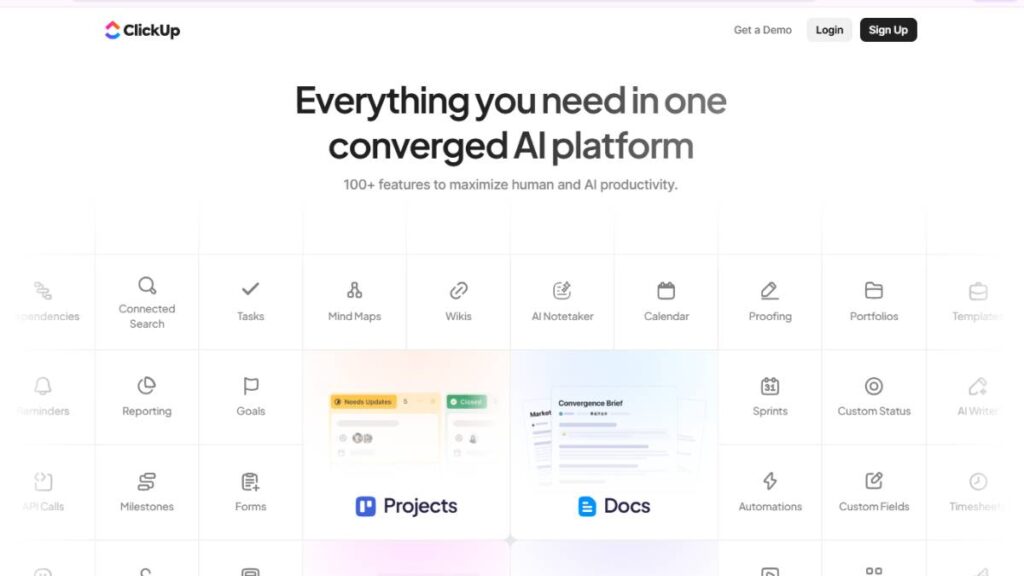
ClickUp has positioned itself as the everything platform for work management, and honestly, it comes closer than most competitors.
The platform combines task management, documentation, dashboards, automation, time tracking, chat, goal tracking, and AI-powered workflows inside one system. For teams trying to consolidate multiple operational tools into a single workspace, that’s a major advantage.
It’s especially popular among startups, agencies, operations teams, and fast-growing companies that want flexibility without constantly adding separate software.
Key Features
Docs
ClickUp Docs allows teams to manage SOPs, project briefs, meeting notes, wikis, and documentation directly inside workflows. The connection between documentation and execution feels more seamless than many competitors.
Dashboards
Custom dashboards are one of ClickUp’s strongest capabilities.
Teams can build operational visibility around:
- Workloads
- Sprint progress
- Client reporting
- KPIs
- Time tracking
- Productivity metrics
without needing separate reporting tools.
AI assistant
ClickUp AI has evolved significantly over the past couple of years.
It now helps with:
- Task generation
- Status summaries
- Workflow recommendations
- Meeting notes
- Writing assistance
- Operational insights
Some teams rely heavily on it. Others use it more selectively.
Automations
Automation flexibility is one of ClickUp’s biggest strengths.
Teams can automate:
- Assignments
- Status changes
- Notifications
- Approvals
- Recurring workflows
- Multi-step operational processes
without an extensive technical setup.
Time tracking
Built-in time tracking works well for agencies, consultants, and service teams that need visibility into billable hours or operational efficiency.
Pros and Cons
ClickUp’s flexibility is both its biggest advantage and its biggest weakness.
Pros:
- Extremely customizable
- Strong feature depth
- Competitive pricing
- Powerful automation
- Excellent all-in-one functionality
- Strong AI roadmap
Cons:
- The learning curve can feel steep initially
- Interface occasionally feels crowded
- Performance issues still happen in larger workspaces sometimes
- Over-customization can create operational messiness
Pricing
ClickUp offers a free plan with relatively generous functionality.
Paid plans scale based on advanced features, AI usage, automation limits, dashboards, and enterprise requirements. Compared to many competitors, the value-for-feature ratio remains strong.
Ideal Team Size
ClickUp works well for:
- Startups
- Agencies
- Mid-sized businesses
- Cross-functional operations teams
- Scaling organizations
Large enterprises use it too, though some highly regulated organizations still prefer more structured enterprise systems.
Why Teams Choose ClickUp
Most teams adopt ClickUp because they want operational consolidation.
Instead of managing separate tools for docs, tasks, reporting, goals, and automation, they centralize everything inside one workspace.
That simplicity at the systems level becomes valuable as operational complexity grows.
Asana
Best For
Cross-functional teams and marketing operations
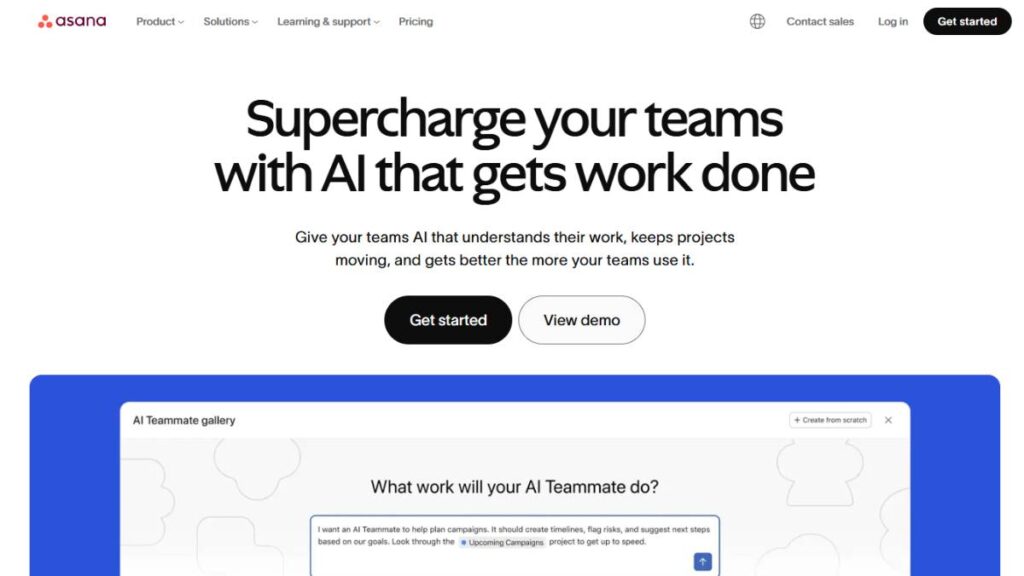
Asana has always been strong at helping teams coordinate structured work without overwhelming users technically.
It’s particularly effective for marketing departments, campaign operations, creative teams, and organizations managing large cross-functional initiatives.
The interface feels polished, clean, and relatively easy to adopt, which explains why many non-technical teams prefer it over more engineering-focused platforms.
Key Features
Asana focuses heavily on workflow clarity and team coordination.
Key capabilities include:
- Timeline planning
- Workflow automation
- Portfolio management
- Goal tracking
- Workload management
- Collaborative task management
- Project templates
Its timeline and dependency management are especially useful for campaign-heavy operations.
Pros and Cons
Pros:
- Clean user experience
- Strong cross-functional collaboration
- Excellent workflow visibility
- Good reporting capabilities
- Easy onboarding for non-technical teams
Cons:
- Less customizable than ClickUp
- Can become expensive at scale
- Limited native documentation capabilities
- Advanced functionality locked behind higher plans
Pricing
Asana offers a free tier for smaller teams, though advanced workflow and reporting capabilities require premium plans.
Enterprise pricing scales quickly once larger teams and advanced controls are involved.
AI Capabilities
Asana’s AI features now include:
- Smart summaries
- Workflow recommendations
- Task prioritization
- Goal tracking assistance
- AI-generated project updates
The implementation feels practical rather than overly experimental.
Asana vs Competitors
Compared to ClickUp, Asana feels more structured and less overwhelming.
Compared to monday.com, it generally handles operational coordination more elegantly.
Compared to Jira, it’s dramatically easier for non-technical teams.
Asana works best for organizations prioritizing clarity, coordination, and operational simplicity.
monday.com
Best For
Visual workflow management
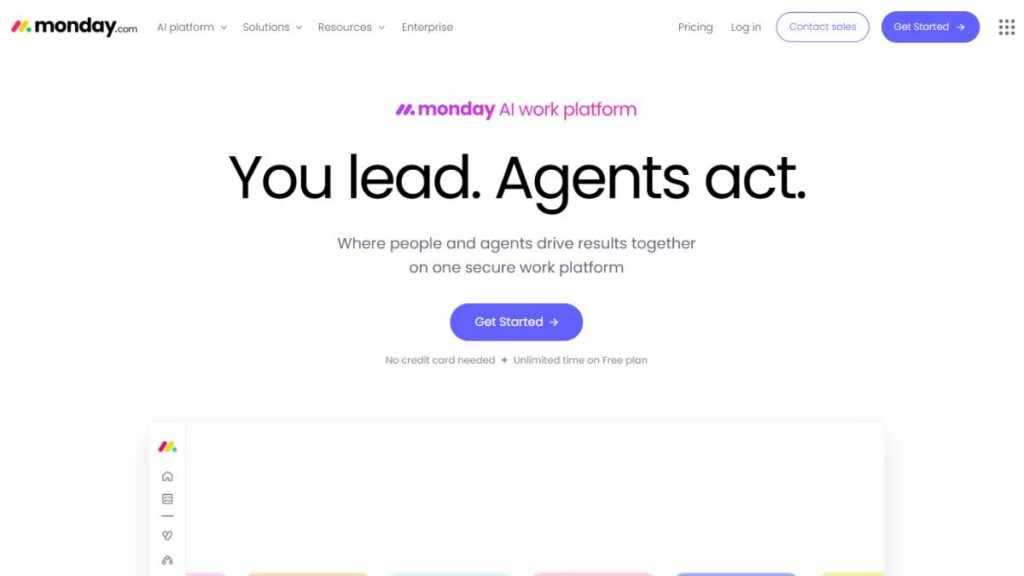
monday.com built its reputation around visual operational management, and that remains its biggest differentiator.
The platform is highly visual, customizable, and approachable for teams that want workflow flexibility without deep technical complexity.
It’s especially strong for:
- Marketing operations
- Sales workflows
- CRM-style project tracking
- Client operations
- Cross-functional collaboration
Key Features
Core capabilities include:
- Visual dashboards
- Workflow automations
- Multiple project views
- Team collaboration
- Custom workflows
- CRM integrations
- Workload management
Its interface is particularly appealing for teams that prefer spreadsheet-style organization combined with visual project tracking.
Pros and Cons
Pros:
- Highly visual interface
- Strong customization
- Good automation builder
- Easy adoption for business teams
- Excellent dashboard design
Cons:
- Pricing increases quickly with scale
- Reporting can feel limited compared to enterprise competitors
- Some workflows become cluttered over time
- Less ideal for deeply technical Agile environments
Pricing
monday.com offers multiple pricing tiers based on feature access, automation usage, and workspace scale.
Smaller teams often find it affordable initially, though enterprise usage becomes significantly more expensive.
Best Use Cases
monday.com performs especially well for:
- Marketing teams
- Agencies
- Operations management
- Client service workflows
- Business process tracking
It’s less commonly used for engineering-heavy Agile development.
Jira
Best For
Agile and software development teams
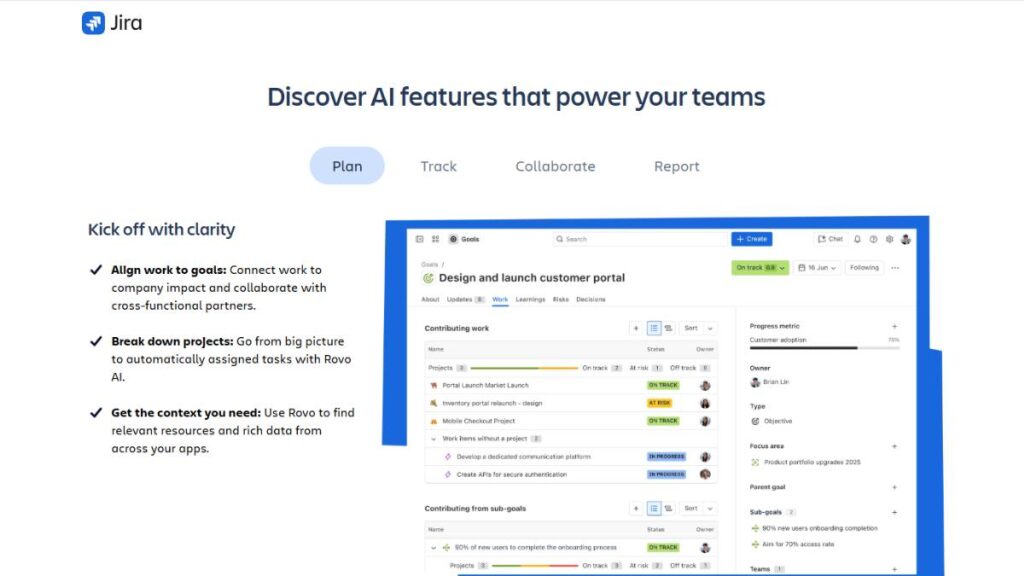
Jira remains one of the dominant project management tools for engineering organizations.
Originally built for issue tracking and Agile development, it has evolved into a powerful operational system for software teams managing sprints, releases, backlogs, and technical workflows.
For developers, Jira often feels natural.
For non-technical teams… not always.
Key Features
Scrum Boards
Jira’s Scrum capabilities remain among the strongest in the market.
Teams can manage:
- Sprint cycles
- Story points
- Epics
- Velocity tracking
- Agile reporting
with deep operational control.
Backlog Management
Backlog organization is one of Jira’s biggest strengths.
Engineering teams can prioritize, refine, and structure development pipelines at scale effectively.
Sprint Planning
Sprint planning tools help Agile teams manage iteration cycles, workload distribution, and release forecasting with strong visibility.
Pros and Cons
Pros:
- Excellent Agile functionality
- Deep engineering workflow support
- Strong developer integrations
- Powerful reporting
- Highly scalable
Cons:
- Steeper learning curve
- Interface can feel overwhelming
- Less intuitive for non-technical departments
- Configuration complexity increases quickly
Pricing
Jira offers free plans for small teams, with scaling enterprise pricing based on users, advanced security, governance, and support requirements.
Jira for Agile Teams
For software development organizations running Scrum or Agile frameworks, Jira still sets the standard operationally.
Its flexibility for engineering workflows remains difficult to match.
Notion
Best For
Documentation-heavy and startup teams
Notion sits somewhere between project management software, knowledge management platform, and collaborative workspace.
That flexibility is exactly why startups love it.
The platform works especially well for teams managing:
- Documentation
- Internal wikis
- Lightweight project management
- Content operations
- Collaborative planning
Key Features
Notion combines:
- Documents
- Databases
- Kanban boards
- Wikis
- Notes
- Roadmaps
- Collaborative workspaces
inside a highly flexible environment.
Its modular structure gives teams enormous freedom to build custom systems.
Pros and Cons
Pros:
- Extremely flexible
- Excellent documentation experience
- Clean interface
- Strong collaboration
- Great for startups and knowledge management
Cons:
- Not ideal for highly structured operational complexity
- Reporting capabilities remain limited
- Automation is weaker than dedicated PM tools
- Large workspaces can become disorganized
Pricing
Notion offers strong free functionality for individuals and small teams.
Paid plans unlock advanced collaboration, permissions, AI features, and enterprise administration.
Notion as a Project Management Tool
Notion works best when project management and documentation are deeply connected operationally.
For lightweight workflows and startup operations, it’s incredibly effective.
For large-scale operational management, some teams eventually outgrow it.
Trello
Best For
Simple task management and Kanban workflows
Trello remains one of the easiest project management tools to adopt.
Its Kanban-style interface is intuitive enough that teams can start using it almost immediately without extensive onboarding.
That simplicity is exactly why it still has a massive user base.
Key Features
Trello focuses heavily on visual task management through boards, lists, and cards.
Core features include:
- Kanban boards
- Task assignments
- Due dates
- Automation rules
- Power-Ups
- Checklists
- Calendar views
Pros and Cons
Pros:
- Extremely easy to use
- Fast onboarding
- Excellent Kanban experience
- Good free plan
- Low operational complexity
Cons:
- Limited scalability
- Weaker reporting
- Basic workflow depth
- Less effective for complex project management
Pricing
Trello’s pricing remains relatively accessible, especially for smaller teams.
Advanced automations and enterprise controls require paid upgrades.
Best for Small Teams
Trello is ideal for:
- Small businesses
- Freelancers
- Lightweight workflows
- Content pipelines
- Personal productivity
- Small marketing teams
It’s intentionally simple, and honestly, that’s often its biggest strength.
Wrike
Best For
Enterprise and agency project management
Wrike focuses heavily on structured operational management for larger organizations and agencies.
It offers strong visibility, reporting, approvals, and workload management capabilities designed for more complex environments.
Key Features
Wrike includes:
- Resource management
- Custom workflows
- Proofing tools
- Advanced reporting
- Portfolio management
- Time tracking
- Automation
Its proofing and approval workflows are especially valuable for creative and agency teams.
Pros and Cons
Pros:
- Strong enterprise functionality
- Excellent reporting
- Good resource visibility
- Advanced workflow controls
- Strong agency features
Cons:
- Higher learning curve
- Interface can feel enterprise-heavy
- Pricing scales aggressively
- Setup complexity increases with customization
Pricing
Wrike targets mid-market and enterprise organizations, so pricing reflects that positioning.
Smaller teams may find alternatives more cost-effective.
Advanced Reporting Features
Wrike’s reporting depth is one of its strongest differentiators.
Leadership teams can monitor operational performance across departments, portfolios, and client environments with strong customization options.
Smartsheet
Best For
Spreadsheet-style project management
Smartsheet feels familiar immediately for teams heavily dependent on spreadsheets.
The platform combines spreadsheet-style management with automation, collaboration, and project planning capabilities.
Operations teams often adopt it quickly because the interface feels operationally comfortable.
Key Features
Core capabilities include:
- Grid-based workflows
- Automation
- Gantt charts
- Reporting
- Resource management
- Dashboards
- Workflow approvals
Pros and Cons
Pros:
- Familiar spreadsheet-style experience
- Strong enterprise functionality
- Excellent reporting
- Good workflow automation
- Strong operational planning
Cons:
- Less visually modern
- The collaboration experience feels less fluid
- Learning advanced functionality takes time
- Can feel rigid for creative workflows
Pricing
Smartsheet pricing aligns more closely with enterprise operational software than lightweight PM tools.
Enterprise Use Cases
Smartsheet works especially well for:
- PMOs
- Operations teams
- Enterprise planning
- Compliance-heavy workflows
- Large-scale project tracking
Basecamp
Best For
Team communication and simple project tracking
Basecamp takes a deliberately simplified approach to project management.
Instead of endless customization and operational complexity, it focuses on communication, organization, and clarity.
That simplicity appeals strongly to smaller teams.
Key Features
Basecamp includes:
- Message boards
- To-do lists
- File sharing
- Scheduling
- Group chat
- Automatic check-ins
The platform prioritizes reducing communication chaos over advanced operational complexity.
Pros and Cons
Pros:
- Extremely simple
- Clean communication structure
- Easy adoption
- Minimal setup required
- Strong team collaboration
Cons:
- Limited advanced functionality
- Weak reporting
- Minimal workflow customization
- Less suitable for complex operations
Pricing
Basecamp’s flat pricing model remains one of its biggest selling points.
Unlimited users for a predictable monthly cost appeals strongly to growing teams.
Flat Pricing Benefits
For organizations scaling headcount quickly, flat pricing can become surprisingly cost-effective compared to per-user pricing competitors.
Zoho Projects
Best For
Budget-conscious businesses
Zoho Projects delivers strong functionality at relatively affordable pricing levels.
For businesses already using Zoho products, the ecosystem integration becomes especially valuable.
Key Features
Features include:
- Task management
- Time tracking
- Automation
- Gantt charts
- Reporting
- Workflow customization
- Collaboration tools
Pros and Cons
Pros:
- Affordable pricing
- Strong value
- Good feature depth
- Useful integrations inside Zoho ecosystem
- Solid reporting capabilities
Cons:
- Interface feels less modern
- Learning curve for advanced functionality
- Limited third-party ecosystem compared to larger competitors
Pricing
Zoho Projects remains one of the strongest budget-value platforms in the category.
Zoho Ecosystem Advantages
Organizations already using Zoho CRM, Zoho Desk, or Zoho Books often benefit significantly from native operational integration.
Microsoft Planner
Best For
Microsoft 365 users
Microsoft Planner works best for organizations already deeply embedded inside the Microsoft ecosystem.
It integrates naturally with:
- Teams
- Outlook
- SharePoint
- OneDrive
- Microsoft 365 workflows
Key Features
Planner focuses on:
- Task organization
- Team collaboration
- Visual boards
- Scheduling
- Microsoft integration
Pros and Cons
Pros:
- Strong Microsoft ecosystem integration
- Simple interface
- Familiar enterprise environment
- Good collaboration through Teams
Cons:
- Limited advanced PM functionality
- Less customization
- Reporting capabilities are basic
- Weaker automation compared to competitors
Pricing
Planner is often included within broader Microsoft 365 subscriptions, which improves its value proposition significantly.
Microsoft Ecosystem Integration
For Microsoft-centric organizations, native integration reduces operational friction considerably.
Airtable
Best For
Flexible database-style project management
Airtable combines database flexibility with project management functionality in a way few competitors really do.
Teams can build highly customized operational systems without requiring traditional development resources.
Key Features
Capabilities include:
- Relational databases
- Workflow automation
- Custom interfaces
- Multiple views
- Integrations
- Collaboration tools
Pros and Cons
Pros:
- Extremely flexible
- Powerful workflow customization
- Strong operational modeling
- Excellent for structured data workflows
Cons:
- Can become operationally complex
- Less intuitive for traditional PM users
- Advanced setups require planning
- Reporting still feels limited in some areas
Pricing
Airtable pricing scales based on records, automation usage, and advanced functionality.
Best Workflow Use Cases
Airtable works especially well for:
- Content operations
- Marketing production
- CRM-style workflows
- Internal operations systems
- Data-heavy project management
Teamwork
Best For
Client work and agencies
Teamwork is designed specifically around agency and client-service operations.
That specialization shows up clearly in its workflows.
Key Features
Key capabilities include:
- Client collaboration
- Time tracking
- Budget management
- Task management
- Resource planning
- Billing visibility
Pros and Cons
Pros:
- Strong agency functionality
- Excellent client management workflows
- Good profitability visibility
- Integrated time tracking
Cons:
- Less flexible outside agency workflows
- UI feels slightly dated in places
- Advanced reporting requires setup
Pricing
Pricing scales based on functionality, users, and advanced agency management features.
Agency Workflow Benefits
Agencies managing multiple clients, deadlines, approvals, and billable resources usually find Teamwork operationally aligned with their needs quickly.
ProofHub
Best For
Team collaboration with flat pricing
ProofHub combines collaboration, communication, and project tracking inside a relatively straightforward platform.
Its flat pricing model also appeals strongly to growing teams.
Key Features
Core capabilities include:
- Task management
- Discussions
- Proofing tools
- Notes
- Time tracking
- Workflow organization
Pros and Cons
Pros:
- Predictable flat pricing
- Good collaboration functionality
- Simple onboarding
- Useful proofing tools
Cons:
- Less advanced automation
- Reporting depth is moderate
- Fewer integrations than larger competitors
Pricing
ProofHub’s flat-rate structure makes it financially attractive for larger teams wanting predictable software costs.
Collaboration Features
The platform focuses heavily on reducing communication fragmentation across projects and teams.
Linear
Best For
Product and engineering teams
Linear has become one of the most respected project management tools among modern product and engineering teams.
The platform feels fast, opinionated, and intentionally streamlined.
Developers tend to love that.
Key Features
Linear focuses on:
- Sprint planning
- Issue tracking
- Product roadmaps
- Keyboard-first workflows
- Fast performance
- Git integrations
Pros and Cons
Pros:
- Extremely fast interface
- Beautiful user experience
- Excellent engineering workflows
- Strong product planning functionality
- Minimal operational clutter
Cons:
- Less suitable for non-technical teams
- Limited cross-department functionality
- Smaller feature ecosystem compared to enterprise platforms
Pricing
Linear pricing remains relatively competitive for software and product organizations.
Why Developers Prefer Linear
Linear removes much of the operational heaviness common in traditional engineering tools.
It’s fast, clean, and optimized for product execution rather than endless configuration. That simplicity resonates strongly with modern engineering teams.
Best Project Management Software by Use Case
A lot of teams pick project management software the same way people buy gym equipment. They choose the one that looks impressive, loaded with features, dashboards everywhere, endless customization… then six months later half the company is back to spreadsheets and Slack messages.
That happens more often than vendors would probably like to admit.
The reality is, the best project management software depends heavily on how a team actually works day to day. A software development team has completely different operational pain points compared to a marketing agency or a five-person startup trying to move quickly without adding process overload.
Some teams need structure. Others need flexibility. Some need detailed reporting because leadership wants visibility into every moving part. Other teams just need a clean place to organize work without turning project management into a full-time job.
That’s why “best” is always contextual.
Best Project Management Software for Small Businesses
Small businesses usually don’t need enterprise-grade complexity. In fact, too much structure often slows them down.
What smaller teams generally need is:
- Fast onboarding
- Minimal admin work
- Clear task visibility
- Affordable pricing
- Easy collaboration
And honestly, ease of use matters more than feature depth for most smaller companies.
Trello
Trello still works remarkably well for small businesses because it removes friction almost immediately.
There’s very little setup involved. Teams create boards, move cards, assign work, add deadlines… and that’s enough for a surprising number of businesses.
Especially for:
- Small marketing teams
- Freelancers
- Content operations
- Service businesses
- Early-stage agencies
Kanban-style workflows are intuitive. People understand them quickly without formal training.
Where Trello starts struggling is in operational scale. Once workflows become highly dependent on approvals, reporting, cross-team coordination, or resource management, the simplicity that originally felt refreshing can start becoming limiting.
ClickUp
ClickUp sits in an interesting middle ground.
It can function as lightweight task management software initially, but it also scales into something much more operationally sophisticated later. That flexibility is why a lot of growing businesses stick with it longer instead of migrating platforms every couple of years.
Docs, dashboards, automations, goals, time tracking… it’s all connected.
Though to be fair, some smaller teams open ClickUp for the first time and immediately feel slightly overwhelmed. There’s a lot happening inside the platform. For businesses that only need basic task management, it may feel heavier than necessary.
Zoho Projects
Zoho Projects tends to get overlooked in conversations about the best project management software, which is a bit surprising considering how much functionality it offers at its price point.
For budget-conscious businesses, especially ones already using Zoho products, the value is strong.
The platform handles:
- Task management
- Reporting
- Time tracking
- Collaboration
- Workflow automation
without aggressively pushing teams into expensive upgrades too early.
That matters for smaller businesses watching software costs carefully.
Best Project Management Software for Startups
Startups usually operate in controlled chaos.
Processes change constantly. Priorities shift midweek. Teams wear multiple hats. Documentation evolves in real time because half the company is still figuring things out as they go.
Rigid systems tend to create friction in those environments.
The best project management software for startups usually balances flexibility with enough structure to prevent complete operational disorder.
Notion
Notion has become deeply embedded in startup culture for a reason.
It combines documentation, collaboration, planning, and lightweight project management inside one flexible workspace. That adaptability makes it incredibly attractive for fast-moving teams.
Startups often use Notion for:
- Internal wikis
- Product specs
- Roadmaps
- Hiring pipelines
- Content planning
- Meeting notes
- Sprint organization
all within the same system.
And honestly, reducing tool sprawl matters more than people think during early growth stages.
The challenge with Notion appears later, usually when operational complexity increases. As organizations scale, maintaining structure inside highly flexible systems becomes harder.
ClickUp
ClickUp works well for startups that want more operational discipline from the beginning.
Instead of rebuilding systems repeatedly as the company grows, teams can gradually layer in more advanced workflows over time. Automations, reporting, dependencies, dashboards… they’re already there when needed.
That scalability becomes valuable once startups begin hiring aggressively or managing multiple departments simultaneously.
Linear
Linear feels intentionally built for modern product teams.
It’s fast. Clean. Focused.
That sounds simple, but software teams care deeply about workflow speed. Slow interfaces and bloated systems frustrate developers quickly.
Linear avoids much of the operational clutter found in traditional enterprise platforms, which is exactly why engineering-heavy startups often prefer it.
Especially product-led companies.
Best Project Management Software for Enterprises
Enterprise project management is a completely different category of problem.
At that scale, project management software stops being just a collaboration tool and becomes operational infrastructure.
Large organizations need:
- Governance controls
- Permission systems
- Compliance support
- Advanced reporting
- Resource planning
- Portfolio management
- Cross-department coordination
A lightweight startup tool may feel elegant initially, but it usually breaks operationally once complexity increases across multiple teams and business units.
Wrike
Wrike performs particularly well in large operational environments where visibility and reporting matter heavily.
Enterprise teams often need detailed oversight into workload distribution, campaign approvals, project dependencies, and resource allocation. Wrike handles those situations better than many simpler platforms.
Its proofing and approval workflows are especially useful for large marketing organizations and agencies managing high volumes of creative work.
There’s definitely a learning curve, though. Not every team adopts Wrike quickly without proper onboarding.
Smartsheet
Smartsheet appeals strongly to operations-heavy organizations because it feels familiar.
A lot of enterprise users still think operationally in spreadsheets. Smartsheet bridges that gap between spreadsheet logic and modern workflow management surprisingly well.
PMOs, operations teams, and enterprise planning departments tend to adopt it successfully because it balances structure with flexibility instead of forcing rigid workflows immediately.
Jira
Jira remains deeply dominant in software development environments. And realistically, that’s probably not changing anytime soon.
For Agile development, backlog management, sprint planning, and release coordination, Jira still offers enormous depth.
Engineering teams often appreciate how customizable the workflows are.
Outside technical teams, though… adoption becomes less smooth sometimes. Non-technical departments can find Jira unnecessarily complex for simpler operational work.
Best Project Management Software for Marketing Teams
Marketing workflows are messy by nature.
Campaign timelines shift unexpectedly. Creative approvals delay launches. Content calendars constantly evolve. Teams juggle strategy, production, reporting, stakeholder feedback, paid media coordination… usually all at once.
Marketing teams don’t just need task management. They need visibility.
Asana
Asana works particularly well for cross-functional marketing operations because the interface feels approachable without sacrificing too much operational depth.
Teams can manage:
- Campaign timelines
- Editorial calendars
- Creative approvals
- Launch coordination
- Workload balancing
- Dependencies
without overwhelming less technical contributors.
That usability matters more than feature lists sometimes.
A project management tool only works if people actually update it consistently.
monday.com
monday.com leans heavily into visual workflow management, which fits marketing operations naturally.
Campaign pipelines, asset approvals, production tracking, and content workflows become easy to visualize across teams.
The platform also handles customization reasonably well without requiring technical setup knowledge, which marketing departments usually appreciate.
Airtable
Airtable is almost its own category at this point.
It combines project management with database-style flexibility, making it especially powerful for operational marketing teams managing large volumes of structured information.
Things like:
- Editorial workflows
- Influencer databases
- Content production systems
- Campaign tracking
- Asset management
fit extremely well inside Airtable.
Though setup quality matters a lot. Poorly structured Airtable workspaces can become chaotic surprisingly fast.
Best Project Management Software for Software Development
Software development workflows are fundamentally different from general business operations.
Developers need systems designed around:
- Sprint cycles
- Bug tracking
- Backlogs
- Releases
- Technical dependencies
- Git integrations
General-purpose project management software often struggles to support engineering workflows cleanly.
Jira
Jira still dominates Agile software development because it was built specifically for that environment.
Its sprint management, backlog organization, issue tracking, and reporting capabilities remain incredibly mature compared to most alternatives.
For larger engineering organizations, especially, Jira provides operational depth that simpler tools can’t easily replicate.
Linear
Linear’s rise over the past few years has been hard to ignore.
The platform feels modern in ways many traditional project management tools don’t. Fast performance, clean UI, streamlined workflows… developers notice those things immediately.
It prioritizes execution speed instead of overwhelming users with layers of enterprise functionality.
That focus is exactly why product and engineering teams keep adopting it.
ClickUp
ClickUp has improved significantly for software development workflows.
While it’s not as engineering-native as Jira or Linear, it works well for organizations wanting product, operations, and development teams collaborating inside the same environment.
That cross-functional alignment becomes increasingly valuable as companies scale.
Best Free Project Management Software
Free project management software used to feel painfully limited.
That’s changed a lot.
Several platforms now offer genuinely usable free plans for smaller teams, startups, and freelancers.
Trello
Trello’s free version remains one of the easiest entry points into project management software.
Simple setup. Minimal friction. Easy collaboration.
For basic Kanban workflows, it still holds up surprisingly well.
ClickUp
ClickUp probably offers one of the strongest free plans available right now in terms of functionality depth.
Smaller teams can access automations, dashboards, docs, and advanced workflow capabilities without immediately upgrading.
That flexibility gives growing companies more room before software costs start increasing.
Asana
Asana’s free version works especially well for lightweight collaboration and operational coordination.
The platform’s usability is still one of its biggest strengths. Teams generally adapt to it quickly.
Notion
Notion’s free plan is particularly valuable for startups and solo operators needing both documentation and lightweight project management.
It’s flexible enough that teams can shape workflows around their operations instead of forcing rigid structures too early.
Best AI Project Management Software
AI inside project management software is becoming genuinely useful now. Not perfect. But useful.
The strongest implementations reduce repetitive operational work rather than simply generating flashy outputs nobody really needs.
That distinction matters.
ClickUp
ClickUp has pushed aggressively into AI-powered workflow assistance.
Its AI features help with:
- Task generation
- Summaries
- Workflow recommendations
- Documentation
- Meeting notes
- Productivity assistance
And unlike some platforms, the AI functionality feels increasingly integrated into operational workflows instead of sitting off to the side as a novelty feature.
monday.com
monday.com focuses heavily on automation and operational efficiency improvements.
Its AI capabilities are particularly useful for repetitive workflows, status management, and process automation across business operations.
Asana
Asana’s AI features feel relatively practical compared to some competitors.
The platform emphasizes prioritization, project summaries, coordination support, and workload visibility rather than trying to automate everything unnecessarily.
That restraint actually helps usability.
Notion AI
Notion AI works especially well in documentation-heavy environments.
Meeting summaries, internal knowledge management, operational documentation, content drafting… those workflows fit naturally inside the platform.
And since startups already centralize information heavily inside Notion, the AI layer becomes more useful operationally.
Best Remote Team Project Management Tools
Remote work changed what teams expect from project management software.
Visibility matters more now. Documentation matters more. Async communication matters more.
The best remote collaboration tools reduce the need for constant status meetings while still keeping teams aligned operationally.
Platforms like ClickUp, Asana, monday.com, and Notion perform well here because they centralize communication, tasks, documentation, updates, and workflows inside connected environments.
Mobile usability matters too. Probably more than many buyers initially expect.
Remote teams rarely operate from desks all day anymore.
Best Project Management Software for Agencies
Agencies deal with a specific kind of operational pressure.
Multiple clients. Changing timelines. Approval delays. Resource allocation problems. Profitability concerns. Constant context switching.
A generic project management tool often struggles in agency environments unless workflows are customized heavily.
Teamwork
Teamwork remains one of the strongest agency-focused project management platforms because the workflows align naturally with client-service operations.
Time tracking, client collaboration, budgeting, and workload management feel intentionally designed around agency realities.
Wrike
Wrike works especially well for larger agencies managing high-volume creative production and approval-heavy workflows.
Its proofing features, reporting depth, and resource visibility become valuable at scale.
ClickUp
ClickUp has gained significant traction among agencies because of its flexibility.
Agencies can customize workflows around:
- Content production
- Client onboarding
- Campaign management
- Internal approvals
- Retainers
- Reporting
without needing multiple disconnected systems.
Though setup quality matters. A poorly organized ClickUp workspace can become overwhelming very quickly.
How to Choose the Right Project Management Software
Choosing project management software is less about finding the “most powerful” platform and more about finding the one your team will actually use consistently.
That distinction matters.
Many organizations overbuy software. They select platforms packed with enterprise functionality, complex automations, and advanced reporting… then end up using 15% of the features because adoption becomes difficult.
The opposite also happens.
Teams start with lightweight tools that feel simple initially but quickly break once workflows become more complex.
The right decision usually sits somewhere between those extremes.
Define Your Team Size and Workflow
Start with operational reality.
A five-person startup does not need the same level of governance, permissions, and portfolio management as a global enterprise.
Think carefully about:
- Team size
- Department structure
- Operational complexity
- Number of active projects
- Cross-functional collaboration requirements
- Client management needs
- Reporting expectations
The clearer your operational requirements are upfront, the easier software evaluation becomes.
Identify Your Project Methodology
Different project management methodologies require different workflow structures.
Trying to force the wrong software into the wrong methodology creates friction very quickly.
Agile
Agile teams need flexibility, sprint management, backlog organization, and iterative planning capabilities.
Tools like Jira, Linear, and ClickUp tend to perform well here.
Scrum
Scrum-heavy organizations require strong sprint planning, velocity tracking, backlog refinement, and sprint reporting.
Jira remains particularly strong in Scrum environments.
Waterfall
Waterfall workflows prioritize sequencing, milestones, dependencies, and long-term planning visibility.
Platforms with strong Gantt chart functionality usually fit better here.
Hybrid
Many organizations now operate hybrid workflows where different departments use different methodologies simultaneously.
Flexible platforms like ClickUp, monday.com, and Asana often perform better in these environments because they support multiple operational styles inside one system.
Prioritize Must-Have Features
Not every feature matters equally.
Some teams genuinely need:
- Time tracking
- Resource planning
- Portfolio reporting
- Client portals
- Automation
- Goal tracking
Others don’t.
The mistake many companies make is evaluating software based on feature quantity rather than feature relevance.
Focus on operational pain points first.
What’s slowing your team down currently?
- Poor visibility?
- Communication silos?
- Manual coordination?
- Reporting inefficiencies?
- Workflow inconsistency?
- Resource overload?
The right software should solve actual operational problems, not just look impressive during demos.
Evaluate Ease of Adoption
This might be the single most underrated factor in software selection.
If teams resist using the platform, operational consistency collapses quickly.
Look closely at:
- Interface clarity
- Learning curve
- Navigation simplicity
- Mobile usability
- Workflow setup complexity
- Daily operational friction
Sometimes slightly less powerful software creates better long-term operational outcomes simply because adoption is easier.
Check Integration Requirements
Project management software needs to fit into your existing operational ecosystem.
Evaluate integrations carefully for:
- Slack
- Google Workspace
- Microsoft Teams
- CRM systems
- GitHub
- Zapier
- Time tracking tools
- Communication platforms
Weak integrations create disconnected workflows and duplicate work very quickly.
Consider Scalability
The software should support growth without forcing migration too early.
A tool that works perfectly today may become limiting once:
- Teams expand
- Reporting needs increase
- Automation requirements grow
- Multiple departments collaborate
- Operational complexity increases
That doesn’t mean every startup needs enterprise software immediately. But scalability should still be considered realistically.
Analyze Pricing Structure
Pricing models vary significantly across project management platforms.
Some charge per user. Others charge based on features, automation usage, storage, or reporting access.
Look beyond entry-level pricing.
Questions worth evaluating:
- How expensive does scaling become?
- Are AI features extra?
- Are automation limits restrictive?
- Is reporting locked behind enterprise plans?
- Does guest access cost more?
- Are integrations limited by pricing tier?
Sometimes software that appears cheaper initially becomes significantly more expensive operationally later.
Test Mobile Experience
Mobile usability matters more than many organizations expect.
Remote teams, field teams, executives, and hybrid workers often rely heavily on mobile access for approvals, updates, notifications, and collaboration.
A poor mobile experience usually hurts adoption quickly.
Run a Free Trial Before Buying
Never select project management software based purely on feature pages or comparison articles.
Real workflow testing matters.
Run a pilot project first.
Involve actual team members from different departments and evaluate:
- Ease of onboarding
- Daily usability
- Workflow clarity
- Automation setup
- Reporting visibility
- Collaboration experience
Software that looks impressive during demos sometimes feels frustrating operationally after two weeks of real usage.
That practical testing phase is where the right decision usually becomes obvious.
Common Mistakes to Avoid When Choosing Project Management Software
Buying project management software sounds straightforward until teams actually start using it.
That’s usually where problems begin.
A platform may look impressive during demos. Clean dashboards. Advanced automation. Hundreds of integrations. AI everywhere. But once real workflows hit the system, things change quickly.
People ignore updates. Tasks stop getting tracked properly. Teams move back to Slack messages and spreadsheets. Leadership loses visibility again.
And suddenly the “perfect” software becomes another expensive operational layer nobody fully trusts.
Most project management failures don’t happen because the software is bad. They happen because the selection process ignored how teams actually work.
Choosing Based Only on Popularity
This is probably the most common mistake.
A lot of companies choose software simply because competitors use it or because a platform dominates comparison lists online. That sounds reasonable at first, but popularity doesn’t guarantee operational fit.
Jira works brilliantly for software teams. That doesn’t mean a creative content agency will enjoy using it daily.
Similarly, Notion may feel ideal for startups but frustrating for organizations needing highly structured reporting and resource management.
The reality is that project management workflows vary massively between industries, departments, and company sizes.
Choosing software because “everyone uses it” usually leads to unnecessary friction later.
Ignoring Team Adoption Challenges
The best project management software is the one people consistently use.
Not necessarily the one with the longest feature list.
A platform can have incredible automation, advanced dashboards, deep reporting, and enterprise-level customization… but if teams avoid using it, none of that matters.
Adoption problems usually show up quietly at first.
Tasks stop being updated. Comments move back into email threads. Teams create side systems in spreadsheets because the main workflow feels too complicated.
Eventually leadership loses trust in reporting because nobody believes the data is current anymore.
This happens more often than vendors admit.
Ease of adoption matters enormously. Especially for non-technical teams.
Overpaying for Unused Features
A surprising number of organizations pay for functionality they barely touch.
Enterprise reporting. Advanced AI modules. Complex workflow automation. Portfolio management systems. Resource forecasting. Sometimes teams buy all of it and end up using basic task lists 90% of the time.
That’s not always because the features are bad. Sometimes the operational complexity simply doesn’t justify them.
Smaller teams, especially, often perform better with simpler systems that people actually maintain consistently.
There’s a difference between scalability and unnecessary operational overhead.
Good software should solve real workflow problems, not create aspirational complexity.
Not Planning Workflow Structure
Some companies buy project management software before defining how work should actually move through the organization.
That creates chaos fast.
Tasks get duplicated. Naming conventions become inconsistent. Reporting becomes unreliable. Departments create completely different workflows inside the same system.
And after a few months, the platform feels disorganized even if the software itself is perfectly capable.
Before implementation, teams should think through:
- How projects move from intake to completion
- Who owns approvals
- Which workflows need automation
- How reporting should work
- What teams need visibility into
- Which departments collaborate most often
Without an operational structure, software alone won’t fix process problems.
Usually, it just exposes them faster.
Choosing Complex Tools for Simple Teams
This one happens constantly with small businesses and startups.
A five-person team adopts enterprise-grade project management software because they’re worried about “future scalability.” Then they spend weeks configuring dashboards and permissions instead of actually managing projects.
Simple teams usually need simple systems.
There’s no operational advantage in forcing complicated workflows onto teams that move quickly and communicate naturally already.
In fact, too much structure often slows smaller organizations down.
The goal isn’t maximum functionality. The goal is operational clarity with minimal friction.
That balance matters more than feature count.
Ignoring Reporting and Automation Needs
The opposite mistake happens too.
Some companies adopt lightweight tools that work perfectly in the beginning, but operational cracks start appearing as complexity grows.
Reporting becomes manual. Status updates require constant meetings. Resource visibility disappears. Teams waste hours repeating administrative work that could easily be automated.
At a certain scale, workflow automation and reporting stop being “nice-to-have” features.
They become operational necessities.
Especially for:
- Agencies
- Enterprise teams
- Fast-growing startups
- Multi-department organizations
- Remote teams
The challenge is finding software that balances simplicity today with scalability tomorrow.
That’s where most buying decisions become genuinely difficult.
Project Management Software Trends
Project management software has changed dramatically over the last few years.
Not just visually. Operationally.
The category is shifting away from basic task tracking and moving toward intelligent operational coordination. Teams now expect software to reduce workload, improve visibility, automate repetitive work, and help teams make decisions faster.
And honestly… expectations keep increasing.
A Kanban board alone isn’t enough anymore.
AI-Powered Project Management
AI is now deeply embedded inside most major project management platforms, though the quality varies quite a bit.
The most useful implementations aren’t flashy. They quietly reduce operational busywork in the background.
Things like:
- Automatic task summaries
- Meeting recaps
- Workflow suggestions
- Project status updates
- Smart prioritization
- Workload balancing
Those features save real time when implemented properly.
The more mature platforms are moving beyond simple text generation and toward operational intelligence. Predicting delays. Identifying blockers. Recommending resource allocation changes before projects fall behind.
That’s where things get genuinely interesting.
Though some AI features still feel unnecessary, if we’re being honest. Not every workflow problem needs automation.
Predictive Analytics for Project Risk
Project management used to be reactive.
A deadline slipped. A team became overloaded. A project stalled. Leadership noticed the issue after the performance had already suffered.
Modern project management platforms are increasingly trying to predict those risks earlier.
Predictive analytics now helps teams identify:
- Timeline risks
- Resource overload
- Budget overruns
- Delayed dependencies
- Workflow bottlenecks
- Capacity issues
before they become operational problems.
Enterprise organizations especially, are investing heavily in this area because large-scale project failures are extremely expensive.
No-Code Workflow Automation
No-code automation has become one of the most important shifts in modern operations.
Teams no longer want to rely entirely on technical departments to automate repetitive processes. Marketing teams, operations teams, agencies, HR departments… everyone wants workflow automation now.
And they want it without engineering involvement every time.
Modern project management software increasingly supports:
- Trigger-based automations
- Conditional workflows
- Automated notifications
- Task routing
- Approval systems
- Recurring operational processes
through relatively simple interfaces.
This trend is only accelerating.
Unified Workspaces
Companies are getting tired of fragmented workflows.
One tool for tasks. Another for documentation. Another for chat. Another for reporting. Another for approvals.
Operational fragmentation creates friction constantly.
That’s why unified workspaces are becoming more popular. Platforms are evolving into centralized operational hubs where teams manage:
- Documentation
- Projects
- Communication
- Dashboards
- Knowledge bases
- Goals
- Reporting
- Collaboration
inside connected environments.
ClickUp and Notion pushed this trend aggressively, but many competitors are moving in the same direction now.
Real-Time Collaboration Features
Real-time collaboration has become standard rather than optional.
Especially in remote and hybrid work environments.
Teams expect live editing, instant updates, collaborative commenting, shared documentation, and synchronized workflows without delays or version confusion.
Slow collaboration systems feel outdated very quickly now.
The expectation is immediate operational visibility.
Rise of Hybrid Project Management
Very few organizations operate under a single methodology anymore.
Engineering teams may use Agile. Operations teams may use structured workflows. Marketing teams may work more flexibly. Leadership may still want traditional reporting visibility.
That operational mix is becoming normal.
As a result, project management software increasingly needs to support hybrid environments where multiple workflow styles coexist inside one platform.
Rigid methodology-specific systems are becoming less attractive outside highly specialized teams.
Embedded AI Assistants
Embedded AI assistants are becoming operational copilots inside project management software.
Not separate tools. Integrated workflow support systems.
Teams are using them for:
- Status summaries
- Documentation
- Task generation
- Meeting recaps
- Risk analysis
- Workflow recommendations
The stronger implementations feel integrated naturally into operational workflows instead of interrupting them.
That distinction matters more than vendors sometimes realize.
Increased Focus on Resource Capacity Planning
Resource planning used to be treated like an enterprise-only concern.
Not anymore.
Remote work, cross-functional collaboration, and operational complexity have made workload visibility important for companies of almost every size.
Managers now care much more about:
- Team capacity
- Burnout prevention
- Workload balancing
- Resource forecasting
- Utilization tracking
because overloaded teams create operational instability very quickly.
The better project management platforms are investing heavily in this area.
Project Management Software Implementation Best Practices
Buying software is easy.
Implementing it properly is where most organizations struggle.
A surprising number of project management rollouts fail not because the software is weak, but because implementation becomes rushed, inconsistent, or overly ambitious too early.
Good implementation is less about technical setup and more about operational behavior change.
That part takes time.
Create Standardized Workflows
Without standardized workflows, project management systems become messy fast.
Different departments create different naming systems. Teams structure projects differently. Reporting becomes inconsistent. Automation breaks because processes vary too much.
Consistency matters.
Teams should define:
- Task structures
- Workflow stages
- Naming conventions
- Approval paths
- Ownership responsibilities
- Reporting expectations
before scaling usage across the organization.
Otherwise, the platform slowly turns into operational clutter.
Train Teams Properly
One onboarding session usually isn’t enough.
Especially for larger organizations.
Teams need practical workflow training, not just software demonstrations. They need to understand how the system supports their actual daily work.
That includes:
- Task management expectations
- Collaboration workflows
- Documentation standards
- Reporting usage
- Automation processes
- Communication guidelines
The smoother the onboarding experience feels, the stronger long-term adoption becomes.
And adoption is everything.
Start With Pilot Projects
Rolling out project management software company-wide immediately can create unnecessary confusion.
Pilot projects work better.
A smaller team can test workflows, identify operational issues, refine automations, and improve structures before scaling implementation across departments.
This usually reduces resistance too because workflows become more realistic after early testing.
Large organizations especially benefit from phased rollouts instead of massive operational changes overnight.
Build Automation Gradually
This mistake happens constantly.
Teams get excited about automation and immediately try automating everything at once.
That usually creates more confusion than efficiency.
Good automation should support workflows quietly in the background, not overwhelm teams with unnecessary triggers, notifications, and operational complexity.
Start small.
Automate repetitive administrative work first. Then expand gradually once teams fully understand how workflows behave inside the system.
Define Ownership and Permissions
Clear ownership prevents operational confusion.
Teams should know:
- Who owns projects
- Who approves deliverables
- Who manages workflows
- Who controls reporting
- Who maintains automations
- Who oversees permissions
Without governance, systems become inconsistent quickly.
Especially inside larger organizations.
Measure Adoption Metrics
A successful implementation isn’t measured by software purchase completion.
It’s measured by actual usage.
Organizations should monitor:
- Login frequency
- Task completion consistency
- Workflow participation
- Reporting accuracy
- Automation usage
- Team engagement
Low adoption usually signals workflow friction somewhere.
Ignoring those signals early creates bigger operational problems later.
Review and Optimize Processes Regularly
Operational workflows evolve constantly.
What works for a ten-person team may fail at fifty people. What supports one department may create friction elsewhere later.
Project management systems should evolve alongside organizational growth.
That means reviewing:
- Workflow efficiency
- Automation quality
- Reporting usefulness
- Team adoption
- Collaboration bottlenecks
- Operational overhead
on a regular basis.
The strongest project management environments are rarely static.
Final Thoughts:
Which Project Management Software Should You Choose?
There’s no perfect project management software.
That’s probably the most important thing to understand before making a decision.
Every platform involves trade-offs.
Some tools prioritize simplicity. Others prioritize operational depth. Some work beautifully for startups but feel limiting later. Others scale incredibly well but require heavier onboarding upfront.
The right choice depends far more on workflow alignment than software popularity.
Best Overall Recommendation
For most organizations needing flexibility, scalability, collaboration, and operational depth inside one platform, ClickUp remains one of the strongest overall choices in 2026.
It handles a wide range of workflows reasonably well:
- Marketing operations
- Startup management
- Product workflows
- Agency collaboration
- Internal operations
- Cross-functional planning
The platform’s flexibility is its biggest strength.
Though teams should expect some setup effort initially.
Best Budget Option
Zoho Projects remains one of the better value-focused project management platforms available.
The feature depth relative to pricing is genuinely strong, especially for smaller businesses that need automation, reporting, and collaboration without enterprise-level pricing.
Trello also deserves mention for lightweight workflows where simplicity matters more than advanced operational control.
Best for Enterprise Teams
Wrike, Smartsheet, and Jira continue performing well at enterprise scale.
Each serves slightly different operational environments:
- Wrike for structured collaboration and reporting
- Smartsheet for operations-heavy planning
- Jira for enterprise software development
Large organizations usually benefit more from operational alignment than from chasing trendy platforms.
Best for Agile Development
Jira still dominates Agile software development for good reason.
Its sprint management, backlog systems, release workflows, and engineering integrations remain difficult to match operationally.
Linear has emerged as a strong alternative for modern product and engineering teams wanting a faster, cleaner experience.
Best for Marketing and Operations
Asana and monday.com continue standing out for marketing coordination and operational visibility.
They balance structure with usability particularly well, which helps cross-functional teams collaborate without creating excessive process friction.
Airtable also deserves serious consideration for operational marketing teams managing large amounts of campaign and content data.
Best All-in-One Workspace
Notion and ClickUp are probably the strongest examples of all-in-one operational workspaces right now.
Both centralize documentation, collaboration, workflows, planning, and operational visibility inside connected systems.
The difference usually comes down to structure versus flexibility.
Notion feels more open-ended. ClickUp feels more operationally structured.
Final Buying Advice
The biggest mistake companies make is choosing software based on trends instead of workflows.
A platform that looks impressive during demos may create operational friction daily. And software that seems “simple” initially may actually drive stronger adoption and better long-term consistency.
The smartest buying decisions usually prioritize usability first, operational fit second, and advanced functionality third.
Because software only creates value when teams actually use it properly.
Match the tool to your workflow, not trends
Every organization works differently.
The goal is operational alignment, not popularity.
Focus on adoption and simplicity
Even powerful software fails when teams avoid using it consistently.
Adoption matters more than feature volume.
Start small and scale gradually
Most successful implementations begin with focused workflows before expanding across the organization.
Trying to operationalize everything immediately usually creates unnecessary friction.
Prioritize automation and integrations
As organizations grow, operational efficiency matters more and more.
Good integrations and thoughtful automation reduce manual coordination, improve visibility, and create far more scalable workflows over time
FAQs: Project Management Software
What is the best project management software?
Honestly, there isn’t one perfect answer here. Teams work differently. A software company running Agile sprints has very different needs compared to a marketing agency juggling approvals and campaign deadlines every day.
ClickUp is probably the closest thing to an all-rounder right now because it combines docs, reporting, automation, task tracking, and collaboration in one place. But that doesn’t automatically make it the best fit for everyone. Jira still dominates technical Agile environments. Asana tends to work better for cross-functional teams that want structure without too much operational complexity. The “best” tool usually ends up being the one people consistently use without fighting the system every morning.
Which project management software is best for small businesses?
Small businesses usually need simplicity more than endless functionality. That part gets overlooked a lot.
Trello works well because teams can start using it within minutes. No complicated onboarding. No heavy setup process. Just boards, lists, tasks, done. For smaller operations, that’s often enough.
ClickUp fits businesses that expect growth fairly quickly and don’t want to switch systems six months later. Zoho Projects is another strong option, especially for companies watching budgets carefully. It offers more depth than many people expect at that pricing level. Sometimes surprisingly more.
What is the easiest project management software to use?
Trello is still probably the easiest platform for most teams to understand immediately. The Kanban layout feels natural. Drag tasks around, assign work, add deadlines… pretty straightforward.
Asana also deserves mention here because the interface stays relatively clean even as workflows grow. That balance matters.
A lot of companies underestimate usability during software selection. They chase advanced features, buy something extremely powerful, then realize nobody actually enjoys using it. Adoption quietly collapses after a few months. Happens more often than vendors would probably like to admit.
Which project management tool is best for Agile teams?
Jira remains the standard for serious Agile environments. Especially engineering-heavy teams managing sprint cycles, releases, backlog refinement, bug tracking, all of that.
But things have shifted a bit recently.
Linear has gained a lot of traction among modern product teams because it feels faster and less bloated operationally. Cleaner interface too. Developers tend to appreciate that.
For cross-functional Agile setups involving product, marketing, and operations together, ClickUp often works better because the workflows extend beyond engineering alone. The right choice usually depends on how technical the organization actually is day to day.
Is there free project management software available?
Yes, and the free plans are much better now than they used to be a few years ago.
Trello, ClickUp, Asana, and Notion all offer free versions that are genuinely usable for smaller teams. Not just stripped-down demos pretending to be products.
Of course, there are limitations. Automation caps, reporting restrictions, storage limits, user constraints… eventually those things show up. But for startups, freelancers, or smaller operational teams, free project management software can absolutely handle real work without becoming immediately frustrating.
What is the difference between task management and project management software?
Task management software mainly helps organize individual pieces of work. Assign tasks, track progress, manage deadlines. Simple.
Project management software goes much further. It handles dependencies, reporting, timelines, collaboration, resource allocation, approvals, documentation, forecasting… the operational side of managing larger workflows.
That distinction matters because teams sometimes buy lightweight task tools expecting enterprise-level coordination later. Doesn’t always end well. A simple Kanban board works fine until multiple departments, stakeholders, and deadlines start colliding simultaneously.
Which project management software has the best AI features?
Right now, ClickUp is probably pushing hardest on AI-powered workflow functionality across the platform. Task creation, meeting summaries, workflow suggestions, productivity assistance… it’s becoming deeply integrated into daily operations rather than sitting there as a novelty feature.
Asana and monday.com are evolving quickly too, especially around workflow optimization and operational visibility.
Notion AI feels strongest in documentation-heavy environments. Notes, summaries, internal knowledge management, content workflows… that’s where it shines naturally. The useful AI features tend to be the ones quietly saving teams time in the background instead of demanding constant attention.
What is the best project management software for remote teams?
Remote teams need clarity more than anything else. Visibility too. Otherwise communication gets messy very quickly.
ClickUp, Asana, monday.com, and Notion all work well because they centralize work, conversations, documentation, and updates inside shared systems. That reduces the constant “Where was this discussed?” problem remote teams run into constantly.
Mobile experience matters more than companies expect as well. Notifications, approvals, quick updates during travel or meetings… small operational details like that make a surprisingly big difference over time.
Which project management software integrates with Slack and Google Workspace?
Most major platforms integrate with Slack and Google Workspace now, including ClickUp, Asana, Jira, monday.com, Notion, and Trello.
But integration quality varies quite a bit.
Some integrations are basically just notifications. Others support deep automation, document syncing, workflow triggers, calendar coordination, and real operational connectivity between systems.
That’s why testing integrations during free trials is important. On paper, many platforms look equally connected. In practice… not always.
Is ClickUp better than Asana?
Depends entirely on the workflow.
ClickUp is stronger for teams needing customization, automation depth, reporting, and centralized operations. It can replace multiple tools if configured properly.
Asana feels lighter operationally. Cleaner. Easier for many non-technical teams to adopt quickly, especially marketing and cross-functional departments.
Sometimes companies actually choose the “less powerful” platform because adoption happens faster and workflows stay simpler long term. That tradeoff is real. Bigger feature lists don’t automatically create better operational outcomes.
Is Jira only for developers?
Not technically, no. But realistically, Jira still feels most natural inside technical environments.
Product teams, IT operations, and some enterprise departments use Jira successfully outside engineering. Still, non-technical teams occasionally struggle with the structure because the workflows can feel rigid compared to tools like Asana or monday.com.
Where Jira performs exceptionally well is Agile execution. Sprint management, release coordination, backlog tracking… that ecosystem remains incredibly mature. Outside those environments, simpler tools sometimes create less operational friction overall.
Which project management software is best for agencies?
Agencies usually need a mix of project tracking, approvals, resource management, client collaboration, and profitability visibility. It’s rarely just task management.
Teamwork remains one of the strongest agency-focused platforms because the workflows align naturally with client-service operations. Wrike works well for larger agencies managing complex approvals and reporting structures.
ClickUp has become increasingly popular too, mostly because agencies can customize workflows heavily across departments. Creative teams, account managers, operations… everyone works differently, and agencies tend to need flexibility more than rigid process systems.
What features should project management software include?
At minimum, strong project management software should support task tracking, collaboration, timelines, reporting, workflow organization, and integrations with existing tools.
Beyond that, the “must-have” features depend entirely on operational complexity.
Some teams need advanced resource planning and workload forecasting. Others barely touch reporting dashboards but rely heavily on approvals and communication. The mistake many companies make is evaluating software based on total feature count instead of daily operational usefulness. Fancy functionality nobody uses becomes expensive clutter pretty fast.
How much does project management software cost?
Pricing varies more than most buyers expect initially.
Smaller plans often start around $5 to $15 per user monthly, but costs increase quickly once automation, reporting, AI features, advanced permissions, or enterprise controls enter the picture.
Some platforms use flat pricing models instead, which can work well for larger teams. But hidden scaling costs matter too. Guest users, integrations, reporting access, storage limits… those details quietly affect long-term budgeting more than the entry-level price shown on landing pages.
Can project management software improve team productivity?
Yes, definitely. But software alone won’t fix broken operations.
Good project management software improves visibility, reduces communication gaps, centralizes workflows, and removes repetitive coordination work. Teams spend less time chasing updates or digging through disconnected tools trying to figure out project status.
Still, poor implementation creates problems too. Overcomplicated workflows, low adoption, unnecessary automation… those things slow teams down surprisingly fast. The software matters, but operational discipline matters just as much. Maybe more sometimes.