

Customer onboarding software has quietly become one of those make-or-break layers in the customer journey. This guide breaks it down in a way that actually reflects how teams use it day to day, not just definitions, but what matters in practice. It walks through core features, real benefits, and the subtle ways onboarding impacts retention and growth. There’s also a detailed look at 15 customer onboarding software tools, along with how to choose the right one based on your setup. Toward the end, it covers trends, metrics, and common questions that tend to come up when teams start taking onboarding more seriously.
Table of Contents
Introduction
Customer onboarding software is what sits between a signed deal and an actual working customer relationship. It’s the system that helps new customers get set up, understand what they’ve bought, and, more importantly, start seeing value without too much friction.
That part tends to get overlooked.
Most teams put a lot of energy into acquisition. Campaigns, demos, closing deals… all of that gets attention. But once the customer comes in, the experience often becomes inconsistent. A few emails here, a call there, maybe a help doc if they ask for it. It works sometimes. Other times, it quietly falls apart.
And the problem is, customers rarely complain during onboarding. They just disengage.
In SaaS, B2B services, and even product-led businesses, onboarding is where momentum either builds or dies. If users reach that first meaningful outcome quickly, things tend to move forward. If they don’t… usage drops, confusion increases, and churn starts creeping in earlier than expected.
Without a structured onboarding system, a few patterns show up again and again:
- Customers take longer than expected to get started
- Internal teams spend time answering the same basic questions
- Progress depends too much on individual team members
- Early-stage churn feels unpredictable, but it usually isn’t
Throwing more effort at the problem doesn’t fix it. More calls, more emails, more documentation, it just adds noise.
What works is structure. Clear journeys, defined steps, visibility into what’s happening.
That’s where onboarding software comes in.
This guide walks through what it actually is, where it fits, why it matters more than most teams think, and what to look for when choosing the right platform in 2026.
What Is Customer Onboarding Software?
Customer onboarding software helps businesses manage the process of turning a new customer into a confident, active user. Not just “signed up,” but actually using the product in a way that makes sense for them.
It’s less about setup… more about momentum.
Instead of relying on scattered processes, emails, spreadsheets, and internal notes, onboarding software brings everything into one system. Journeys can be defined, steps can be tracked, and progress becomes visible across teams.
There’s often some confusion between customer onboarding and user onboarding. They overlap, but they’re not the same thing.
User onboarding usually lives inside the product. Think product tours, tooltips, checklists, and the small nudges that help someone figure out how to use a feature.
Customer onboarding is broader. It includes everything around that experience, onboarding calls, implementation steps, training, follow-ups, and sometimes even stakeholder alignment. Especially in B2B, this part can get complex pretty quickly.
Most modern tools try to bridge both worlds, but the emphasis shifts depending on the business.
A few common onboarding types show up across industries:
- Client onboarding (B2B): Often structured like a project. Timelines, deliverables, and multiple stakeholders involved. Things need to stay organized or they slip.
- Product onboarding (SaaS): More self-serve. Focused on helping users explore and adopt features without heavy hand-holding.
- Customer success onboarding: Sits somewhere in between. It connects onboarding directly to long-term outcomes like retention or expansion.
All of this fits into the larger customer lifecycle.
Marketing brings people in. Sales converts them. But onboarding… that’s where the relationship either stabilizes or starts weakening.
If onboarding is unclear, everything after it becomes harder. If it’s structured well, a lot of downstream issues simply don’t show up.
Why Customer Onboarding Software Matters
Onboarding doesn’t usually get the spotlight. It’s not as visible as growth metrics or revenue dashboards. But it influences both in a pretty direct way.
The first experience after a purchase sets the tone. Not in a dramatic way, but in small, cumulative moments. How easy it is to get started. Whether things make sense. How much effort is required to move forward?
If that experience feels scattered, confidence drops. Not instantly, but gradually.
Activation is where this becomes measurable. It’s the point where a customer actually experiences value for the first time. Not potential value, real, tangible value.
The faster that happens, the better everything else tends to look.
Onboarding software plays a role in a few key areas:
- Activation rates: Are customers reaching meaningful milestones early on?
- Time to value: How long does it take them to get there?
- Retention: Do they stick around after the initial phase?
- Expansion: Do they grow usage, upgrade, or deepen engagement?
A lot of churn can be traced back to onboarding. Not all of it, but a significant portion.
It’s rarely about missing features. More often, customers just never got comfortable enough to use what was already there. That gap, between what the product can do and what the customer actually experiences, tends to widen without proper onboarding.
There’s also an operational angle to this.
Without a system, onboarding depends heavily on people. Some customers get a great experience. Others don’t. Not because of intent, just because processes aren’t consistent.
With onboarding software, that variability reduces. The experience becomes more predictable. Teams know what’s happening at each stage, and customers don’t feel like they’re figuring things out alone.
It’s not about removing the human element. It’s about supporting it with structure.
Key Features of Customer Onboarding Software
Easy Deployment & Fast Implementation
If onboarding software itself takes months to implement, something’s off.
Most teams need to move quickly here. Processes change, onboarding flows evolve, and what worked three months ago might not work today. Waiting on development cycles every time something needs to be adjusted… that slows everything down.
That’s why no-code and low-code setups have become almost expected. Teams should be able to build and modify onboarding journeys without depending too much on engineering.
There’s also a practical side to this. The faster a system is set up, the faster teams can start fixing actual onboarding gaps. Otherwise, the tool becomes another layer of delay.
Time-to-value applies internally, too. Not just for customers.
Tracking and Analytics
Without clear data, onboarding turns into guesswork. And guesswork tends to hide problems until they get expensive.
Tracking features help teams see what customers are actually doing, not what they’re expected to do. Where they drop off. Where they hesitate. Which steps take longer than they should?
Funnel analysis usually brings this into focus. A step that looks simple on paper might be where most users exit. That’s the kind of insight that changes how onboarding flows are designed.
Cohort analysis adds a bit more depth. It shows patterns over time. For example, users who complete onboarding within a certain window might retain better. Or certain segments might consistently struggle with the same step.
None of this is complicated in theory. But without proper tracking, it’s hard to spot.
Customer Segmentation
Not every customer needs the same onboarding experience. Treating them the same often leads to unnecessary friction.
Segmentation helps tailor the journey. Based on role, use case, behavior, sometimes even intent.
A new user exploring a product casually doesn’t need the same guidance as a team implementing it across an organization. One needs simplicity. The other needs structure.
Behavioral segmentation is where things get interesting. Instead of static categories, onboarding can adjust based on what users actually do. If someone skips a step, the system can respond. If they engage deeply with a feature, the next step can build on that.
It makes the experience feel less forced. More natural.
Robust Reporting & Dashboards
Data is only useful if teams can actually use it.
Dashboards bring key onboarding metrics into one place, including progress, completion rates, and engagement levels. Not everything needs to be tracked, but the important signals should be easy to access.
Custom reporting adds flexibility. Different teams care about different outcomes. Customer success might focus on activation. Product teams might look at feature adoption. Leadership might look at retention trends.
Real-time visibility helps too. If something breaks in the onboarding flow, teams should know quickly. Otherwise, issues compound quietly in the background.
The goal isn’t more data. It’s clearer decisions.
Workflow Automation
Manual onboarding works… until it doesn’t.
As volume increases, relying on people to trigger every step becomes difficult. Things get missed. Follow-ups are delayed. Experiences become inconsistent.
Workflow automation handles the repetitive parts. Tasks can be triggered automatically based on actions. Emails go out at the right time. Internal alerts keep teams aligned.
This doesn’t replace human interaction. It supports it.
Teams can focus on moments that actually require judgment or context, instead of managing every small step manually.
There’s a balance here, though. Too much automation can feel impersonal. Too little makes the process inefficient. Good onboarding systems sit somewhere in between.
In-App Guidance & Tutorials
A lot of onboarding happens inside the product itself, whether teams plan for it or not.
In-app guidance makes that experience intentional.
Instead of pushing users to external docs or long training sessions, guidance appears where it’s needed. A tooltip here, a short walkthrough there. Just enough to help users move forward without overwhelming them.
The timing matters. Good onboarding doesn’t dump everything upfront. It introduces things gradually, based on context.
When done well, users don’t feel like they’re being “onboarded.” They just feel like the product makes sense.
That’s usually the goal.
Integrations with CRM & Tools
Onboarding rarely exists in isolation.
Customer data flows through multiple systems, CRM, support tools, and communication platforms. If these systems don’t connect, information gets lost or duplicated.
Integrations solve that.
Sales handoffs become smoother when onboarding teams have full context. Support teams can see where a customer is in their journey. Customer success teams don’t have to piece together data from different places.
APIs and webhooks add flexibility here. They allow businesses to adapt onboarding workflows to fit their existing setup, instead of rebuilding everything from scratch.
It’s less about adding more tools. More about making sure the ones already in use actually work together.
15 Best Customer Onboarding Software in 2026
There’s no single “best” onboarding tool. That’s usually where teams go wrong.
Some tools are built for heavy, structured onboarding with timelines and stakeholders. Others are more product-led; everything happens inside the app, quietly guiding users. A few try to cover both, but the experience can feel stretched.
So instead of looking for the best tool overall, it helps to look at where your onboarding actually lives. Is it project-heavy? Self-serve? A mix?
The tools below cover that full range.
Comparison Table (Quick Overview)
| Rank | Software | Best For | Key Strength |
| 1 | Gainsight | Enterprise CS platform | Full lifecycle management, health scores |
| 2 | Rocketlane | Project-based onboarding | Resource planning, client portals |
| 3 | GuideCX | Implementation tracking | Experience visibility |
| 4 | ChurnZero | Subscription scaling | Journey automation |
| 5 | Userpilot | Product adoption | In-app behavioral guidance |
| 6 | Appcues | No-code onboarding | Tours, checklists |
| 7 | WalkMe | Digital adoption | Cross-app guidance |
| 8 | Skilljar | Customer education | Structured learning |
| 9 | Docebo | LMS at scale | Training + onboarding |
| 10 | Dock | Client collaboration | Shared workspaces |
| 11 | OnRamp | B2B workflows | Process automation |
| 12 | Userlane | Interactive guides | Simple overlays |
| 13 | Intercom | Conversational onboarding | Messaging + chat |
| 14 | HubSpot | CRM-led onboarding | Unified data |
| 15 | Customer.io | Behavioral messaging | Multi-channel flows |
Gainsight
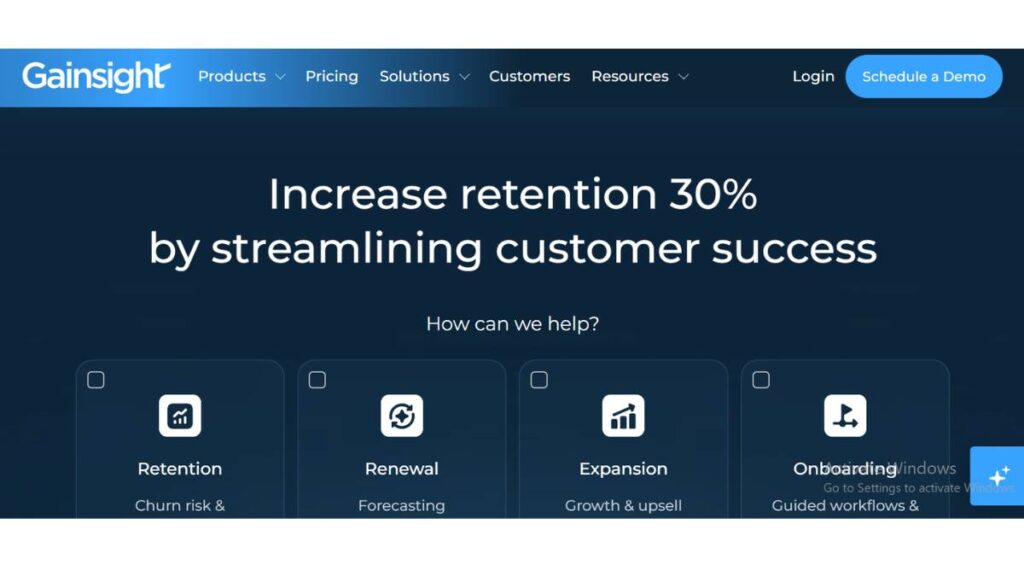
Best Enterprise Customer Success Platform
Gainsight is not a quick setup tool. It’s more like a system you grow into.
For enterprise teams, onboarding isn’t isolated; it’s tied to health scores, renewals, expansion… everything. Gainsight connects those dots. So onboarding doesn’t just “end” after implementation. It feeds into long-term customer success.
It can feel heavy at first. But for larger teams, that depth is kind of the point.
Key Features
- Customer health scoring tied to onboarding progress
- Lifecycle tracking beyond onboarding
- Success plans and account-level visibility
Best For
Large organizations with dedicated customer success teams and complex onboarding flows.
Pros
- Deep visibility into customer health
- Connects onboarding with retention and expansion
- Scales well across large teams
Cons
- Longer implementation time
- Overkill for smaller teams
Rocketlane

Best for Project-Based Onboarding
Rocketlane feels very close to how onboarding actually happens in B2B: messy, multi-step, and dependent on coordination.
It treats onboarding like a project. Which… it usually is.
You get timelines, task ownership, and client collaboration all in one place. No jumping between tools trying to figure out who’s waiting on what.
Key Features
- Project timelines and task tracking
- Client-facing portals
- Resource planning
Best For
Teams running structured onboarding with clear deliverables and stakeholders.
Pros
- Strong alignment between teams and clients
- Reduces back-and-forth communication
- Clear visibility into progress
Cons
- Less useful for product-led onboarding
- Can feel rigid if flows aren’t standardized
GuideCX
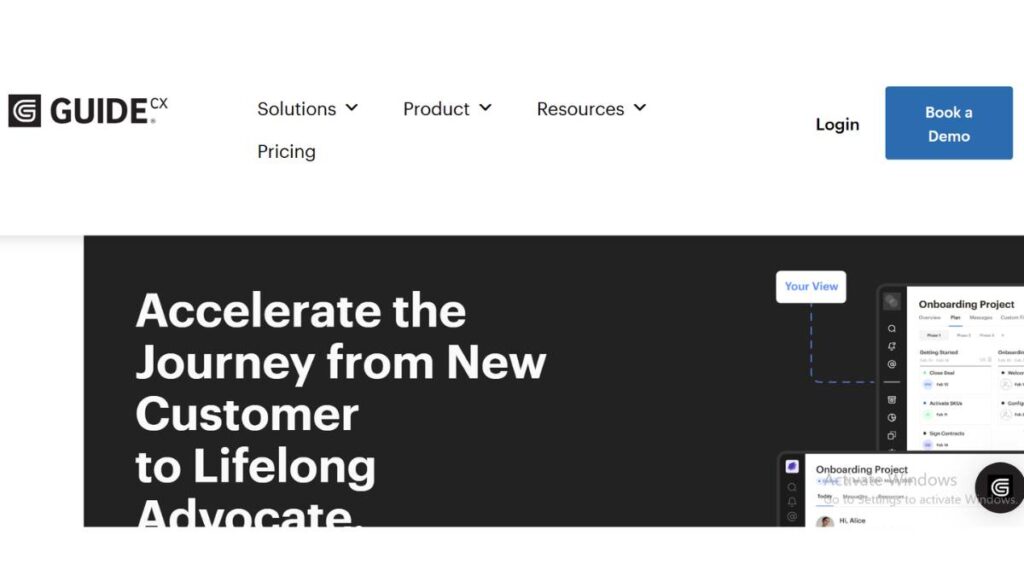
Best for Implementation Tracking
GuideCX leans heavily into execution.
Not flashy, not overloaded, just focused on making sure onboarding actually moves forward. Which sounds simple, but isn’t.
Where it stands out is visibility. Teams can see delays as they happen, not after the fact.
Key Features
- Shared onboarding timelines
- Progress tracking across stakeholders
- Automated reminders and updates
Best For
Teams are managing multiple onboarding implementations simultaneously.
Pros
- Clear visibility into bottlenecks
- Keeps projects on track
- Easy for clients to follow along
Cons
- Limited in-app onboarding features
- Less flexibility for product-led use cases
ChurnZero
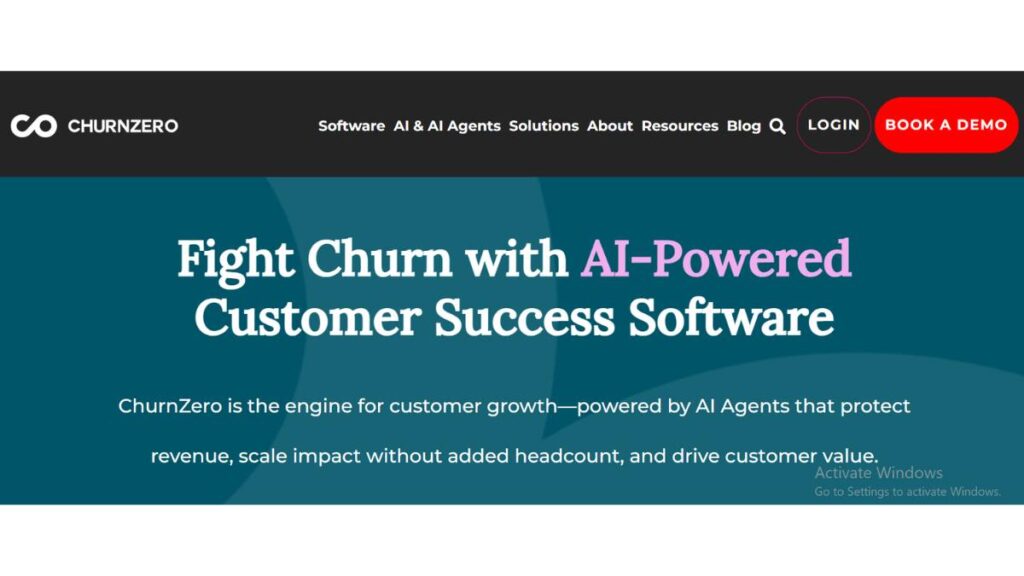
Best for Subscription Businesses
ChurnZero is built with one thing in mind: reducing churn.
Everything in the platform ties back to engagement. If users aren’t reaching key milestones during onboarding, the system reacts. Nudges, alerts, automated flows… it tries to catch problems early.
It’s less about onboarding as a phase, more about onboarding as the start of retention.
Key Features
- Behavior-based automation
- Customer engagement tracking
- Churn risk alerts
Best For
Subscription businesses where early engagement predicts retention.
Pros
- Strong focus on retention
- Real-time behavioral triggers
- Connects onboarding to long-term usage
Cons
- Setup can take time
- Requires clear success metrics to work well
Userpilot
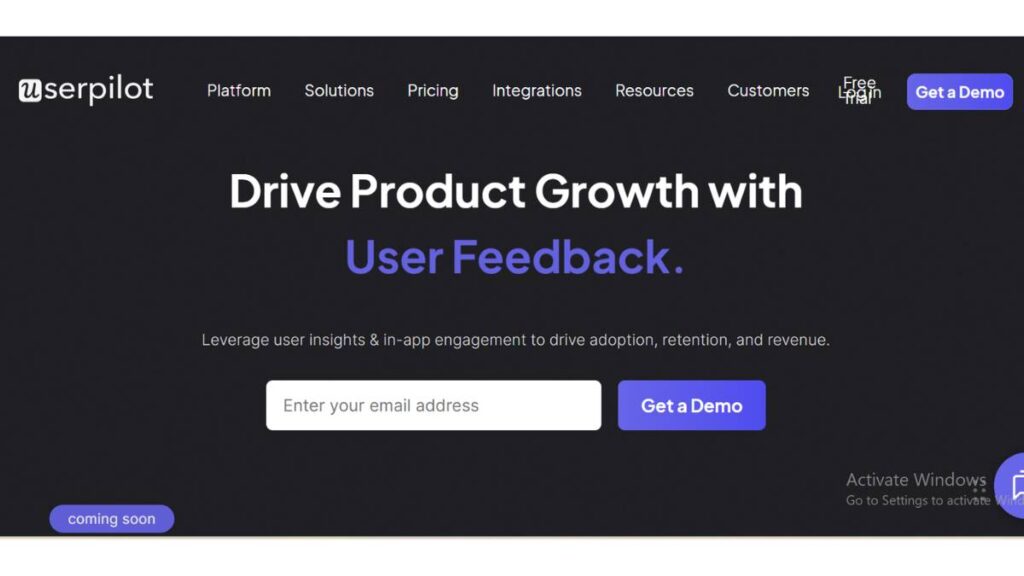
Best for Product Adoption
Userpilot sits inside the product experience.
Instead of managing onboarding externally, it helps guide users as they interact with the product. Tooltips, flows, and checklists are all layered directly where users need them.
What makes it useful is how quickly teams can adjust things. No waiting around.
Key Features
- In-app onboarding flows
- Behavioral targeting
- Feature adoption tracking
Best For
Product-led teams focused on improving feature adoption.
Pros
- Fast to implement and iterate
- Highly customizable flows
- No heavy engineering needed
Cons
- Limited outside-product workflows
- Not built for complex onboarding projects
Appcues
Best No-Code Onboarding Tool
Appcues is one of those tools that just… works without much friction.
It’s built for non-technical teams. You can create onboarding experiences without writing code, which makes a big difference when things need to change quickly.
It’s not trying to do everything. Just the in-app part, and it does that well.
Key Features
- Product tours and checklists
- No-code builder
- User segmentation
Best For
Teams that want control over in-app onboarding without engineering help.
Pros
- Easy to use
- Quick to launch and update flows
- Clean user experience
Cons
- Limited outside-in app onboarding
- Can get expensive at scale
WalkMe
Best for Enterprise Digital Adoption
WalkMe operates on a different level. It’s less about onboarding one product, more about helping users navigate entire systems.
In large organizations, users deal with multiple tools. WalkMe sits on top of those and guides interactions across them.
It’s powerful, but not lightweight.
Key Features
- Cross-platform guidance
- Process automation
- User behavior insights
Best For
Enterprises managing complex tool ecosystems.
Pros
- Works across multiple applications
- Strong for internal and external onboarding
- Deep analytics
Cons
- Complex setup
- Requires ongoing management
Skilljar
Best for Customer Education Programs
Skilljar takes a different route: education first.
Instead of guiding users step-by-step through a product, it builds structured learning experiences. Courses, certifications, training paths.
It works well when onboarding isn’t simple. When users actually need to learn before they can use.
Key Features
- Online courses and training
- Certification programs
- Learning analytics
Best For
Products that require deeper user education.
Pros
- Strong learning experience
- Scales education across users
- Supports long-term adoption
Cons
- Not ideal for quick onboarding
- Requires content creation effort
Docebo
Best AI Learning Platform for Onboarding
Docebo is similar in direction to Skilljar, but broader.
It’s not just for customers; it can handle partner and internal training as well. That makes it more of an ecosystem than a single-use tool.
Onboarding becomes part of a larger learning strategy.
Key Features
- Scalable learning management
- Multi-audience training
- Advanced reporting
Best For
Organizations running large-scale training and onboarding programs.
Pros
- Highly scalable
- Supports multiple use cases
- Strong reporting
Cons
- Heavy setup
- More than what smaller teams need
Dock
Best for Collaborative Client Portals
Dock keeps things simple.
It creates a shared space where teams and clients can work together during onboarding. Plans, docs, updates, all in one place.
No complexity, just clarity.
Key Features
- Shared onboarding workspaces
- Resource organization
- Client collaboration
Best For
Teams that want cleaner communication during onboarding.
Pros
- Easy to use
- Improves transparency
- Lightweight setup
Cons
- Limited automation
- Not built for complex workflows
OnRamp
Best for B2B Workflow Automation
OnRamp is built for structure.
It helps teams create repeatable onboarding workflows, especially in B2B environments where processes need to stay consistent
Less chaos, more system.
Key Features
- Workflow automation
- Task tracking
- Customer onboarding journeys
Best For
Teams are scaling structured onboarding processes.
Pros
- Keeps onboarding consistent
- Reduces manual work
- Good for cross-team coordination
Cons
- Less flexible for unique cases
- Requires process clarity upfront
Userlane
Best for Interactive Guides
Userlane is straightforward.
It overlays step-by-step guidance directly on the product. Users follow along, click by click.
No confusion, no searching.
Key Features
- Interactive walkthroughs
- On-screen guidance
- No-code setup
Best For
Teams that want simple, guided onboarding experiences.
Pros
- Easy to implement
- Clear user guidance
- Minimal setup
Cons
- Limited customization
- Not suited for complex onboarding
Intercom
Best for Conversational Onboarding
Intercom brings conversation into onboarding.
Instead of pushing users through fixed flows, it allows interaction. Chat, messages, follow-ups, all happening in context.
Sometimes that’s what onboarding needs. Not structure, but flexibility.
Key Features
- In-app chat and messaging
- Automated campaigns
- User segmentation
Best For
Teams that rely on communication during onboarding.
Pros
- Flexible engagement
- Real-time interaction
- Strong messaging tools
Cons
- Not a full-onboarding system
- Needs to be combined with other tools
HubSpot
Best All-in-One CRM + Onboarding
HubSpot connects onboarding with everything else.
Since customer data already lives there, onboarding becomes an extension of the same system. No switching tools, no missing context.
It’s not specialized, but that’s sometimes an advantage.
Key Features
- CRM integration
- Workflow automation
- Customer journey tracking
Best For
Teams that want onboarding tied closely to CRM data.
Pros
- Unified system
- Easy data access
- Strong automation
Cons
- Limited advanced onboarding features
- Can get expensive
Customer.io
Best for Behavioral Messaging
Customer.io focuses on timing.
It sends messages based on what users do, or don’t do. That makes onboarding feel more responsive, less scripted.
A missed step doesn’t go unnoticed. A key action triggers the next message.
Key Features
- Behavior-based messaging
- Multi-channel communication
- Automation workflows
Best For
Teams are using messaging as a core part of onboarding.
Pros
- Highly targeted communication
- Flexible workflows
- Works across channels
Cons
- Not a standalone onboarding platform
- Requires thoughtful setup to avoid over-messaging

Enroll Now: Advanced Digital Marketing Course
5 Important Benefits of Customer Onboarding Software
Onboarding software doesn’t magically fix a broken process. But when the foundation is right, it removes a lot of the friction that slows teams down, and customers feel that almost immediately.
Some benefits are obvious. Others show up gradually, usually in places teams weren’t actively measuring before.
Saves Time and Reduces Costs
Manual onboarding looks manageable at first. A few customers, a few emails, some calls. It works… until volume increases.
Then the cracks show.
Teams start repeating the same steps for every new customer. Information gets lost between handoffs. Follow-ups depend on memory instead of systems. It’s not inefficient in a dramatic way, just quietly draining time.
Automation changes that.
Instead of recreating onboarding from scratch every time, workflows run in the background. Tasks are triggered automatically. Communication happens at the right time without someone chasing it.
That doesn’t eliminate effort. It redirects it.
Teams spend less time on coordination and more time on actual customer outcomes. Over time, that shift reduces operational costs without cutting corners on experience.
Boosts Customer Loyalty
First impressions aren’t always loud, but they stick.
If onboarding feels smooth, customers start with confidence. They understand what’s happening, what’s expected, and where they’re going. That clarity builds trust early, before any long-term relationship has even formed.
On the other hand, a confusing onboarding experience creates hesitation. Even if the product is strong, doubt creeps in.
Loyalty doesn’t come from features alone. It comes from how easy it is to get value from those features. Onboarding sets that tone.
And once that early trust is there, customers are far more likely to stay, explore, and invest more into the product.
Simplifies Customer Relationship Management
Without a system, customer information ends up scattered.
Some of it sits in emails. Some in CRM notes. Some in team chats. When onboarding is in progress, pulling everything together becomes harder than it should be.
Onboarding software centralizes that.
Progress, communication, tasks, everything sits in one place. Teams don’t have to piece together context before taking action. It’s already there.
This also makes collaboration easier internally. Sales, customer success, support, everyone works from the same view of the customer. Fewer gaps, fewer assumptions.
Over time, that consistency improves how relationships are managed, not just during onboarding but beyond it.
Improves Customer Retention
Retention rarely breaks suddenly. It usually weakens early.
If customers don’t reach meaningful value during onboarding, their engagement stays low. And low engagement almost always leads to churn later on.
Onboarding software helps shorten that gap between sign-up and value. It guides users toward the actions that matter, instead of leaving them to figure things out on their own.
That early momentum carries forward.
Customers who experience value quickly tend to stick around longer. Not because they were convinced to stay, but because leaving no longer makes sense.
Reduces Support Requests Volume
A lot of support tickets aren’t really “support” issues. They’re onboarding gaps.
Questions like “how do I set this up?” or “where do I find this feature?” show up when guidance isn’t clear enough during onboarding.
With better onboarding flows, especially in-app guidance and structured journeys, many of these questions never come up.
Customers find answers while they’re working, not after they’re stuck.
Support teams still play a role, but it shifts. Less repetitive troubleshooting, more meaningful problem-solving.
How to Choose the Best Customer Onboarding Software
Choosing onboarding software can get overwhelming quickly. Most tools check similar boxes on paper, but the experience of using them can be very different.
The key is to start from your onboarding reality, not the feature list.
Define Your Use Case
Not all onboarding looks the same.
In SaaS, onboarding might happen mostly inside the product. Users sign up, explore features, and learn through guided flows.
In B2B environments, it’s usually more structured. There are timelines, deliverables, and multiple stakeholders involved. It behaves more like a project.
Enterprise onboarding adds another layer of complexity, scale, and internal coordination.
The mistake is trying to fit all of this into one generic solution.
Before evaluating tools, it helps to be clear about how onboarding actually happens. Not how it should happen ideally, but how it works today.
That clarity narrows down the options quickly.
Evaluate Integration Requirements
Onboarding doesn’t operate in isolation. It connects with CRM systems, support tools, and communication platforms.
If those connections are weak, teams end up switching between tools just to get context. That slows things down and increases the chance of mistakes.
Strong integrations make onboarding feel like part of a larger system, not a separate process.
It’s worth looking at how data flows between tools. Whether updates sync automatically. Whether teams can act on information without duplicating effort.
Small gaps here tend to become bigger problems later.
Check Scalability and Customization
What works for ten customers might not work for a hundred.
Scalability isn’t just about handling more volume. It’s about maintaining quality as volume increases.
Some tools are great for small teams, but struggle when workflows become more complex. Others are built for scale but feel heavy for simpler use cases.
Customization also matters. Onboarding isn’t one-size-fits-all, and rigid systems can create friction instead of removing it.
The goal isn’t maximum flexibility. It’s the right level of flexibility for your process.
Compare Pricing Models
Pricing for onboarding software can vary quite a bit.
Some tools charge per user, others per account, and others based on usage. The starting price rarely reflects the actual cost once the tool is fully in use.
It’s easy to underestimate this.
Looking beyond the base price helps. What happens as more customers are onboarded? Does the cost scale predictably, or does it jump in tiers?
A tool that looks affordable upfront can become expensive quickly if pricing isn’t aligned with growth.
Assess User Experience
This gets overlooked more often than it should.
If a tool is difficult to use, teams won’t use it consistently. And if internal usage drops, the onboarding experience becomes inconsistent again, which defeats the purpose.
The interface, the flow of actions, the learning curve… all of it matters.
It’s not just about how the tool looks. It’s about how easily teams can build, manage, and adjust onboarding without friction.
If something feels complicated during evaluation, it usually doesn’t get easier later.
Customer Onboarding Software Selection Criteria
There’s a difference between features and criteria.
Features tell you what a tool can do. Criteria help you decide whether it actually fits.
A few things tend to matter across most evaluations:
- Ease of deployment: How quickly can the team get started without heavy setup?
- Customization capabilities: Can onboarding flows adapt to different customer needs?
- Automation features: How much manual effort can realistically be reduced?
- Analytics depth: Does the tool provide clear insights, or just surface-level data?
- Integration ecosystem: How well does it connect with existing tools?
- Security and compliance: Especially important for enterprise or regulated industries
None of these exists in isolation.
A tool might score high on automation but low on flexibility. Or strong on analytics but weak on usability. The decision usually comes down to trade-offs.
The important part is knowing which trade-offs are acceptable, and which ones aren’t.
Trends in Customer Onboarding Software
Onboarding hasn’t changed overnight, but there’s been a steady shift in how it’s approached.
More focus on experience. Less reliance on static processes. A bit more intelligence is layered into how users are guided.
AI-Driven Personalization
Onboarding is moving away from fixed paths.
Instead of every user going through the same steps, experiences are starting to adapt based on behavior. What users click, where they pause, what they skip, all of it shapes what comes next.
It’s not about making onboarding complex. It’s about making it relevant.
When done well, users don’t notice personalization directly. They just feel like the product “makes sense” faster.
Interactive Onboarding Tools
Static documentation is slowly losing ground.
Users expect to learn by doing, not by reading long guides. Interactive elements, walkthroughs, checklists, and micro-steps make onboarding more engaging without overwhelming users.
There’s also a subtle shift toward shorter learning loops. Instead of front-loading everything, onboarding is broken into smaller, more manageable pieces.
That pacing makes a difference.
Seamless Integration Capabilities
Tech stacks are getting more connected.
Onboarding tools are expected to fit into existing systems, not replace them. That means stronger APIs, better data syncing, and fewer silos.
When integrations work well, onboarding feels like part of the overall customer journey. When they don’t, it feels disconnected.
This is one area where expectations have gone up significantly.
Advanced Analytics & Reporting
Basic metrics aren’t enough anymore.
Teams want to understand not just what’s happening, but why. Where users struggle. Which steps correlate with long-term retention? What patterns show up across segments?
Analytics is moving from reporting to insight.
And that shift changes how onboarding is optimized, with less guesswork and more clarity.
Focus on Data Privacy & Security
As onboarding becomes more data-driven, privacy concerns naturally follow.
Customers are more aware of how their data is used. Regulations are stricter. Expectations are higher.
Onboarding tools need to handle data responsibly, not just as a compliance requirement, but as part of building trust.
Security isn’t a feature anymore. It’s a baseline.
Customer Onboarding Checklist
Onboarding tends to break in small ways, not obvious ones. A missed step here, a delayed follow-up there… and suddenly the whole experience feels off. That’s usually why a simple checklist helps. Not to over-structure things, but to keep the basics tight.
Start with clarity. Not tools, not workflows, just clarity.
Define onboarding goals
This sounds basic, but it’s often skipped. What does “done” actually look like? For some teams, it’s account setup. For others, it’s reaching a specific outcome. There’s a difference. If that definition isn’t clear, onboarding drifts.
Segment users
Treating every customer the same rarely works. A small team exploring a tool behaves very differently from an enterprise rolling it out across departments. Even rough segmentation helps. Doesn’t need to be perfect from day one.
Create onboarding journeys
Map the steps out. What happens first, what comes next? Where do things usually slow down? This is where most of the thinking goes. And it shows later, good or bad.
Automate workflows
Once the flow makes sense, automation fills the gaps. Reminders, nudges, task assignments. The kind of things that shouldn’t rely on memory. Still needs oversight, though. Automation without context can feel… mechanical.
Track KPIs
Not everything. Just the ones that actually reflect progress. If users are moving forward, it should show up somewhere.
Optimize continuously
This part never really stops. Something always breaks or slows down as volume increases. Small fixes over time tend to work better than big redesigns.
Customer Onboarding Metrics to Track
Metrics can get noisy fast. There’s always another dashboard, another number to track. But onboarding doesn’t need twenty metrics. Just a few that actually mean something.
Time to value (TTV)
This one says a lot. How long does it take for a customer to get something real out of the product? Not just log in, not just click around, actually see value. If that takes too long, onboarding isn’t doing enough.
Activation rate
Every product has a moment where things “click.” Could be completing setup, using a core feature, or hitting a milestone. That’s activation. If people aren’t getting there, something in the flow is off.
Customer engagement score
This one’s a bit broader. How often users show up, what they interact with, and how deep they go. It’s not perfect, but it gives a sense of momentum. Or lack of it.
Churn rate
Early churn is usually tied to onboarding, whether teams track it that way or not. If users drop off within the first few weeks, it’s rarely random. Something didn’t connect.
Net Promoter Score (NPS)
NPS during onboarding can be revealing. Not always precise, but useful. If someone just went through the process and isn’t willing to recommend the product, that says something about the experience, not just the product.
None of these metrics works alone. But together, they give a fairly honest picture of what’s happening.
Conclusion
Onboarding doesn’t usually fail in obvious ways. It just… underperforms.
Customers take longer to get started. Teams spend more time guiding than they should. Progress feels inconsistent. Nothing dramatic, but enough to slow everything down.
That’s where onboarding software comes in, not as a fix-all, but as a structure.
When it’s set up right, things start to feel smoother. Customers know what to do next. Teams don’t have to chase every step. Progress becomes visible, which makes improvement possible.
The tricky part is choosing the right setup.
Not the most feature-heavy tool. Not the one everyone else is using. Just the one that fits how onboarding actually works in your business. That part takes a bit of honesty, looking at where things break today, not where things should be ideally.
From there, it’s mostly iteration.
Adjust a step, fix a bottleneck, refine the flow. Over time, those small changes compound. Onboarding becomes less of a scramble… more of a system that holds up, even as things scale.
FAQs: Customer Onboarding Software
What is customer onboarding software?
It’s the part of the journey people don’t always see clearly, that stretch between signing up and actually getting something useful done. Without a system, it turns messy fast. Bits of emails, docs, and reminders. With onboarding software, there’s a bit of order. Not perfect, but enough to keep things moving without confusion.
Why does customer onboarding software matter?
Here’s the thing: customers rarely complain about onboarding. They just disappear. That’s usually the signal. If getting started feels slow or unclear, attention drops off quietly. Good onboarding software reduces that early friction. It nudges users forward at the right moments, so momentum doesn’t fade before value shows up.
What are the key features of onboarding software?
On paper, it’s automation, tracking, and guidance. But that’s only half the story. The real difference comes from how smoothly those pieces work together. When it’s done right, users don’t feel guided; they just keep progressing. Meanwhile, teams get visibility without constantly digging for answers.
What is the difference between client onboarding and user onboarding?
Client onboarding tends to carry more weight. There are timelines, dependencies, and sometimes multiple people involved. It feels structured, almost like managing a project. User onboarding is lighter, often happening inside the product itself. Same intent, though, helping someone get to value without unnecessary friction.
What industries use onboarding software?
It’s common in SaaS, but not limited to it. Fintech, healthcare, education, even agencies and consulting firms use it in different ways. Anytime a customer needs guidance after signing up, onboarding software becomes relevant. The workflows change, sure, but the core problem, early confusion, stays the same.
What should you look for in customer onboarding software
It’s easy to get pulled into feature comparisons. Most tools look similar at that level. What matters more is fit. Does it align with how onboarding already works? Or does it force the team to adapt around it? The right tool usually feels like an extension, not something extra to manage.
How do you choose the best onboarding software?
Start with what’s actually happening today. Not the ideal version, the real one. Where do customers slow down? Where does the team step in too often? Those points of friction are useful. They tell you what’s missing. From there, the decision becomes more grounded, less theoretical.
Is onboarding software suitable for small businesses?
Yes, but only if it stays manageable. Smaller teams don’t benefit from heavy systems that take time to maintain. In fact, those often create more work. A simpler setup that keeps things consistent usually goes further. It’s not about having more features; it’s about keeping things practical.
Can onboarding software be customized
Most platforms offer flexibility, especially around workflows and messaging. But there’s a trade-off. The more you customize, the harder it can become to maintain over time. It’s worth keeping things simple where possible. Enough flexibility to fit your process, not so much that it becomes difficult to manage.
What integrations are important in onboarding tools?
CRM is usually the first one. Then, communication tools. Without those, teams end up switching between systems just to understand what’s going on. When integrations are solid, onboarding feels connected. When they’re not, things start to feel disjointed, and that tends to show up in the experience.
How can onboarding software improve customer retention?
Retention often comes down to timing. If users reach value early, they’re more likely to stick around. If they don’t, interest fades. Onboarding software helps guide users through those early steps more effectively. It reduces hesitation, gives direction, and keeps things moving before engagement drops.
What ROI can businesses expect from onboarding software?
It’s not always a dramatic shift. More like steady improvements. Less time spent on repetitive work, fewer delays, smoother handoffs. Over time, those small gains add up. Teams operate more efficiently, and customers need less support. That’s where most of the return tends to come from.
What metrics measure onboarding success?
A few signals tend to stand out: how quickly users reach value, whether they activate key features, and how engaged they are early on. No single metric tells the full story. But when you look at them together, patterns emerge. And those patterns usually point to where onboarding needs adjustment.
How does onboarding impact churn rate?
Churn doesn’t usually start at cancellation. It starts earlier, often during onboarding. When users don’t see progress or feel stuck, they disengage. That disengagement builds quietly. Strong onboarding helps prevent that early drop-off, which, over time, lowers overall churn.
Does onboarding software reduce support costs?
Not in a direct, obvious way. But it changes the type of support needed. With better onboarding, users ask fewer basic questions. They figure things out as they go. Support teams still step in, but more for meaningful issues rather than repetitive ones.
How long does onboarding software take to implement?
It depends, but not just on the tool. If onboarding steps are already clear, setup can be relatively quick. If they’re still being figured out, things take longer. The software reflects the process. If the process is messy, implementation usually mirrors that.
Can onboarding software integrate with CRM systems?
Most tools support this, either directly or through APIs. It’s an important piece. Without integration, data gets duplicated or missed. When everything connects properly, onboarding becomes part of the broader customer journey instead of sitting separately.
Do customers need accounts to access onboarding portals?
In most cases, yes. Especially when onboarding is personalized or tracked. That said, some setups allow limited access without full accounts. It depends on how structured the process is and how much visibility is needed into the customer’s progress.
How much does customer onboarding software cost?
Pricing varies quite a bit. Some tools start affordable and scale with usage. Others come at a higher base cost but include more upfront. The important part isn’t just the starting price; it’s how pricing evolves as onboarding volume grows.
Is onboarding software secure and compliant?
Most established platforms follow standard security practices and meet common compliance requirements. Still, there are differences. It’s worth checking how data is handled, especially if sensitive information is involved. Security is one of those things that’s easy to overlook, until it becomes a problem.