

Somewhere in your company right now, someone is using a logo from 2022. Maybe it’s a sales rep pulling an old deck template, or a regional partner using a low-res PNG they saved off a random email thread. It’s a small thing until it isn’t. Multiply that across ten teams, three time zones, and a dozen freelancers, and your brand stops looking like one brand.
This is the exact gap that brand management software was built to close. It gives every team, from design to sales to the agency you hired last quarter, one place to find the right logo, the right color codes, the right tone of voice, without pinging someone on Slack and waiting for a reply. For a growing company, that’s not a nice-to-have. It’s the difference between a brand people recognize instantly and one that looks slightly different everywhere it shows up.
We looked at 15 platforms that handle this job well, from lean tools built for five-person marketing teams to enterprise systems running brand operations across hundreds of markets. Below, you’ll find what each one actually does, who it fits, and where it falls short, so you can pick the one that matches your team’s size and stage instead of the one with the loudest marketing.
Table of Contents
Why Growing Brands Can’t Run on Google Drive and Slack Anymore
A shared drive works fine when it’s one founder and one designer. It stops working the moment a third person joins and starts a folder called “Final_Final_v2.” At that point, nobody actually knows which version is current, and everyone quietly assumes theirs is right.
That confusion is exactly why brand management tools exist in the first place. They replace the guesswork with one source of truth: one place where the current logo, the approved fonts, the brand voice rules, and the latest campaign templates live, version-controlled and searchable. Nobody has to ask “is this the right one?” because there’s only one file, and it’s obviously the right one.
The stakes are real. According to Marq’s State of Brand Consistency report, companies that present their brand consistently across every channel can see revenue increase by as much as 23% compared to those with inconsistent branding. That’s not a small number for something as fixable as a shared asset library. boAt, one of India’s fastest-scaling D2C brands, runs hundreds of SKUs and regional campaigns off a tightly controlled visual identity, and that kind of scale is nearly impossible to hold together with folders and email attachments.
A centralized brand system replaces scattered folders and outdated files with one controlled source of truth for logos, guidelines, and templates. According to Marq’s State of Brand Consistency report, consistent branding across channels can lift revenue by up to 23% compared to inconsistent branding. The bigger the team, the faster informal file-sharing breaks down and the more this consistency gap costs.
How We Picked These 15 Tools
We evaluated each platform on five things: how well it controls and organizes assets, how strictly it can enforce brand guidelines, how easily it plugs into tools your team already uses, how transparent the pricing is, and whether it actually fits the size of team it claims to serve.
Some of these tools function primarily as brand asset management software, built to store, tag, and distribute logos, images, and video at scale. Others go further and act as a fuller creative operations suite, layering in guideline enforcement, approval workflows, and templated design so non-designers can create on-brand assets without breaking anything. We tested for both, because most growing teams eventually need both.
We also weighed how each platform handles distributed teams. A brand system that only works when everyone sits in one office isn’t much use to a company running remote-first marketing across four countries, which describes most scaling brands today.
The 15 Best Tools to Manage and Scale Your Brand in 2026
Here’s our pick of the best brand management software for 2026, starting with the platforms built specifically for brand identity and guidelines, then moving into full digital asset management systems built for scale.
1. Frontify
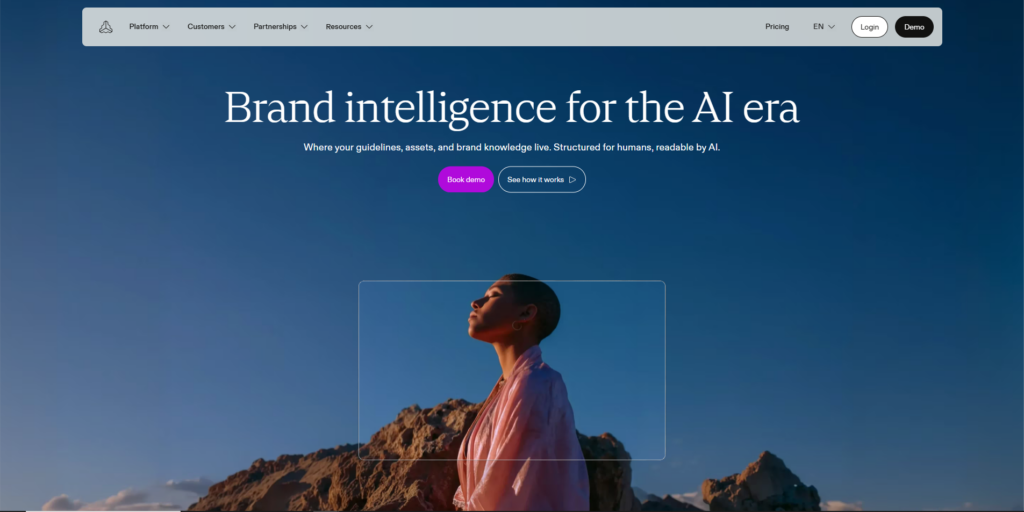
Frontify is built around one idea: your brand guidelines shouldn’t live in a static PDF nobody opens. It functions less like a passive document and more like true brand consistency software, turning your style guide into a living, searchable web page connected directly to the actual logo files, color palettes, and templates it describes.
Standout features include its brand portal builder, a design system component library for product and marketing teams working together, and version history that shows exactly what changed and when. Teams also use its Creative Hub for approvals, so a campaign asset doesn’t go live until someone with sign-off actually signs off.
Frontify fits mid-size to enterprise marketing and design teams that need designers, developers, and marketers working off the same visual system. The tradeoff is price. It’s positioned at the higher end, and smaller teams may find the full feature set more than they need.
2. Bynder
Bynder is one of the most established names in this space, and it shows in how deep the platform goes. At its core, it’s a digital asset management system with strong AI-powered tagging, meaning you can search for “red product shot, outdoor, festive” and actually get relevant results instead of scrolling through thousands of files by hand.
Beyond storage, Bynder includes brand guideline modules, creative workflow tools, and integrations with Adobe Creative Cloud, Google Workspace, and major CMS platforms. Its brand studio lets marketers generate on-brand social and ad creative from pre-approved templates without touching Photoshop.
Bynder works best for larger organizations managing thousands of assets across multiple brands or regions. Smaller teams sometimes find the interface has more depth than they need for day-to-day use, and onboarding takes real time to get right.
3. Brandfolder
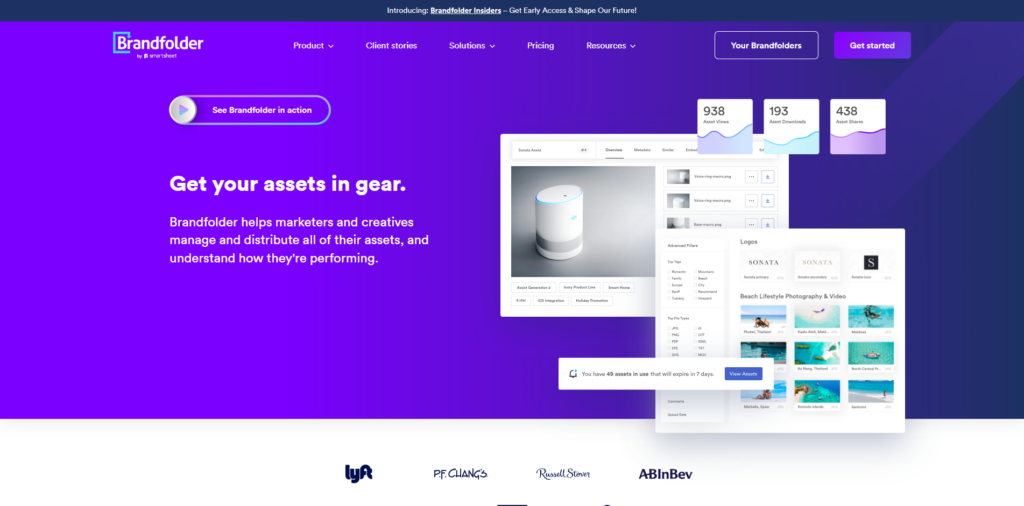
Brandfolder, now part of Smartsheet, is known for being fast and visually clean. Assets load quickly, search feels intuitive, and the interface doesn’t require a training session to use, which matters more than people admit when you’re rolling software out to sales and field teams, not just designers.
Its standout feature is Smart Search, which uses AI to recognize objects, colors, and even brand elements inside images automatically, cutting down the manual tagging work most DAM tools require upfront. Brandfolder also supports custom brand portals for external partners and press, so you can share approved assets without giving outside people access to your full library.
It’s a strong fit for mid-size marketing teams that want speed and simplicity over deep enterprise workflow features. Teams needing heavy approval chains or complex permission structures may find it a bit lighter than platforms like Bynder or Aprimo.
4. Canva for Teams
Canva needs no introduction, but its Brand Kit and Canva for Teams features have quietly turned it into a genuinely useful brand system for smaller companies. You upload your logos, brand colors, and fonts once, and every team member designing in Canva automatically has access to on-brand templates, without needing design skills.
The strength here is accessibility. Marketing, sales, and even HR can build a social post, a one-pager, or a pitch deck that stays on-brand because the brand kit locks the fonts and colors in place. Canva also supports brand templates that lock specific elements while leaving others editable, which stops well-meaning teammates from breaking the logo placement.
Canva is the right call for startups and small teams that need speed over depth. It’s not built for managing thousands of high-resolution assets or complex approval chains, and larger enterprises usually outgrow it as their asset libraries scale.
5. Adobe Experience Manager Assets
Adobe Experience Manager (AEM) Assets is the enterprise option for companies already deep into the Adobe suite of products. It combines digital asset management with content management, meaning your brand assets and your website content live in connected systems instead of two separate tools that don’t talk to each other.
Its biggest advantage is native integration with Photoshop, Illustrator, and Premiere Pro, so creative teams working in Adobe’s tools can push finished assets straight into the brand system without exporting and re-uploading. AEM Assets also uses AI-powered smart tagging and dynamic rendition delivery, automatically resizing images for different channels on the fly.
This is a serious enterprise platform, and the complexity and cost reflect that. Smaller teams or anyone not already running Adobe’s tools will likely find it heavier and pricier than what they actually need.
6. Widen (Acquia DAM)
Widen, now Acquia DAM, has built its reputation on reliability rather than flash. It’s a mature digital asset management system used heavily by consumer goods and retail brands managing huge product catalogs and seasonal campaigns.
Its metadata and taxonomy tools are genuinely strong, letting teams build detailed classification systems so a global brand team can find “Q3 2026, EU market, Instagram, 1080×1080” assets in seconds. Widen also offers portals for retail partners and distributors to pull approved assets directly, cutting out a huge amount of manual file-sharing.
It’s best suited to established brands with large, structured product catalogs, particularly in retail and CPG. Smaller or newer brands without that scale of assets may find the setup more involved than the payoff justifies at first.
7. Aprimo
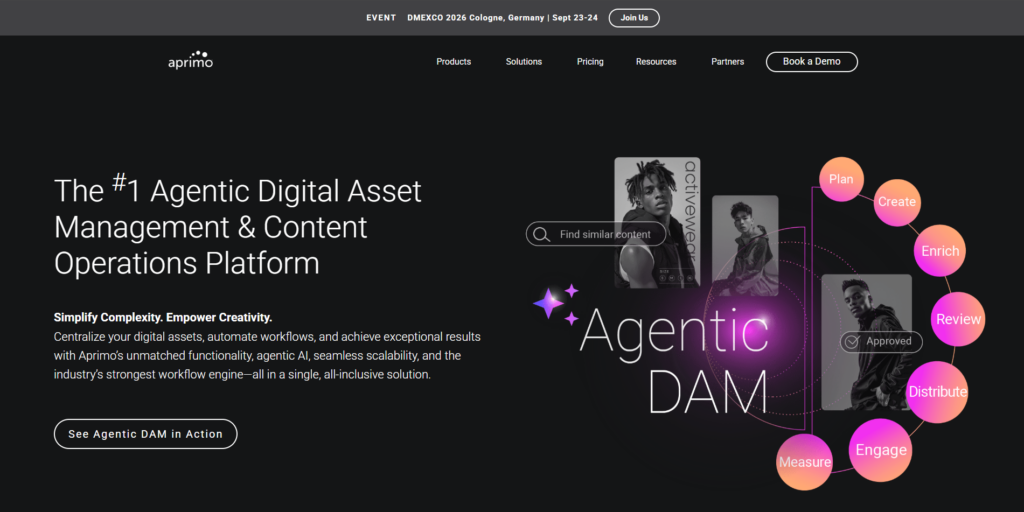
Aprimo positions itself less as a DAM and more as a full marketing operations and brand management platform. Alongside asset storage, it includes budget management, marketing calendar planning, and workflow tools that connect brand assets directly to campaign execution.
The standout here is its content lifecycle tracking, which shows you exactly which assets are performing, which are outdated, and which need to be retired, something most DAM tools don’t handle well. Aprimo also uses AI to recommend similar or replacement assets when something is flagged as expired or off-brand.
Aprimo suits larger marketing organizations that want to connect brand governance directly to campaign planning and spend. It’s a heavier lift to implement than a pure asset library, so smaller teams may find it overbuilt for their needs.
8. Papirfly
Papirfly focuses specifically on brand consistency at scale across global and local teams, which is a distinct problem from simple asset storage. It’s designed for brands running the same campaign across dozens of markets, where local teams need to adapt creative without straying off-brand.
Its Studio tool lets local marketers customize pre-approved templates, translating copy or swapping images while locking the core design elements in place. This means a regional team in Southeast Asia can localize a campaign without needing a designer or risking a brand violation.
Papirfly is a strong fit for global consumer brands and franchises managing local execution at scale. It’s less relevant for single-market companies that don’t need this kind of localized template control.
9. Marq
Marq, formerly Lucidpress, is built around the idea that non-designers should be able to create professional, on-brand materials without design software. Think sales one-pagers, event flyers, and internal presentations, all built from templates that lock brand elements in place.
Its biggest differentiator is how tightly it controls what non-designers can and can’t change in a template. You can lock a logo’s position and size while leaving text and images editable, which stops the classic problem of a sales rep stretching a logo out of proportion in a rushed deck.
Marq fits mid-size teams that need to distribute brand-safe templates to non-marketing staff, particularly sales, HR, and field teams. It’s not built as a heavy-duty digital asset library, so larger creative teams with huge media libraries may need to pair it with a dedicated DAM.
10. Brandworkz
Brandworkz was built specifically as brand guidelines software, meaning the style guide itself, not just the file storage, is the core product. Everything in the platform ties back to a living brand book that updates in real time as guidelines change.
It combines asset management with a visual brand guideline builder, letting brand teams document usage rules, tone of voice, and design principles right next to the assets they govern. Its approval workflows are also configurable to match how your brand team actually reviews work, rather than forcing a generic process.
Brandworkz works well for mid-size to large brand teams that see guideline documentation as equally important to asset storage. Teams that just need a fast, simple asset library may find its setup process more involved than lighter tools like Brandfolder.
11. Templafy
Templafy takes a narrower but genuinely useful angle: it focuses on brand-compliant documents, specifically PowerPoint, Word, and Excel files, which is where a huge amount of off-brand content actually gets created inside large companies.
It integrates directly into Microsoft Office and Google Workspace, so when an employee opens a new presentation, they’re pulling from an approved, brand-locked template instead of an old file someone forwarded three years ago. Templafy also auto-updates legal disclaimers, logos, and contact details across every document company-wide when something changes centrally.
This is the right pick for large enterprises where document sprawl, decks, proposals, contracts, is a bigger brand risk than image assets. Smaller companies with lighter document needs likely don’t need this level of specialization.
12. Air
Air is a newer digital asset management tool built with a strong focus on visual, board-style organization, closer to how creative teams naturally think than a traditional folder structure. It’s particularly popular with content and social teams managing high volumes of photo and video.
Its standout feature is the visual “boards” system, letting teams curate, compare, and share collections of assets side by side, which is genuinely useful for reviewing campaign shoots or selecting social content. Air also has strong version history for creative files, showing every iteration of a design as it evolves.
Air is a good fit for content-heavy marketing and social teams that want a modern, visual-first interface over a traditional enterprise DAM. It has less depth in enterprise governance and permissions compared to platforms like Bynder or Aprimo.
13. Filecamp
Filecamp keeps things deliberately simple, and that’s the appeal. It’s a straightforward digital asset management system without the enterprise complexity, aimed at small and mid-size teams that just need reliable storage, sharing, and basic brand controls.
It includes customizable brand portals, watermarking for shared previews, and simple approval workflows, covering the core needs most smaller teams actually have without a steep learning curve. Pricing is also more transparent and accessible than most enterprise-grade competitors on this list.
Filecamp is a solid choice for small businesses and agencies that want dependable asset management without paying for enterprise features they won’t use. Larger organizations with complex governance needs will likely outgrow it.
14. Wedia
Wedia positions itself as a digital brand management software built specifically for retail, hospitality, and franchise brands managing local marketing across many locations. It’s designed to let local teams, think individual hotel properties or store franchisees, pull approved assets and localize campaigns without going off-brand.
Its content connector automatically distributes approved assets to e-commerce platforms, social channels, and local marketing tools, keeping updates consistent everywhere at once. Wedia also includes AI-powered image recognition to speed up tagging across very large media libraries.
This is a strong fit for multi-location retail and hospitality brands managing brand consistency across dozens or hundreds of local teams. Single-location or B2B companies likely won’t need this level of local distribution complexity.
15. Extensis Portfolio
Extensis Portfolio rounds out the list as a flexible digital asset management system that works particularly well for teams with heavy font and creative file management needs, an area a lot of general DAM tools handle poorly.
It offers strong metadata search, customizable portals for internal and external sharing, and solid integration with Adobe Creative Cloud for creative production teams. Extensis also has a long track record in font management specifically, which matters for brand teams enforcing strict typography rules across campaigns.
Extensis Portfolio suits established creative and design-heavy organizations that need reliable asset and font governance. It’s a less obvious pick for lean marketing teams without a dedicated in-house design function.
How to Choose the Right Platform for Your Team
Start with your actual bottleneck, not the feature list. Before you commit to a brand management system, figure out whether your real problem is finding assets, enforcing guidelines, or getting non-designers to create on-brand content without breaking things. Each of those points to a different type of tool.
The right platform for a 10-person startup looks nothing like the one a 500-person enterprise needs. A small team usually gets more value from something like Canva for Teams or Filecamp, where speed and simplicity beat depth. A larger organization managing multiple brands, regions, or thousands of assets needs the governance and workflow depth of a Bynder, Aprimo, or Adobe Experience Manager Assets.
Team size isn’t the only factor, though. Consider how distributed your brand execution actually is. A single in-house marketing team has different needs than a company running local marketing through 50 franchise locations, where tools like Papirfly or Wedia are built specifically to solve that localization problem.
Budget matters too, and it’s worth being honest about it early. Enterprise platforms often require annual contracts and can run into five or six figures a year depending on user count and asset volume, while tools like Filecamp and Marq offer more accessible entry points for teams that don’t need the full enterprise stack yet.
Choosing the right platform starts with identifying the real bottleneck, whether that’s asset discovery, guideline enforcement, or non-designer content creation, since each points to a different category of tool. Team size and how distributed your execution is, single team versus multi-region or franchise, matter more than feature count when narrowing the shortlist. Budget realism upfront prevents the common mistake of buying enterprise capability a team isn’t ready to use.
Mistakes Teams Make When Rolling Out a New System
Buying the software is the easy part. Most rollouts fail quietly, not because the tool was wrong, but because of how it was introduced.
The most common mistake is skipping training for non-marketing teams. Sales, HR, and customer success are often the biggest source of off-brand content, and if they don’t know the new system exists or how to use it, they’ll keep pulling old files from wherever they saved them last. A short onboarding session for every team that touches brand assets, not just marketing, makes a real difference.
The second mistake is migrating everything at once instead of starting with current, high-use assets. Dumping five years of files into a new system without cleanup just recreates the same clutter in a new location. Most successful rollouts start with the current logo suite, active campaign assets, and core templates, then archive the rest.
The third, and probably the most damaging, is not assigning clear ownership. Someone needs to own the system: approving new templates, retiring outdated assets, and updating guidelines as the brand evolves. Without an owner, even the strongest platform slowly drifts back into the same chaos it was meant to fix.
Getting This Right Compounds Over Time
None of these 15 tools will fix a brand strategy that was never clearly defined in the first place. What they will do is stop the slow drift that happens when ten people are all making brand decisions independently, with no shared reference point.
Start by identifying your actual bottleneck, not the tool with the most features. If it’s asset chaos, a strong DAM solves it. If it’s non-designers creating off-brand content, a templating tool like Canva or Marq solves it. If it’s global consistency across markets, Papirfly or Wedia solves it. The right platform won’t do the strategic thinking for you, but it will make sure everyone on your team is executing off the same page, every single time.
If you want to go deeper on how brands actually build and protect consistency at scale, not just the tools but the strategy behind them, that’s exactly what we break down in the Crystal Clear Newsletter every week. It’s a short, practical read for marketers who’d rather apply one good idea than skim ten generic ones.
FAQs
What Do These Tools Actually Do?
Brand management software is a centralized platform that stores brand assets like logos, colors, fonts, and templates, while enforcing guidelines on how they can be used across teams. It gives marketing, sales, and external partners one verified source for on-brand materials instead of scattered files across email, drives, and personal folders.
DAM vs a Full Brand System, What’s the Real Difference?
A DAM is primarily focused on storing, organizing, and searching files at scale. A fuller platform in this category typically includes that DAM functionality but adds guideline enforcement, template locking, and approval workflows on top, so it governs how assets are used, not just where they’re stored.
How Do You Set Up Brand Guidelines Inside One of These Tools?
Start by uploading your core assets, logo files, color codes, fonts, and imagery style, then document the usage rules directly alongside them, things like minimum logo size, approved color combinations, and tone of voice. Most tools let you build this as a living style guide page rather than a static PDF, so updates apply everywhere instantly.
Do Small Businesses Really Need This, or Is It Just for Big Brands?
Small businesses benefit too, just from lighter tools. A five-person team doesn’t need Bynder-level enterprise workflow, but something like Canva for Teams or Filecamp still prevents the “which logo file is correct” problem that starts the moment a second or third person touches your brand assets.
Is It Worth the Cost for a Lean Marketing Team?
For most teams past the solo-founder stage, yes. The cost of a mid-tier tool is usually far lower than the time lost to searching for files, fixing off-brand materials after the fact, or the credibility damage from inconsistent branding across channels. It’s one of the few marketing tools with a fairly direct return on investment.
Why Do Teams Stop Using These Systems After a Few Months?
Usually because nobody owned the rollout past the initial setup, or the migration was so overwhelming that the new system felt more cluttered than the old shared drive it replaced. Assigning a clear owner and starting with a small, current asset library instead of a full historical dump solves most of this.
Canva vs Frontify, Which One Should You Actually Use?
Canva for Teams is the better fit if your priority is letting non-designers create on-brand social posts, decks, and one-pagers quickly. Frontify is the better fit if you need a full living brand guideline system connected to a design system for larger design and product teams. Some companies use both together.
How Do You Get Your Team to Actually Follow the Guidelines?
Lock down what matters most, like logo placement and core colors, inside templates so people literally can’t break them, and leave flexibility everywhere else. Combine that with a short onboarding walkthrough for every department that touches brand assets, not just the marketing team.
Which Tool Works Best for Agencies Managing Multiple Client Brands?
Brandfolder and Widen both support multiple brand portals within one account, which works well for agencies managing several client brand libraries separately. Papirfly and Wedia are stronger choices if the agency work involves localized campaign execution across many markets or locations.
Can You Just Use a Shared Google Drive Instead?
You can, until your team grows past a handful of people or starts producing content across more than one or two channels. Google Drive has no version locking, no guideline enforcement, and no way to stop someone from grabbing an outdated file, which is exactly the gap dedicated software is built to close.