
AI video generators have gone from being an experimental tool to something that’s shaping the way businesses and creators approach content. These platforms can take a written description, an image, or even a rough video clip and turn it into a polished video. Just a few years ago, that kind of output would have required a production crew, cameras, lights, editors, the works.
What’s different in 2026 is how mainstream these tools have become. Everyone from social media managers to e-commerce brands is tapping into them. The appeal is obvious: faster turnaround, smaller budgets, and the ability to produce video at a scale that was previously unrealistic.
Why AI Video Generators Are Trending in 2026
There’s a perfect storm driving this trend. Social platforms are prioritizing video more than ever. Audiences expect short-form content that looks good, and they expect it often. Traditional production cycles can’t always keep up. On the other hand, AI video generators let teams move at the speed of the platforms themselves.
And there’s the budget factor. Even larger companies are starting to cut back on expensive shoots if the same message can be delivered through AI-generated video.
Key Benefits: Speed, Cost-Savings, Scalability
- Speed – Videos can be generated in hours instead of weeks.
- Cost-Savings – Lower overhead without needing cameras, sets, or actors.
- Scalability – Multiple variations can be produced for different platforms, audiences, or campaigns.
For businesses, this combination of benefits means they can stay consistent with content without burning through resources.
Table of Contents
How AI Video Generators Work
Behind the polished clips are machine learning models trained to interpret prompts and build visuals that match them. The workflow looks simple on the outside, type in a description, wait, and download a video, but there’s a lot happening underneath.
Text-to-Video: Prompts into Clips
Enter a phrase like “a drone shot flying over a mountain at sunrise” and the system stitches together frames that look like real footage. The results depend heavily on the quality of the prompt. A vague prompt gives vague output; a detailed prompt brings something closer to the vision.
Image-to-Video and Video-to-Video
This is where things get more creative. An uploaded photo can be animated into a short clip, or an existing video can be transformed with new backgrounds, lighting, or styles. It’s a shortcut for turning static visuals into dynamic ones.
The Models Behind the Curtain
Most platforms today rely on a mix of technologies:
- Diffusion models create smooth, realistic visuals frame by frame.
- Transformers help understand prompts and timing.
- GANs still show up for realism but are less dominant now.
Limitations to Be Aware Of
Even with rapid improvements, there are gaps. Movement can look stiff. Facial details sometimes feel unnatural. And copyright is a constant concern, brands need to be sure they’re not using assets in ways that cross legal lines.
Also Read: Best SMS Marketing Software Tools
Benefits of Using AI Video Generators
The appeal goes beyond novelty. These tools are shifting how video fits into marketing, education, and entertainment.
1. Time-Saving for Creators and Marketers
Teams can move from concept to finished video much faster. That makes it easier to test ideas, experiment with formats, and keep campaigns fresh.
2. Lower Production Costs
Hiring crews, booking locations, and editing footage adds up quickly. AI cuts down those costs and opens video production to smaller businesses that wouldn’t have been able to afford it before.
3. Democratization of Video
It’s no longer just global brands with huge budgets producing slick campaigns. Small shops, creators, and educators can generate professional-looking content without outside help.
4. Scalability
Instead of one campaign video, dozens of variations can be generated, each one adjusted for platform, audience, or style. That flexibility is huge for digital ads and social strategies.
Also Read: AI Photo Generator Tools
Best Use Cases for AI Video Generators
AI-generated video isn’t meant to replace every kind of production. But for many scenarios, it’s already proving more than enough.
1. Social Media Marketing
Platforms like TikTok, Instagram, and YouTube Shorts thrive on fast, high-volume content. AI video generation makes it possible to keep up with the pace while still looking polished.
2. Brand Storytelling and Explainers
Explainer videos, brand stories, and pitch visuals can be built without needing actors or studios. Companies can keep messaging sharp while avoiding heavy production costs.
3. E-commerce Product Videos
Static product shots often fall flat. Short product demos, animations, or lifestyle visuals generated by AI help products stand out and convert better.
4. Training and Educational Content
For internal training or online courses, AI presenters and animated explainers keep material consistent and easy to produce in bulk.
5. Filmmaking and Pre-Visualization
Directors and creative teams are using AI for storyboards and pre-visualization, testing out how scenes could look before committing to full shoots. It’s a planning tool more than a replacement for the final cut, but it’s speeding up the creative process.
Also Read: Best Email Drip Campaign Software
Best AI Video Generators in 2026
The market in 2026 is crowded with platforms promising to be the best at AI-generated video. But each tool has a slightly different focus. Some are better for cinematic projects, others shine in social content or corporate explainers. Below is a breakdown of the leading options and what makes them stand out.
1. LTX-2.3
If the goal is production-grade video generation you can run on your own infrastructure, fine-tune on your own IP, and deploy without per-generation fees or vendor lock-in, LTX-2.3 is the strongest open-source option available right now.
It focuses heavily on:
- Open weights with full local deployment on consumer hardware
- Native synchronized audio-video generation in a single pass
- IC-LoRA fine-tuning for custom characters, styles, and environments
- Text-to-video, image-to-video, and audio-to-video pipelines
The model runs at native 4K, up to 50fps, and up to 20 seconds per clip in Fast mode, with a Pro mode for final-quality deliverables. What sets it apart from every other open-source model is that audio and video are generated together rather than sequentially, which eliminates the sync drift that makes most AI video feel artificial. With 18M+ downloads on Hugging Face and roughly one-eighth the cost of comparable closed models, it has traction with AI-native platforms, simulation teams, and enterprises that need full control over their stack.
Pros
- Free to self-host with zero cost per generation after setup
- Native audio-video sync – no post-processing required
- Fully customizable via IC-LoRA fine-tuning on proprietary assets
Cons
- Requires technical setup; not suited to teams without engineering resource
- No consumer-facing interface – this is infrastructure, not a one-click tool
Pricing
Open weights are free on Hugging Face. API access starts at $0.04/sec.
2. HeyGen
Best AI Avatar Video Generator
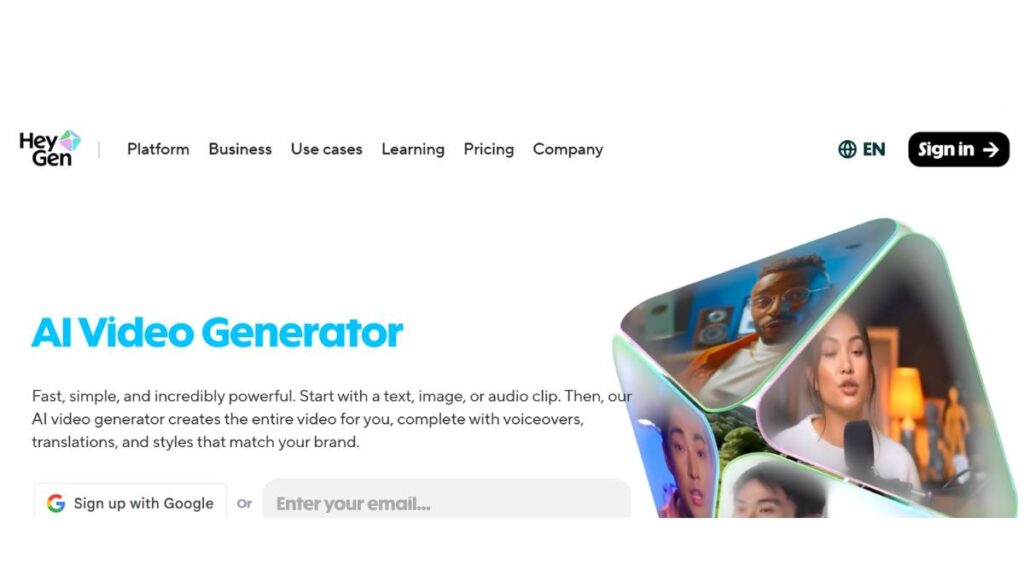
If the goal is AI presenters, sales videos, training modules, and onboarding explainers, HeyGen is one of the strongest platforms available right now.
It focuses heavily on:
- Realistic AI avatars
- Multilingual voiceovers
- AI voice cloning
- Script-to-video workflows
The avatars look natural enough for business communication. Not Hollywood-level, but polished and professional. The multilingual support is where it shines; brands expanding globally can produce localized videos fast without re-recording talent.
Pros
- Strong lip-sync accuracy
- Easy-to-use interface
- Good for marketing and HR teams
Cons
- Not built for cinematic storytelling
- Avatar-style content can feel repetitive if overused
Pricing
Tiered plans depending on usage, avatar customization, and video length. Higher plans unlock voice cloning and advanced features.
3. Runway (Gen-4.5)
Advanced Cinematic AI Video Generation
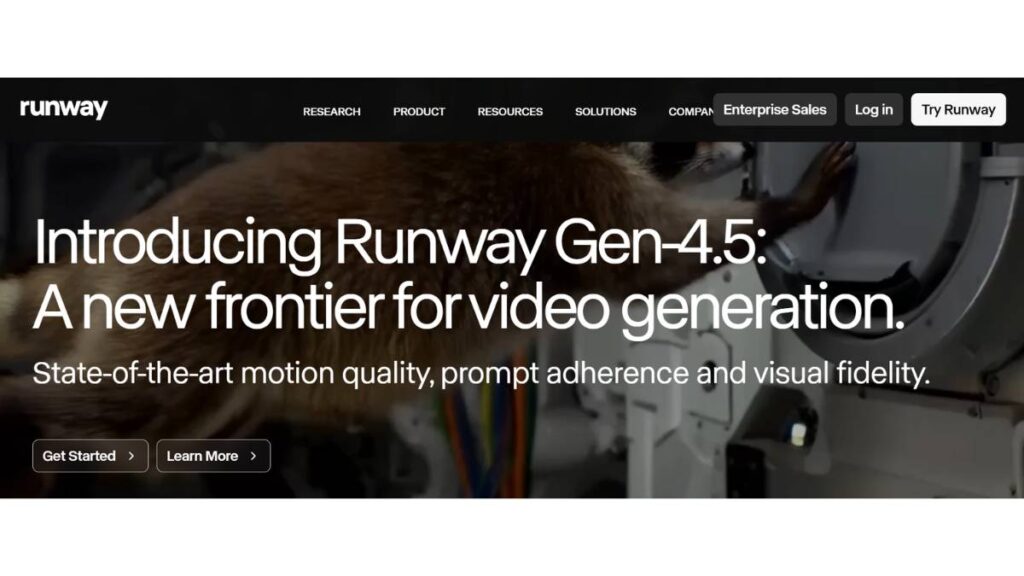
Runway continues to push creative boundaries. It’s built for creators who care about visual style, motion control, and cinematic output.
Core strengths:
- Text-to-video generation
- Image-to-video workflows
- Scene editing with AI controls
- Motion brush and camera tools
Filmmakers and creative teams tend to gravitate here because it offers more control over composition and movement. It’s less about avatars, more about storytelling and stylized visuals.
Pros
- Strong creative flexibility
- Image reference control
- Professional-grade outputs
Cons
- Learning curve is steeper
- Rendering can take longer for complex scenes
Best suited for creative professionals, agencies, and advanced content teams.
4. Magic Hour Ai
Effortless AI-Powered Face Swapping for Images & Videos
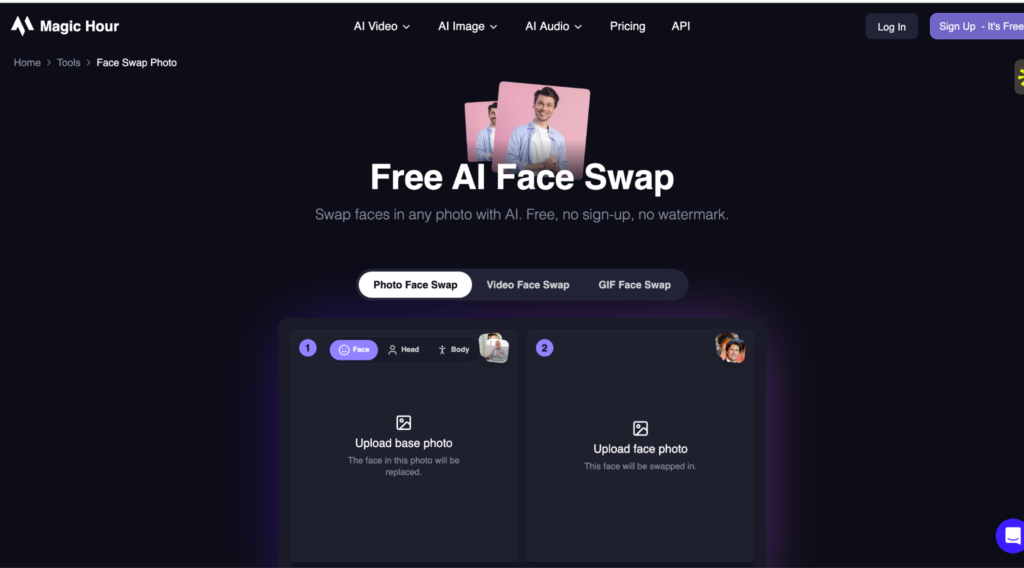
Magic Hour is a powerful AI face swap tool built for users who want fast, realistic face replacements without dealing with complex editing tools. It focuses on simplicity while still delivering high-quality, natural-looking results.
Core strengths:
- AI-powered face detection and mapping
- Realistic blending of facial expressions and lighting
- Image and video face swap capabilities
- Web-based platform with no installation required
Creators and marketers are drawn to Magic Hour because it removes the technical barriers of traditional editing. It’s less about manual precision and more about quick, high-quality results powered by AI.
Pros
- Extremely easy to use
- Fast processing with realistic output
- No advanced editing skills needed
Cons
- Limited manual control compared to professional software
- Requires internet access (web-based tool)
Best suited for content creators, social media users, and marketers who want quick and effective face swap results without a steep learning curve.
5. Google DeepMind (Veo 3)
Enterprise-Grade AI Video Model
Veo 3 focuses on scene consistency and realistic motion physics. It’s positioned more toward enterprise and large-scale production workflows.
Key capabilities:
- Complex scene generation
- Camera movement control
- Realistic object interactions
For corporate storytelling, branded environments, or high-end conceptual work, Veo stands out. It feels engineered for structured, scalable output rather than casual experimentation.
Pros
- Strong scene continuity
- Realistic physics
- Enterprise use cases
Cons
- Not necessarily optimized for quick social media content
- Likely premium-tier pricing
6. Pika Labs (Pika 2.5)
Beginner-Friendly AI Video Maker
Pika has built a reputation for speed and accessibility. It’s one of the easier tools to use for short-form content.
Best for:
- Social media clips
- Quick marketing visuals
- Concept animations
You type a prompt, choose style settings, and generate quickly. It’s not the most advanced engine for realism, but it’s fast, and that matters for creators publishing daily.
Pros
- Simple interface
- Fast generation
- Good for TikTok/Reels-style content
Cons
- Limited control compared to higher-end tools
- Not ideal for long cinematic pieces
7. Synthesia
Professional AI Video Generation with Realistic Avatars
Synthesia is the leading AI video platform for businesses that need to create professional-looking content without a camera crew. By simply typing a script, users can generate high-quality videos featuring over 140 diverse AI avatars that deliver messages with natural movements and precise lip-syncing in more than 120 languages.
Core strengths:
- 140+ diverse AI avatars based on real people
- Support for 120+ languages and regional accents
- Intuitive text-to-video editor that requires no technical skills
- Ability to create custom avatars for brand consistency
This platform is particularly effective for scaling video production across global teams, allowing for instant updates and localization that would be impossible with traditional filming methods.
Pros
- Exceptional realism in avatar performance
- Significant reduction in production time and costs
- Easy-to-use interface for non-video professionals
Cons
- Less flexibility for highly stylized or cinematic animations
- Higher-tier plans can be expensive for small teams
Best suited for corporate training, sales enablement, and global marketing teams. You can explore the platform at Synthesia.
8. Adobe (Firefly Video)
AI Video Inside the Adobe Ecosystem
Firefly Video integrates directly into the Adobe environment, which is a major advantage for professionals already using Premiere Pro and After Effects.
Core strengths:
- Commercially safer content generation
- Integration with editing timelines
- Brand-aligned asset creation
For marketing teams working inside the Adobe ecosystem, this creates a smoother workflow: generate with AI, refine in Premiere, and publish.
Pros
- Seamless editing integration
- Brand-friendly workflows
- Trusted ecosystem
Cons
- May require a Creative Cloud subscription
- Less experimental compared to standalone AI tools
9. Kuaishou (Kling AI 2.6)
High-Quality Cinematic AI Videos
Kling AI has gained attention for cinematic quality and motion detail. It competes directly with Sora and Runway in realism and scene depth.
Highlights:
- Advanced motion control
- Dramatic visual styling
- High-detail environments
It’s particularly strong in stylized cinematic output: moody lighting, complex movement, dynamic framing.
Pros
- Impressive realism
- Good object interaction
- Creative flexibility
Cons
- Availability may vary by region
- Interface may not be beginner-focused
10. Luma AI (Ray3 / Ray3 HDR)
Realistic 3D Scene Generation
Luma AI leans into 3D scene realism. It’s strong for creators who want spatial depth and camera-driven storytelling.
Best use cases:
- 3D-style environments
- Image-to-video animation
- Creative concept storytelling
It feels particularly useful for creators experimenting with immersive visuals rather than corporate explainers.
Pros
- Strong spatial awareness
- Good HDR-style visuals
- Useful for creative experimentation
Cons
- May require more setup for polished business videos
11. Hailuo AI (Hailuo 2.3)
AI Video Creation for Marketing
Hailuo positions itself for business users, sales teams, marketers, and content departments.
Core features:
- Prompt-based video generation
- Marketing-focused templates
- Business presentation formats
It’s less about artistic cinema and more about practical output: product videos, promotional clips, explainer visuals.
Pros
- Business-oriented workflows
- Template-driven simplicity
Cons
- Limited cinematic flexibility
- May lack advanced creative controls
12. Vidu (Vidu Q2)
Fast AI Short-Form Video Generation
Vidu is built for speed and social-first output.
Ideal for:
- Short-form ads
- Social media posts
- YouTube Shorts-style videos
It prioritizes rendering speed and ease of use over complex scene composition.
Pros
- Fast generation
- Beginner-friendly
- Social-ready formats
Cons
- Limited advanced control
- Not ideal for long-form storytelling

Apply Now: AI Marketing Course
13. Freepik AI Video Generator
Freepik is an all-in-one AI creative suite with video, image, and audio generation tools in a single platform, plus built-in editing to handle production from prompt to final cut. The Video Generator supports text-to-video and image-to-video across multiple models.
Pros
- Gives access to multiple video models (Google Veo, Kling, Runway Gen-4.5, Seedance, OpenAI Sora, MiniMax Hailuo) with output up to 4K, so results can vary depending on the project.
- Full editing suite built in, including a Clip Editor with prompt-based scene editing, video extension, color grading, stabilization, Lip Sync, and video upscaling.
- Audio tools (Voice Generator, Voice Cloning, Music and Sound Effects Generator) are included, which saves juggling separate subscriptions.
Cons
- Credit system can be confusing; advanced models consume credits faster
- Some high-end models require a higher-tier plan
Best Fit
- Marketers and creators who need video, editing, and audio tools in one place
- Teams producing across formats (social clips, product demos, ads)
- Small businesses looking for a complete creative suite under one plan
14. Synthesia
An enterprise-grade AI video platform widely used by large organizations for scalable, multilingual video creation.
Pros
- Trusted by major global companies
- Supports 140+ languages and accents
- Offers creative formats, including AI avatar videos for personalized content
Cons
- Higher pricing geared toward business users rather than individuals
- Advanced features can require onboarding or training
Best Fit
- Large enterprises
- International or multilingual marketing teams
- Seasonal and personalized video campaigns (e.g., holiday messaging)
Also Read: 30 Keyword Research Tools for Every Use Case
How to Choose the Right AI Video Generator
With so many AI video generators on the market in 2026, the “best” tool really depends on what the project needs. It’s less about which platform is most hyped and more about which one fits the workflow, budget, and creative goals. A few key things to weigh before committing:
1. Budget vs. Features
Some tools start as low as $8 a month, while others charge per second of footage. Subscription models are predictable but can add up over time. Pay-per-minute pricing (like Google Veo) might feel expensive, but it makes sense if video generation is occasional and high quality is the priority. For daily creators and marketers, a monthly plan is usually more cost-efficient.
2. Resolution Needs
1080p is the baseline across most tools right now, which works fine for social media and internal content. But if the aim is cinematic ads, branded campaigns, or TV-quality output, 4K support is non-negotiable. Only a few platforms, like Google Veo, are offering true 4K today, worth the premium if visual fidelity is critical.
3. Ease of Use & Editing Controls
The difference between a good tool and a frustrating one often comes down to the interface. Platforms like Vidu or Pika Labs are straightforward for quick social content. Runway and Adobe Firefly lean more toward professional users who want detailed motion controls or seamless editing. The learning curve is something to keep in mind if deadlines are tight.
4. Use Case Fit
A startup creating ad variations needs scalability and affordability, while a filmmaker experimenting with pre-visualizations will prioritize realism and control. Corporate teams may lean toward presenter-style platforms like Hailuo AI, which keep things polished without needing a film crew. Matching the tool to the use case avoids wasting time with features that don’t add value.
5. Integration with Other Tools
If a team already uses Adobe Creative Suite, Firefly’s integration is a natural fit. Some platforms also pair well with Canva, Figma, or even stock music libraries. This saves hours of back-and-forth and creates a smoother pipeline from script to final video.
The right AI video generator isn’t the one with the longest feature list, it’s the one that actually supports the content strategy and removes bottlenecks.
Also Read: Top Online Reputation Management (ORM)Tools
AI Video Generators Pricing Breakdown
The pricing landscape for AI video generators in 2026 is all over the place. Some platforms go for a classic subscription model, while others charge by the second or minute of generated content. Understanding these structures helps avoid unexpected costs.
1. Cheapest AI Video Generators in 2026
Budget-friendly options like Vidu and Luma Dream Machine start at under $10 a month, which is accessible for creators testing the waters. These usually come with some limitations, often capped resolution or fewer editing features, but they’re more than enough for quick marketing clips, social content, or explainer videos.
2. Freemium Tools vs. Enterprise Plans
Freemium platforms let users experiment before upgrading. They’re ideal for testing quality and workflows without committing upfront. On the flip side, enterprise plans, often running into hundreds of dollars, offer higher resolution, faster rendering, team collaboration, and priority support. Agencies and large marketing teams usually find enterprise pricing worthwhile because the scale offsets the cost.
3. Cost Per Minute vs. Subscription Pricing
Some services, like Google Veo, charge by the minute ($30 per minute). At first glance, that sounds steep, but for long-form cinematic work or polished ad campaigns, paying per project may actually be cheaper than carrying a recurring subscription. By contrast, creators producing daily TikToks, Shorts, or ad variations will burn through credits fast, making flat monthly plans like those from Runway, Adobe Firefly, or Pika Labs a better option.
Also Read: Top Lead Generation Software
Tips for Creating High-Quality AI-Generated Videos
The funny thing about these tools is they can look incredible one moment and then spit out something completely unusable the next. Getting good results isn’t luck, though; it usually comes down to how we feed the system and what we do with the output after.
1. Prompts Need More Detail Than You Think
Most people stop at “make a video of a man walking in a city.” That’s too vague. If the goal is to actually get something watchable, it’s better to over-explain. Think in terms of mood, angle, clothing, lighting. A line like “a man in a dark blue suit walking quickly down a rainy Tokyo street, shot from behind at night with neon lights reflecting” will almost always give back something richer.
2. Sound Brings It to Life
A silent video rarely works outside of B-roll. Dropping in music or a voiceover, AI generated or stock, adds that missing layer of emotion. Even a simple beat under a 10-second TikTok clip makes it feel intentional instead of random.
3. Editing Still Matters
The raw video isn’t the final product. Cropping awkward moments, adjusting speed, adding subtitles, it’s the polish that separates “ok” from “professional.” Tools like Premiere, CapCut, even Canva’s editor, make a huge difference here.
4. Stay Clear of Copyright Trouble
This part is easy to overlook. Not every platform gives commercial rights automatically, and the last thing anyone needs is a takedown after running paid ads. Always double-check terms of use before pushing videos live.
At the end of the day, these videos work best when treated as a first draft. The creator still has to guide it, refine it, and add that human layer.
Also Read: Top Marketing Planning Software Tools
Future of AI Video Generators
Looking a little further out, the pace of change here is wild. What feels advanced today will probably seem clunky in a year or two.
1. Faster and Sharper Output
We’re already seeing rendering times shrink. The move toward real-time video generation feels inevitable. And resolution? 4K will be table stakes soon, maybe even higher for professional use.
2. Blending with AR and Virtual Production
This is where it gets interesting. These tools aren’t just for short social clips anymore. Imagine building whole ad campaigns that drop into AR environments, or filmmakers blocking scenes in VR before a single camera is rented. That level of flexibility was unthinkable a few years ago.
3. Personalized Ads at Scale
Here’s where marketers should really pay attention. Instead of running one generic ad, imagine pumping out 50 slightly different versions tailored to different cities, age groups, even weather conditions. It’s not far off. That level of personalization could flip the economics of video marketing.
The tools will keep moving fast, and the brands willing to experiment now will be the ones that understand how to use them when the next leap comes. Waiting until it’s “perfect” usually means playing catch-up later.
Common Challenges and Ethical Concerns
As exciting as AI video generators are, they’re not all upside. There are some tricky areas that marketers, creators, and brands can’t afford to ignore.
1. Deepfakes and Misinformation
One of the first concerns people bring up is deepfakes, and they’re not wrong. The same tools that can help a small business make a slick explainer video can also be used to create fake celebrity endorsements or political clips. That kind of misuse spreads fast and erodes trust. It’s why brands need to stay careful about how they position AI-generated work. Transparency matters more than ever.
2. Copyright & Licensing
This one is a minefield. Not every platform has clear terms about whether the content is safe for commercial use. Some clips might borrow from training data in ways that aren’t obvious. If a business is putting money behind ads or client projects, it’s worth reading the fine print before publishing. A few extra minutes on legal clarity can save major headaches later.
3. Bias and Representation Issues
The models themselves can reflect biases from the data they’re trained on. That means certain groups might be underrepresented or stereotyped in generated clips. For marketers, this isn’t just a tech flaw, it’s a brand risk. Inclusive visuals don’t just happen by chance, so prompts need to be specific, and content needs a critical eye before going live.
AI video has opened the door to faster, cheaper production, but it’s also raised ethical questions that shouldn’t be swept aside. Ignoring them doesn’t just look careless, it can damage credibility.
Conclusion
AI video generators have shifted from being a cool experiment to a real part of how content gets made. They save time, cut costs, and open doors for teams that never had the budget for high-end production. But they’re not a silver bullet. There are limits around realism, licensing, and even ethics that can’t be brushed aside. What’s clear is this, video creation is changing, and it’s changing fast. The tools we have now are only the start. Marketers and creators who test, play around, and find where these platforms fit into their strategy will be ahead of the curve. Waiting until everything is “perfect” usually means getting left behind. Better to learn by experimenting now.
FAQs: AI Video Generators
Which AI video generator is best for marketers?
For social content, tools like Pika Labs and Vidu are solid because they’re quick and affordable. For higher-end campaigns, Google Veo or Runway are better fits. The “best” really depends on the type of content being produced and the budget available.
Can AI video generators replace traditional filming?
Not yet. They’re great for short-form content, ads, or concepts, but traditional shoots still win when it comes to realism, nuanced acting, or complex scenes. Think of AI video more as a powerful add-on, not a full replacement.
Are there free AI video generators available?
Yes, several platforms offer limited free versions or trials. They usually cap resolution or put watermarks on the output, but they’re good for testing the waters before upgrading.
How realistic can AI-generated videos look in 2026?
Surprisingly realistic in short bursts, especially with human characters or cinematic environments. Where they still fall short is in long, complex motion sequences. That gap is closing fast, but it’s still noticeable in many cases.
Which AI video tool supports 4K output?
As of now, Google Veo is leading in 4K generation. Most others top out at 1080p, which works for social and digital, but isn’t ideal for cinema-level projects.