

AI Predictive Analytics Tools get talked about a lot, but the conversation is usually either too technical or too surface-level. This piece tries to sit somewhere in between. It breaks down what these tools actually do, where they fit in real workflows, and which ones tend to hold up outside of demos. There’s also a closer look at how to choose one without overthinking it and where things usually go wrong. Not everything is as smooth as it looks in product pages, and that’s covered too. The idea is simple: a clearer, more practical view of how AI Predictive Analytics Tools actually get used, day to day.
Table of Contents
Introduction:
Why Predictive Analytics Feels Different Now
There was a time when analytics mostly answered one question: what happened? Reports came in, dashboards updated, and decisions followed; usually a bit late.
That’s shifted.
Now the focus is on what’s likely to happen next. Not with certainty, but with enough probability to act earlier. And that changes how teams operate. Marketing doesn’t just react to campaign performance; it adjusts mid-flight. Sales doesn’t just review pipeline;it forecasts risk before deals slip.
Traditional analytics was reactive. Predictive analytics leans forward. It deals in probabilities, patterns, and signals that aren’t always obvious on the surface.
A big reason for this shift is speed. Models that once took weeks to build can now run continuously in the background. Data flows in, predictions update, and decisions follow faster. Not perfectly, but faster.
Still, there’s a gap between expectation and reality.
Tools don’t fix messy data. They don’t magically understand context. And they definitely don’t guarantee accuracy on day one. Most teams run into trouble not because the tools are lacking, but because they expect clean answers from unclean inputs.
That part doesn’t get talked about enough.
What Are AI Predictive Analytics Tools?
At a basic level, these tools take historical data, look for patterns, and use those patterns to estimate future outcomes. Sounds straightforward. In practice, it’s a bit messier.
Under the hood, they typically combine:
- Machine learning models that adapt over time
- Statistical techniques that quantify uncertainty
- Data pipelines pulling in both past and real-time inputs
And the outputs? Usually things like:
- Likelihood of a customer converting (or leaving)
- Expected revenue over a given period
- Risk scores tied to transactions or users
- Demand forecasts that account for seasonality and anomalies
But here’s where it helps to reset expectations.
These aren’t just “smart dashboards.” A dashboard shows what’s already there. Predictive tools try to fill in what isn’t obvious yet. They connect dots across time, across behaviors, across signals that don’t look connected at first glance.
Also worth noting, these systems improve with exposure. The more relevant data they process, the more refined their predictions tend to become. Not perfect, just… less wrong over time.
And that’s usually enough to create an edge.
Where These Tools Actually Get Used
A lot of platforms position themselves as all-in-one solutions. Technically, many of them can be stretched across use cases. In reality, most teams end up using them deeply in just one or two areas.
Here’s where predictive analytics tends to show up most clearly:
Marketing & Customer Growth
- Lead scoring that adjusts as user behavior changes
- Identifying customers who are likely to churn, before they actually do
- Forecasting which campaigns are worth scaling and which aren’t
There’s a quiet shift here. Instead of optimizing after results come in, teams start making decisions earlier in the cycle.
Sales Forecasting
- Predicting which deals are likely to close (and which aren’t)
- Revenue projections that include probability, not just best-case scenarios
It moves forecasting away from gut feel. Not entirely, but enough to reduce surprises.
Finance & Risk
- Fraud detection that flags unusual patterns in real time
- Credit risk models that evolve with new data inputs
These are high-stakes areas, so the models tend to be more mature and more scrutinized.
Operations & Supply Chain
- Demand forecasting that accounts for trends, seasonality, and sudden spikes
- Inventory planning that avoids both overstocking and stockouts
This is where small improvements compound quickly. Even slight gains in accuracy can translate into significant cost savings.
A small reality check here:
Most tools aren’t equally strong across all these areas. They might claim to be. But under the surface, each one usually leans toward a particular strength; whether that’s modeling depth, usability, or integration.
Key Features That Actually Matter
It’s easy to get distracted by feature lists. Every platform promises speed, accuracy, automation… all the usual keywords. But when these tools get used day to day, a different set of priorities shows up.
What actually matters
- Data integration
If the tool can’t pull cleanly from CRMs, data warehouses, or APIs, everything slows down. Predictions are only as good as the data feeding them. - Model transparency
Black-box predictions can be risky. Teams need at least some visibility into why a prediction is being made, especially in high-impact decisions. - Real-time (or near real-time) updates
Static predictions lose value quickly. The ability to adjust as new data comes in makes a noticeable difference. - Ease of use beyond data teams
If only specialists can operate the tool, adoption stalls. The most useful tools tend to be the ones that non-technical teams can actually engage with.
What tends to get overhyped
- “Fully automated AI”
In theory, yes. In practice, models need monitoring, tweaking, and occasional correction. Automation helps, but it’s not hands-off. - One-click predictions
Quick outputs are easy. Meaningful outputs take context, tuning, and iteration. - Accuracy claims without context
A model can be “90% accurate” and still be useless depending on how that accuracy is measured. Without context, those numbers don’t say much.
There’s a pattern here. The value of these tools doesn’t come from flashy capabilities; it comes from how well they fit into real workflows. The less friction between data, model, and decision-making, the more useful they become.
9 Best AI Predictive Analytics Tools
There’s no shortage of tools in this space. Most of them look similar on the surface: dashboards, models, forecasts, but once you get into actual usage, the differences show up quickly.
Some are built for heavy modeling. Others focus on usability. A few try to balance both, with mixed results.
Instead of ranking them, it makes more sense to look at where each one actually fits.
IBM Watson Studio
This one leans heavily toward enterprise-grade modeling. It’s built for teams that already know what they’re doing with data and need flexibility more than simplicity.
- Strong support for advanced machine learning workflows
- Handles large, complex datasets without much trouble
- Works well in environments where customization matters
Where it fits: Large organizations, data science teams, complex use cases
Watch out for: It’s not beginner-friendly. There’s a learning curve, and it shows early.
SAS Institute Predictive Analytics
SAS has been around in the analytics world for a long time, and it shows. The platform goes deep into statistical modeling; more than most teams actually need, to be honest.
- Strong in risk modeling and forecasting
- Widely used in finance and healthcare
- Reliable when accuracy and compliance matter
Where it fits: Risk-heavy industries, regulated environments
Watch out for: Pricing and complexity can slow adoption
Microsoft Azure Machine Learning
This one sits comfortably in the middle; powerful, but still relatively accessible if the ecosystem is already familiar.
- Cloud-based, scalable infrastructure
- Integrates well with existing Microsoft tools
- Supports both beginners and advanced users (to a point)
Where it fits: Teams already using Azure or the Microsoft stack
Watch out for: Initial setup can feel technical if you’re starting from scratch
Google Cloud AI / Vertex AI
There’s a noticeable push toward automation here. Model building, deployment, scaling; it’s all streamlined more than usual.
- Strong automation features
- Handles model deployment efficiently
- Good balance between flexibility and usability
Where it fits: Scalable AI projects, teams that want speed without building everything manually
Watch out for: Pricing can get tricky as usage scales
RapidMiner
A more approachable option, especially for teams that don’t want to rely heavily on coding.
- Visual workflows instead of complex scripting
- Easier to get started compared to most platforms
- Covers a decent range of predictive use cases
Where it fits: Beginners or mid-level teams exploring predictive analytics
Watch out for: Can feel limiting when needs become more advanced
6. Alteryx
This one is often picked up by analysts rather than data scientists. It focuses a lot on preparing data before modeling, which, in practice, is where most of the work happens anyway.
- Strong data preparation capabilities
- Drag-and-drop workflows
- Speeds up repetitive analysis tasks
Where it fits: Business analysts, non-technical teams
Watch out for: Cost can feel high depending on how deeply it’s used
Tableau Software (with predictive features)
Tableau is usually associated with dashboards, but it does offer forecasting and basic predictive capabilities.
- Easy to use, especially for business users
- Strong visualization layer
- Useful for quick, surface-level predictions
Where it fits: Teams that want insights without heavy modeling
Watch out for: Not designed for deep predictive analytics
SAP Analytics Cloud
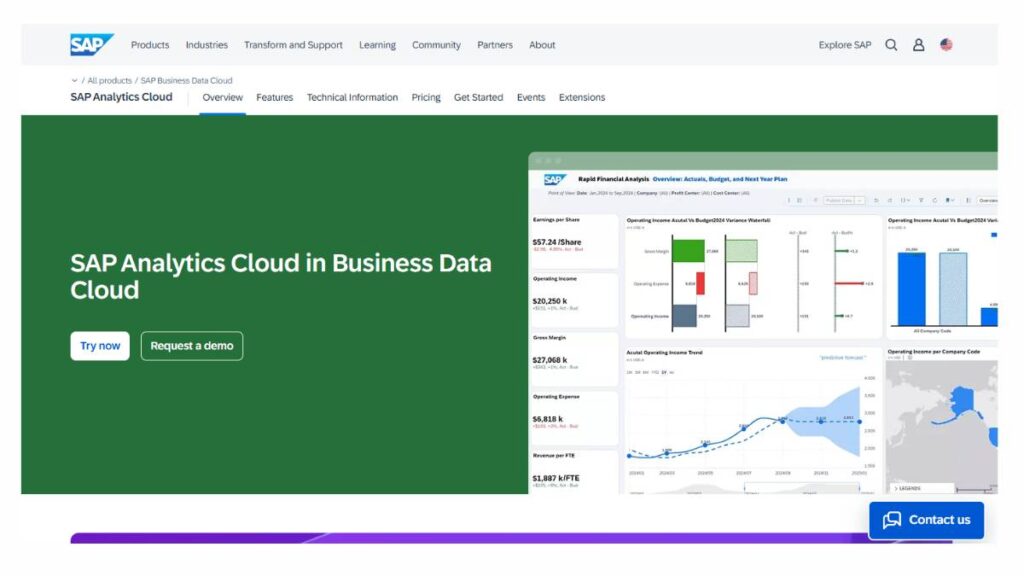
This one combines multiple layers: business intelligence, planning, and predictive analytics, in a single environment.
- Strong integration across enterprise systems
- Combines forecasting with planning workflows
- Designed for large-scale operations
Where it fits: Enterprises already using SAP systems
Watch out for: Setup and customization can take time
H2O.ai
A bit different from the rest. More flexible, more open, and often preferred by teams that want control over how models are built and deployed.
- Known for AutoML capabilities
- Offers both open-source and enterprise versions
- Scales well with technical teams
Where it fits: Teams that want flexibility and control
Watch out for: Requires some technical understanding to get the most out of it
Enroll Now: AI Marketing Course
A quick takeaway before moving on
No single tool here does everything perfectly. And that’s usually where teams get stuck: trying to find a “complete” solution instead of the right fit.
A simpler way to look at it:
- Need depth and control – lean toward IBM, SAS, H2O.ai
- Need usability and speed – RapidMiner, Alteryx, Tableau
- Need scalability within an ecosystem – Azure, Google Cloud, SAP
The better choice isn’t the most powerful one. It’s the one that actually gets used.
How to Choose the Right Tool
This part gets overcomplicated way too quickly.
Most teams start by comparing features, pricing tiers, integrations… and somewhere in that process, the actual problem gets lost. Happens more often than it should.
A simpler way to think about it: start with what needs predicting. Not the tool.
- Is it customer churn?
- Revenue forecasts?
- Demand planning?
Those are very different problems, even if tools try to bundle them together.
Then comes the less exciting part. Data.
- Is there enough historical data to work with?
- Is it clean… or patched together from five different sources?
Because here’s the thing: if the data is messy, the tool doesn’t fix that. It just scales the mess. Quietly.
Next, the team will use it.
Some tools assume comfort with models, parameters, and tuning. Others are more plug-and-play. Picking the wrong type doesn’t just slow things down; it usually kills adoption altogether.
A rough way to think about it:
- Teams that want speed and simplicity – go for usability first
- Teams that need control – lean into flexibility and depth
And budget, of course. But not just in terms of cost.
The better question is:
Will this tool actually get used after the first few weeks?
Because a lot of platforms look great in demos. Real usage is different. Less polished. More friction.
The right tool tends to be the one that fits quietly into the workflow, not the one that tries to reshape everything around it.
Common Mistakes That Quietly Kill Results
Most problems don’t show up right away. They build in the background. Then one day, nobody trusts the outputs anymore.
A few patterns keep repeating:
- Not enough data to begin with
Predictions need history. Without it, the model is basically guessing, just with more confidence than it should have. - Trusting the output too quickly
Numbers look convincing. That doesn’t make them right. Context still matters, sometimes more than the model itself. - Data quality is getting ignored
This one’s almost boring to mention, but it’s where things break most often. Inconsistent inputs, missing fields, tracking gaps… it all adds up. - Jumping into complex models too early
There’s a tendency to overbuild. More variables, more layers, more tuning. But early on, simpler models usually do the job just fine, and are easier to trust.
And then there’s a quieter issue.
Teams invest in predictive tools before fixing their tracking setup. So the model ends up learning from partial or misleading data. Outputs look off. Confidence drops.
The tool gets blamed.
In reality, it never had a fair shot.
Benefits When Done Right
When everything starts clicking, data in place, models tuned, teams actually using the outputs, the shift is noticeable. Not dramatic overnight. More like… things start making more sense.
Decisions feel less reactive.
A few areas where the impact tends to show up:
- Decision-making gets sharper
Not perfect, but more grounded. Fewer blind guesses. - Risks show up earlier
Churn signals, performance drops, operational issues; they don’t arrive out of nowhere anymore. - Targeting improves
Effort goes toward segments that are more likely to convert or stay. Less waste, basically. - Time shifts from analysis to action
Less digging through reports, more acting on what’s already surfaced.
But it’s not instant.
There’s usually a phase where things feel slower, even frustrating. Data needs cleaning. Models need adjusting. Outputs need to be questioned a bit before they’re trusted.
That part doesn’t get highlighted much.
The payoff comes later. Gradually. When decisions start happening faster, and there’s a bit more confidence behind them, even if it’s not perfect.
And honestly, it rarely is.
Limitations Nobody Talks About Enough
This is where things get a bit uncomfortable.
On paper, predictive analytics sounds clean; data goes in, insights come out, decisions improve. In reality… there’s always some friction.
Start with the obvious one:
- Predictions aren’t certainties
Even a strong model is still working with probabilities. It can say “this is likely,” not “this will happen.” That gap matters more than it seems, especially when decisions carry weight.
Then there’s something people notice later than they should:
- Models age
What worked a few months ago slowly starts drifting. Customer behavior changes, markets shift, new variables creep in. The model doesn’t always “realize” this on its own. It just keeps doing what it was trained to do.
Which leads to another point;
- They need attention
Not constant babysitting, but definitely not hands-off either. Someone has to check if predictions still make sense, if patterns still hold, if something feels… off.
And sometimes, something does feel off, but it’s hard to explain why.
That’s usually because:
- Context is missing
These systems are good at patterns. They’re not great at understanding why those patterns exist. So when something unusual happens, a sudden spike, a drop, an outlier event, the model treats it like just another data point.
There’s also a quieter risk.
- False confidence
Clean dashboards, precise numbers; it all looks convincing. Over time, teams stop questioning the output. That’s when mistakes slip in, not because the model failed, but because nobody challenged it.
None of this makes the tools less useful. Just… less magical than they’re often made out to be.
Future Trends
A lot of noise around the future of predictive analytics. Big claims, bold predictions. Some of it holds up, some of it doesn’t.
What’s actually changing feels a bit more grounded.
Less manual setup
Building models is getting easier. Not effortless, but easier than it used to be. More automation around selecting variables, testing models, and adjusting parameters.
Faster feedback loops
Predictions are updated closer to real time. Not waiting for weekly reports or batch processing. Data comes in, outputs adjust. That shift alone changes how decisions get made.
Blending into existing workflows
Instead of sitting in separate dashboards, predictions are starting to show up where decisions already happen: sales tools, marketing platforms, operational systems.
That part matters more than it sounds. If insights don’t show up where action happens, they tend to get ignored.
Moving toward recommendations
Not just “this might happen,” but “here’s what to do next.” Still early in many cases, but the direction is clear.
That said, underneath all of this… not much changes.
Better data still wins.
Clear thinking still matters more than fancy features.
Everything else is just making the process faster, or easier to use.
Conclusion:
There’s a tendency to focus heavily on the tools. Comparing features, capabilities, and performance benchmarks.
Fair enough. Tools matter.
But they’re rarely the deciding factor.
The harder part sits elsewhere:
- Data that isn’t quite ready
- Questions that aren’t clearly defined
- Outputs that get taken at face value without enough scrutiny
That’s where things usually break down.
Even the best tool won’t fix unclear thinking. It’ll just make it more scalable.
When things work well, it’s not because everything is perfect. It’s because the basics are handled properly; data is structured, expectations are realistic, and decisions are made with a bit of context, not just numbers.
Strip everything back, and it’s fairly simple.
The tool sits in the middle.
Useful, yes. Important, sure.
But not the whole story.
FAQs: AI Predictive Analytics Tools
What exactly do AI predictive analytics tools do?
They take existing data, usually messy, scattered, and a bit inconsistent, and try to make sense of what might happen next. Not perfectly. More like reducing uncertainty. Patterns get picked up, signals get highlighted. Over time, decisions stop feeling like guesses and start leaning on something a bit more… grounded.
Are predictive analytics and machine learning the same thing?
They’re connected, but not identical. Machine learning is what does the pattern-finding. Predictive analytics is where those patterns get used. One feeds the other. Without a clear application, machine learning doesn’t really go far. It needs context, otherwise it’s just… capability without direction.
Do small businesses actually need predictive analytics tools?
Not in the beginning. Most small teams can manage with simple reports and gut checks. But growth changes things. More data, more channels, more noise. At some point, it becomes harder to see what’s actually working. That’s usually when predictive tools start to feel less optional.
How accurate are these tools in real-world scenarios?
Accuracy is a moving target. It depends on how clean the data is, how stable the environment is, and how often models are updated. In steady conditions, predictions can be fairly reliable. In fast-changing situations… they struggle a bit. Which is expected, honestly.
What kind of data is required to get started?
Anything with history and repetition. Customer behavior, transactions, engagement patterns; those tend to work well. But the condition of the data matters more than the amount. Inconsistent entries, gaps, duplicates… those things quietly affect outcomes more than people expect.
Can predictive analytics work without large datasets?
It can, though results tend to be less stable. Smaller datasets can still show direction, especially in focused cases. But there’s less margin for error. One unusual trend can throw things off. That’s why simpler models often hold up better when data is limited.
Are these tools fully automated, or do they need human input?
They’re more automated than before, but still not independent. Someone has to define what’s being predicted, check if the outputs make sense, and decide what to do next. Without that layer, it’s easy to rely on numbers that look precise but don’t tell the full story.
Which industries benefit the most from predictive analytics?
Any space where behavior repeats, retail, finance, SaaS, and healthcare tend to see strong results. But it’s less about industry labels and more about data maturity. If there’s enough structured data to work with, predictive models usually find something useful.
Is coding required to use predictive analytics tools?
Not as much anymore. A lot of tools have simplified interfaces now, which helps. But understanding the data still matters. Without that, even no-code tools can feel a bit confusing. It’s not about writing code, it’s about knowing what the data is actually saying.
How long does it take to see results?
Longer than most teams expect. Early insights can show up quickly, but meaningful impact takes time. Data needs to be cleaned, models tested, and outputs validated. And then there’s adoption; getting teams to actually use those insights. That part often slows things down.
What’s the difference between predictive and prescriptive analytics?
Predictive tells what might happen. Prescriptive tries to suggest what to do next. Sounds like a natural step forward, but it’s not always straightforward. Recommendations depend on assumptions, and those don’t always hold up. So they still need to be looked at carefully.
Are predictive analytics tools expensive?
They can be, depending on the platform and scale. But the bigger cost often sits around the tool: data preparation, setup, and ongoing adjustments. Those parts aren’t always obvious upfront. Over time, they tend to matter more than the subscription itself.
How do these tools handle real-time data?
Some update continuously, others in batches. Real-time gets a lot of attention, but it’s not always necessary. In many cases, slightly delayed updates work just fine. What matters more is whether the timing matches how quickly decisions need to be made.
Can predictive analytics help reduce customer churn?
Yes, especially in spotting early warning signs. Shifts in behavior, lower engagement; those signals can show up before churn actually happens. But the prediction alone doesn’t change outcomes. The response does. Without action, it’s just an early observation.
What are the biggest challenges when using these tools?
Data quality is usually the first issue. Then interpretation, understanding what outputs actually mean. And sometimes, teams overcomplicate things early on. Trying to build something advanced before getting the basics right. That tends to slow everything down.
How often do predictive models need updating?
There’s no fixed schedule. It depends on how quickly things change. In fast-moving environments, models drift sooner. In stable ones, they last longer. The tricky part is noticing the drift; it’s gradual, not obvious at first.
Are AI predictive tools secure for sensitive data?
Most established platforms are built with strong security measures. But that’s only part of it. Internal practices matter just as much; who has access, how data is stored, how it’s handled day to day. Security isn’t just a feature, it’s a process.
Can predictive analytics improve marketing ROI?
It usually helps, especially with targeting and timing. Campaigns become more focused, less wasteful. The improvements might not look dramatic at first, but over time, they add up. Small efficiencies tend to compound.
What’s a common misconception about predictive analytics?
That it removes uncertainty completely. It doesn’t. It just reduces it. Another one; more data automatically leads to better predictions. Without structure, more data can actually make things messier. It’s not always about volume.
How should someone choose their first predictive analytics tool?
Start with the problem, not the tool. That’s where most decisions go wrong. Look at what needs to be predicted, what data is available, and who will use the results. Once that’s clear, the options narrow down naturally.