
Most businesses start looking at AI chatbot software, thinking it’s just another tool to plug into the website. It rarely stays that simple. Once conversations start scaling, support queries, lead questions, repetitive back-and-forth, it becomes clear where chatbots actually fit. This guide breaks that down in a practical way. What AI chatbots are, how they work, where they help (and where they don’t), and which tools are worth a closer look in 2026. Nothing overhyped here. Just a clear look at how AI chatbot software fits into real workflows, what to expect before adopting it, and how to avoid ending up with something that sounds good… but doesn’t really move the needle.
Table of Contents
What Is AI Chatbot Software?
AI chatbot software is one of those things that sounds complicated… until you actually see it in action.
At a basic level, it’s software that can hold a conversation with a user, but not in the stiff, scripted way older bots used to. It understands what someone is trying to say, even if the wording isn’t perfect. That’s where the “AI” part starts to matter.
Under the hood, it relies on natural language processing (NLP) and machine learning. Fancy terms, sure. But in practice, it just means the bot can:
- interpret intent (not just keywords)
- handle messy, real-world language
- improve over time based on interactions
And that last bit is where things shift. Traditional systems stay the same unless someone manually updates them. AI chatbots… evolve. Slowly, sometimes unevenly, but noticeably.
You’ll find them doing more than just answering FAQs now.
- On e-commerce sites, helping people choose between products
- Inside SaaS tools, guiding new users so they don’t get stuck
- On service websites, qualifying leads before a human ever steps in
- Even internally, answering repetitive employee questions
It’s less about replacing humans, more about removing the repetitive layer that slows everything down.
Also worth noting, terms like conversational AI software or AI chatbot software tools get used interchangeably. In most cases, they’re pointing to the same category. The differences usually come down to how advanced the system is… and how deeply it connects with the rest of the business.
What Is a Chatbot vs AI Chatbot?
What Is a Traditional Chatbot?
Traditional chatbots follow rules. Very clear ones.
They’re built on decision trees, meaning every possible path is predefined. If a user says X, the bot replies with Y. Simple. Predictable.
And that works… until it doesn’t.
The moment someone phrases a question slightly differently or asks something unexpected, the system starts to struggle. You’ve probably seen it before:
- answers that don’t quite match the question
- loops that send you back to the start
- or that classic “I didn’t understand that” message
That’s because these bots don’t actually understand language. They’re matching patterns. Close enough works; until it doesn’t.
They’re still useful for very controlled scenarios. Think basic FAQs, form-like interactions, and simple routing. But beyond that, the cracks show pretty quickly.
What Is an AI Chatbot?
AI chatbots feel different almost immediately.
Instead of relying on fixed scripts, they try to interpret what the user actually means. Not just the words, but the intent behind them. That’s a subtle shift, but it changes everything. This is one of the reasons businesses are increasingly working with an AI chatbot development company like Nimble AppGenie to build more smart and user-friendly conversational experiences.
So when someone types something vague… or slightly off… or even combines two questions in one message, the chatbot doesn’t just break. It adapts.
There’s also a learning layer involved. Over time, with enough interactions, the system gets better at:
- recognizing patterns
- handling edge cases
- responding in a way that feels less mechanical
It’s not perfect. No system is. But it’s far more forgiving, and that’s what makes the experience smoother for users.
One interesting side effect: users don’t need to “figure out” how to talk to the bot anymore. They just type naturally. That alone removes a lot of friction.
AI Chatbots vs Chatbots vs Virtual Agents
This is where things get a bit blurry, mostly because different companies use different labels for similar tools.
Still, there’s a practical way to think about it.
Chatbots (rule-based) tend to be:
- structured
- limited in scope
- good for simple, repetitive queries
AI chatbots go a step further:
- understand context
- handle more complex conversations
- work across support, sales, and engagement
Virtual agents push things even further:
- connected to backend systems
- able to take actions, not just respond
- closer to “digital assistants” than simple chat tools
So instead of just answering “What’s my order status?”, a virtual agent might actually check the system and give a real-time update… or even initiate a return.
That distinction matters when choosing a tool. Not every business needs full automation. But most outgrow basic chatbots faster than expected.
How AI Chatbot Software Works
From the outside, it looks simple. A user types something, and the bot replies.
Behind the scenes, there’s a bit more going on.
It usually starts with a message, which, in real life, is rarely clean or structured. People type fast, skip words, and mix questions. The system has to make sense of that.
First comes intent recognition.
The chatbot tries to figure out what the user actually wants. Not just the literal words, but the goal behind them.
Then comes natural language processing (NLP).
This is where the message gets broken down: grammar, context, and relationships between words. It’s what allows the bot to handle variations without needing exact matches.
After that, the system leans on machine learning models.
These models are trained on large datasets, which helps them recognize patterns and predict appropriate responses. Over time, as more interactions happen, the system becomes more reliable. Not instantly, but gradually.
Then comes response generation.
Depending on the setup, this could be:
- a predefined answer (for accuracy and control)
- or a dynamically generated response using language models
Most real-world systems use a mix of both. Pure AI responses sound great in theory, but businesses usually want some level of control, especially in customer-facing scenarios.
Finally, there’s continuous improvement.
This part often gets overlooked.
Good chatbot systems track:
- where conversations fail
- What users ask repeatedly
- Which responses don’t land well?
And then they get refined. Not automatically in every case; sometimes it takes manual tuning, but over time, the gaps get smaller.
The interesting thing is, the best-performing chatbots aren’t always the most advanced ones. They’re the ones trained on the right data, aligned with real user behavior, and kept… a little messy, a little human.
Because users don’t speak in perfect sentences. And systems that expect them to usually fall short.
20 Best AI Chatbot Software for Businesses
There isn’t one “best” chatbot tool. That idea sounds neat in theory, but breaks the moment you look at real use cases. A SaaS company handling support tickets doesn’t need the same thing as an Instagram-heavy ecommerce brand. And a developer building internal automation? Completely different expectations.
So instead of forcing a one-size-fits-all answer, this list leans into how these tools actually get used. Some are built for marketing funnels, some for support, some for deep customization. A few try to do everything, not always successfully.
Each one below follows a simple breakdown, so it’s easier to compare without overthinking it.
ChatGPT
Best Overall AI Chatbot Software
ChatGPT has quietly become the default starting point for most businesses exploring AI chatbots. Not because it does everything perfectly, but because it does a lot of things well enough out of the box. That matters more than people admit.
A general-purpose AI chatbot capable of handling conversations, generating responses, answering queries, and integrating into workflows through APIs.
Best for
Businesses that want flexibility, support, content, internal tools, all in one place.
Key features
- Natural, human-like conversation handling
- Strong contextual understanding across long chats
- API access for custom integrations
- Multi-use: support, writing, automation
Pros & cons
Pros:
- Extremely versatile
- Minimal setup compared to traditional tools
- Constant improvements
Cons:
- Requires structure for consistent outputs
- Not purpose-built for specific industries
Pricing
Free tier available; paid plans scale based on usage and features.
Botpress
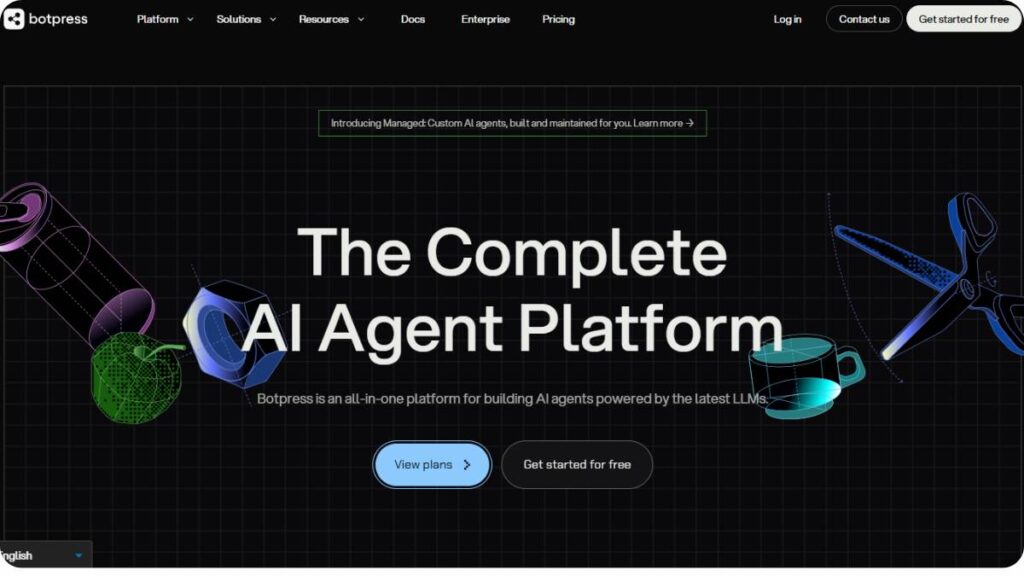
Best for Developers
Botpress feels like it was built for teams that don’t want limitations. It’s not trying to be the easiest tool; it’s trying to be the most flexible.
A developer-focused conversational AI platform designed for building highly customized chatbots with deep integrations.
Best for
Engineering teams and businesses that need control over logic, workflows, and data.
Key features
- Visual flow builder + custom code support
- Integration with APIs, CRMs, and databases
- Persistent memory for conversations
- Multi-channel deployment
Pros & cons
Pros:
- Extremely customizable
- Supports complex workflows and logic
- Strong integration ecosystem
Cons:
- Steeper learning curve
- Overkill for simple use cases
Pricing
Free plan available; paid plans typically scale up to enterprise tiers, often around mid–high hundreds monthly.
ManyChat – Best for Social Media Automation
ManyChat is less about “AI intelligence” and more about results: clicks, replies, conversions. It’s built for marketers, not engineers.
A no-code chatbot platform focused on automating conversations across Instagram, WhatsApp, Messenger, and SMS.
Best for
Creators, ecommerce brands, and marketers running campaigns on social platforms.
Key features
- Drag-and-drop automation builder
- Social media integrations (Instagram, WhatsApp, Messenger)
- Lead capture tools (comments, DMs, triggers)
- Audience segmentation and broadcasts
Pros & cons
Pros:
- Very easy to set up
- Built specifically for marketing funnels
- Strong engagement tools
Cons:
- Limited depth for complex AI use cases
- Pricing grows with the contact list
Pricing
Free plan available; Pro starts around $15/month and scales with contacts.
HubSpot Chatbot Builder – Best CRM-Integrated Chatbot
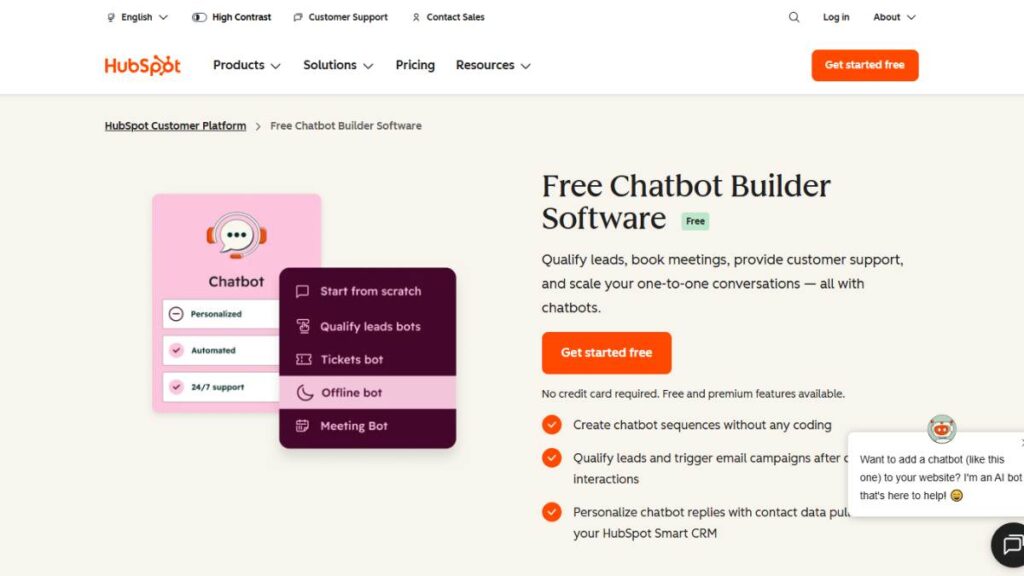
HubSpot’s chatbot isn’t trying to be flashy. It’s practical. It fits directly into your CRM, which changes how conversations are actually used.
A chatbot builder integrated within HubSpot’s CRM ecosystem for lead capture, qualification, and support.
Best for
Businesses already using HubSpot or heavily relying on CRM workflows.
Key features
- Native CRM integration
- Lead qualification flows
- Meeting booking automation
- Customer data syncing
Pros & cons
Pros:
- Seamless CRM connection
- Strong for sales pipelines
- Easy deployment
Cons:
- Limited flexibility outside the HubSpot ecosystem
- Advanced features tied to higher plans
Pricing
Basic chatbot features are included in HubSpot plans; advanced features require paid tiers.
Tidio – Best for Small Businesses
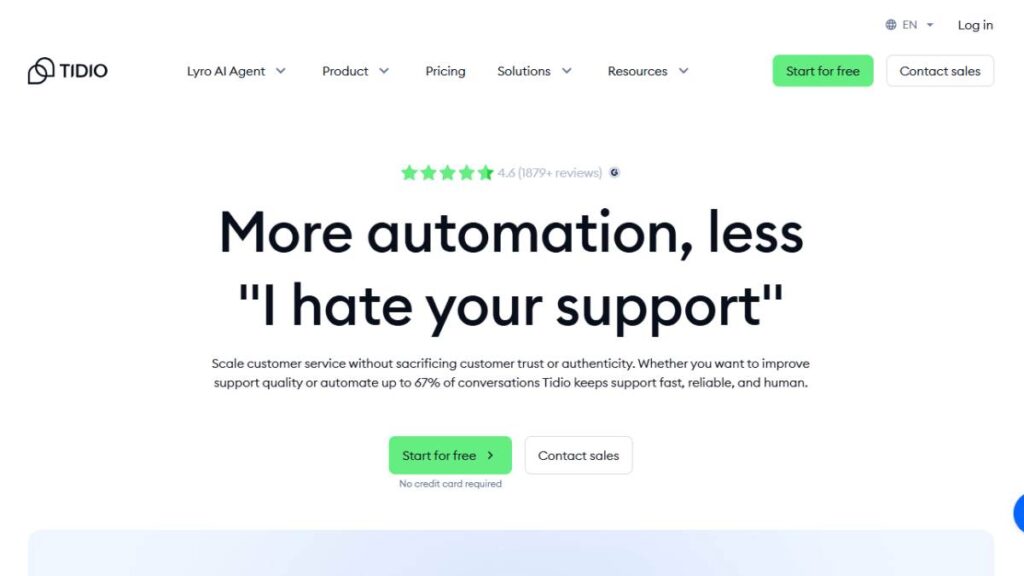
Tidio sits in that sweet spot between simplicity and capability. Not overwhelming, but not too basic either.
An AI chatbot and live chat platform designed for small businesses and ecommerce stores.
Best for
Small teams that want a quick setup without sacrificing essential automation.
Key features
- Live chat + chatbot hybrid
- Ecommerce integrations
- Pre-built chatbot templates
- AI response suggestions
Pros & cons
Pros:
- Beginner-friendly
- Affordable entry point
- Fast setup
Cons:
- Limited advanced customization
- Scaling can get expensive
Pricing
Free plan available; paid plans start relatively low and increase with usage.
Intercom – Best for SaaS Engagement
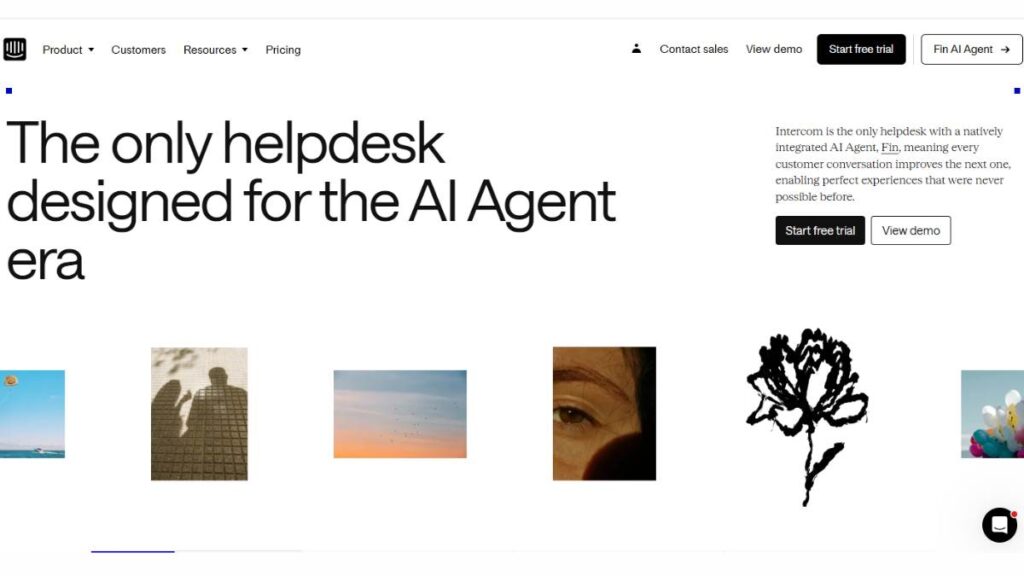
Intercom isn’t just a chatbot tool. It’s more of a customer communication layer; chat just happens to be one part of it.
A customer messaging platform with AI chatbots, support automation, and engagement tools.
Best for
SaaS companies manage onboarding, support, and user engagement.
Key features
- AI-powered support automation
- Customer messaging campaigns
- Product tours and onboarding flows
- Help desk integration
Pros & cons
Pros:
- Strong user engagement features
- All-in-one communication platform
- Scales well
Cons:
- Expensive as usage grows
- Can feel complex
Pricing
Premium pricing model; varies based on seats and features.
Zendesk AI – Best for Customer Support Teams
Zendesk’s chatbot isn’t trying to reinvent anything. It’s built to reduce tickets. And it does that pretty well.
An AI-powered extension of Zendesk’s customer support ecosystem.
Best for
Support teams handling high ticket volumes.
Key features
- Automated ticket resolution
- Knowledge base integration
- AI-powered response suggestions
- Omnichannel support
Pros & cons
Pros:
- Reduces support workload
- Works seamlessly with Zendesk
- Reliable for structured queries
Cons:
- Less flexible outside support use cases
- Requires the Zendesk ecosystem
Pricing
Available within Zendesk plans; pricing varies by tier.
Drift – Best for B2B Sales
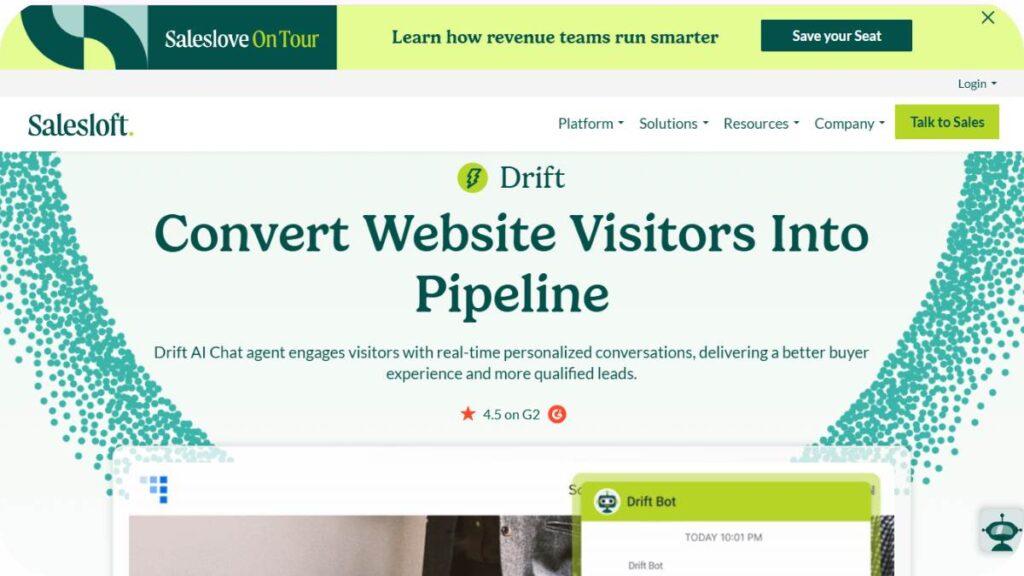
Drift focuses on conversations that lead somewhere: demos, calls, deals.
A conversational marketing platform designed to generate and qualify B2B leads.
Best for
Sales-driven organizations focus on pipeline growth.
Key features
- Real-time chat with prospects
- Lead qualification bots
- Meeting scheduling
- Account-based targeting
Pros & cons
Pros:
- Strong for sales conversion
- Real-time engagement
- Personalization features
Cons:
- Expensive
- Limited outside B2B use
Pricing
Custom pricing based on business size and needs.
Ada – Best for Enterprise Automation
Ada is built for scale. Not small teams. Not experiments. Proper enterprise-level automation.
An AI chatbot platform focused on automating large-scale customer interactions.
Best for
Enterprises handling massive support volumes.
Key features
- No-code chatbot builder
- AI-driven automation
- Multilingual support
- Enterprise integrations
Pros & cons
Pros:
- High automation capability
- Enterprise-ready
- Scalable
Cons:
- Expensive
- Setup can take time
Pricing
Custom enterprise pricing.
Kore.ai – Best Enterprise AI Platform
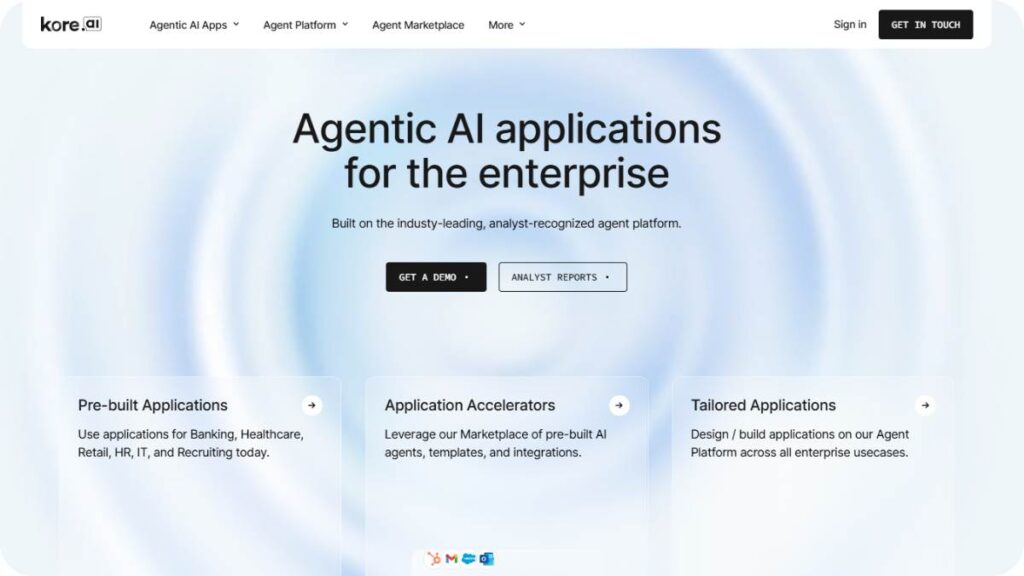
Kore.ai goes beyond chatbots. It’s more like a full conversational AI infrastructure.
A platform for building AI assistants across customer service, HR, and internal operations.
Best for
Large enterprises are building multiple AI assistants across departments.
Key features
- Advanced NLP capabilities
- Multi-channel deployment
- Pre-built industry solutions
- Workflow automation
Pros & cons
Pros:
- Extremely powerful
- Enterprise-grade capabilities
Cons:
- Complex implementation
- High cost
Pricing
Custom enterprise pricing.
Google Dialogflow – Best for Advanced AI Development
Dialogflow is where things get more technical. Less plug-and-play, more build-your-own.
A conversational AI platform by Google for building advanced chatbots and voice assistants.
Best for
Developers building scalable AI systems.
Key features
- NLP and intent recognition
- Voice and text support
- Google Cloud integration
- Multi-language support
Pros & cons
Pros:
- Powerful NLP engine
- Scalable infrastructure
Cons:
- Requires technical expertise
- Setup complexity
Pricing
Usage-based pricing through Google Cloud.
Rasa – Best Open-Source Solution
Rasa is for teams that want full ownership. No black boxes.
An open-source framework for building AI chatbots with complete control over data and logic.
Best for
Developers and enterprises need privacy and customization.
Key features
- Open-source flexibility
- On-premise deployment
- Custom ML models
- Full data control
Pros & cons
Pros:
- Highly customizable
- No vendor lock-in
Cons:
- Requires technical expertise
- Setup and maintenance effort
Pricing
Free open-source version; enterprise plans available.
LivePerson – Best for Enterprise Messaging
LivePerson focuses on conversations happening across channels, not just websites.
A conversational AI platform for messaging across apps, websites, and customer service channels.
Best for
Large businesses managing customer interactions at scale.
Key features
- Omnichannel messaging
- AI automation
- Analytics and insights
- Integration with support tools
Pros & cons
Pros:
- Strong enterprise features
- Multi-channel support
Cons:
- Expensive
- Complex setup
Pricing
Custom pricing.
Freshchat – Best Affordable Chatbot Software
Freshchat feels practical. It doesn’t try to do everything; just enough to get results without stretching budgets.
A messaging and chatbot solution from Freshworks.
Best for
Businesses are looking for affordable support for automation.
Key features
- AI chatbots + live chat
- Omnichannel messaging
- CRM integrations
- Automation workflows
Pros & cons
Pros:
- Cost-effective
- Easy to use
Cons:
- Limited advanced AI capabilities
Pricing
Free plan available; paid tiers scale gradually.
Acquire – Best Customer Experience Automation
Acquire blends chatbot automation with live customer interaction tools.
A platform combining AI chatbots, live chat, and video support.
Best for
Businesses are focusing on customer experience rather than just automation.
Key features
- Video and co-browsing
- Chatbot automation
- CRM integrations
- Live agent tools
Pros & cons
Pros:
- Strong CX features
- Multi-channel support
Cons:
- Pricing can add up
- Not purely AI-focused
Pricing
Custom pricing.
Hyro – Best for Healthcare & Enterprises
Hyro is very specific in where it plays: healthcare, compliance-heavy environments.
An AI chatbot platform designed for regulated industries.
Best for
Healthcare, finance, and enterprise use cases.
Key features
- Compliance-focused AI
- Voice and chat automation
- Integration with enterprise systems
- Data privacy controls
Pros & cons
Pros:
- Built for regulated industries
- High accuracy
Cons:
- Niche focus
- Expensive
Pricing
Enterprise pricing.
Kommunicate – Best Hybrid AI + Human Chatbots
Kommunicate leans into a simple idea: automation handles volume, humans handle complexity.
A hybrid chatbot platform combining AI automation with live support.
Best for
Businesses that want a balance between automation and human interaction.
Key features
- AI + human chat handoff
- Integration with Dialogflow
- Customer support tools
- Multi-channel deployment
Pros & cons
Pros:
- Balanced approach
- Easy integration
Cons:
- Limited standalone AI power
Pricing
Affordable plans with scalable pricing.
Landbot – Best No-Code Chatbot Builder
Landbot is designed for speed. You can go from idea to live bot in a few hours, not weeks.
A no-code chatbot builder focused on conversational experiences.
Best for
Marketers and teams without technical expertise.
Key features
- Drag-and-drop builder
- Website chatbot creation
- Integrations with tools like Zapier
- Lead generation flows
Pros & cons
Pros:
- Very easy to use
- Fast deployment
Cons:
- Limited advanced AI capabilities
Pricing
Free plan available; paid plans scale with usage.
Claude – Best for Writing & Coding
Claude is often used more as a thinking tool than a chatbot, which says a lot.
An AI assistant focused on reasoning, writing, and structured responses.
Best for
Businesses need content generation and internal workflows.
Key features
- Strong long-form reasoning
- Coding assistance
- Context-heavy conversations
- Safety-focused design
Pros & cons
Pros:
- High-quality outputs
- Handles complex tasks well
Cons:
- Not built for chatbot deployment directly
Pricing
Free and paid tiers available.
Google Gemini – Best for the Google Ecosystem
Gemini works best when it’s not working alone. It’s deeply tied into Google’s ecosystem.
A conversational AI integrated across Google products.
Best for
Businesses using Google Workspace and tools.
Key features
- Integration with Google apps
- AI-powered responses
- Multimodal capabilities
- Search integration
Pros & cons
Pros:
- Strong ecosystem integration
- Continuous updates
Cons:
- Less flexible outside the Google environment
Pricing
Included in some Google plans; advanced features are paid.
That’s the landscape right now. And it keeps shifting.
Some tools are getting more “agent-like,” handling workflows instead of just answering questions. Others are doubling down on niche strengths: social, support, and enterprise.
The real decision usually comes down to one thing: what job the chatbot actually needs to do. Everything else is secondary.
Enroll Now: AI Marketing Course
Benefits of AI Chatbot Software for Businesses
There’s a tendency to reduce chatbots to “cost-saving tools.” That’s part of the picture, sure, but it’s a bit narrow. The real shift is operational. Conversations, which used to be slow, manual, and inconsistent, become structured, scalable, and… predictable in a good way.
Not perfect. But reliable enough to build systems around.
Cost Savings and Efficiency
Support teams usually grow in a linear way. More customers – more tickets – more hires. That model breaks quickly once volume spikes.
Chatbots flatten that curve.
Instead of hiring for every incremental jump in demand, businesses start absorbing routine queries through automation. Password resets, order tracking, basic FAQs; all the repetitive stuff that eats up time but doesn’t really need human judgment.
And it’s not just payroll savings. It’s time. Teams stop drowning in low-value interactions and can actually focus on edge cases, escalations, and conversations that move the needle.
24/7 Customer Support
Customers don’t think in time zones. Or working hours.
They land on a website at 2 AM, ask a question, and expect something; not necessarily a perfect answer, but at least a response. That’s where most businesses lose momentum. Silence kills intent faster than a bad answer.
Chatbots fill that gap. Instantly.
Even a partial answer, or a guided next step, keeps the interaction alive. And when done right, it doesn’t feel like a placeholder. It feels like progress.
Faster Lead Qualification
Lead qualification is one of those processes that sounds simple but gets messy in execution. Forms don’t capture nuance. Sales teams waste time chasing unqualified prospects.
Chatbots handle this differently.
They ask questions dynamically. Adjust based on answers. Filter in real time. By the time a lead reaches a human, there’s already context: budget range, intent, urgency, maybe even objections.
It shortens the distance between “interest” and “conversation.” Sometimes by a lot.
Reduced Response Times
Speed matters more than accuracy in the first few seconds of an interaction. Not entirely, but enough that delays hurt.
A chatbot responds instantly. No queue. No waiting.
That alone changes how customers perceive the brand. Even if the answer isn’t complete, the immediate acknowledgment sets a different tone. It signals responsiveness, which often matters just as much as resolution.
Personalized Customer Experiences
Personalization used to mean inserting a first name into an email. That bar has moved.
Chatbots can pull in context: past interactions, purchase history, behavior patterns, and shape responses around it. Not in a creepy way, ideally. Just enough to make the interaction feel relevant.
A returning customer shouldn’t feel like a stranger. That’s the baseline now.
Scalable Operations
This is where things get interesting.
A human team can handle a finite number of conversations at once. A chatbot doesn’t have that constraint. It can manage hundreds, sometimes thousands, simultaneously without slowing down.
That doesn’t mean replacing humans. It means creating a buffer. A system that absorbs spikes, handles overflow, and keeps everything moving when demand surges.
Data Insights and Analytics
Every conversation is data. Not just what people ask, but how they ask it. Where they drop off. What confuses them.
Chatbots turn these interactions into structured insights.
Patterns start to show up:
- Repeated questions that signal unclear messaging
- Drop-off points in funnels
- Common objections before purchase
This kind of feedback loop is hard to get from traditional channels. Here, it’s built in.
Increased Revenue Opportunities
It’s easy to overlook this one.
Chatbots don’t just reduce costs; they create new entry points for revenue. Upsells during conversations, cross-sells based on behavior, and timely nudges when someone hesitates.
Subtle things. But they add up.
A well-placed suggestion at the right moment often performs better than a generic promotion blasted to everyone.
Improved Team Productivity
There’s a noticeable shift when repetitive work gets offloaded.
Support teams become less reactive. Sales teams spend more time closing than qualifying. Marketing teams get cleaner data to work with.
It’s not about doing more work. It’s about doing the right work more often.
AI Chatbot Software vs Traditional Chatbots
This comparison comes up a lot, and it’s usually oversimplified. “AI chatbots are smarter”; true, but that doesn’t explain much.
The real difference shows up in how they handle uncertainty.
Core Technology Differences
Traditional chatbots run on predefined rules. Think decision trees. If a user says X, respond with Y. Clean, predictable, but rigid.
AI chatbots operate differently. They interpret language instead of matching it exactly. Which means they can handle variations, phrasing, tone, and even slightly messy inputs, without breaking the flow.
It’s less about exact matches, more about understanding intent.
Query Handling Capabilities
Rule-based bots struggle the moment a user steps outside the script. One unexpected question, and the experience falls apart. Everyone’s seen that loop: “Sorry, I didn’t understand that.”
AI chatbots don’t eliminate that entirely, but they reduce it significantly.
They can:
- Handle open-ended questions
- Interpret incomplete sentences
- Manage follow-ups without resetting context
It feels closer to a real conversation. Not perfect, but noticeably less mechanical.
Learning and Adaptation
Traditional bots don’t learn unless someone manually updates them. Every new scenario requires explicit programming.
AI chatbots improve over time. Not magically, but through training, feedback loops, and data.
Patterns get recognized. Responses get refined. Edge cases become less frequent.
There’s still maintenance involved, just a different kind.
Personalization Abilities
Rule-based systems treat most users the same unless segmented manually.
AI chatbots can adjust responses based on context: previous interactions, user behavior, and even sentiment in some cases.
It’s a shift from static interactions to dynamic ones. Subtle, but it changes how conversations feel.
Scalability and Performance
Both types can scale in terms of handling volume. That’s not the main difference.
The real gap shows up in complexity.
Traditional bots scale volume, not variation. They can handle more users, but not more types of queries, without additional setup.
AI chatbots handle both volume and variation. That’s what makes them more adaptable in real-world scenarios where conversations rarely follow a script.
Common Use Cases of AI Chatbot Software
The interesting thing about chatbots is how quickly they move from “nice-to-have” to “hard to operate without.” Not across every function, but in specific pockets of the business, they become… almost expected.
Some use cases are obvious. Others are less talked about but just as impactful.
Customer Support Automation
This is the most visible one.
Handling repetitive queries, guiding users through basic troubleshooting, pulling answers from a knowledge base, chatbots take care of a large portion of incoming support volume.
Not everything. And they shouldn’t.
But enough to reduce backlog, improve response times, and keep human agents focused on complex issues where nuance matters.
Lead Generation and Sales
Instead of static forms, businesses are moving toward conversational capture.
A chatbot can ask qualifying questions, adapt based on responses, and route leads accordingly. Someone exploring casually gets a different path than someone ready to buy.
It feels less like filling out a form and more like… a guided interaction. Which, in many cases, increases completion rates.
E-commerce Assistance
Online shopping has a friction problem. Too many choices, not enough guidance.
Chatbots step in as a lightweight assistant, recommending products, answering questions, helping with sizing, availability, and shipping details.
It’s not about replacing the browsing experience. It’s about supporting it when users hesitate or get stuck.
Appointment Booking
Scheduling is one of those tasks that sounds simple but creates unnecessary back-and-forth.
Chatbots streamline it.
They check availability, suggest slots, confirm bookings, send reminders; all within the same conversation. No switching between tools or waiting for replies.
Small improvement on the surface. Significant impact over time.
Marketing Automation
Chatbots are increasingly part of marketing workflows, not just support.
They trigger messages based on behavior, re-engage visitors, deliver targeted offers, and even run simple campaigns inside messaging platforms.
It’s a different channel; more interactive, less passive than email or ads.
Internal Business Support (HR, IT)
Not all chatbot use cases are customer-facing.
Internally, they handle repetitive employee queries, leave policies, onboarding steps, IT troubleshooting, and document access. Things that usually clog up internal teams.
It reduces dependency on support staff for routine questions and speeds up access to information.
Conversational Commerce
This is where things are heading.
Instead of separating browsing, support, and checkout into different steps, everything happens inside a conversation. Discovery, questions, recommendations, and purchase; all in one flow.
It’s still evolving, and not every business gets it right yet. But when it works, it feels… seamless. Less like navigating a website, more like interacting with a helpful assistant who actually understands what’s needed.
How to Choose the Best AI Chatbot Software
Picking a chatbot platform sounds straightforward until it isn’t. Most tools look similar on the surface; same promises, same feature lists, but the gap shows up after implementation. That’s where the wrong choice starts to hurt.
The better approach is to reverse the process. Don’t start with tools. Start with the job the chatbot needs to do.
Identify Your Use Case
This is where most decisions quietly go off track.
A chatbot for customer support behaves very differently from one built for lead generation. Same with internal automation versus ecommerce assistance. Trying to use one tool for all of these… usually leads to a bloated setup that does none of them particularly well.
Get specific.
Is the goal to:
- Reduce support tickets?
- Capture and qualify leads?
- Assist users during purchase?
- Automate internal queries?
Sometimes it’s a mix. That’s fine. But there’s usually a primary use case driving the decision. That’s the one to optimize for.
Evaluate AI Capabilities
Not all “AI chatbots” are equally intelligent. Some are still heavily rule-based underneath, with a thin AI layer on top.
What actually matters here is how the system handles real conversations; messy inputs, vague questions, follow-ups that don’t restate context.
Look for:
- Context retention across multiple messages
- Ability to interpret intent, not just keywords
- Flexibility in handling unexpected queries
If a chatbot needs perfect phrasing to work properly, it’s going to struggle in real-world conditions. Users don’t speak in clean, structured sentences.
Check Integrations
A chatbot on its own is useful. A chatbot connected to the rest of your stack is where things start to click.
Think about where data needs to flow:
- CRM systems for lead tracking
- Support platforms for ticketing
- Messaging channels like WhatsApp or Slack
- Ecommerce platforms for orders and inventory
Without integrations, the chatbot becomes a silo. It answers questions, maybe captures some data, but doesn’t really plug into operations.
And that creates extra work, which defeats the purpose.
Compare Pricing and Scalability
Pricing models can be… misleading at first glance.
Some tools charge per user, others per conversation, and others based on feature tiers. It’s easy to underestimate costs, especially when usage scales.
The key is to look a bit ahead:
- What happens when conversation volume doubles?
- Does pricing increase linearly or jump in tiers?
- Are essential features locked behind higher plans?
A tool that looks affordable early on can become restrictive or expensive later. And switching platforms mid-way is rarely smooth.
Key Features to Look for in AI Chatbot Software
Feature lists tend to get long quickly. Most of them sound impressive, but only a handful actually matter in day-to-day use.
The goal isn’t to find the tool with the most features. It’s to find the one with the right ones; the ones that make the system usable, scalable, and reliable over time.
Natural Language Processing (NLP) sits at the core of everything. It’s what allows the chatbot to understand what users are actually trying to say, even when the phrasing is off. Weak NLP leads to brittle conversations. Strong NLP smooths out a lot of friction.
Omnichannel support has become less of a “nice-to-have” and more of a baseline. Customers don’t stick to one platform anymore. They move between websites, messaging apps, and social channels. A chatbot should follow that journey, not restart it every time.
Automation workflows are where the real value shows up. Beyond answering questions, the chatbot should be able to trigger actions: assign leads, update records, send follow-ups, and escalate conversations when needed. Without this layer, it’s just a smarter FAQ tool.
Analytics and reporting often get overlooked early on, then become critical later. Understanding what users are asking, where conversations break, and what leads to conversions, that data shapes better decisions over time.
No-code or low-code builders matter more than expected. Even in technical teams, speed of iteration is important. Being able to adjust flows, tweak responses, or test ideas without heavy development cycles makes a difference.
AI training capabilities tie everything together. The ability to refine responses, update knowledge, and improve performance based on real interactions; that’s what keeps the chatbot relevant as the business evolves.
How to Create an AI Chatbot for Your Website
Building a chatbot isn’t particularly difficult anymore. Building one that actually works; that’s where things get more nuanced.
The process itself is straightforward. The quality of thinking behind it is what separates a helpful assistant from an annoying pop-up.
Choose a chatbot platform that aligns with the primary use case. Not the one with the longest feature list, but the one that fits how the chatbot will be used day to day. A mismatch here creates friction later.
Training the chatbot with business data is where things start to take shape. Product details, FAQs, policies, support documentation; all of it feeds into how the chatbot responds. The more relevant the input, the better the output. Generic training leads to generic answers.
Designing conversation flows requires a bit of restraint. There’s a temptation to over-engineer; too many branches, too many conditions. In practice, simpler flows tend to perform better. Clear paths, logical progression, and room for flexibility when users go off-script.
Integration with the website should feel seamless. Placement matters. Timing matters. A chatbot that appears too aggressively can feel intrusive, while one that’s hard to find becomes useless. Subtlety helps here.
Testing is where most of the real learning happens. Not just whether the chatbot works, but how it behaves under different scenarios. Unexpected inputs, edge cases, and incomplete questions all of these reveal gaps.
Optimization is ongoing. Conversations evolve, customer expectations shift, and new queries emerge. The chatbot needs regular updates; small adjustments, refinements, sometimes structural changes.
That’s the part people underestimate. It’s not a one-time setup. It’s a system that improves over time, if it’s treated that way.
Future Trends in AI Chatbot Software
The term “chatbot” is starting to feel a bit outdated. Not wrong, just… limited compared to what these systems are becoming.
The shift isn’t dramatic all at once. It’s gradual. But noticeable.
Rise of AI agents over simple chatbots
There’s a move from reactive systems to proactive ones.
Instead of waiting for user input, these systems take initiative, completing tasks, following up, and handling workflows end-to-end. Less like answering questions, more like getting things done.
Voice and multimodal AI chatbots
Text isn’t the only interface anymore.
Voice interactions are becoming more natural, and multimodal systems can handle images, documents, and even video inputs. Conversations expand beyond typing into something more flexible.
Hyper-personalization
Basic personalization won’t cut it.
Future systems will rely heavily on context; not just past interactions, but real-time behavior, preferences, and intent signals. The experience becomes more tailored, often without users explicitly noticing.
Autonomous workflows and integrations
This is where things start to blur between the chatbot and the operations layer.
Instead of triggering single actions, chatbots will manage sequences; pulling data, updating systems, coordinating between tools, all within one flow.
It’s less about conversations as isolated events and more about conversations as entry points into larger processes.
And that’s probably the direction everything is heading.
FAQ: AI Chatbot Software
What is chatbot software?
At its core, chatbot software is just a way for businesses to handle conversations without needing someone online 24/7. It lives on websites, apps, even WhatsApp, and deals with incoming questions or nudges people toward the next step. Some setups are basic, almost scripted. Others feel… surprisingly human. Most fall somewhere in between.
What are the four types of chatbots?
You’ll hear four categories a lot, though real-world setups aren’t that clean. Rule-based bots follow fixed paths. AI bots handle intent and variation. Hybrid ones mix both, which is what most teams quietly rely on. Then there are voice assistants. The “best” type usually depends on how unpredictable your users are.
Is chatbot software a CRM tool?
Not really. It doesn’t replace a CRM, and it shouldn’t. What it does is feed it; constantly. Conversations, lead details, and small signals that would otherwise get lost. When that loop is set up properly, teams stop relying on memory or manual notes… which, honestly, never scale.
What does GPT stand for?
GPT stands for Generative Pre-trained Transformer. Bit of a mouthful, but the idea is simple enough. It’s trained on large datasets and can generate human-like responses. That’s why newer bots don’t sound robotic anymore. They adapt. Sometimes a little too freely, which is where control becomes important.
Why do businesses need AI chatbots?
It usually comes down to volume. Not strategy, not tools; just volume. Too many messages, too many repeated questions, not enough time to handle all of it well. AI chatbots take the first layer off your plate. They respond instantly, filter intent, and keep things moving. Not perfect, but far better than slow or missed replies.
Are AI chatbot platforms secure?
Most platforms do their part: encryption, compliance, and access controls. But security isn’t just about the tool. It’s how it’s set up. Data flows, permissions, integrations… those small decisions matter more than people expect. A solid setup is safe. A rushed one can leave quite a few gaps that only show up later.
How long does it take to build a chatbot?
Quick version? A few hours, maybe a day. But that’s just something functional, not something effective. Once you start refining flows, handling edge cases, and connecting tools, it stretches out. Days turn into weeks. Usually, the delay isn’t technical. It’s figuring out what the bot should actually handle.
What are chatbot builders?
They’re basically the interface where everything gets created: flows, logic, responses. Drag-and-drop, visual maps, that sort of thing. Makes things easier, no doubt. But there’s a small catch. Building is easy. Designing something that works well in real conversations… that still takes thinking.
What features should an AI chatbot software have?
Strong language understanding is non-negotiable. Beyond that, context handling, integrations, and workflow automation matter more than flashy add-ons. Analytics too; without it, there’s no way to improve anything. If a chatbot can’t plug into existing systems or adapt over time, it tends to become just another tool sitting idle.
What industries benefit the most from AI chatbot software?
Anywhere conversations repeat. Ecommerce is an obvious one. SaaS, support-heavy businesses, healthcare, finance… they all see value. Even smaller businesses benefit if the same questions keep coming up. That’s usually the signal. Repetition is where chatbots start to make sense.
Can AI chatbots replace human customer support agents?
Not entirely. They’re good at handling volume: FAQs, simple issues, and routing. But once things get messy or emotional, they struggle. Customers notice that quickly. The better approach is layered support. Let the chatbot handle the predictable stuff, and pass the rest to humans without friction.
What is the difference between conversational AI and chatbots?
“Chatbot” is a broad label. It can mean anything from a basic scripted flow to something far more advanced. Conversational AI sits at the higher end; it understands intent, context, and variations in phrasing. So while all conversational AI tools are chatbots, not all chatbots really qualify as conversational.
Do AI chatbots require coding to build?
Not always. A lot of tools now remove that barrier completely. You can build decent workflows without touching code. But once things get more complex, custom integrations, deeper logic, and technical input help. Maybe not heavy coding, but some structure is still needed behind the scenes.
How much does AI chatbot software cost?
Pricing varies more than most expect. Some tools are free to start, which works fine early on. Then costs grow with usage; more conversations, more automation, more integrations. The real question isn’t the price tag, though. It’s whether the chatbot actually saves time or drives revenue.
Can AI chatbots integrate with WhatsApp and social media platforms?
Yes, and that’s where a lot of real usage happens. People don’t just use websites anymore. Conversations happen on WhatsApp, Instagram, and Messenger. A good chatbot setup pulls those into one place. Otherwise, teams end up juggling platforms, which gets messy fast.
What is NLP in AI chatbot software?
NLP (Natural Language Processing) is what lets chatbots understand how people actually speak. Not just keywords, but intent and context. Without it, bots feel rigid. With it, conversations flow better. Still not flawless, but much closer to how real interactions work.
How do AI chatbots improve customer experience?
Mostly by reducing friction. Faster replies, fewer delays, less back-and-forth. People get what they need quickly and move on. When it’s done right, it doesn’t even feel like “using a chatbot.” It just feels… smooth. That’s usually the goal
Are AI chatbots suitable for small businesses?
In many cases, they’re more useful for small teams than large ones. Limited bandwidth, fewer people to respond; chatbots help fill that gap. Start small, handle basic queries, capture leads. No need to overcomplicate it early on.
Can AI chatbots generate leads automatically?
Yes, and they tend to do it in a less intrusive way. Instead of static forms, they ask questions, guide users, and collect details naturally. It feels more like a conversation than a form fill. That small shift often improves how many people actually complete it.
What is the future of AI chatbot software?
Things are moving beyond simple Q&A. Chatbots are starting to take action: booking, updating records, and triggering workflows. Less talking, more doing. Also, more personalized, more context-aware. Over time, they’ll feel less like tools and more like part of the system itself.