

A 48-tool carousel is a good Saturday scroll. It is not a stack. The moment you are actually running growth, sales, content, and support at the same time, 48 AI tools for marketers stops covering what you need by week two.
This is the expanded list: 200+ AI tools for marketers, founders, and creators, organized by what you are actually trying to get done writing, SEO, sales outreach, video, support, coding, and the dozen smaller jobs that eat a founder’s week. Nothing here is a dead tool wearing a 2023 name tag. Every entry is something teams are actively using in 2026.
Table of Contents
Writing, SEO & Content Tools
AI Writing & Copywriting
ChatGPT remains the default all-rounder for drafting, research, and quick rewrites. Claude is the pick when long-form prose and voice actually matter. Gemini is folded directly into Docs and Workspace for teams already on Google. Jasper leads on brand-voice training and campaign templates for marketing teams. Copy.ai specializes in short-form: ad copy, product descriptions, subject lines. Writesonic pairs a large template library with a web-connected assistant called Chatsonic. Sudowrite is built for fiction and long narrative work. Anyword and Writer lean into performance prediction and enterprise brand governance. Rytr is the budget option for high-volume short copy. Bertha AI and Simplified round out the WordPress- and social-friendly writing assistants.
SEO & Content Optimization
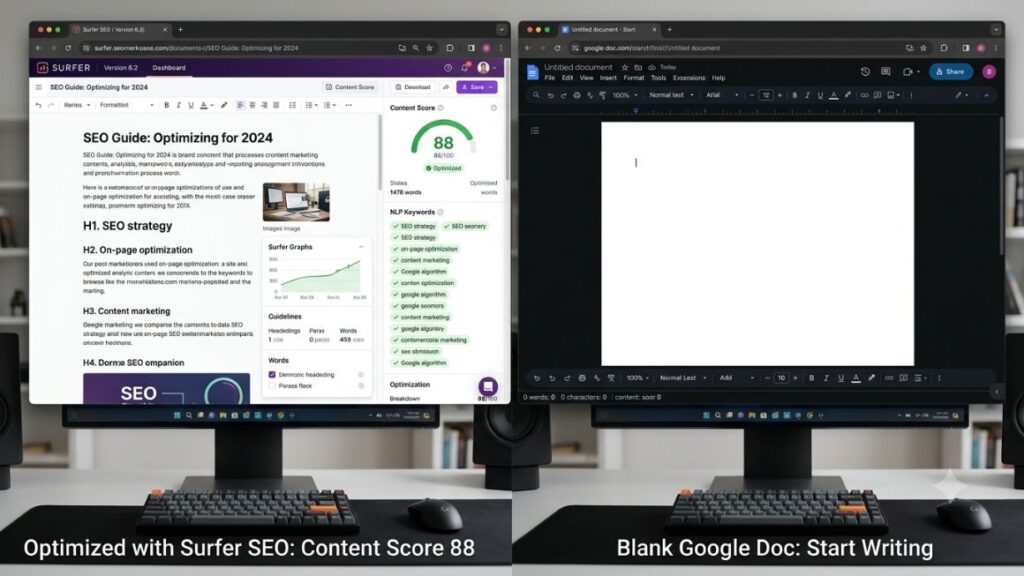
Surfer SEO scores your draft in real time against what is already ranking. Semrush (now Semrush One) bundles keyword research with AI visibility tracking across ChatGPT and Perplexity. Ahrefs is still the backlink-data heavyweight, now with AI forecasting layered on top. Clearscope and Frase both build content briefs from live SERP data, with Frase adding a GEO score for AI search. MarketMuse and NeuronWriter handle topical authority mapping and competitor gap analysis. Ubersuggest is the affordable entry point for solo sites. Peec AI and Profound exist purely to track how often your brand gets mentioned inside AI answers.
Editing, Grammar & Paraphrasing
Grammarly catches errors and enforces tone across every draft you write. Quillbot rewrites and paraphrases without flattening meaning. ProWritingAid goes deeper on style and readability for longer manuscripts. Wordtune rewrites sentence-by-sentence for tone and clarity.
Presentation & Document Design
Tome AI and Gamma turn a prompt or outline into a full narrative deck. Beautiful.ai auto-formats slides as you type so nothing looks homemade. Canva now has AI baked into nearly every design surface, from decks to social assets. Pitch adds real-time collaboration on top of AI slide generation.
Visual & Audio Creation Tools
Image Generation & Editing
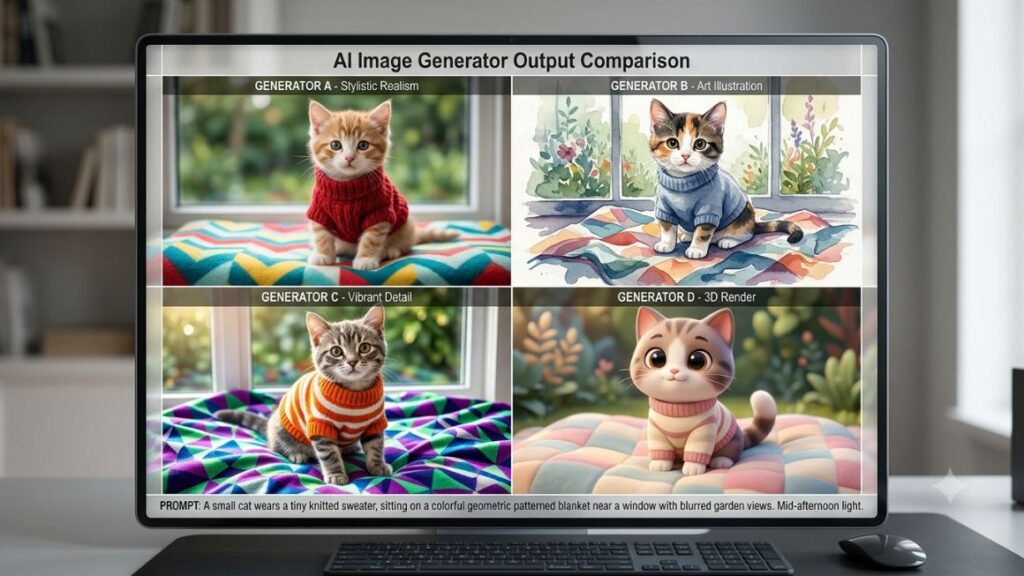
Midjourney still leads on artistic, stylized output. Leonardo AI adds real-time canvas sketching alongside generation. Adobe Firefly is the safest commercial choice, trained on licensed Adobe Stock content. Ideogram and Recraft are the two most reliable models for rendering readable text inside images. Nano Banana, Google’s model inside Gemini, is currently the fastest free option worth testing first. Bing Image Creator (now folded into Microsoft Copilot) and ChatGPT’s built-in image tool cover casual, no-setup generation. Stable Diffusion remains the open-weights choice for teams that need local hosting. Krea adds real-time generation plus upscaling and video in one workspace. Autodraw turns rough sketches into clean icons in seconds.
Video Generation & Editing
Runway gives the most granular director-level control over camera motion and shot composition. Google Veo, accessed through Google Flow, is the strongest all-round model for realism and native audio. Kling AI specializes in photorealistic human movement. Luma Dream Machine is praised for depth and lighting quality. Pika is the creative, remix-friendly tool popular with social-first creators. CapCut is free, has no watermark, and now integrates multiple generative models directly into its editor. InVideo AI assembles full videos from stock footage, voiceover, and captions in one prompt. VEED combines AI generation with a full browser-based editing suite. HeyGen and Synthesia are the two leading AI-avatar and presenter-video platforms for training and product content. Higgsfield and PixVerse are multi-model aggregators that let you run several video engines from one subscription. Colossyan rounds out the avatar category for corporate learning content.
YouTube-Specific Tools
Eightify summarizes any YouTube video into key points instantly. Steve AI turns scripts into animated or live-action video. ClipMaker auto-clips long videos into short-form highlights. Glasp captures and organizes YouTube and web highlights into shareable notes.
Voice, Music & Audio
ElevenLabs is the current standard for realistic voice cloning and text-to-speech. Murf.ai and Descript cover voiceover and podcast-style editing respectively, with Descript’s text-based video editing especially useful for repurposing. Suno and Udio generate full original songs, lyrics included, from a text prompt. Brain FM uses AI-tuned audio for focus and productivity. Amper and Boomy generate royalty-free background tracks for content. Muzeek rounds out the license-free music library tools built for creators.
Sales & Outreach Tools
Cold Email & Prospecting
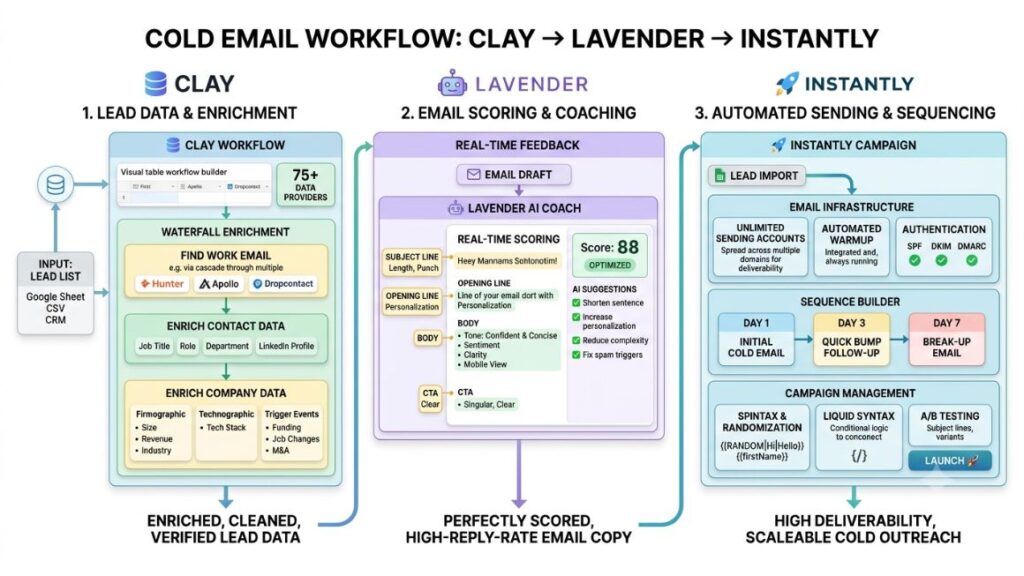
Lavender coaches your email copy line by line before you hit send. Apollo.io combines a 200M+ contact database with sequencing and AI-written openers. Instantly and Smartlead are built for high-volume sending across unlimited inboxes. Lemlist stands out for personalized images and video inside sequences. Salesforge, through its Agent Frank feature, writes complete multilingual sequences rather than just subject-line variants. Clay sits upstream of all of these, enriching contact lists from 100+ data sources before they ever reach a sender. Snov.io bundles email finding, verification, and drip campaigns for budget-conscious teams. Reply.io and Outreach.io serve structured, multichannel sales teams that need forecasting alongside outreach. Mailshake and Woodpecker round out the simpler, deliverability-first senders.
AI SDR & Sales Automation
Persana AI and Artisan AI both operate as autonomous “digital SDRs” that research, personalize, and send without a human touching each message. 11x.ai extends that automation across email and voice. Unify builds outreach around real-time buying-intent signals rather than static lists. Gong records and analyzes every sales call to show which messaging actually converts. Warmer personalizes cold email openers using signals from a prospect’s own online activity. Octane AI builds AI quizzes and chat flows for Shopify stores to qualify leads before checkout. Twain coaches outbound reps on tone and structure in real time. Coldreach.ai, AiSDR, and Qualified round out the newer wave of intent-based and conversational AI SDR platforms.
Marketing, Social & Advertising Tools
Social Media Management & Scheduling
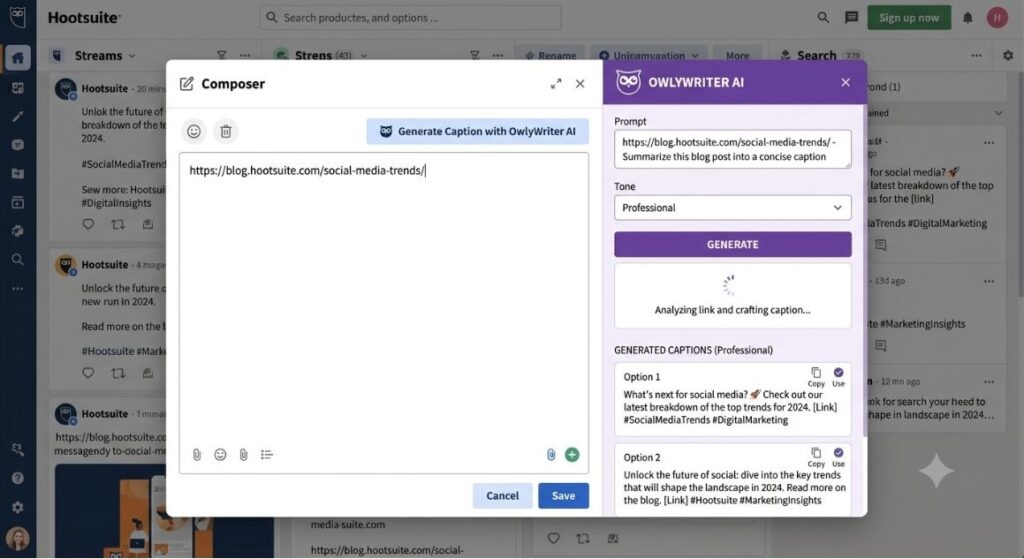
Hootsuite, through its built-in OwlyWriter AI, generates and schedules captions from a single link or prompt. Buffer and Later cover simpler scheduling with AI caption assistance for smaller teams. Sprout Social and Sprinklr add AI-powered listening and reporting for larger social teams managing multiple brands.
Twitter/X & LinkedIn Growth
Postwise, Tweet Hunter, Hypefury, and Tweetlify all help plan, draft, and auto-schedule X threads and posts around what has performed before. Taplio and AuthoredUp do the same for LinkedIn, pairing post ideas with engagement analytics. Supergrow rounds out the LinkedIn content-repurposing tools built specifically for founders posting personally.
Email Marketing
Mailchimp and ActiveCampaign both use AI to suggest subject lines, send times, and segment logic. HubSpot folds AI drafting directly into its broader CRM and marketing hub. Klaviyo is the e-commerce-specific option, tying AI-written flows directly to purchase behavior.
Ad Copy & Paid Media
AdCreative.ai generates and A/B tests ad creative at scale. Smartly.io and Madgicx automate campaign optimization across Meta and Google Ads. Pencil generates and predicts ad performance before you spend a rupee on media.
Chrome Extensions Worth Installing
Compose AI autocompletes emails and docs anywhere you type in the browser. Voila AI and Poised AI sit in meetings and messages, the former drafting replies and the latter coaching your speaking pace and filler words in real time. Alicent rounds out the writing-assistant extensions built for quick inline edits.
Customer Support & Chatbot Tools
Intercom Fin resolves support tickets end-to-end across every channel rather than just deflecting FAQs. Zendesk AI Agents do the same for teams already inside Zendesk, pre-trained on billions of past interactions. Tidio, powered by its Lyro AI agent, is the affordable pick for small e-commerce teams. Ada offers no-code, multilingual chatbot design for larger support operations. Freshdesk, through Freddy AI, handles automatic ticket triage. Gorgias is built specifically for Shopify and e-commerce support. Chatbase is the fastest way to stand up a chatbot trained on your own docs. Decagon and Sierra serve enterprise support teams that need autonomous resolution at scale, and HubSpot Breeze folds AI chat directly into HubSpot’s Service Hub. Cohere provides the underlying language models many custom support bots are built on. Yatterplus, Typewise, and Quickchat round out the smaller conversational AI builders worth testing for niche use cases.
Productivity, Coding & Meeting Tools
Productivity & Research
Bardeen AI automates repetitive browser tasks without writing a script. Notion AI and Taskade bring AI drafting and task breakdowns directly into your workspace. Perplexity answers research questions with cited, up-to-date sources instead of a static model response. Elicit and Consensus are built specifically for scanning academic papers and surfacing evidence. Scholarcy summarizes long papers into key findings. Paperpal checks academic and scientific writing for language and compliance before submission.
Coding & No-Code / Website Builders
Cursor and GitHub Copilot are the two leading AI pair-programmers for working inside real codebases. 10Web and Durable AI generate full websites from a single prompt, the former WordPress-based and the latter built for solo founders who need a site in minutes. Framer AI does the same with a stronger design-first bias. Bubble remains the standard for building full web apps without code. Replit combines a cloud IDE with AI agents that can build and deploy an app end to end. Akkio lets non-technical teams build predictive models without writing code.
Meeting & Transcription
Otter.ai is still the most familiar choice for live transcription and team collaboration. Fireflies.ai integrates most deeply with CRMs like Salesforce and HubSpot. Fathom offers the most generous free tier with unlimited recording and 30-second summaries. tl;dv and Granola both cover bot-free or lightweight capture, with Granola recording device audio locally without joining the call. Fellow handles the full meeting lifecycle, from agenda to follow-through, and is the strongest pick for compliance-heavy teams.
Automation & Workflow
Zapier and Make connect your entire tool stack with no-code triggers and actions. n8n is the open-source, self-hostable alternative for technical teams. Lindy AI builds custom AI agents that run multi-step workflows across your existing apps.
Specialized Tools for Founders
Project Management
Asana AI, ClickUp AI, and Monday AI each layer AI task summaries, status updates, and workload balancing on top of their existing boards. Height adds an AI project manager that auto-triages and assigns incoming work.
HR & Recruiting
HireVue runs AI-assisted video interviews and candidate scoring. Manatal and Fetcher both source and rank candidates automatically from a job description. Paradox, through its assistant Olivia, handles high-volume conversational screening for frontline hiring.
Finance & Legal
Harvey AI is built specifically for legal research and contract review. Ironclad automates contract lifecycle management with AI redlining. Booke AI automates bookkeeping categorization for small businesses. Rho combines AI-assisted spend management with corporate cards for startups.
Translation & Localization
DeepL remains the most accurate machine translation tool for professional use. Smartling manages full localization workflows for larger content teams. Google Translate, with its AI upgrades, still covers quick, casual translation needs.
AI Detection & Originality
Originality.ai and GPTZero both flag AI-generated text for editors and educators, though neither is fully reliable. Copyleaks adds plagiarism detection alongside content scoring.
Analytics & Data
Hex and Julius AI let you ask questions of a dataset in plain English and get back a chart. MonkeyLearn automates text classification and sentiment tagging. Obviously AI builds predictive models without requiring a data science team.
3D & Design
Spline makes 3D web design accessible without a 3D background. Kaedim converts 2D images into usable 3D models automatically.
Daily Life & Personal Assistants
VondyAI bundles dozens of small AI assistants resume help, trip planning, study aids into one hub. Rewind AI records and makes searchable everything you have seen or said on your device. Mem organizes personal notes automatically using AI. Reclaim AI protects focus time by rescheduling your calendar around it.
Extra AI Tools Worth Bookmarking
E-commerce & Shopify Tools
Shopify Magic writes product descriptions and email copy directly inside Shopify admin. Bloomreach and Nosto personalize on-site product recommendations using AI. Klevu improves on-site search relevance for larger catalogs. Grow.com pulls e-commerce data into AI-generated dashboards.
Career, Resume & Job Search Tools
Teal and Kickresume both tailor resumes to a specific job description using AI. Jobscan scores your resume against an applicant tracking system before you apply. LazyApply automates the actual job application process across boards.
Branding & Logo Design
Looka and Brandmark generate logo and brand-kit options from a business name and a few style preferences. Designs.ai extends that into full brand asset packs, including video and voiceover.
Slide & Note Helpers
Slidesgo AI and Plus AI both generate presentation decks directly inside Google Slides and PowerPoint from a prompt or outline.
Where to Go From Here
Knowing which 200 tools exist is the easy part. The harder skill is picking the 8 to 12 that actually belong in your stack, and knowing how to prompt, chain, and automate them so they save real hours instead of adding another login to manage.
If you want a structured way to build that stack and the AI marketing workflows behind it, the YUP AI Marketing course walks through exactly that: how to combine tools like these into repeatable systems for content, outreach, and reporting, instead of testing each one in isolation.
FAQ
Do I actually need 200 AI tools?
No, and that is not the point of a list like this. Most functioning marketing or founder stack runs on 8-12 tools at any one time. This list exists so you can find the right specialist tool for a specific job cold email, video, transcription rather than defaulting to a general-purpose AI for everything.
What’s the difference between an AI tool and an AI agent?
An AI tool (like Grammarly or Surfer SEO) assists a task you are still doing yourself. An AI agent (like Salesforge’s Agent Frank or Persana AI) completes multi-step work with minimal human input, such as researching a prospect, writing a message, and sending it. Tools in the SDR and support categories above increasingly blur this line.
Which of these tools are actually free to start?
Fathom, ChatGPT, Canva, Grammarly, CapCut, Zapier, and Perplexity all have genuinely usable free tiers as of 2026. Most others offer a free trial or a capped free plan that is enough to test fit before paying.
Is it worth paying for multiple tools in the same category?
Usually not. Pick one general-purpose writer, one specialist for your main content type, and one editor the same logic applies to sales, video, and support tools. Stacking three overlapping subscriptions in one category is the most common waste in a marketing budget.
Are AI-written cold emails still effective in 2026?
They work when the personalization is grounded in real signals intent data, site visits, funding news not just a merge tag. Tools like Clay, Warmly, and Lavender exist specifically because generic AI openers stopped converting a while ago.
How do I know if an AI tool is actually safe to use with client or company data?
Check whether the vendor trains its models on your inputs by default, and look for SOC 2 or GDPR certification if you are handling regulated data. This matters most for meeting transcription, legal, and finance tools, where a leaked recording or contract is a real liability, not just an inconvenience.
Do these tools replace a marketing or content team?
No. Every category above still needs a person setting strategy, checking facts, and editing for brand voice. AI tools change how fast a team produces work, not whether judgment is still required before it ships.
Which tool should a solo founder start with first?
Start with one AI writer (ChatGPT or Claude), one scheduling tool for social (Buffer or Hootsuite), and one meeting notetaker (Fathom, since it’s free). That covers the three jobs that eat the most solo-founder time before you add anything specialized.
How often does this list change?
Faster than most “best of” posts admit. Tools in image and video generation especially get replaced or rebranded within months. Treat this as a starting map, not a permanent stack re-check pricing and features on any tool before committing budget to it.