

Marketing teams today juggle dozens of tools every day content management systems, CRMs, analytics platforms, ad managers, email software, project management apps, and AI assistants. While these tools are individually powerful, switching between them can slow down execution and create fragmented workflows.
This is where the Best MCP Servers for Marketers come into play. Instead of manually copying information between applications or writing custom integrations, marketers can use Model Context Protocol (MCP) servers to connect AI assistants directly with their favorite tools. The result is faster campaign execution, smarter automation, and significantly less repetitive work.
Whether you’re creating content, optimizing SEO, managing paid campaigns, analyzing performance data, or collaborating with your team, MCP servers help AI assistants access the right information and perform tasks across multiple platforms all from a single conversation.
In this guide, you’ll discover the 15 best MCP servers that can streamline marketing workflows in 2026, along with their features, ideal use cases, pricing, and practical recommendations.
Table of Contents
What Is an MCP Server?
A Model Context Protocol (MCP) server acts as a bridge between an AI model and external software applications. Rather than relying solely on the information inside the AI model, an MCP server allows the model to securely access live data, perform actions, retrieve files, update records, and interact with third-party tools.
Think of it as a universal connector that enables AI assistants to understand and work with your existing software stack.
For example, instead of asking an AI assistant to “write a campaign report” and then manually gathering data from Google Analytics, Search Console, Notion, and HubSpot, an MCP-enabled assistant can access those tools, collect the required information, analyze it, and generate the report automatically.
Unlike traditional API integrations that often require custom development, MCP offers a standardized way for AI applications to communicate with external systems. This makes automation easier, faster, and more scalable.
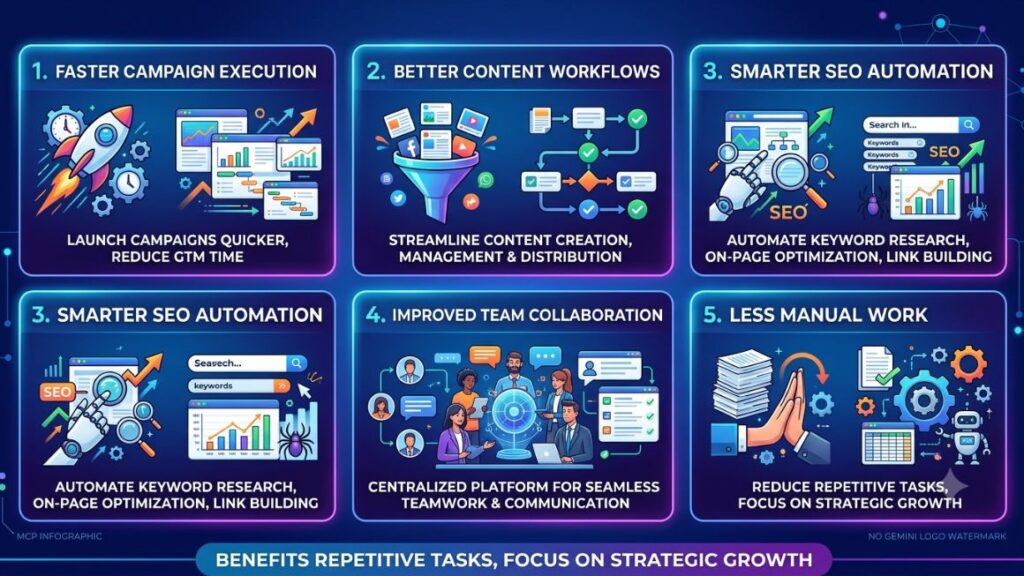
Why Marketers Are Using MCP in 2026
Modern marketing depends on speed, personalization, and data-driven decisions. Teams often spend more time gathering information than acting on it. AI-powered automation helps, but its value is limited if the assistant cannot interact with the tools marketers use daily.
This is why businesses are rapidly adopting MCP Servers for Marketers. They allow AI assistants to move beyond answering questions and begin executing real tasks across multiple platforms.
Some of the biggest advantages include:
Faster Campaign Execution
Instead of manually collecting data from multiple dashboards, AI can retrieve campaign metrics instantly and generate reports within minutes.
Better Content Workflows
AI assistants can access content calendars, knowledge bases, SEO documents, and publishing platforms to streamline content production.
Smarter SEO Automation
Keyword research, content audits, internal linking suggestions, and performance tracking become significantly faster when AI can access search and analytics platforms directly.
Improved Team Collaboration
Marketing teams often use Slack, Notion, Google Workspace, and project management software simultaneously. MCP integrations reduce context switching and improve productivity.
Less Manual Work
Routine tasks like updating CRM records, sending follow-up emails, organizing documents, and tracking campaign performance can all be automated.
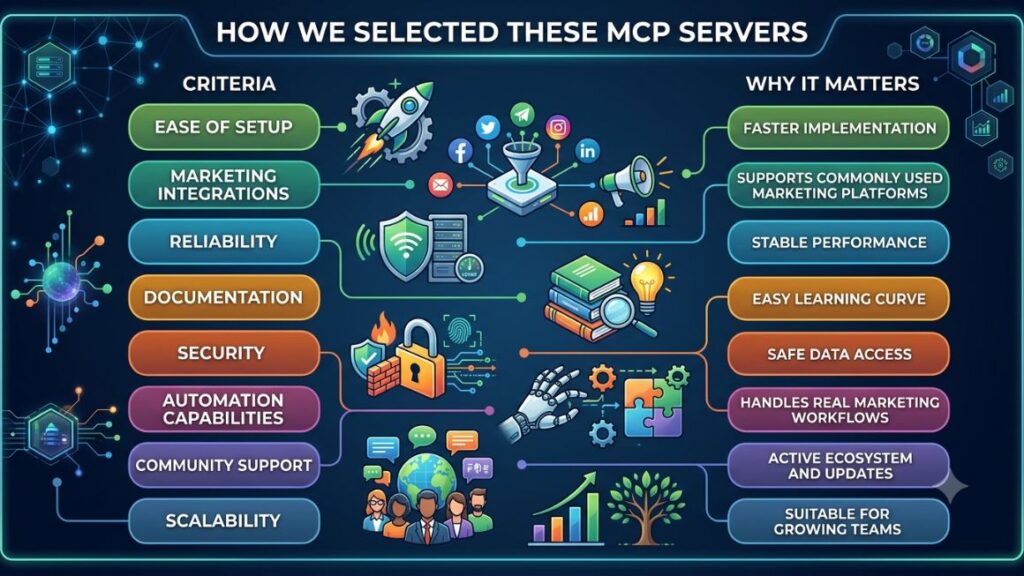
How We Selected These MCP Servers
The platforms featured in this list were chosen using the following criteria:
| Criteria | Why It Matters |
|---|---|
| Ease of setup | Faster implementation |
| Marketing integrations | Supports commonly used marketing platforms |
| Reliability | Stable performance |
| Documentation | Easy learning curve |
| Security | Safe data access |
| Automation capabilities | Handles real marketing workflows |
| Community support | Active ecosystem and updates |
| Scalability | Suitable for growing teams |
1. Zapier MCP
Overview
Zapier has long been one of the world’s most popular automation platforms. Its MCP implementation extends those automation capabilities directly to AI assistants, allowing marketers to trigger workflows using natural language instead of building complex automation manually.
Key Features
- Connects thousands of applications
- Natural language workflow execution
- Multi-step automation
- Built-in scheduling
- Conditional logic
- Error handling
Marketing Use Cases
- Publish blogs automatically
- Send lead notifications
- Sync CRM contacts
- Update spreadsheets
- Share campaign reports
- Trigger email sequences
Pros
- Massive app ecosystem
- Beginner-friendly
- Excellent documentation
- Highly reliable
Cons
- Premium plans become expensive
- Complex workflows consume more tasks
Pricing
Free plan available; paid plans start with advanced automation features.
Best For
Marketing agencies and teams using multiple SaaS tools.
2. Google Workspace MCP
Overview
Google Workspace remains the backbone of many marketing organizations. An MCP server connecting Workspace allows AI assistants to interact with Gmail, Docs, Sheets, Calendar, and Drive without switching applications.
Key Features
- Gmail integration
- Google Docs creation
- Spreadsheet updates
- Calendar scheduling
- Drive management
- Document summarization
Marketing Use Cases
- Draft campaign emails
- Generate meeting summaries
- Create editorial calendars
- Analyze campaign spreadsheets
- Organize marketing assets
- Schedule team meetings
Pros
- Familiar ecosystem
- Excellent collaboration
- Cloud-native
- Secure permissions
Cons
- Best suited for Google users
- Requires Workspace permissions
Pricing
Included with Google Workspace subscriptions.
Best For
Content teams and marketing departments heavily invested in Google Workspace.
3. Notion MCP
Overview
Notion has evolved into an all-in-one workspace for documentation, project planning, and knowledge management. Through MCP, AI assistants can retrieve and update information stored inside Notion databases.
Key Features
- Read knowledge bases
- Update project boards
- Create campaign briefs
- Search documentation
- Database management
- Task creation
Marketing Use Cases
- Generate content outlines
- Maintain editorial calendars
- Organize campaign documentation
- Store brand guidelines
- Track content production
Pros
- Flexible databases
- Excellent documentation
- Strong collaboration
- Great for content teams
Cons
- Complex workspace structures require planning
- Large databases may need optimization
Pricing
Free plan available with paid team plans.
Best For
Content marketing teams and agencies.
4. HubSpot MCP
Overview
HubSpot is one of the most comprehensive CRM platforms available today. Its MCP integration enables AI assistants to interact with customer records, marketing campaigns, email sequences, and sales pipelines.
Key Features
- CRM updates
- Lead management
- Email automation
- Contact segmentation
- Campaign reporting
- Sales pipeline management
Marketing Use Cases
- Update customer information
- Generate personalized outreach
- Analyze campaign performance
- Build lead reports
- Automate follow-ups
Pros
- Excellent CRM capabilities
- Rich automation features
- Enterprise-ready
- Strong reporting
Cons
- Premium plans are costly
- Learning curve for advanced features
Pricing
Free CRM available with paid Marketing Hub plans.
Best For
Inbound marketing teams and B2B companies.
5. Airtable MCP
Overview
Airtable combines the simplicity of spreadsheets with the power of databases. When connected through MCP, AI assistants can organize marketing data, update records, and automate campaign tracking.
Key Features
- Database management
- Content planning
- Custom workflows
- Asset tracking
- Reporting
- Collaboration
Marketing Use Cases
- Campaign planning
- Editorial calendars
- Influencer tracking
- Budget management
- Content inventory
- Project management
Pros
- Highly customizable
- Visual dashboards
- Easy collaboration
- Flexible workflows
Cons
- Advanced automations require premium plans
- Can become complex for very large databases
Pricing
Free tier available with scalable paid plans.
Best For
Marketing operations teams managing structured campaign data.
6. Slack MCP
Overview
Slack has become the communication hub for many marketing teams. From campaign discussions to approvals and client updates, countless decisions happen inside Slack channels. A Slack MCP server allows AI assistants to access conversations, summarize discussions, retrieve files, send messages, and automate notifications without requiring users to switch applications.
Instead of searching through dozens of channels, marketers can simply ask their AI assistant to find campaign updates, summarize meetings, or notify the team when a task is completed.
Key Features
- Read and summarize Slack conversations
- Send automated messages
- Search channels and threads
- Retrieve shared files
- Create reminders
- Trigger workflow notifications
Marketing Use Cases
- Share campaign performance updates automatically
- Notify teams when a blog is published
- Summarize brainstorming sessions
- Alert teams about new leads
- Send reminders for campaign deadlines
- Deliver AI-generated daily marketing reports
Pros
- Saves time searching conversations
- Improves team collaboration
- Works well with existing Slack workflows
- Easy to automate notifications
Cons
- Requires proper permission management
- Information overload if notifications aren’t configured properly
Pricing
Available through Slack’s free and paid plans depending on workspace features.
Best For
Remote marketing teams, agencies, and collaborative content teams.
7. GitHub MCP
Overview
Although GitHub is primarily known as a developer platform, modern marketers increasingly work alongside engineering teams. SEO implementations, landing pages, website updates, and tracking scripts often involve code repositories. GitHub MCP enables AI assistants to access repositories, review documentation, create issues, and assist with website-related marketing tasks.
Key Features
- Repository access
- Issue management
- Pull request summaries
- Documentation search
- Code explanations
- Version tracking
Marketing Use Cases
- Review website SEO updates
- Track implementation of analytics scripts
- Monitor landing page deployments
- Collaborate with developers
- Document marketing-related technical tasks
Pros
- Excellent collaboration between marketing and engineering
- Detailed version history
- Strong documentation capabilities
- Supports automation
Cons
- Less useful for non-technical teams
- Requires repository permissions
Pricing
Free for public repositories with paid plans for advanced enterprise features.
Best For
Technical SEO teams, SaaS marketers, and product marketing teams.
8. Shopify MCP
Overview
For ecommerce businesses, Shopify stores contain valuable customer, product, and sales information. Shopify MCP allows AI assistants to access this data and automate operational tasks, helping marketers focus on growth instead of manual administration.
Key Features
- Product management
- Order tracking
- Inventory monitoring
- Customer insights
- Sales reporting
- Discount management
Marketing Use Cases
- Generate product descriptions
- Analyze sales performance
- Identify top-selling products
- Create promotional campaigns
- Recommend inventory actions
- Track seasonal trends
Pros
- Excellent ecommerce integration
- Rich customer insights
- Simplifies store management
- Supports personalized marketing
Cons
- Limited to Shopify ecosystem
- Some advanced features require higher-tier plans
Pricing
Available through Shopify subscription plans.
Best For
Ecommerce brands and online retailers.
9. Figma MCP
Overview
Marketing teams constantly collaborate with designers on landing pages, advertisements, email templates, and social media creatives. Figma MCP enables AI assistants to retrieve design files, summarize design changes, organize assets, and improve collaboration between marketing and design teams.
Key Features
- Access design files
- Review project comments
- Organize design assets
- Retrieve prototypes
- Summarize design revisions
- Support collaborative workflows
Marketing Use Cases
- Review creative assets before launch
- Generate creative briefs
- Track design approvals
- Organize brand resources
- Speed up campaign production
Pros
- Excellent design collaboration
- Cloud-based workflow
- Improves communication
- Easy asset management
Cons
- Limited outside design-related tasks
- Requires workspace permissions
Pricing
Free plan available with professional and enterprise subscriptions.
Best For
Creative marketing teams and design agencies.
10. Meta Ads MCP
Overview
Managing paid advertising across Facebook and Instagram often involves constant monitoring, reporting, and optimization. Meta Ads MCP helps AI assistants retrieve advertising metrics, analyze campaign performance, and automate reporting, reducing manual effort for performance marketers.
Key Features
- Campaign reporting
- Performance monitoring
- Audience insights
- Budget tracking
- Ad performance analysis
- Conversion reporting
Marketing Use Cases
- Generate daily ad reports
- Compare campaign performance
- Monitor ROAS
- Identify underperforming ads
- Analyze audience engagement
- Recommend optimization opportunities
Pros
- Saves reporting time
- Supports performance optimization
- Centralizes campaign insights
- Helps identify trends quickly
Cons
- Requires Meta Ads account permissions
- Platform policy changes may affect integrations
Pricing
Available with Meta Ads accounts; additional implementation costs depend on the MCP solution used.
Best For
Performance marketers, media buyers, and digital advertising agencies.
Comparison Table
| MCP Server | Best For | Key Strength |
|---|---|---|
| Zapier MCP | Marketing automation | Connects thousands of apps |
| Google Workspace MCP | Content teams | Productivity and collaboration |
| Notion MCP | Content operations | Knowledge management |
| HubSpot MCP | CRM automation | Customer lifecycle management |
| Airtable MCP | Marketing operations | Database-driven workflows |
| Slack MCP | Team collaboration | Communication automation |
| GitHub MCP | Technical marketing | Developer collaboration |
| Shopify MCP | Ecommerce | Store and sales automation |
| Figma MCP | Creative teams | Design collaboration |
| Meta Ads MCP | Paid marketing | Advertising performance analysis |
11. Google Analytics 4 MCP
Overview
Google Analytics 4 (GA4) is one of the most valuable data sources for marketers, but extracting actionable insights often requires navigating multiple reports. A GA4 MCP server enables AI assistants to access analytics data, answer performance-related questions, generate reports, and uncover trends through natural language.
Instead of manually building dashboards, marketers can simply ask AI questions like, “Which landing pages had the highest conversions this month?” or “Compare organic traffic with last quarter.”
Key Features
- Access real-time website analytics
- Generate custom reports
- Analyze traffic sources
- Track conversions and events
- Monitor user engagement
- Compare historical performance
Marketing Use Cases
- Weekly marketing performance reports
- Landing page analysis
- Campaign ROI measurement
- Conversion funnel analysis
- User behavior insights
- Executive reporting
Pros
- Simplifies complex analytics
- Reduces reporting time
- Helps identify trends faster
- Supports data-driven decisions
Cons
- Requires proper GA4 configuration
- Advanced analysis depends on accurate event tracking
Pricing
Included with Google Analytics 4.
Best For
SEO specialists, digital marketers, and growth teams.
12. Google Search Console MCP
Overview
Google Search Console is essential for SEO professionals. Connecting it through an MCP server allows AI assistants to retrieve keyword rankings, indexing status, crawl errors, Core Web Vitals, and search performance without manually exploring reports.
This helps marketers identify SEO opportunities much faster.
Key Features
- Search performance analysis
- Keyword ranking insights
- Crawl error monitoring
- Index coverage reports
- Core Web Vitals monitoring
- Click-through rate analysis
Marketing Use Cases
- Identify declining keywords
- Find pages with high impressions but low CTR
- Detect indexing issues
- Monitor technical SEO health
- Generate SEO reports
- Prioritize optimization opportunities
Pros
- Excellent SEO insights
- Saves time on reporting
- Supports technical SEO audits
- Easy integration with Google properties
Cons
- Limited to Google search data
- Requires verified website ownership
Pricing
Free.
Best For
SEO professionals and content marketing teams.
13. Gmail MCP
Overview
Email remains one of the highest ROI marketing channels. Gmail MCP allows AI assistants to draft emails, organize conversations, summarize threads, and automate routine communication while maintaining context.
Key Features
- Draft emails
- Search inbox
- Summarize conversations
- Label messages
- Schedule follow-ups
- Manage attachments
Marketing Use Cases
- Respond to client inquiries
- Send outreach campaigns
- Manage partnership communication
- Organize campaign approvals
- Follow up with prospects
- Create email summaries
Pros
- Saves considerable time
- Improves inbox organization
- Excellent for daily communication
- Easy to learn
Cons
- Requires email permissions
- Automation should be reviewed before sending
Pricing
Included with Gmail and Google Workspace.
Best For
Marketing managers, freelancers, and agencies.
14. Stripe MCP
Overview
Marketing doesn’t stop after generating leads—it extends to measuring revenue. Stripe MCP connects AI assistants with payment data, enabling marketers to understand revenue trends, subscription growth, refunds, and customer lifetime value.
Key Features
- Revenue reporting
- Subscription tracking
- Payment monitoring
- Refund analysis
- Customer insights
- Financial summaries
Marketing Use Cases
- Track campaign revenue
- Measure subscription growth
- Analyze customer acquisition value
- Monitor recurring revenue
- Build executive dashboards
- Identify revenue trends
Pros
- Connects marketing with revenue
- Strong reporting capabilities
- Useful for SaaS businesses
- Supports growth analysis
Cons
- Limited to Stripe users
- Financial permissions require careful management
Pricing
Included with Stripe accounts.
Best For
SaaS companies, subscription businesses, and ecommerce brands.
15. Linear MCP
Overview
Linear is a modern project management platform used by product and engineering teams. Marketing departments increasingly use it to manage campaigns, launches, and cross-functional collaboration. With Linear MCP, AI assistants can organize tasks, update project statuses, and generate summaries.
Key Features
- Task management
- Project tracking
- Sprint summaries
- Workflow automation
- Team collaboration
- Progress reporting
Marketing Use Cases
- Launch planning
- Campaign management
- Product marketing coordination
- Content production tracking
- Cross-functional collaboration
- Weekly status reports
Pros
- Clean interface
- Fast performance
- Excellent collaboration
- Supports agile workflows
Cons
- Smaller ecosystem compared to some competitors
- Best suited for structured project management
Pricing
Free plan available with paid team options.
Best For
Product marketing and cross-functional teams.
How to Choose the Right MCP Server
Choosing the right MCP server depends on your existing marketing stack, team size, and automation goals. Instead of selecting the platform with the most features, focus on one that integrates seamlessly with the tools you already use.
Here are a few recommendations based on different marketing needs:
| Marketing Need | Recommended MCP Server |
|---|---|
| Content Marketing | Notion MCP, Google Workspace MCP |
| SEO | Google Search Console MCP, Google Analytics 4 MCP |
| Performance Marketing | Meta Ads MCP, GA4 MCP |
| CRM & Lead Management | HubSpot MCP |
| Ecommerce | Shopify MCP |
| Team Collaboration | Slack MCP |
| Marketing Operations | Airtable MCP |
| Agency Workflows | Zapier MCP |
| Product Marketing | Linear MCP |
| Revenue Tracking | Stripe MCP |
When evaluating a solution, consider:
- Ease of setup
- Supported integrations
- Security and permissions
- Scalability
- Documentation quality
- Pricing
- Community support
Starting with one or two high-impact integrations often delivers better results than trying to automate every workflow at once.
Best Practices for Using MCP Servers
To maximize the value of your AI-powered workflows, follow these best practices:
1. Start Small
Automate repetitive tasks first, such as report generation or content organization, before expanding into more complex workflows.
2. Protect Sensitive Data
Use role-based permissions and review access levels regularly to ensure confidential customer or financial information remains secure.
3. Review AI Outputs
Even with automation, always verify reports, emails, and campaign recommendations before publishing or sharing them.
4. Keep Integrations Updated
Software platforms evolve frequently. Regularly update your integrations to maintain compatibility and security.
5. Measure Automation Success
Track metrics such as:
- Hours saved
- Workflow completion time
- Error reduction
- Campaign turnaround time
- Team productivity
These insights help justify further investment in AI automation.
Conclusion
AI is no longer limited to generating content or answering questions—it is becoming an active participant in marketing operations. By connecting AI assistants with the tools marketers use every day, MCP technology enables faster decision-making, streamlined collaboration, and more efficient execution.
Whether you’re managing SEO campaigns, paid advertising, content production, CRM activities, or ecommerce operations, the right MCP server can eliminate repetitive work and allow your team to focus on strategy and creativity.
As AI ecosystems continue to evolve, adopting these integrations early can provide a significant competitive advantage. Start by automating one workflow, evaluate the results, and gradually expand your implementation across your marketing stack. The productivity gains can be substantial, especially for growing teams looking to do more with fewer manual processes.
Frequently Asked Questions (FAQs)
What is an MCP server?
An MCP server is a connector that enables AI assistants to securely communicate with external software, allowing them to retrieve data and perform tasks across different applications.
Why should marketers use MCP servers?
They help automate repetitive marketing tasks, improve collaboration, reduce manual work, and connect AI with everyday marketing tools.
Do MCP servers replace APIs?
No. MCP servers typically use APIs behind the scenes but provide a standardized interface that makes it easier for AI assistants to interact with multiple services.
Which MCP server is best for content marketing?
Notion MCP and Google Workspace MCP are excellent choices for content planning, documentation, collaboration, and editorial workflows.
Are MCP servers secure?
Yes, most enterprise-grade MCP implementations use authentication, permissions, and encrypted communication. Always review access settings before connecting sensitive tools.
Can beginners use MCP servers?
Yes. Many providers offer guided setup, documentation, and prebuilt integrations that make implementation easier for non-technical users.
Which MCP server is best for SEO?
Google Search Console MCP and Google Analytics 4 MCP provide valuable search performance, traffic insights, and website analytics for SEO teams.
Can MCP servers automate marketing reports?
Absolutely. They can collect data from analytics, CRM, advertising, and project management platforms to generate automated reports in minutes.
Do MCP servers work with AI assistants like ChatGPT and Claude?
Yes. MCP is designed to enable AI assistants to interact with supported external tools, making them capable of completing real-world tasks beyond simple conversations.
How do I choose the right MCP server?
Consider your existing software stack, required integrations, ease of setup, security, scalability, pricing, and the workflows you want to automate before making a decision.