

Marketing analytics tools have basically become the backbone of how modern marketing decisions get made. With so many channels running at once, search, ads, email, and social, it’s easy for data to get scattered and lose meaning. This blog brings it all together in a simple, grounded way. It looks at what marketing analytics tools actually do in practice, why they matter more as we move into 2026, and how they help cut through the noise of daily marketing activity. There’s also a breakdown of key features, how to pick the right setup for different business needs, and a practical look at 15 commonly used tools. Along the way, it touches on real challenges teams run into and how the space is slowly shifting with newer data and AI-driven systems.
Table of Contents
Introduction: Why Marketing Analytics Tools Matter More Than Ever
Marketing has become fragmented and harder to read
Marketing used to be simpler. Not easy, but simpler. You’d run a few campaigns, check traffic, maybe look at conversions at the end of the month, and adjust.
That doesn’t really work anymore.
Now everything is fragmented. Ads are running on multiple platforms, SEO is its own battlefield, social is noisy, and email is still doing its thing in the background. And somehow all of it is supposed to connect to revenue. That’s where things get messy.
Marketing analytics tools step in right there. Not as some fancy dashboard layer, but as the thing that quietly holds all the scattered data together so decisions don’t turn into guesswork.
And honestly, without them, most teams are just reacting. A spike here, a drop there, and everyone tries to explain it after the fact.
Why marketing analytics tools are becoming unavoidable
A few shifts are making these tools unavoidable now:
- Campaigns move too fast to wait for end-of-month reporting
- Channels overlap constantly, even when it doesn’t look like they do
- AI is starting to surface patterns that aren’t obvious at first glance
- First-party data is no longer optional; it’s the default starting point
This guide breaks down the tools that actually matter right now. Not just popular names, but the ones teams rely on when decisions need to be made quickly and with some confidence behind them.
What Are Marketing Analytics Tools?
The real role of marketing analytics tools
At the simplest level, marketing analytics tools are just systems that collect marketing data and try to make sense of it.
But that definition feels too neat. In reality, they sit somewhere between reporting tools and decision-making support systems. Sometimes they clarify things. Sometimes, they confuse things more until you set them up properly.
They pull data from everywhere:
- Website traffic and user behavior
- Ad platforms running across search and social
- Email campaigns and automation flows
- CRM systems track leads and revenue
- Product or app usage data (if it exists)
The tricky part is not collecting data. That’s easy now. The real challenge is connecting it in a way that actually reflects what’s happening in the customer journey.
Different types of analytics tools and how they differ
There’s also a difference in how people use these tools:
Web analytics tools usually stay focused on what happens on the website. Pages, clicks, bounce rates. Clean but limited.
Marketing analytics tools go wider. They try to connect the dots between channels, campaigns, and revenue. That’s where things start getting complicated… and useful at the same time.
Product analytics sits somewhere else entirely. More about behavior inside a product than acquisition.
Most businesses don’t need just one of these. They need overlap. That’s where modern marketing analytics tools come in.
Why Businesses Need Marketing Analytics Tools
The gap between data and decision-making
There’s a point where spreadsheets stop helping and start slowing things down. A lot of teams hit that point without even noticing it.
What usually happens is this: data exists everywhere, but decisions still feel uncertain. Different teams see different numbers. Marketing blames attribution, sales blames leads, and leadership wants a single answer that doesn’t really exist in one place.
Marketing analytics tools exist to reduce that gap. Not eliminate it completely, just shrink it enough so decisions feel less like guesswork.
Why tracking and speed are changing everything
A few realities pushing adoption right now:
Multi-channel tracking is messy. A single conversion might pass through five or six touchpoints. Without proper tools, each platform takes credit for the same outcome, which doesn’t help anyone.
Privacy changes have also changed the game. Cookies aren’t reliable anymore, so relying on third-party tracking alone leaves blind spots. First-party data has quietly become the foundation, whether teams planned for it or not.
And then there’s speed. Marketing doesn’t wait anymore. If something is underperforming today, finding out next week is already too late in many cases.
What businesses are actually trying to solve
What teams are trying to solve with these tools:
- Understanding what actually drives revenue, not just traffic
- Seeing how channels interact instead of working in isolation
- Catching performance shifts early enough to act on them
- Making budget decisions with fewer assumptions
- Connecting marketing activity directly to business outcomes
It’s less about “better reports” and more about fewer blind spots.
Key Features to Look for in Marketing Analytics Tools
Multi-source data and integration quality
Most marketing analytics tools look similar at first glance. Dashboards, charts, integrations… everything sounds the same until you actually start using them.
That’s usually when differences show up.
One of the biggest things to look for is how well the tool handles multiple data sources. Not just connecting them, but actually keeping them consistent. If data is fragmented, the insights don’t matter much.
Attribution and understanding real customer journeys
Attribution is another tricky one. Every tool claims to solve it, but very few actually make it simple. The useful ones don’t push a single model. They let you switch between perspectives, first click, last click, multi-touch, because reality rarely fits one model cleanly.
Reporting, AI insights, and usability
Real-time reporting sounds obvious now, but not all tools deliver it in a meaningful way. Some are technically “real-time” but still lag when you actually need fast decisions.
AI features are becoming more common, but the useful ones are subtle. Not flashy predictions, more like pattern detection, anomaly alerts, or suggesting where something might be going off track.
Features that actually matter in practice
The features that actually matter in practice:
- Clean multi-channel integration without constant manual fixes
- Attribution models that don’t oversimplify customer journeys
- Dashboards that don’t require a training manual to read
- Alerts that actually catch meaningful changes, not noise
- Data that can be trusted without constant cross-checking
- Privacy-friendly tracking setups that still give usable insights
- Automation that reduces reporting work instead of adding more layers
The best tools don’t feel impressive. They just quietly make decisions easier.
How to Choose the Right Marketing Analytics Tool
Why “best tool” is the wrong question
This is where most confusion happens. Not because tools are bad, but because teams try to pick “the best one” instead of the right one for their situation.
And those two things are rarely the same.
Choosing based on business stage
Startups usually need clarity more than depth. If a tool gives too many dashboards and not enough direction, it ends up ignored. Simple visibility on what’s working is usually enough at that stage.
SMBs are in a slightly different spot. Now data starts connecting to revenue. CRM integration matters. Attribution starts to matter more because budgets are getting real.
Enterprises deal with a different problem altogether. Not lack of data, but too much of it. The challenge becomes consistency across teams, regions, and platforms. That’s where structure matters more than features.
Choosing based on use case and workflow
Use case changes the decision even more:
- SEO-heavy teams care about search visibility and traffic patterns
- Performance marketers want attribution that holds up under scrutiny
- Product teams look at behavior inside the product itself
- Leadership prefers simplified dashboards that don’t overwhelm
Integration and cost reality
One thing that gets overlooked often is integration quality. A tool can look powerful, but if it doesn’t connect smoothly with existing systems, it slowly turns into extra manual work. And that defeats the whole purpose.
Budget matters, but not in isolation. A cheaper tool that creates friction usually costs more in time and confusion.
The real question is simpler:
Does this tool reduce uncertainty, or does it add another layer to manage?
That answer usually makes the decision clearer than feature lists ever will.
15 Best Marketing Analytics Tools
Most teams don’t really “pick” a marketing analytics tool cleanly. It usually starts with one, then another gets added for attribution, then something else for dashboards… and before long, there’s a stack holding everything together.
That’s normal. A bit messy, but normal.
What actually matters is not the number of tools. It’s whether each one is doing a specific job without constantly breaking the flow of decision-making.
Here’s a grounded look at the tools that show up again and again in real setups, and why they stick.
Google Analytics 4 (GA4)
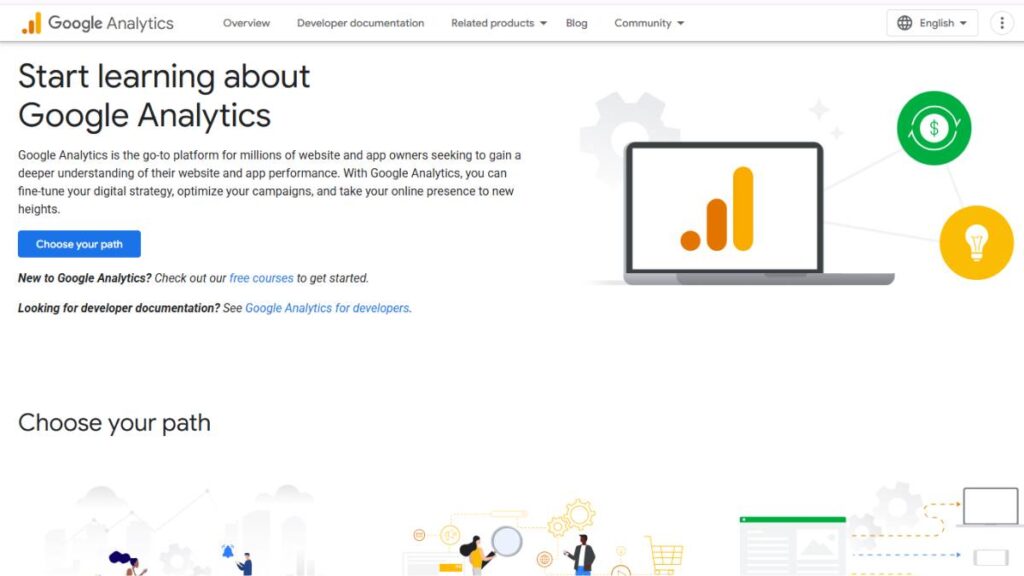
Best for Web Traffic & Event Tracking
GA4 is almost unavoidable at this point. Most websites run on it by default, and even when teams complain about it, they rarely replace it completely.
It tracks behavior through events rather than just sessions, which makes it feel different from older analytics setups. Takes a bit of getting used to, but once it settles, it gives a decent view of how users actually move through a site.
Key features:
- Event-based tracking instead of session-heavy reporting
- Machine learning insights that surface patterns in traffic
- Funnel and path analysis for understanding user flow
Not perfect, sometimes a bit clunky, but still the baseline for most marketing stacks.
Adobe Analytics
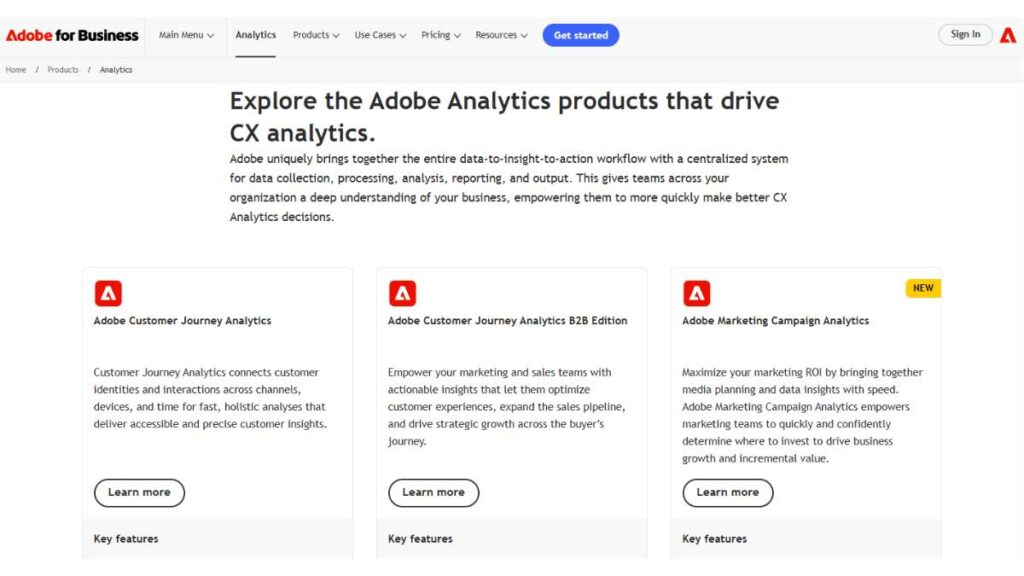
Best for Enterprise Marketing Analytics
Adobe Analytics is in a different league, and not always in a “simpler is better” way. It’s powerful, but it expects teams to be comfortable with complexity.
Where it really stands out is segmentation. Large datasets can be sliced in ways that smaller tools just can’t handle cleanly.
Key features:
- Deep segmentation for complex audience analysis
- Advanced AI-driven insights across large datasets
- Highly customizable reporting structures
Usually used when scale is the problem, not basic tracking.
HubSpot Marketing Hub
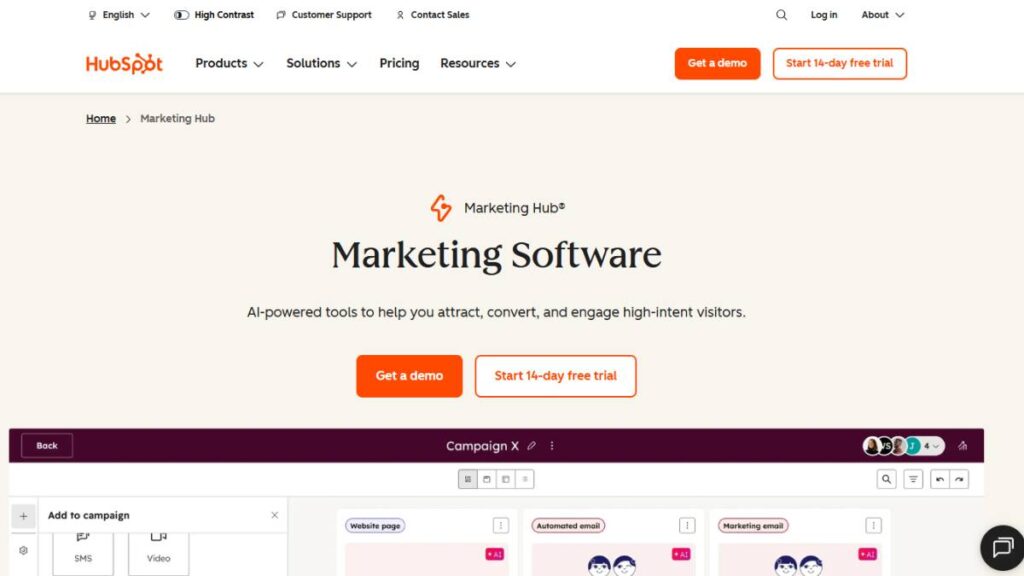
Best CRM-Integrated Analytics Tool
HubSpot works best when marketing and sales actually need to stay aligned instead of operating separately.
Everything sits in one ecosystem: campaigns, contacts, lead stages, and performance. That’s the real draw. Less switching, more continuity.
Key features:
- Full-funnel tracking from first touch to conversion
- Campaign performance tied directly to CRM data
- Built-in automation across marketing workflows
It’s not the cheapest setup, but teams like the simplicity of having fewer moving parts.
Semrush
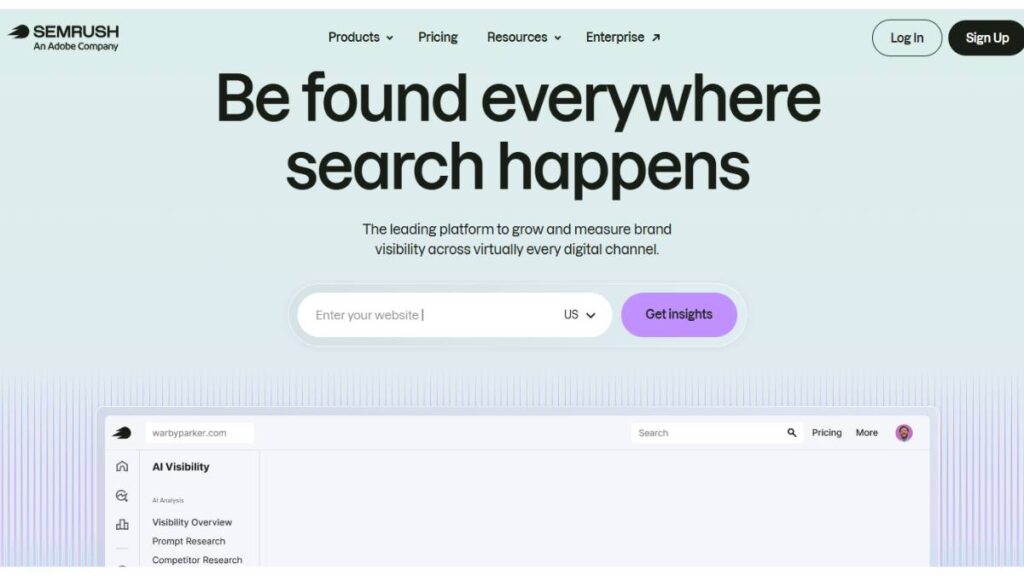
Best for SEO & Competitor Analytics
Semrush is less about general analytics and more about visibility, especially around search and competition.
It quietly becomes part of daily work for SEO teams because it answers questions that are otherwise hard to piece together manually.
Key features:
- Keyword research and ranking tracking
- Site audits for technical SEO issues
- Competitor analysis across search performance
It’s one of those tools that starts as “SEO software” and slowly becomes a core intelligence layer.
Mixpanel
Best for Product & User Behavior Analytics
Mixpanel is usually found in product-heavy setups. The focus is not just on traffic, but on what users actually do inside a product.
Event tracking is the core here. Every click, action, or flow becomes something that can be analyzed over time.
Key features:
- Event-based tracking for detailed behavioral analysis
- Retention tracking that shows user stickiness
- Segmentation based on real user actions
It becomes especially useful when growth depends more on usage than acquisition.
Tableau
Best for Data Visualization & BI
Tableau is what teams use when raw numbers stop being useful on their own.
It’s not really about collecting data. It’s about making it readable. Dashboards here tend to be more visual, more flexible, and easier to present across teams.
Key features:
- Interactive dashboards for data exploration
- Strong visualization capabilities for complex datasets
- Enterprise-grade BI integration
It works best when paired with solid data sources rather than used alone.
Funnel
Best for Marketing Data Aggregation
Funnel solves a very simple but common problem: data everywhere, no single place to trust it.
Instead of switching between platforms, it pulls everything into one structured layer. Less chaos, more consistency.
Key features:
- Connects with 400+ marketing data sources
- Centralized data storage for reporting
- Clean ETL pipelines for structured analysis
It usually sits behind reporting tools, quietly keeping data aligned.
Matomo
Best Privacy-Focused Analytics Tool
Matomo is chosen when control over data matters more than convenience.
It’s open-source and can be self-hosted, which changes how data ownership works completely compared to most cloud tools.
Key features:
- Self-hosted or cloud deployment options
- GDPR-compliant tracking setup
- Full ownership of collected data
Not the smoothest interface out there, but strong on privacy and control.
Supermetrics
Best for Reporting Automation
Supermetrics doesn’t try to replace analytics tools. It just connects them and removes a lot of manual reporting work.
Most teams use it to pull data into sheets or dashboards without exporting files every time.
Key features:
- Automated data extraction from multiple platforms
- Integration with Google Sheets and BI tools
- Streamlined reporting workflows
It quietly saves hours every week, especially in reporting-heavy setups.
Hotjar
Best for User Behavior Insights
Hotjar shows something most analytics tools miss: what users actually do on a page, not just what they’re supposed to do.
Heatmaps and session recordings often reveal small friction points that don’t show up in dashboards.
Key features:
- Heatmaps for interaction tracking
- Session recordings for real user behavior
- Feedback tools for direct input
Very practical for landing pages and conversion improvements.
Amplitude
Best for Behavioral Analytics & Journeys
Amplitude is built around behavior over time. Not just one visit, but how users return, engage, and move across journeys.
It tends to be used when retention becomes more important than acquisition.
Key features:
- Customer journey tracking across touchpoints
- Cohort analysis for behavior comparison
- Deep product analytics capabilities
Strong when understanding long-term user behavior matters.
Improvado
Best for Enterprise Data Pipelines
Improvado is less about analysis and more about structure.
It connects multiple marketing platforms and organizes the data into something usable at scale. Useful when reporting becomes too fragmented.
Key features:
- 500+ data source integrations
- Centralized marketing data pipelines
- Advanced ETL workflows
Mostly used in large teams dealing with heavy data complexity.
Heap
Best for Auto-Capture Analytics
Heap removes a common problem: the manual tracking setup.
Instead of defining every event upfront, it automatically captures user actions. That makes analysis easier later, even if tracking wasn’t planned perfectly from the start.
Key features:
- Automatic event capture without manual tagging
- Retroactive analysis of past behavior
- No-code setup process
Helpful when flexibility matters more than strict structure.
SegmentStream
Best for Multi-Touch Attribution
Attribution is always a bit controversial, and SegmentStream tries to make it more realistic by distributing credit across multiple touchpoints.
It’s mainly used in performance marketing setups where budget allocation depends heavily on attribution clarity.
Key features:
- Multi-touch attribution modeling
- Campaign incrementality analysis
- Budget optimization insights
Pricing: Custom
Not simple, but useful when attribution decisions directly impact spend.
Microsoft Power BI
Best for Business Intelligence Dashboards
Power BI is often the final layer in many analytics stacks. It pulls everything together into dashboards that are easier to understand at a leadership level.
It integrates well across systems and handles large datasets without too much friction.
Key features:
- Real-time dashboards and reporting
- Strong integration across the Microsoft ecosystem
- Advanced visualization and analytics options
Commonly used when data needs to be shared across teams without complexity getting in the way.
Comparison Table:
Best Marketing Analytics Tools at a Glance
At some point, most teams stop debating features and just want a clear snapshot. Something that cuts through the noise.
Because honestly, most marketing analytics tools start sounding the same after a while. Dashboards, integrations, “AI insights”… it all blends together on paper.
So a straight comparison helps more than long explanations sometimes.
| Tool | Best For | Key Features |
| Google Analytics 4 | Website tracking & user behavior | Event tracking, funnels, ML insights |
| Adobe Analytics | Large-scale enterprise analytics | Deep segmentation, AI analysis, custom reporting |
| HubSpot Marketing Hub | CRM-linked marketing visibility | Full-funnel tracking, automation, campaign reporting |
| Semrush | SEO + competitor tracking | Keyword research, audits, competitor data |
| Mixpanel | Product behavior tracking | Event tracking, retention, segmentation |
| Tableau | Data visualization | BI dashboards, visual reporting, storytelling |
| Funnel | Marketing data consolidation | Multi-source data pipelines, ETL |
| Matomo | Privacy-first analytics | Self-hosting, GDPR compliance |
| Supermetrics | Reporting automation | Data pulling into Sheets/BI tools |
| Hotjar | User behavior insights | Heatmaps, session recordings |
| Amplitude | Journey + behavioral analytics | Cohorts, retention, product analytics |
| Improvado | Enterprise data pipelines | 500+ connectors, centralized data |
| Heap | Auto-capture analytics | No-tag tracking, retroactive analysis |
| SegmentStream | Attribution modeling | Multi-touch attribution, budget optimization |
| Microsoft Power BI | Business dashboards | Real-time reporting, integrations |
One thing becomes obvious when everything is laid out like this: no single tool “wins.” Each one solves a very specific type of mess. The real job is matching the mess to the tool.
Marketing Analytics Tools by Use Case
This is usually where decisions actually start to make sense. Not by feature lists, but by context. What’s the team trying to fix right now? That question tends to matter more than anything else.
Best Free Marketing Analytics Tools
Free tools are often underestimated, mostly because they sit at the entry point of most stacks. But they usually carry more weight than expected.
Google Analytics 4 is still the default starting point for tracking behavior on websites. Not because it’s perfect, far from it, but because it’s already there in most setups. It gives a baseline view of traffic, conversions, and user paths. Enough to start asking better questions.
Matomo shows up in teams that don’t want to rely too heavily on third-party platforms. Self-hosting changes the conversation a bit. Data ownership becomes part of the strategy, not just an afterthought.
Mixpanel, even in its lighter version, often gets used when someone wants to understand user behavior without overcomplicating setup. Event tracking here feels more flexible than traditional page-based analytics.
Best Marketing Analytics Tools for Small Businesses
Small business setups usually don’t struggle with a lack of tools. They struggle with too many signals and not enough clarity.
HubSpot tends to work well here because it ties marketing activity directly to leads and customers. That connection matters more than deep customization at this stage. It reduces the need to stitch together multiple systems just to understand performance.
Semrush is often part of the stack when search is a primary growth channel. It doesn’t just show data, it quietly points toward what’s worth fixing first. Keyword gaps, competitor movement, technical issues… all in one place.
Hotjar plays a different role. Less about numbers, more about behavior. Small changes in user flow, friction points, drop-offs, those things become visible in a way dashboards rarely show.
Best Enterprise Marketing Analytics Platforms
At the enterprise level, the problem shifts. It’s no longer about tracking performance; it’s about making sure everyone is looking at the same version of reality.
Adobe Analytics usually sits in that space. It’s built for complexity. Large datasets, multiple teams, different markets. It can handle it, but it doesn’t feel lightweight. That’s expected.
Improvado sits more in the background, quietly solving data fragmentation. It pulls from multiple sources and standardizes everything. Without something like this, reporting tends to fall apart across teams.
Tableau is often what leadership ends up seeing. Clean dashboards, visual reporting, structured views of performance. It’s not where data starts; it’s where it becomes readable.
Best AI-Powered Marketing Analytics Tools
AI in analytics sounds big, but in practice, it’s usually more subtle. Less “prediction of the future,” more “this looks off, you should check this.”
GA4 uses machine learning to surface trends in traffic and behavior. It’s not perfect, but it does help highlight shifts that might otherwise get missed in daily reporting.
Adobe Analytics applies AI more heavily across segmentation and pattern detection. It’s most useful when datasets are large enough for patterns to actually matter.
Amplitude uses behavioral modeling to understand how users move over time. That long-view approach is where AI actually starts to feel useful, not in one-off insights, but in patterns across journeys.
Best Tools for Attribution & ROI Tracking
Attribution is where things usually get a bit uncomfortable. Different tools, different numbers, different “truths.” It rarely aligns perfectly, and that’s just reality.
SegmentStream focuses on multi-touch attribution, which spreads credit across multiple interactions instead of forcing a single winner. It’s not always neat, but it reflects real customer behavior more accurately.
HubSpot helps connect marketing activity to revenue through CRM data. That connection often makes attribution feel less theoretical and more grounded in actual business outcomes.
Google Analytics 4 still plays a role in baseline attribution. It’s not always the final answer, but it helps set the structure most teams start from before layering more advanced tools on top.
Common Challenges in Marketing Analytics
Marketing analytics sounds clean on paper. Data comes in, insights go out, decisions get better. In reality, it rarely works that smoothly. Most teams deal with friction long before they get anything close to clarity.
Data silos are still the biggest headache
Data sitting in separate platforms is probably the most common issue. Ad data lives in one place, SEO in another, CRM somewhere else, and email tools are doing their own thing. Nothing really connects by default.
So what happens is simple: each team ends up defending its own numbers.
Marketing analytics tools try to fix this by pulling everything into a single view, but even then, setup matters. If integration is weak or incomplete, silos just move around instead of disappearing.
Attribution confusion never fully goes away
Attribution is one of those problems that doesn’t have a perfect answer. Different tools will always tell slightly different stories.
One channel gets too much credit, another gets ignored, and suddenly budget discussions turn into debates instead of decisions.
Most modern tools try to soften this with multi-touch models, but the real value is not in finding a “correct” answer. It’s in seeing patterns consistently enough to make informed adjustments.
No tool fully solves attribution. It just reduces the guessing.
Too much data, not enough clarity
This one shows up more than people expect. Dashboards start filling up fast, and suddenly every metric feels important.
But more data doesn’t always mean better decisions. Sometimes it does the opposite.
Teams often end up stuck between:
- Too many metrics to track properly
- Not enough clarity on what actually matters
- Reports that look good but don’t lead to action
Good analytics tools don’t just add data; they filter noise. The ones that work well usually surface fewer insights, but more useful ones.
Privacy rules have changed the tracking game
Tracking used to rely heavily on third-party cookies. That’s no longer reliable in many cases, and businesses have had to adjust.
Now, first-party data carries more weight. That changes how analytics tools are set up and what they can realistically capture.
Privacy-friendly tools usually focus more on:
- Consent-based tracking
- Server-side data collection
- Data ownership and control
- GDPR and compliance readiness
It’s less about tracking everything and more about tracking what’s allowed and still useful.
Future Trends in Marketing Analytics Tools
Marketing analytics is shifting quietly, but steadily. Not in dramatic ways, more in small structural changes that start to add up.
AI is becoming less of a feature and more of a layer
AI used to be something “extra” in analytics tools. Now it’s starting to sit inside the core workflow.
Instead of just reporting what happened, tools are starting to flag patterns like:
- Sudden drops in performance across channels
- Unexpected spikes in conversions
- Changes in user behavior over time
It’s not a perfect prediction. More like early signals that something deserves attention.
Cookieless tracking is now a baseline expectation
This isn’t really optional anymore. With privacy changes across browsers and regulations, tracking methods have had to adapt.
First-party data is becoming the default foundation. That means:
- More reliance on owned platforms
- Stronger focus on CRM and direct user data
- Less dependence on third-party tracking sources
Analytics tools that don’t support this shift tend to feel outdated quickly.
Predictive analytics is moving from “nice” to “expected.”
Forecasting used to feel advanced. Now it’s slowly becoming standard.
The goal isn’t perfect prediction, it’s directional clarity. Knowing where trends are heading is often more useful than knowing exact numbers.
Most tools are starting to offer:
- Revenue forecasting based on historical trends
- User churn prediction signals
- Campaign performance projections
It’s not about certainty. It’s about reducing blind spots early.
Real-time personalization is getting closer to reality
This is still uneven, but the direction is clear.
Instead of static segmentation, tools are moving toward more dynamic behavior-based grouping. That means users can be treated differently based on what they’re doing right now, not just what they did last month.
It’s not fully mature yet, but it’s clearly where things are heading.
Data unification is becoming the real priority
The conversation is slowly shifting away from “what tool should we use” to “how do we bring all this data together.”
CDPs (customer data platforms), analytics tools, and warehouses are starting to overlap more than before. The goal is no longer just reporting; it’s alignment.
When data is unified properly:
- Decisions become faster
- Reporting becomes simpler
- Conflicting metrics naturally reduce
That’s usually where real efficiency shows up.
Best Practices for Using Marketing Analytics Tools Effectively
Tools alone don’t improve decision-making. The way they’re used matters more than the tools themselves. That’s where most teams either simplify things or accidentally overcomplicate them.
Start with KPIs that actually matter
One of the most common issues is tracking too much. Everything gets measured, but not everything is useful.
Clear KPIs should be decided before anything else. Otherwise, dashboards end up becoming collections of numbers instead of decision tools.
Avoid vanity metrics when possible
Clicks, impressions, page views, they all have value, but only in context.
The problem starts when these metrics become the main focus instead of supporting signals.
A better approach is to always tie metrics back to something real:
- Revenue impact
- Lead quality
- Retention behavior
- Conversion efficiency
If a metric doesn’t connect to decision-making, it usually becomes noise.
Dashboards should guide action, not just display data
A dashboard that looks good but doesn’t lead to action is mostly decoration.
The useful ones are usually simple, sometimes even a bit minimal. They highlight what changed, not everything that happened.
Combining tools is normal, not a mistake
Very few teams use a single marketing analytics tool end-to-end. That’s not a flaw in the system; it’s just how modern marketing works.
The key is making sure tools complement each other instead of duplicating effort.
Regular data checks matter more than setup perfection
Even well-built systems drift over time. Tracking breaks, integrations fail silently, definitions shift slightly.
That’s why periodic data checks matter. Not constant auditing, just consistent reviews to make sure numbers still reflect reality.
Conclusion
Marketing analytics tools aren’t really about dashboards or reports at this point. They’ve become part of how decisions get made across marketing teams.
The real shift isn’t about collecting more data. It’s about making sense of what already exists without overcomplicating it.
There’s no perfect tool stack, and there probably never will be. What works better is a setup that stays flexible, connects well, and doesn’t create unnecessary friction when decisions need to happen quickly.
Most teams eventually settle into a mix of tools anyway. That’s normal. What matters more is whether the system helps answer questions faster,or just adds more of them.
FAQs: Marketing Analytics Tools
What are marketing analytics tools?
Marketing analytics tools basically sit in the background of everything a brand does online and try to connect the dots. Traffic from search, ads, email campaigns, social posts… all of it gets pulled into one place. The useful part isn’t the numbers themselves, it’s the pattern behind them, where people drop off, what actually nudges them forward, and what’s just noise.
Which marketing analytics tool is best?
This question comes up a lot, but there’s rarely a clean answer. GA4 is usually the default for web tracking, Adobe Analytics shows up in larger enterprise setups where data gets messy and layered, and HubSpot fits better when marketing and sales need to operate off the same system. The “best” one really depends on how complicated the setup is.
Are there free marketing analytics tools?
Yes, and a few of them hold up well even in serious setups. GA4 is the most common free option for tracking website behavior. Matomo gives a privacy-first alternative that can run without cost at a basic level. Mixpanel also offers a free tier, especially useful when tracking user events. For early-stage work, these usually cover more than expected.
What is the difference between GA4 and Adobe Analytics?
GA4 is lighter, more flexible, and built around event-based tracking that works across web and app. It’s easier to set up and understand, even if it feels a bit less structured at times. Adobe Analytics is the opposite; it’s heavy, detailed, and built for teams that need deep segmentation and highly customized reporting at scale.
Which tools are best for attribution tracking?
Attribution is where things start getting messy, because real customer journeys rarely follow a straight line. SegmentStream is built specifically for multi-touch attribution and tries to distribute credit across the journey. HubSpot ties attribution back to CRM and revenue, which helps connect marketing to business outcomes. GA4 usually acts as the baseline layer.
How do marketing analytics tools improve ROI?
ROI doesn’t improve because of more data; it improves because of fewer blind decisions. Once it becomes clear which campaigns are actually driving results and which ones just look good on paper, budget allocation starts making more sense. Over time, weaker channels get trimmed without much debate, and stronger ones quietly get more room.
What are AI-powered marketing analytics tools?
The “AI” part mostly shows up as pattern detection rather than decision-making. These tools notice unusual spikes, sudden drops, or shifts in behavior that might otherwise go unnoticed in a dashboard. GA4 and Adobe Analytics both do this in different ways. It’s less about automation and more about drawing attention to what matters faster.
Which tool is best for small businesses?
For smaller setups, simplicity usually wins. GA4 handles basic tracking without much setup. HubSpot works when leads and marketing need to stay connected. Hotjar is often added just to understand what users are doing on the site. At this stage, clarity matters more than depth or advanced customization.
Do marketing analytics tools require coding?
Most of them don’t anymore, at least not for standard use. Setting up dashboards, basic tracking, and integrations is usually no-code now. Coding only starts becoming relevant when tracking gets more specific, custom events, complex funnels, or stitched data across systems. For most teams, that comes much later.
How to choose the right analytics tool?
The decision usually gets clearer when the focus shifts away from features and toward friction. What’s actually not working right now? Is it attribution confusion, scattered reporting, or a lack of visibility across channels? Once that’s identified, the tool choice becomes less about comparison and more about fixing that gap.
What are the most advanced marketing analytics tools?
Advanced tools tend to show up when data is coming from too many places to handle manually. Adobe Analytics handles deep enterprise-level reporting. Funnel pulls multiple sources into a single system. Improvado goes even further into infrastructure-level data handling. These aren’t just dashboards; they’re more like data coordination layers.
Which marketing analytics tools offer AI-powered insights?
A lot of tools now include some form of AI, but the depth varies. GA4 highlights anomalies and unexpected changes. Adobe Analytics focuses more on segmentation and forecasting. Amplitude looks at behavior patterns over time to understand how users move through a product or funnel. The common thread is surfacing what’s easy to miss.
How do marketing analytics tools track customer journeys across channels?
They piece together user activity across multiple touchpoints, ads, search, email, and direct visits, using identifiers like cookies or first-party data. It’s not always perfect, especially when users switch devices or clear tracking data, but it still gives a workable view of how people move before converting.
Can marketing analytics tools integrate with CRM platforms like HubSpot or Salesforce?
Yes, and this integration is where things start becoming more actionable. Once marketing data connects with CRM systems, it’s possible to trace leads, opportunities, and revenue back to campaigns. That shift, from engagement data to business outcomes, is usually where reporting becomes more useful for decision-making.
What is the difference between marketing analytics tools and BI tools like Power BI?
Marketing analytics tools stay focused on marketing-specific data, campaigns, traffic, conversions, and attribution. BI tools like Power BI sit at a higher level and pull in data from across the business, including finance and operations. In real setups, they often sit side by side rather than replacing each other.
Which marketing analytics tools are best for eCommerce businesses?
eCommerce setups need a tighter view of user behavior and conversion paths. GA4 handles funnel tracking and traffic flow. Hotjar helps understand on-site behavior, like where users hesitate or drop off. Mixpanel adds depth around user actions and retention. The goal is usually improving conversion step by step, not just reporting.
How do attribution models work in marketing analytics tools?
Attribution models decide how credit is split across different touchpoints in a journey. Some models keep it simple and give all credit to the first or last interaction. Others distribute credit across multiple steps. The second approach is usually closer to reality, even if it takes more interpretation to make sense of.
Are open-source marketing analytics tools like Matomo reliable for businesses?
They are, as long as setup and maintenance are handled properly. Matomo is often chosen for its privacy control since data can stay self-hosted. That level of control is useful, but it also means more responsibility for configuration and upkeep compared to plug-and-play tools that manage everything in the background.
What marketing analytics tools are best for tracking SEO performance?
SEO tracking usually works best when tools are used together rather than in isolation. GA4 helps understand what users do after landing from search. Semrush handles keyword tracking and competitor insights. Combined, they give a clearer picture of how visibility translates into actual engagement and conversions.
How often should businesses review data in marketing analytics tools?
Constant monitoring sounds useful, but it usually leads to overreaction. Weekly check-ins are common for most active campaigns, while deeper monthly reviews help spot real patterns. High-budget campaigns might need closer tracking, but in most cases, consistency matters more than frequency. The goal is direction, not noise.